![[Speaker Report] I gave a mini session titled "Is It Too Late Once You Have More Accounts? ~ Key Points of Multi-Account Governance ~" #AWSSummit](https://images.ctfassets.net/ct0aopd36mqt/2sMbSSrXeIu2nkTZlaLSue/2120d94341b741bb1319162f3a6738f5/aws-summit-japan2026.png?w=3840&fm=webp)
[Speaker Report] I gave a mini session titled "Is It Too Late Once You Have More Accounts? ~ Key Points of Multi-Account Governance ~" #AWSSummit

This page has been translated by machine translation. View original
Hello. This is Nakamura.
I presented a session titled "Is It Too Late Once Your Accounts Multiply? ~ Key Points for Multi-Account Governance ~" at our company's booth mini-session at AWS Summit Japan 2026!
In this article, I am publishing the materials used at that time.
Presentation Materials
Overview
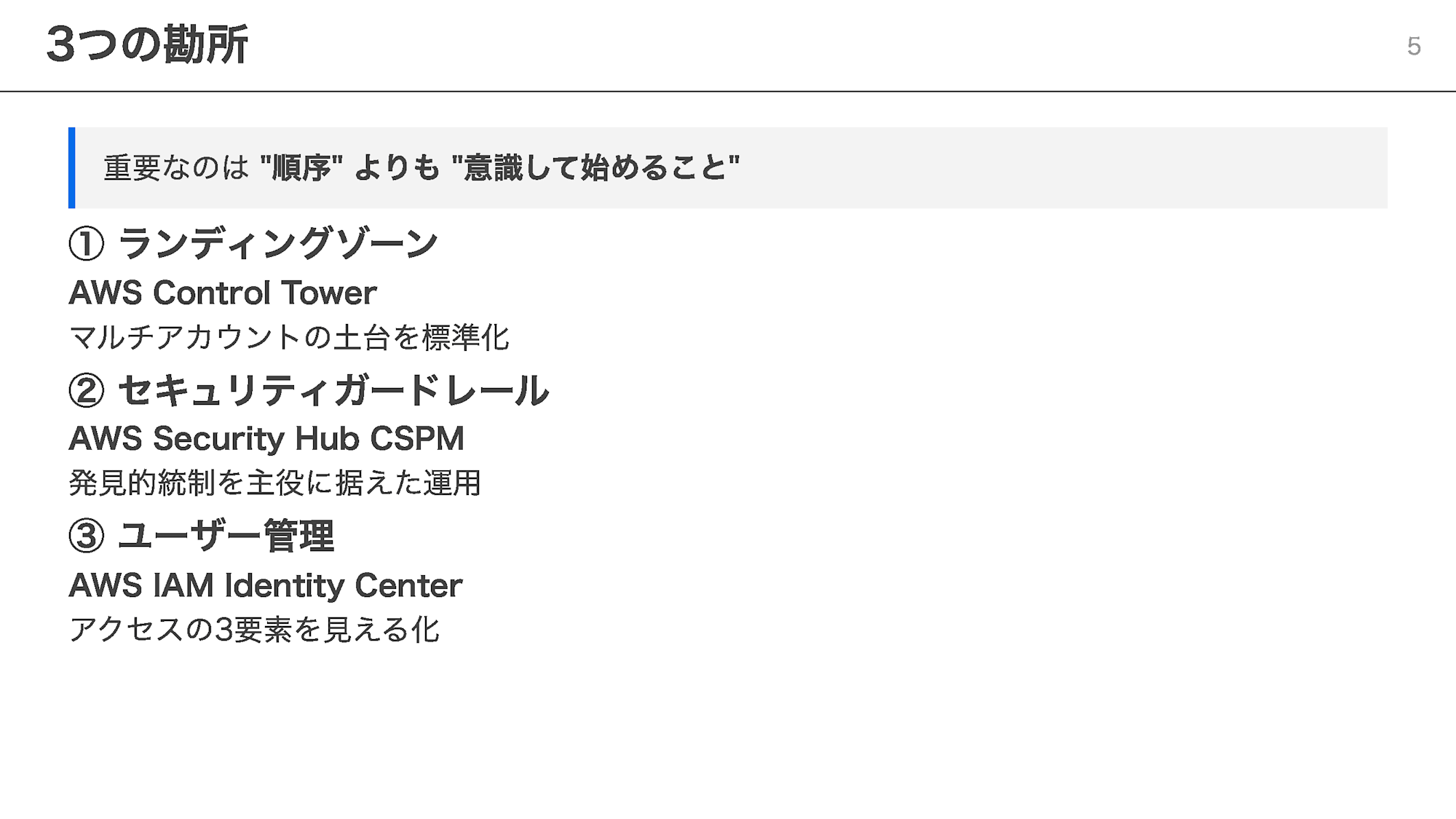
This is a session introducing 3 key points for getting started with multi-account governance, aimed at organizations where AWS accounts are beginning to multiply.
- Landing Zone: Standardize the foundation for multi-account environments with AWS Control Tower
- Security Guardrails: Place detective controls at the center, focusing on AWS Security Hub CSPM
- User Management: Visualize the 3 elements of access with AWS IAM Identity Center
There is no particular order to these 3 points — what matters is being intentional about starting them.
Content
Do Any of These Challenges Sound Familiar?
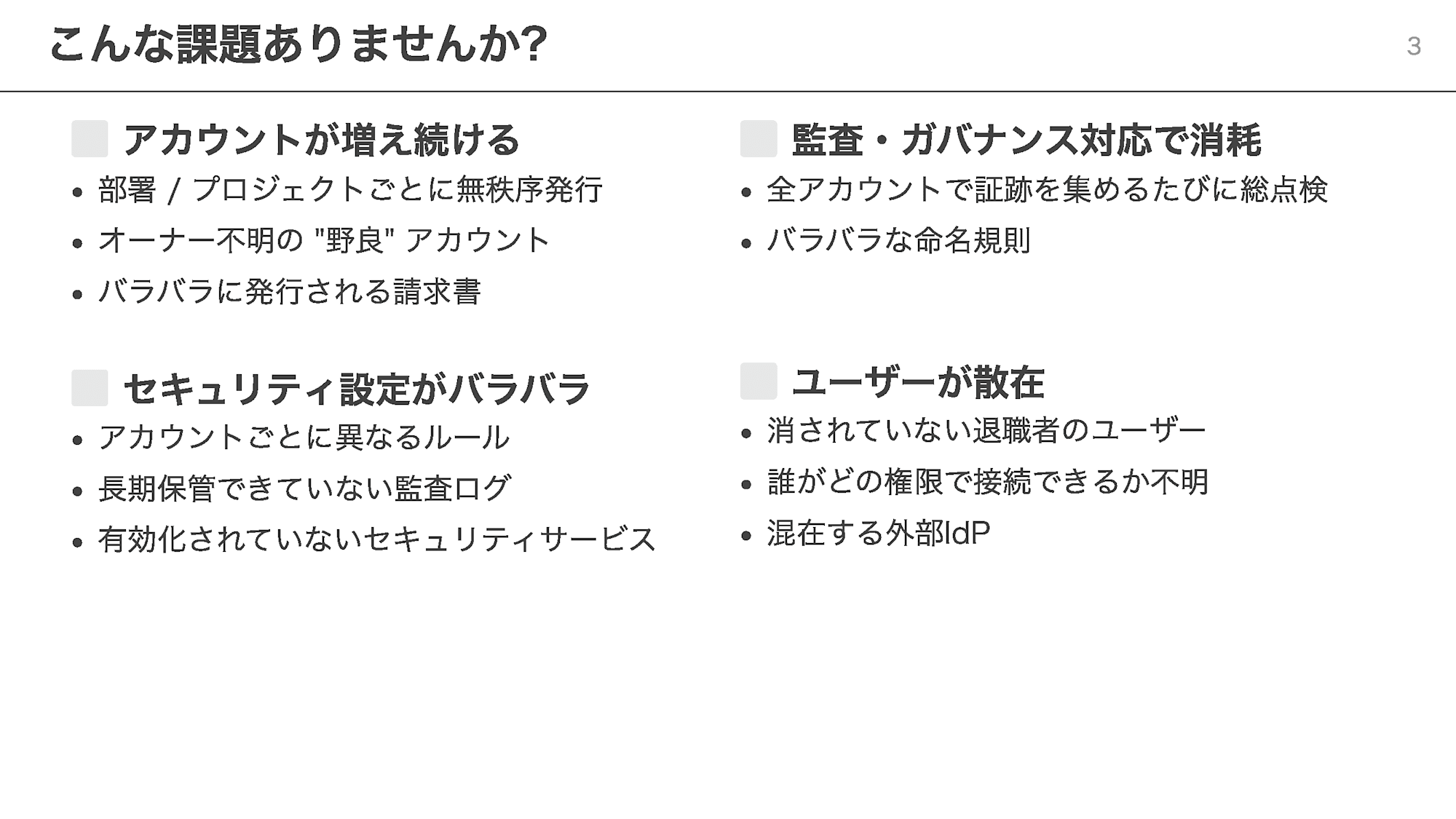
As AWS usage expands, the following challenges tend to emerge.
- Accounts multiply chaotically across departments and projects, giving rise to "stray" accounts with unknown owners
- Security configurations vary from account to account, making it impossible to notice missing long-term audit log retention or configuration gaps
- Every audit response exhausts the team with trail-gathering across all accounts
- Users who have left the company remain without being deleted, making it unclear who can connect with what permissions
If even one of these sounds familiar, it may be time to consider multi-account governance.
The Pain of Deferring Action
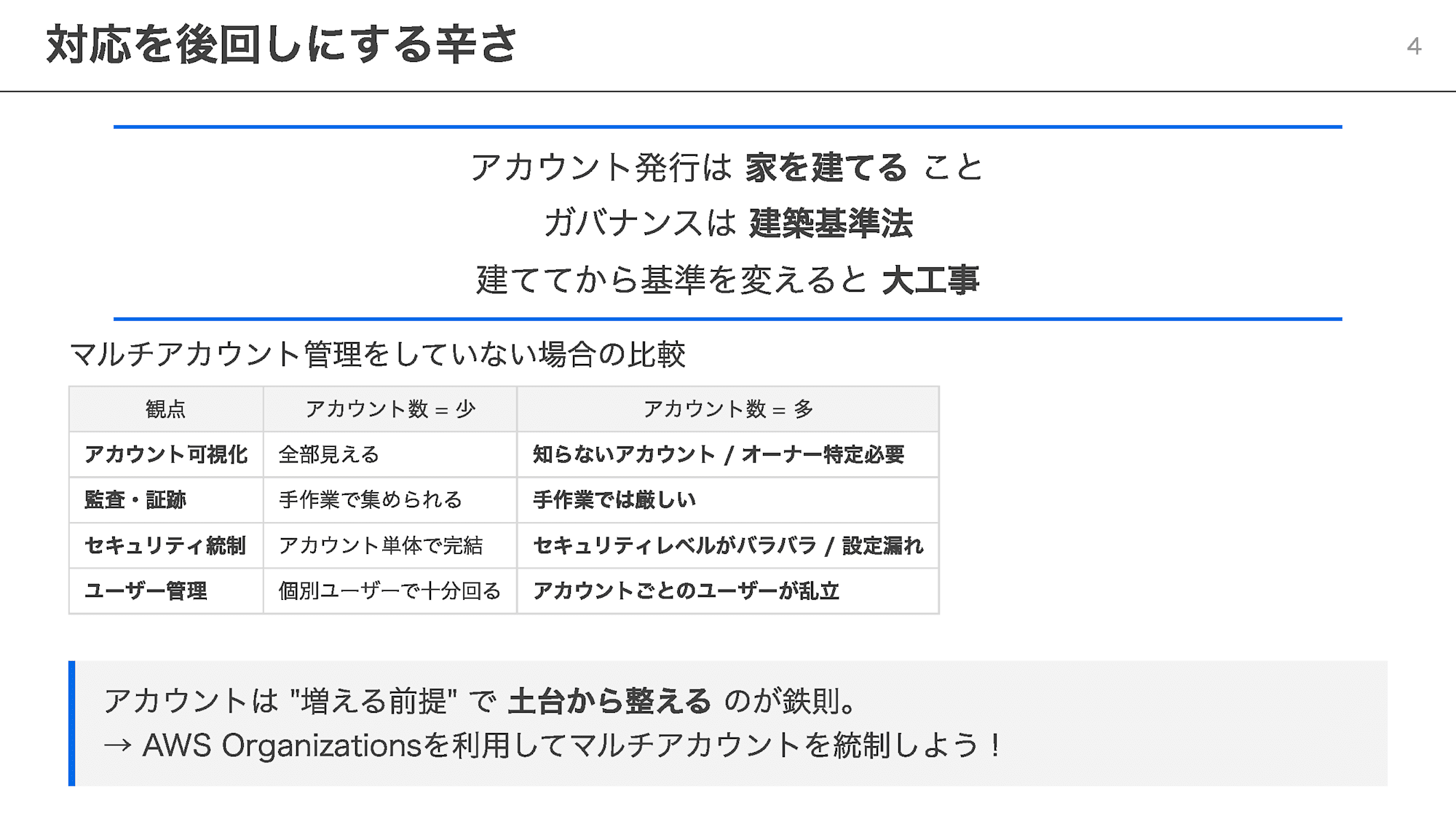
In the session, I used the analogy of account creation as "building a house" and governance as "building codes."
Just as changing standards after a house is built requires major construction work, enforcing controls after accounts have already multiplied comes at a significant cost.
When there are only a few accounts, the full picture is still visible, so manual trail-gathering and individual user management can still work.
However, as accounts increase, identifying owners, gathering trails, unifying security levels, and managing users all become unmanageable.
The golden rule is to assume accounts will grow and use AWS Organizations to build a solid foundation from the start.
① Landing Zone
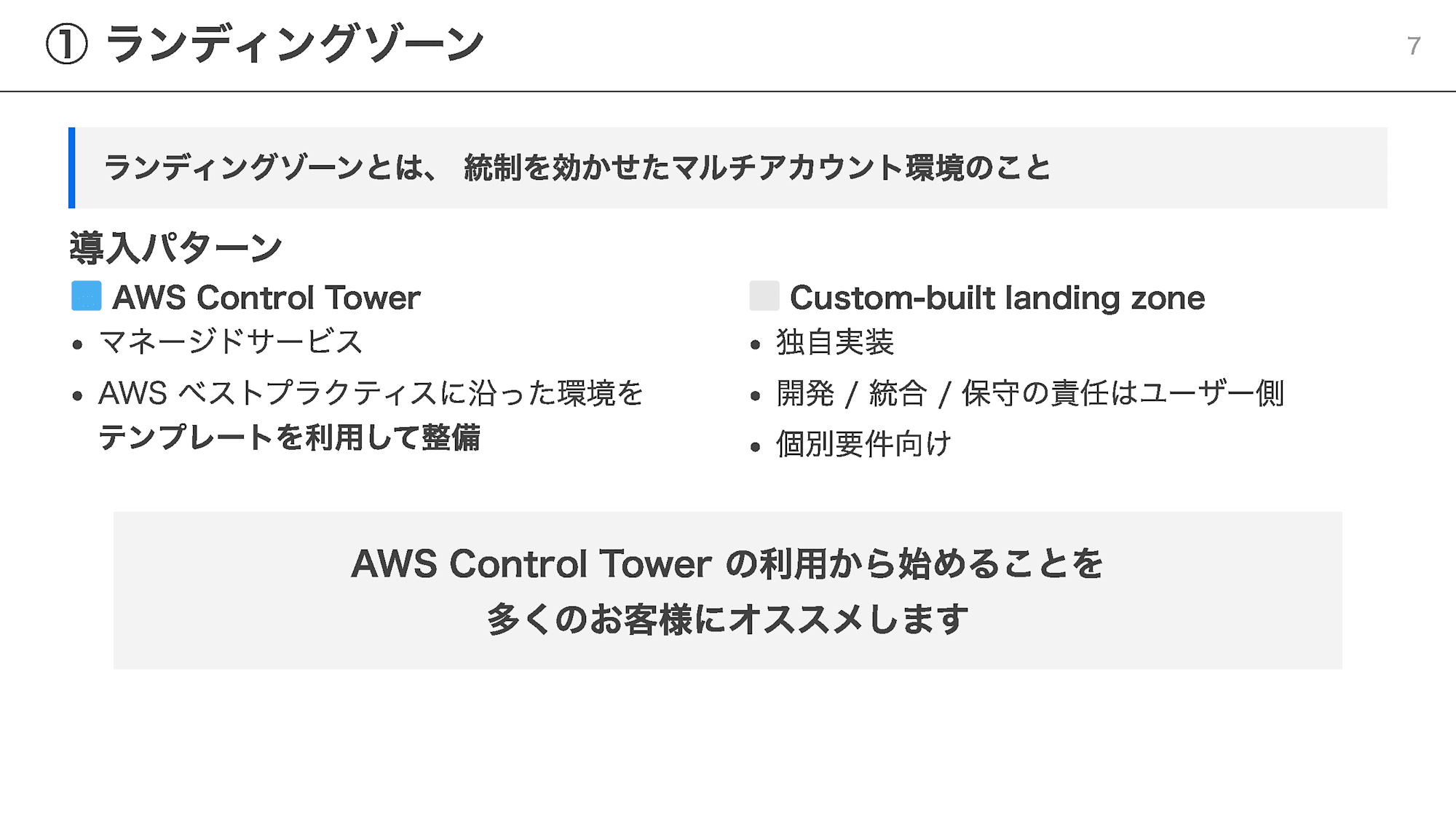
A landing zone is a multi-account environment with governance controls in place.
There are two approaches to implementation: using AWS Control Tower, or a custom-built landing zone.
While a custom implementation can address specific requirements, users bear responsibility for everything from development to maintenance.
For most customers, I recommend starting with AWS Control Tower, which can set up an environment aligned with AWS best practices using templates.
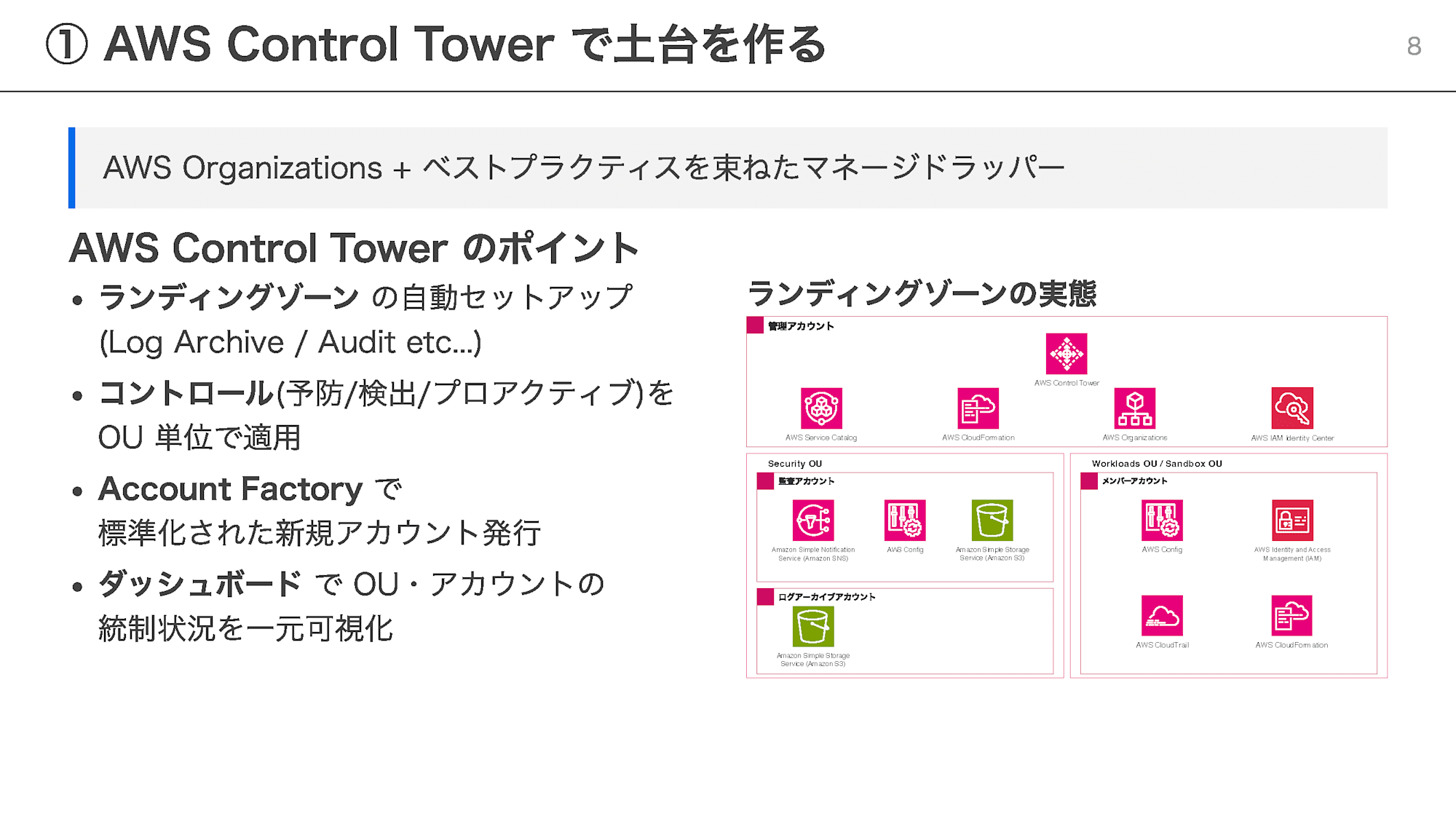
AWS Control Tower is a managed wrapper that bundles AWS Organizations and best practices together.
After setup, you can optimize your landing zone with IaC extension options such as CloudFormation StackSets and Account Factory for Terraform (AFT), as well as opt-in support for AWS Backup.
The earlier you adopt it, the better.
Delaying means that when you eventually register existing accounts, the impact assessment becomes considerably more burdensome.
② Security Guardrails
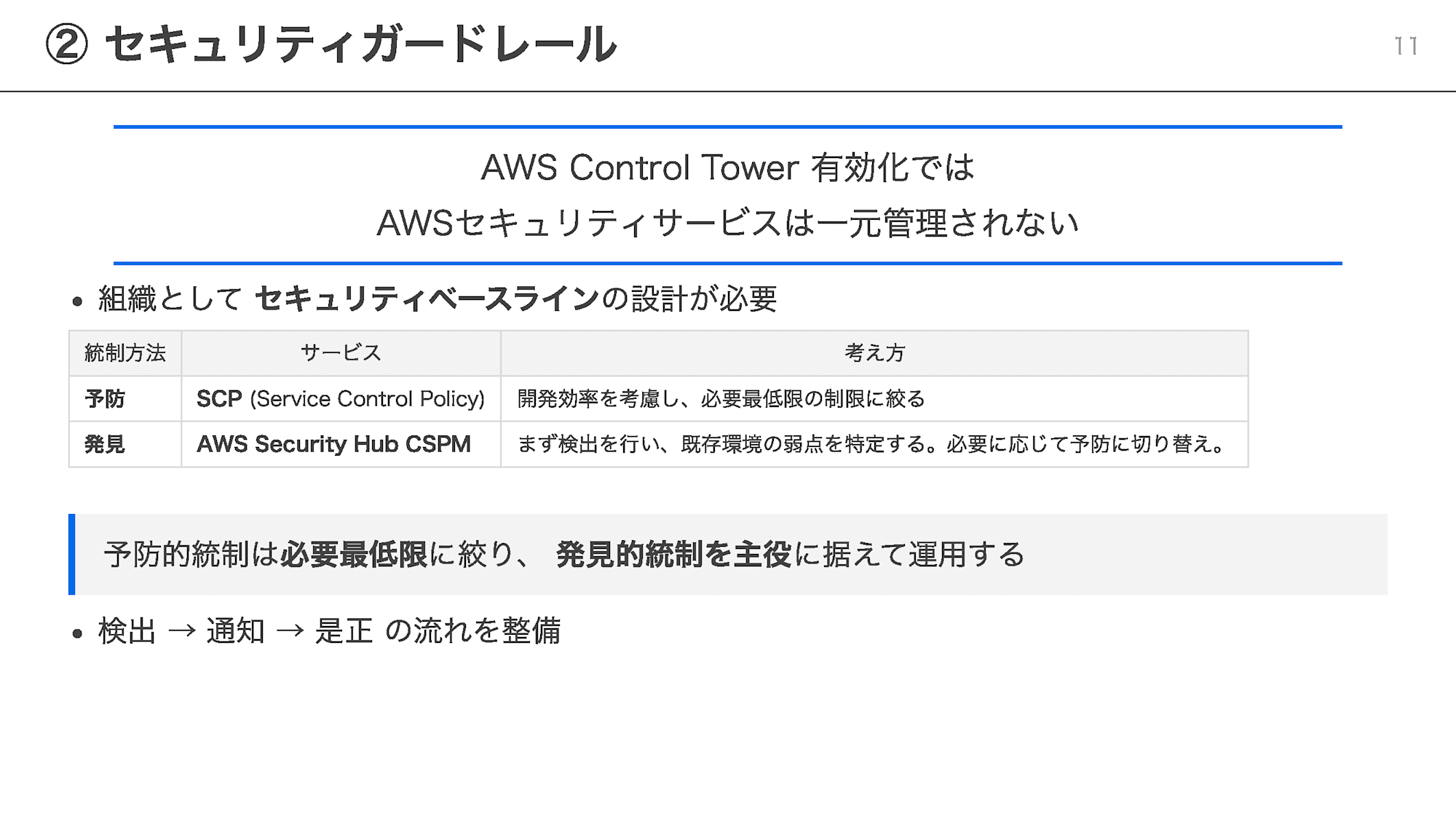
"Enabling AWS Control Tower does not automatically centralize management of all AWS security services."
A security baseline for the organization must be designed separately.
There are two approaches to governance controls.
- Preventive controls: Restrict operations themselves using SCP (Service Control Policy)
- Detective controls: Detect risky configurations using AWS Security Hub CSPM
Enforcing preventive controls too strictly reduces development efficiency.
Therefore, I recommended keeping preventive controls to the minimum necessary and making detective controls the centerpiece, establishing a workflow of "detect → notify → remediate."
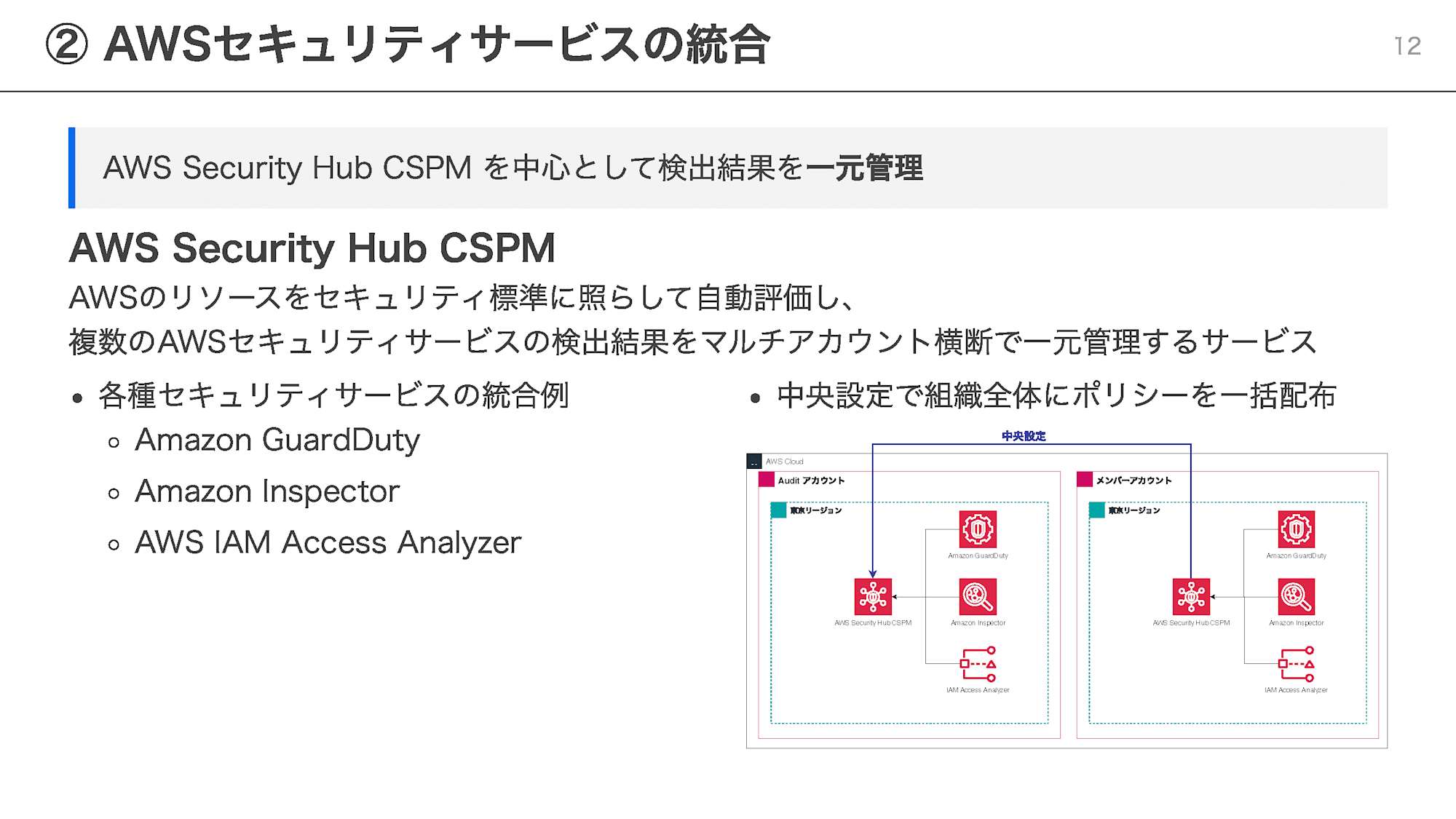
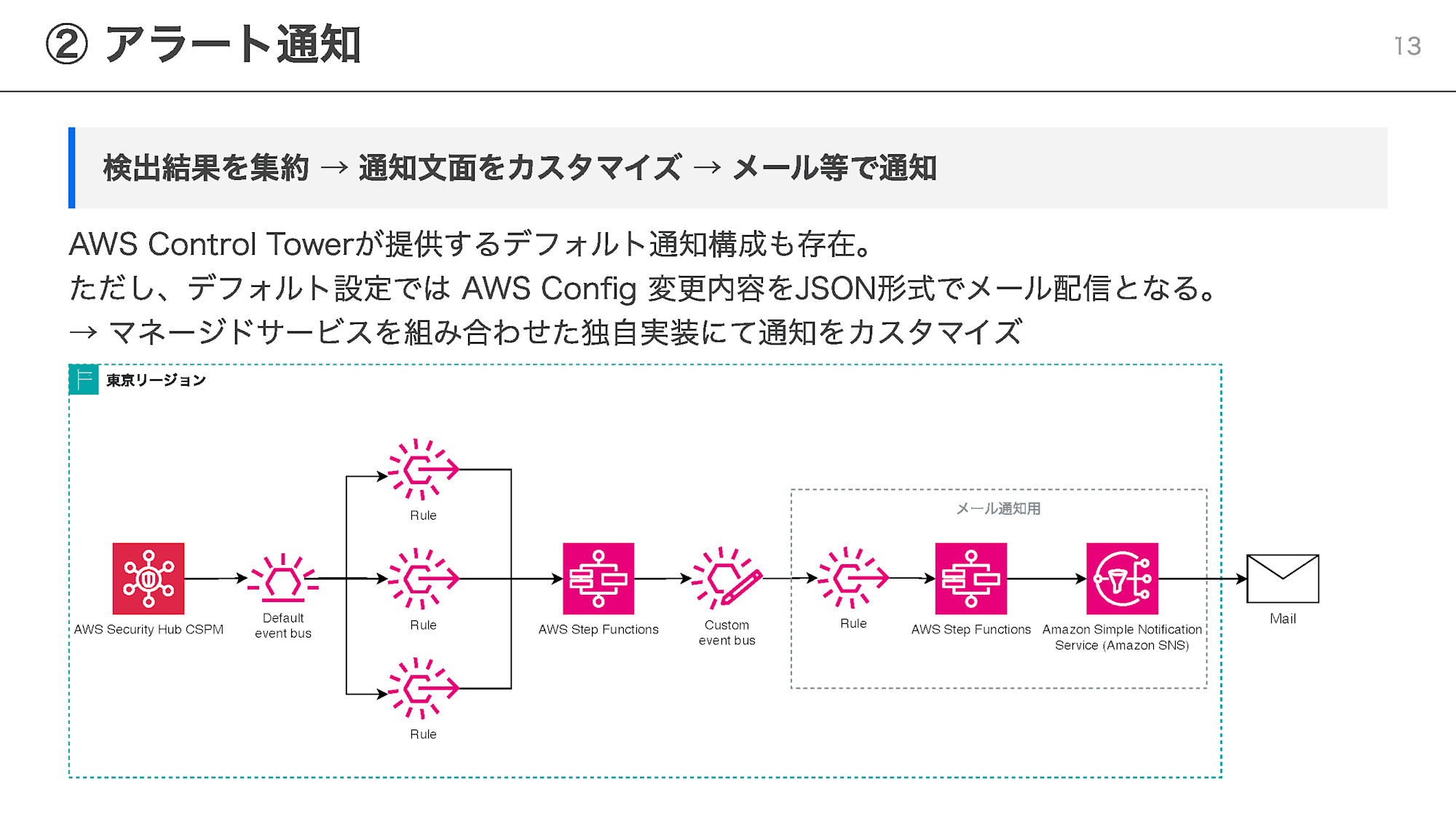
Detection only functions properly once notifications are also set up.
AWS Control Tower does provide a default notification configuration, but AWS Config change details are delivered via email in raw JSON format, which makes them difficult to parse as-is.
In the session, I introduced a configuration that uses managed services such as EventBridge and Step Functions in combination to customize notification message content.
③ User Management
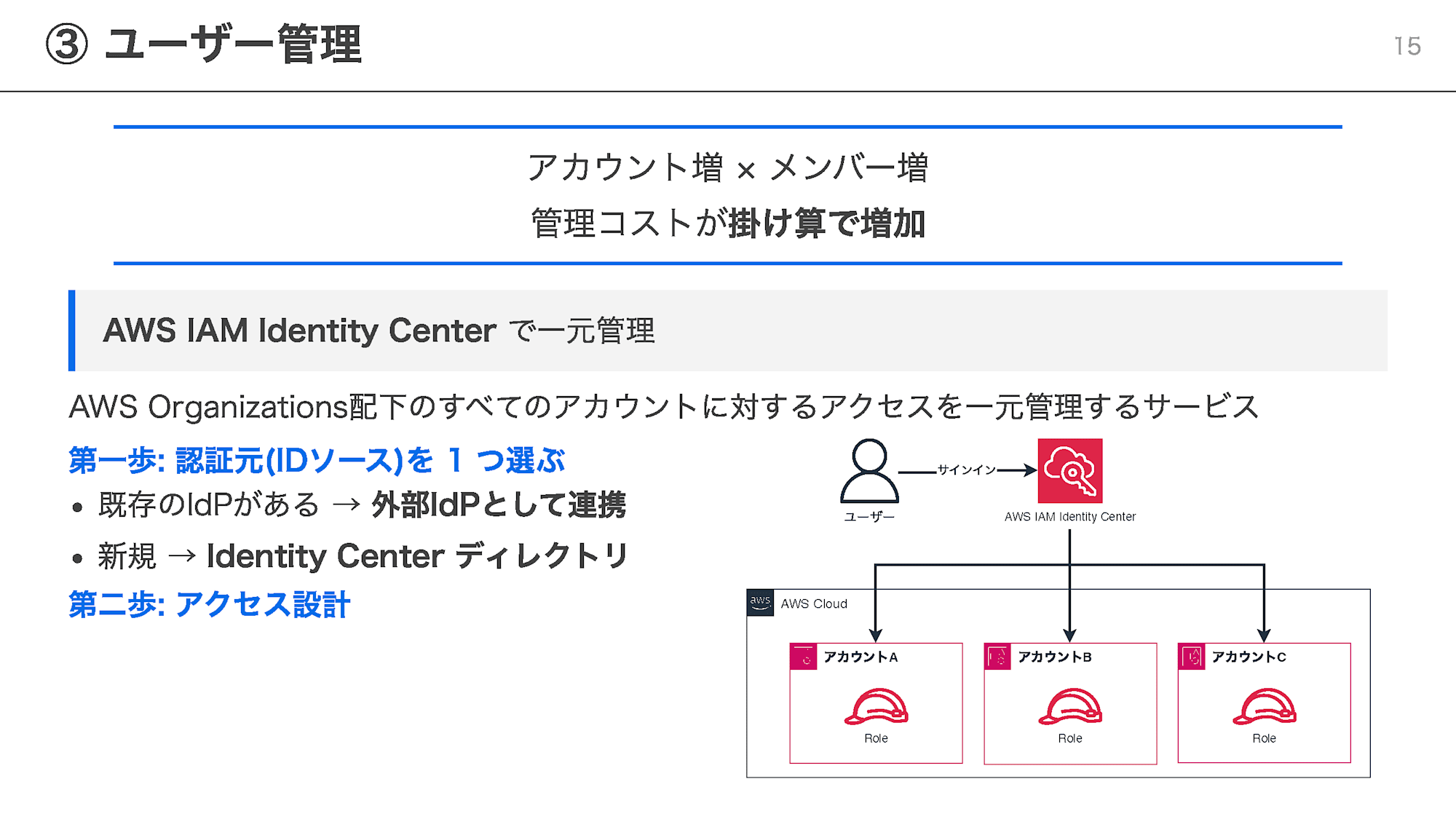
As accounts multiply and team members increase, the cost of user management grows multiplicatively.
Using AWS IAM Identity Center allows you to centrally manage access to all accounts under AWS Organizations.
The first step is to decide on a single source of authentication (identity source).
If an existing IdP is in place, integrate it as an external IdP; if not, use the Identity Center directory.
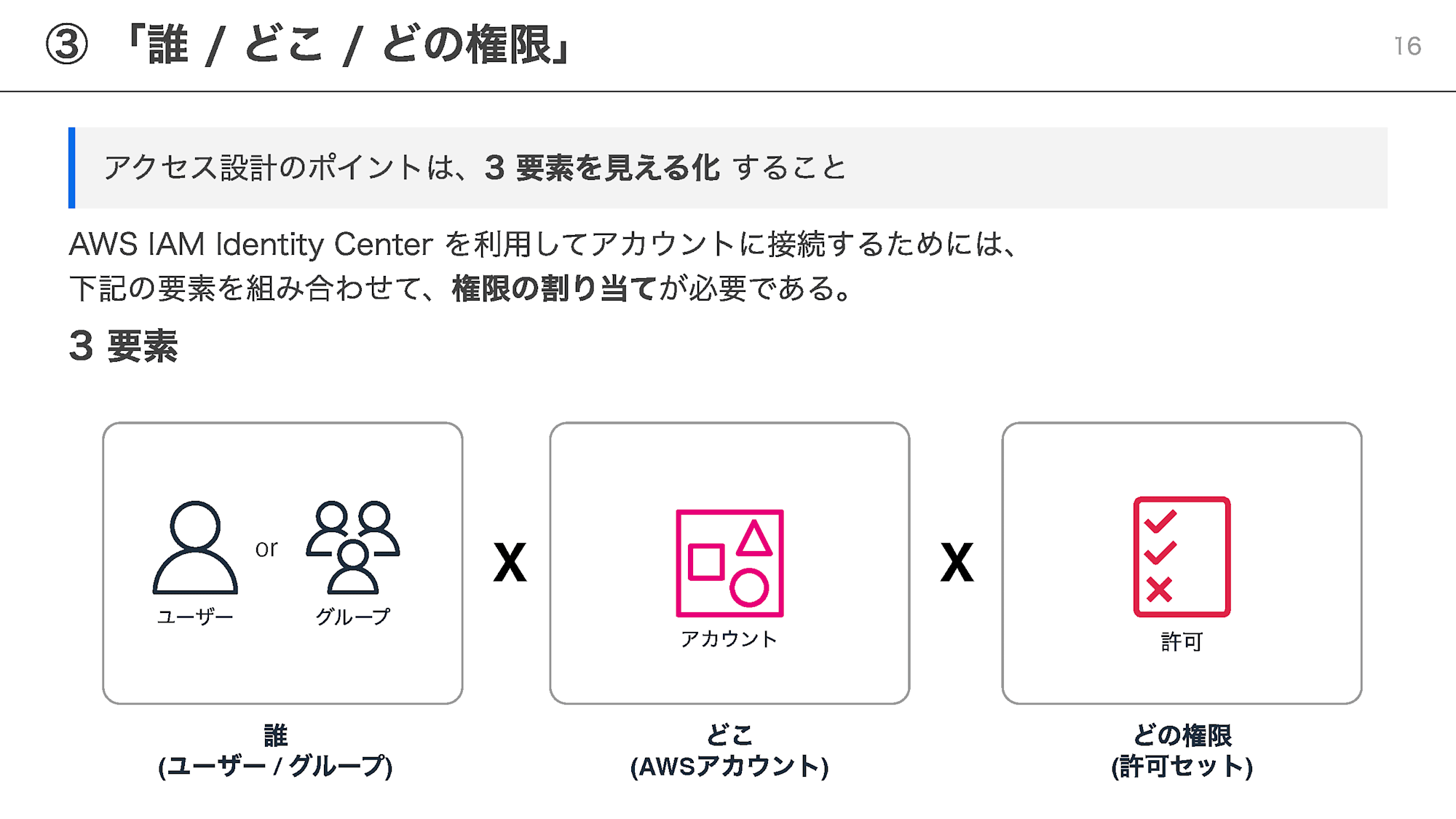
In the subsequent access design, I introduced how to visualize the 3 elements of "who," "where," and "with what permissions" someone connects.
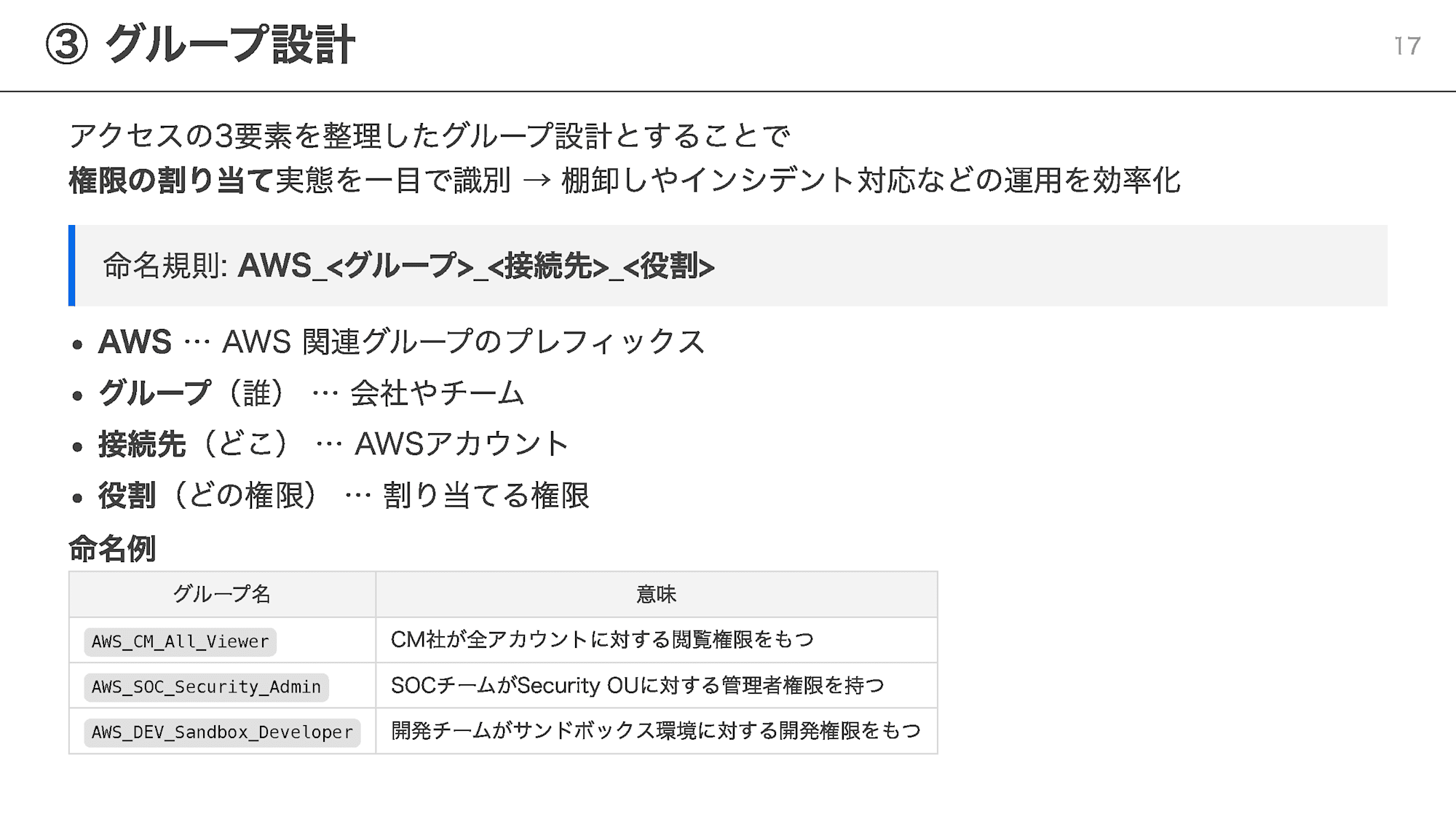
By embedding the 3 elements into group names using the naming convention AWS_<Group>_<Destination>_<Role>, you can identify permission assignments at a glance.
For example, AWS_DEV_Sandbox_Developer tells you that the development team has developer permissions for the sandbox environment.
This streamlines operations such as access reviews and incident response.
Summary
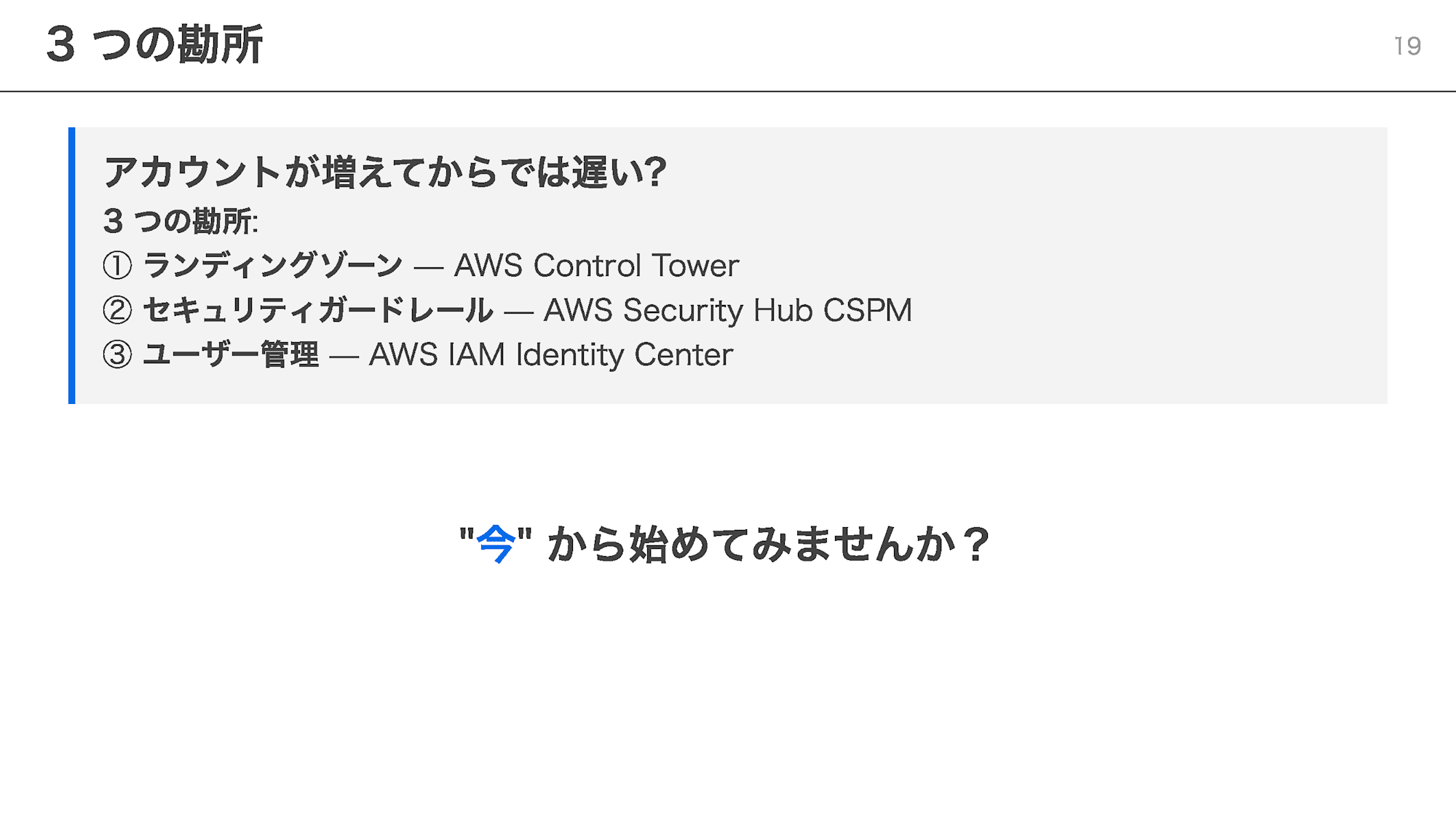
Enforcing governance after accounts have already multiplied becomes a major undertaking.
That is precisely why — why not start now?
Closing Note
Thank you to everyone who stopped by our booth!
I hope this article serves as a trigger for you to begin your multi-account governance journey.

