![[Update] Amazon Bedrock AgentCore Managed Harness Skills now support loading from S3](https://images.ctfassets.net/ct0aopd36mqt/7M0d5bjsd0K4Et30cVFvB6/5b2095750cc8bf73f04f63ed0d4b3546/AgentCore2.png?w=3840&fm=webp)
[Update] Amazon Bedrock AgentCore Managed Harness Skills now support loading from S3

This page has been translated by machine translation. View original
Introduction
Hello, I'm Jinno from the Consulting Division, who has come to love driving.
Everyone, are you using AgentCore Managed Harness? It's fun how easily you can create AI agents, isn't it?
While looking at the Harness console today, I noticed that Skills now supports loading from S3/Git!
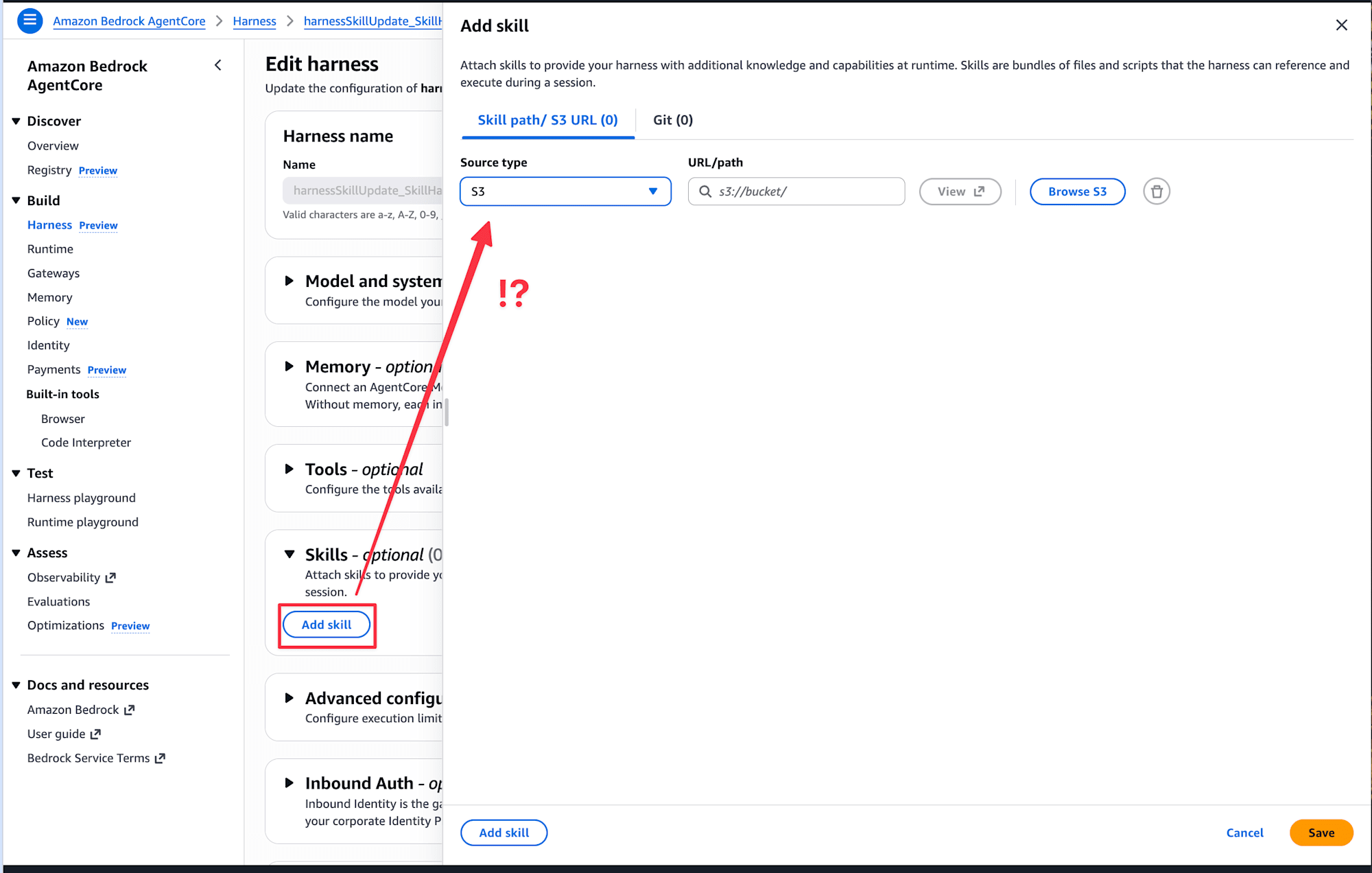
Until now, Skills only supported file path specification, which I found a bit cumbersome, but with S3 it looks like we can use it right away. HarnessSkillS3Source and HarnessSkillGitSource have also been added to the API reference.
This time, using the console as a base, I'll try two patterns: a skill with markdown only, and a skill with a script!
Review of Agent Skills
Agent Skills is a plugin mechanism also supported by Strands Agents (the open-source framework used internally by Harness). It bundles markdown and scripts to give agents domain knowledge, allowing you to define knowledge such as "internal terminology definitions" or "how to use specific APIs" as skills and pass them to agents.
Preparation
Creating a Harness
First, create a Harness from the console. I opened the AgentCore console and created one from Quick create harness.
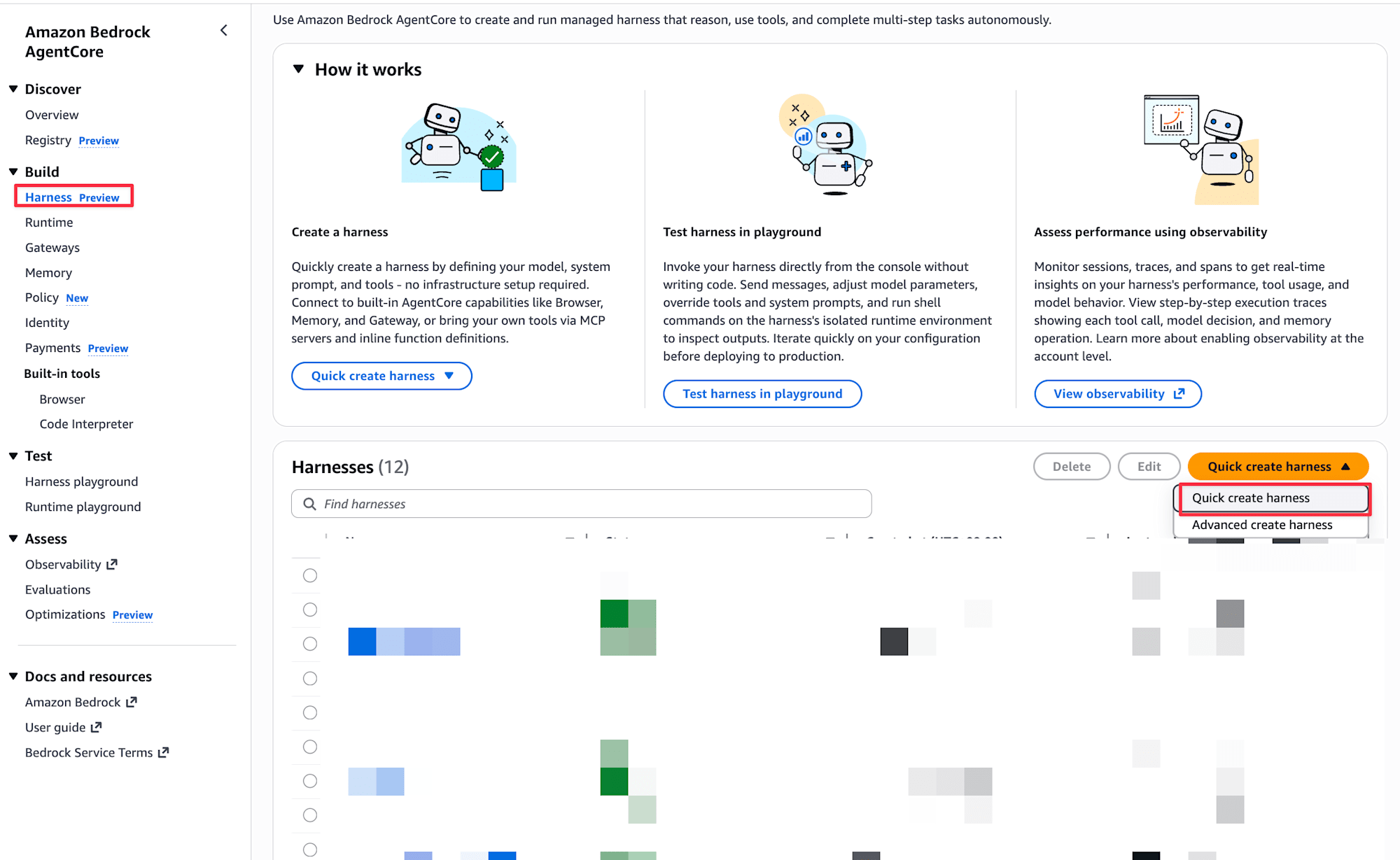
This time, I'll be editing this Harness I created.
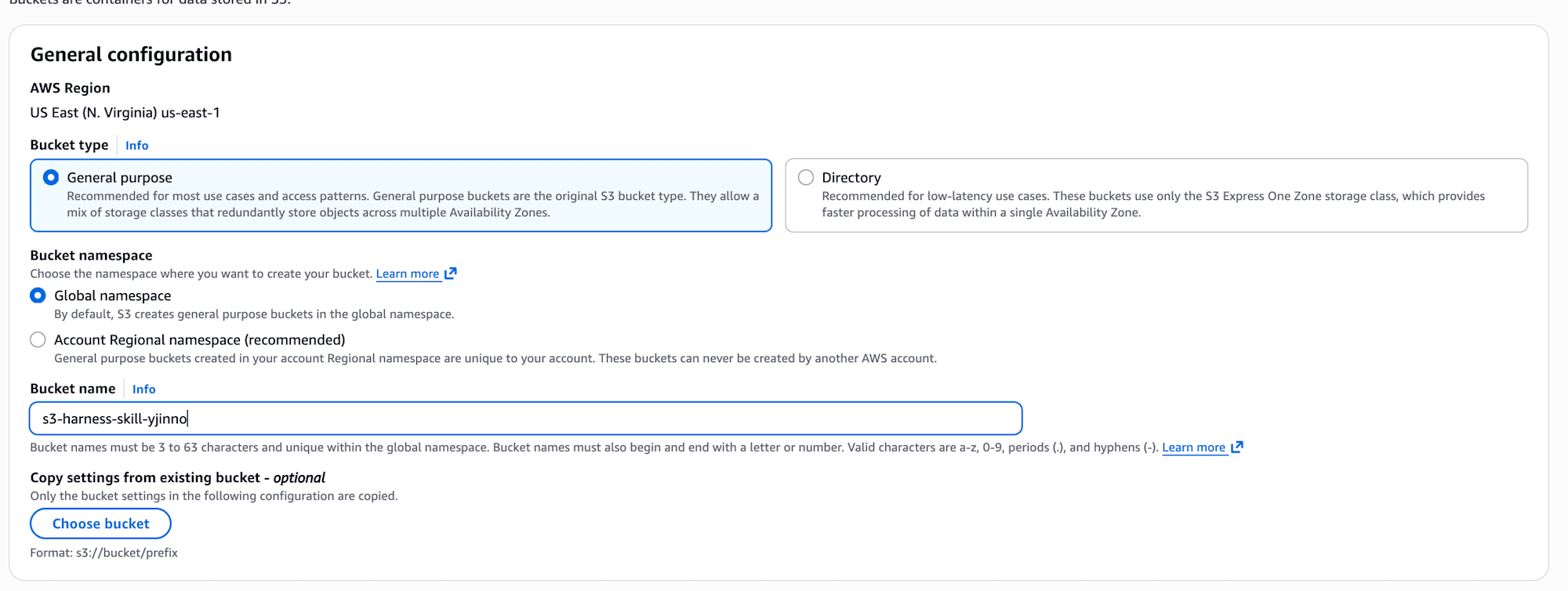
Creating an S3 Bucket
Create an S3 bucket to place the skill files. Create a bucket as usual from the S3 console. This time I named the bucket s3-harness-skill-yjinno.
Skill 1: Internal Terminology Dictionary (Markdown Only)
First, let's try a simple skill with markdown only. I'll create a fictional internal terminology dictionary skill and check how the responses change with and without the skill.
Creating SKILL.md
Prepare a SKILL.md with YAML frontmatter in accordance with the Strands Agents skill format.
---
name: 社内用語辞書
description: 社内プロジェクトの略称・コードネーム・独自用語を正確に展開して回答する
---

# 社内用語辞書

ユーザーが社内用語を使った場合、以下の辞書に基づいて正確に回答してください。
辞書にない用語は「社内辞書に該当する用語がありません」と伝えてください。

## プロジェクトコードネーム

| コードネーム | 正式名称 | 概要 |
|------------|---------|------|
| Phoenix | 次世代基幹システム刷新プロジェクト | 2026年度中にオンプレミスの基幹システムをAWSへ移行 |
| Tanuki | 社内ナレッジ検索基盤 | Amazon Bedrockを活用したRAGベースの社内文書検索 |
| Sunrise | 顧客向けポータルリニューアル | フロントエンドをNext.jsで刷新、2026Q3リリース予定 |

## 社内略称

| 略称 | 正式名称 |
|-----|---------|
| CTO室 | 技術戦略推進室 |
| PdM | プロダクトマネージャー(社内ではプロジェクトマネージャーと区別して使用) |
| MR | マージリクエスト(社内GitLabの用語、GitHubのPRに相当) |
| デイリー | 毎朝10:00の15分間スタンドアップミーティング |
The Strands Agents documentation states that name should be lowercase alphanumeric + hyphen, but in this Harness environment, Japanese also worked.
Uploading to S3
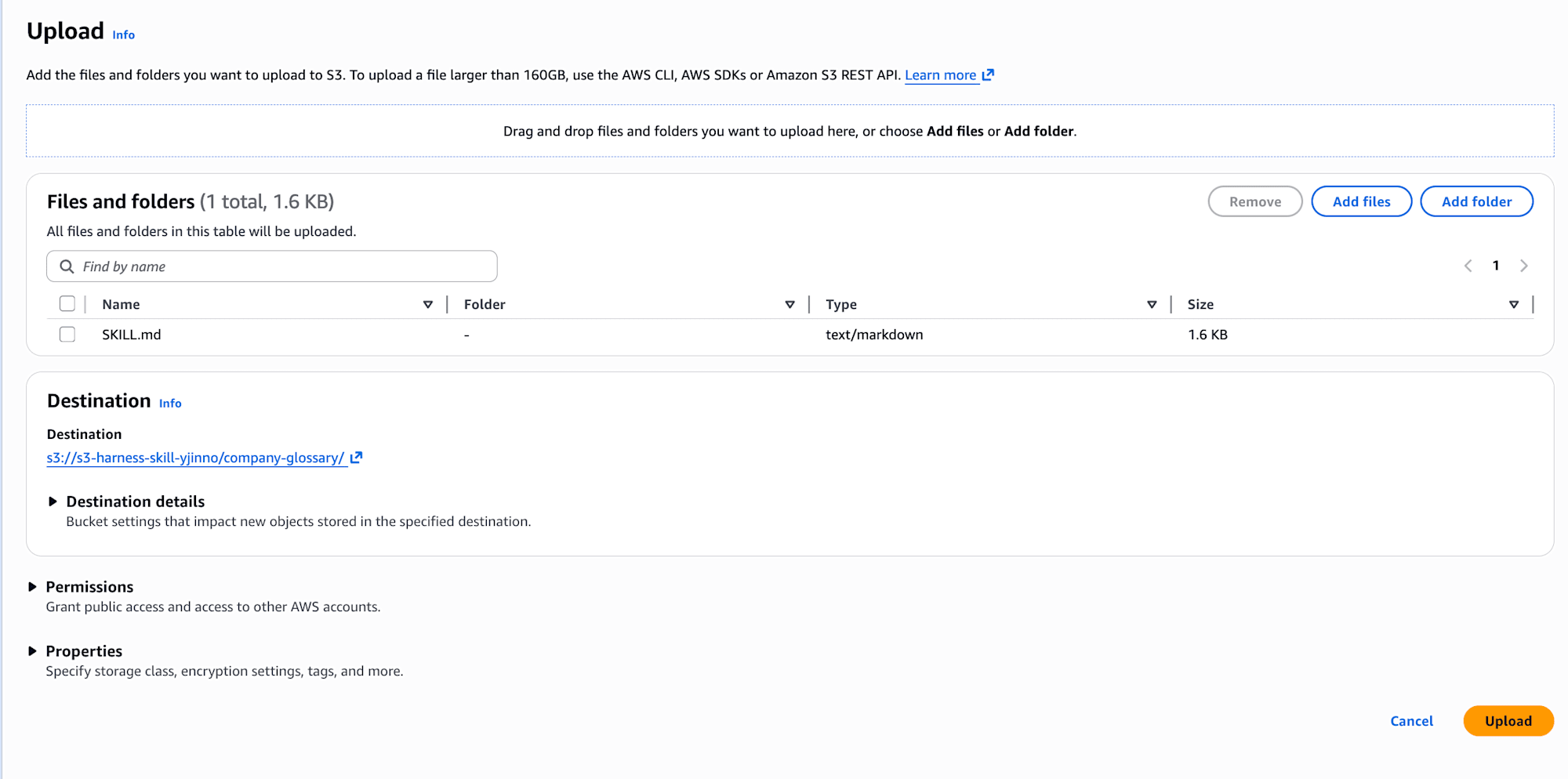
Create a folder from the S3 console and upload SKILL.md.
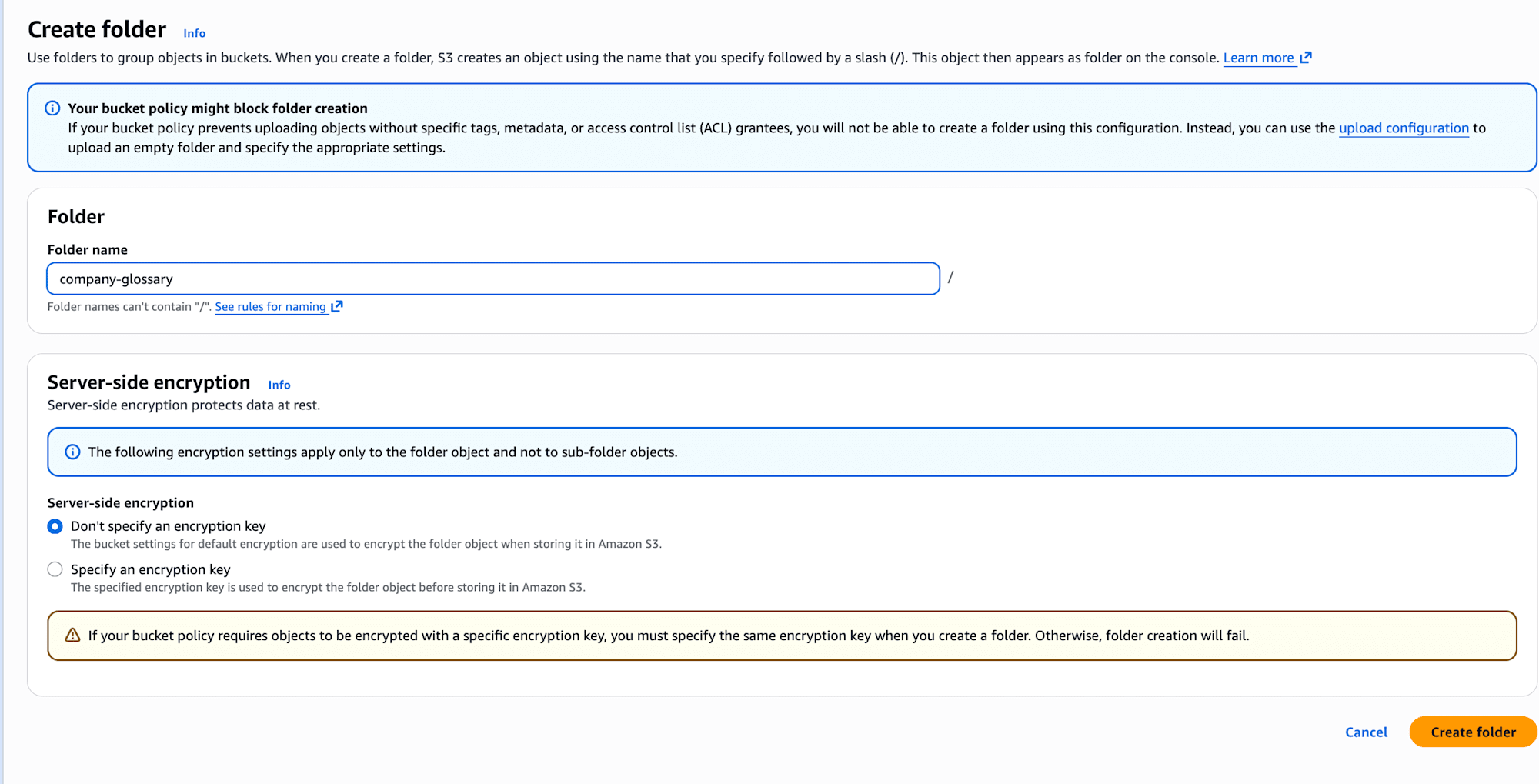
Adding the Skill to Harness
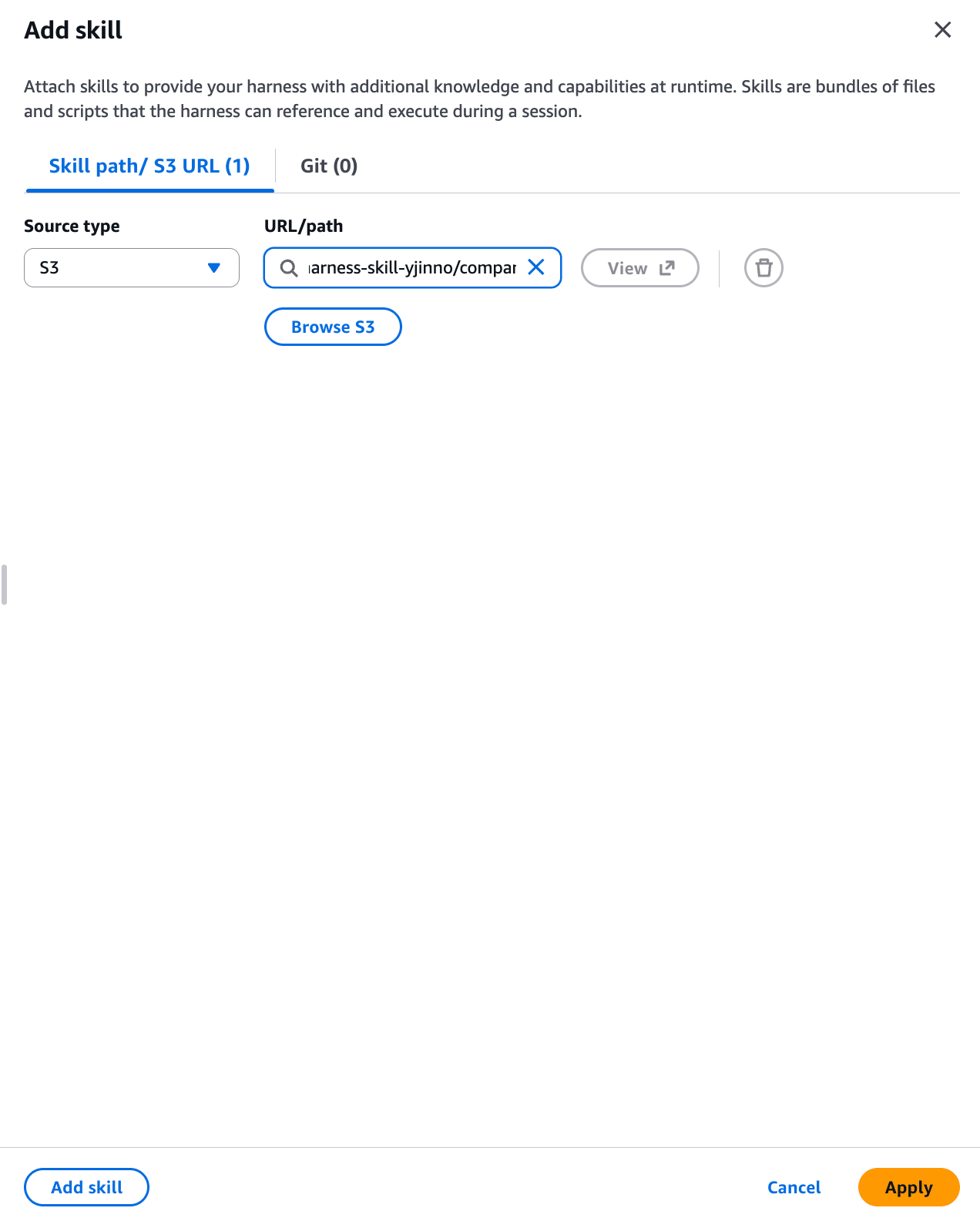
Open the Skills section from the Harness edit screen, and specify the S3 source with Add skill. I specified s3://s3-harness-skill-yjinno/company-glossary/ as the S3 URL.
Alright, let me try out Skills right away!! When I tried it in the Harness playground, I got an AccessDenied error...
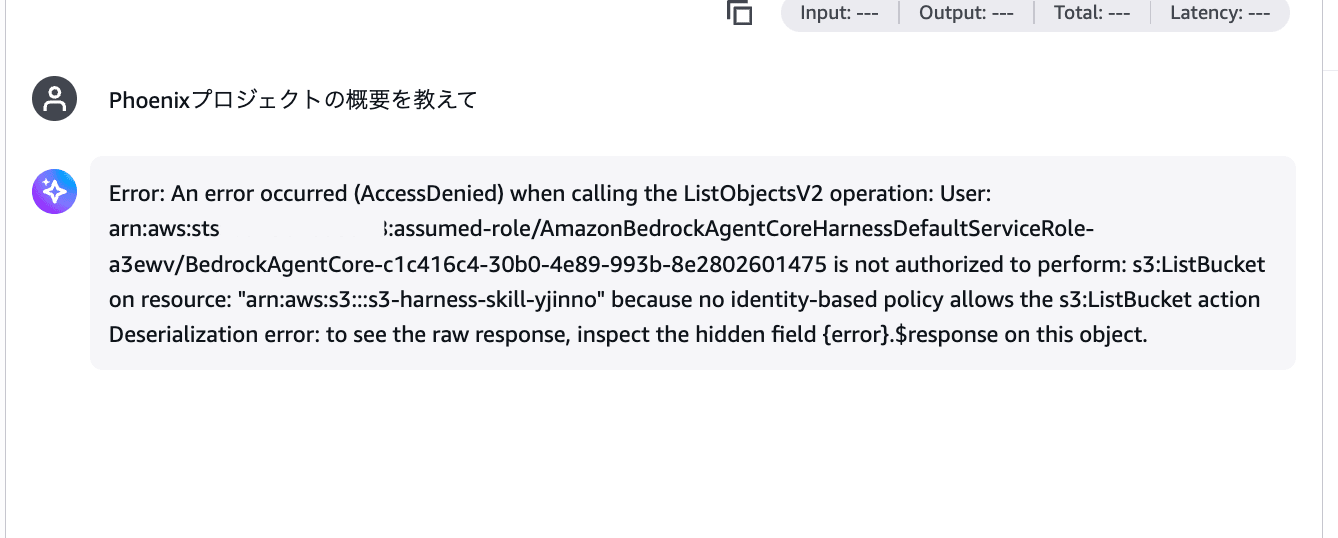
This is because the Harness execution role doesn't have read permissions for the S3 bucket.
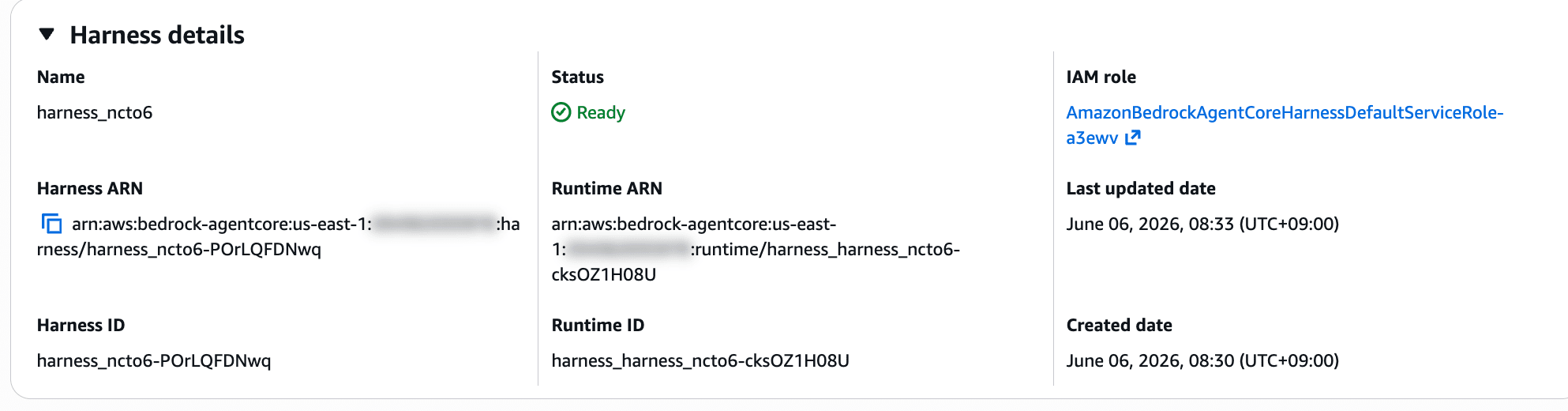
Follow the IAM role link from the Harness details screen to add permissions.
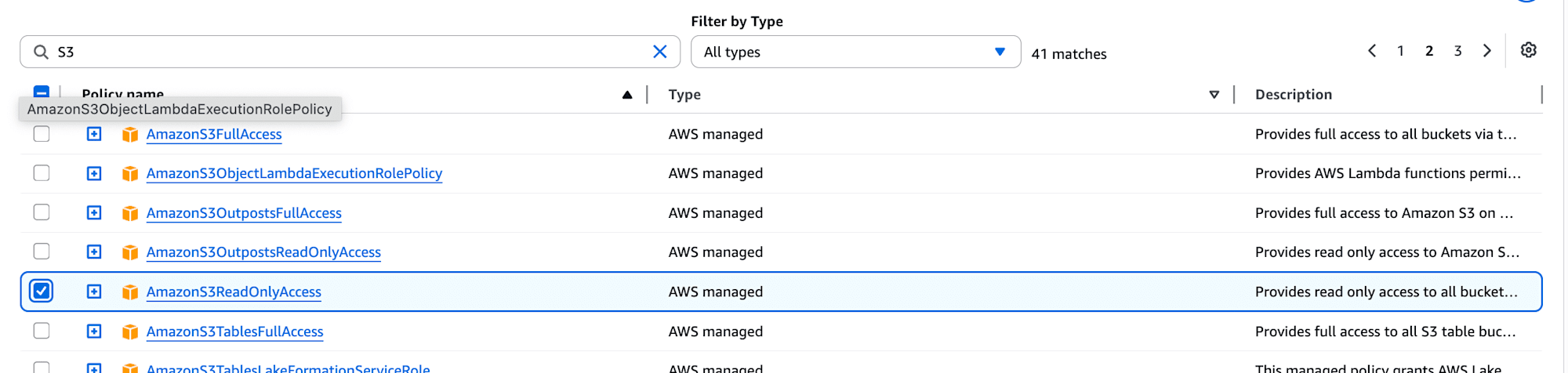
In the IAM console, open the Execution Role's Permissions policies, and added AmazonS3ReadOnlyAccess from Add permissions > Attach policies.

Verification
With permissions granted, let me ask "Tell me about the Phoenix project overview" again from the Harness playground.
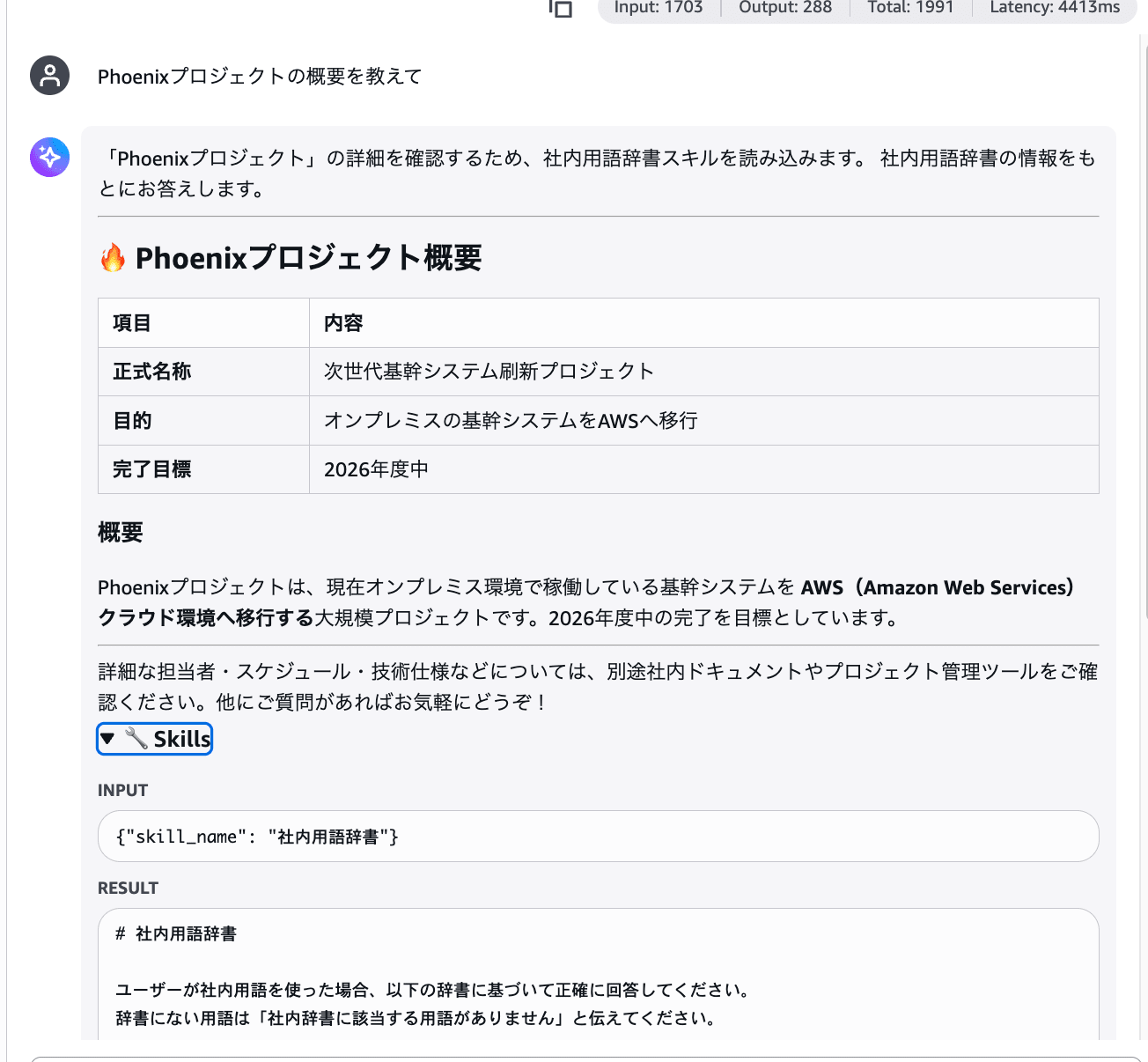
Wow, it's giving an accurate answer based on the skill content!!
Expanding the trace in the Playground, you can see that the Skills tool is called internally and the skill content is being loaded.
Skill 2: Business Day Calculation (With Script)
Next, let's try a skill with a script. I'll create a skill that delegates business day calculation to a Python script and have it execute.
Creating the Skill Files
Specify allowed-tools: shell in SKILL.md to have it execute the script via the shell tool.
---
name: 営業日計算
description: 開始日・終了日を指定すると、土日祝を除いた営業日数を正確に計算する
allowed-tools: shell
---

# 営業日計算スキル

ユーザーが営業日数や稼働日数について質問した場合、`shell` ツールで `scripts/business_days.py` を実行して正確に計算してください。
自分で日数を数えず、必ずスクリプトを実行してください。

## 使い方

python scripts/business_days.py <開始日> <終了日>

日付は YYYY-MM-DD 形式で指定します。
"""営業日計算 - 土日祝を除いた営業日数を返す"""

import json
import sys
from datetime import date, timedelta

HOLIDAYS_2026 = {
    date(2026, 1, 1),
    date(2026, 1, 12),
    date(2026, 2, 11),
    date(2026, 2, 23),
    date(2026, 3, 20),
    date(2026, 4, 29),
    date(2026, 5, 3),
    date(2026, 5, 4),
    date(2026, 5, 5),
    date(2026, 5, 6),
    date(2026, 7, 20),
    date(2026, 8, 11),
    date(2026, 9, 21),
    date(2026, 9, 22),
    date(2026, 9, 23),
    date(2026, 10, 12),
    date(2026, 11, 3),
    date(2026, 11, 23),
}

start = date.fromisoformat(sys.argv[1])
end = date.fromisoformat(sys.argv[2])

count = 0
holidays = []
current = start
while current <= end:
    if current.weekday() >= 5:
        pass
    elif current in HOLIDAYS_2026:
        holidays.append(current.isoformat())
    else:
        count += 1
    current += timedelta(days=1)

print(json.dumps({
    "start_date": sys.argv[1],
    "end_date": sys.argv[2],
    "business_days": count,
    "holidays_in_range": holidays,
}, ensure_ascii=False))
The idea is that the agent follows the skill's instructions, executes the script with the shell tool, and generates a response based on the result.
Uploading to S3
Just like before, create a folder from the S3 console and upload the files. Initially, I set up the following subfolder structure.
s3://s3-harness-skill-yjinno/business-day-calculator/
├── SKILL.md
└── scripts/
    └── business_days.py
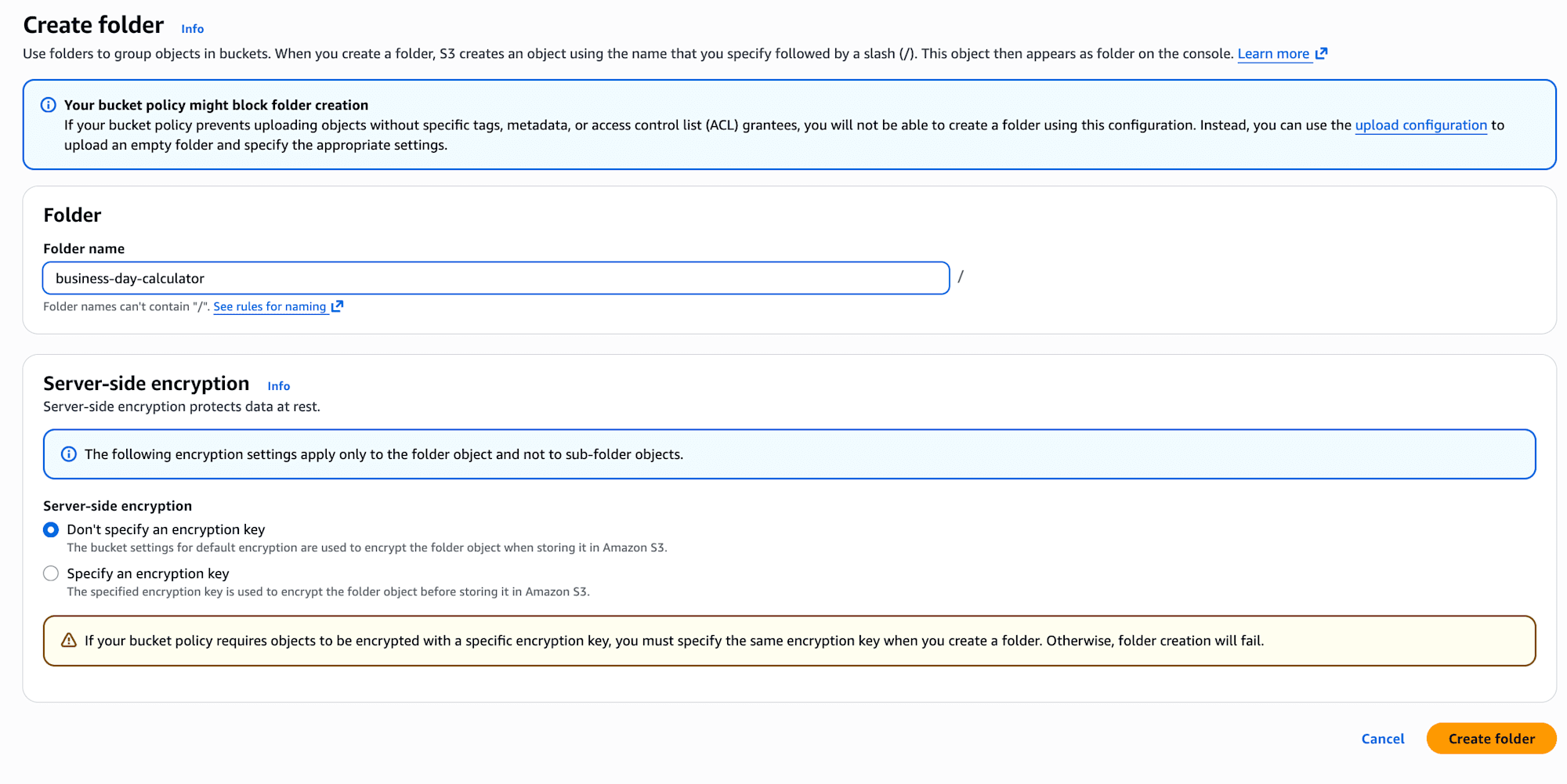
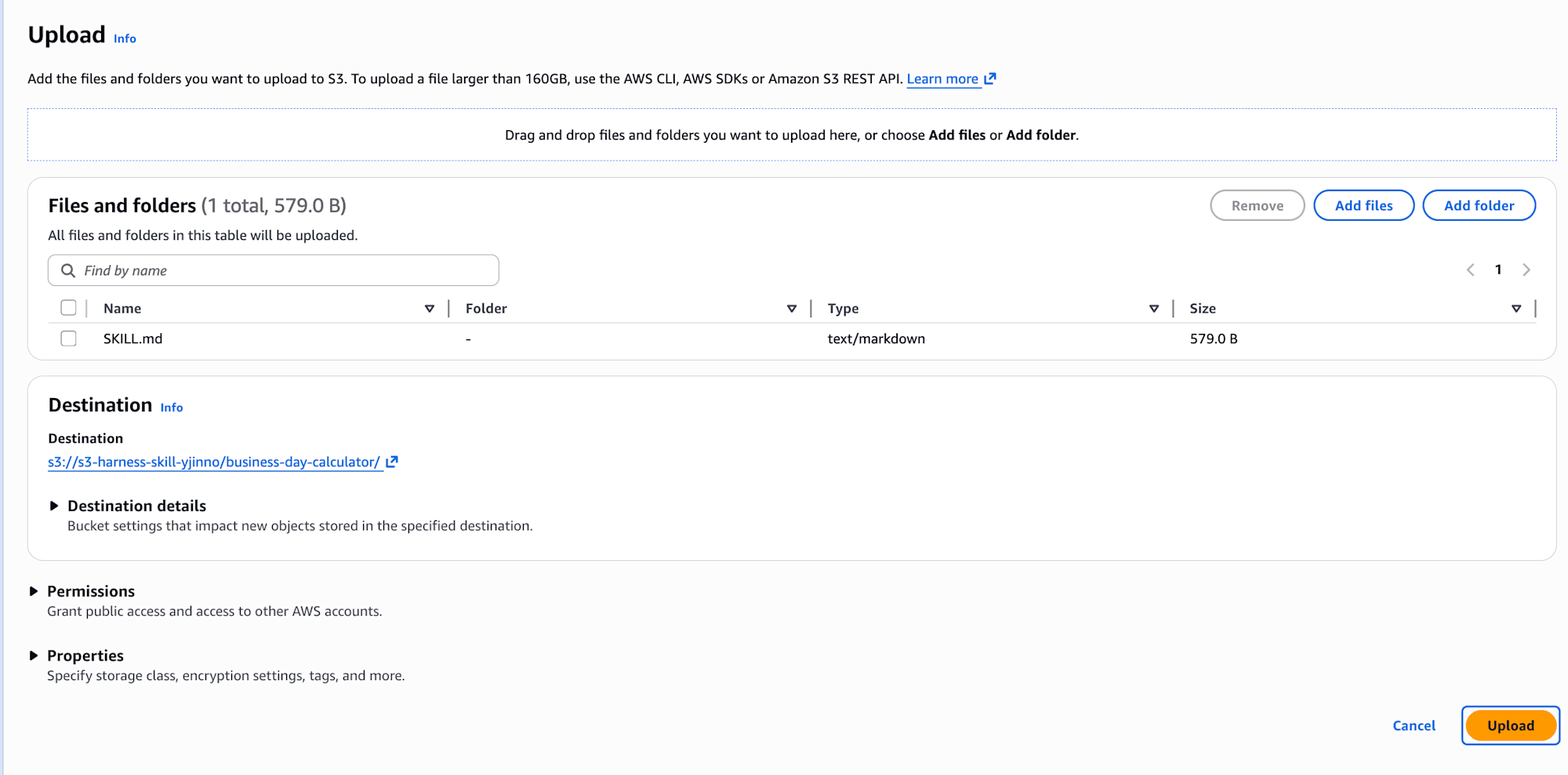
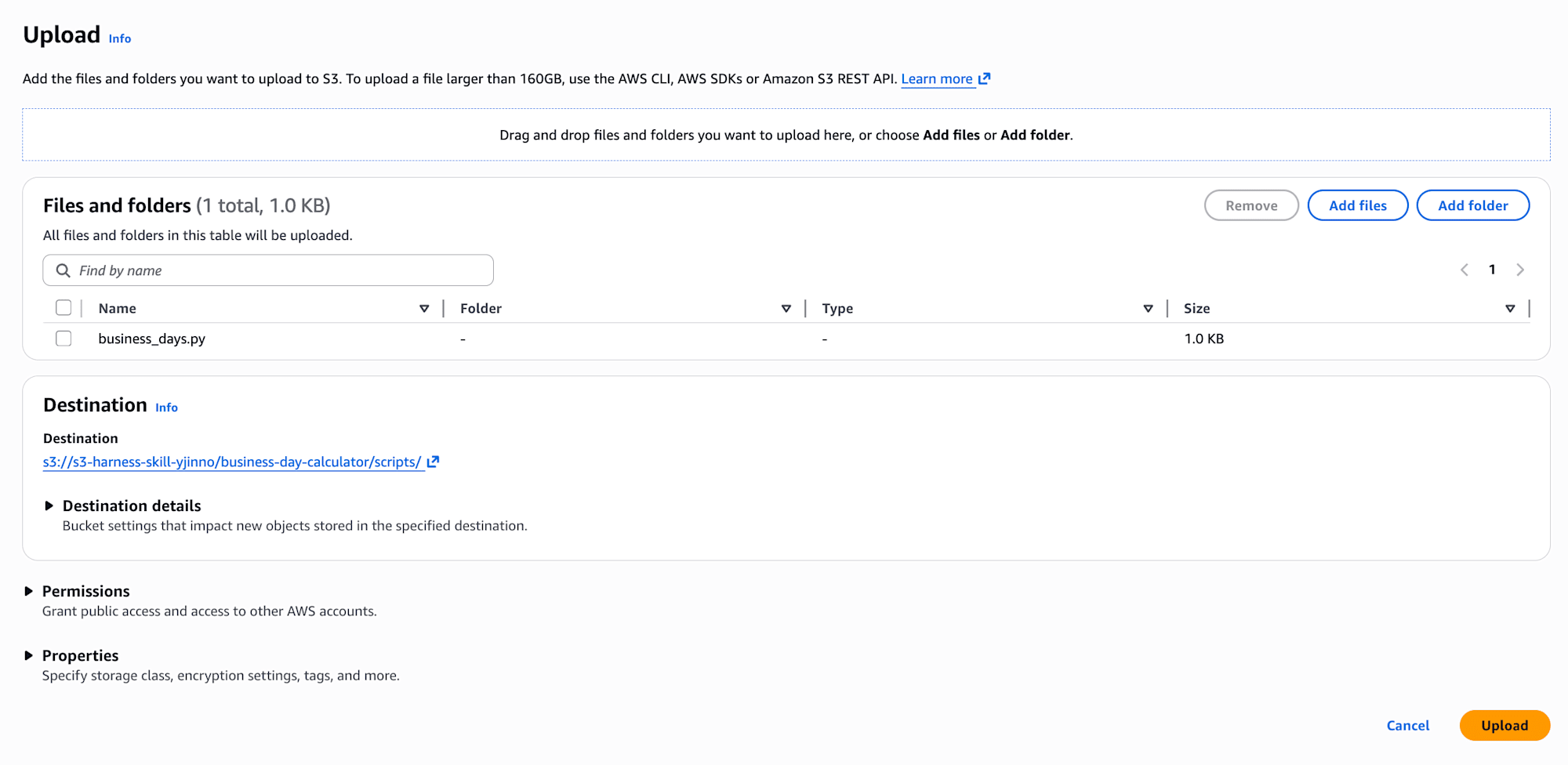
I specified s3://s3-harness-skill-yjinno/business-day-calculator/ in Harness Skills and gave it a try.
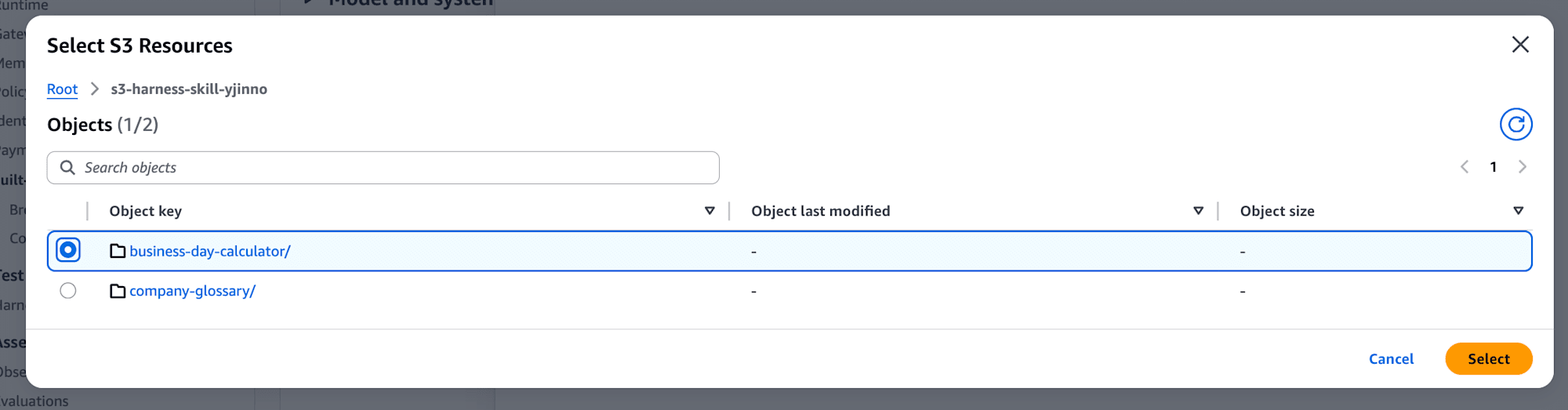
Then, the following error appeared.
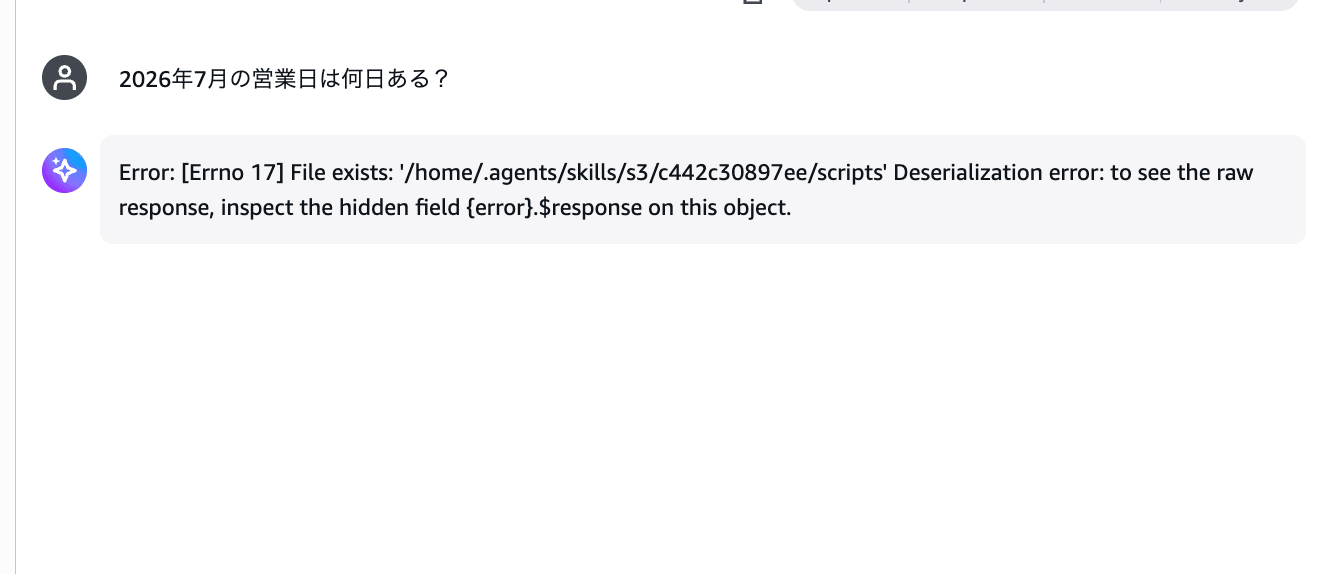
It seems the subfolder extraction doesn't work properly when downloading the skill from S3. I'll rearrange SKILL.md and the script flat in the same directory.
s3://s3-harness-skill-yjinno/business-day-calculator/
├── SKILL.md
└── business_days.py
I also update the script path in SKILL.md accordingly.
- ユーザーが営業日数や稼働日数について質問した場合、`shell` ツールで `scripts/business_days.py` を実行して正確に計算してください。
+ ユーザーが営業日数や稼働日数について質問した場合、`shell` ツールで `business_days.py` を実行して正確に計算してください。
Verification
Let me ask again: "How many business days are there in July 2026?"
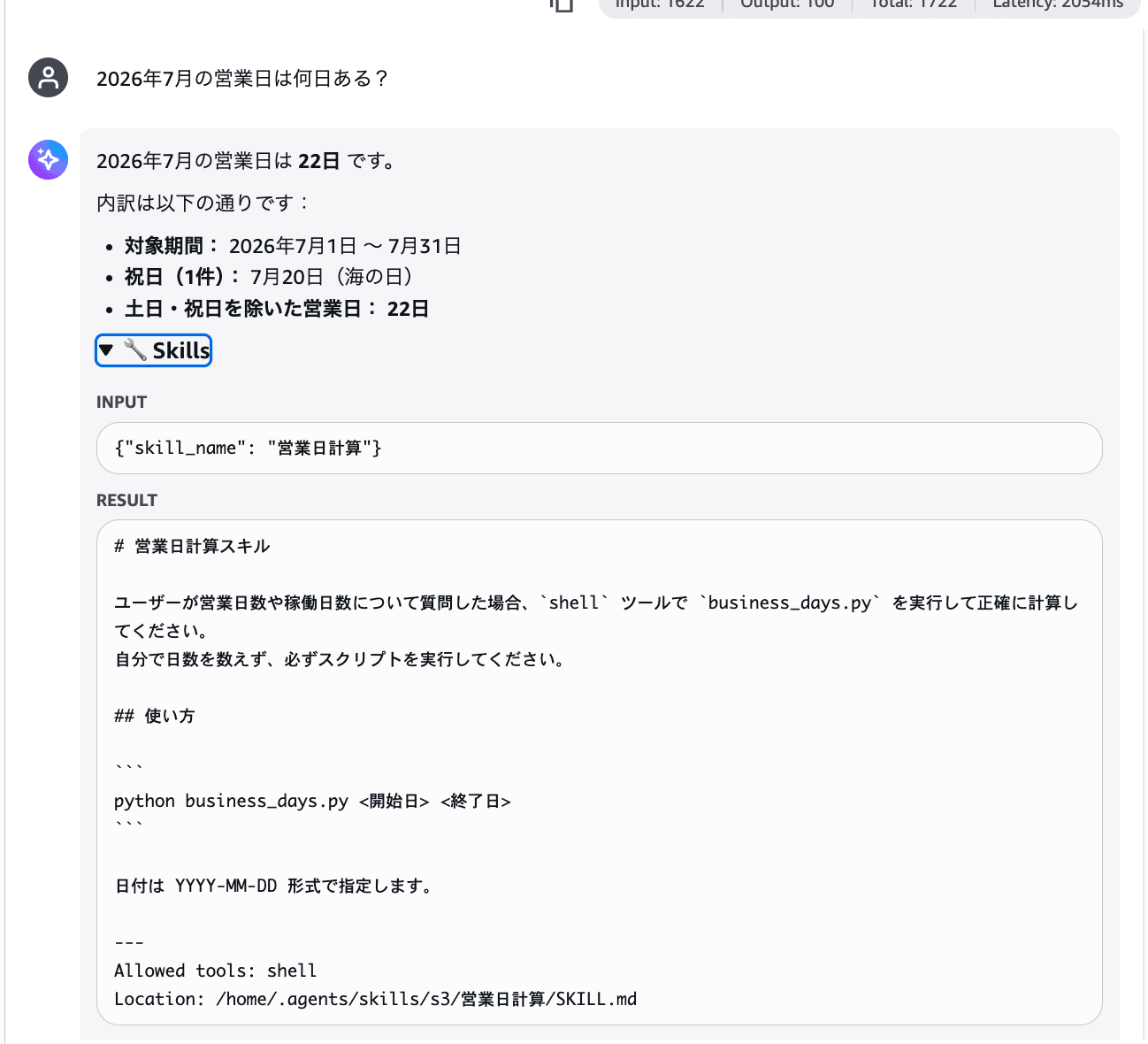
The number of business days in July 2026 came back accurately as 22 days! It also shows that a holiday (July 20th, Marine Day) was excluded as a breakdown.
Expanding the trace in the Playground, you can see the internal processing flow.
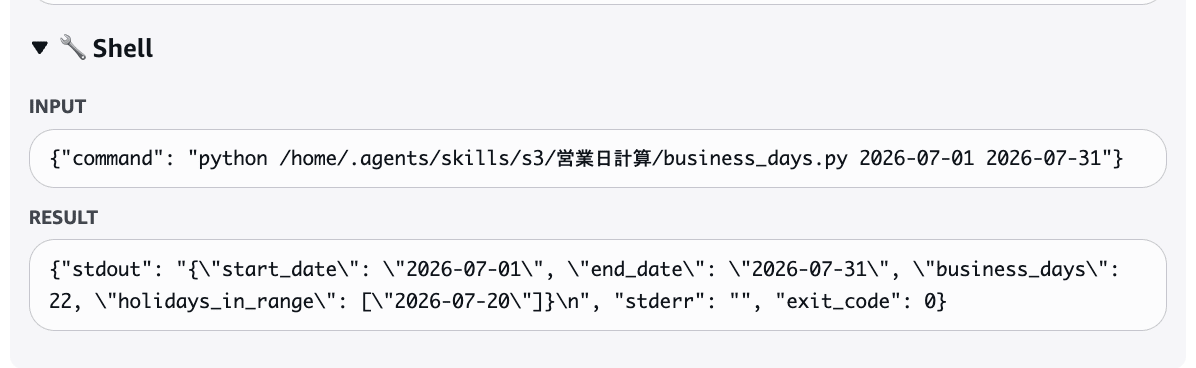
The rough flow is as follows.
- The agent loads the "Business Day Calculation" skill using the Skills tool
- Following the skill's instructions, it executes
python business_days.py 2026-07-01 2026-07-31with the Shell tool - Based on the script's result (JSON), it generates an easy-to-understand response for the user
Script execution is also possible via Skills! Note that the Strands Agents documentation introduces scripts/ as a standard resource directory for skills, so this may be a constraint on the download processing side via the S3 source.
Conclusion
Being able to specify S3 directly as the source for skills is a welcome update. You can easily update skills by replacing the skill files placed in S3.
Note that IAM permissions are not automatically reflected, and — this might only be in my case — an error occurs with subfolder structures.
Git source is also supported, so I'd like to try that out too to see how usable it is.
I hope this article was helpful in some way. Thank you for reading to the end!