
I tried building multimodal RAG for images, audio, and video with Amazon Bedrock Managed Knowledge Base

This page has been translated by machine translation. View original
This is Katagiri from the AI Business Division / Generative AI Integration Department / West Japan Development Team.
This time, I will introduce methods for building multimodal RAG with Amazon Bedrock Managed Knowledge Base.
About This Article
[Target Audience]
- Those who want to build multimodal RAG on AWS
- Those who want to learn about Amazon Bedrock Managed Knowledge Base
What is Amazon Bedrock Managed Knowledge Base
It is one of the options for building RAG with Bedrock, which became GA (Generally Available) on June 17, 2026.
Previously, it was necessary to build and manage the entire pipeline, but with the Managed Knowledge Base, it becomes possible to build RAG by leaving the infrastructure and data pipeline to AWS.
- Infrastructure Management
Data ingestion, index creation, storage, and search infrastructure are automatically managed.
It also supports storage auto-scaling. - Vector Store Operations
The processes of embedding, reranking, and inference are managed as standard.
By using a managed model for the embedding model, costs can be reduced. - Smart Parsing and Multimodal Support
Supports multimodal content including PDFs, PPTX, Word files, documents containing images, audio, and video, and the optimal analysis method (smart parsing) is automatically applied according to the file format. - Rich Connectors and Permission Management
In addition to Amazon S3, connectors for Microsoft SharePoint, Confluence, Google Drive, Microsoft OneDrive, and others are provided as standard.
Additionally, document-level permission filtering using access control lists is possible during search. - Native Integration with Amazon Bedrock AgentCore
This is a great feature for AI agent developers!
Since it is natively integrated with Amazon Bedrock AgentCore Gateway, it can be called easily.
For more details, please refer to the documentation and articles on DevelopersIO.
Building Multimodal RAG
Since the Managed Knowledge Base makes it easy to build multimodal-compatible RAG, let's actually try building one.
Step 1. Create a Managed Knowledge Base
Let's start creating a Managed Knowledge Base.
Access the AWS console, navigate to the Knowledge Base screen from the Amazon Bedrock management console, and click Create Managed KB.

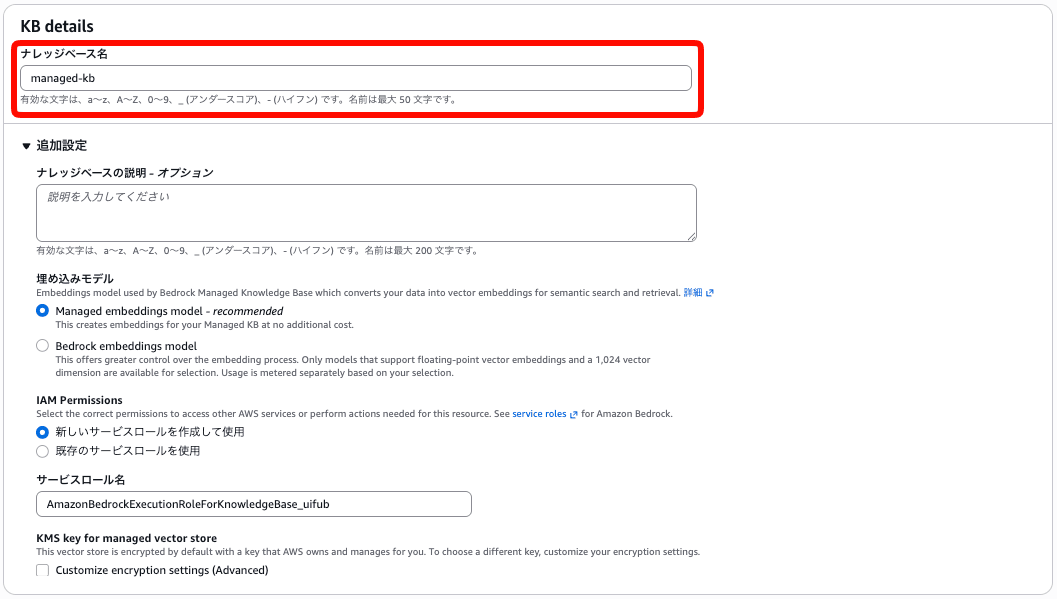
KB details
Enter the name of the knowledge base.
In the additional settings, you can change the description, embedding model, set the IAM role, and configure vector store encryption settings.
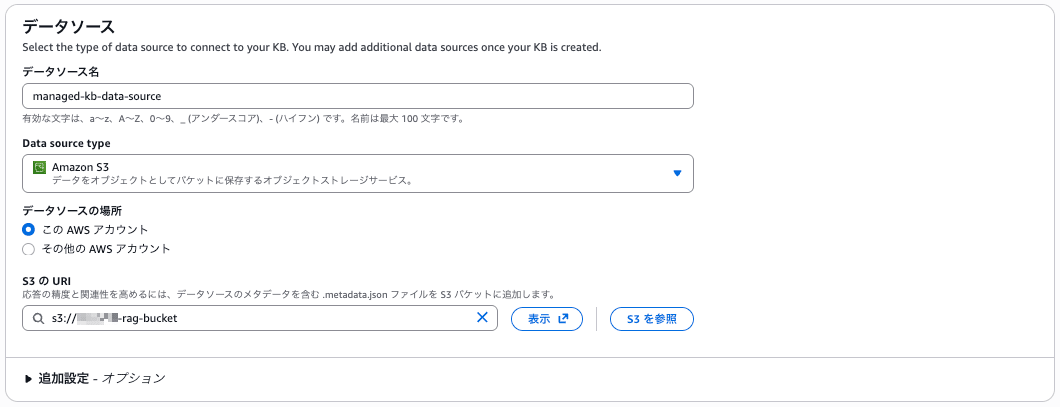
Data Source
Please select the data source to connect to the knowledge base.
Content Chunking and Parsing
This can be changed when the embedding model is set to Bedrock embeddings model.

Advanced configurations
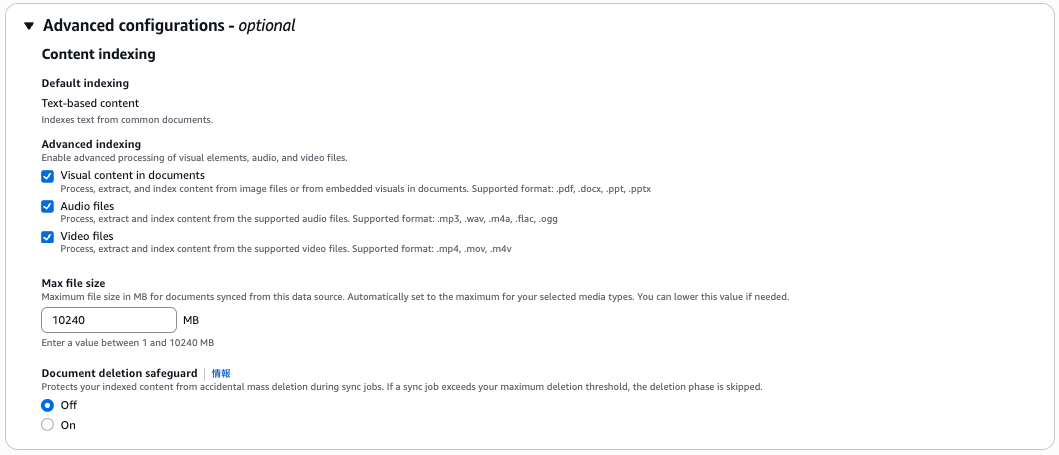
When creating multimodal RAG, you need to check the following items.
-
Visual content in documents (selected by default)
Retrieves content from images within.pdf,.docx,.ppt, and.pptxdocuments -
Audio files
Extracts and indexes content from audio files.
Supported file formats.mp3.wav.m4a.flac.ogg
-
Video files
Extracts and indexes content from video files.
Supported file formats.mp4.mov.m4v
-
Max file size
Sets the maximum value of files synchronized from the data store.
This maximum value varies depending on the type of file being indexed.
By checkingVideo files, you can set it to a maximum of 10240 MB. -
Document deletion safeguard
Prevents accidental mass deletion of indexed content during synchronization.
Once all settings are complete, click Create knowledge base to create the knowledge base.
Step 2. Add Data to the Data Source
After the knowledge base is created, add data to the S3 bucket connected to the data source.
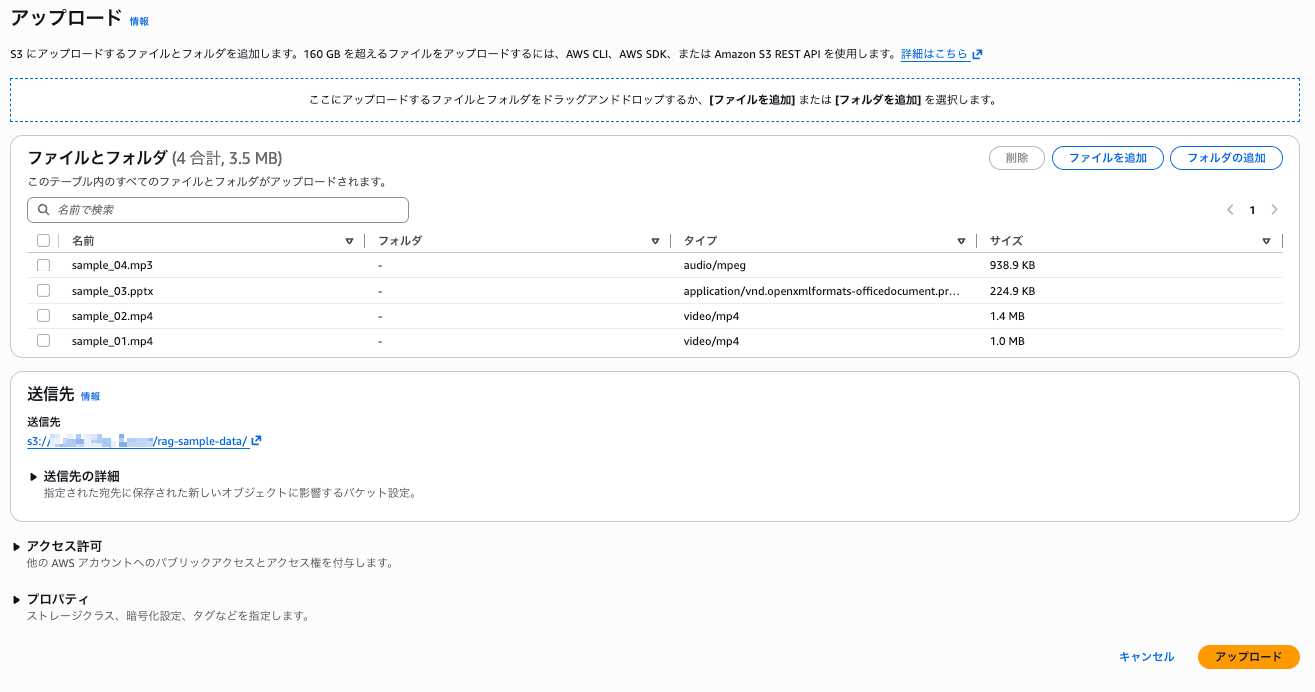
This time, to verify that images, audio, and video can each be correctly ingested as multimodal, I prepared the following 3 types of sample data.
- A PowerPoint presentation with images added to slides
An image captured from part of the Amazon Bedrock official documentation (Amazon Bedrock Knowledge Bases) has been added within the slides. - Japanese text-to-speech audio
Audio data of a portion of the Amazon Bedrock official documentation (Amazon Bedrock Knowledge Bases) being read aloud in Japanese. - Video material
Two videos were prepared: one of a seaside and one of small birds.
Step 3. Synchronize the Data Source
After the file upload to S3 is complete, synchronize the data source.

Step 4. Test the Knowledge Base
After synchronization is complete, let's test the knowledge base.
This time, we will investigate whether multimodal document search is possible from the console.
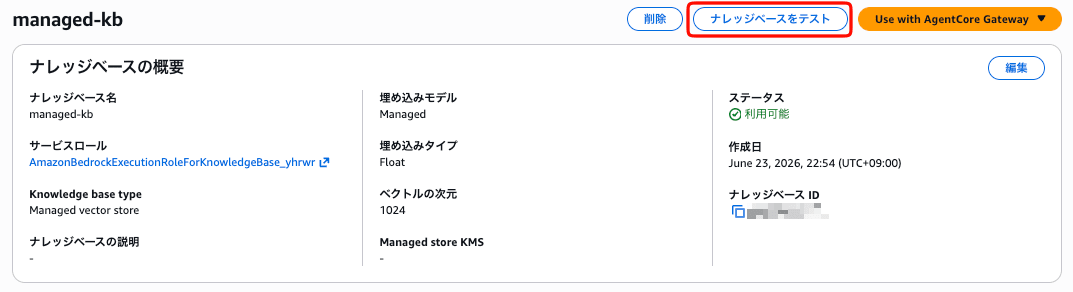
Click Knowledge Base from the relevant knowledge base screen.
Searching Embedded Images and Audio Data
To confirm that the documents are being read correctly, we will verify using data source retrieval only.
Let's check whether the audio and slide data are hit with a question about Amazon Bedrock.

The slide and audio data were successfully referenced.

Reference from slide
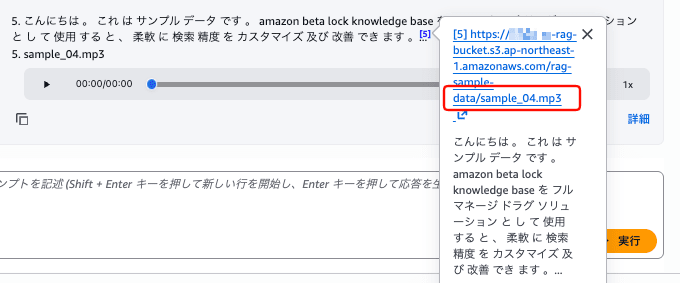
Reference from audio data
Searching Video Files
For video files, we will verify using Agentic retrieval with answer generation.
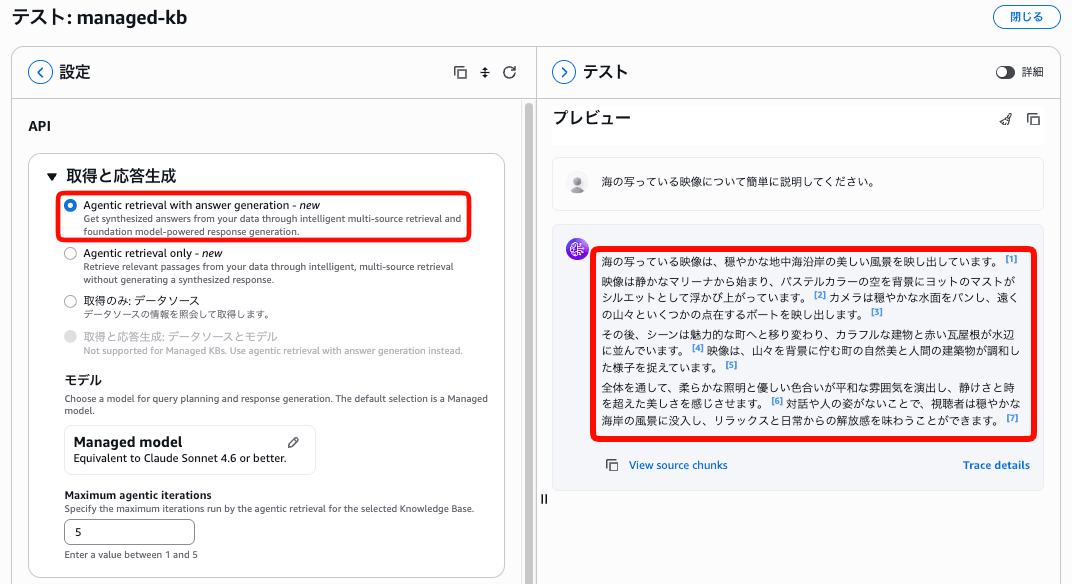
About the seaside footage
The information in the footage was also recognized in detail.
Precautions and Countermeasures
1. Supported Regions
The Managed Knowledge Base is currently only available in the following 8 regions.
| Region | Name |
|---|---|
| us-east-1 | US East (N. Virginia) |
| us-west-2 | US West (Oregon) |
| eu-west-1 | Europe (Ireland) |
| eu-west-2 | Europe (London) |
| eu-central-1 | Europe (Frankfurt) |
| ap-northeast-1 | Asia Pacific (Tokyo) |
| ap-southeast-2 | Asia Pacific (Sydney) |
| us-gov-west-1 | AWS GovCloud (US-West) |
2. There are Restrictions on Embedding Model Selection
In the Managed Knowledge Base, a service-managed embedding model can be used at no additional cost.
This is a major attraction of the managed service, but if you want to use your own Bedrock embedding model, please note that it is limited to float32, 1024-dimensional models.
Unless there is a special reason, the managed model with no additional cost is recommended first.
3. Data Source Capacity Limits
The Managed Knowledge Base has the following service quotas set.
| Quota | Default Value |
|---|---|
| Number of data sources per knowledge base | 200 |
| Raw data storage capacity per knowledge base | 10 TB |
| Number of concurrent ingestion jobs per knowledge base | 50 |
These are adjustable quotas for which an increase request can be made.
Especially when supporting multimodal content, data sizes tend to become large, so it may be necessary to consider requesting a quota increase as needed.
Conclusion
This time, I tried building a multimodal-compatible RAG using Amazon Bedrock Managed Knowledge Base.
The fact that RAG including images, audio, and video can now be easily tested is very attractive.
Please give it a try.

