
BigQuery Sharing Features and Key Points to Remember # Dialogue: ChatGPT Translating HTML to YAML

This page has been translated by machine translation. View original
Introduction
Hello, this is Odaka from the Data Business Division.
Recently, I had an opportunity to design BigQuery data sharing between cross-projects and decided to summarize information about BigQuery Sharing (formerly known as: Analytics Hub).
The basic usage of BigQuery Sharing is introduced in a hands-on format in the article below. In this blog, I'll organize the features, limitations, and points to note about BigQuery Sharing that became apparent during actual testing, providing information to help with adoption decisions.
BigQuery Sharing Overview
BigQuery Sharing is a service that allows you to share BigQuery datasets within and outside your organization.
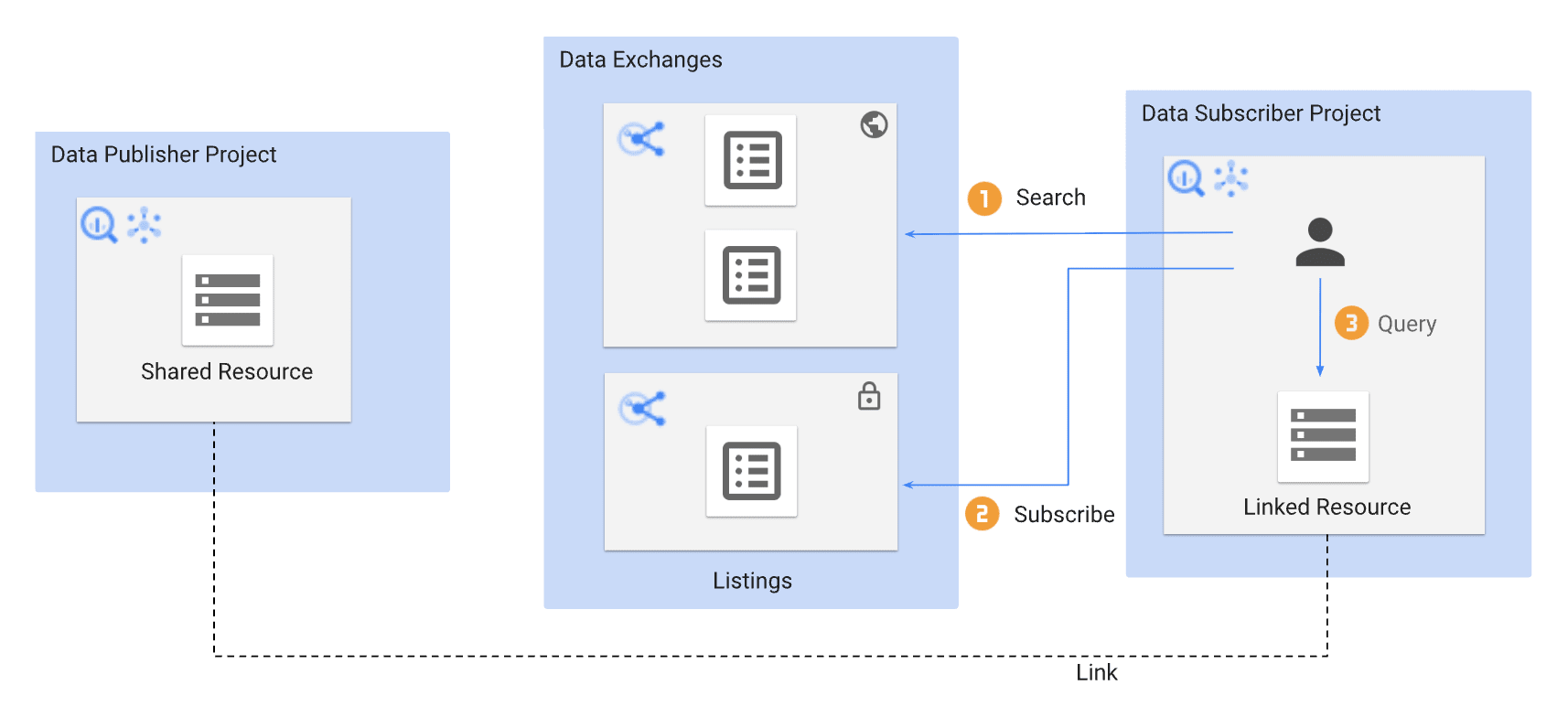
Source: Introduction to BigQuery sharing | Google Cloud
Here's a brief explanation of key terms.
| Term | Description |
|---|---|
| Exchange | A logical group of Listings. Can be set as private/public |
| Listing | The sharing unit that corresponds one-to-one with the dataset being shared |
| Linked dataset | A read-only dataset created in the Subscriber's project when they subscribe |
| Publisher | The party providing the data |
| Subscriber | The party receiving the data |
The basic flow is that the Publisher registers and publishes Listings in an Exchange, and when a Subscriber subscribes, a linked dataset is automatically created in their project. No data copying occurs; it directly references the data on the Publisher side.
Features of BigQuery Sharing
1. No Need to Grant IAM Roles on the Publisher Side
One of the significant features of BigQuery Sharing is that there is no need to grant BigQuery IAM roles on the Publisher's project to users on the Subscriber side.
Typically, when referencing BigQuery data across projects, you need to grant some IAM role (such as bigquery.dataViewer) to the source project. With BigQuery Sharing, sharing is completed by only granting the subscriber permission to the Exchange/Listing, simplifying IAM management on the Publisher side.
2. Managing subscriber Permissions and Subscriptions
subscriber Permission
The subscriber permission for Exchange/Listing controls the ability to subscribe.
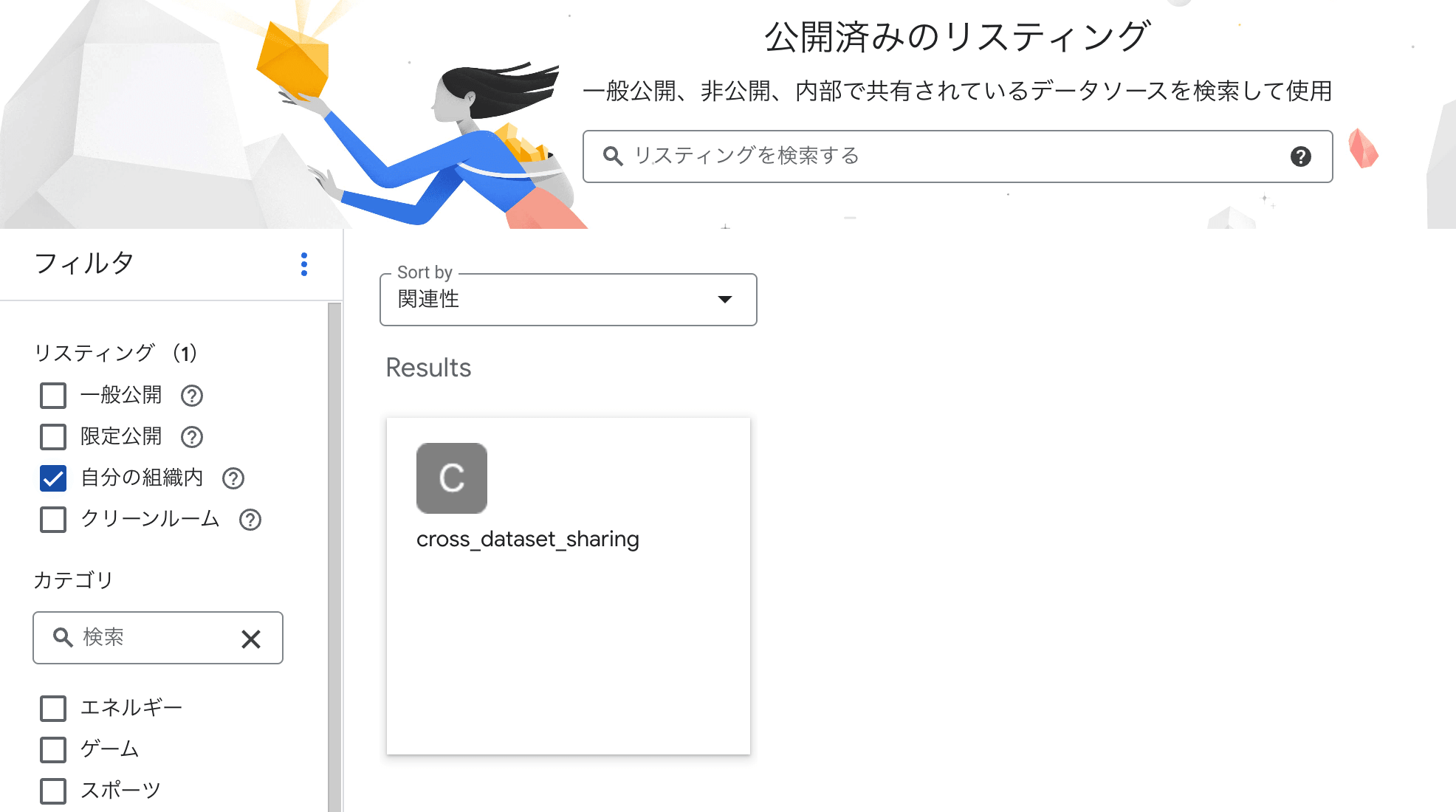
When subscriber role is granted
Exchange permissions screen showing subscriber role has been granted
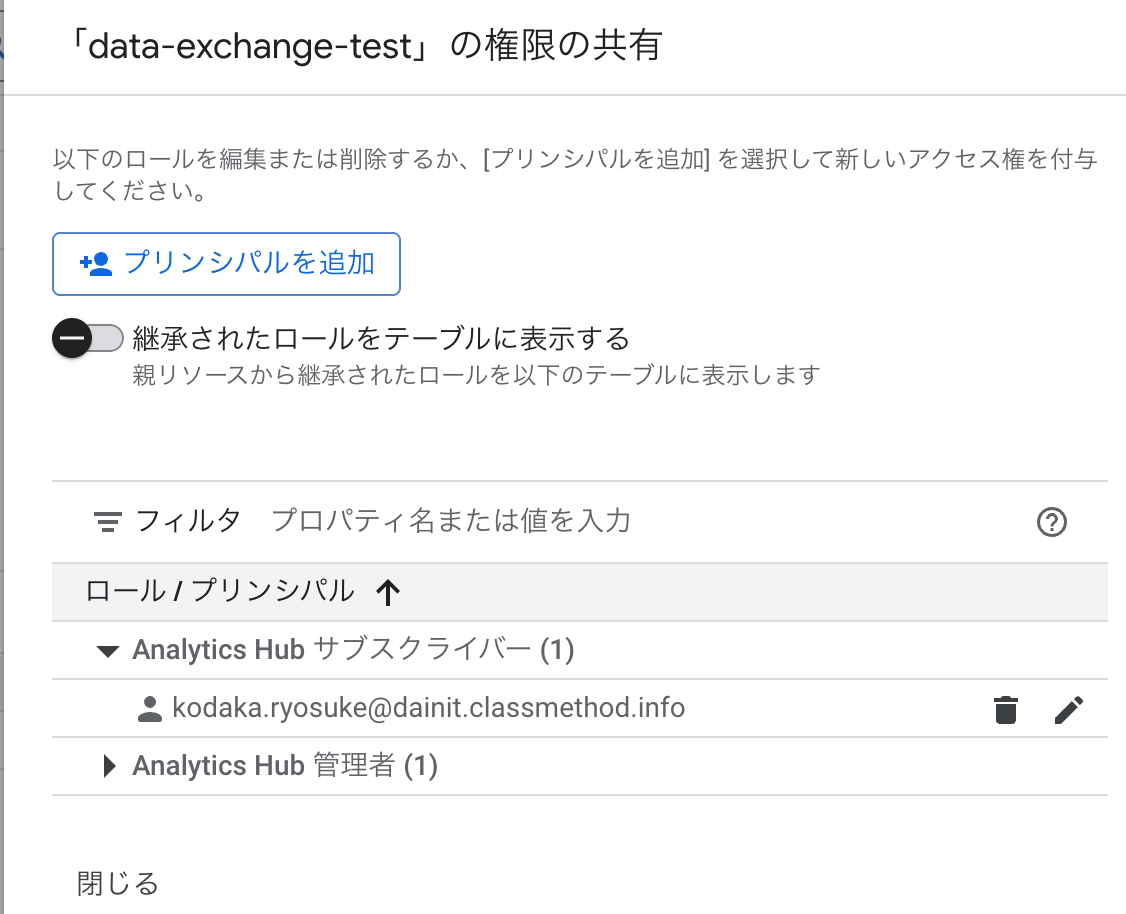
Listings are displayed in the list and can be subscribed to
When subscriber role is removed
Exchange with subscriber role removed
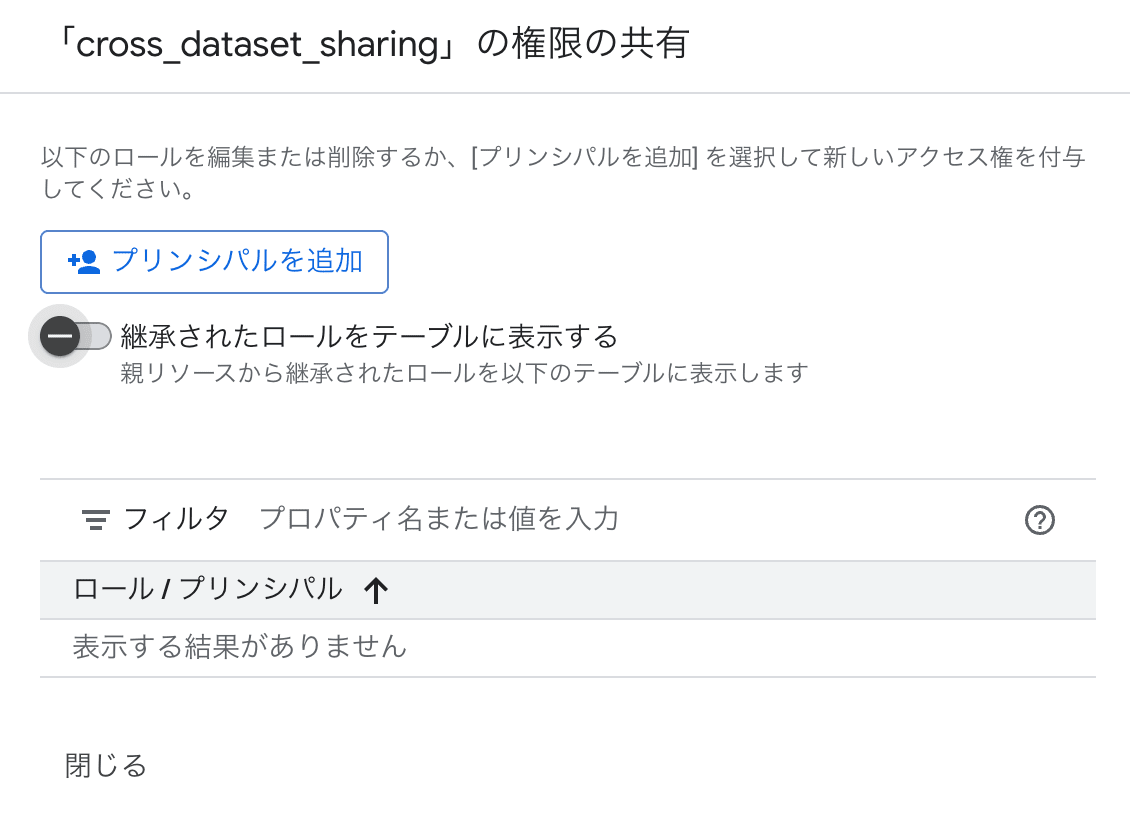
Listings are not displayed in the list and cannot be selected
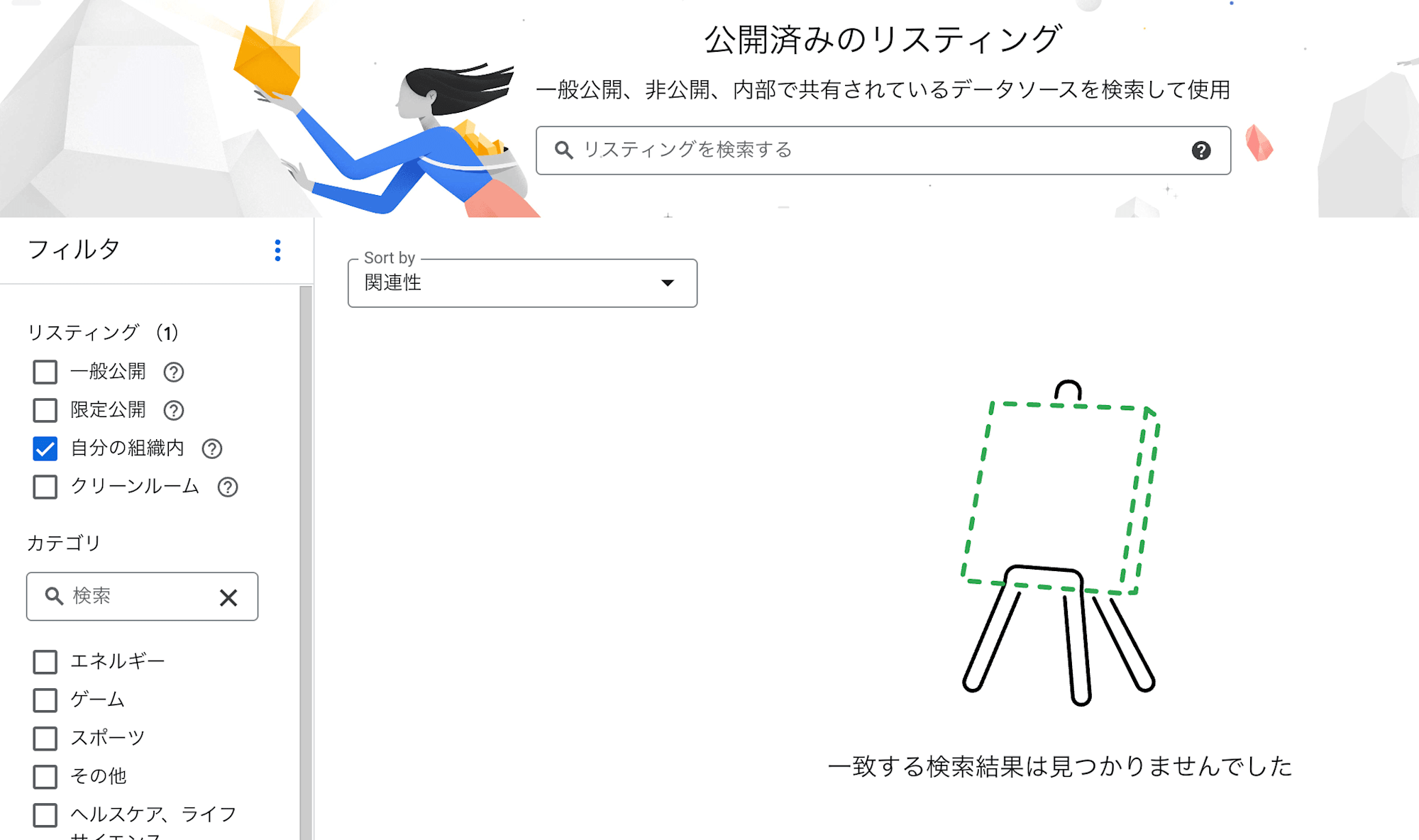
Without permission, not only can you not subscribe, but the Listing itself becomes invisible, preventing unintended exposure of information.
Subscription Management
Revoking subscriber permission prevents new subscriptions but does not stop access to already subscribed linked datasets. To stop existing access, you need to revoke the subscription from the "Subscriptions" tab in the Exchange.
Screen for revoking subscriptions from the Exchange's "Subscriptions" tab
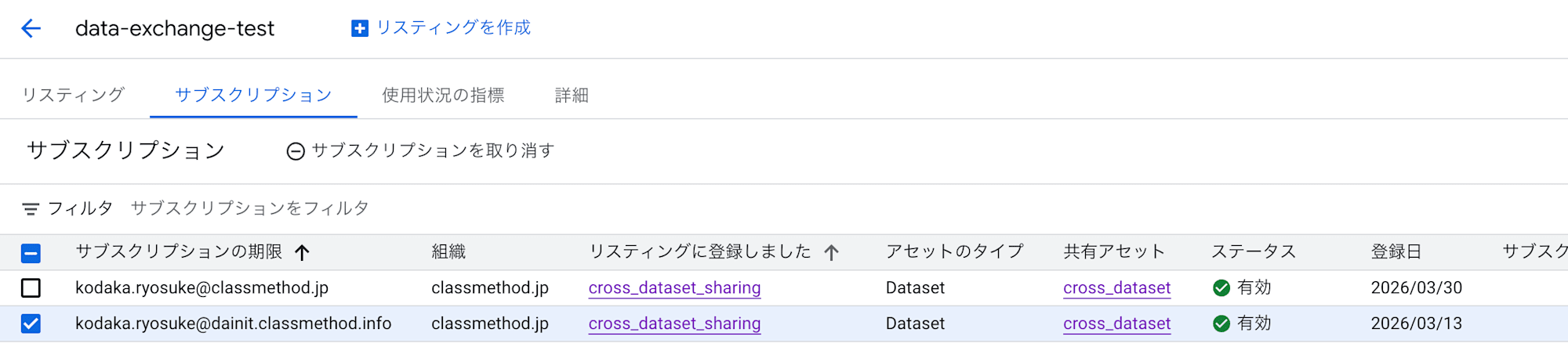
Quick Summary
| Action | Effect |
|---|---|
Revoking subscriber permission |
Stops new subscriptions and discovery of Listings. Access to existing linked datasets continues |
| Revoking subscription | Stops data access to linked datasets. The linked dataset itself remains on the Subscriber side and requires manual deletion |
3. Permission Control at Exchange and Listing Levels
The subscriber permission can be granted at both Exchange and Listing levels.
| Grant Level | Behavior |
|---|---|
| Exchange level | Allows subscription to all Listings under that Exchange |
| Listing level | Allows subscription to specific Listings only |
You can use Exchanges as grouping units and control access more granularly at the Listing level.
4. Automatic Reflection of Added Tables
When tables are added to a dataset on the Publisher side, they are automatically reflected in the linked dataset. The same applies to schema changes and data updates.
No follow-up work is required on the Subscriber side, so there is no increase in operational load even when the number of shared tables grows.
5. Query Costs Are Charged to the Subscriber
The cost of queries against linked datasets is charged to the Subscriber's project. No cost burden is incurred by the Publisher.
There is a clear separation: storage fees are charged only to the Publisher, and query scanning fees are charged only to the Subscriber.
6. Linked Datasets Are Read-Only
INSERT/UPDATE/DELETE operations on linked datasets will result in errors. There is no risk of unintended data changes, allowing data providers to confidently publish their datasets.
Constraints and Considerations
1. Listings Can Only Be Registered at Dataset Level
Listings can only be registered at the dataset level. It's not possible to register and publish only specific tables or views in a Listing.
If you want to publish only specific tables, you can create a separate dataset for publication and place views of the target tables there.
┌─── Publisher Side ────────────────────────────────┐
│                                                 │
│  Original Dataset (Private)                     │
│  ├─ Table A                                    │
│  ├─ Table B (Want to publish)                  │
│  └─ Table C (Want to publish)                  │
│         │                                       │
│         ▼                                       │
│  Publication Dataset ← Register as Listing      │
│  ├─ View_Table B → References Table B          │
│  └─ View_Table C → References Table C          │
│                                                 │
└─────────────────────────────────────────────────┘
However, this view-based approach has a consideration explained in the next section.
2. Publisher-Side Viewing Permissions Required When Referencing Views
While tables in linked datasets can be accessed with Subscriber permissions only, views require viewing permissions on the Publisher side for the original table's dataset.
This means that with the "place views in a publication dataset" approach mentioned earlier, you would need to grant viewing permissions for the original dataset on the Publisher side to users on the Subscriber side. This negates the benefit of BigQuery Sharing where "no IAM grants are required on the Publisher side."
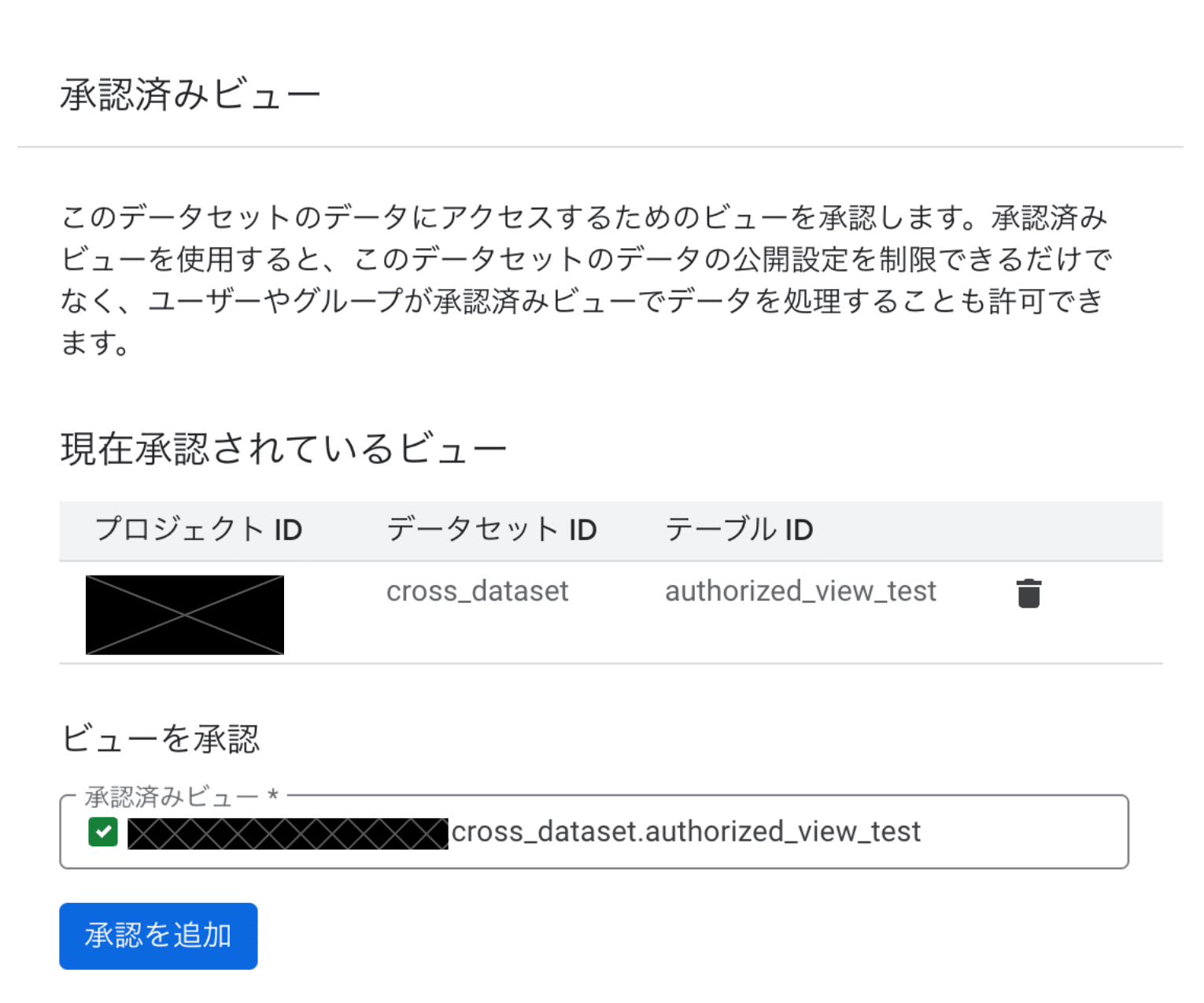
This issue can be avoided by using authorized views. With authorized views, the view itself holds the data access permission, eliminating the need to grant Publisher-side viewing permissions to Subscriber-side users.
| View Type | Publisher-Side Viewing Permissions |
|---|---|
| Regular views | Viewing permissions for the original table's dataset are required |
| Authorized views | Not required |
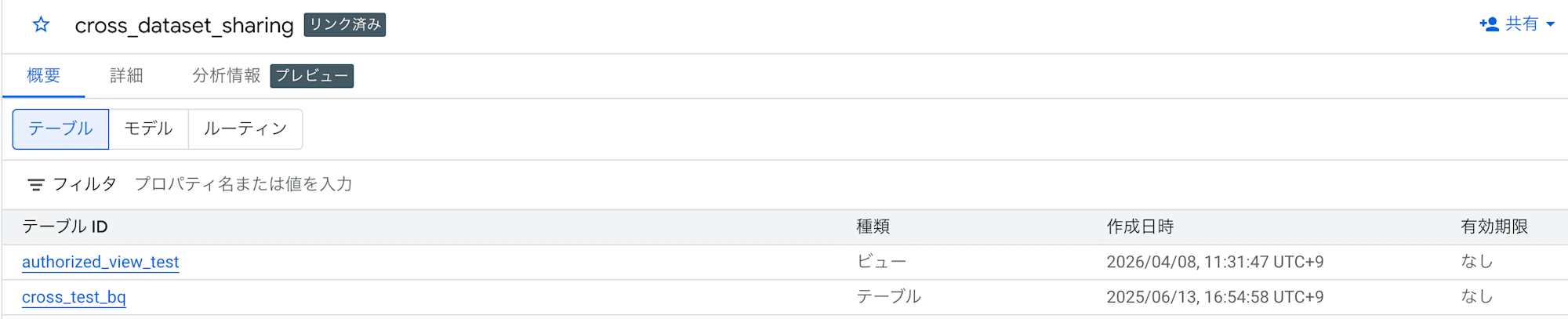
When using authorized views, you don't need to create a separate dataset for publication; you can place authorized views in the original dataset and register it as a Listing.
Authorizing a view to make it an authorized view
Confirming that the view exists in the linked dataset
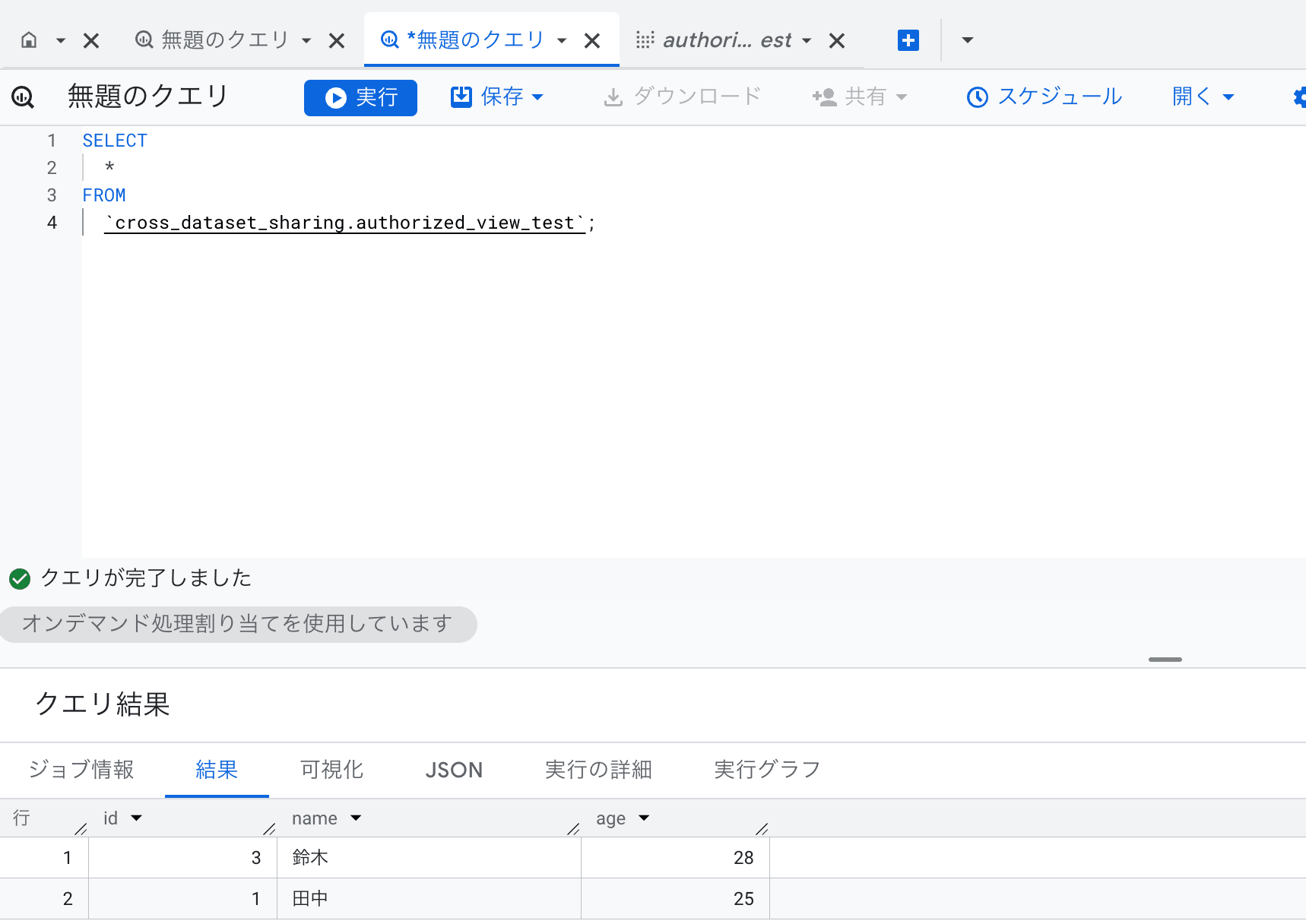
SELECT statement to the authorized view succeeds
3. Other Limitations
| Constraint | Details |
|---|---|
| Maximum subscriptions | Maximum of 1,000 per Listing |
| IAM settings for individual tables | Not possible to set IAM roles for individual tables in linked datasets (dataset level only) |
| Table-level tag settings | Not possible to set tags for tables in linked datasets |
| Materialized views | Materialized views referencing tables in linked datasets are not supported |
| Table snapshots | Taking table snapshots of linked datasets is not possible |
| Irreversibility of logging settings | Once enabled, subscriber email logging cannot be disabled (requires recreation of the Exchange) |
Summary
In this article, I've organized the features, constraints, and considerations of BigQuery Sharing. When considering adoption, I recommend clarifying the scope of sharing and permission design in advance.
References