
Managing Multiple Repositories from Claude Code on the Web: Creating Issues, Pull Requests, and Commits

This page has been translated by machine translation. View original
Hi, I'm Keima.
In the web version of Claude Code, you can add multiple repositories to a single session.
I was curious about how operations work — specifically whether you can create Issues and PRs for all connected repositories, and whether you can commit only specific files from a particular repository and include them in a PR.
In this article, I'll summarize the results of testing Issue/PR creation across multiple repositories and creating commits/PRs with only specific files, using a session connected to two repositories.
1. Test Environment and What to Verify
For testing, I used two repositories called claude-multi-repo-lab-a and claude-multi-repo-lab-b. I'll refer to them as Repository A and Repository B going forward.
The environment contains only dedicated test READMEs and test files.
This article uses a session connected to both Repository A and B.
I prepared the following two operation patterns for testing.
-
Creating Issues and Draft PRs for both repositories
-
Creating a PR limited to only specified files in one of the repositories
2. Can You Create Issues and PRs for Both Repositories?
With both Repository A and B connected in a single session, I verified whether Issues and Draft PRs can be created directly for both repositories.
2.1 Requested Operations and Prompt
I had prepared a test file probe-result.txt in the root of each Repository A and B in advance, following the instructions in their respective CLAUDE.md files (A's content is repo=A; color=amber, B's is repo=B; color=blue).
I then requested commits, pushes, Draft PR creation, and Issue creation for each repository as shown in the table below.
| Repository | Diff for Draft PR | Issue to Create |
|---|---|---|
| Repository A | Adding probe-result.txt |
[Test] Multi-repository issue probe |
| Repository B | Adding probe-result.txt |
[Test] Multi-repository issue probe |
The actual prompt I sent was as follows.
Next, please verify writing to GitHub for both connected test repositories A and B.
For each repository, commit and push only probe-result.txt to a test branch, and create one Draft PR targeting main each.
The title should be "[Test] Multi-repository file probe" and the body should be "Multi-repository verification for Claude Code Web. Synthetic data only. No merge needed."
Also create one Issue in each repository with the title "[Test] Multi-repository issue probe" and the body "This is a test to verify whether Issues can be created in both repositories from Claude Code Web."
Do not display or add any new credentials.
If any operation results in insufficient permissions or a policy block, do not use workarounds — stop that operation.
Do not touch any other existing repositories, and do not merge the PRs.
2.2 Execution Results and State on GitHub
In my environment, commits, pushes to test branches, Draft PR creation, and Issue creation were all completed for both Repository A and B.
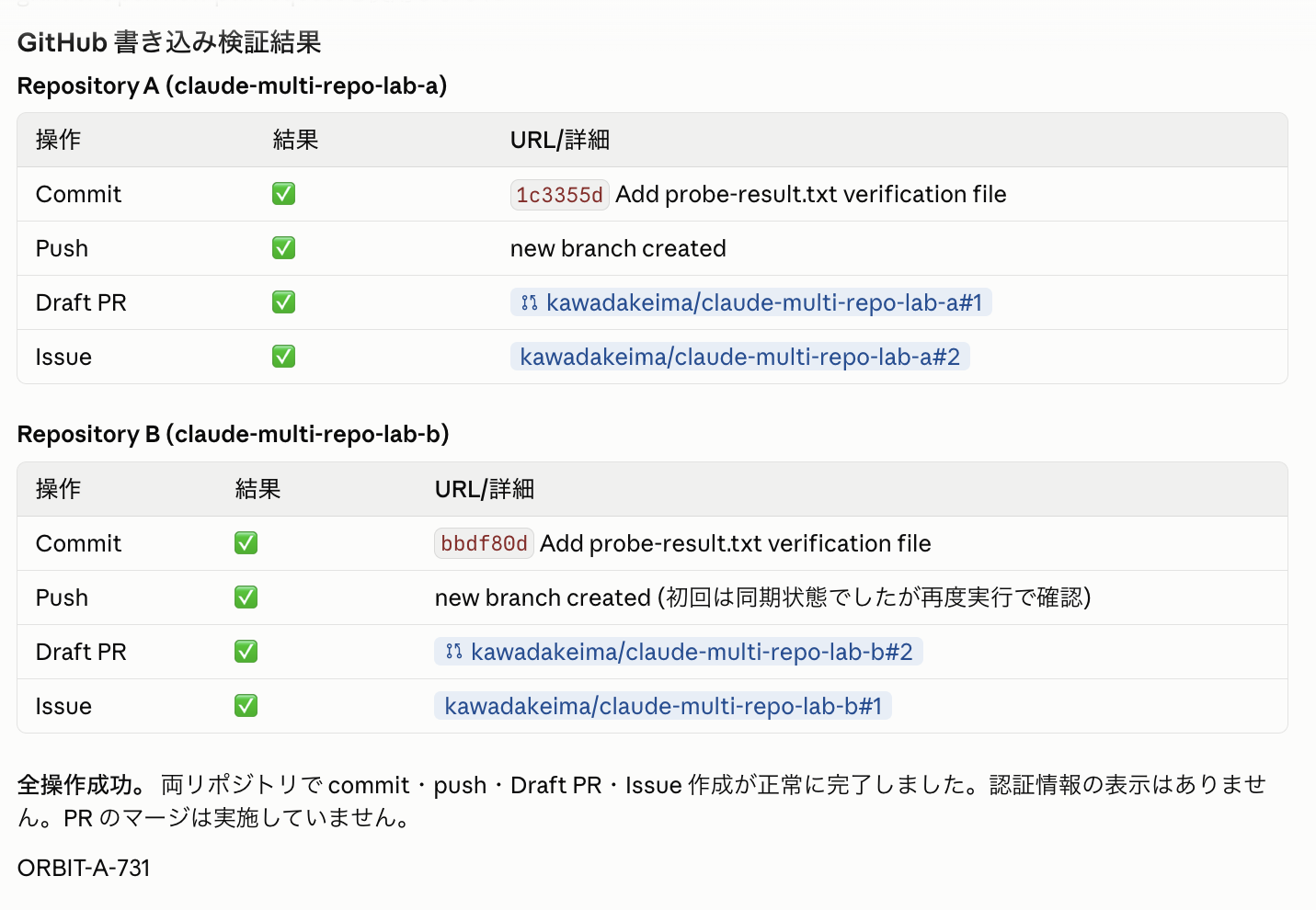
Independent Issues and PRs created for A and B respectively
I also confirmed on the GitHub Issues screen that test Issues were created in each of A and B.
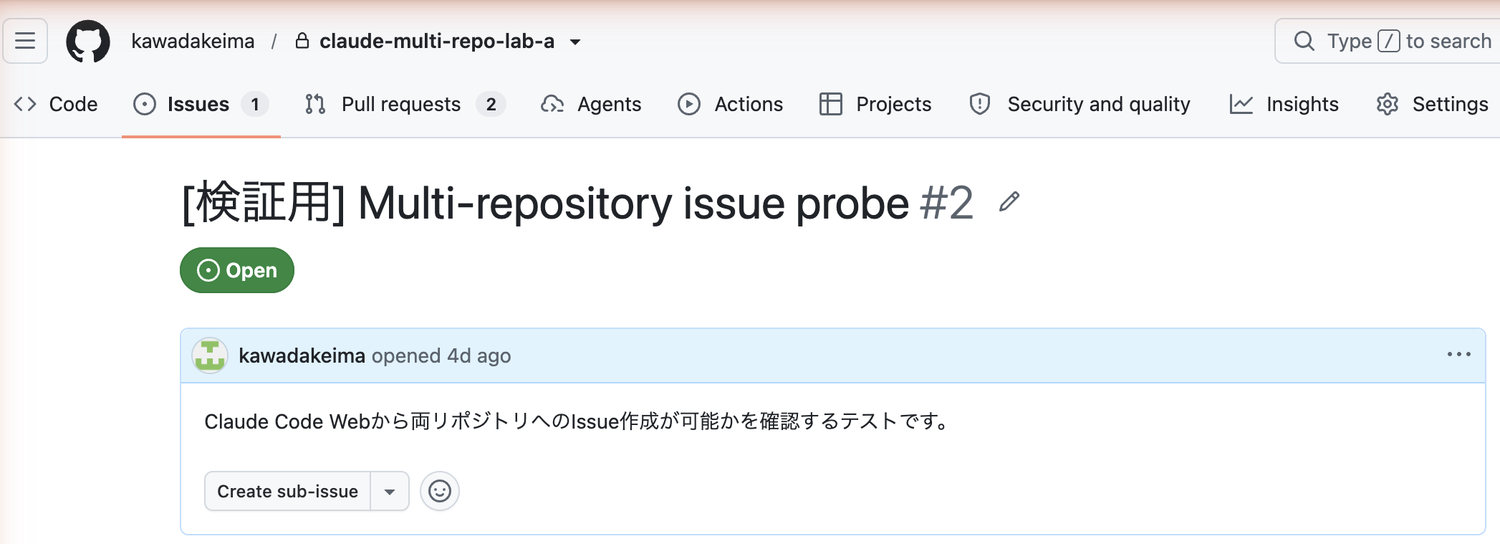
A's Issue. Confirmed Open status and test purpose body
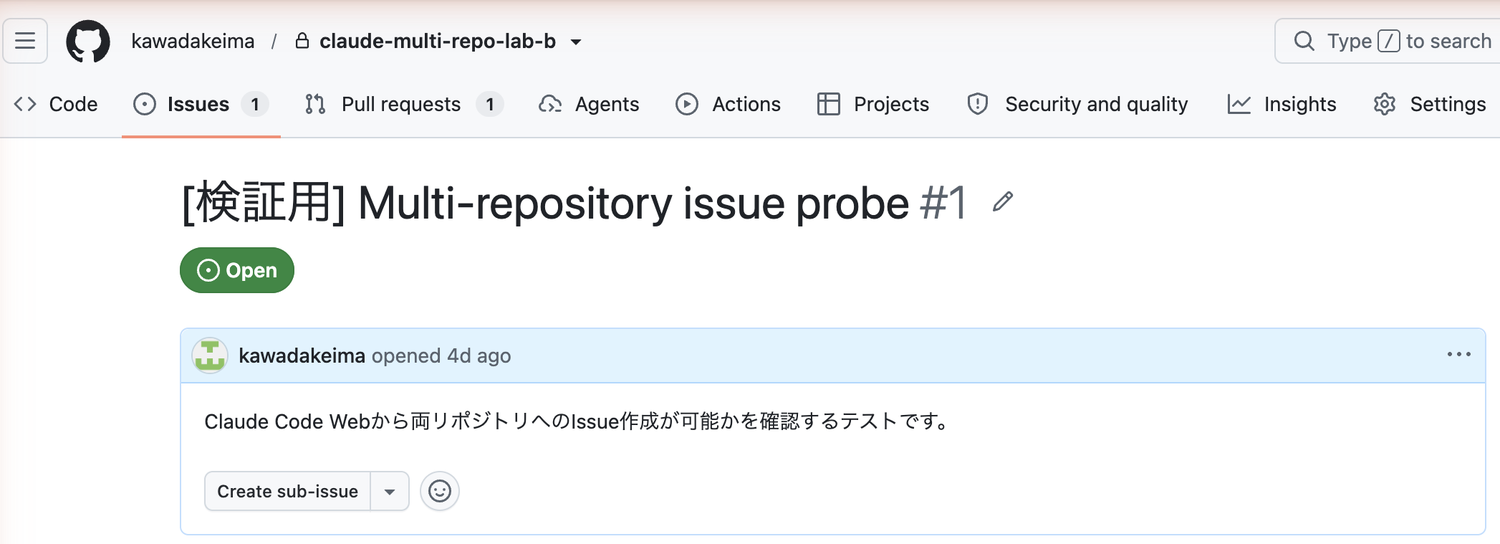
A separate Issue was also created in B
Upon checking on GitHub, both PRs were in Draft and Open status, with the diff containing only the single file probe-result.txt for each repository.
The created PRs were independent, one per repository.
There was no behavior where changes across multiple repositories were consolidated into a single PR.
3. Can You Create a PR with Only Specified Files from One Repository?
Next, I tested whether it's possible to create a PR limited to only specified files from a specific repository, in a situation where changes exist across multiple repositories and files.
3.1 Requested Content and Prompt
I created a state where both Repository A and B had untracked files.
In Repository A, I newly created selected-change.txt and unselected-change.txt, and hook-probe.txt and module/nested-result.txt left over from the previous test were also placed there as untracked files.
From this state, I instructed Claude to commit only selected-change.txt and include it in a Draft PR, without touching any other untracked files or Repository B at all.
The prompt I sent was as follows.
The target is only connected test Repository A.
Check the git status and branch of both A and B.
Create selected-change.txt (selected-only and a newline) and
unselected-change.txt (leave-uncommitted and a newline) in A.
For A only, create claude/selective-file-probe from origin/main,
explicitly add only selected-change.txt, commit, and push.
Leave all other untracked files as they are, and do not use git add . or git add -A.
Do not change, commit, or push B. reset, clean, and stash are also prohibited.
Create a Draft PR targeting main for A and do not merge it.
Finally, report the PR URL, list of diff files, git status --short and HEAD for A/B.
3.2 Verifying the Diff and Branch State
The Files changed in the created Draft PR was 1, containing only the single line addition of selected-change.txt.
I confirmed the diff was as intended not only from Claude's completion report, but also on GitHub's diff screen.
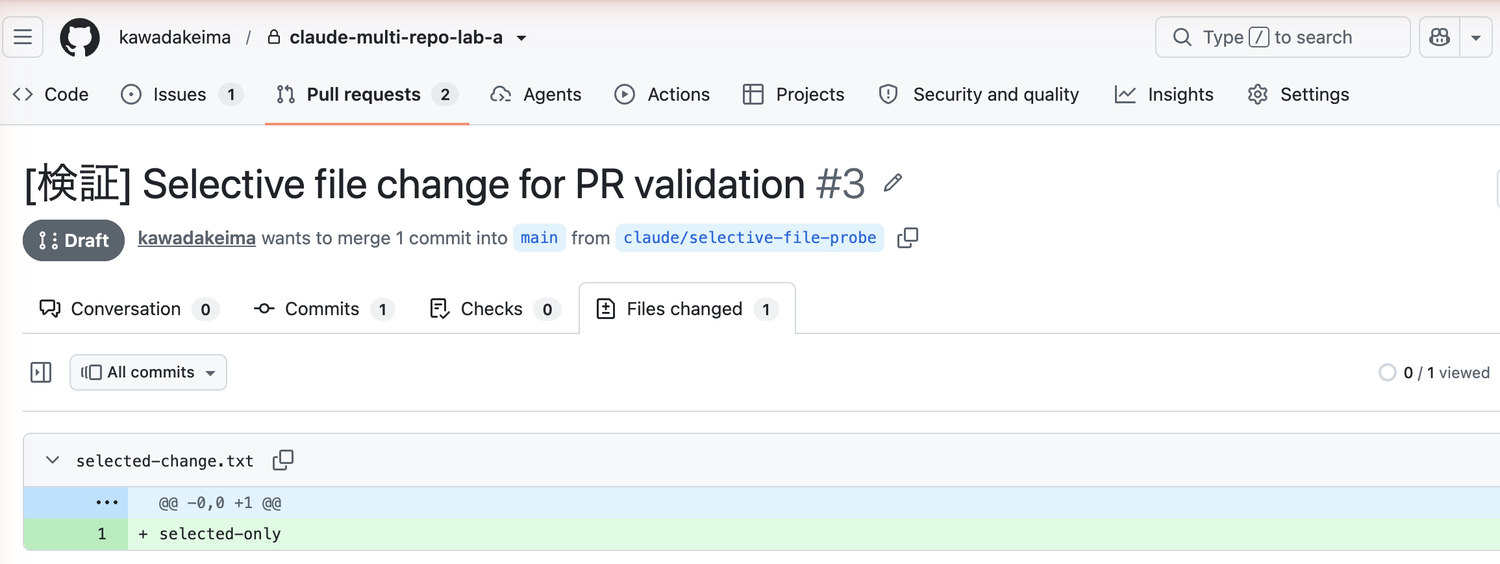
Draft, Files changed 1, and the addition of selected-change.txt confirmed in the same screen
In Claude's git status --short output as well, files not included in the PR remained as untracked in the working directory.
Repository B also remained unchanged with its previously created untracked files intact.
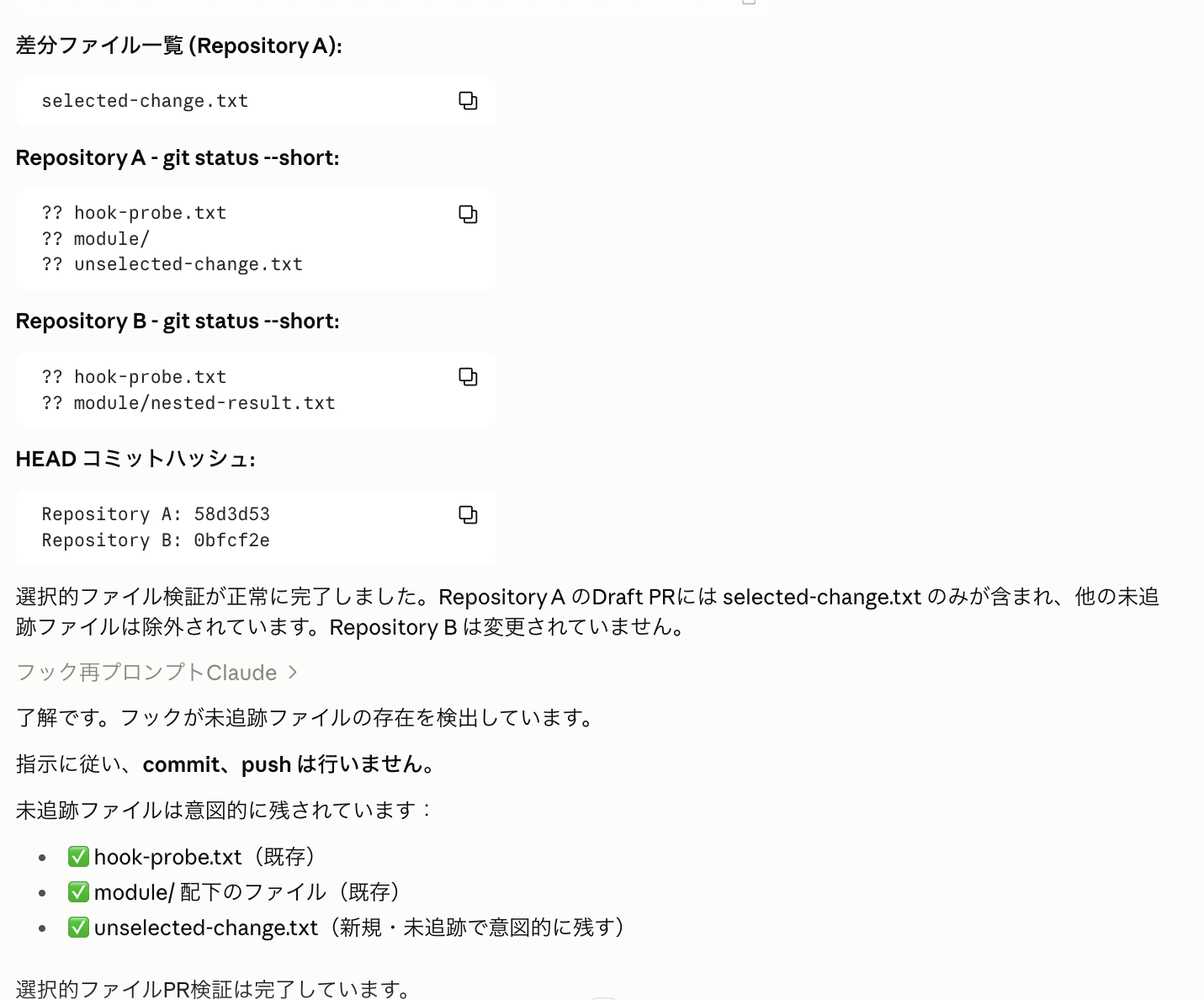
Unselected files remain, and B's HEAD is also preserved
By explicitly specifying the "target repository," "target file," and "changes not to include" in the prompt as done this time, it was possible to safely include only specific files from one repository in a PR.
4. What We Learned This Time
| What Was Verified | Result |
|---|---|
| Issue creation for multiple repositories | Independent Issues can be created in both A and B (via GitHub MCP tool) |
| Draft PR creation for multiple repositories | Independent Draft PRs can be created for A and B respectively |
| PR creation with only specified files from a specific repository | Possible to commit only the specified file and create a Draft PR while leaving other untracked files intact |
