I tried automatically generating daily recaps for a Slack channel using Claude Cowork's scheduling feature

This page has been translated by machine translation. View original
Introduction
In the project's Slack channel, various discussions progress daily in threads. However, it's difficult to keep track of information scattered across multiple threads, especially cases where "there was a new reply to an old thread yesterday" which are easy to miss.
So I created a system that uses Claude Cowork's scheduling feature (cron) to automatically generate and post daily recaps of Slack channels every morning. Since I was able to implement this without writing a single line of code, just by refining requirements through conversation, I'd like to share the process and key considerations.
What I Built
A bot that automatically summarizes the previous day's Slack channel activity at 9am on weekdays and posts it to the channel in the following format.
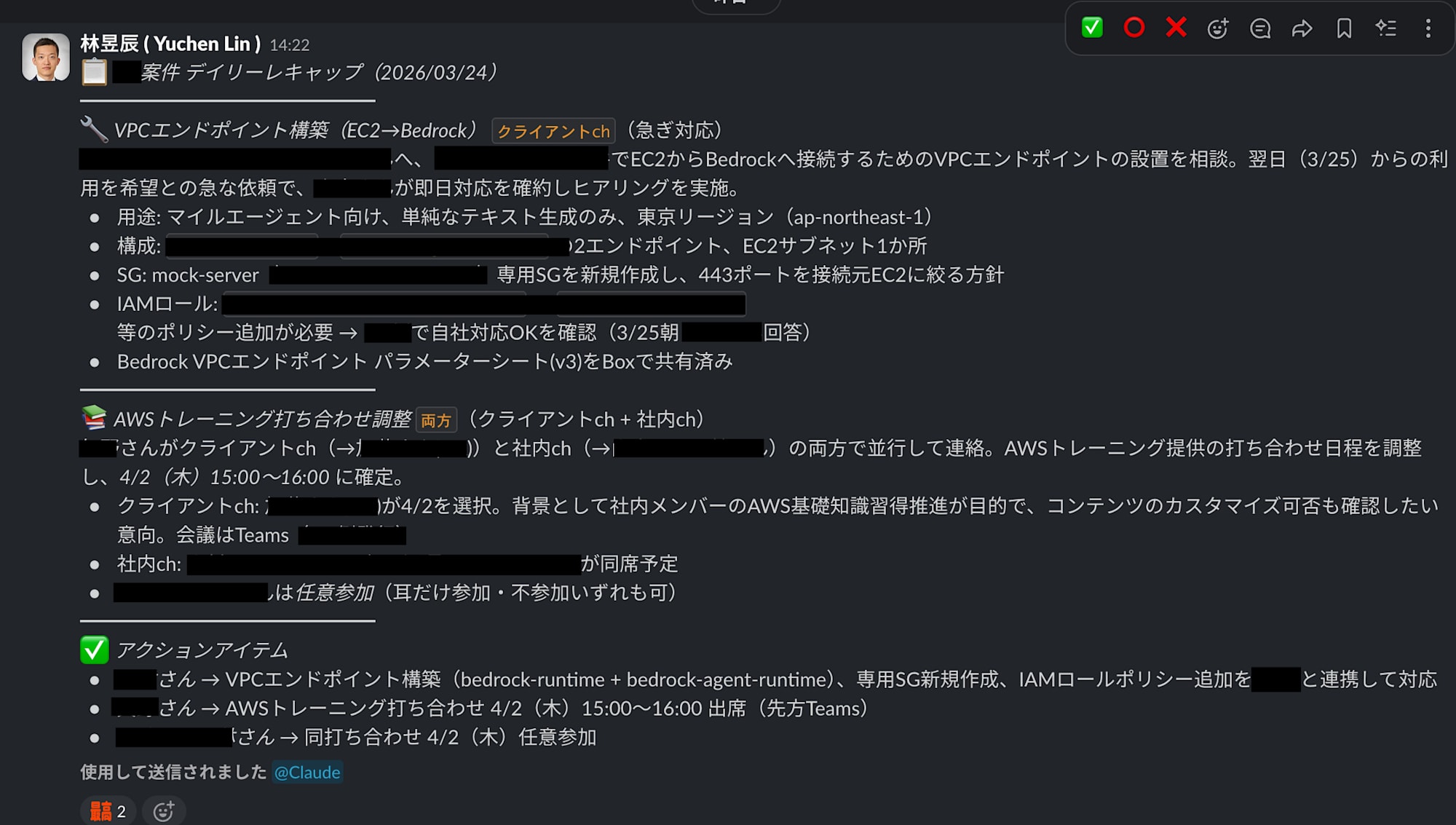
Features include:
- Cross-monitoring 2 channels spanning internal channels and client channels (Slack Connect), automatically merging identical topics
- Reliably capturing new replies to old threads
- Displaying channel source tags (
Internal ch/Client ch/Both) for each topic - Posting output to internal channel only (not posting to client channels)
- All recap content in Japanese
Prerequisites/Environment
- Claude Desktop (with Cowork functionality available)
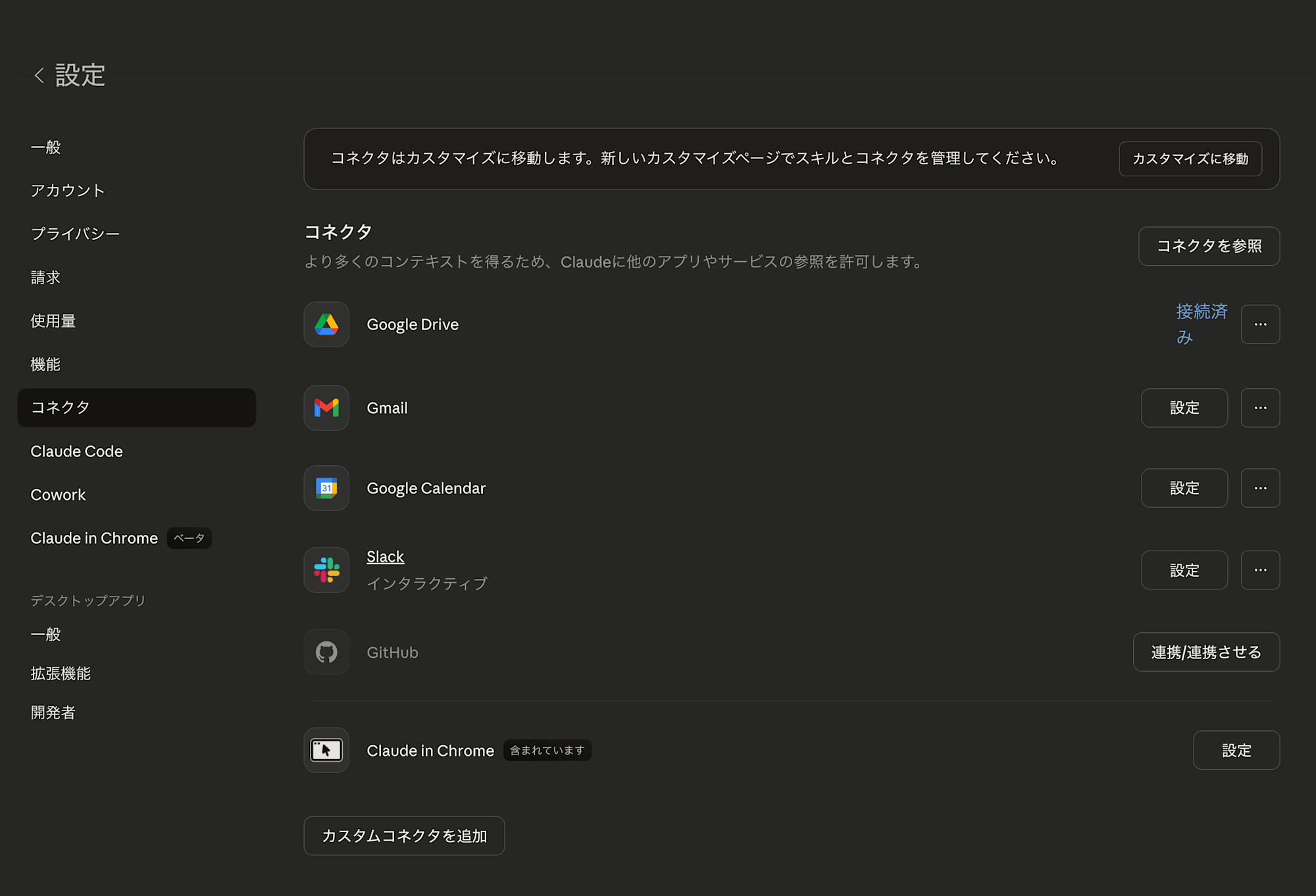
- Slack integration (Claude Desktop's Slack MCP connector) enabled
- Access rights to the Slack channels being monitored
Setup Process
1. Confirming Slack Integration
Claude Cowork has a Slack MCP connector that allows reading channels, sending messages, searching, etc. In this project, I used the following tools:
| Tool | Purpose |
|---|---|
slack_search_channels |
Identifying channel IDs |
slack_search_public_and_private |
Searching previous day's messages (including thread replies) |
slack_read_channel |
Reading channel timeline |
slack_read_thread |
Reading complete threads |
slack_send_message |
Posting recaps |
2. Designing Tasks Through Dialogue with Claude
Claude Cowork's scheduling feature allows you to create cron tasks just by explaining "what you want to do" in natural language. For this project, I refined the requirements through the following exchange:
First, I communicated what I wanted to do:
"I want to add a cron that reads yesterday's threads and creates a channel recap. Please include summaries and action items, and output in Japanese."
Claude responded with questions about execution time, posting destination, and thread handling, which I answered as follows:
- Execution time: 9am weekdays (JST)
- Posting destination: Same channel as the summary source
- Threads: Read all thread replies
With just this information, the first version of the cron task was created.
3. Discovering and Fixing Problems through Dry Runs
When executing the first version, I discovered that new replies to old threads weren't being captured.
There were two causes:
Problem 1: Using slack_search_public for searching private channels
Since the target channels were private channels, slack_search_public returned 0 results. Resolved by changing to slack_search_public_and_private.
Problem 2: Channel timeline alone cannot catch replies to old threads
slack_read_channel returns the timeline of top-level messages in a channel, so replies posted yesterday to past threads are not included.
To solve this, I adopted a method combining two approaches:
| Approach | Method | What it catches |
|---|---|---|
| A: Channel timeline | slack_read_channel |
New top-level messages from yesterday |
| B: Full text search | slack_search_public_and_private |
All messages from yesterday (including replies to old threads) |
For thread replies found through Approach B, I use slack_read_thread to get the parent message and include it in the summary with proper context.
The difference this modification made was significant - on one test day:
- Approach A only: 1 item (top-level message)
- Approaches A+B: 49 items (including thread replies)
4. Adding Client Channels
In addition to internal channels, I added client channels connected via Slack Connect to the monitoring targets. Key points included:
- If the same topic is being discussed in both channels, merge them into a single section
- Display channel source for each topic (
Internal ch/Client ch/Both) - Limit output to internal channels only (never post to client channels)
This created a recap that clearly shows "what the client approved" and "what was discussed internally" at a glance.
5. Improving Output Format
In the initial version, summaries were consolidated into one long paragraph that was difficult to read on Slack. I made the following improvements:
- Dividing into sections by topic with emoji markers for visual distinction
- Using divider lines (
━━━) to clarify structure - Making each topic scannable with a 1-2 line overview + bullet points
- Standardizing names as "Last name + san" (matching the natural tone of the team's Slack)
- Using
→for visual flow in action items
📋 *UA Project Daily Recap (YYYY/MM/DD)*

━━━━━━━━━━━━━━━

📩 *[Topic Name]* `Client ch`([Context])
[1-2 line summary]
• [Point 1]
• [Point 2]

🏠 *[Topic Name]* `Internal ch`([Context, e.g., 3/18 thread continuation])
[1-2 line summary]
• [Point 1]
• [Point 2]

🔗 *[Topic Name]* `Both`([Context])
[If the same topic was discussed in both channels, merge them under one heading]
• [Point 1 — from customer channel]
• [Point 2 — from internal channel]

━━━━━━━━━━━━━━━

✅ *Action Items*
• *[Last name]-san* → [Action content]
• *[Last name]-san* → [Action content]
(If none, write "None")
---
Schedule Task Configuration
Overview of the final cron task:
| Item | Setting |
|---|---|
| Task ID | daily-slack-recap-project-x |
| Schedule | 0 9 * * 1-5 (Weekdays 9:00 JST) |
| Monitored channels | Internal channel + Client channel (Slack Connect) |
| Output destination | Internal channel only |
| Language | Japanese |
Schedule tasks can be checked and managed from the Claude Desktop sidebar, and manually executed with "Run now." After approving Slack MCP tool permissions during the first execution, approval prompts don't appear for subsequent automatic executions.
Tips and Challenges
Handling Private Channels and Slack Connect
Slack MCP has two search tools: slack_search_public and slack_search_public_and_private. When searching private channels or Slack Connect channels, you must use the latter. I initially didn't notice this difference, which resulted in 0 search results.
Need for Pagination
In active channels, a day's messages may not fit within one search results page (20 items). As long as pagination_info returns a cursor, you need to continue fetching the next page.
Skipping Days Without Activity
Since there's no point in posting recaps on holidays or days without activity, I configured the system to skip posting when there are 0 human messages (excluding bot messages and automatic notifications).
Conclusion
I created a system that automatically generates daily recaps of Slack channels using Claude Cowork's scheduling feature.
By communicating requirements conversationally and going through cycles of identifying and fixing problems through dry runs, I completed a practical Slack bot without writing a single line of code. The issue of "capturing replies to old threads" in particular was something I wouldn't have noticed without actually running a dry test, highlighting the strength of this interactive development process.
In the future, I'm considering improving recap accuracy (filtering unnecessary information, automatic follow-up of action items, etc.) and expanding to other channels.