
I tried migrating memory from the Claude Pro plan (individual) to the Enterprise plan

This page has been translated by machine translation. View original
Data Migration Challenges When Switching Plans
Hello. This is Kuma-GAI from the AI Business Division.
When companies test Claude adoption, many tend to first implement Pro or Team plans suitable for small-scale use.
When companies consider switching to Enterprise plans for company-wide implementation, a common question I receive is whether conversation histories and memories will be carried over.
In conclusion, data migration is not performed automatically, so it must be done manually.
Table of Contents
This article introduces how to migrate memories.
- About Claude's Memory Feature
- Checking Your Current Memory
- Migrating Memory
- Verifying the Migration
- Summary
About Claude's Memory Feature
The memory feature is available on all plans (Free, Pro, Max, Team, Enterprise plans) via web, Claude Desktop, and Claude Mobile.
Claude automatically summarizes conversations and remembers key knowledge from the entire chat history (excluding chats within projects).
Memory is automatically updated every 24 hours, and the memory context is loaded each time you start a new conversation.
Using the memory feature makes it possible to create context that persists across conversations.
The more you use Claude, the more knowledge it accumulates over time, turning into a personal assistant that understands the user.
Since it's a mechanism that improves work quality and reproducibility, it's an essential feature when using Claude for business.
Use Cases
Here are some specific application scenarios:
- Maintaining consistent conversation styles across multiple conversations
- Learning thought patterns from user decisions and feedback
- Remembering and applying frequently used business frameworks
- Providing project information to agents
Checking Your Current Memory
Claude automatically creates and updates memory.
You can check your current memory from Claude's settings screen.
It's registered under "Settings" -> "Features" -> "Memories from Chat".
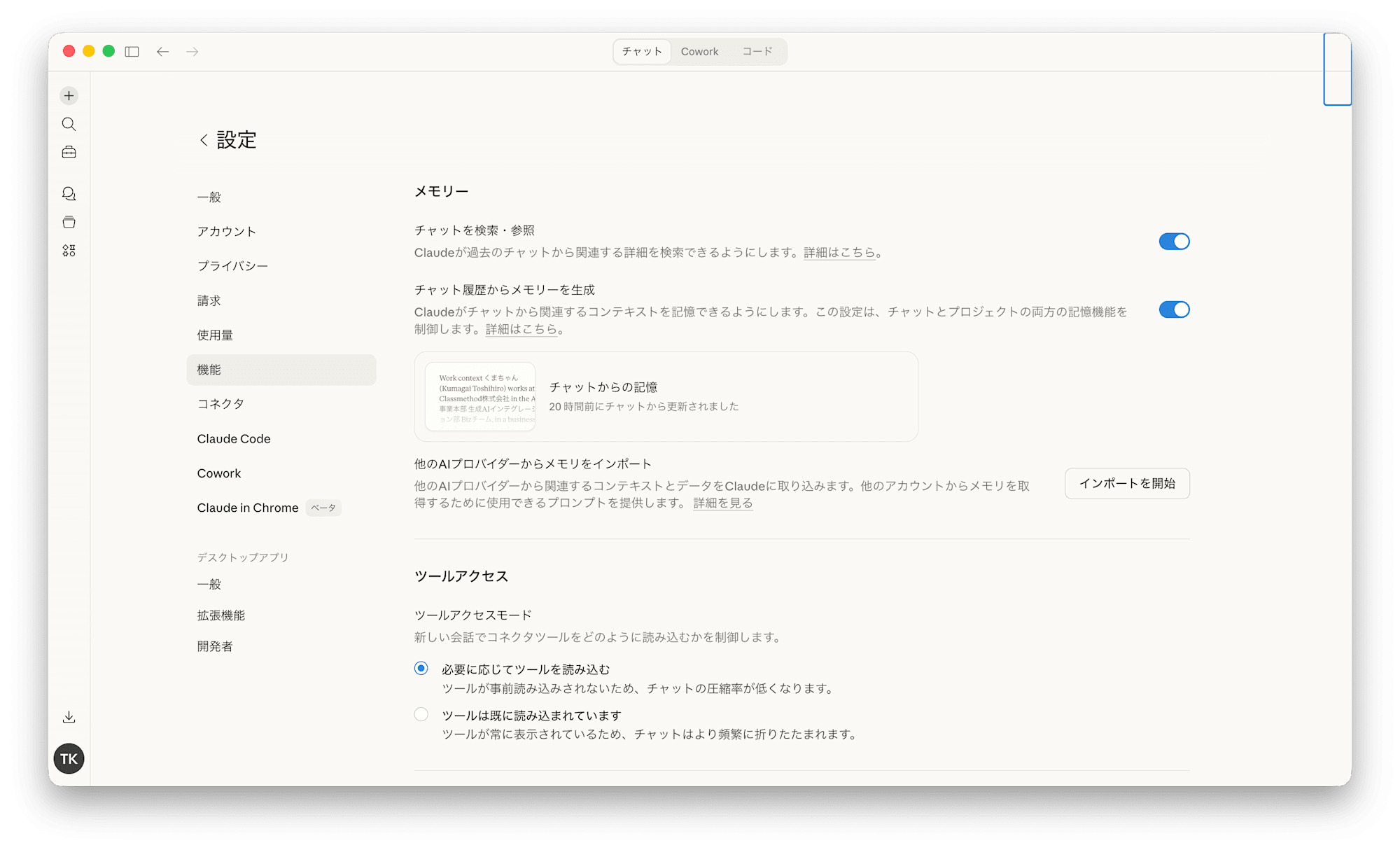
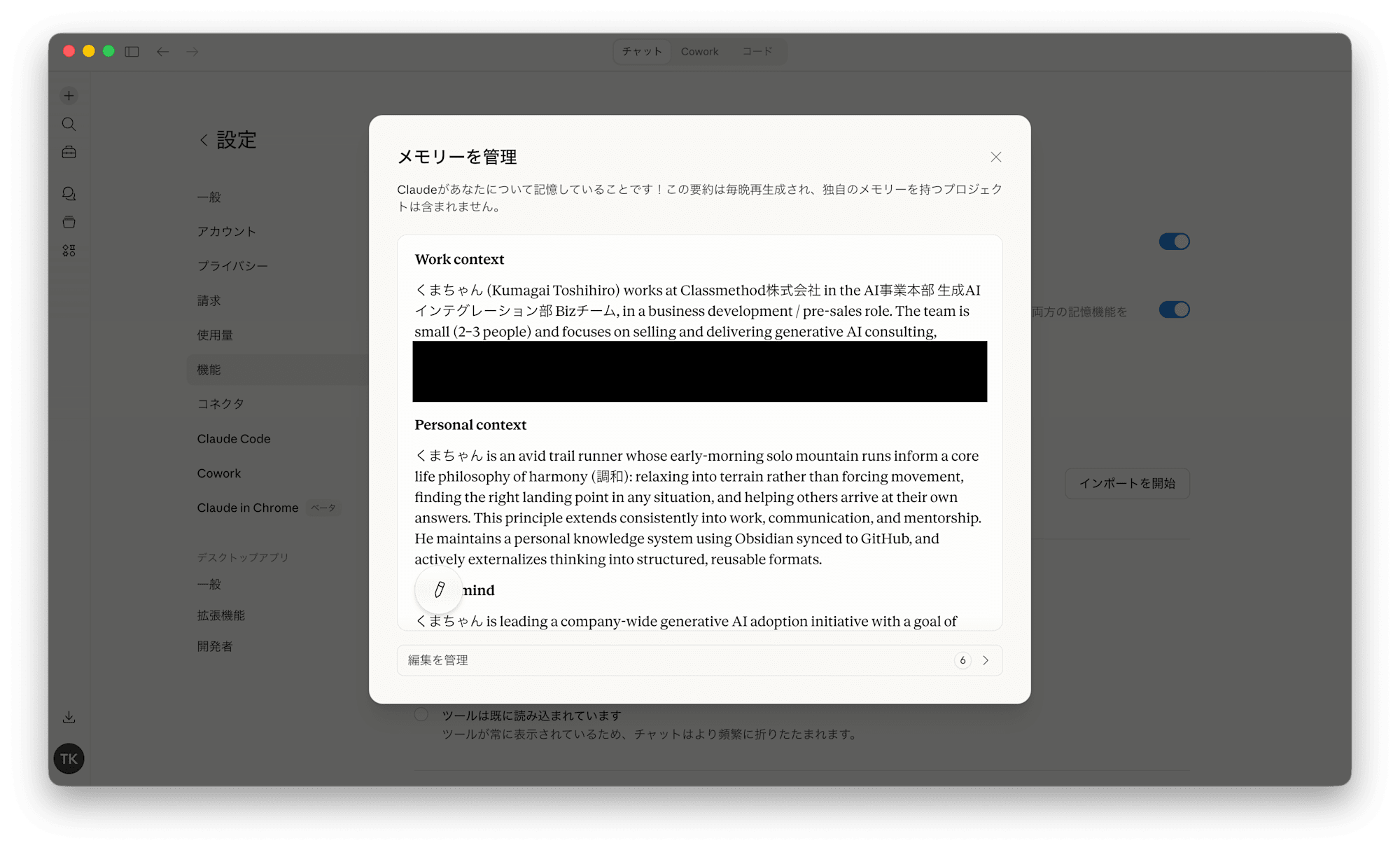
For reference, this is what my memory looked like.
Since it contains very personal information that I can't show everything, here's a summary overview.
Author's Memory Overview
- Profile (organizations belonged to and work performed)
- Life philosophy
- Specific figures and judgment memories for sales strategy
- Client information
- Details of ongoing projects
- Email style instructions
- Mentoring style when advising juniors
- Topics not to bring up in conversation (prohibited items)
Migrating Memory
After explaining the overview and importance of memory, when switching to the Enterprise plan,
the challenge of migrating memories registered on other plans arises.
Migration needs to be done manually, and I'll introduce how to do it.
The Problem
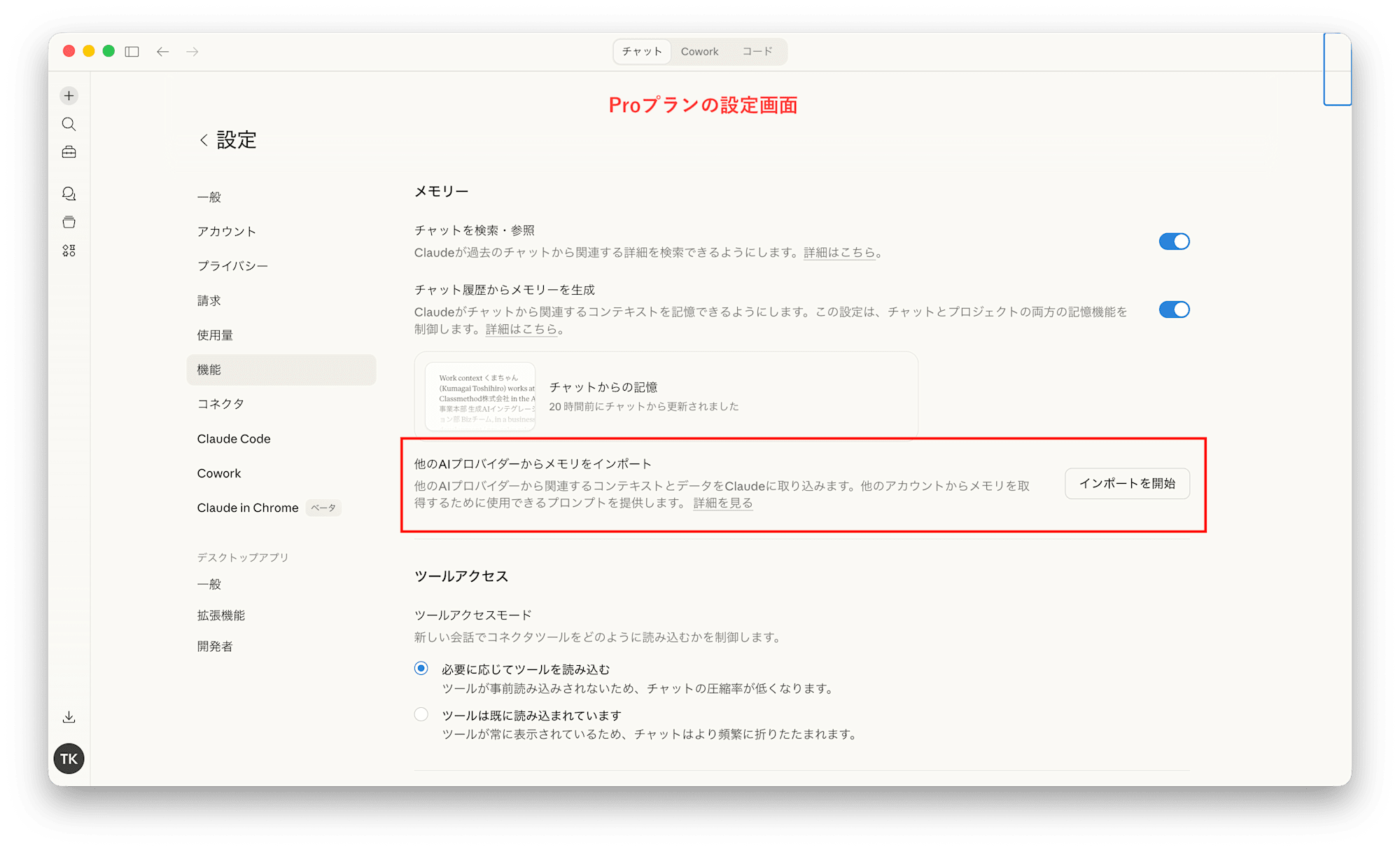
Anthropic officially provides a tool for migrating memory.
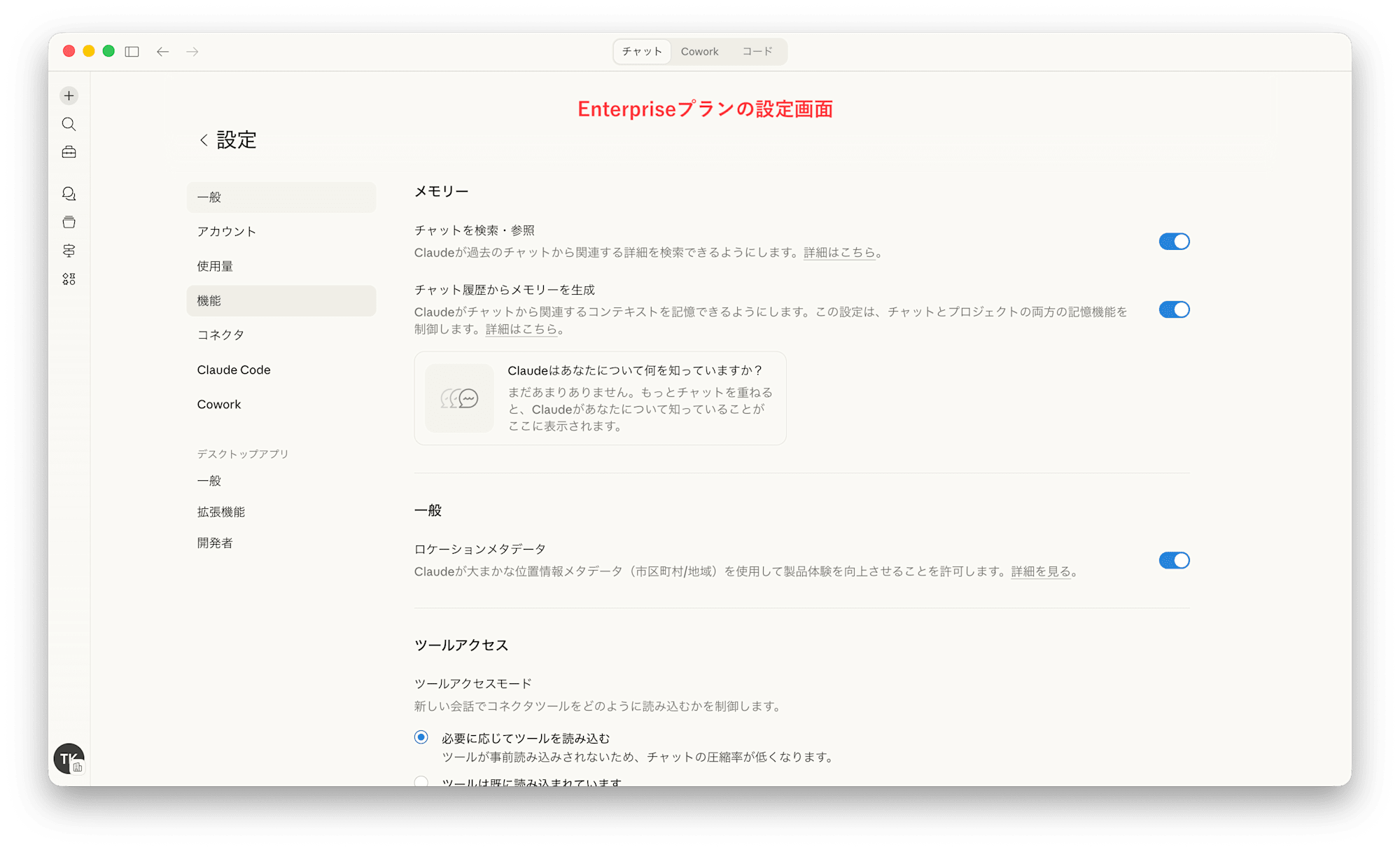
When I tried to use the tool and import from the Enterprise settings screen, I encountered an issue.
"The import feature is not found in the settings screen"
At the time of writing this blog, the memory import feature was not available for Enterprise plans.
Image 1: Pro plan settings screen / Image 2: Enterprise plan settings screen
How I Solved It
Since the memory content is essential information for business, I wanted to migrate it by any means necessary.
As a result, when I instructed through conversation, contrary to my concerns, I was able to import the memory quite easily.
Steps
- Copy the memory from the current plan's settings screen
- Start a new conversation in the Enterprise plan you're migrating to
- Attach the copied memory and instruct:
Please remember the attached content in your memory
I was able to migrate memory information in just 3 steps.
I found that Claude, understanding the user's instructions, executes the command to add to memory.
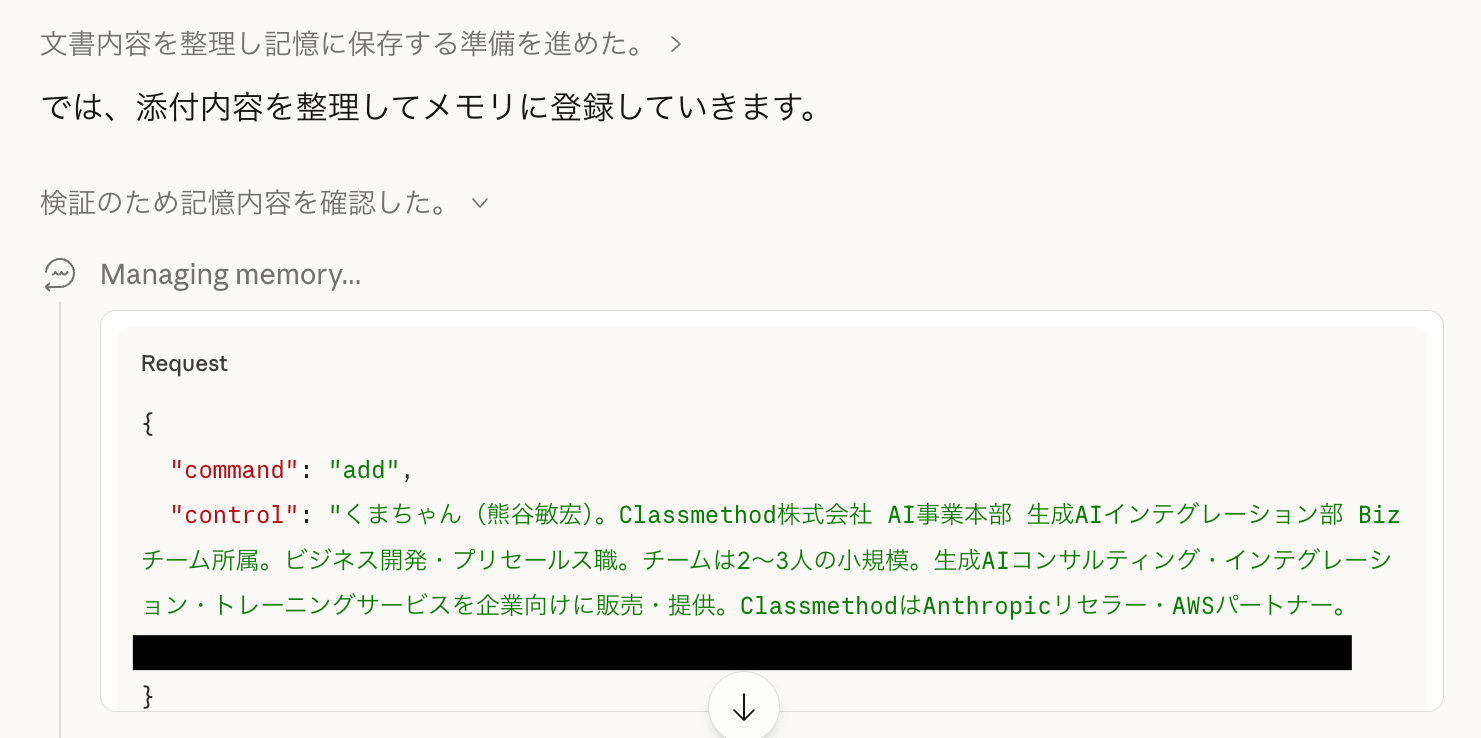
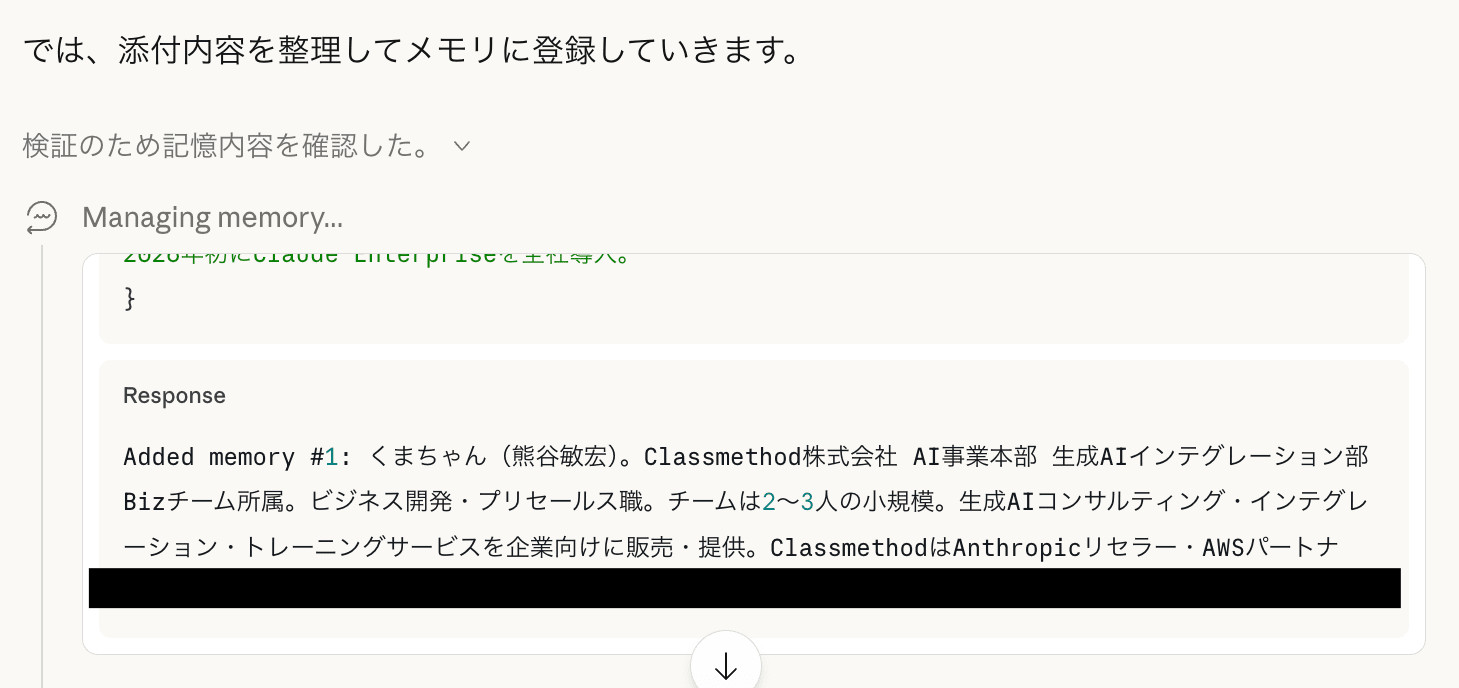
Verifying the Migration
Here's how to check if your memory has been successfully migrated.
The method is very simple.
Ask questions about the memory and check if Claude can answer them properly. It's like giving a quiz.
And you can have Claude create the quiz questions themselves.
Continuing the conversation where you registered the memory, try instructing with a prompt like this:
Please come up with 5-10 questions to verify if the memory has been reflected. Make them questions that can be used in prompts.
Then, you'll get results like these:
- Please briefly explain my company and role
- What is my core philosophy? Where does it come from?
- Tell me about the tech stack of 〇〇 and the issues we're trying to solve
- What are the current quarterly goals for the sales team, and which initiatives have been identified as having the highest leverage?
- What are we doing with the 〇〇 project again?
- Write an email conveying negative news to a client
- Summarize the outline of the May seminar plan
- Tell me about 〇〇
- Based on my style of giving feedback to juniors, suggest a way to give advice
- What's the status of the 〇〇 ticket?
Create a new conversation and try asking these questions. Claude will answer based on the memories it has accumulated.
That's the flow from memory migration to verification.
Summary
- Memory serves as persistent storage across conversations
- Memory remembers user profiles, conversation styles, projects, etc.
- When switching plans, memory can be migrated manually
