
The story about how Claude's Web Fetch tool doesn't necessarily return the latest information

This page has been translated by machine translation. View original
Claude's Web Fetch tool sometimes returns data using cache, so don't over-rely on AI research results as the latest information! — that's what this article is about.
Background
I wanted to try out the Data table block recently added to Slack's Block Kit (a table block that can be included in messages), so I had Claude research the details of its specifications and how to implement it.
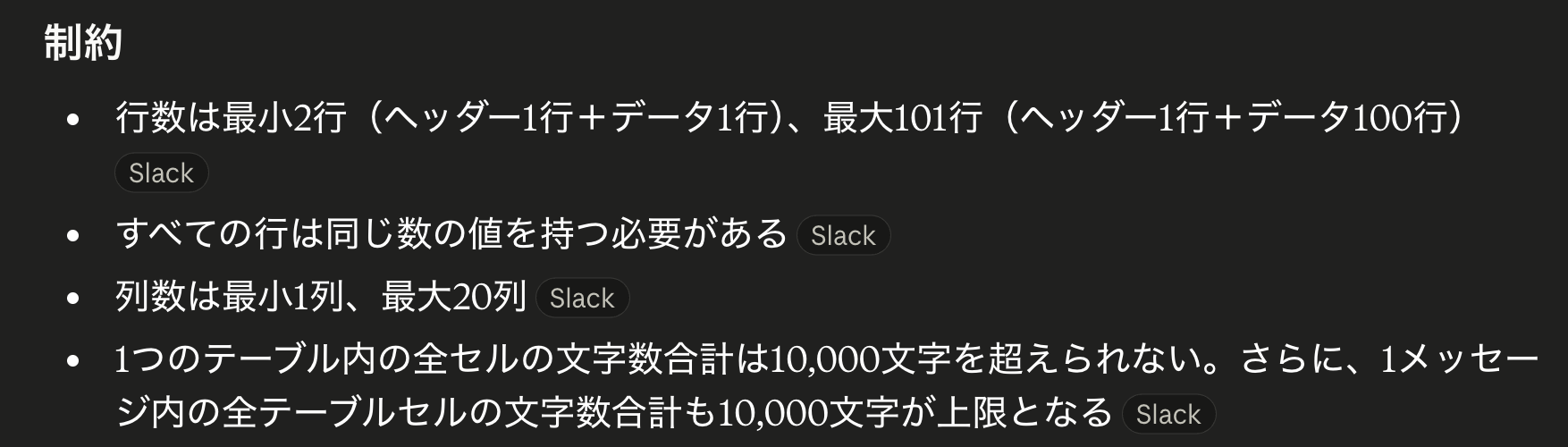
I see — it appears there are constraints such as a maximum of 101 rows and a maximum total of 10,000 characters.
However, I unfortunately hit my usage limit partway through the research and decided to ask ChatGPT to continue. That's when an unexpected objection came back.

Apparently, the information Claude had provided was wrong. When I checked Slack's official documentation myself, it turned out that ChatGPT's claim — "the limits are 201 rows and 20,000 characters" — was correct.
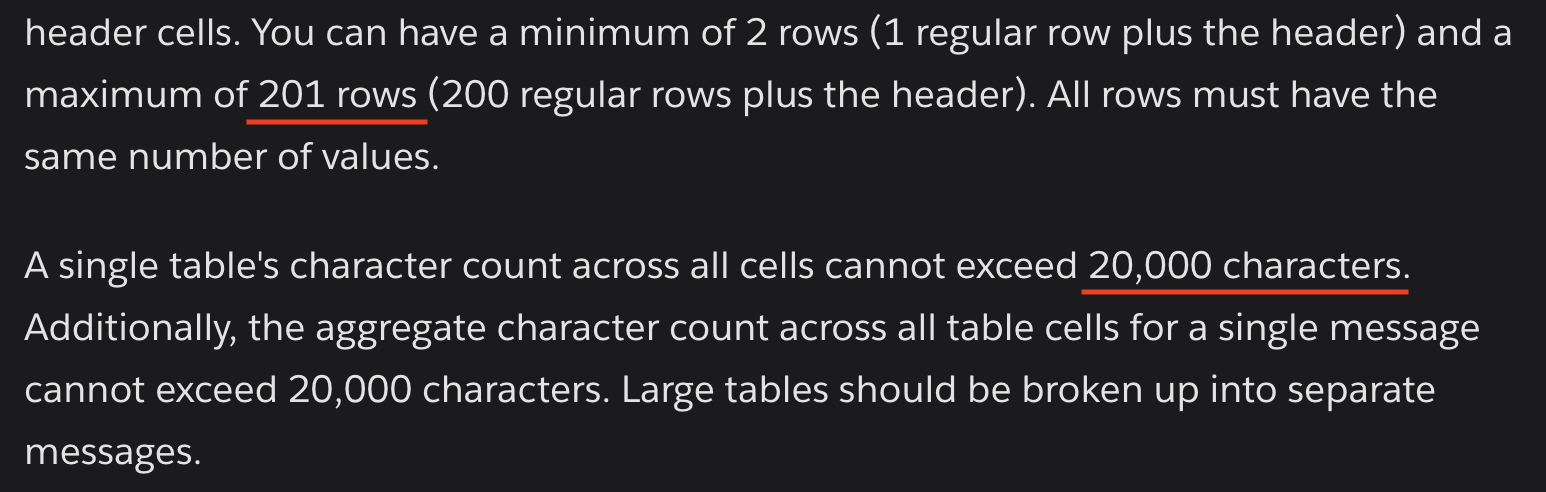
Had Claude accidentally referenced an outdated page?
However, when I checked the links in the response, Claude appeared to be looking at the correct page, and no matter how many times I changed the model and had it re-investigate, it stubbornly insisted that "the official documentation clearly states the limit is 101 rows and 10,000 characters."
Cause
Upon investigation, the most likely cause of this phenomenon appears to be the Web Fetch tool's cache.
Checking Anthropic's official documentation, it states that the Web Fetch tool automatically caches the content of fetched pages, and the returned content does not necessarily match the latest version at the URL[1].
While the API provides a way to bypass the cache by specifying "use_cache": false, I was unable to find a way to make this specification on claude.ai (the chat on the official website).
On the other hand, ChatGPT's Web search tool defaults to live retrieval, and an explicit specification is required to limit it to cache[2]. The fact that ChatGPT was able to retrieve more up-to-date information this time may be due to this specification.
Countermeasures
If you want to use Claude to research the latest information, where possible it's best to specify "use_cache": false via the API to bypass the cache. Alternatively, as in this case, having multiple AI tools conduct a review also seems like a good approach.
Also, while it may go without saying, this experience reinforced that when it comes to truly important figures, there's nothing more reliable than verifying them with your own eyes. Outdated specification information could cause bugs during implementation and similar issues, so please do take care everyone.
