
I tried deleting AWS resources with cloud-nuke's (handle with care) time filter

This page has been translated by machine translation. View original
Introduction
When cleaning up an AWS account for testing, you only want to delete "recently created things." You want to keep IAM roles and GitHub OIDC set up last week, but delete all verification stacks and buckets from the past two weeks.
cloud-nuke has a time filter that narrows down resources by creation date, so I tried that. The conclusion: it did what I wanted. However, there are some quirks in how resources without creation timestamps are handled, so I'll focus on that.
Test Environment
- macOS
- cloud-nuke v0.52.0 (installed via Homebrew; latest release as of July 2026)
- Dedicated AWS account for testing (not production; can be rebuilt with CI/CD if broken)
- Targets:
ap-northeast-1andglobal
cloud-nuke Time Filters
There are only two CLI flags for time specification.
| Flag | Meaning |
|---|---|
--older-than |
Delete resources older than the specified period |
--newer-than |
Delete resources newer than the specified period |
Values are written in Go's duration format, so you specify a period rather than a date. Two weeks is 336h (24 x 14). Notations like 14d are not supported.
Since I want to "delete recently created things," I use --newer-than 336h.
Note: cloud-nuke does not have a guard like aws-nuke's "you must write the account alias in a config file before execution." The moment you pass a flag, that account becomes the target. You need to prevent account mix-ups yourself.
The Trap You Must Understand First: Resources Without Creation Timestamps
This is the most important part.
The AWS API does not return creation timestamps for all resources. More than 20 resource types — including VPCs, subnets, security groups, internet gateways, route tables, ENIs, EIPs, and SNS topics — have no creation timestamp.
So what does cloud-nuke do? When scanning, it writes a tag called cloud-nuke-first-seen to the target resources. From the next scan onward, it uses that tag's value in place of the creation timestamp.
This has two implications.
(1) inspect-aws is not read-only. Even if you run it just to check, tags will be written.
(2) On the first scan, first-seen becomes "now." This means all resources appear to have been "just created."
When (2) is combined with --newer-than, it becomes dangerous. Even a VPC created a year ago will match --newer-than 336h on the first scan, appearing as a "resource created 0 seconds ago."
Conversely, with --older-than, it fails on the safe side. A "resource from 0 seconds ago" is not old, so it simply gets excluded from deletion. The same mechanism becomes safe or dangerous depending on the direction of the flag.
The countermeasure is the --exclude-first-seen flag. It collectively excludes resources whose age is judged by the first-seen tag. I always ran this with the flag attached.
Steps
1. Install
brew install cloud-nuke
2. Prepare AWS Credentials
cloud-nuke reads credentials from environment variables. SSO or local credentials both work, but if you have aliases or plugins layered into the aws command, cloud-nuke does not go through them.
Verify your AWS account information in advance.
aws sts get-caller-identity
3. Check Deletion Targets with inspect-aws
First, list them without deleting.
Since v0.29.0, cloud-nuke sends the executed command name, version, and AWS account ID to Gruntwork (IP addresses and resource names are not sent). If you don't want the account ID sent externally, you can stop it with DISABLE_TELEMETRY.
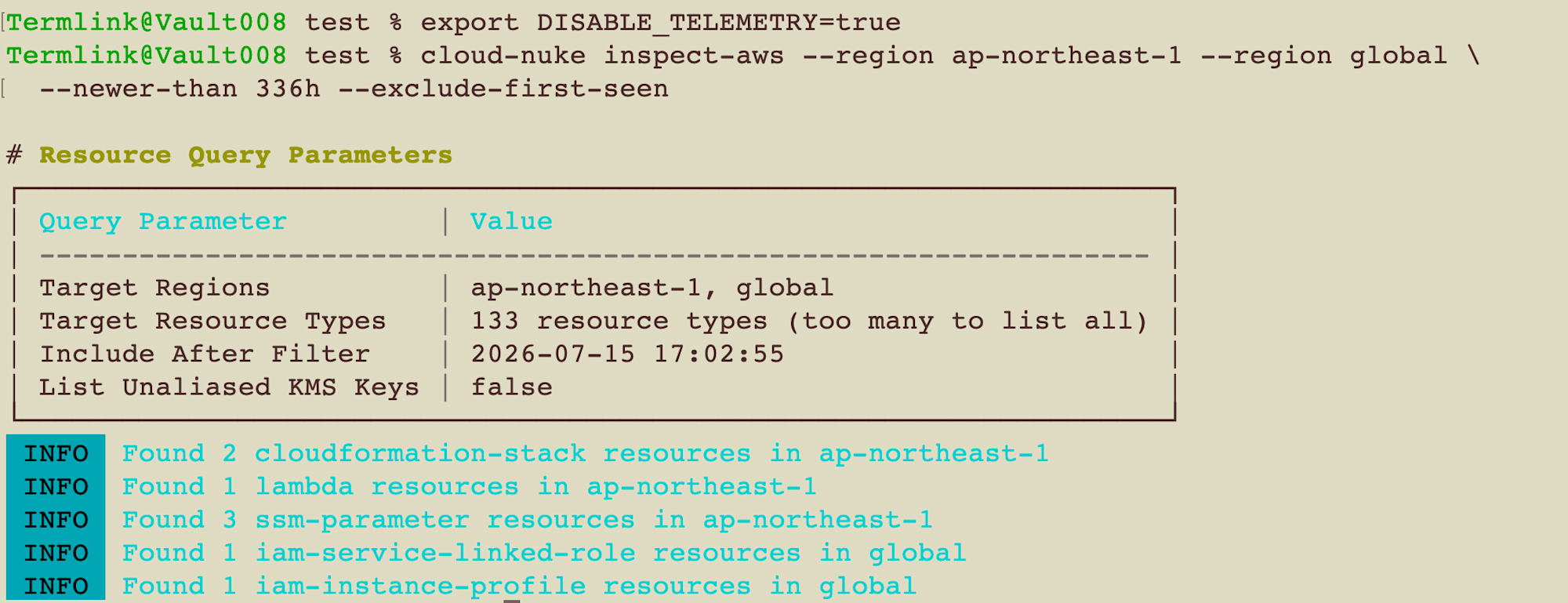
export DISABLE_TELEMETRY=true

cloud-nuke inspect-aws --region ap-northeast-1 --region global \
  --newer-than 336h --exclude-first-seen
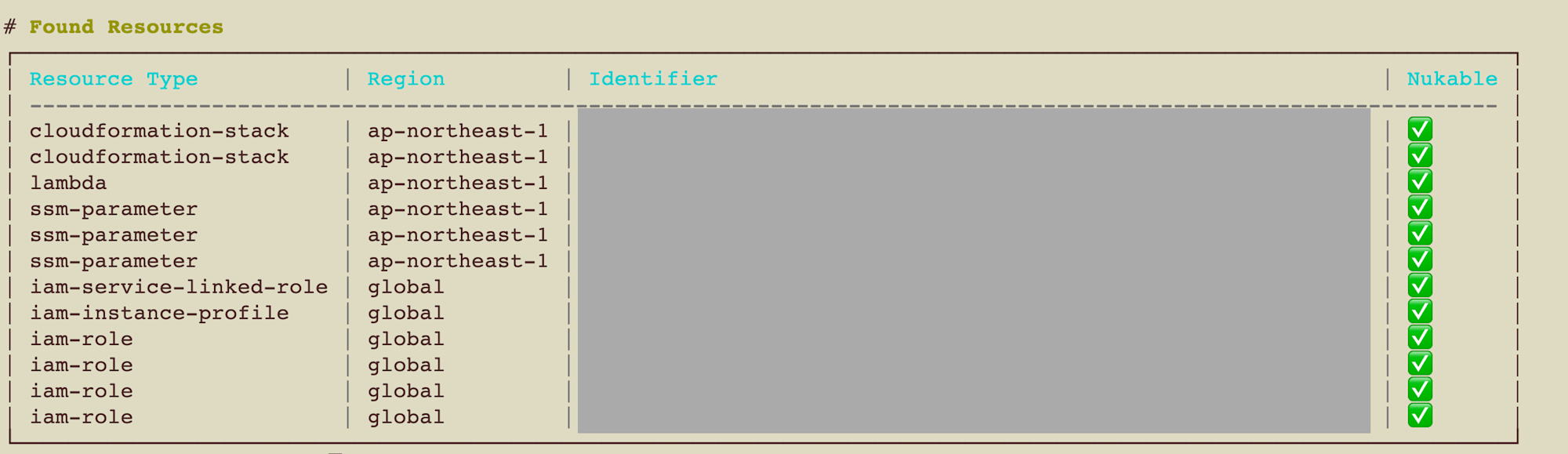
Don't forget --region global. IAM and S3 are registered as global resources, so they won't appear if you only specify a region.
4. Do a Dry Run of the Production Command with --dry-run
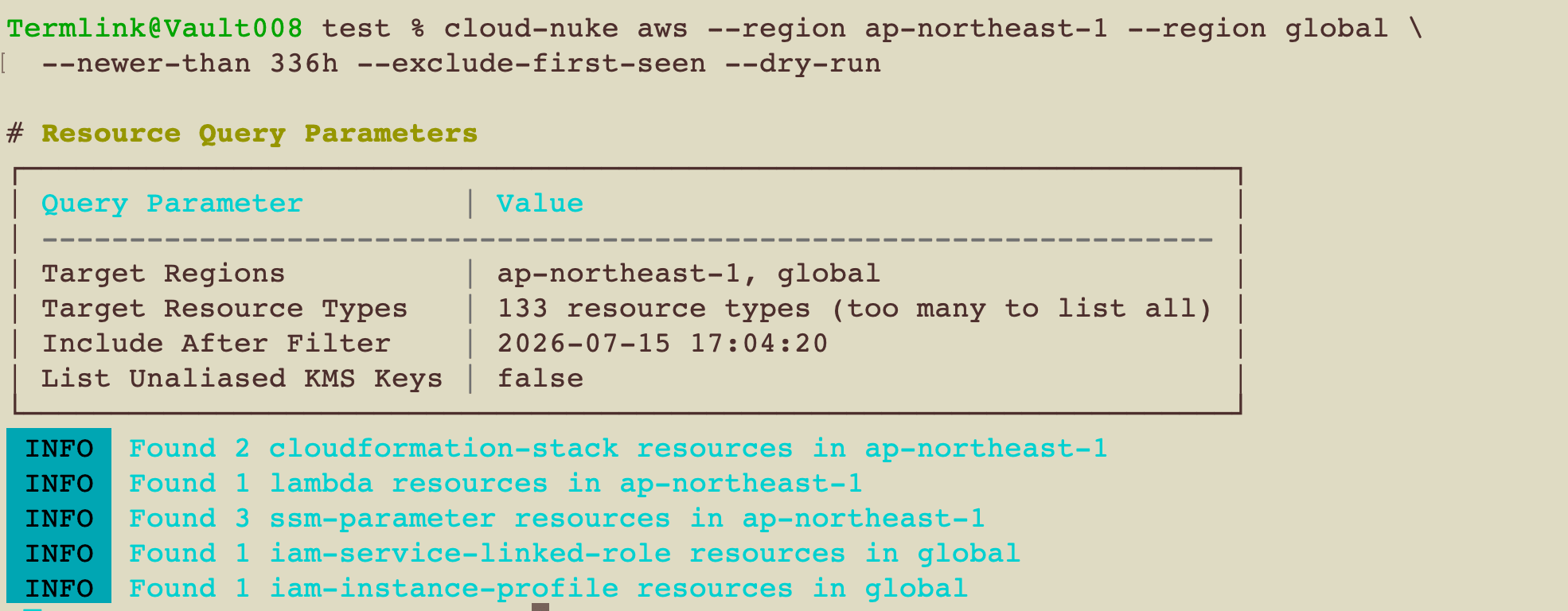
inspect-aws is a separate command, so it takes a different path from cloud-nuke aws used in production. When you want to safely verify using the same command, add --dry-run.
cloud-nuke aws --region ap-northeast-1 --region global \
  --newer-than 336h --exclude-first-seen --dry-run
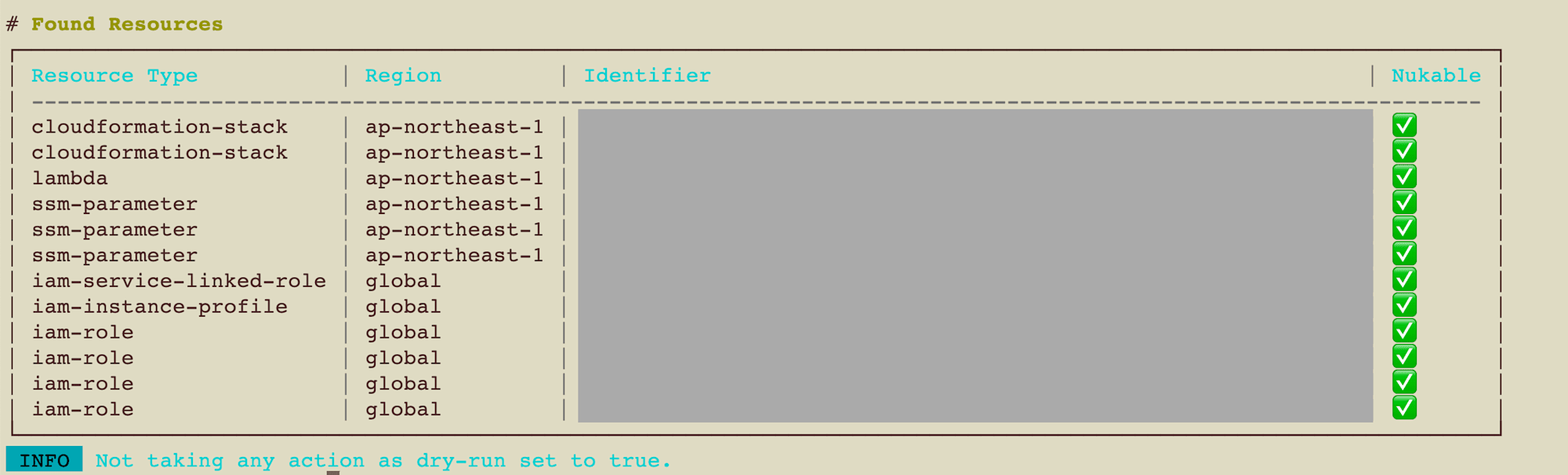
It stops after listing the deletion targets. No confirmation prompt appears.
INFO Not taking any action as dry-run set to true.
The only difference from production is the presence or absence of --dry-run. Since you can verify flag typos and missing region specifications directly, I found this more reassuring than inspect-aws.
Note that even with --dry-run, the process of building the list still runs, so cloud-nuke-first-seen tags are written just like with inspect-aws. It is not read-only.
5. Actually Delete
Just remove --dry-run. A confirmation prompt will appear when executed.
cloud-nuke aws --region ap-northeast-1 --region global \
  --newer-than 336h --exclude-first-seen
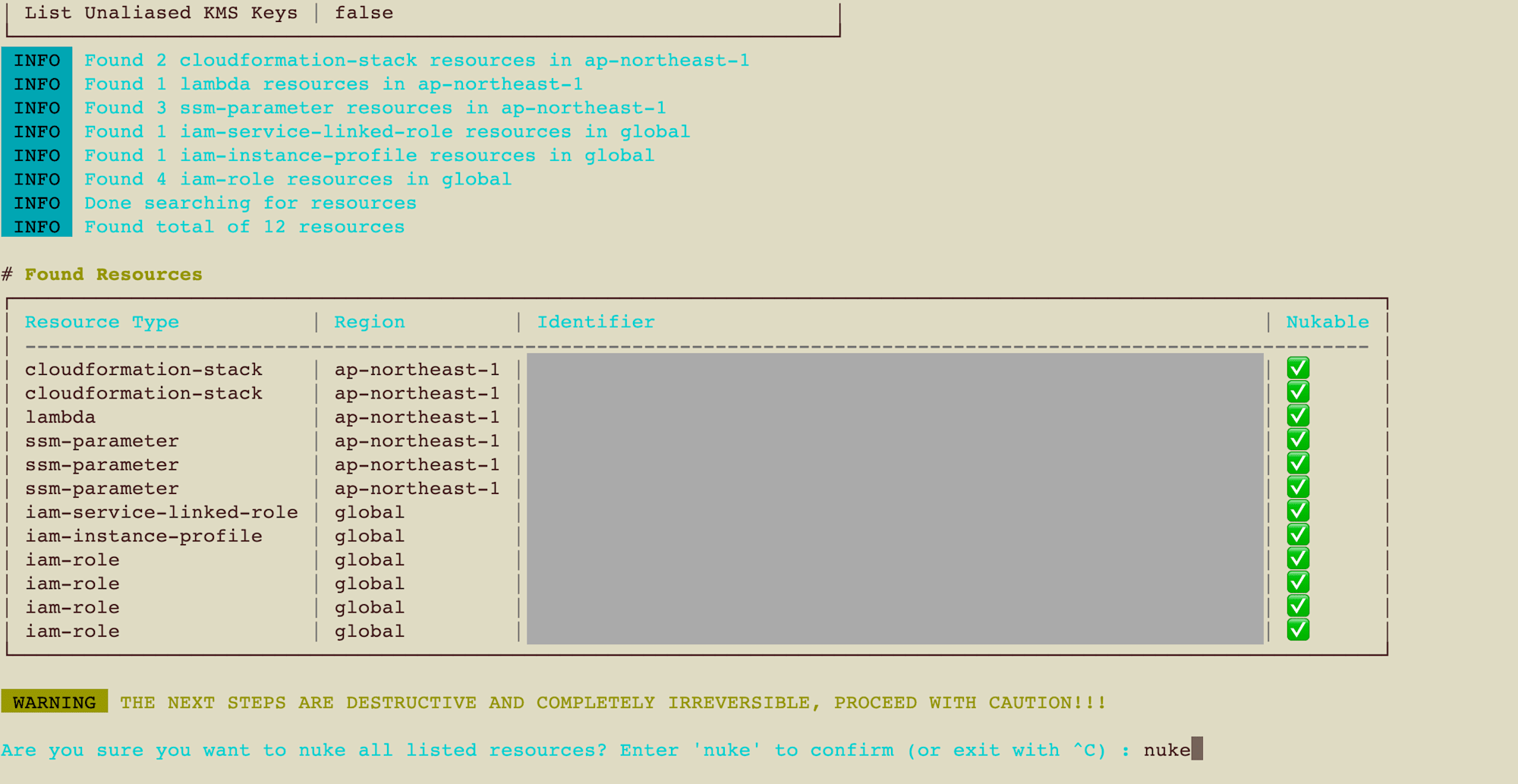
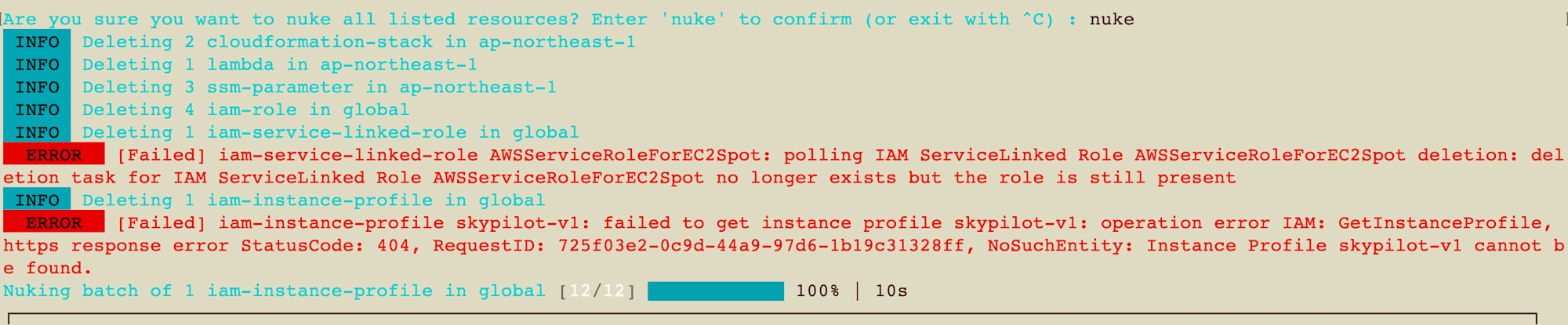
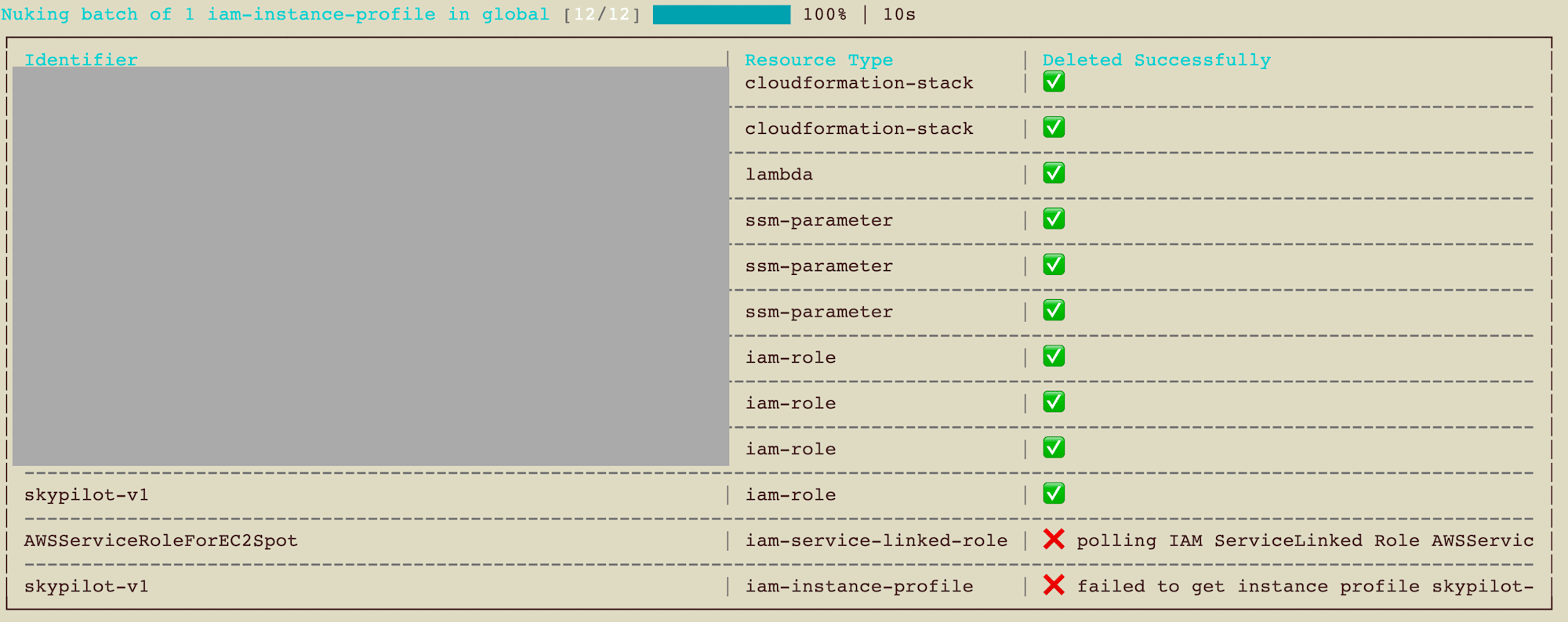
In my environment, 12 items were targeted. IAM roles and CloudFormation stacks created more than two weeks ago were properly retained, and filtering by creation timestamp worked as expected, though some resource deletions produced errors.
ERROR [Failed] iam-service-linked-role AWSServiceRoleForEC2Spot: polling IAM ServiceLinked
Role AWSServiceRoleForEC2Spot deletion: deletion task for IAM ServiceLinked Role
AWSServiceRoleForEC2Spot no longer exists but the role is still present

ERROR [Failed] iam-instance-profile <profile-name>: failed to get instance profile
<profile-name>: operation error IAM: GetInstanceProfile, https response error
StatusCode: 404, NoSuchEntity: Instance Profile <profile-name> cannot be found.
Both were IAM, so I searched for the names in the console under IAM → Roles to check, and both had actually been deleted. I think they were already deleted when the CloudFormation stack was removed.
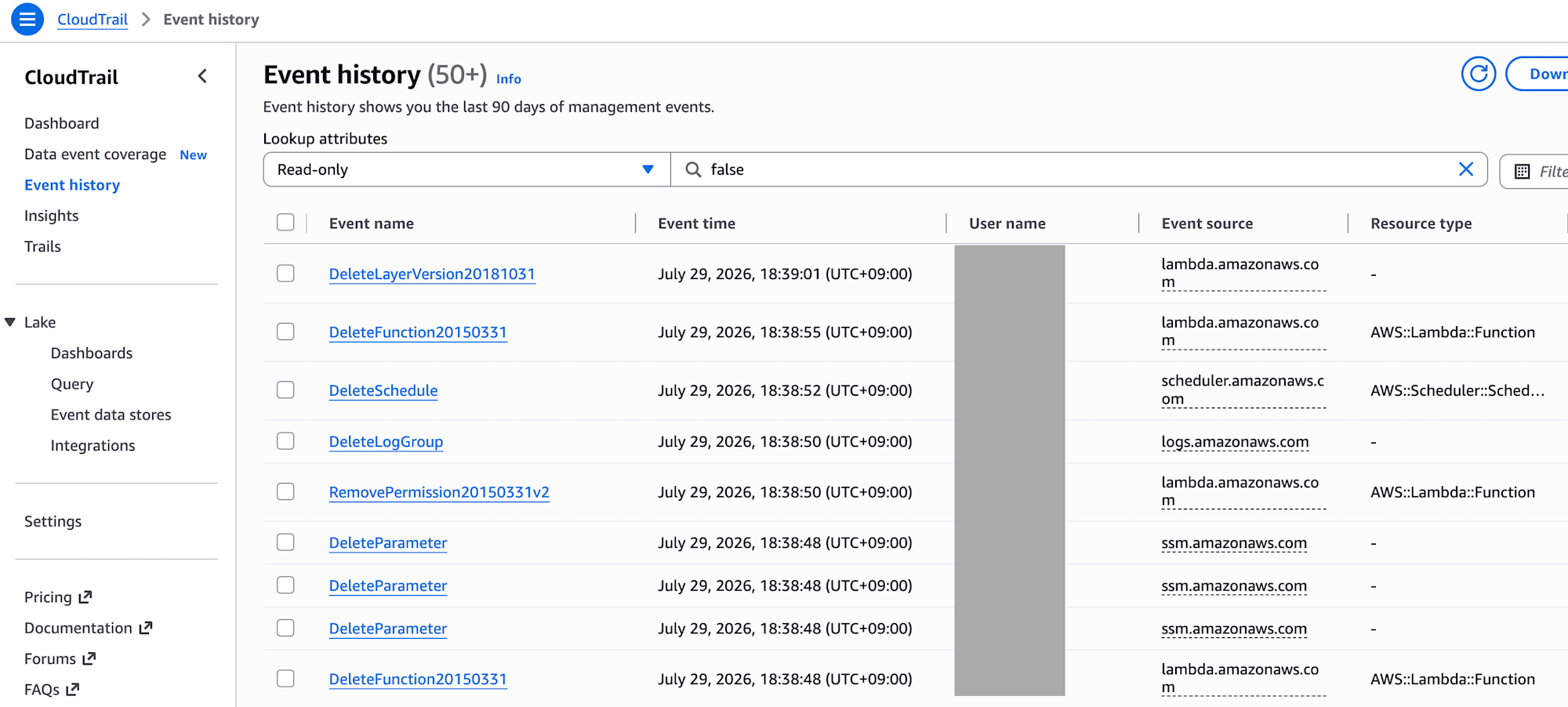
I also verified the overall deletion history in CloudTrail.
Some Resources Were Not Detected (as of July 2026)
Another thing I noticed was that resources that should have been under CloudFormation stacks did not appear in the inspect-aws list. Even though they existed when counted with the AWS CLI, cloud-nuke reported 0.
| Resource Type | Symptom |
|---|---|
cloudwatch-loggroup |
Always 0 |
lambda-layer |
Always 0 |
event-bridge-schedule |
Always 0 |
s3 |
Most buckets outside us-east-1 did not appear |
Adding --log-level debug revealed that API calls to fetch tags were failing in all cases.
cloud-nuke inspect-aws --region ap-northeast-1 --log-level debug \
  --resource-type cloudwatch-loggroup \
  --resource-type lambda-layer \
  --resource-type event-bridge-schedule
DEBUG [cloudwatch-loggroup] Failed to list tags for log group /aws/lambda/...:
  ValidationException: Invalid resourceArn
DEBUG [Failed] Unable to fetch tags for Lambda layer ...:
  InvalidParameterValueException: Unsupported resource type for tagging or invalid arn
DEBUG [Event Bridge Schedule] Failed to list tags for schedule ...:
  ValidationException: ... Member must satisfy regular expression pattern:
  arn:aws[a-z-]*:scheduler:[a-z0-9\-]+:\d{12}:schedule-group\/[0-9a-zA-Z-_.]+

INFO  Found total of 0 resources
It appears that the process building the resource list goes to fetch tags, and when that fails, resources get skipped. Furthermore, since this log uses Debugf, nothing appears at the default log level. It's tricky because you're only told "0 results" with no indication of what happened.
With S3, there was something close to a real impact. A bucket created 3 days ago with contents, which fell within the --newer-than 336h range, did not appear. This time it happened to be a bucket I didn't want to delete, so it worked out, but in the reverse case, it would mean "something you thought was deleted remains."
Note that the log groups, Lambda layers, and EventBridge schedules that were not detected were all gone when I checked after deletion. I think they were deleted in cascade when the CloudFormation stacks were removed. In the end, there were zero leftovers.
This is behavior confirmed in v0.52.0 as of July 2026. The repository's master branch appears to include related fixes, so it may be improved in newer versions. What you get via Homebrew is the latest release, not the latest master, so if you're concerned, check the version.
Conclusion
"Filter by creation timestamp and delete" turned out to be quite effective for cleaning up test accounts. You can drop recent test leftovers without touching the account infrastructure you want to keep. The command itself is as simple as adding --newer-than 336h --exclude-first-seen, which is almost anticlimactic.
The key is to understand how resources without creation timestamps are handled before using it. Unlike --older-than, --newer-than falls in a dangerous direction for resources with ambiguous timestamps. Adding --exclude-first-seen should prevent accidents in the first place.
The other thing is not to take inspect-aws results at face value. A "0 results" response may be version-related. It's reassuring to cross-check with the AWS CLI once to make sure resources you thought were gone aren't still lingering. For the same reason, an error doesn't necessarily mean the operation actually failed. Checking with your own eyes is the fastest approach.
