I tried using CloudFormation IaC generator to turn existing resources into a template based on tags

This page has been translated by machine translation. View original
Introduction
Hello, I'm Shota Yamamoto.
There are many situations where you need to delete environments created during AWS hands-on sessions and similar activities.
However, the more time you've spent building an environment, the more wasteful it feels to simply delete it.
If you've gone through the effort of creating a configuration, you'd want to keep it in a form that you can review later or reuse in other tests.
So this time, I tried creating a CloudFormation template based on tags assigned to resources.
What I tried
Flow
I'll try creating a tag-based CloudFormation template following the steps below.
If you already have existing resources, you can skip steps 1 and 2.
- Create an S3 bucket
- Create a Lambda function
- Scan with CloudFormation IaC generator
- Generate a CloudFormation template
Notes
Before getting started, I'll explain two things to keep in mind.
The first is that Lambda function code is not retained.
The template generated by IaC generator includes Lambda function settings (such as runtime and timeout), but does not include the function code itself. The code needs to be backed up separately.
Please note that if you delete the original Lambda without backing up the code after generating the template, the code may be lost.
The second point is that the generated template often cannot be used as-is. This overlaps somewhat with the first point, but the generated template is not something that perfectly reproduces the resources you created. You will need to review the content and make corrections.
Also, if you use the template while the resources created before generation still exist, errors may occur due to duplicate S3 bucket names or IAM role names. Please use the generated template only as a base.
step.1 Creating an S3 Bucket
First, create an S3 bucket.
Please create a bucket from the management console with the following settings.
- Bucket type: General purpose
- Bucket name: cfntag-demo-bucket-(any string)
- Tags
- Key: Project Value: cfntag-demo
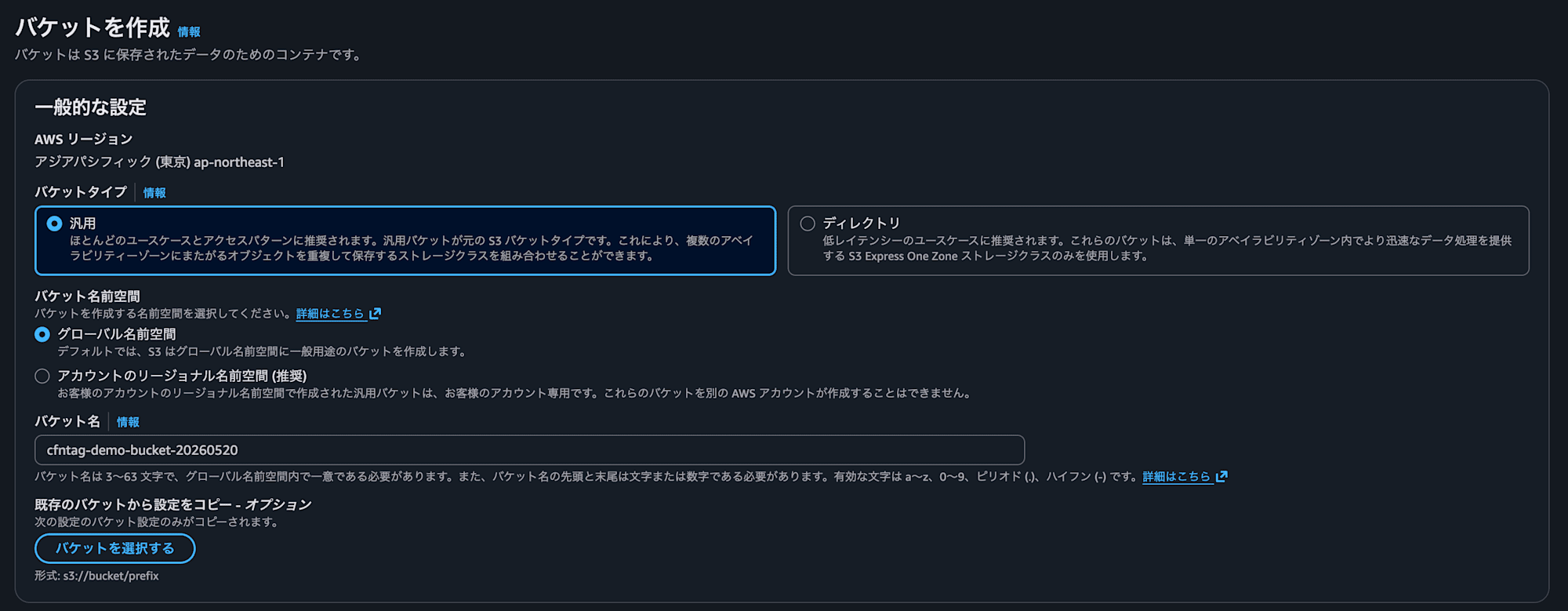
This time, since we will generate the template based on the Project key, make sure not to forget to add it to the tags.

step.2 Creating a Lambda Function
Next, create a Lambda function.
Please create the function with the following settings, just like with S3.
- Creation method: Author from scratch
- Function name: cfntag-demo-function
- Runtime: Python 3.14
- Architecture: x86_64
- Tags
- Key: Project Value: cfntag-demo
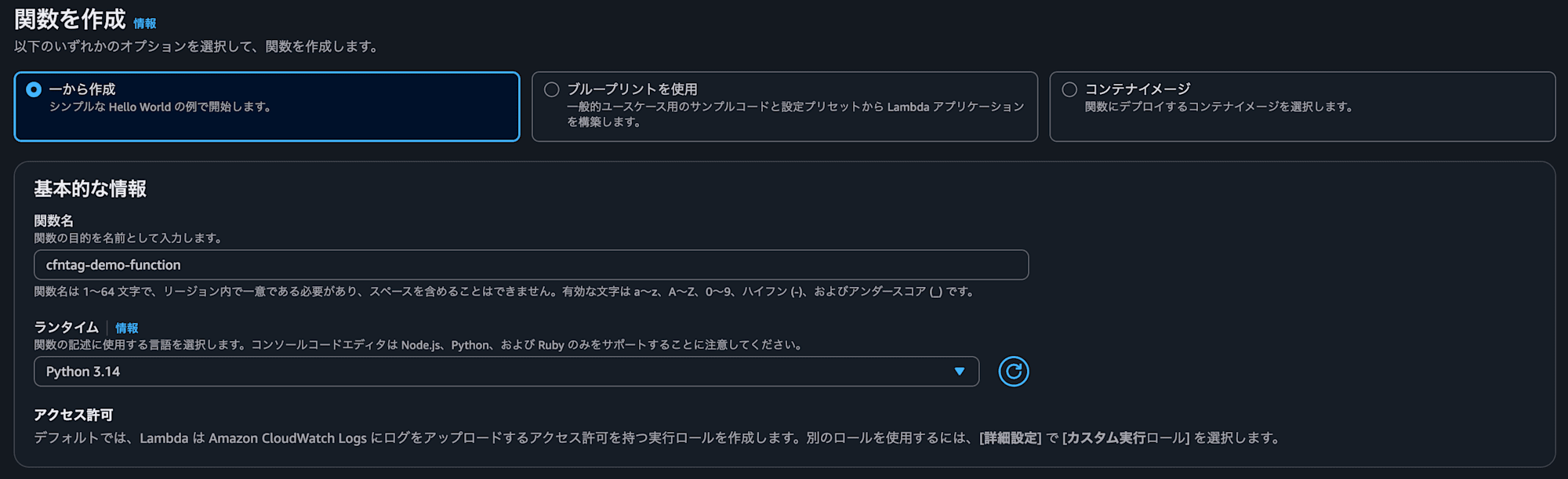
Once the function is created, edit the code.
Change it to the following code and Deploy it.
import json

def lambda_handler(event, context):
    print("S3 event received")
    print(json.dumps(event))

    return {
        "statusCode": 200,
        "body": "OK"
    }
Finally, specify the S3 bucket as a trigger and you're done.
Perform operation checks as needed.

step.3 Scanning with CloudFormation IaC Generator
From here, we will prepare for generating the template.
You need to scan resources in advance before generating.
Select CloudFormation and open IaC generator from the left menu.
You can scan resources from "Start new scan."
There are options to scan all resources or specific resources; please select specific resources this time.
Select the following resource types as targets.
- S3 bucket:
AWS::S3::Bucket - Lambda function:
AWS::Lambda::Function - Lambda Permission:
AWS::Lambda::Permission - IAM role:
AWS::IAM::Role - CloudWatch Logs LogGroup:
AWS::Logs::LogGroup
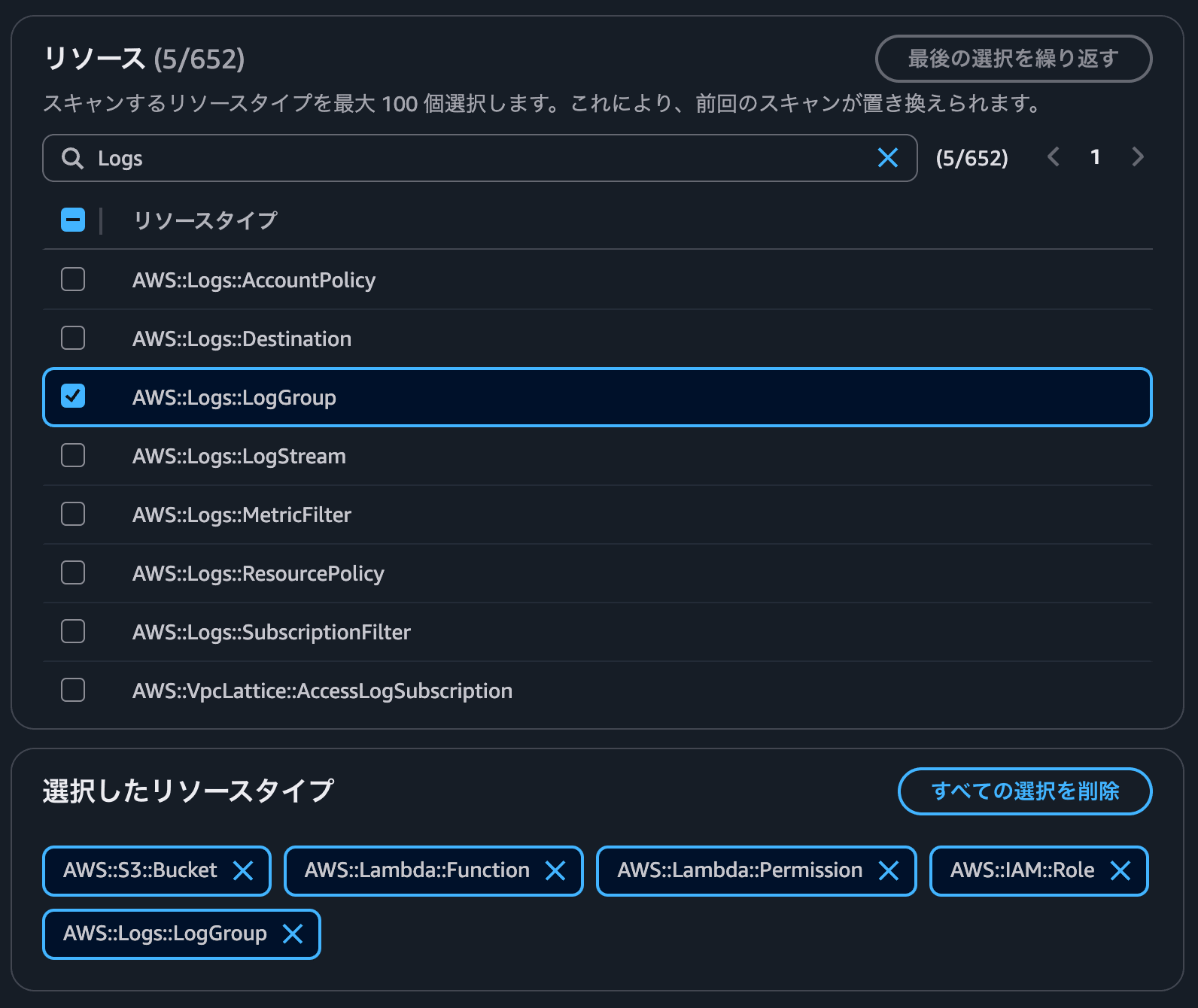
After selecting the resource types, click "Start scan" and wait for the scan to complete.
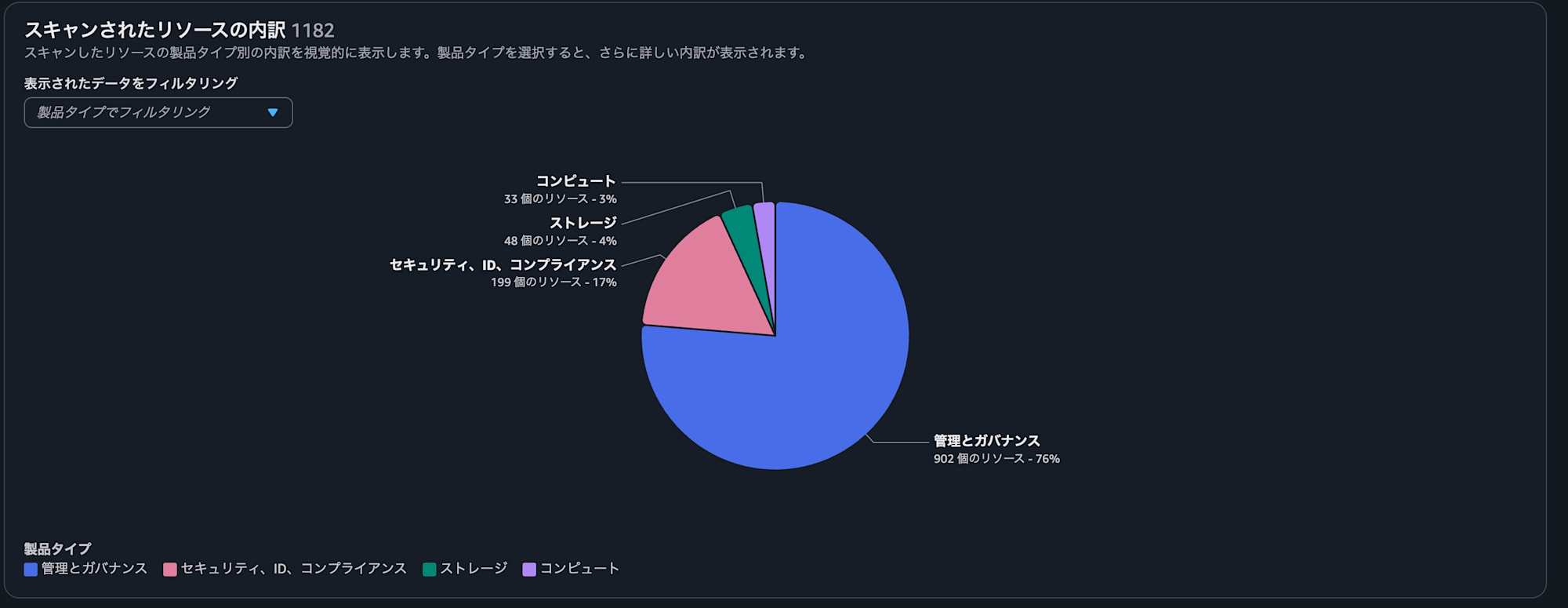
Once the scan is complete, you can see the proportion of resources as shown below.
Note that since no tags have been specified at this point, the scan results will display all resources of the selected resource types.
step.4 Generating the CloudFormation Template
Next, we will create the template.
Click "Create template" and enter the template name.
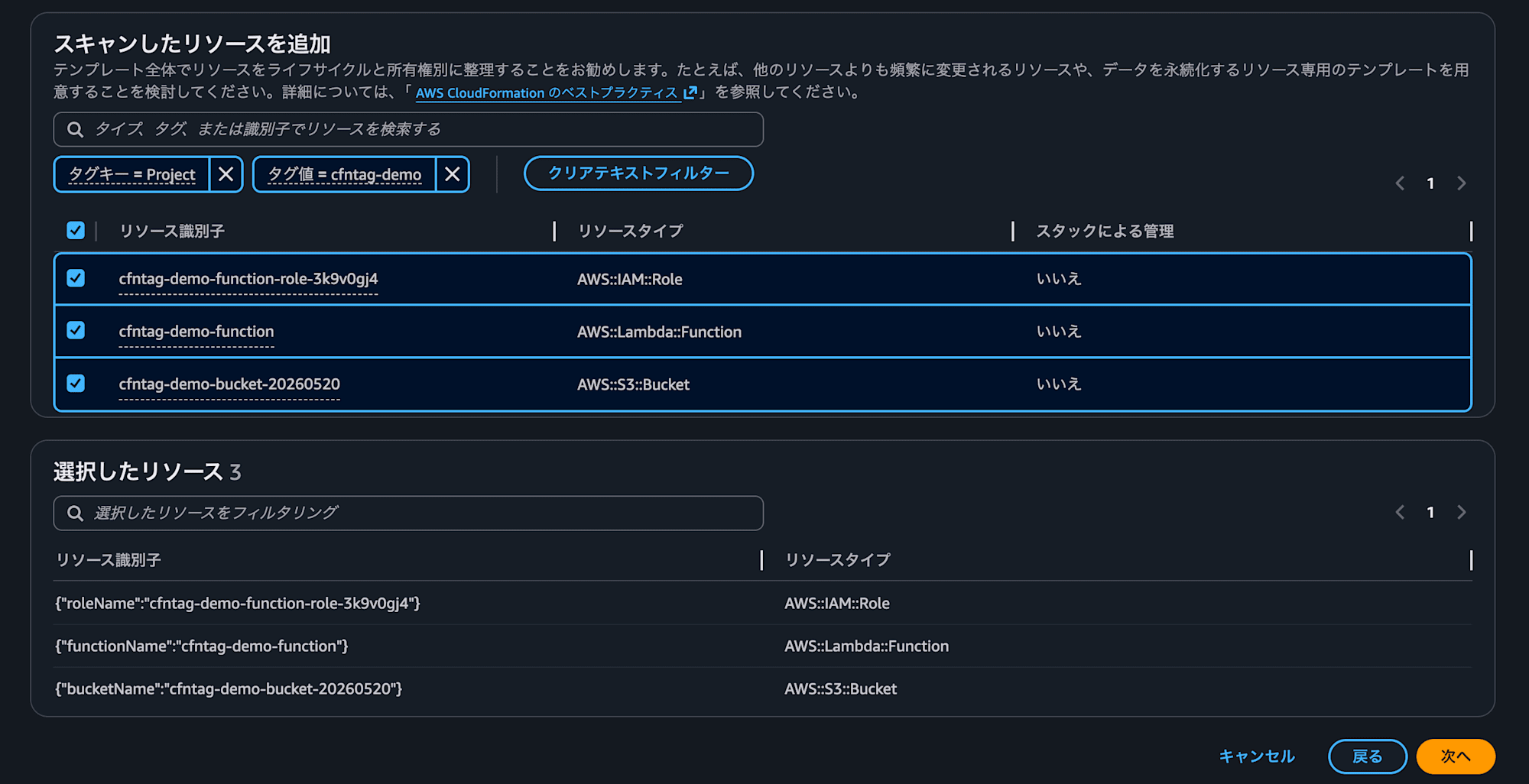
On the next screen, you can configure tags. Add the tag you entered earlier here.
- Key: Project Value: cfntag-demo
The resources with the tag assigned will be displayed, so please check all of them.
Clicking "Next" will display the related resources.
Related resources that have not been tagged (such as IAM roles) will appear here.
Please select all of the displayed resources.

Once all selections are complete, click "Create template" to create the template.
When template creation is finished, a screen will appear where you can review the contents of the generated template.
You can change the format to YAML or import it directly into a stack.
This completes the generation of a CloudFormation template based on tags.
Conclusion
This time, I tried generating a CloudFormation template based on tags assigned to resources.
As mentioned in the notes, the generated template cannot be used as-is, but I found it convenient to be able to start from a base rather than writing from scratch.
Please give it a try when you want to preserve environments created during hands-on sessions or testing.
References
About Classmethod Operations Co., Ltd.
We are an operations company within the Classmethod Group.
We are a group of experts who, through specialized teams in operations, maintenance development, support, information systems, and back office, provide everything from business process outsourcing to problem solving and high-value-added services for our clients through "systems" that make full use of IT and AI.
We are recruiting members for various positions.
If you are interested in our culture, systems, and work style that realize both "operational excellence" and "working and living in our own way," please visit the Classmethod Operations Co., Ltd. Corporate Site. ※ The company name was changed from Annotation Inc. in January 2026.
