![[Update] Amazon CloudWatch Adds Visual Agent Configuration Feature to the EC2 Console](https://images.ctfassets.net/ct0aopd36mqt/wp-thumbnail-d6a3bc85cad6419960fbda152152cd8c/ba5841cea06b96f4933878762028b090/amazon-cloudwatch?w=3840&fm=webp)
[Update] Amazon CloudWatch Adds Visual Agent Configuration Feature to the EC2 Console

This page has been translated by machine translation. View original
Hello. I'm Shiina from the Operations Department.
Introduction
A feature has been released that lets you configure the CloudWatch agent graphically within the Amazon EC2 console. I tried it out right away, from installing the CloudWatch agent through to configuring it.
About the Visual Agent Configuration Feature
This feature lets you set up and manage observability for EC2 instances without manually editing JSON files for the CloudWatch agent configuration.
You can perform everything from installing the CloudWatch agent to configuring it from the management console.
Previously, you had to configure it in JSON, which was complex and prone to syntax errors.
The visual editor can be operated intuitively, which resolves this problem.
Trying It Out
I'll install and configure the CloudWatch agent on a Linux EC2 instance.
Installation and Configuration
-
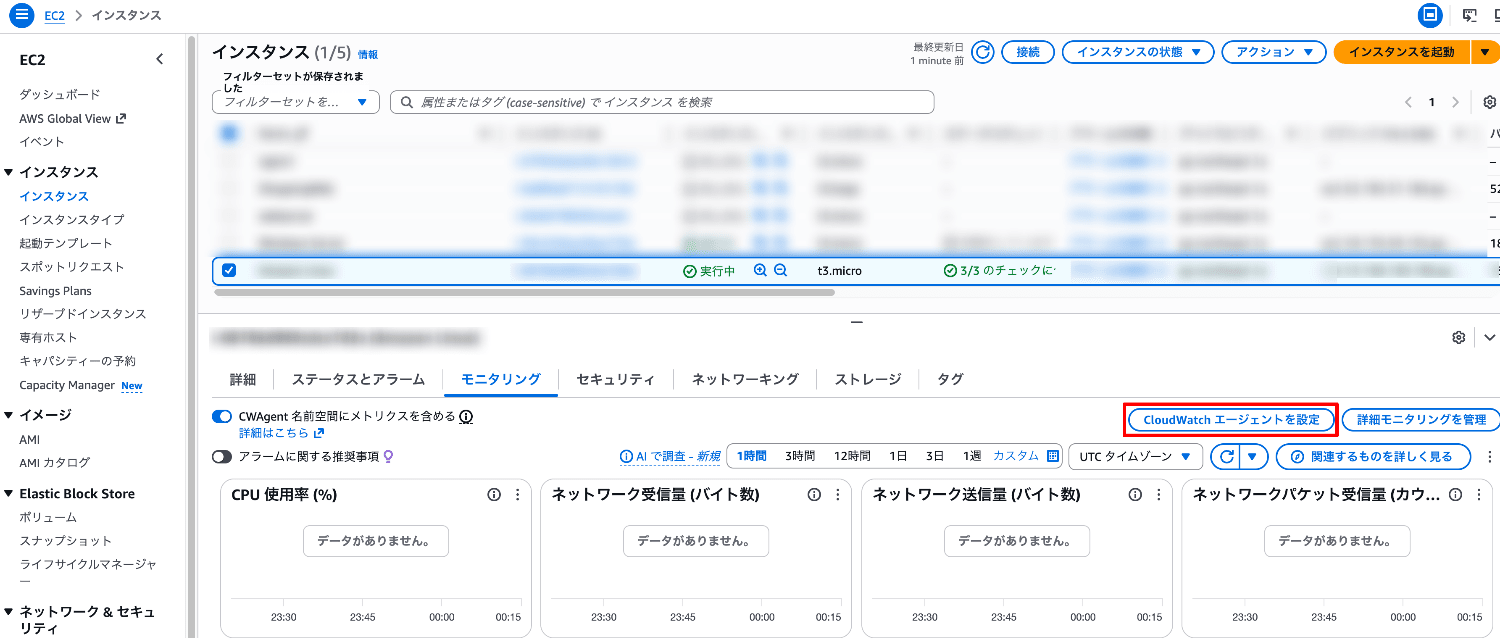
Select EC2 in the management console, and select the target instance from Instances.
-
From the Monitoring tab, select "Configure CloudWatch agent".
-
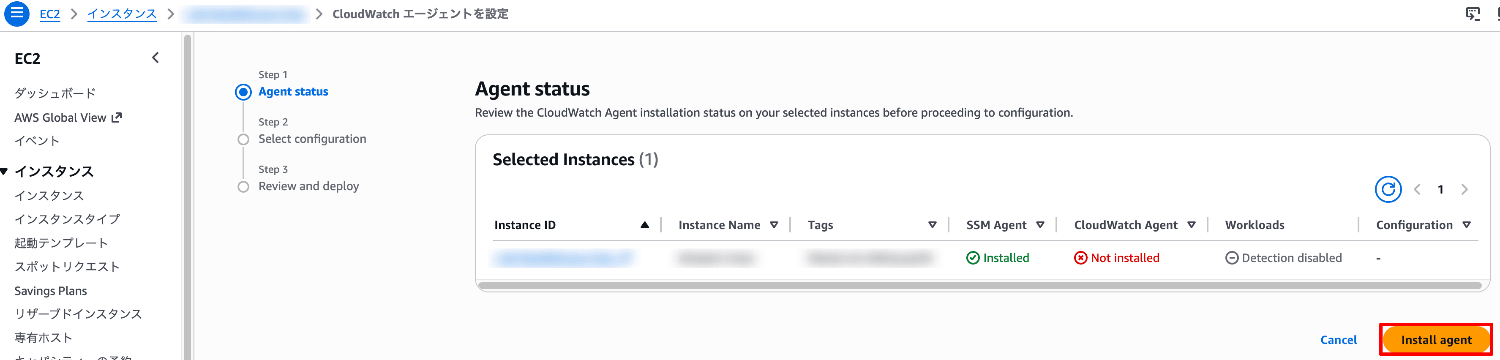
In addition to the instance information, the status of the SSM agent and the CloudWatch agent is displayed.
Since we're starting from installing the CloudWatch agent this time, select "Install agent".
-
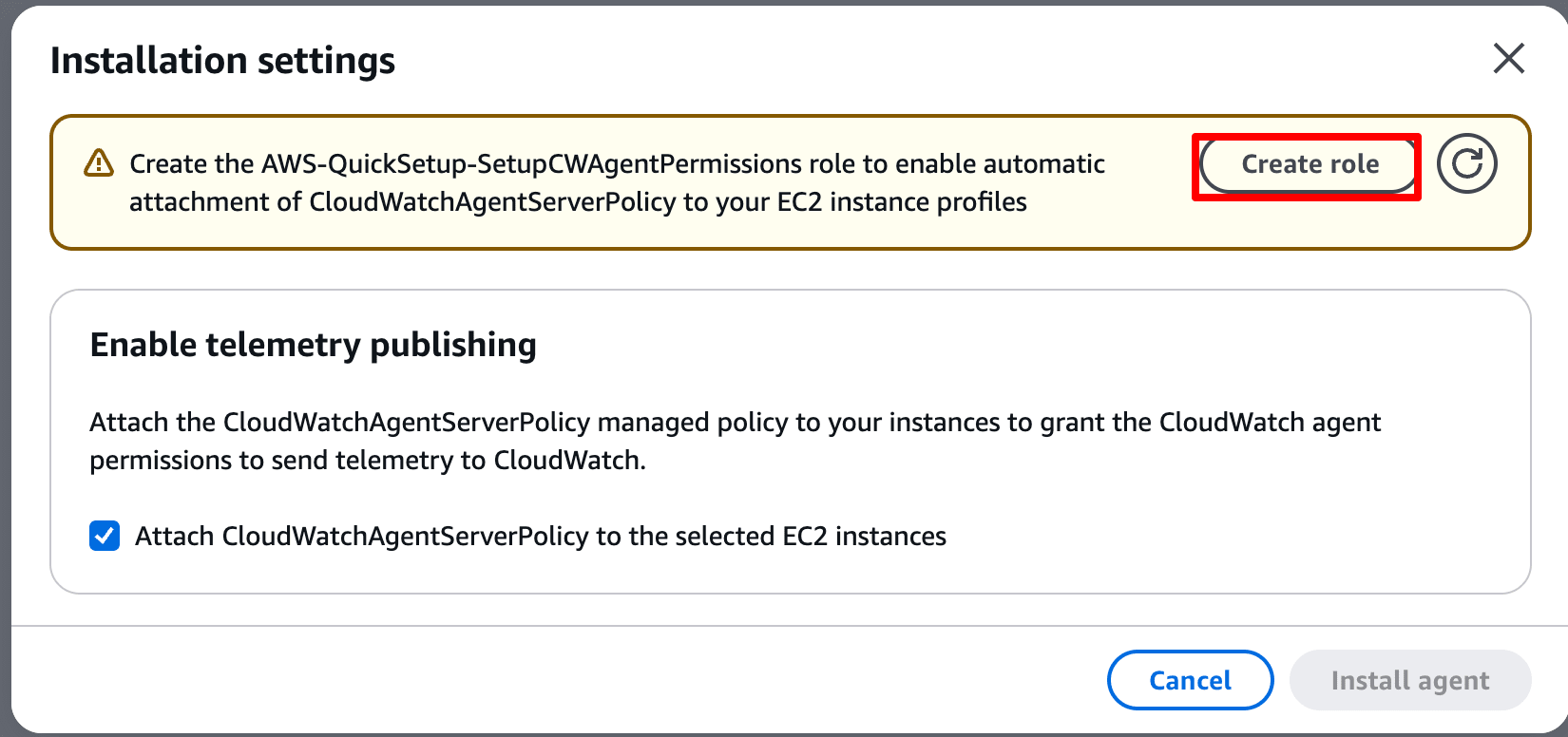
Select "Create role" to create the required role.
This also attaches the policies required for CloudWatch to the EC2 instance role.
-
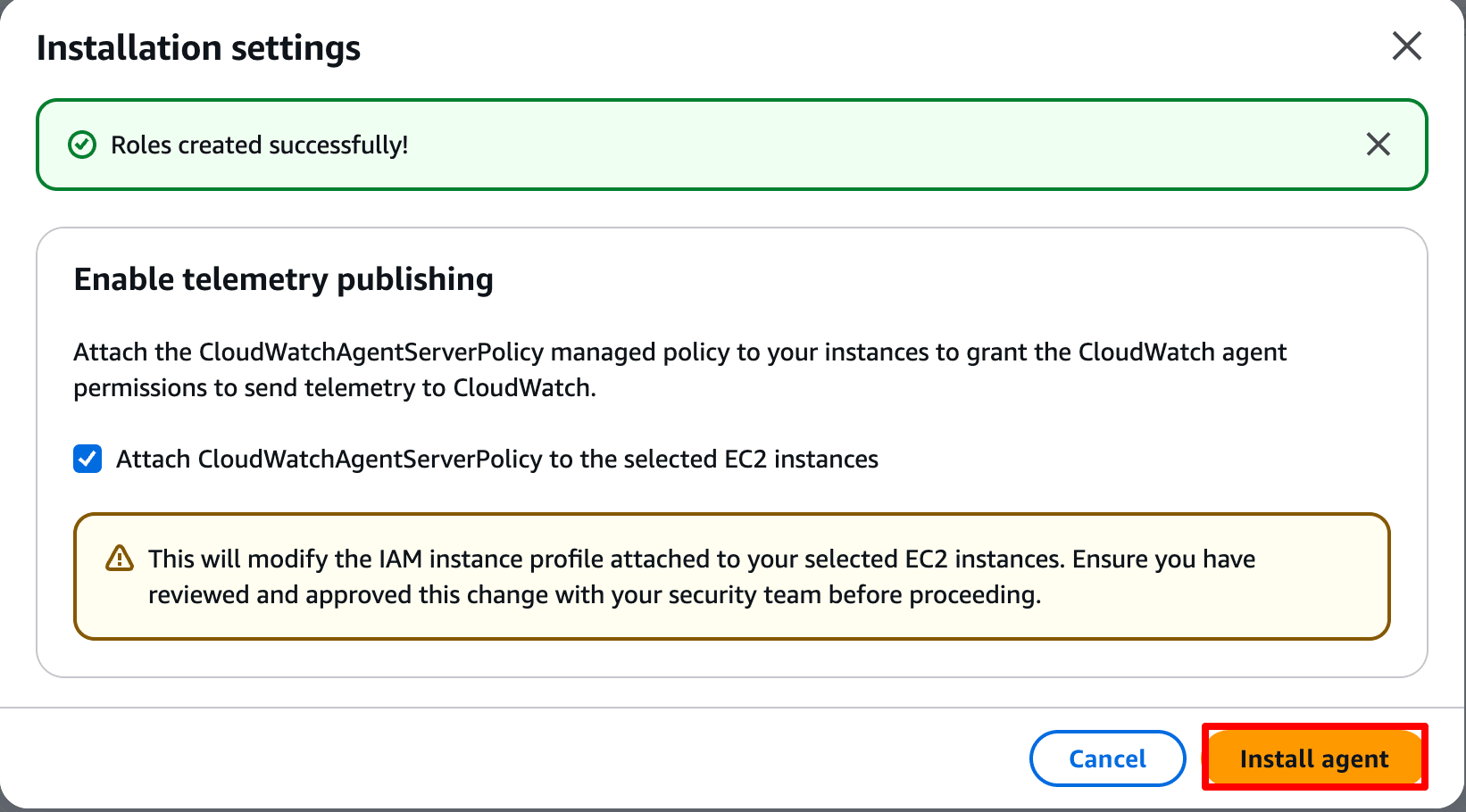
Once the role creation is complete, select "Install agent".
-
Wait a while for the agent installation to complete.
Once the installation is complete, select "Configure CloudWatch Agent".
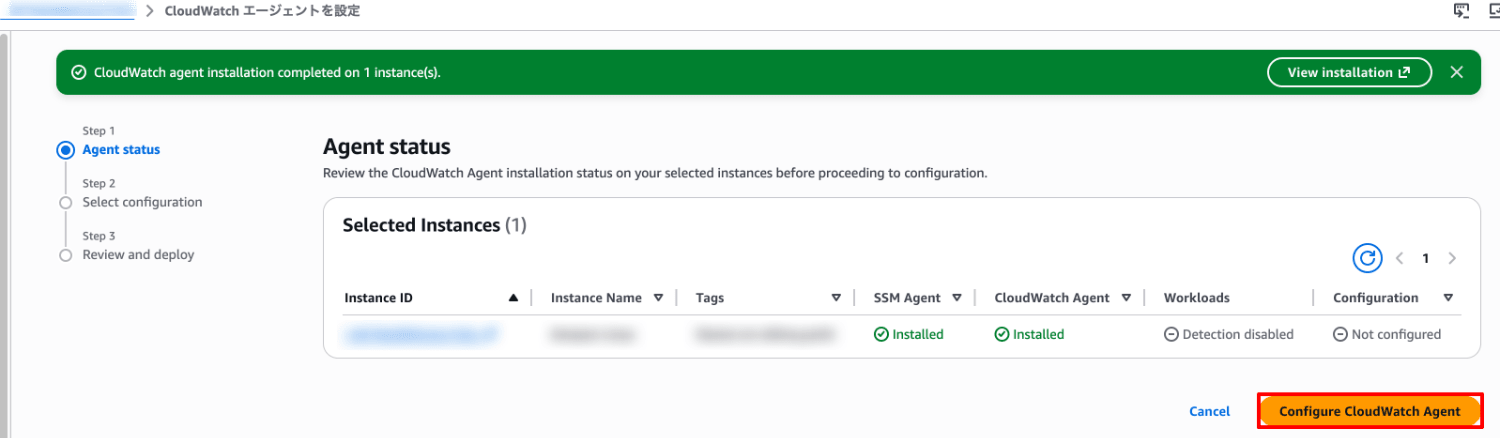
-
You are taken to an editor where you can configure the agent.
You can switch between the visual mode, which allows intuitive configuration, and the traditional JSON mode.
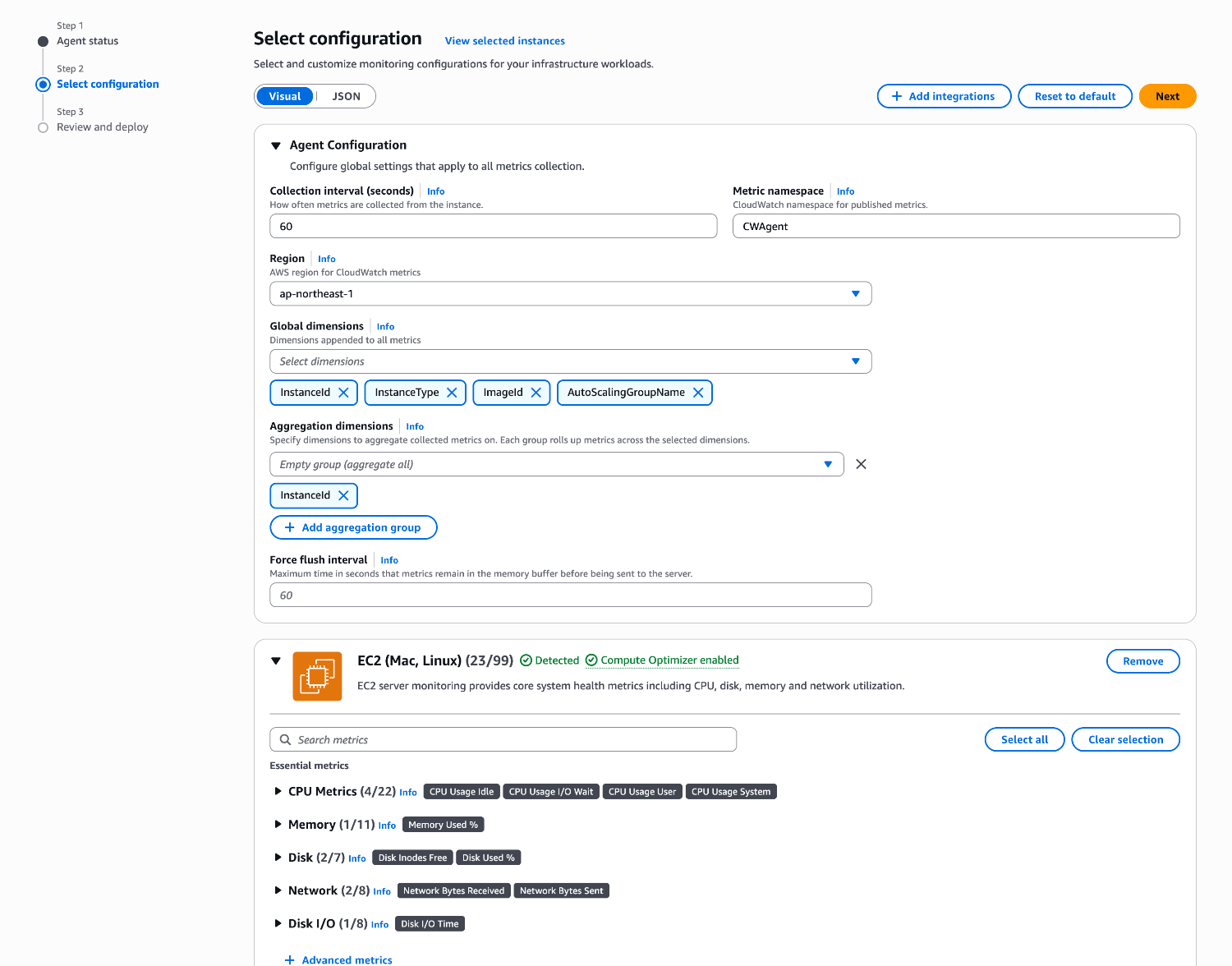
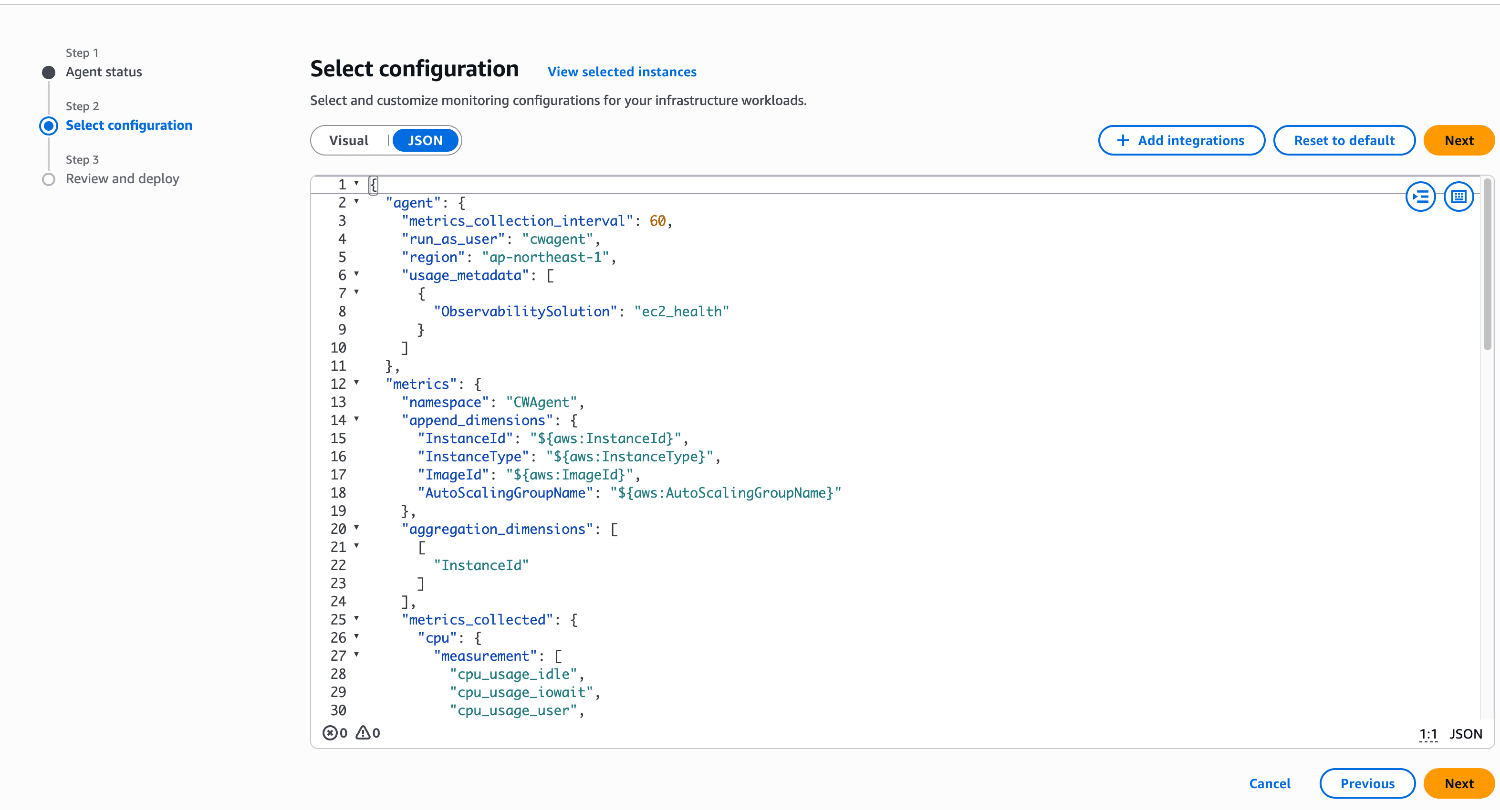
-
In the EC2 (Mac, Linux) settings, you can turn the collection of various metrics ON/OFF using checkboxes.
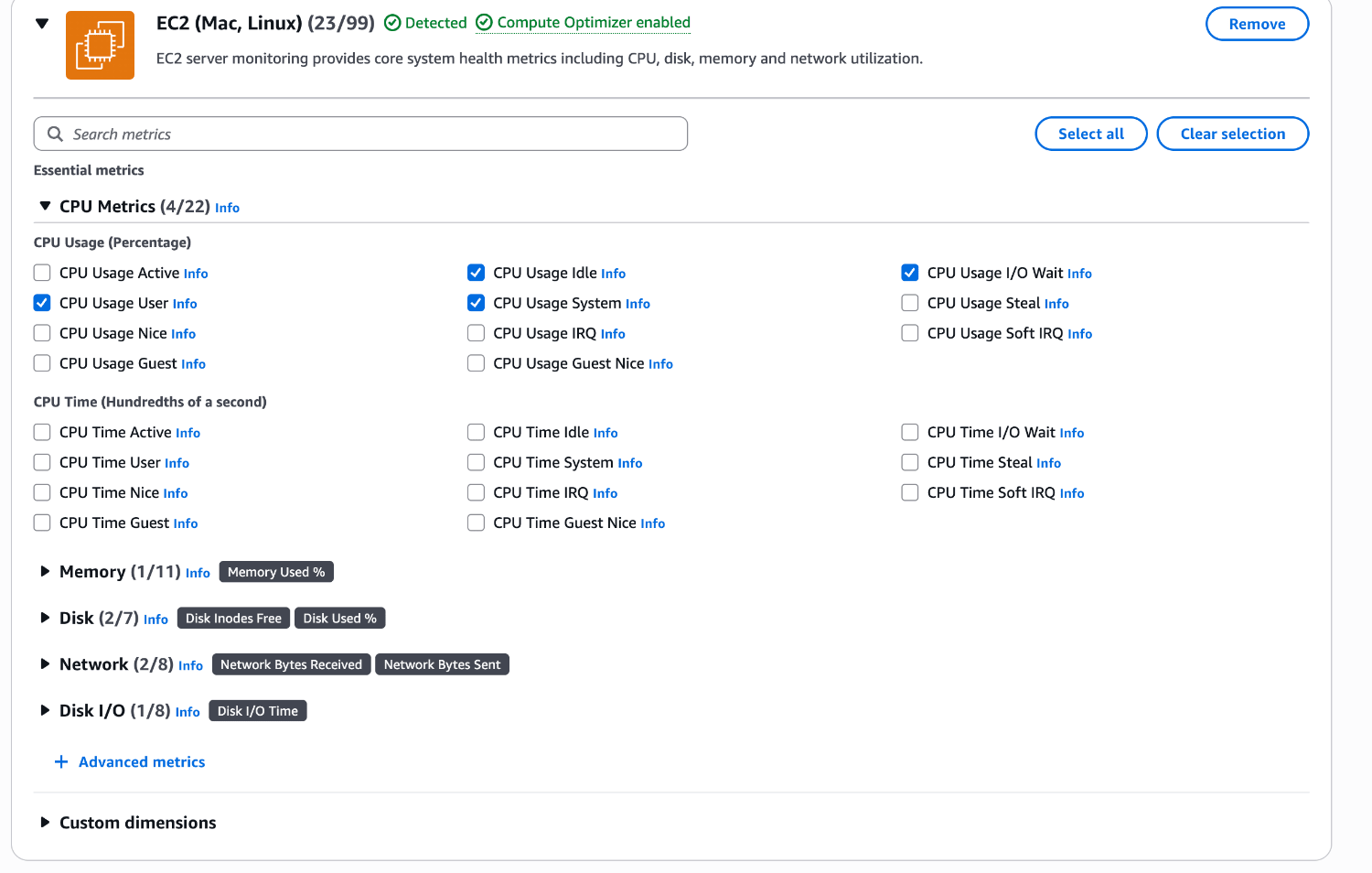
-
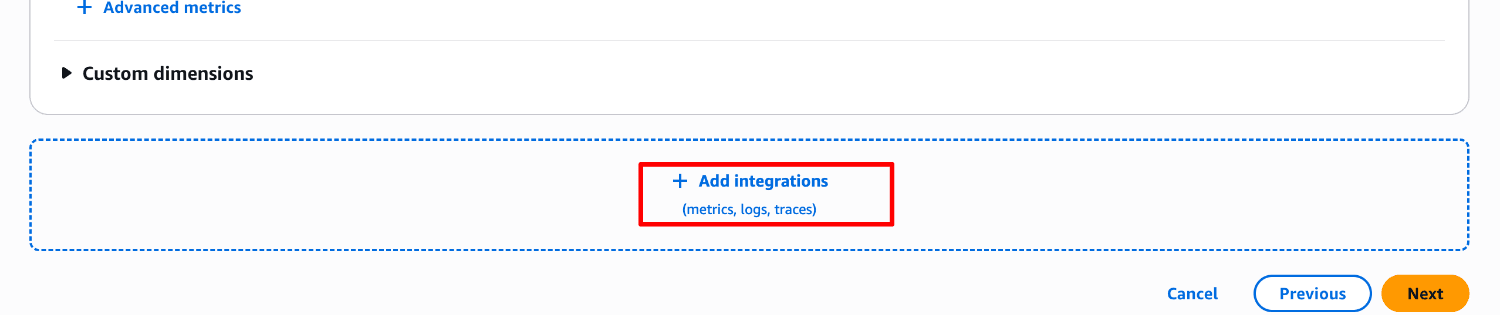
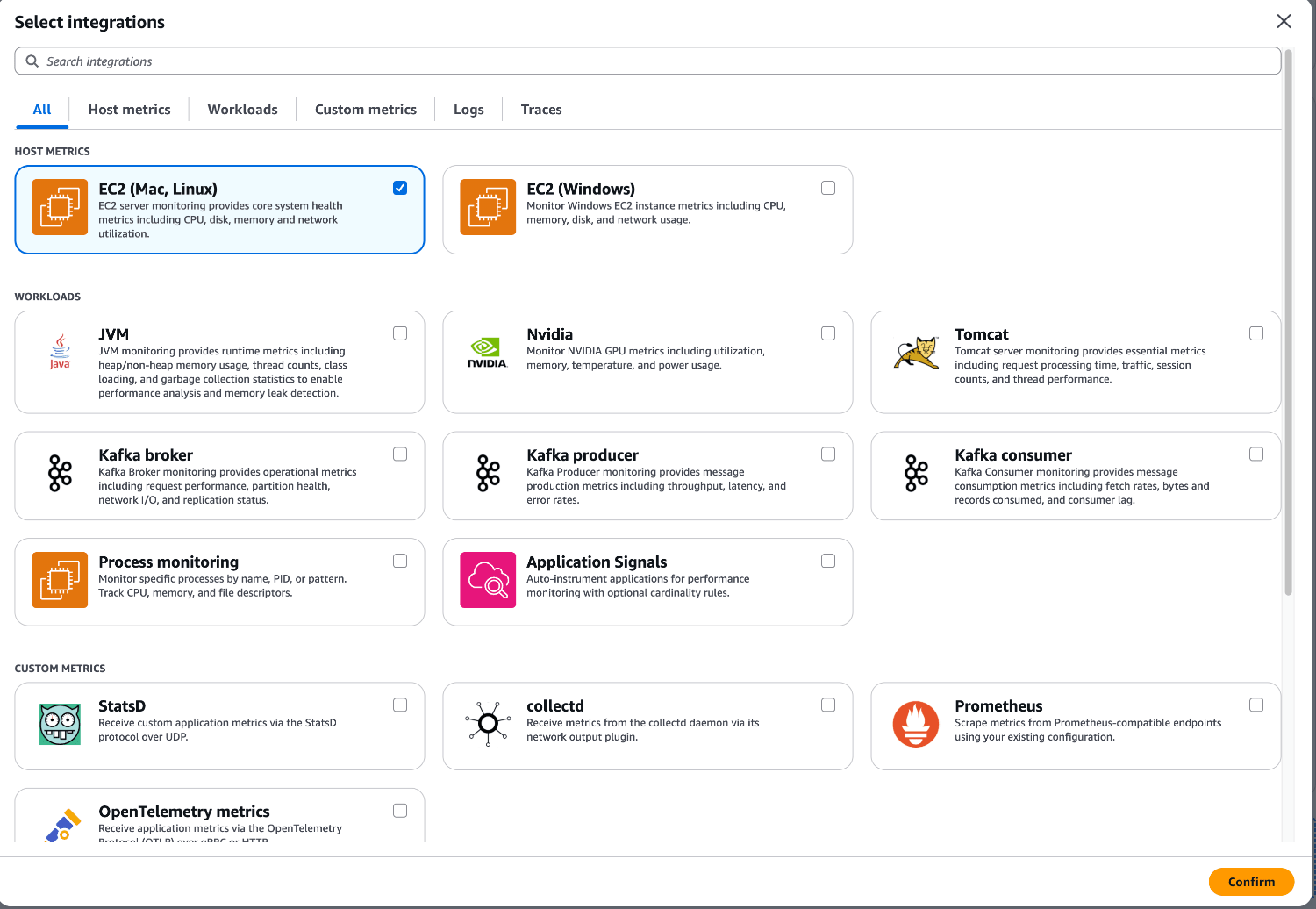
Selecting "Add integrations" lets you configure logs, Application Signals, and more.
-
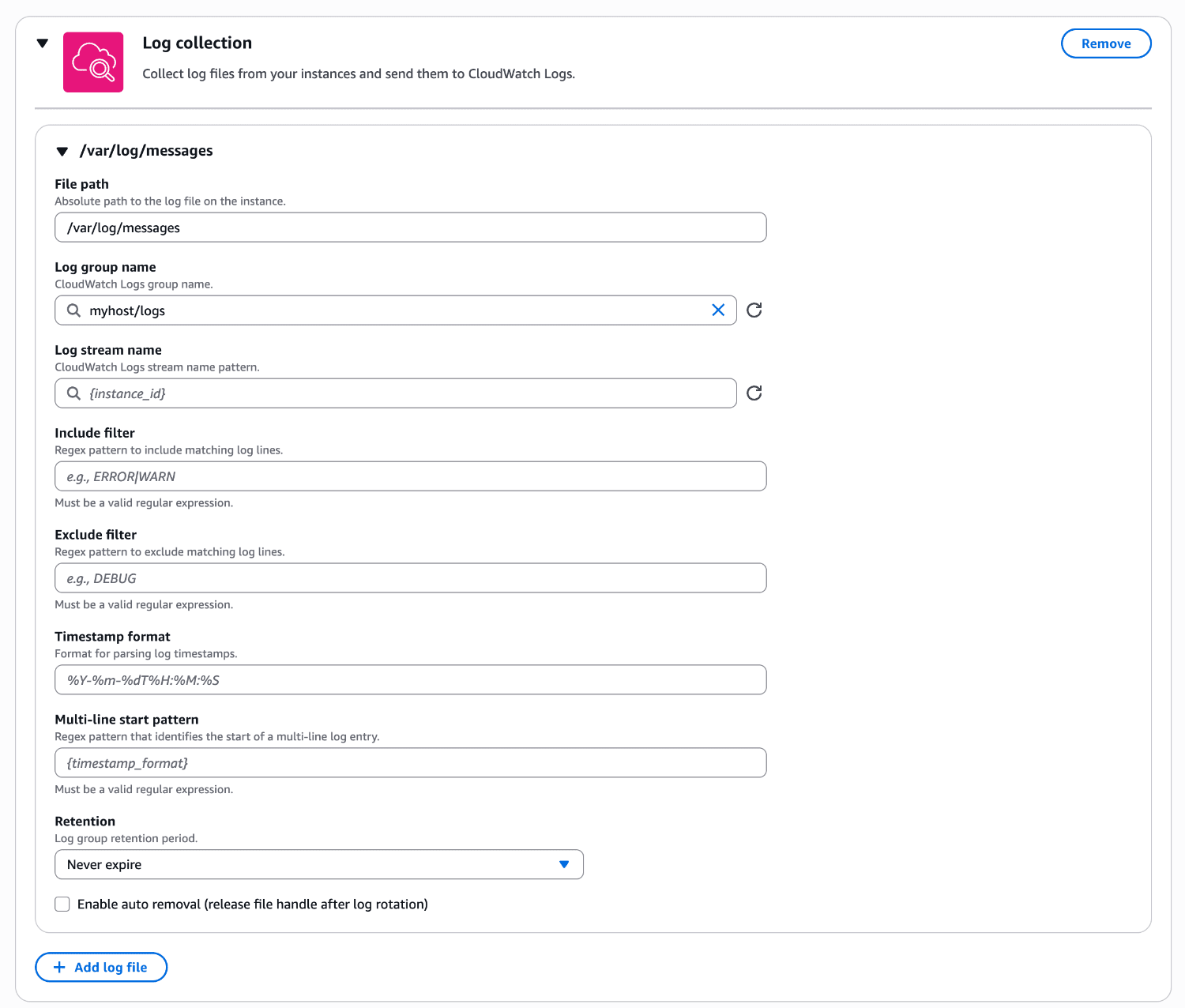
This time, I'll select "log collection" and add a log configuration.
Various input fields such as the file path and the destination log group name are displayed, so enter the necessary settings.
-
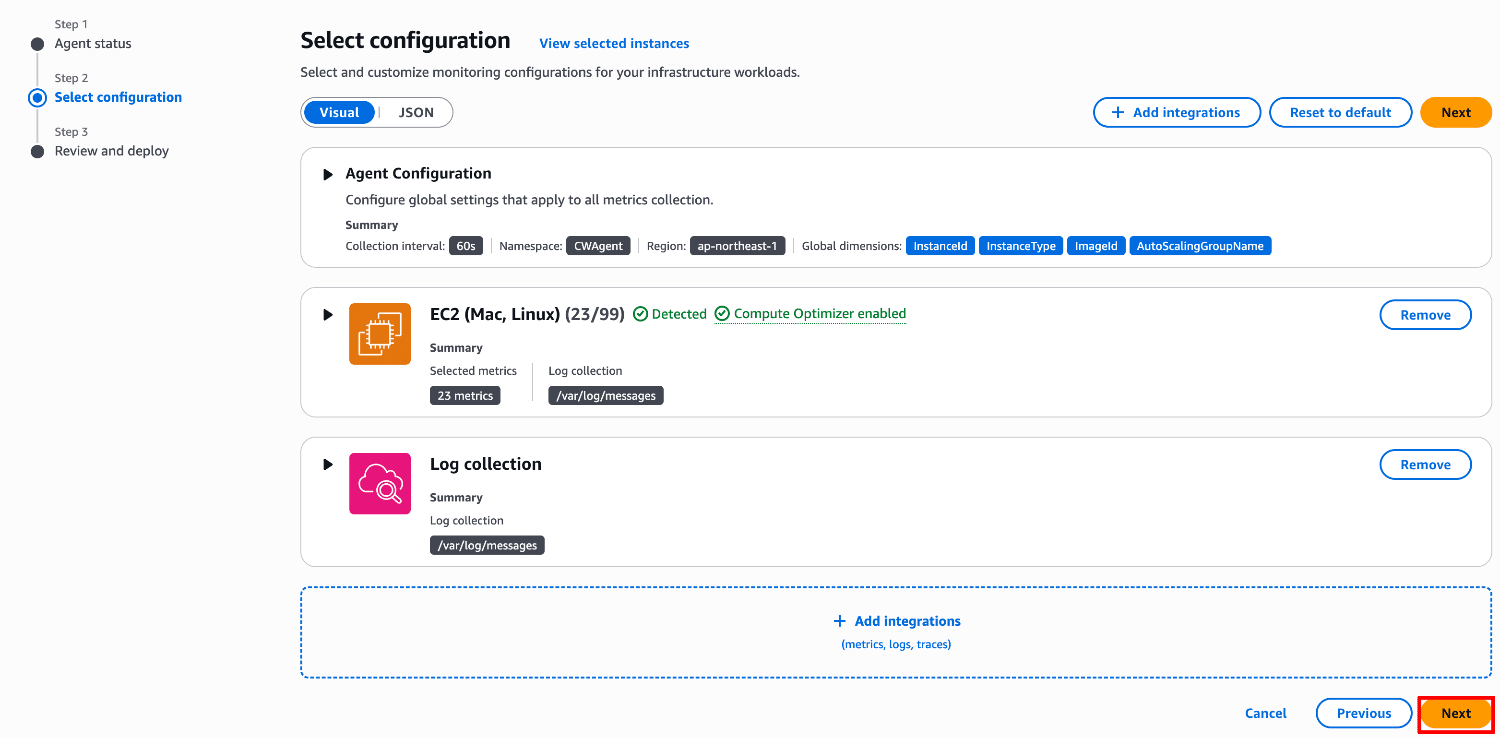
Once the configuration is complete, select "Next".
-
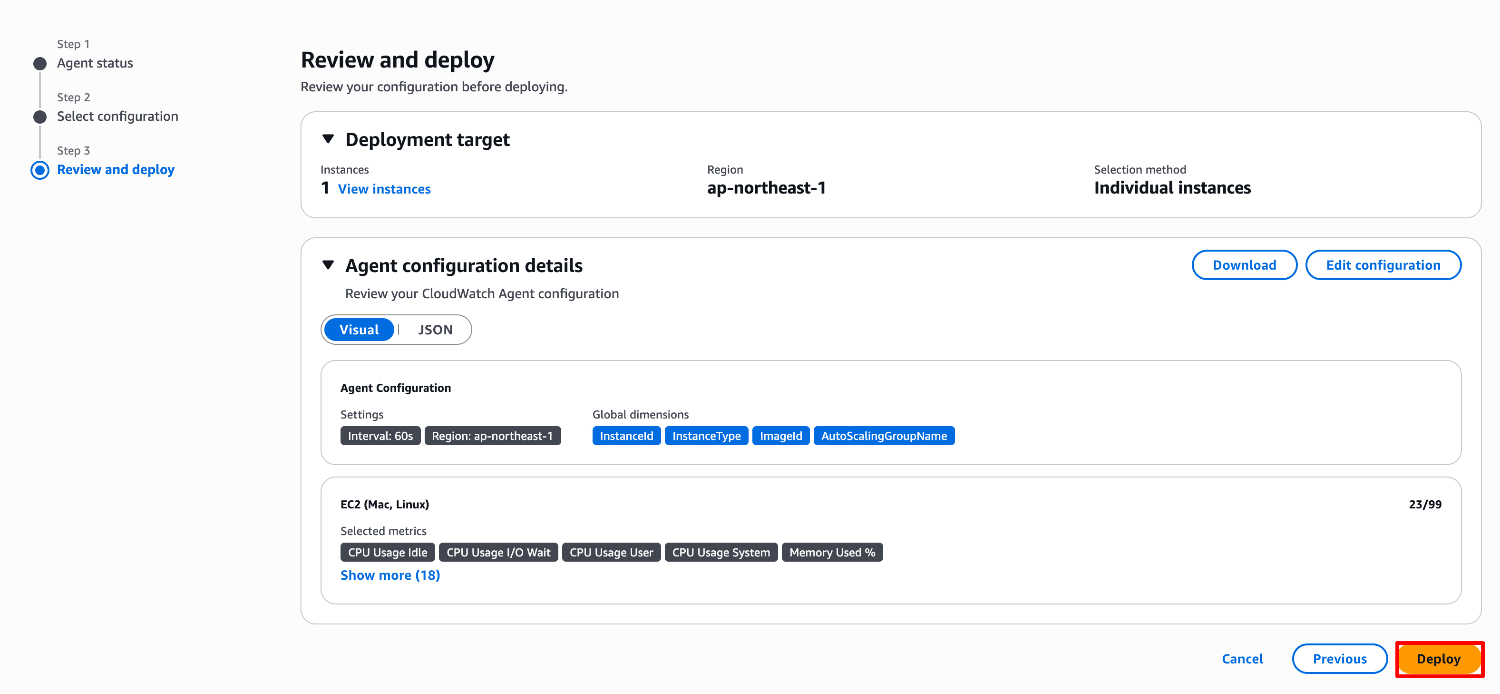
A review screen is displayed, so check the contents and then select "Deploy".
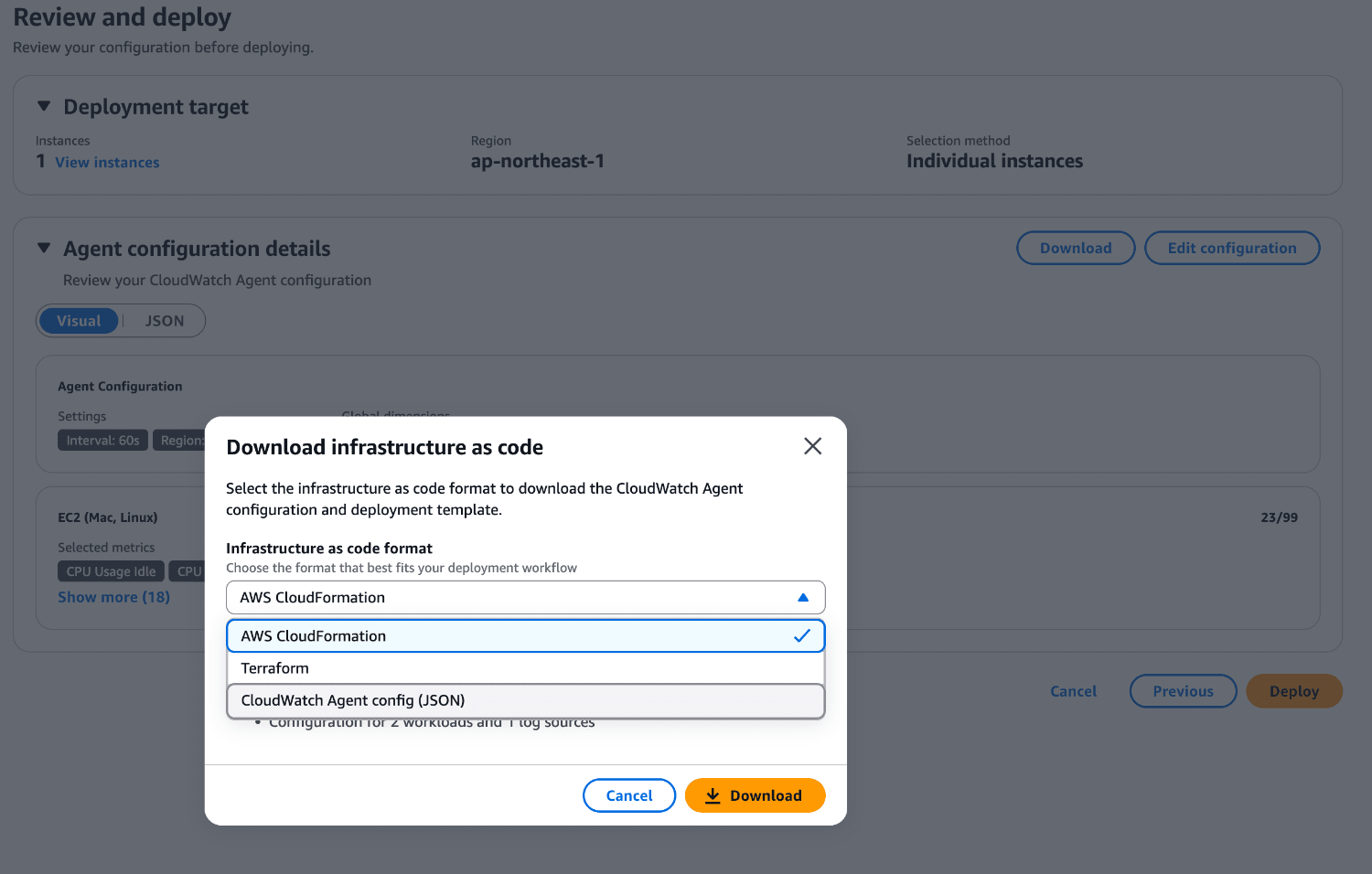
Note that the created configuration can be downloaded in the formats of various IaC templates.
- AWS CloudFormation
- Terraform
- CloudWatch Agent config(JSON)
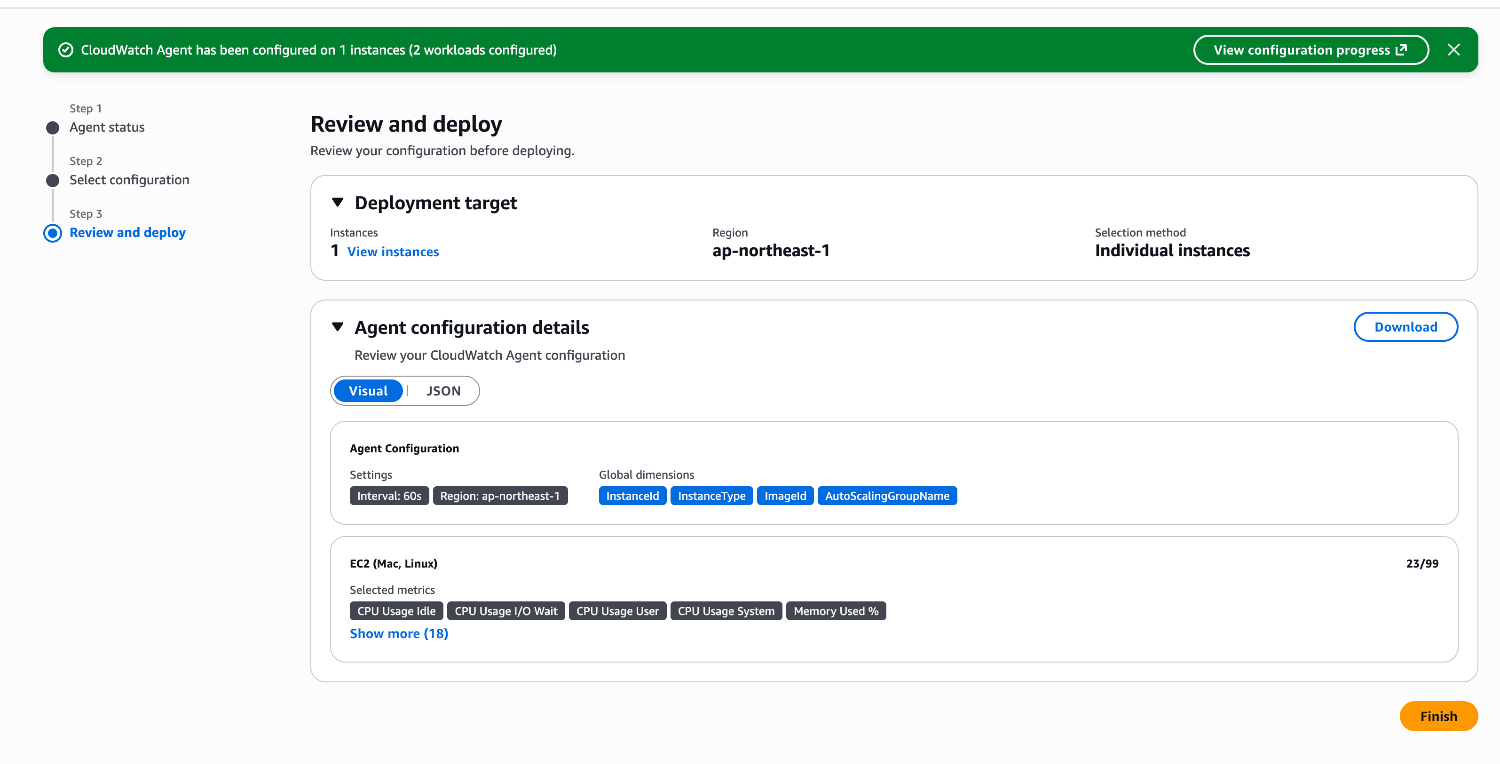
- After a while, the deployment of the configuration file completes.
Verifying Operation
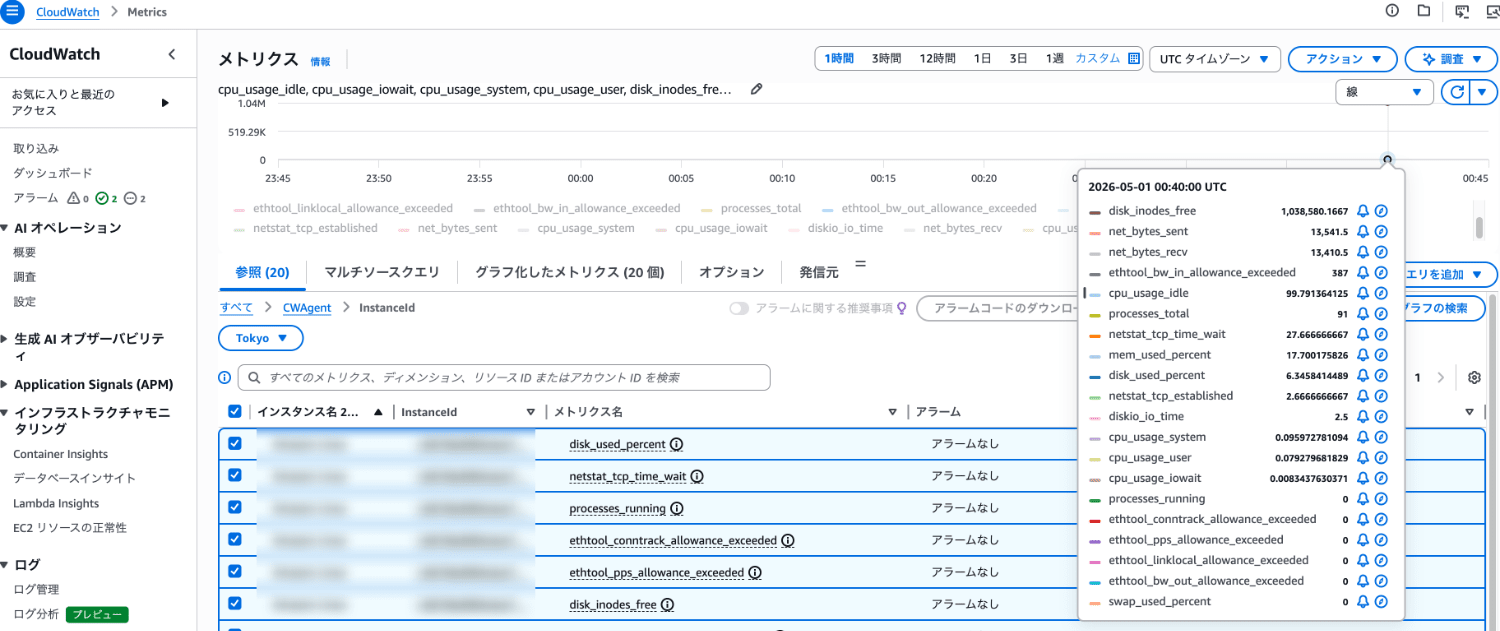
Let's check the CloudWatch metrics.
You can see that the agent has been installed and that various metrics in the custom namespace CWAgent are being collected.
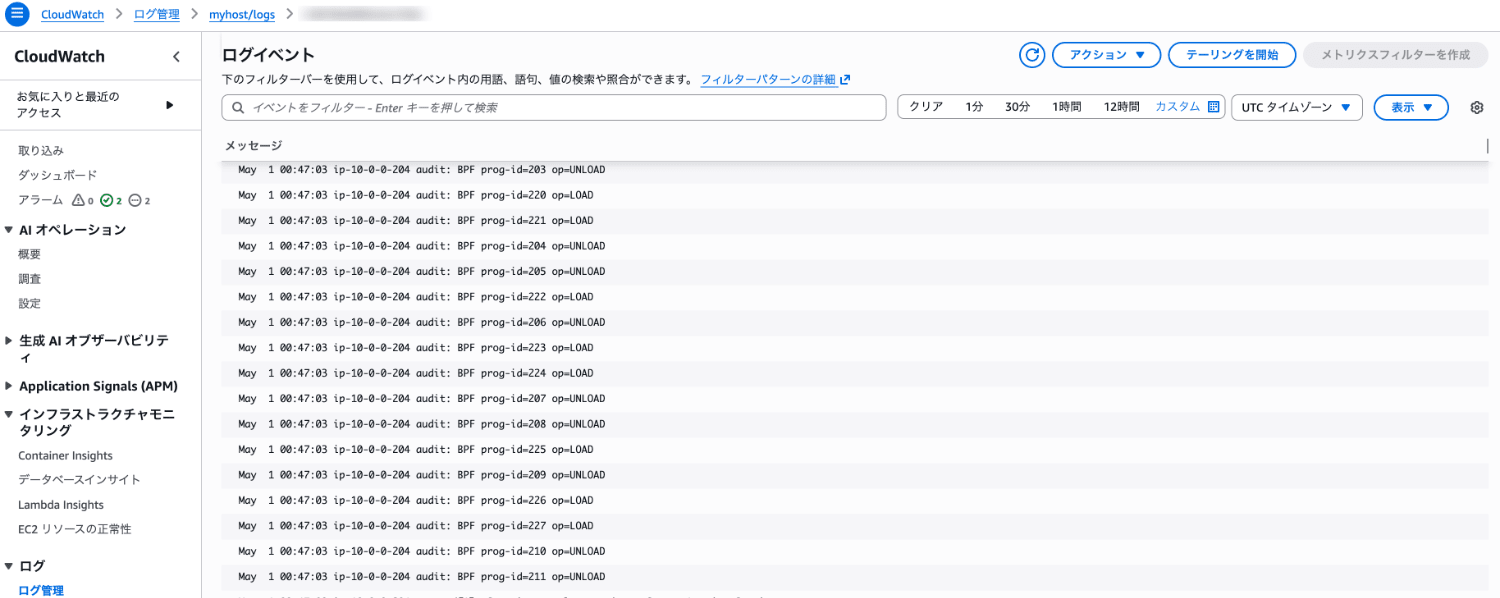
Next, let's check the CloudWatch Logs log group.
You can see that log messages are being output to the destination log group.
How It Works
I checked what operations are performed when installing and configuring the CloudWatch agent from the management console.
The "AWS-QuickSetup-SetupCWAgentPermissions" Role
When installing and configuring the CloudWatch agent from the management console, the "AWS-QuickSetup-SetupCWAgentPermissions" role is created.
The policy and trust relationship are as follows.
Permissions policy
- AWSQuickSetupManagedInstanceProfileExecutionPolicy
Trust relationship
{
    "Version": "2012-10-17",
    "Statement": [
        {
            "Effect": "Allow",
            "Principal": {
                "Service": "ssm.amazonaws.com"
            },
            "Action": "sts:AssumeRole",
            "Condition": {
                "StringEquals": {
                    "aws:SourceAccount": "XXXXXXXXXXXX"
                },
                "ArnLike": {
                    "aws:SourceArn": "arn:aws:ssm:*:XXXXXXXXXXXX:automation-execution/*"
                }
            }
        }
    ]
}
Agent Installation
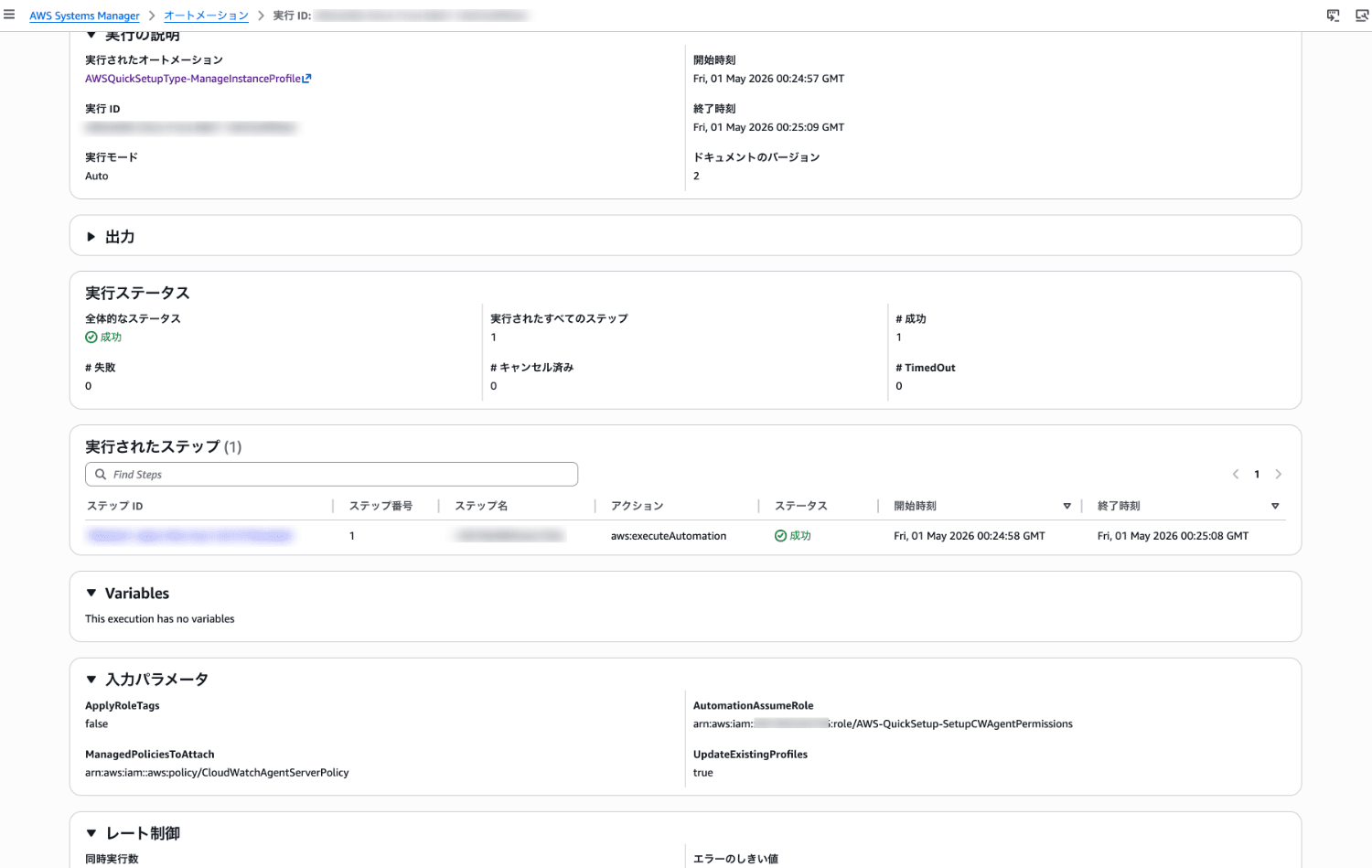
When you install the CloudWatch agent, a Systems Manager automation document is invoked behind the scenes.
The "AWSQuickSetupType-ManageInstanceProfile" document[1], which is of the Automation type, is used.
For the AutomationAssumeRole parameter, the "AWS-QuickSetup-SetupCWAgentPermissions" role described above is used.
Agent Configuration
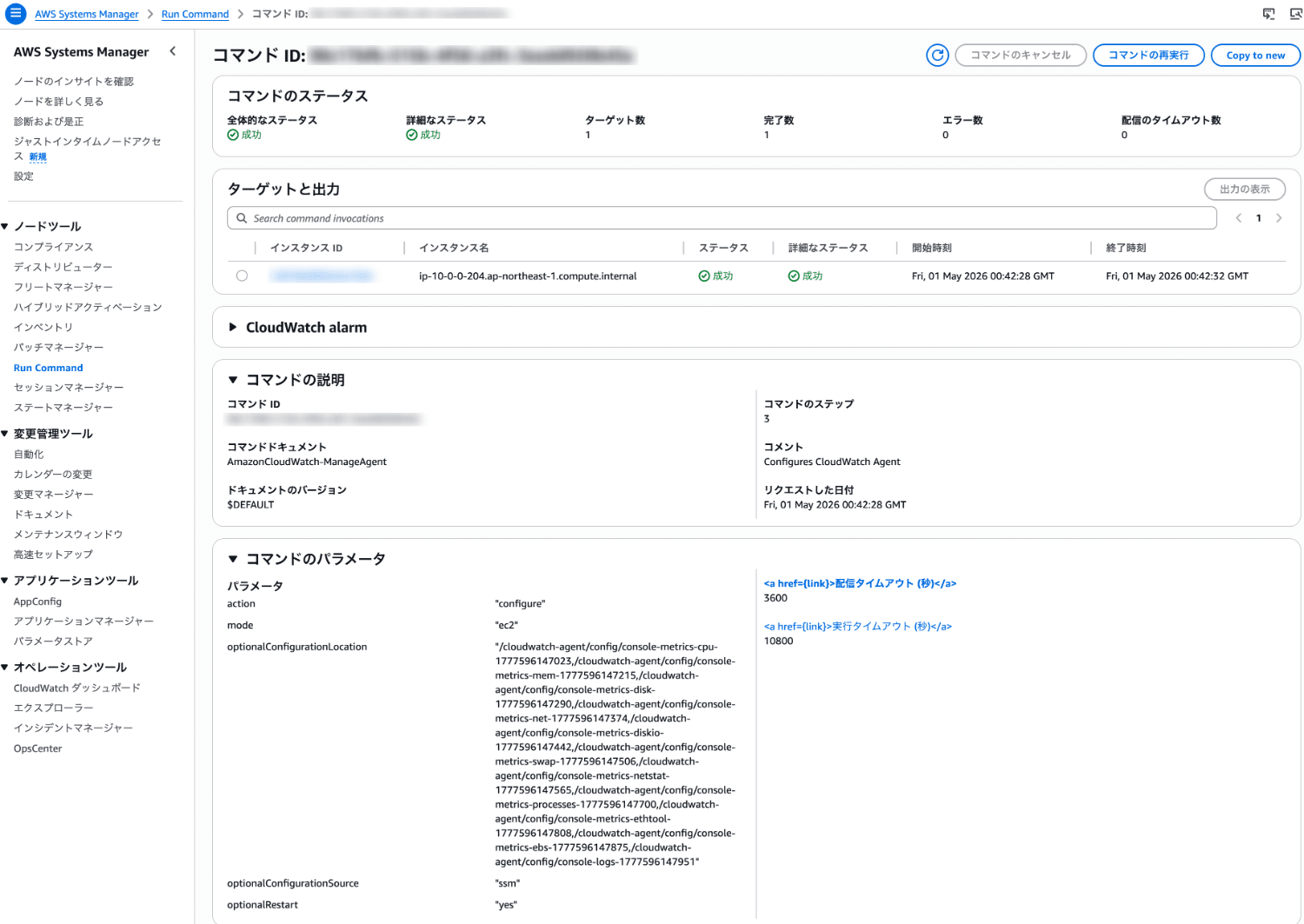
When you configure the CloudWatch agent, Systems Manager Run Command is invoked behind the scenes.
The "AmazonCloudWatch-ManageAgent" document[2], which is of the Command type, is used.
Parameter Store
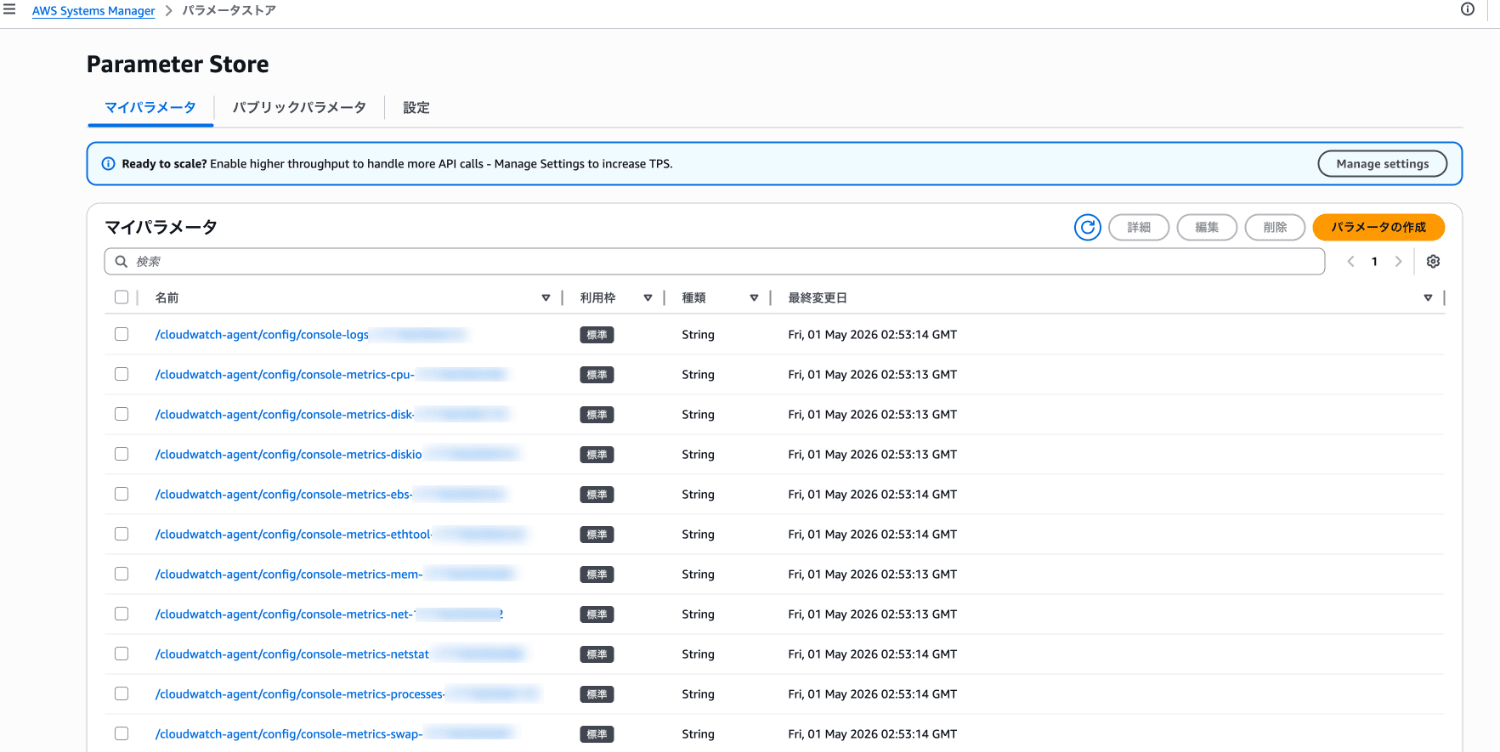
When deploying the agent configuration, a Parameter Store parameter with a name like the following is temporarily created.
cloudwatch-agent/config/console-metrics-xxxxxxxx
The created parameter is specified in optionalConfigurationLocation of the "AmazonCloudWatch-ManageAgent" document to configure the agent.
Note that after the deployment completed, the parameter was automatically deleted.
Summary
With this update, you can now configure the agent intuitively from the visual editor in the management console.
It's great that the barrier to configuration has been lowered significantly compared to manually editing JSON files.
Also, being able to export the configuration as an IaC template is a welcome point.
Please give it a try.
I hope this article is helpful.