![[Update] Amazon CloudWatch Logs can now ingest logs via HTTP requests](https://images.ctfassets.net/ct0aopd36mqt/wp-thumbnail-d6a3bc85cad6419960fbda152152cd8c/ba5841cea06b96f4933878762028b090/amazon-cloudwatch?w=3840&fm=webp)
[Update] Amazon CloudWatch Logs can now ingest logs via HTTP requests

This page has been translated by machine translation. View original
Introduction
This is Onoyan.
An interesting update has been released. Amazon CloudWatch (hereafter CloudWatch) Logs now allows log ingestion via HTTP.
Until now, sending logs to CloudWatch Logs primarily involved using the AWS SDK, CloudWatch Agent, Fluent Bit, FireLens, or other agents. With this update, you can now ingest logs into CloudWatch Logs simply by sending HTTP requests.
Note that the OTLP endpoint (/v1/logs) has been available with SigV4 authentication previously. The CloudWatch documentation describes the OTLP endpoint with SigV4 authentication.
Our company has also published a blog about sending logs to CloudWatch Logs via the OTLP endpoint, so please refer to it as well.
In this update, three formats have been added: HLC, ND-JSON, and Structured JSON, and Bearer Token authentication has been added to all endpoints, including the OTLP endpoint.
Given this background, here are the currently available endpoints:
| Log type | Endpoint | Content-Type | Format |
|---|---|---|---|
| OpenTelemetry Logs (existing) | https://logs.<region>.amazonaws.com/v1/logs |
application/json or application/x-protobuf |
OTLP JSON or Protobuf |
| HLC Logs (new) | https://logs.<region>.amazonaws.com/services/collector/event |
application/json |
HLC format |
| ND-JSON Logs (new) | https://logs.<region>.amazonaws.com/ingest/bulk |
application/json or application/x-ndjson |
Newline-delimited JSON |
| Structured JSON Logs (new) | https://logs.<region>.amazonaws.com/ingest/json |
application/json |
JSON object or array |
HTTP endpoints support two authentication methods: SigV4 authentication (traditional AWS authentication using IAM credentials) and Bearer Token authentication (authentication using service-specific API keys).
When using Bearer Token authentication, you generate an API key from the CloudWatch configuration screen. When generating an API key, an IAM user is automatically created behind the scenes and the CloudWatchLogsAPIKeyAccess managed policy is attached. Additionally, bearer token authentication needs to be enabled individually for each log group.
While this update allows sending logs via HTTP requests alone, application-side implementation of retry processing and other features typically provided by traditional log transmission agents is necessary. There are risks such as log loss during network disconnections, so adoption should be considered based on requirements.
This feature is only available in Virginia (us-east-1), Ohio (us-east-2), California (us-west-1), and Oregon (us-west-2).
For more information about HTTP Log Collector specifications, please refer to this AWS documentation:
Let's Try It
So, let's actually send requests to the HTTP Log Collector endpoint to publish logs to CloudWatch Logs. In this case, I'll verify by publishing HLC and ND-JSON logs to an AWS account in the Virginia region.
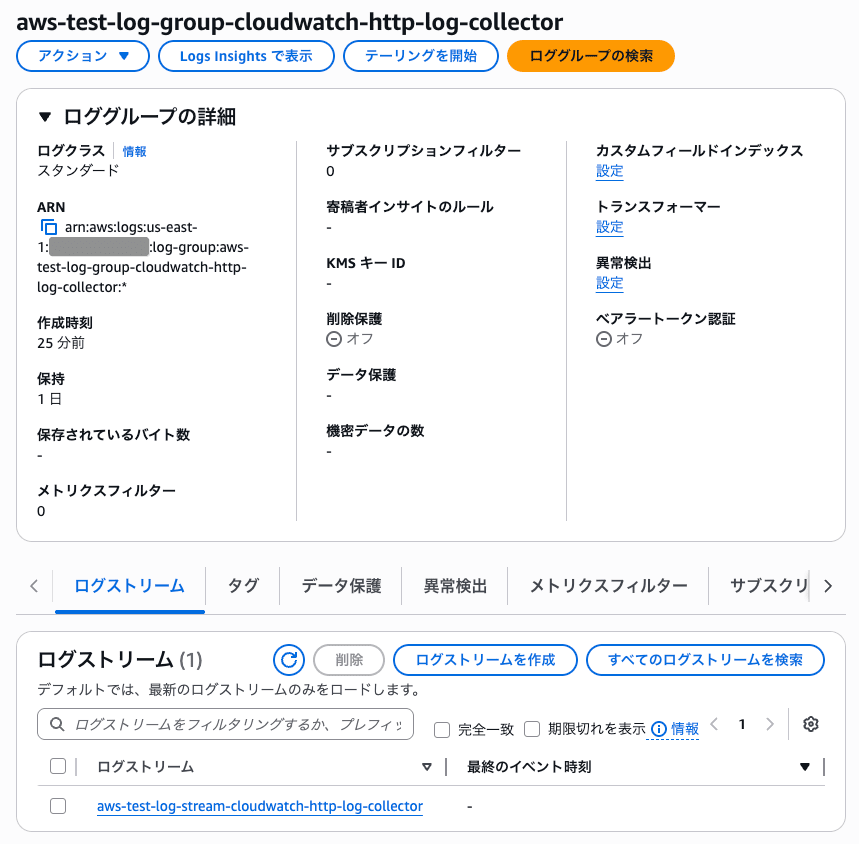
I'll create a CloudWatch Logs log group (aws-test-log-group-cloudwatch-http-log-collector) and a CloudWatch Logs log stream (aws-test-log-stream-cloudwatch-http-log-collector) for verification.
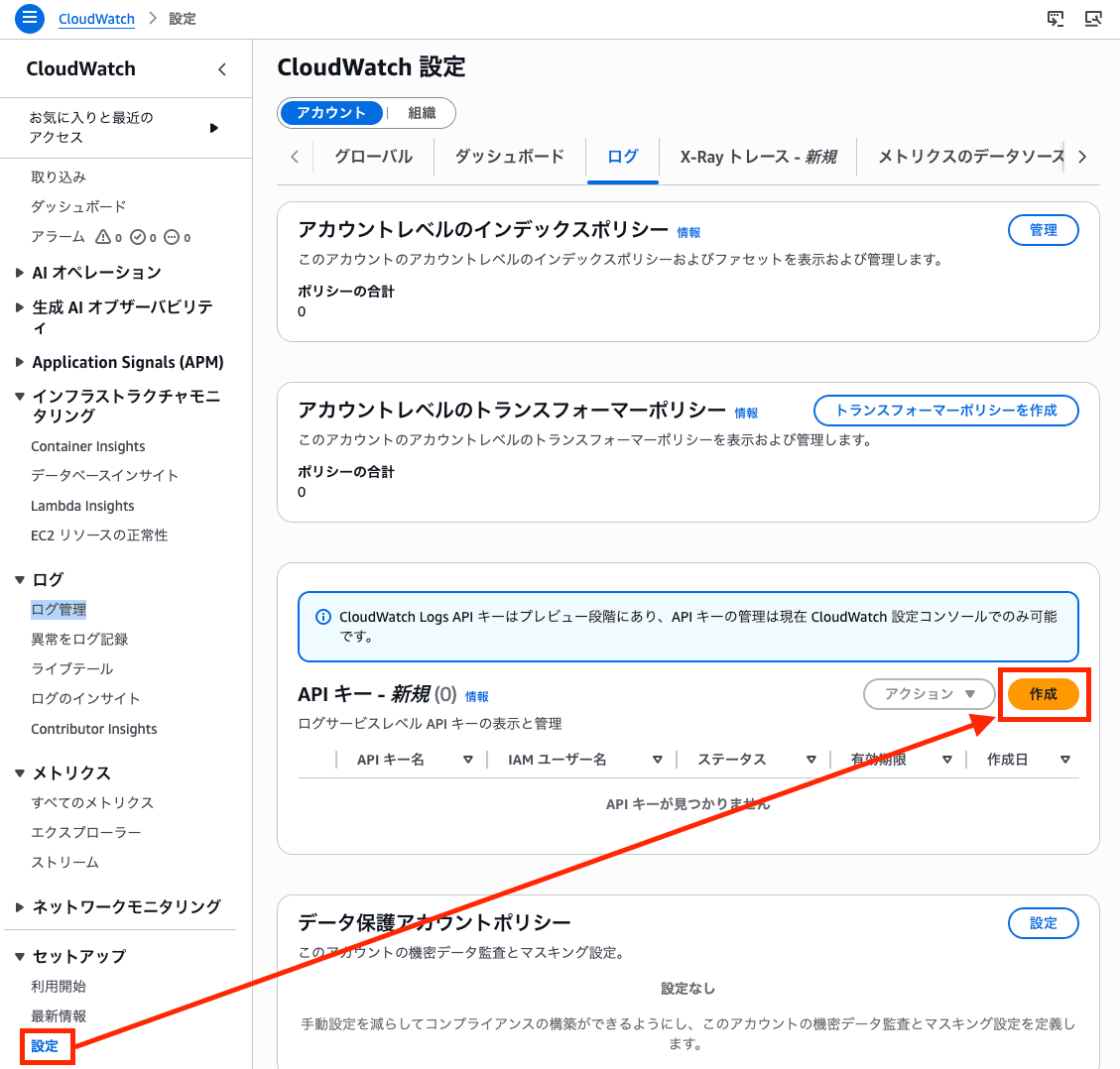
Next, I'll navigate to "Settings" from the left navigation bar in the CloudWatch console and create an API key.
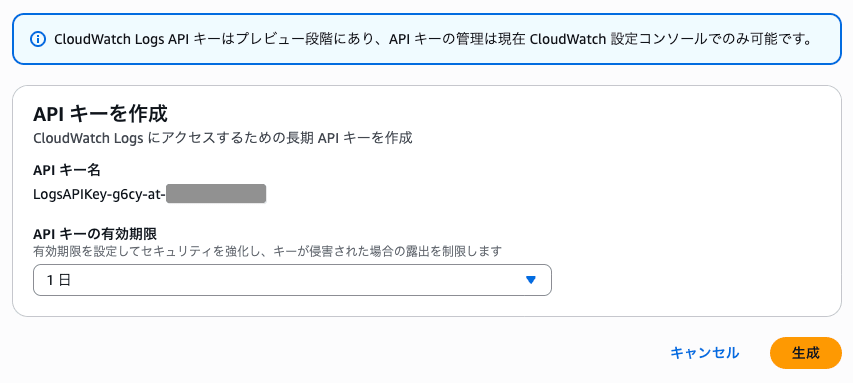
Since this is just for verification, I'll set the expiration to one day.
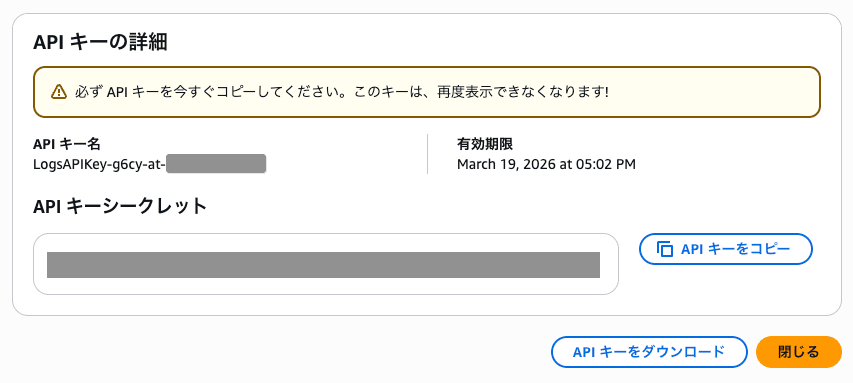
I'll make note of the displayed API Key name and secret.
By the way, an IAM user is created behind the scenes.
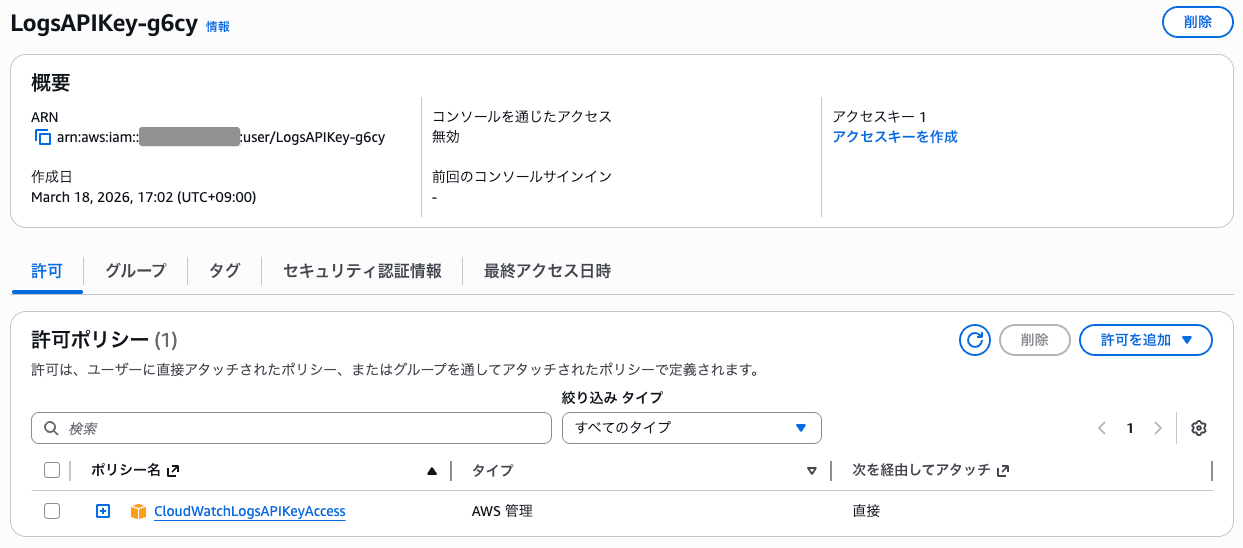
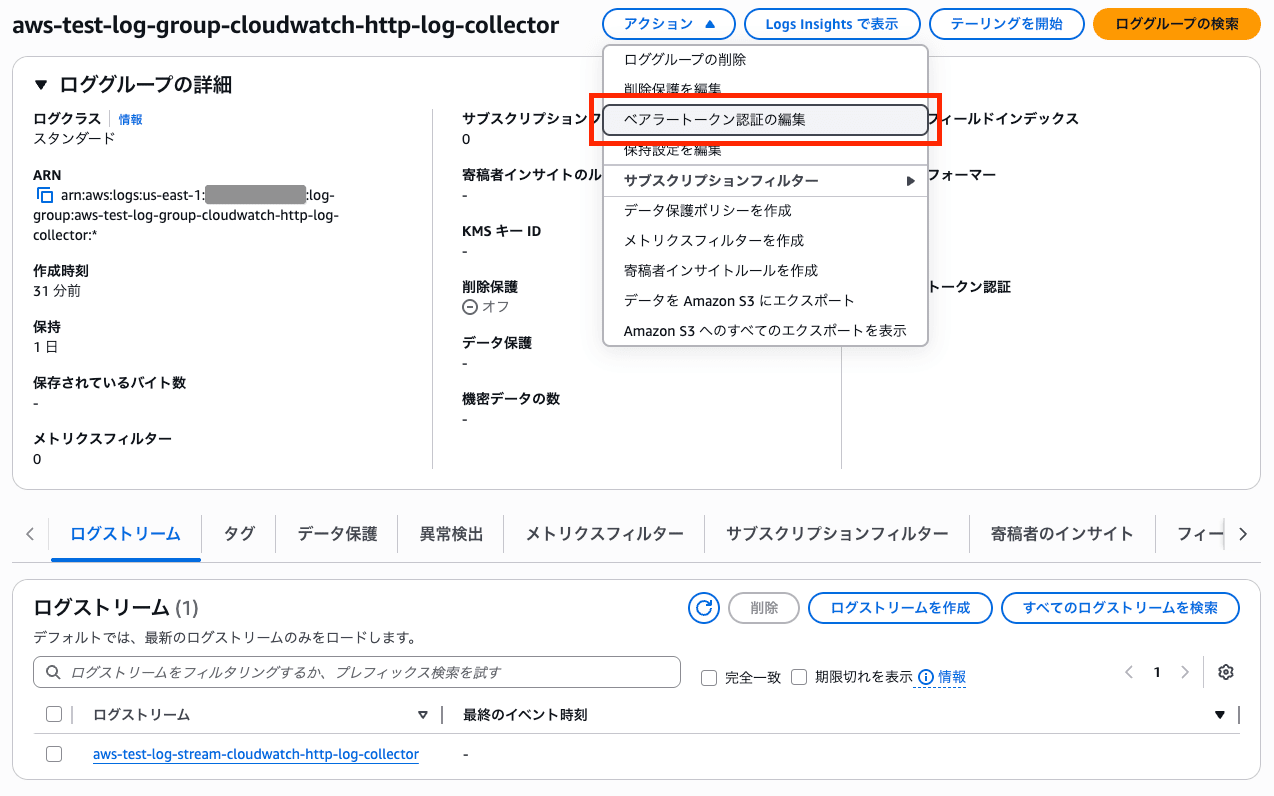
Next, I'll click "Edit bearer token authentication" for the log group.
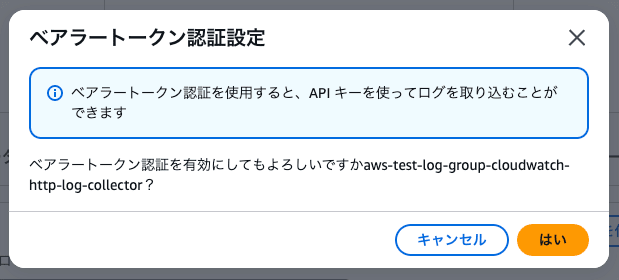
I'll press "Yes."
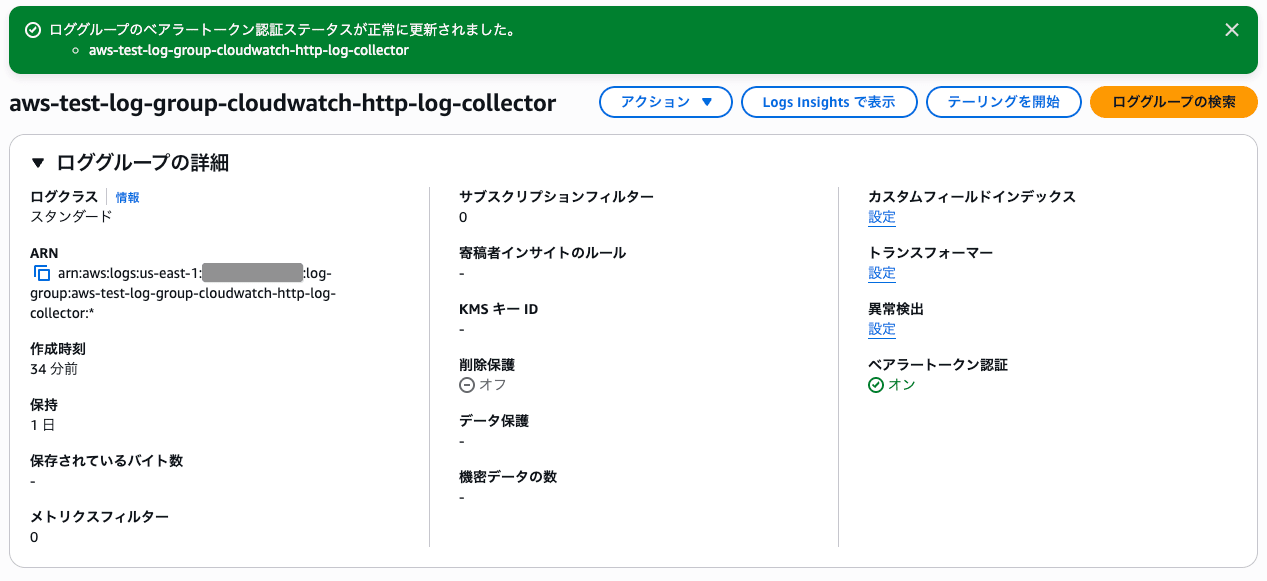
Bearer token authentication is now enabled.
I'll use curl to send a log to the HLC endpoint.
$ curl -X POST \
  "https://logs.us-east-1.amazonaws.com/services/collector/event" \
  -H "Authorization: Bearer <API_KEY_SECRET>" \
  -H "Content-Type: application/json" \
  -H "x-aws-log-group: aws-test-log-group-cloudwatch-http-log-collector" \
  -H "x-aws-log-stream: aws-test-log-stream-cloudwatch-http-log-collector" \
  -d '{
    "time": 1773821998.413,
    "host": "test-server-01",
    "source": "/var/log/app.log",
    "event": {
      "level": "INFO",
      "message": "HTTP Log Collector test event",
      "request_id": "abc-123"
    }
  }'

 {}
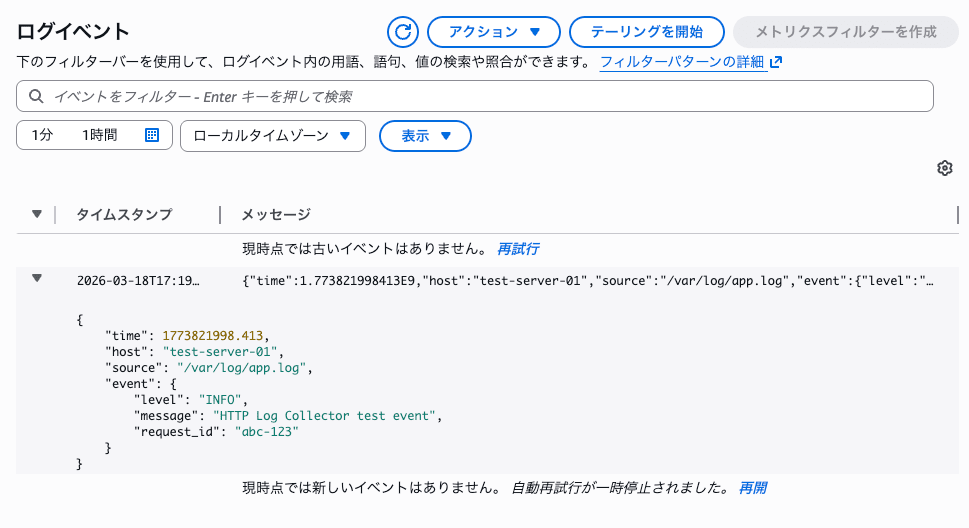
The HLC format log has been published to the CloudWatch log stream.
Next, I'll send three ND-JSON format log events.
$ curl -X POST \
  "https://logs.us-east-1.amazonaws.com/ingest/bulk" \
  -H "Authorization: Bearer <API_KEY_SECRET>" \
  -H "Content-Type: application/x-ndjson" \
  -H "x-aws-log-group: aws-test-log-group-cloudwatch-http-log-collector" \
  -H "x-aws-log-stream: aws-test-log-stream-cloudwatch-http-log-collector" \
  -d '{"timestamp": 1773822509381, "level": "INFO", "message": "ND-JSON test event 1"}
{"timestamp": 1773822510381, "level": "WARN", "message": "ND-JSON test event 2"}
{"timestamp": 1773822511381, "level": "ERROR", "message": "ND-JSON test event 3"}'

{}
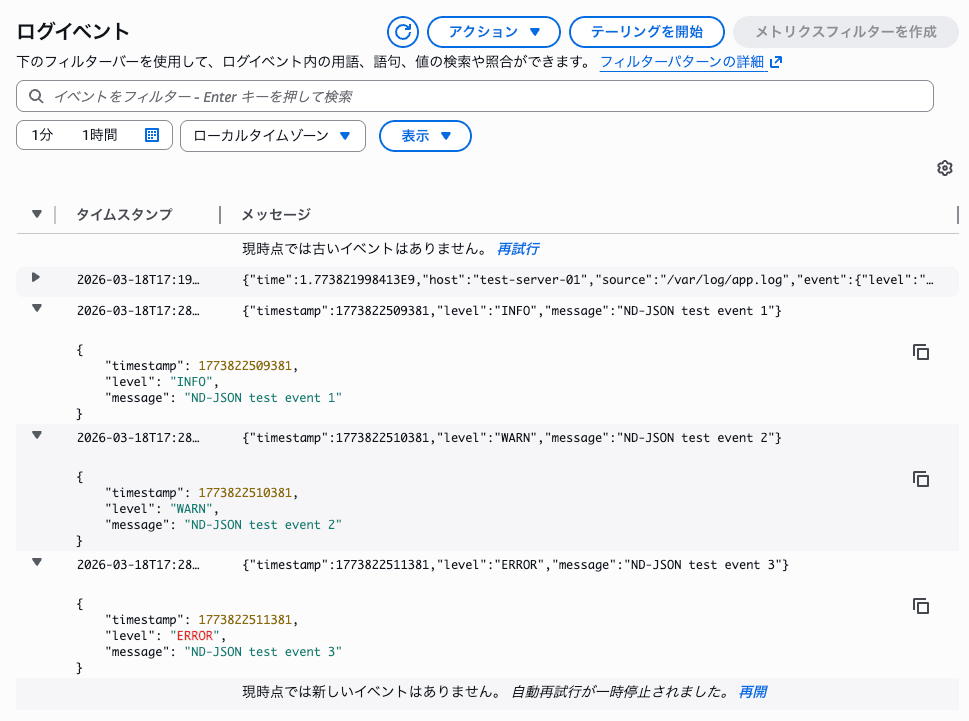
Three ND-JSON format logs have been published to the CloudWatch log stream.
Summary
CloudWatch Logs now allows log ingestion via HTTP requests. Being able to ingest logs without agents can be extremely convenient depending on your requirements.
I'd like to touch on choosing an authentication method. If you're in an environment where EC2 instance profiles, ECS task roles, or SSM hybrid activations are available, using SigV4 + AWS authentication with temporary credentials is the most secure approach.
On the other hand, for environments outside of AWS where SSM agents are difficult to implement, the only option until now was to issue IAM access keys. IAM access keys have no expiration date, which can increase the risk in case of leakage. The nice thing about these new API keys is that they have built-in expiration dates and their scope is limited to sending to CloudWatch Logs, making it easier to limit damage in case of leakage.
CloudWatch Logs ingestion fees can become unexpectedly high, so it's important to choose an authentication method that fits your requirements to avoid financial damage from leaked credentials leading to excessive log publication. That's it!