
[Update] Amazon CloudWatch Query Studio Now Lets You Save and Reuse Queries, So I Tried It Out

This page has been translated by machine translation. View original
Introduction
Amazon CloudWatch Query Studio now lets you save and reuse PROMQL, SQL, and METRIC_MATH queries.
According to What's New, the feature assumes use cases where you have queries that you run routinely, such as during incident response.
In this article, I will actually verify the behavior when saving queries from the console and the API.
Saving and loading a query from the console
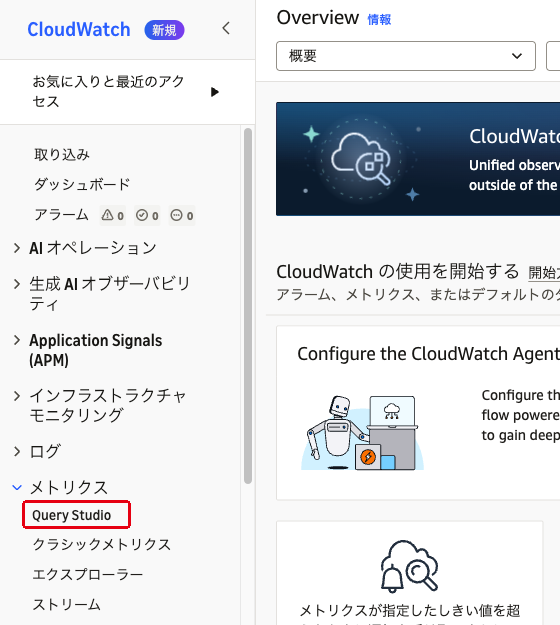
Query Studio is located under "Metrics" in the CloudWatch navigation pane.
Saving a query
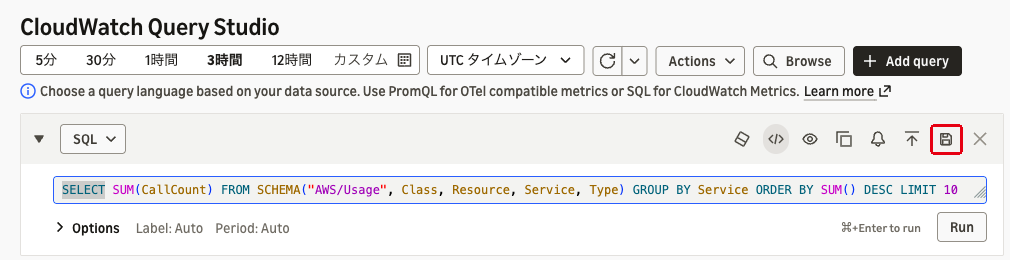
I'll use a SQL query that sums CallCount in the AWS/Usage namespace by service.
SELECT SUM(CallCount) FROM SCHEMA("AWS/Usage", Class, Resource, Service, Type) GROUP BY Service ORDER BY SUM() DESC LIMIT 10
There is a save button at the top right of the query row.
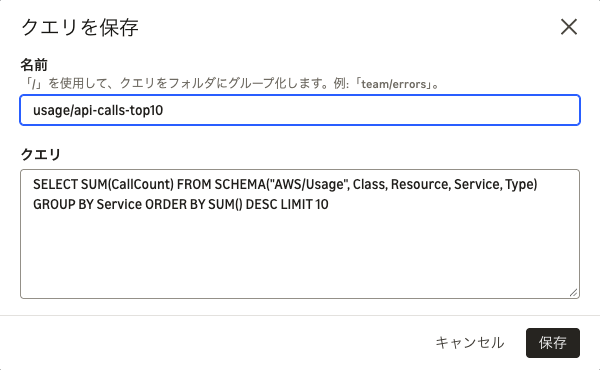
Since you can group queries into folders by using "/", I gave the AWS/Usage queries names starting with usage/ to put them in the same folder.
Loading a saved query
Saved queries are listed in the "Saved" tab of the "Queries" panel, which opens from the folder icon at the top right of the screen.
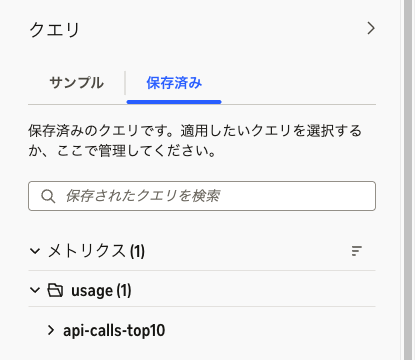
It's displayed inside the usage folder as expected.
Clicking the query name opens a preview of the query, and the Apply button loads it into Query Studio.
Note that if Query Studio already contains a query, the button becomes "Add" instead of Apply, and the query is loaded as a new row below the existing queries.
Updating a saved query
When you load a saved query, an update button (an upload icon) appears in the query row.
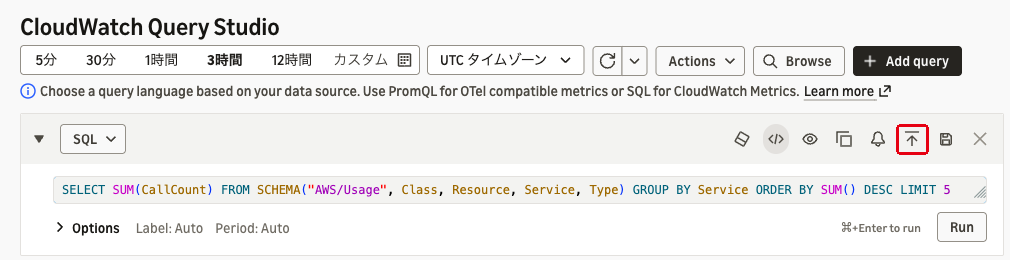
Rewrite the query, run it, and then press "Update query" to overwrite the loaded saved query. (Please note that it won't be updated unless you run it first!)
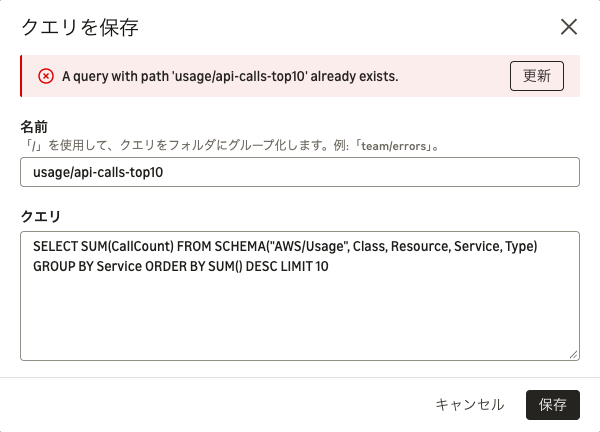
When trying to save with the same name
If you try to save with the same name as an existing saved query, an error is displayed, but you can press the update button to overwrite the existing query.
Working with saved queries using the AWS CLI
New commands for working with queries have been added to aws cloudwatch.
| Command | Description |
|---|---|
put-metric-data-query-definition |
Create and update |
delete-metric-data-query-definition |
Delete |
get-metric-data-query-definition |
Retrieve (includes the query content) |
list-metric-data-query-definitions |
Retrieve a list (does not include the query content) |
--path is the name, --type is the query type, and --expression is the query content.
I saved a query via the AWS CLI.
aws cloudwatch put-metric-data-query-definition \
  --path "usage/api-calls-by-service" \
  --type SQL \
  --expression 'SELECT SUM(CallCount) FROM SCHEMA("AWS/Usage", Class, Resource, Service, Type) GROUP BY Service ORDER BY SUM() DESC LIMIT 10'
{
    "Id": "183692ac-70bf-4638-8e8b-6f330230c4f6",
    "Arn": "arn:aws:cloudwatch:ap-northeast-1:123456789012:metric-query-definition/183692ac-70bf-4638-8e8b-6f330230c4f6",
    "Path": "usage/api-calls-by-service",
    "Expression": "SELECT SUM(CallCount) FROM SCHEMA(\"AWS/Usage\", Class, Resource, Service, Type) GROUP BY Service ORDER BY SUM() DESC LIMIT 10",
    "Type": "SQL",
    "CreatedAt": "2026-11-28T17:44:36.600000+09:00",
    "UpdatedAt": "2026-11-28T17:44:36.600000+09:00"
}
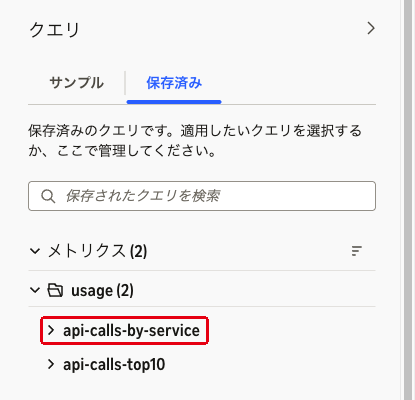
Checking the console, it's properly displayed in the "Saved" tab!
Conclusion
I tried saving and loading queries from the console and the API. Not only can you now save queries, but you can also organize them into folders, which made them easy to manage and use.
If you have run similar queries many times in Query Studio, please try using this feature to improve your efficiency.