Contentful Custom App Introduction - From CMS Dashboard UI Extensions to Server-Side Processing, Explaining What You Can Do

This page has been translated by machine translation. View original
This is Konishi from the Berlin office.
Contentful, the headless CMS, has an extension mechanism called "Custom App." It allows you to replace field input UIs in the dashboard, integrate external service workflows, run automated processes tied to content lifecycles, and much more — the range of what you can do is quite broad.
However, while the official documentation thoroughly covers individual features, I found it difficult to grasp "what the overall structure looks like" and "what can be done and to what extent."
In this article, I'll organize the concepts behind Custom Apps, summarize the components and their respective roles, and highlight the key points to keep in mind during development.
What is a Contentful Custom App
Contentful is an API-first headless CMS for managing and delivering content. It is commonly used to manage articles and information for websites and apps, with the basic workflow being: create and edit entries in the management interface (dashboard), then deliver them to the frontend via API.
Custom App is a mechanism for extending Contentful's dashboard and processing pipeline in custom ways. A feature previously provided under the name "UI Extension" has been integrated into the current App Framework.
Typical Use Cases
Dashboard UI Extensions
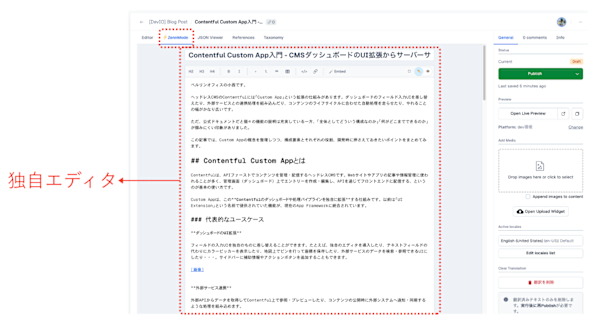
You can replace the input UI for fields with your own custom implementation. For example, you could introduce a custom editor, display a color picker instead of a text field, drop a pin on a map to save coordinates, or create a UI that allows searching and referencing data from external services. You can also add supplementary information and action buttons to the sidebar.
External Service Integration
You can fetch data from external APIs to reference and preview within Contentful, or incorporate processes that notify and sync with external systems when content is published.
Content Workflow Automation
You can incorporate pre-publication validation and approval flows, or trigger event-driven automated processes such as AI translation or image conversion when an entry is published.
Overview of the App Framework
The components that make up a Custom App can be broadly divided into the following four elements.
| Element | Role | Where it runs |
|---|---|---|
| Locations | Determines where in the dashboard UI the App is displayed | Browser |
| App SDK | API for the App's frontend to access Contentful data | Browser |
| Functions | Server-side logic running in the App's backend. Handles processes involving secrets such as external API keys | Server (Contentful-hosted) |
| Forma 36 | Contentful's official design system. A component library for unifying the App's UI with Contentful itself | Browser |
The key point is the two-layer architecture of App SDK (frontend) and Functions (backend). The split is: UI interactions on the dashboard are handled by the App SDK, while processes that should run server-side — such as secret management and external API calls — are handled by Functions.
Forma 36 is not required, but using it gives your App a consistent look and feel with Contentful itself.
App Hosting
There are three options for where to host the frontend portion of a Custom App.
- Deploy to Contentful: Upload a bundle to Contentful and have them host it. This is convenient and reliable for production use, as it eliminates infrastructure management and reduces additional failure points.
- External URL endpoint: Host via your own server or CDN and register the URL with Contentful. Useful when you want to use existing infrastructure or have special requirements.
- localhost: For local development. Register a
localhostURL and develop and debug while running it locally.
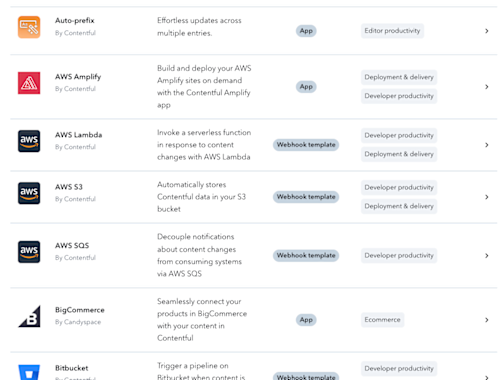
In addition, the Contentful Marketplace publishes Marketplace Apps created by official and third-party developers and approved by Contentful. If something fits your needs, you can adopt it directly without building your own, which is the quickest approach.
Locations - Where to Insert in the UI
A Location determines where in the dashboard the App is displayed. It is also one of the first design decisions you will make when developing a Custom App.
| Location | Where it appears | When to use it |
|---|---|---|
| App Configuration | During App installation / settings screen | Manage configuration values for the entire App |
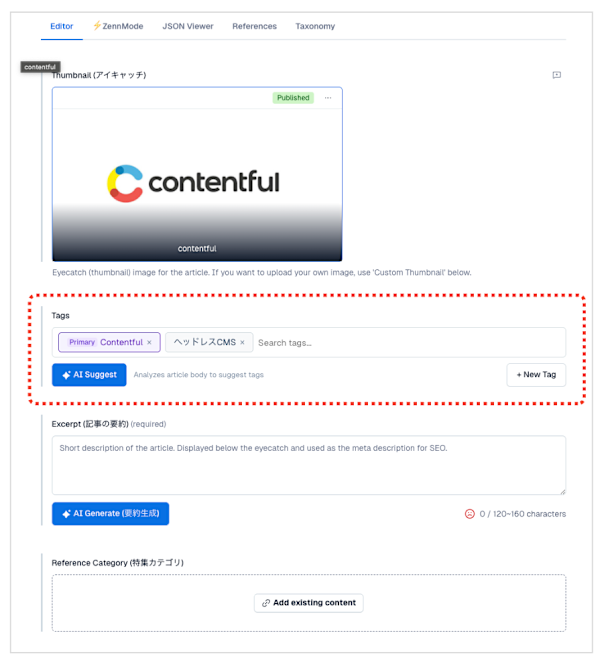
| Entry Field | Entry field input UI | Replace the field UI and input method |
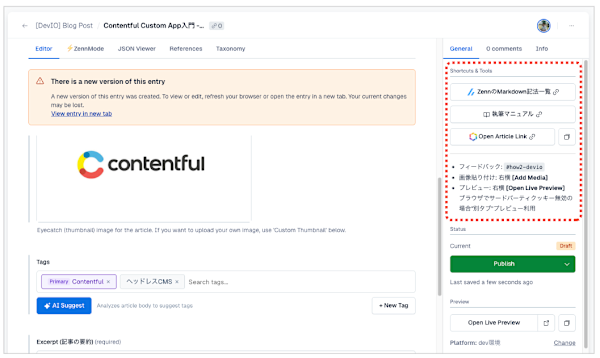
| Entry Sidebar | Sidebar of the entry editing screen | Display supplementary information or action buttons |
| Entry Editor | The entire entry editing screen | Add a completely new editing tab |
| Page | A standalone page within Contentful | Add a dashboard or report screen |
| Dialog | Modal dialog | Display search/selection UIs in a separate window |
| Home | Contentful home screen | Add custom widgets to the home screen |
Entry Field example:
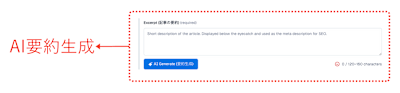
Entry Sidebar example:
A single App can have multiple Locations. For example, a common pattern is to provide a settings screen via App Configuration while also replacing the field input UI via Entry Field.
App SDK - What the App Can Access
The App SDK is a client library that allows an App rendered at a Location (built with React, etc.) to interact with Contentful. Upon initialization, the App receives an SDK object, which it uses to access the current field value and entry information.
Here are some of the key APIs.
| API | What it does |
|---|---|
sdk.field |
Get and update the current field value |
sdk.entry |
Access all fields across the entire entry |
sdk.space |
Search and create entries and assets within the space |
sdk.notifier |
Display notifications (success, error, etc.) in the UI |
An important concept here is the CMA Adapter. The App SDK includes a built-in adapter for directly calling the Content Management API (CMA), and operations are executed under the permissions of each individual user rather than the developer. This means users cannot perform operations beyond their own permission level, so there is no need to implement custom permission checks on the App side.
Functions - Server-Side Processing
Functions is a serverless execution environment hosted by Contentful. It allows you to add backend logic to your App and safely handle secrets such as external API keys.
There are three types of Functions.
App Event Functions
These subscribe to content lifecycle events — such as entry publication, updates, and deletion — and execute processes in response.
Use cases include filtering events (processing only specific content types), transforming request bodies, and automated processes such as notifying external services.
App Action Functions
These are general-purpose backend processes that can be called from the App's frontend or from other Apps. Write here any logic that cannot be placed on the frontend, such as integrations with external APIs or data processing.
For managing authentication credentials, there is a mechanism called App Identities that allows the App to securely store secrets.
Functions on Delivery (GraphQL)
These are Functions that operate in the path of GraphQL delivery requests. They allow real-time processing and integration of content at delivery time. For example, you can use them to merge content from an external data source into a Contentful response.
Development and Practical Matters
For details on setting up a Custom App environment and the steps for running and developing locally, please refer to a previous article I wrote.
In this article, I'll cover some best practices to keep in mind during development.
Permission Design
Contentful permissions are set at the Organization, Space, and App Definition levels. While you can grant an App unlimited permissions, using the CMA Adapter described earlier means operations are executed under the user's own permissions, making it straightforward to design according to the principle of least privilege.
A safe approach is to start with a configuration that delegates to user permissions via the CMA Adapter, and only add App-specific permissions individually when absolutely necessary.
Separating Frontend and Backend
Any processing that requires authentication credentials (API keys, etc.) should be consolidated into backend Functions. Never store secrets on the frontend (Location side). Since the code of an App running in the browser is visible to users, there is a risk of secrets being leaked.
Field Validation
Even when building a custom UI, you can take advantage of validation rules already configured on the Contentful side (required checks, character limits, etc.).
You can subscribe to validation error changes using sdk.field.onSchemaErrorsChanged() and reflect error states in your custom UI. However, please note that sdk.field.setInvalid() only changes the visual appearance of the field (a red error bar) and does not have the ability to block publishing.
Fallback on Failure
If you replace an individual field UI as an Entry Field and that App encounters a failure (especially when hosted externally), the field becomes inoperable.
On the other hand, if you configure the App to add a new editing tab as an Entry Editor, you can simply remove the App during a failure and continue editing using the original field UI.
Using Forma 36
Using Contentful's official design system "Forma 36" gives you ready-made UI components such as buttons, text fields, and tables, and helps maintain visual consistency with Contentful itself. It can introduce breaking changes, so caution is needed, but it also saves you the effort of writing CSS from scratch — so unless you have specific requirements, using it is the easier choice.
Summary
Custom Apps are built on three pillars: Locations (where in the UI to display), App SDK (data access on the frontend), and Functions (server-side processing).
The strength lies in being able to incorporate into Contentful the things that standard features cannot reach — namely, custom input UI, integration with external services, and event-driven automated processing.
There is no need to use everything from the start. I think a gradual approach works best: begin by building a small App using only Locations and the App SDK, then add Functions when you need secret management or event processing.
Customers using Contentful through Classmethod can also use these Custom Apps. Please feel free to consult with your representative.