How to Use Centralized Root Access While Restricting the Root User with Control Tower Guardrails

This page has been translated by machine translation. View original
Introduction
Hello everyone, this is Akaike.
Recently I had an opportunity to enable Centralized root access (root access management) in AWS Organizations.
The setup itself takes just a few clicks in the Management Console, but when I actually tried to use a privileged action, I ran into an issue where it was denied by an SCP and could not be executed.
So in this post, I will summarize the cause of this issue and how to configure things so that you can use Centralized root access while keeping the Control Tower guardrail in place.
Prerequisites
- Control Tower is already deployed, and the guardrail [AWS-GR_RESTRICT_ROOT_USER] Disallow actions as a root user is enabled
- Centralized root access (root access management) is already enabled
The Issue and Its Cause
Error details
With Centralized root access enabled, when I opened "Root access management" in the IAM console, the "Root user credentials" column in the account list showed "Access denied" as follows.
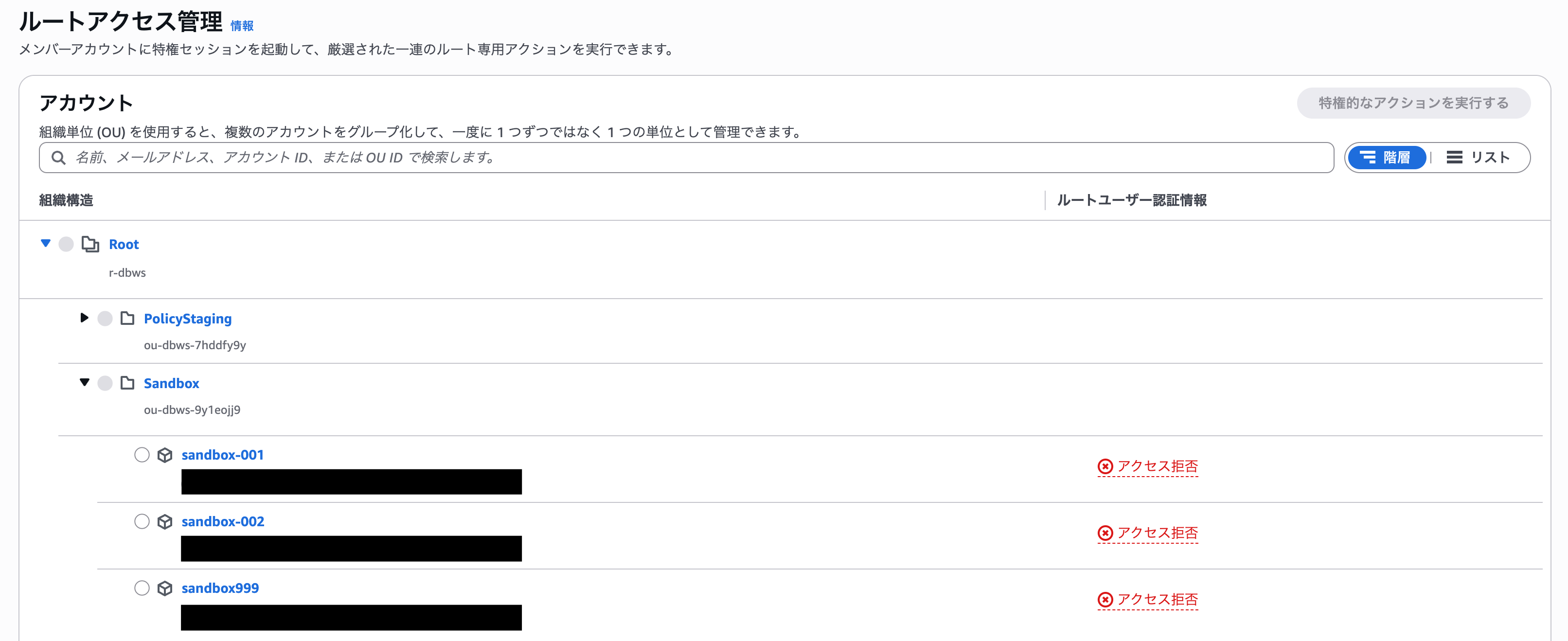
This column is meant to show whether each member account has root user credentials, but the API call to retrieve that information itself was being denied. When I actually tried "Perform privileged action" on the relevant account, I got the following error.

Looking at the error message, iam:GetAccountSummary is explicitly denied by an SCP. The user was evaluated as arn:aws:iam::account ID:root, that is, as the root user.
Cause
The Control Tower guardrail "AWS-GR_RESTRICT_ROOT_USER" applies an SCP that uniformly prohibits operations by the root user. It is a simple policy that denies all actions when the principal's ARN matches the root user pattern (arn:*:iam::*:root).
On the other hand, the "Perform privileged action" feature of Centralized root access internally calls the sts:AssumeRoot API and issues a temporary session as the root user of the target member account. This session is also treated as an "operation by the root user" in policy evaluation, so it was caught by the guardrail mentioned above and denied.
In other words, the guardrail that prohibits root user operations and Centralized root access, which operates as the root user, cannot coexist under the default settings.
How to Configure It
This guardrail has a configuration parameter, "ExemptAssumeRoot", prepared for exactly this combination. When you enable it, a condition that the global condition key aws:AssumedRoot does not exist is added to the deny condition of the SCP that the guardrail applies.
aws:AssumedRoot is a key that is set when a request is made via AssumeRoot (that is, a privileged action via Centralized root access).
Therefore, when you enable ExemptAssumeRoot, direct operations by the regular root user continue to be denied, but privileged actions via Centralized root access are allowed through.
Guardrail settings
The configuration is done from the Control Tower console.
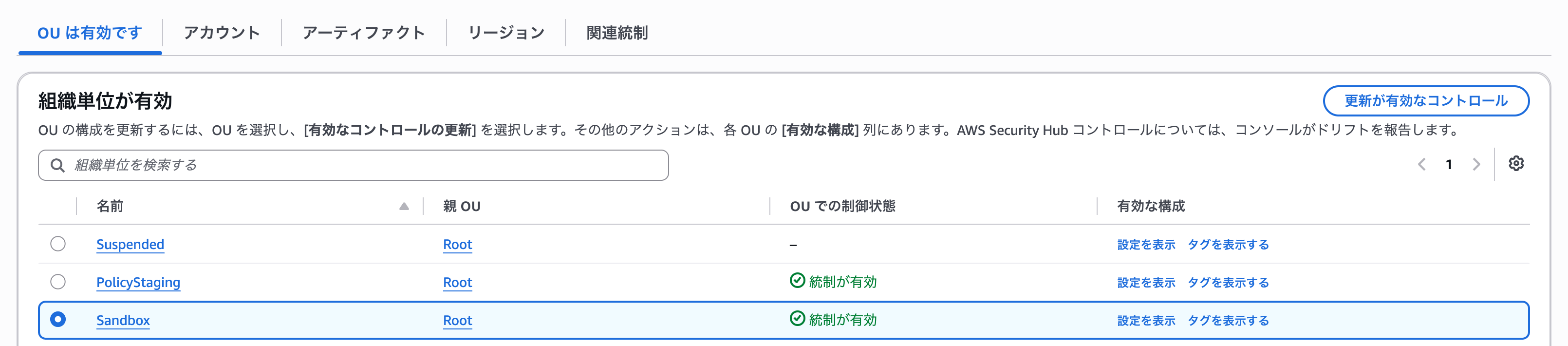
From the list of controls, select "AWS-GR_RESTRICT_ROOT_USER", choose the target OU (Sandbox in this case), and click "Update enabled control".
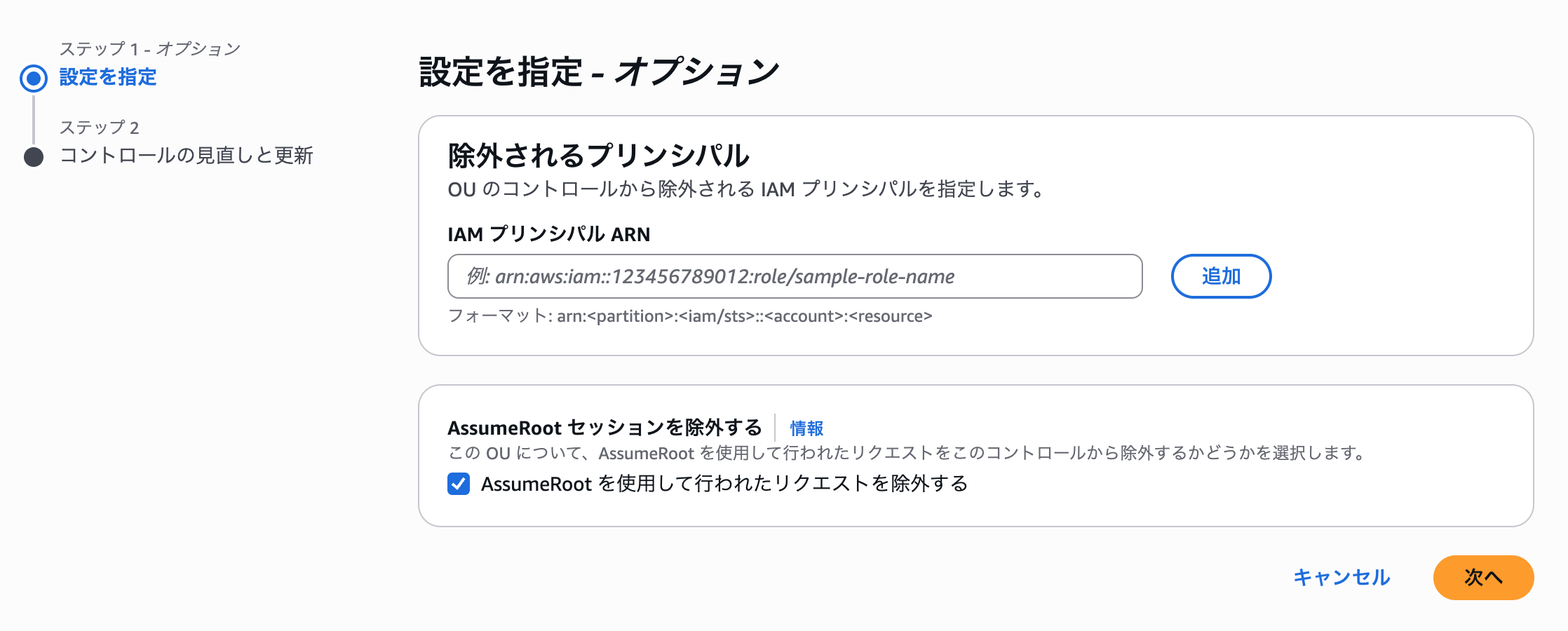
On the parameter settings screen, check "Exempt requests made using AssumeRoot" and update.
Verification
To check whether the setting is in effect, I will actually use a privileged action of Centralized root access.
This time I tried the scenario: "You accidentally set a bucket policy that denies all principals and locked yourself out of an S3 bucket, and you recover it using a privileged action."
Creating the S3 bucket
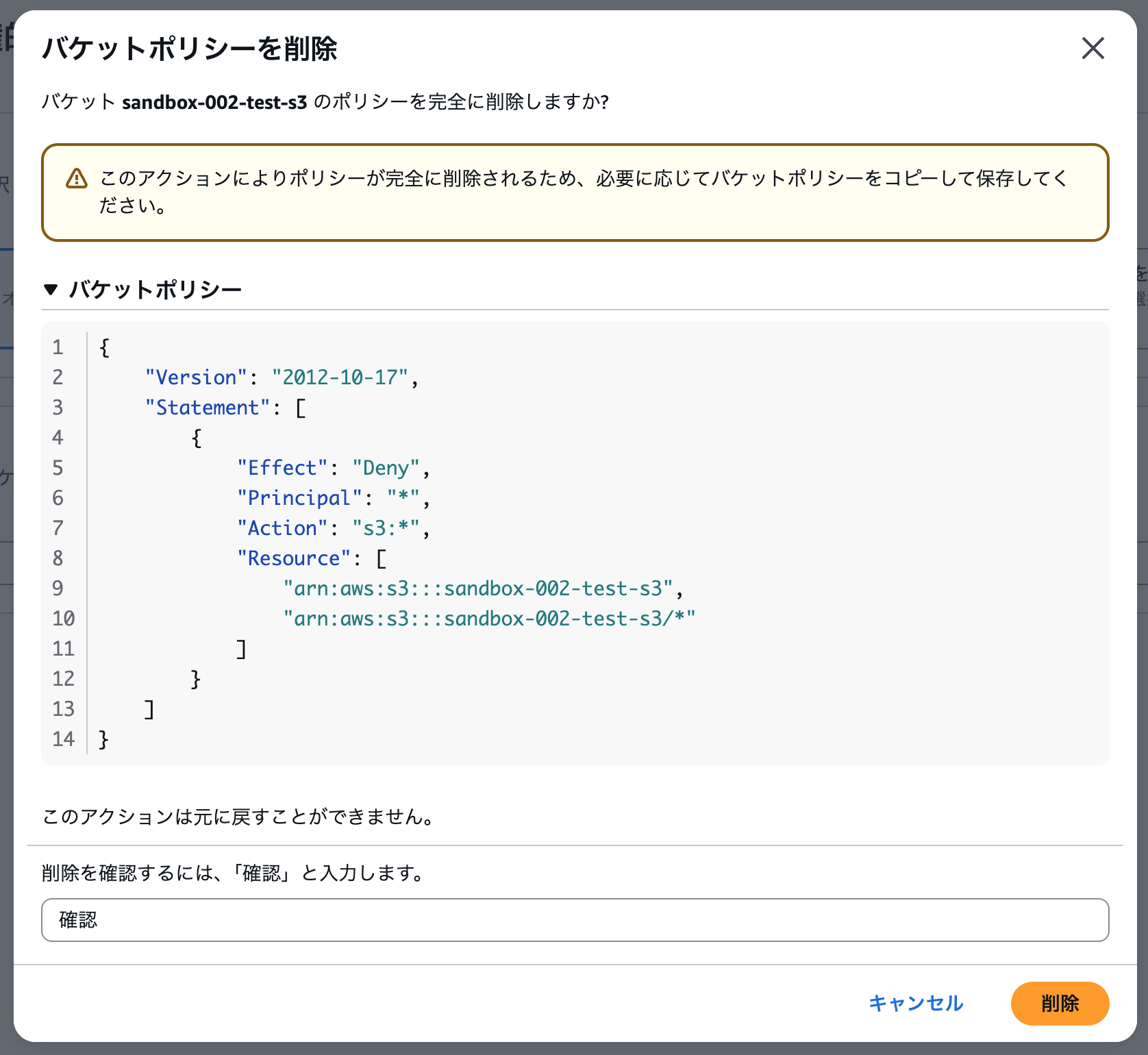
Set the following bucket policy on an S3 bucket for testing.
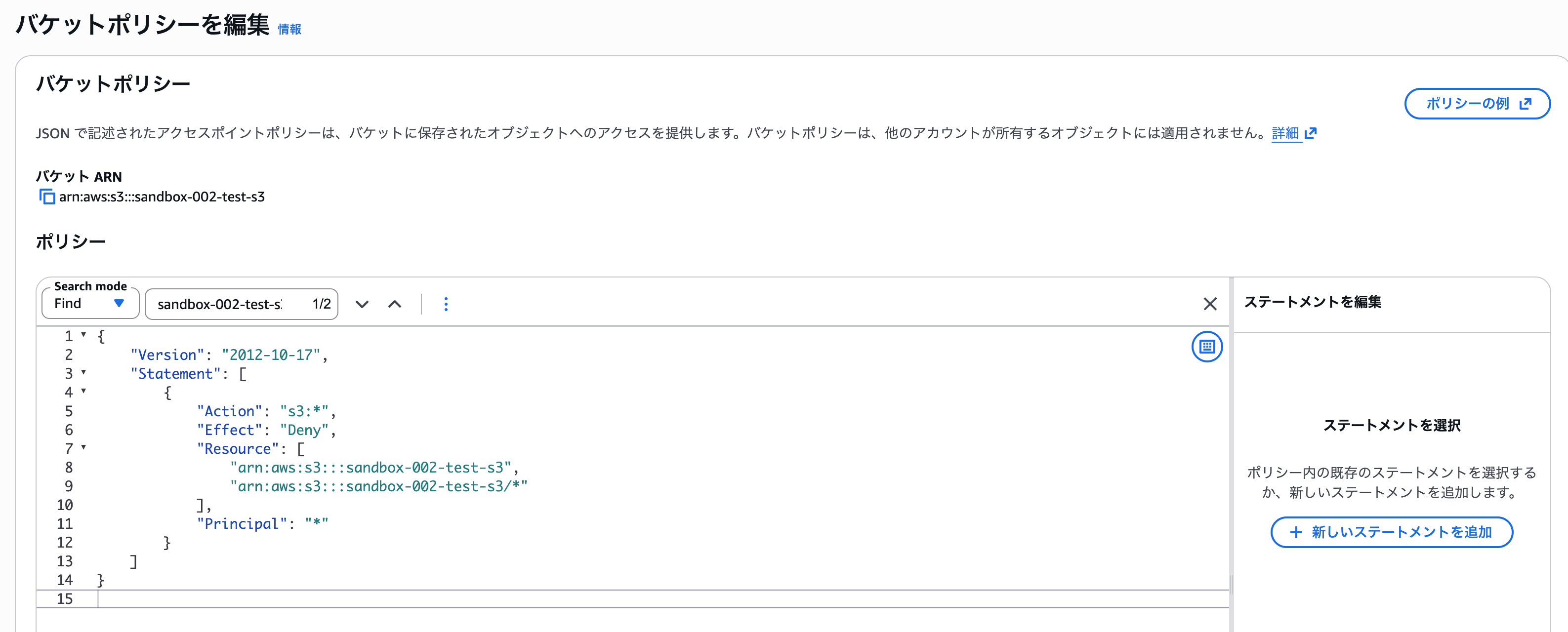
{
	"Version": "2012-10-17",
	"Statement": [
		{
            "Action": "s3:*",
            "Effect": "Deny",
            "Resource": [
                "arn:aws:s3:::sandbox-002-test-s3",
                "arn:aws:s3:::sandbox-002-test-s3/*"
            ],
            "Principal": "*"
        }
	]
}
Because Principal is *, even the bucket owner account can no longer operate on it. When I opened the object list, it showed "Insufficient permissions to list objects", and I was locked out.
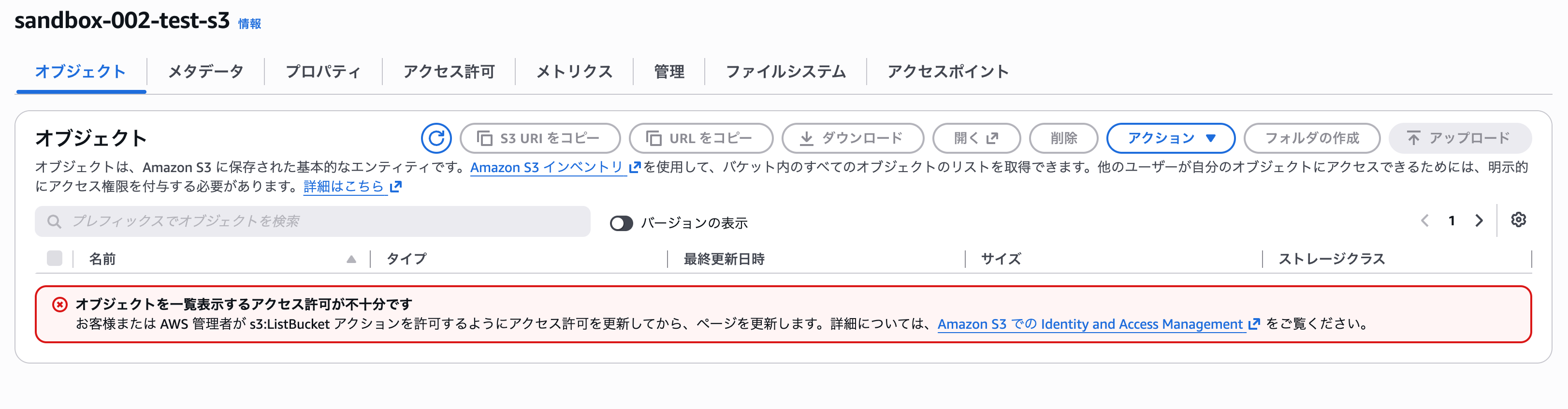
In this situation, no one other than the root user can modify the bucket, so this time I will recover it using a privileged action of Centralized root access.
Performing a privileged action
First, let's check the effect of setting ExemptAssumeRoot on the guardrail. When I opened "Root access management" in the IAM console, the display in the account list had changed from "Access denied" to "Not present".
"Not present" is a normal state indicating that root user credentials (password and access keys) actually do not exist.
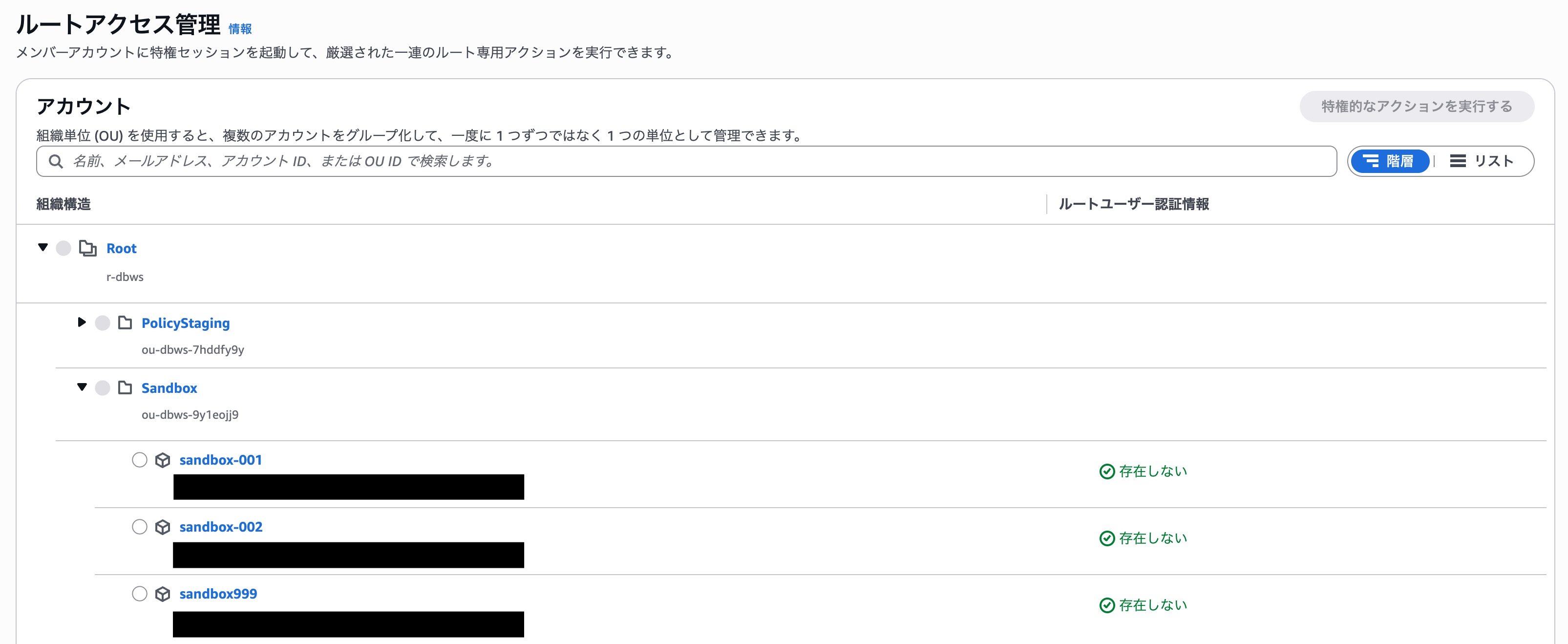
Next, select "Perform privileged action" for the target account. Choose "Delete S3 bucket policy" as the action and specify the target S3 URI.
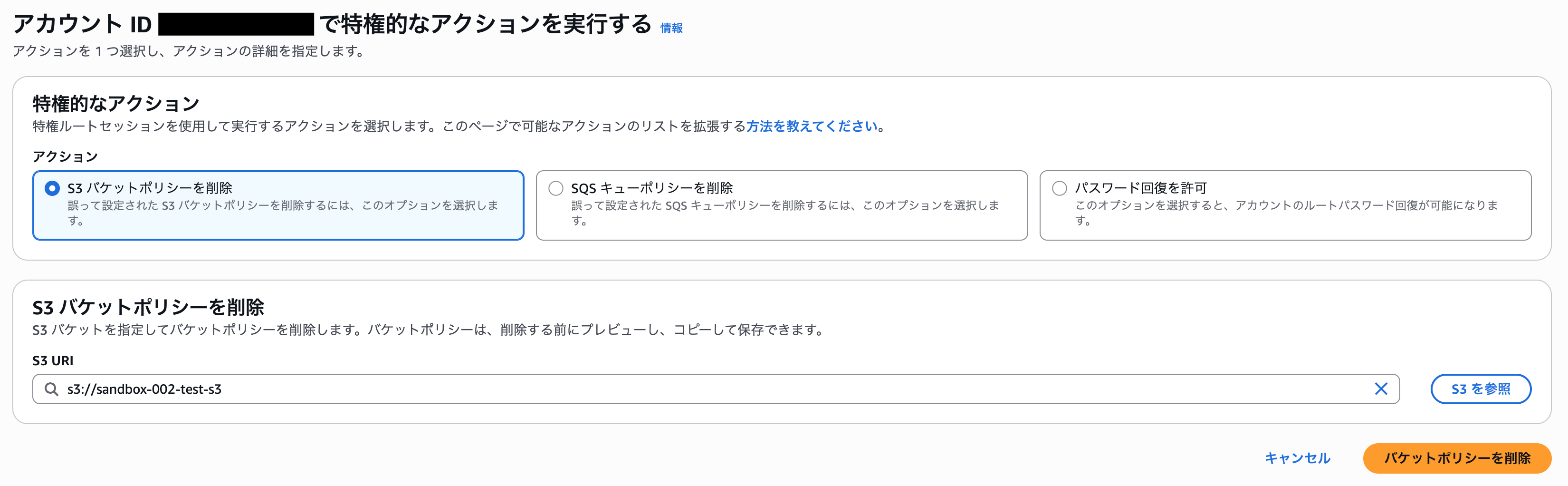
The bucket policy before deletion is displayed, so check its contents.
Type "confirm" and execute the deletion.
After the deletion, I was able to access the S3 bucket's object list without any problems.
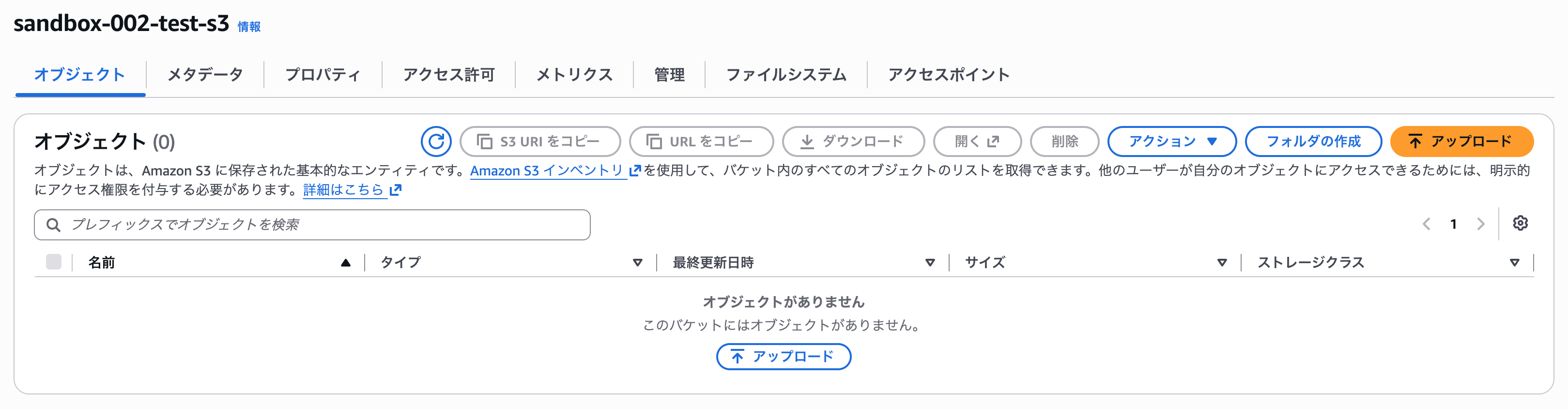
From the above, I was able to confirm that privileged actions of Centralized root access work without problems while keeping the guardrail in place.
Conclusion
That was how to use Centralized root access while restricting the root user with a Control Tower guardrail.
If you are using Control Tower guardrails, you are most likely using the guardrail that restricts the root user, so when introducing Centralized root access, please also check the settings of this guardrail.
I hope this helps anyone facing the same issue.

