
I automated everything from writing technical blog posts to publishing them on DevelopersIO using Claude Code custom commands

This page has been translated by machine translation. View original
Introduction
When writing technical blog posts, there's surprisingly a lot of manual work involved — writing articles, organizing folders, and posting to DevelopersIO.
So I built a tool using Claude Code's custom command feature that handles everything from drafting an article to posting it as a draft to DevelopersIO, all with just slash commands.
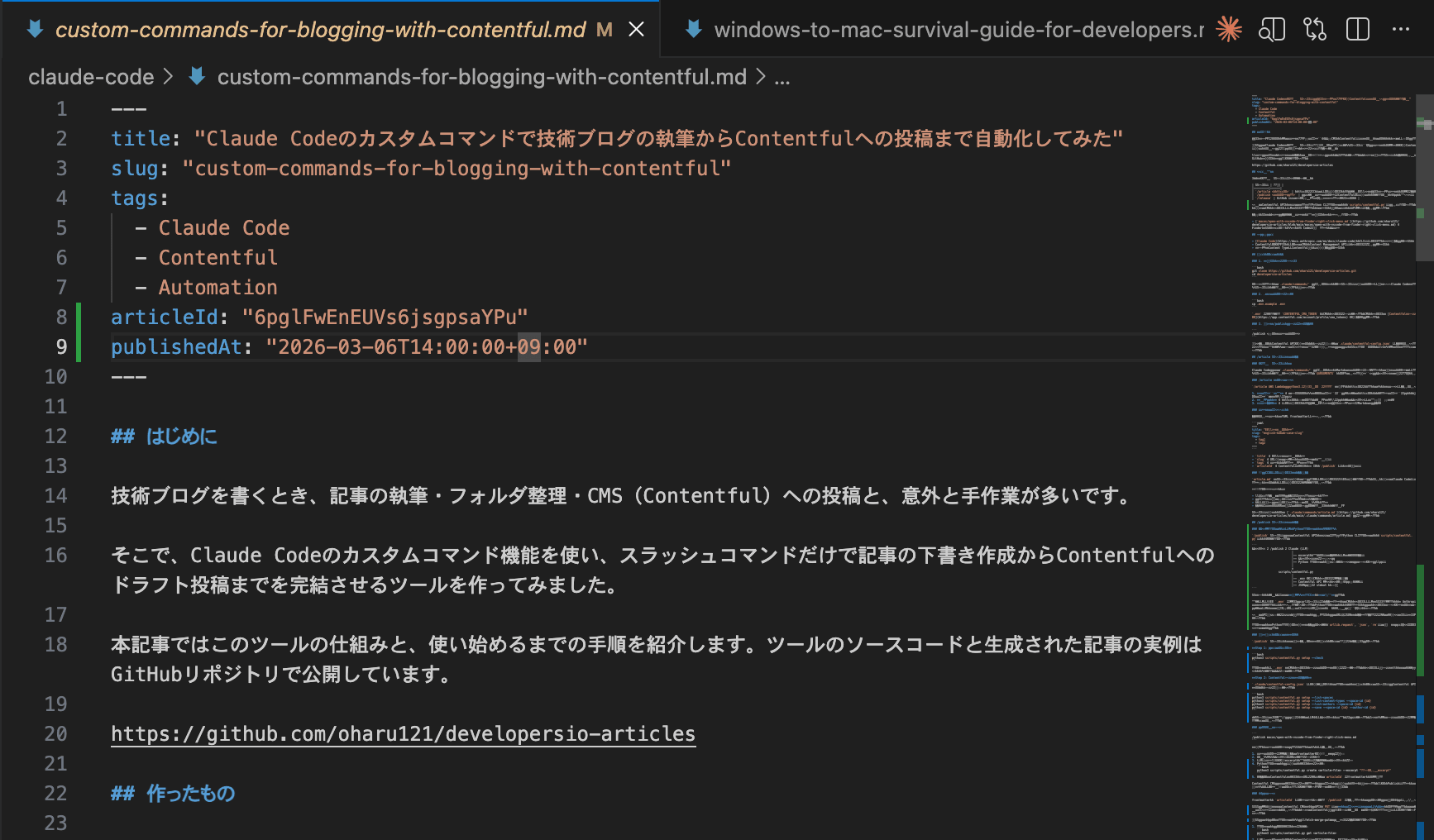
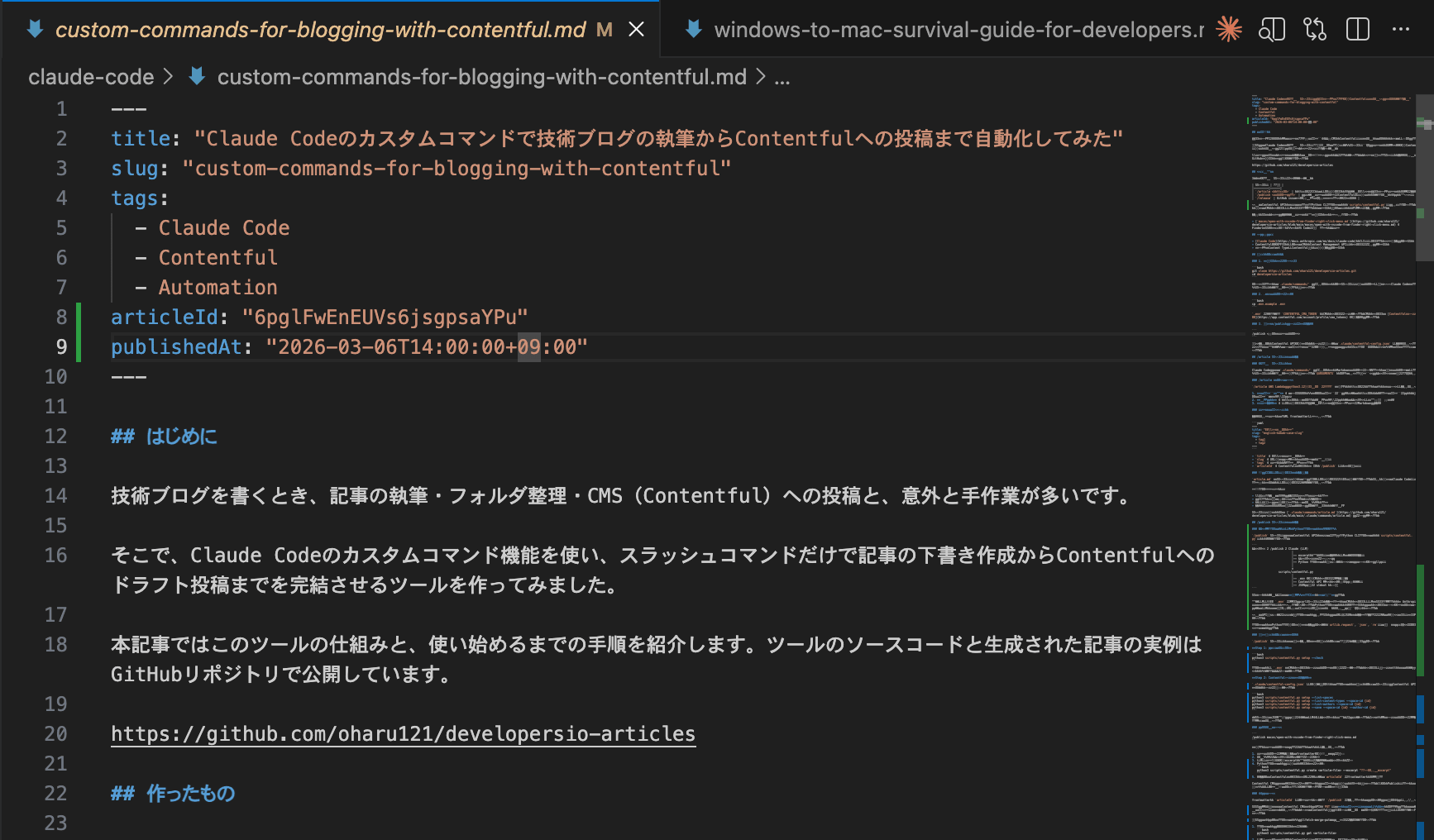
Example of a created article:
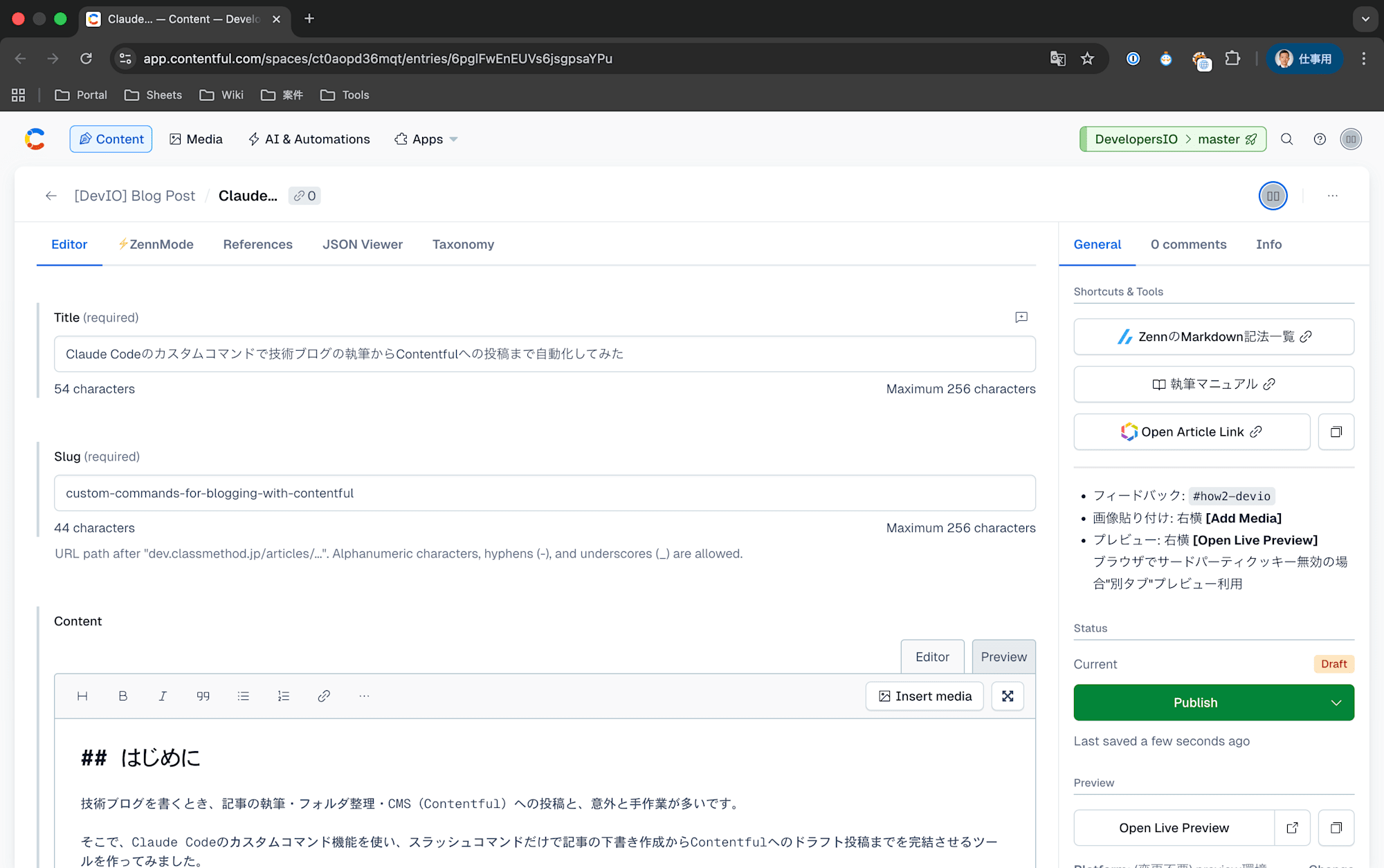
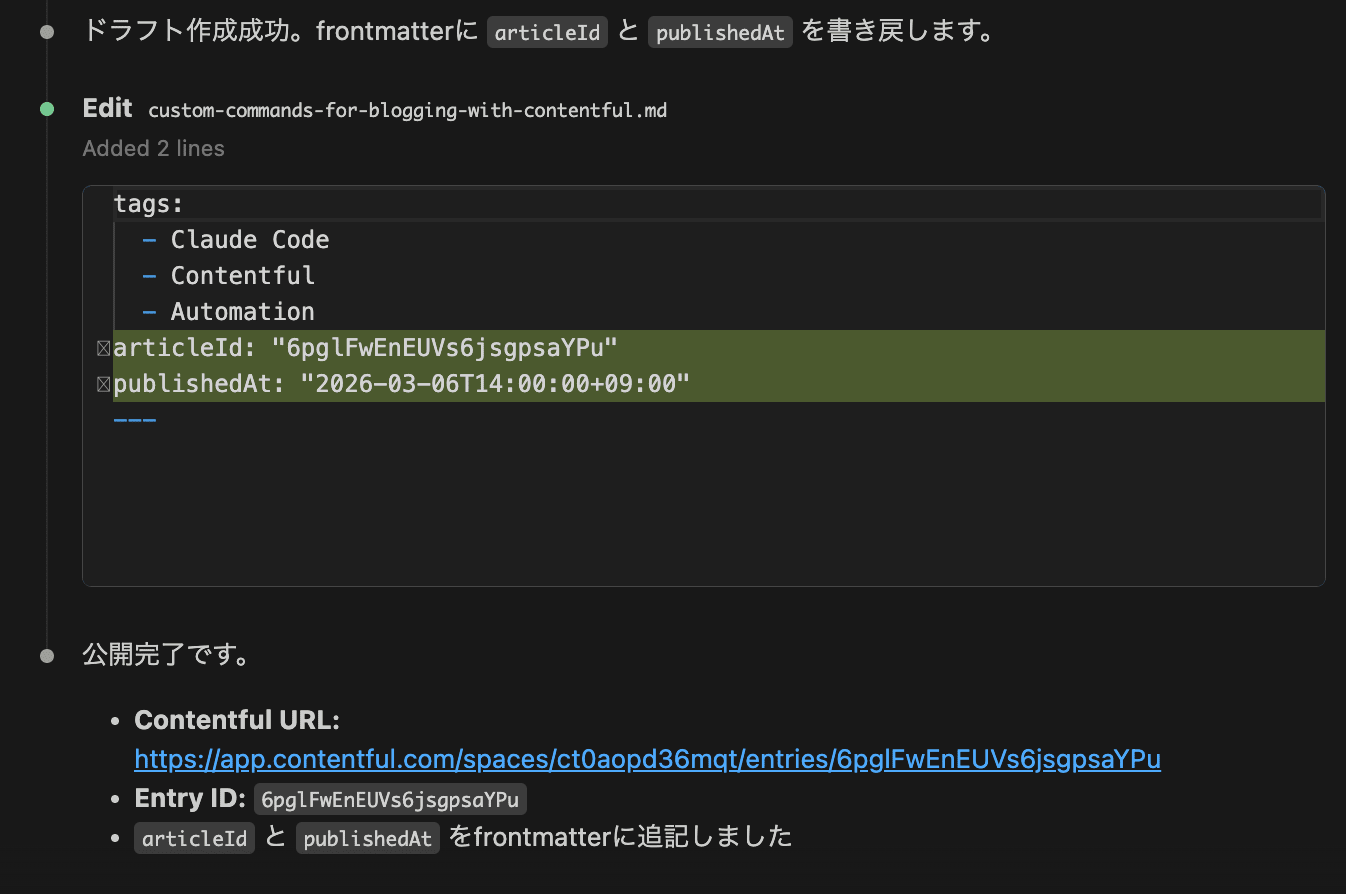
Example of a posted article (draft):
What I Built
I created two custom commands.
| Command | Function |
|---|---|
/article <topic> |
Generates a draft Japanese technical blog article based on the topic, compliant with the guidelines |
/publish <file path> |
Posts the specified article file to Contentful as a draft (also supports updates) |
All communication with the Contentful API is handled through a Python CLI script (scripts/contentful.py). This allows API operations to be performed safely without the CMA token entering the LLM's context.
Prerequisites & Environment
- Claude Code (CLI) must be installed
- You must have a Contentful account and be able to issue a CMA (Content Management API) token
- The blog's Content Type must be defined in Contentful
Setup Instructions
1. Clone the Repository
git clone https://github.com/oharu121/developersio-articles.git
cd developersio-articles
After cloning, the command definition files in the .claude/commands/ directory will be immediately available as Claude Code slash commands.
2. Create a .env File
cp .env.example .env
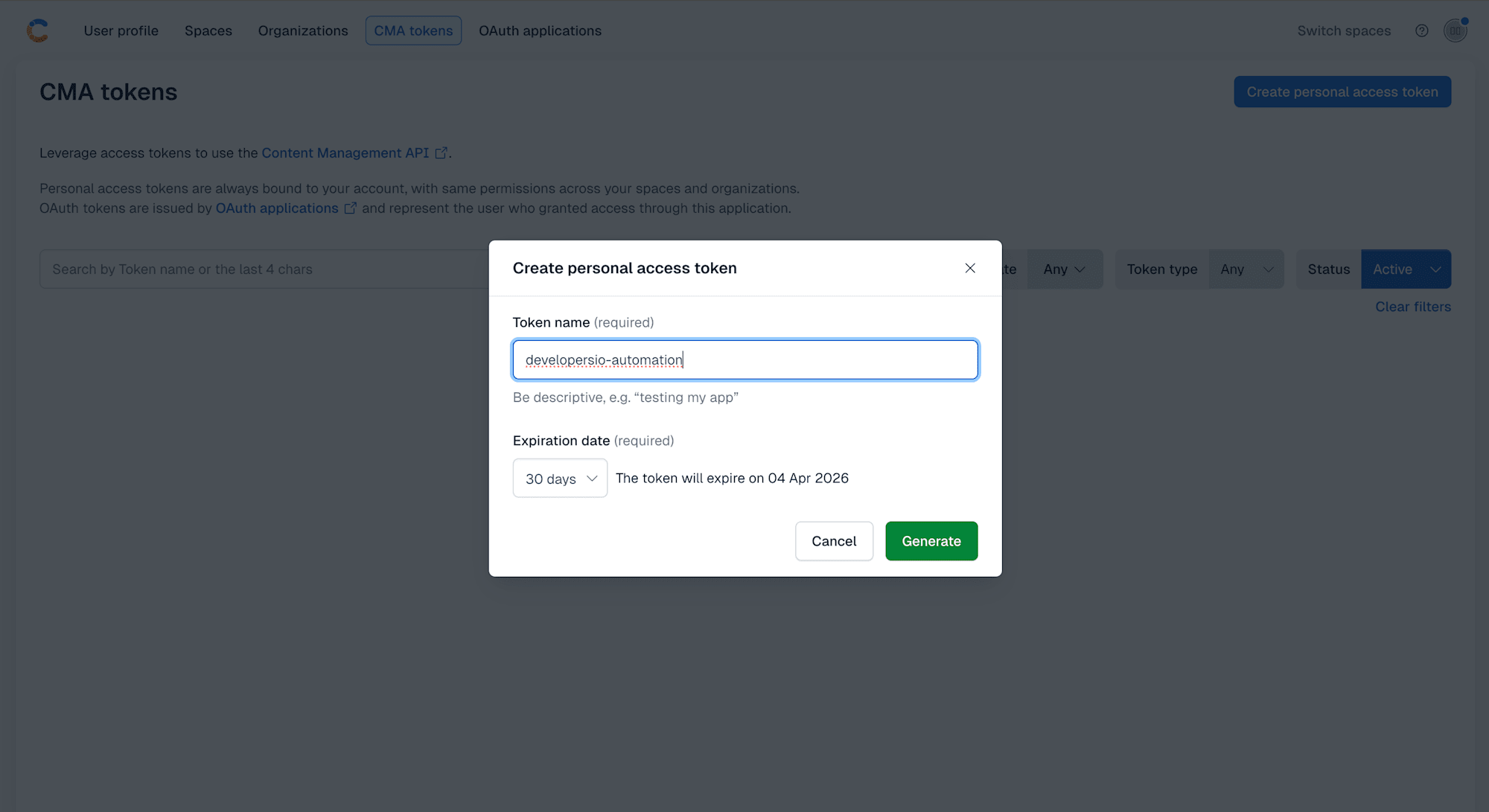
Edit .env and set your CMA token in CONTENTFUL_CMA_TOKEN. The CMA token can be generated from the Contentful settings page.
How the /article Command Works
What Are Custom Commands
In Claude Code, placing a Markdown file in the .claude/commands/ directory makes the filename available as a slash command. User input can be received via the $ARGUMENTS placeholder.
/article Workflow
When you pass a topic like /article Try Python 3.12 runtime on AWS Lambda, the following flow is executed:
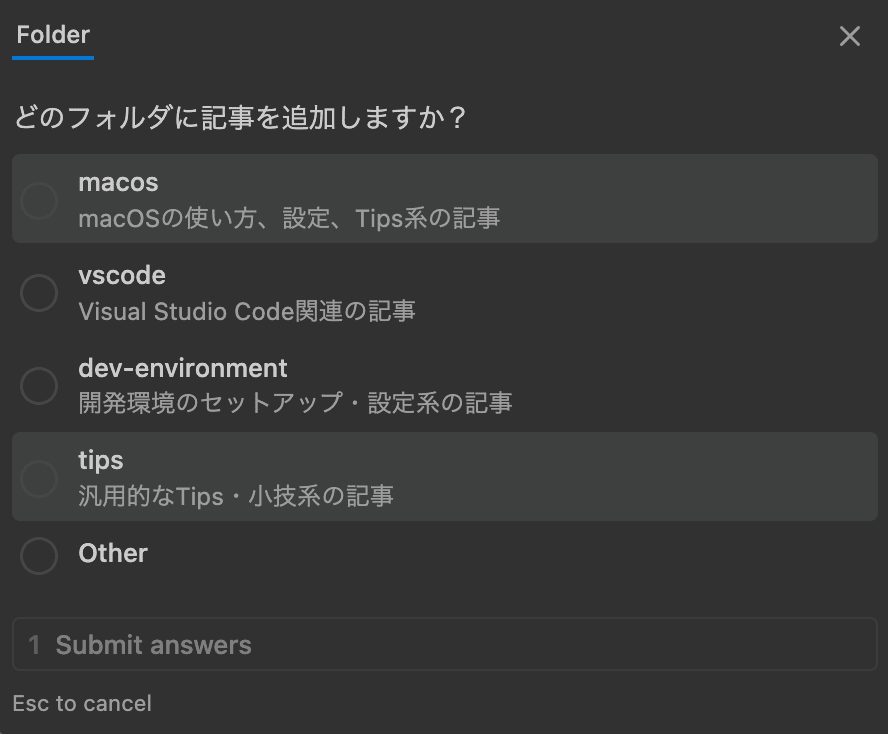
- Folder selection — Lists existing folders in the project, suggests a folder related to the topic, or proposes a new folder name if none exists
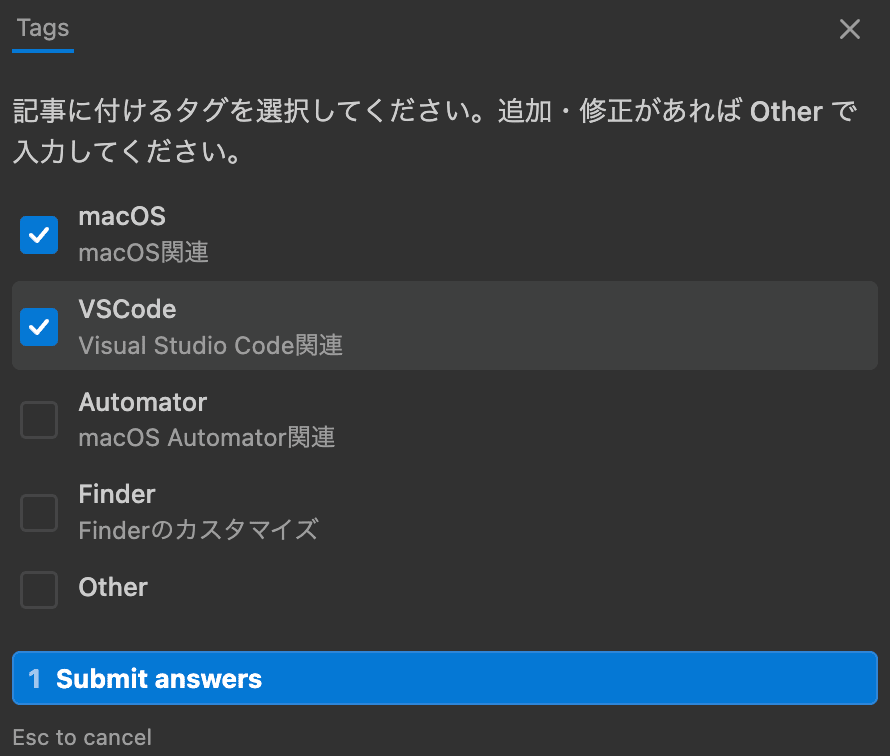
- Tag suggestions — Suggests relevant tag candidates based on the topic, allowing the user to select, add, or modify them
- Article generation — Generates a Japanese technical blog article in Markdown, compliant with the guidelines
Article Format
The generated article includes YAML frontmatter.
---
title: "Japanese title"
slug: "english-kebab-case-slug"
tags:
  - tag1
  - tag2
---
title— The article title in Japaneseslug— An English key for URLs (also used as the filename)tags— A list of tags related to the articlearticleId— The Contentful entry ID (automatically appended after/publish)
Embedding Media Guidelines
The media guidelines are written directly in the article.md command definition. This ensures Claude Code automatically considers the guidelines when generating articles.
Examples of included rules:
- Write from a "tried it out" perspective based on firsthand experience
- Avoid dissing (criticizing other products or services)
- Base content on sources rather than speculation or hearsay
- Use AI as an assistant only, not as a substitute for your own thinking
The full command definition can be found at .claude/commands/article.md.
How the /publish Command Works
Automated Initial Setup
The /publish command includes an automatic setup feature for the first run.
Step 1: Environment Check
python3 scripts/contentful.py setup --check
The script checks for the CMA token in .env and the existence of the configuration file. If the token is not set, it guides the user on how to obtain one and halts the process.
Step 2: Automatic Contentful Configuration Generation
If .claude/contentful-config.json does not exist, the script's setup command automatically detects the configuration from the Contentful API.
python3 scripts/contentful.py setup --list-spaces
python3 scripts/contentful.py setup --list-content-types --space-id {id}
python3 scripts/contentful.py setup --list-authors --space-id {id}
python3 scripts/contentful.py setup --save --space-id {id} --author-id {id}
Each command returns results in JSON format, and the LLM presents options to the user. From the second run onward, this step is skipped by simply reading the configuration file.
New Post Flow
When you pass the path to an article file like:
/publish macos/open-with-vscode-from-finder-right-click-menu.md
the following is executed:
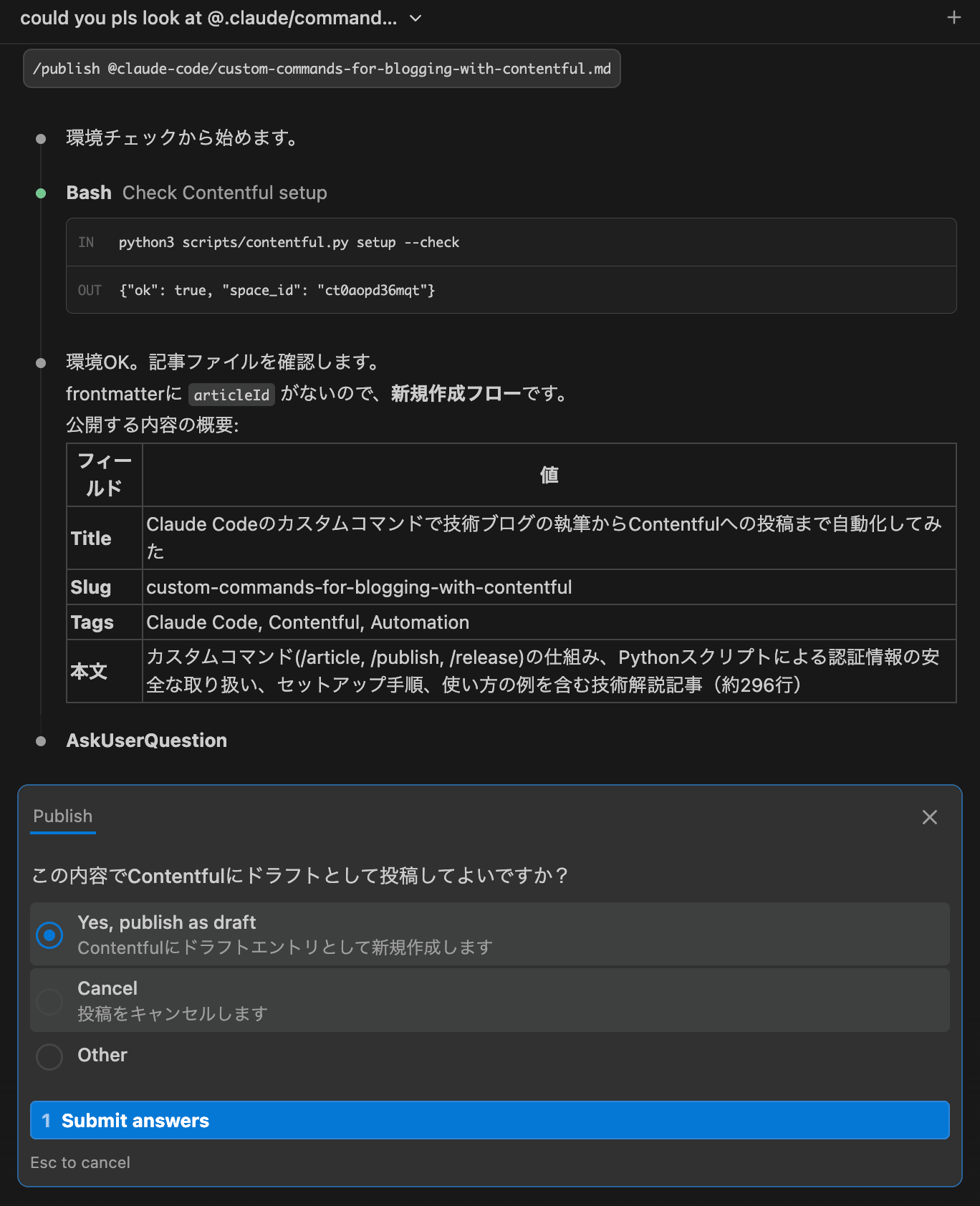
- Reads the article file and extracts metadata from the frontmatter
- Displays the post content to the user for confirmation
- The LLM generates an excerpt (summary) from the article body and asks for user confirmation
- On success, displays the Contentful entry URL and writes back the
articleIdto the frontmatter
With the Contentful CMA, entries are created in draft status by default. Publishing requires a separate API call, so there's no risk of accidentally publishing.
Update Flow
Running /publish on an article that has articleId in its frontmatter will perform an update rather than create a new entry.
An important point here is that Contentful CMA's update API (PUT) requires all fields to be sent. Any fields not sent will be deleted. This means thumbnails, categories, and other fields set directly in Contentful could be lost.
To address this, the script implements a "fetch-merge-put" pattern for updates:
- The LLM compares local content with the values in Contentful and displays the diff to the user
- The user is asked how to handle the excerpt (keep as is / regenerate / rewrite)
- The update is executed
Internally, the script only overwrites fields managed locally (title, slug, content, tags, excerpt), while preserving fields set directly in Contentful (thumbnail, categories, etc.). Optimistic locking via the X-Contentful-Version header is also implemented.
Notes on CMA Tokens
A Contentful CMA token is a space-level access key and is not tied to a specific user. This means anyone with the token can post articles under any name. The Author Profile is merely a link field within an entry and has nothing to do with authentication.
Therefore:
- Store the token in
.envand exclude it via.gitignore - Set your own Author ID in
contentful-config.json(automatically configured during initial setup) - Never share or commit the token
- Do not let the LLM read the token — API operations are handled via a Python script so that the token never enters the LLM's context
The full command definition is at .claude/commands/publish.md, and the Python script is at scripts/contentful.py.
Project Structure
developersio-articles/
├── .claude/
│   ├── commands/
│   │   ├── article.md          # /article command definition
│   │   ├── publish.md          # /publish command definition
│   │   └── release.md          # /release command definition
│   └── contentful-config.json  # Contentful connection config (auto-generated, gitignored)
├── scripts/
│   └── contentful.py           # CLI script for Contentful API operations
├── .env                        # CMA token (gitignored)
├── .env.example                # Template
├── .gitignore
├── .plans/                     # Release plans
├── README.md
└── <category folder>/
    └── <slug>.md               # Article file
Usage Examples
Writing an Article
/article Try Python 3.12 runtime on AWS Lambda
An interactive flow of folder selection → tag selection → article generation begins.
Posting an Article
/publish aws-lambda/try-aws-lambda-python312.md
Content confirmation → Draft posted to Contentful → Entry URL is displayed.
Updating an Article
After editing an article, you can update it with the same command.
/publish aws-lambda/try-aws-lambda-python312.md
The update flow is automatically triggered by detecting the articleId in the frontmatter. Thumbnails and other fields set in Contentful are preserved.
Summary
Using Claude Code's custom command feature, I was able to significantly simplify the technical blog writing workflow.
Key takeaways:
- Custom commands can be defined with a single Markdown file — No external scripts or packages needed
- Guidelines can be embedded directly in commands — Article quality is automatically ensured
- Integration with the Contentful API is possible — Draft posting and updates can be automated with just a CMA token
- Secure handling of credentials — API operations are delegated to a Python script, designed so the CMA token never enters the LLM's context
- Automated initial setup — The mechanism to detect and generate configuration from the API when it doesn't exist makes it easy for other team members to get started
- Data protection during updates — The fetch-merge-put pattern prevents breaking fields in Contentful
The source code and generated examples are all publicly available in the GitHub repository. Since custom command definition files are just Markdown, they can be customized to fit your own project or applied to uses beyond blogging (document generation, code review, deployment procedures, etc.).
