
Trying Automatic Scheduling of Agent Upgrades with Datadog Fleet Automation

This page has been translated by machine translation. View original
Hello. I'm Shiina from the Operations department.
Introduction
How are you managing the versions of your Datadog agents?
In environments with numerous hosts, upgrading agents can become a tedious task.
Logging into each host individually to perform upgrades is inefficient and makes unified version management difficult.
With Datadog Fleet Automation's remote agent management feature, you can perform upgrades to multiple hosts together from the console.
For more information about upgrades with remote agents, please refer to the following article:
By using the upgrade scheduling feature, you can automatically execute upgrades during specified time periods, allowing for integration with regular maintenance or overnight maintenance operations.
I've actually tried it out, so I've compiled information about the scheduling feature's settings and actual behavior.
About the Scheduling Feature
This is one of the remote agent management features in Datadog Fleet Automation.
Previously, upgrades had to be executed manually from the remote agent management screen,
but there's a scheduling feature that automatically performs upgrades during a specified period.
Specifications
- During the scheduled period, it regularly checks for new versions
- When a new version is detected, you can select from the following 3 target versions for the upgrade
| Option | Description |
|---|---|
| Latest version (N) | The latest minor version |
| Previous generation (N-1) | The previous minor version |
| Two generations back (N-2) | The minor version from two releases ago |
- Upgrades are only performed within the scheduled period
- If the scheduled period ends during an upgrade, it will pause and resume during the next period
- Schedules can be set by combining day of week, time period, and timezone
- Upgrade targets can be filtered by tags, OS, hostname, etc.
Prerequisites
- Installed Datadog agent version must be 7.73.0 or later
- Remote Configuration must be enabled for your Datadog organization
Important Notes
For upgrades via Fleet Automation, the following points require attention:
Disk Space
The upgrade requires at least 1.3 GB (recommended: 2 GB or more) of free space in the following directories:
- Linux:
/opt/datadog-packages - Windows:
C:\ProgramData\Datadog\Installer\packages
Downtime
There will be approximately 5-30 seconds of downtime during agent restart.
The entire upgrade process takes about 5 minutes.
To minimize impact on monitoring, it's recommended to schedule during times with minimal business impact.
Let's Try It
Let's set up a schedule to upgrade Datadog agents on hosts to the latest version.
- OS: Amazon Linux 2023
- Number of target hosts: 5
- Before upgrade: Agent 7.73.0
- After upgrade: Agent 7.78.0
Schedule Setup
-
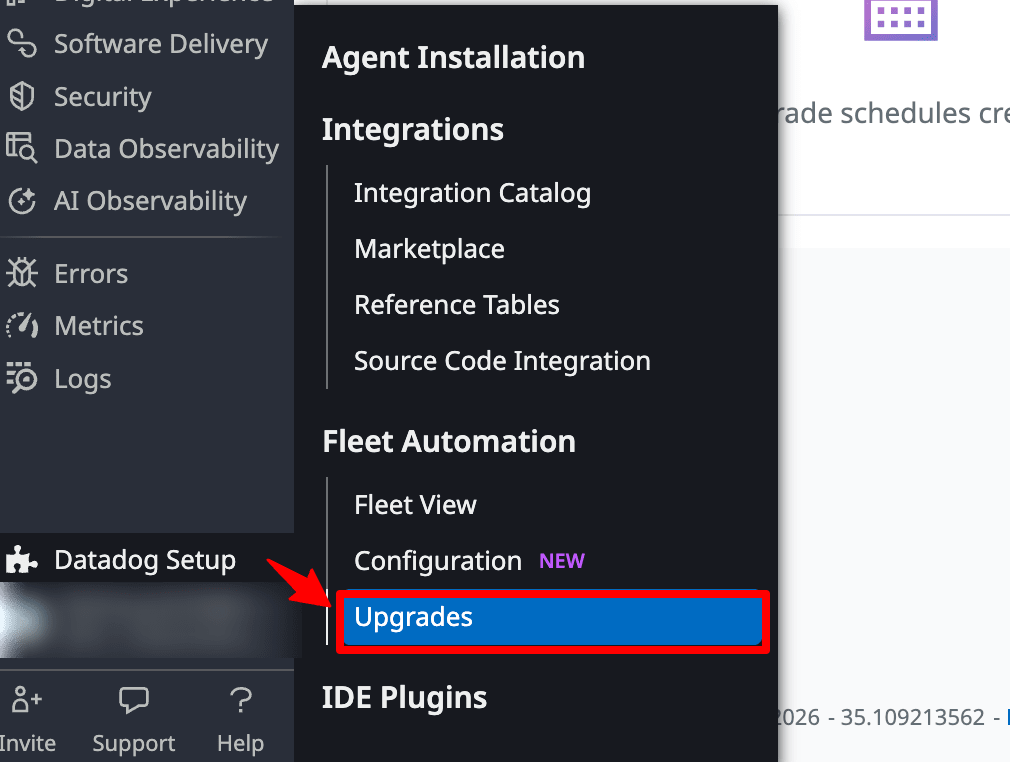
Select "Datadog Setup → Upgrades" from the Datadog console menu.
-
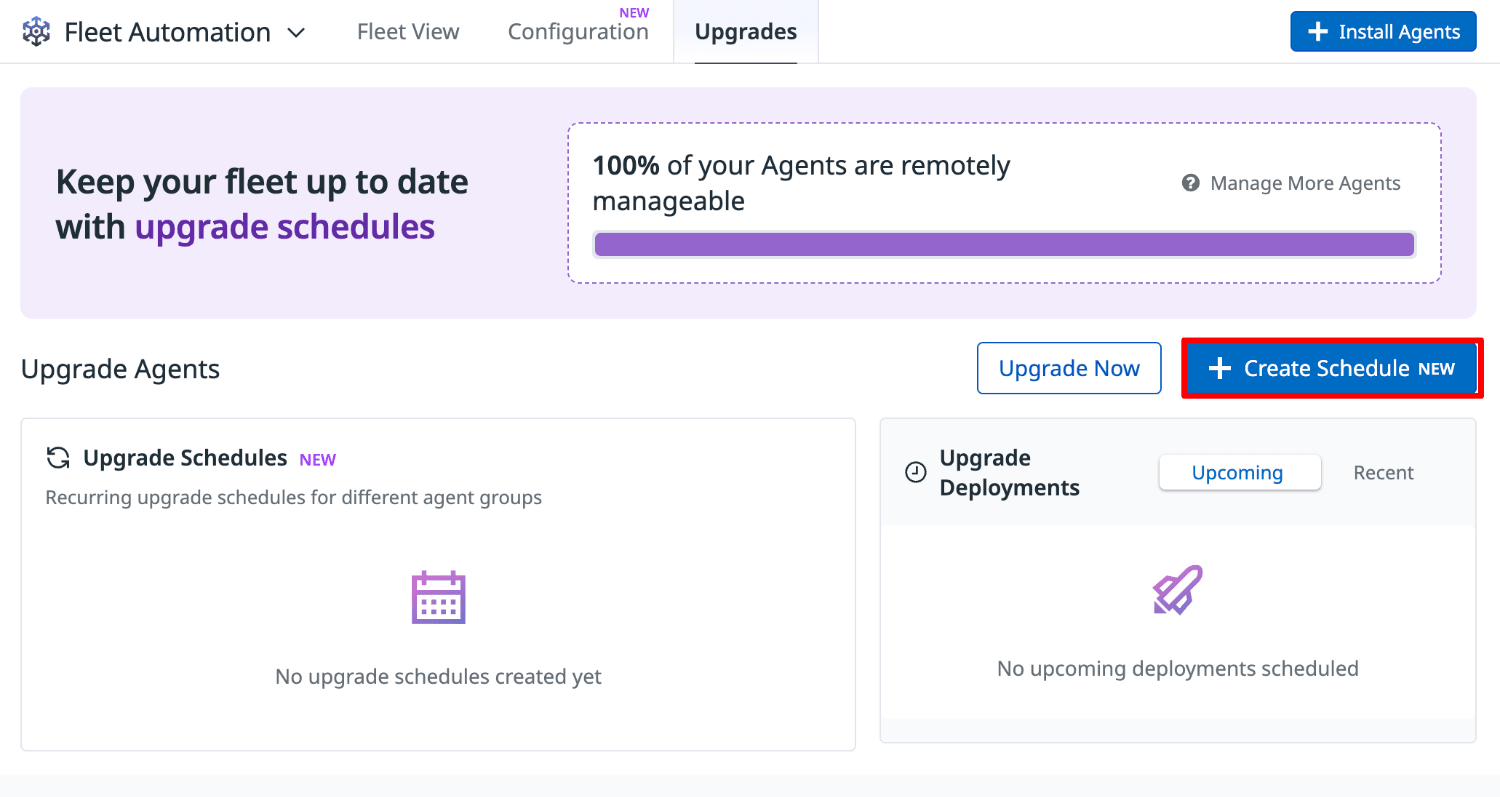
Select "Create Schedule".
-
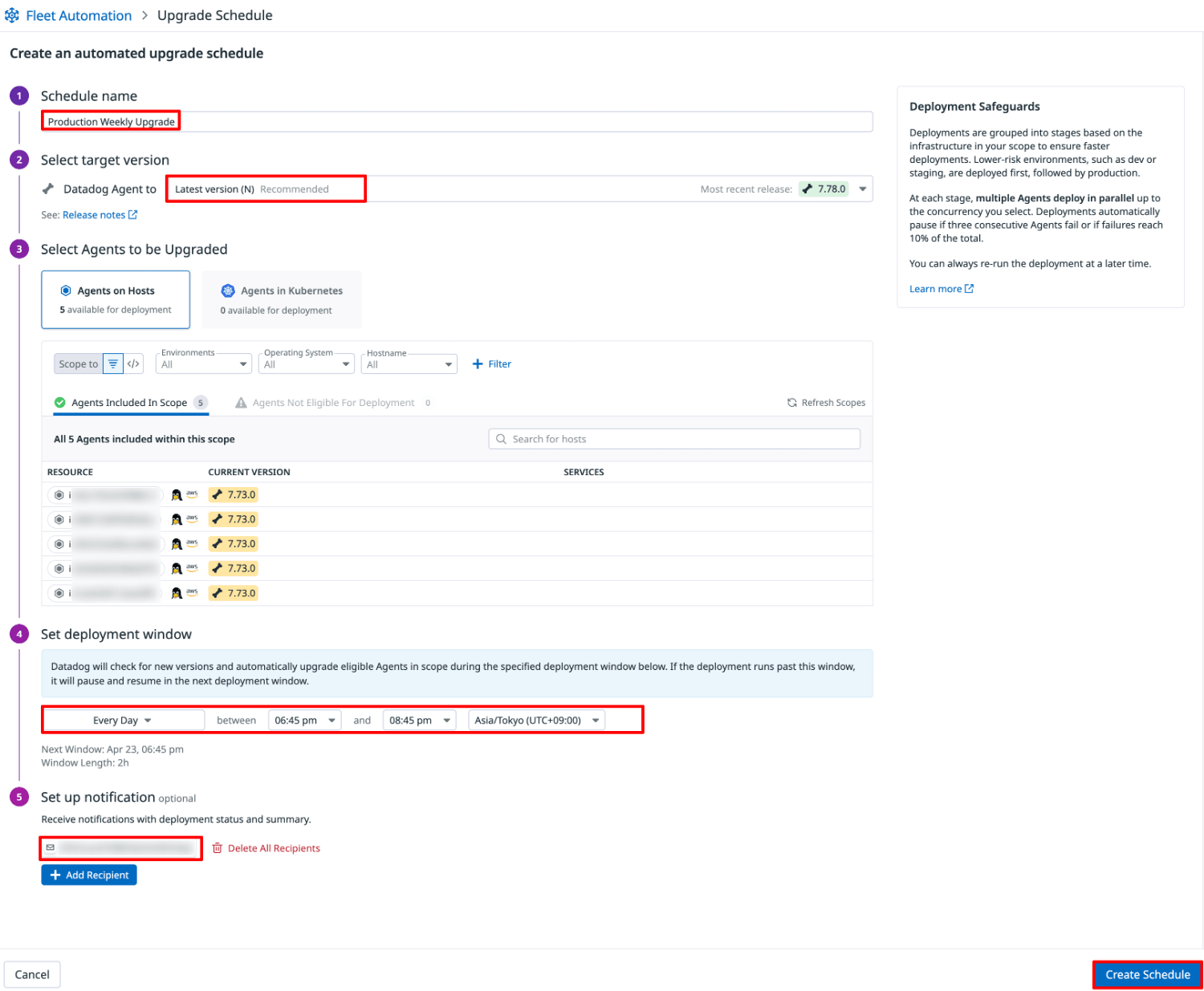
Enter the following settings and select "Create Schedule".
| Setting | Description |
|---|---|
| Schedule name | Any name to identify the schedule |
| Select target version | Target agent version for upgrade (N / N-1 / N-2) |
| Select Agents to be Upgraded | Scope of target hosts (tags, OS, hostname, etc.) |
| Set deployment window | Schedule period to execute the upgrade |
| Set up notification | Notification destination for upgrade-related events |
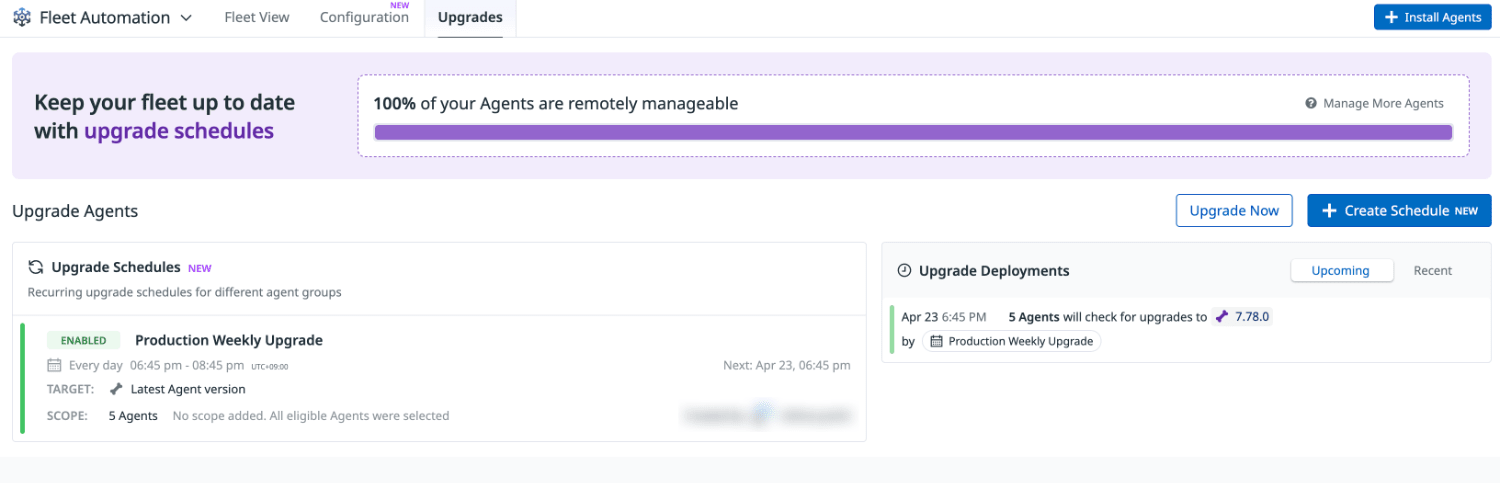
- Once the setup is complete, the configuration list and the next scheduled time will be displayed.
Upgrade via Schedule
When the scheduled start time arrives, the upgrade task will begin.
A notification will be sent to the destination specified in Set up notification.
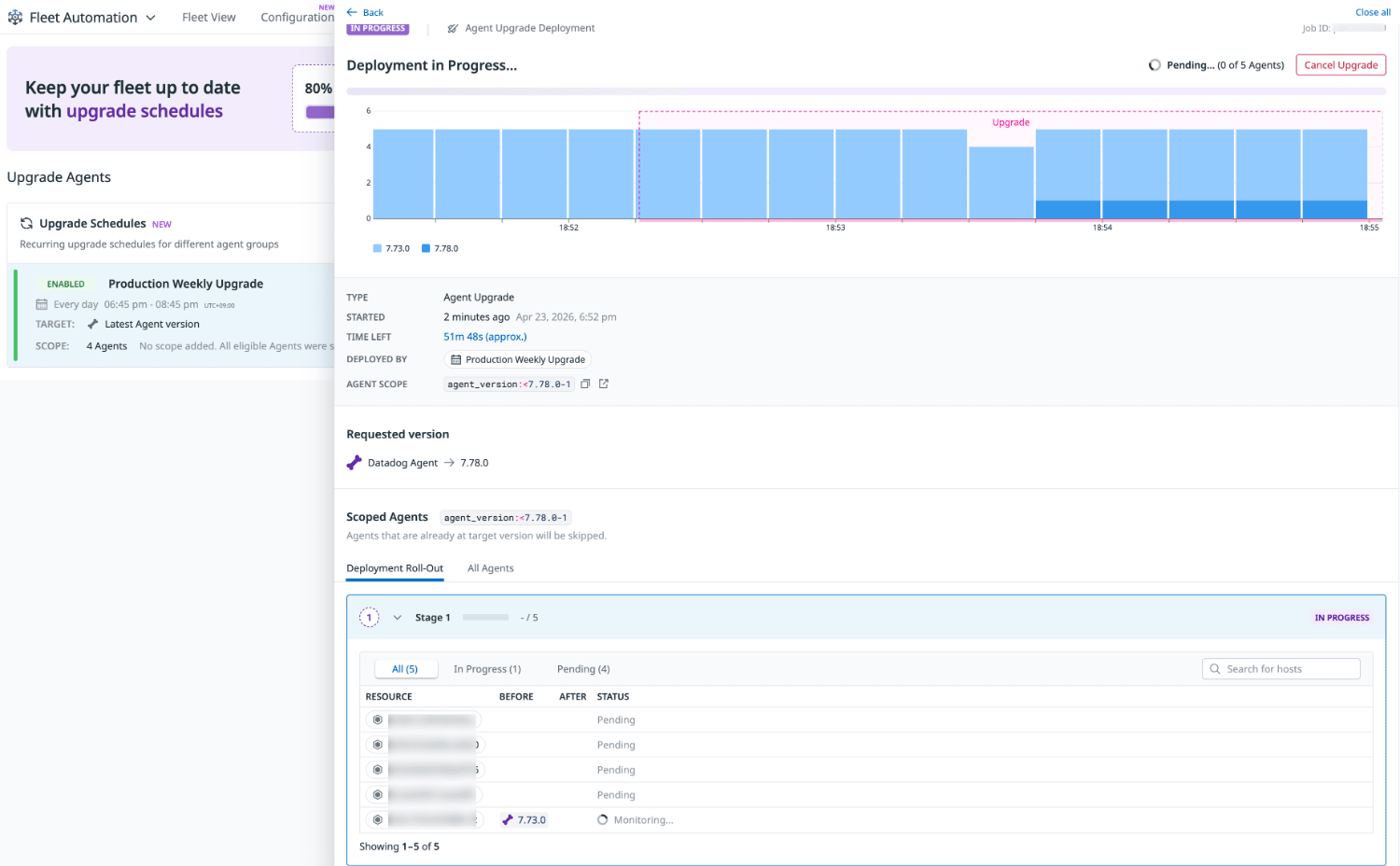
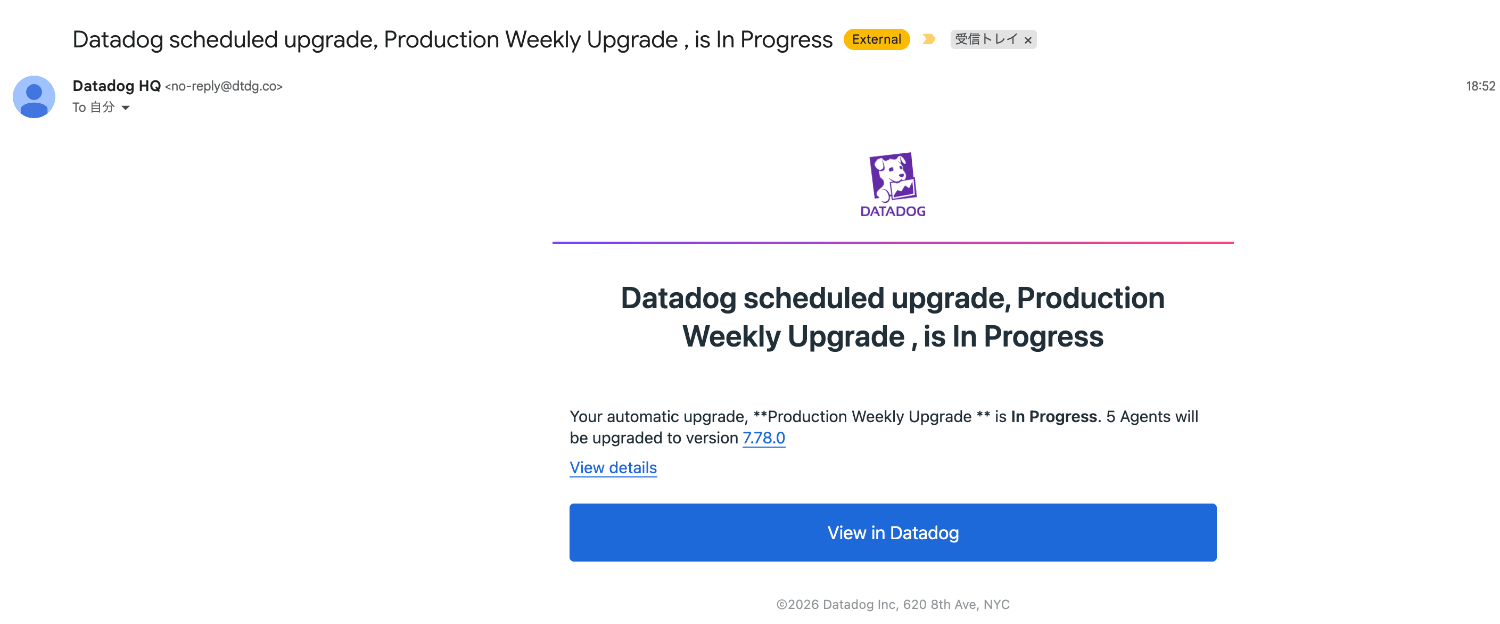
In this case, I set the schedule to start at 18:45, but the actual task start and notification receipt was at 18:52.
The schedule setup screen shows the following message:
Datadog will check for new versions and automatically upgrade eligible Agents in scope during the specified deployment window below.
As stated in "during the specified deployment window," checks and upgrades are not executed immediately at the start time but at some point during the window period.
When setting maintenance time periods, it's good to allow extra time in the window to account for this.
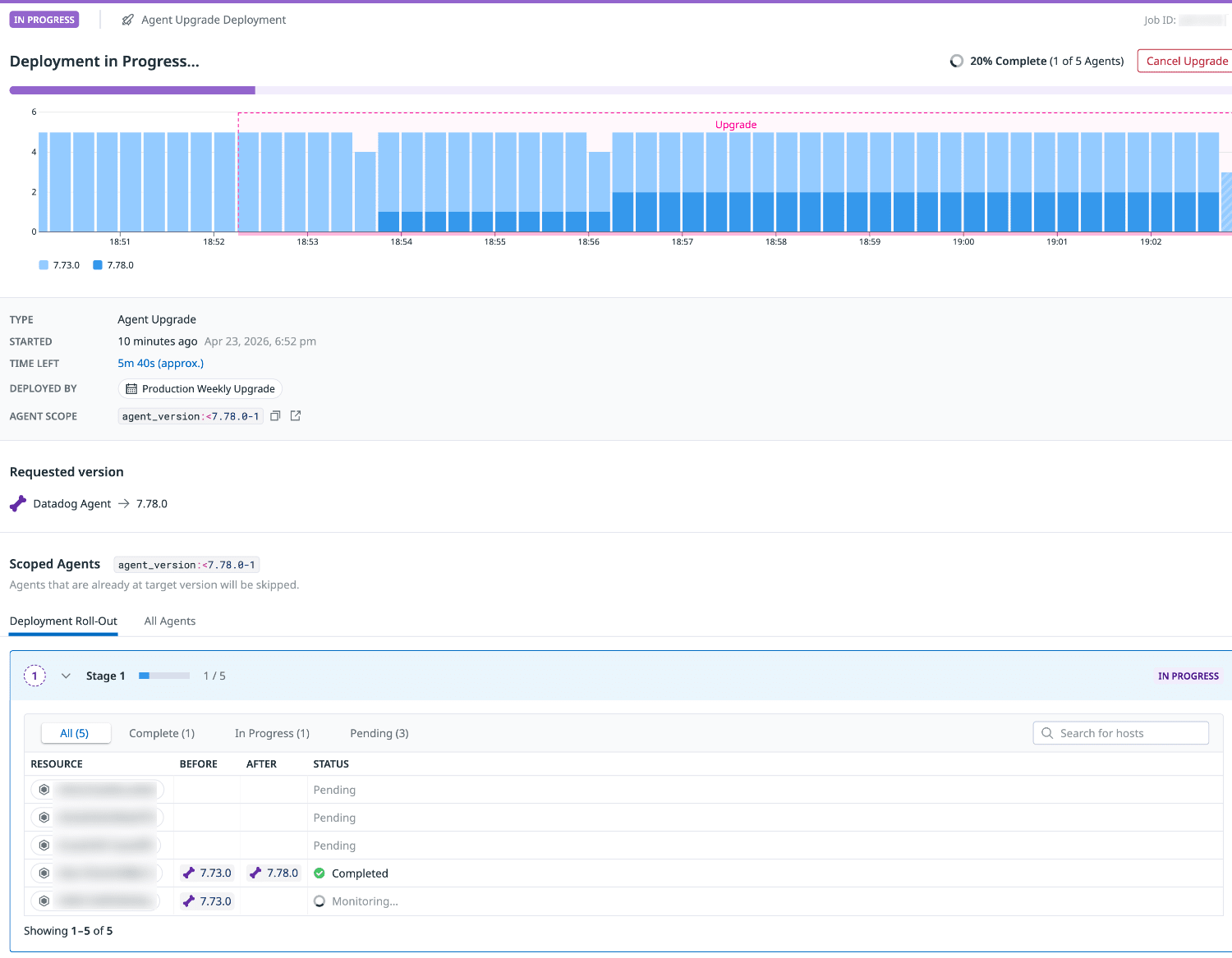
Upgrades are performed sequentially using a rolling deployment method.
When the upgrade is completed on each host, its status changes to Completed.
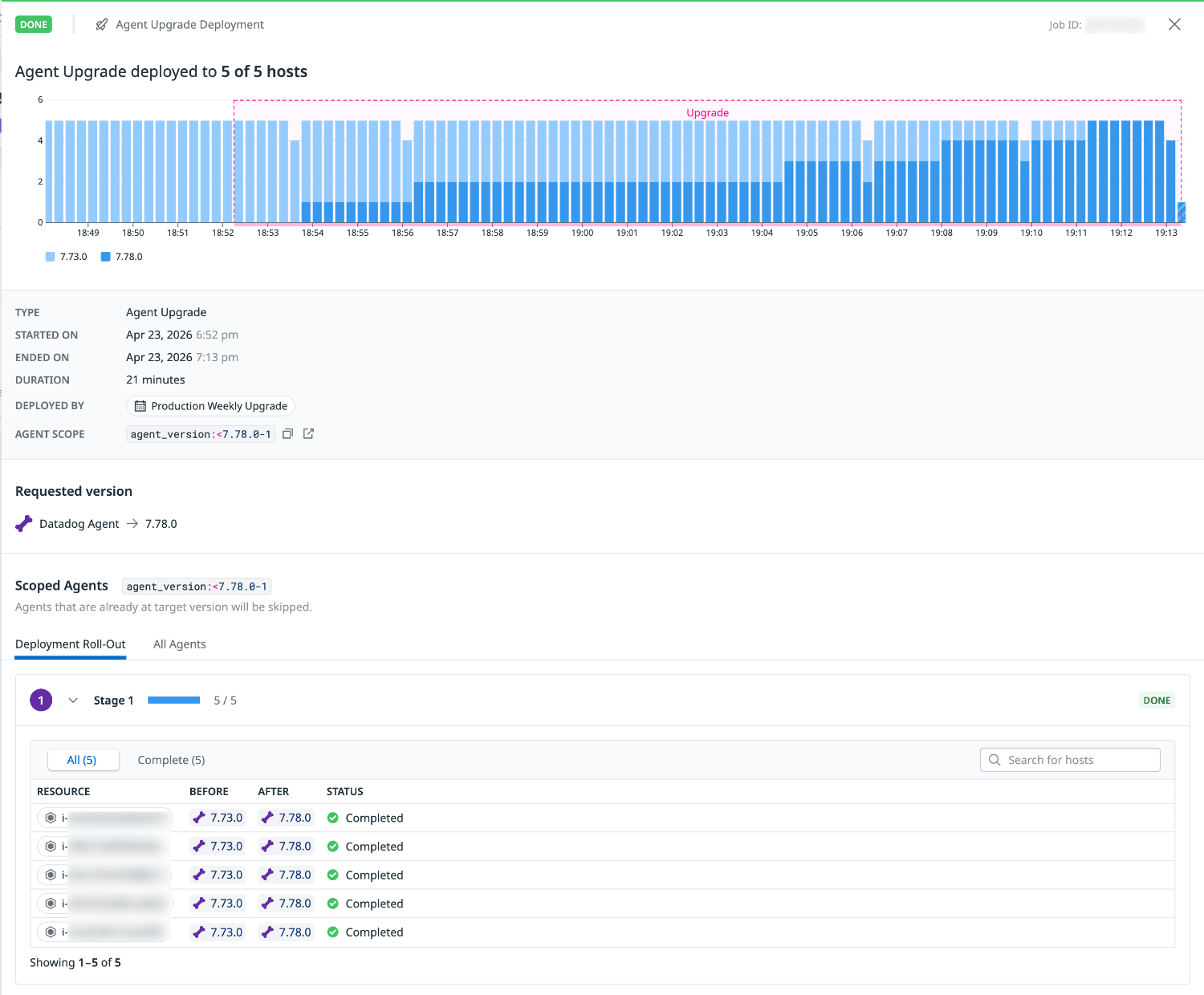
All 5 hosts were successfully upgraded. Each upgrade took about 4-5 minutes.
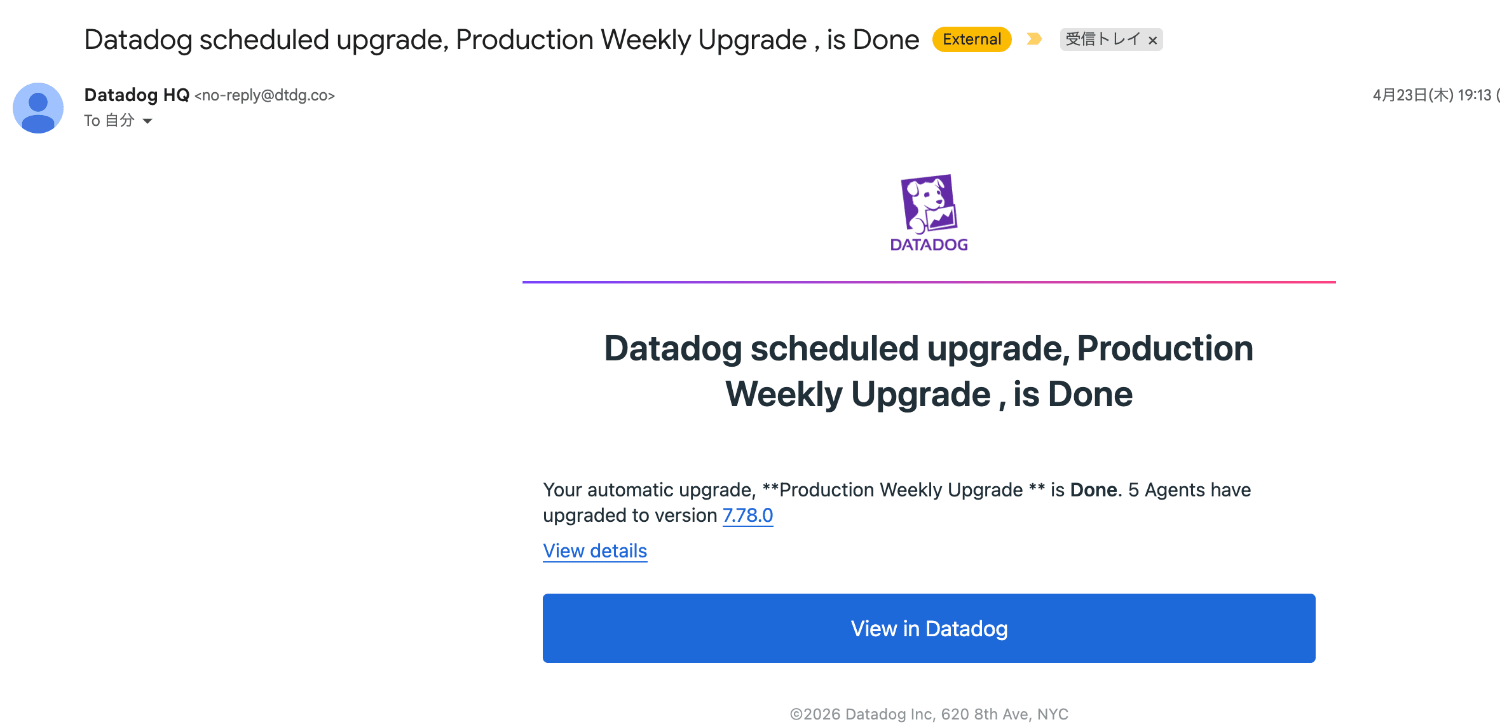
A notification is also sent upon completion.
Checking the Datadog Agent
After the upgrade, check the agent status on the target hosts.
Checking service status
systemctl status datadog-agent
● datadog-agent.service - Datadog Agent
     Loaded: loaded (/etc/systemd/system/datadog-agent.service; enabled; preset: disabled)
     Active: active (running) since Thu 2026-04-23 09:55:27 UTC; 2min 43s ago
   Main PID: 6310 (agent)
      Tasks: 8 (limit: 1014)
     Memory: 49.1M
        CPU: 2.955s
     CGroup: /system.slice/datadog-agent.service
             └─6310 /opt/datadog-packages/datadog-agent/stable/bin/agent/agent run -p /opt/datadog-packages/datadog-agent/stable/run/agent.pid

Apr 23 09:56:48 ip-10-0-0-123.ap-northeast-1.compute.internal agent[6310]: 2026-04-23 09:56:48 UTC | CORE | INFO | (pkg/collector/worker/check_logger.go:40 in CheckStarted) | check:telemetry | Runn>
Apr 23 09:56:48 ip-10-0-0-123.ap-northeast-1.compute.internal agent[6310]: 2026-04-23 09:56:48 UTC | CORE | INFO | (pkg/collector/worker/check_logger.go:59 in CheckFinished) | check:telemetry | Don>
Apr 23 09:56:49 ip-10-0-0-123.ap-northeast-1.compute.internal agent[6310]: 2026-04-23 09:56:49 UTC | CORE | INFO | (pkg/collector/worker/check_logger.go:40 in CheckStarted) | check:memory | Running>
Apr 23 09:56:49 ip-10-0-0-123.ap-northeast-1.compute.internal agent[6310]: 2026-04-23 09:56:49 UTC | CORE | INFO | (pkg/collector/worker/check_logger.go:59 in CheckFinished) | check:memory | Done r>
Apr 23 09:56:50 ip-10-0-0-123.ap-northeast-1.compute.internal agent[6310]: 2026-04-23 09:56:50 UTC | CORE | INFO | (pkg/collector/worker/check_logger.go:40 in CheckStarted) | check:io | Running che>
Apr 23 09:56:50 ip-10-0-0-123.ap-northeast-1.compute.internal agent[6310]: 2026-04-23 09:56:50 UTC | CORE | INFO | (pkg/collector/worker/check_logger.go:59 in CheckFinished) | check:io | Done runni>
Apr 23 09:56:51 ip-10-0-0-123.ap-northeast-1.compute.internal agent[6310]: 2026-04-23 09:56:51 UTC | CORE | INFO | (pkg/collector/worker/check_logger.go:40 in CheckStarted) | check:disk | Running c>
Apr 23 09:56:51 ip-10-0-0-123.ap-northeast-1.compute.internal agent[6310]: 2026-04-23 09:56:51 UTC | CORE | INFO | (pkg/collector/worker/check_logger.go:59 in CheckFinished) | check:disk | Done run>
Apr 23 09:56:52 ip-10-0-0-123.ap-northeast-1.compute.internal agent[6310]: 2026-04-23 09:56:52 UTC | CORE | INFO | (pkg/collector/worker/check_logger.go:40 in CheckStarted) | check:container_lifecy>
Apr 23 09:56:52 ip-10-0-0-123.ap-northeast-1.compute.internal agent[6310]: 2026-04-23 09:56:52 UTC | CORE | INFO | (pkg/collector/worker/check_logger.go:59 in CheckFinished) | check:container_lifec
We can confirm that the agent restart associated with the upgrade has completed successfully.
Version check
Next, let's check the version.
datadog-agent version
Agent 7.78.0 - Commit: 88ace41f75 - Serialization version: v5.0.184 - Go version: go1.25.8
We can confirm the upgrade to version 7.78.0, which was the latest version at the time of writing this article.
Summary
In this article, I tried out Datadog Fleet Automation's upgrade scheduling feature.
By simply setting up a schedule, you can automate agent upgrades across multiple hosts.
The rolling deployment method minimizes the impact of simultaneous upgrades.
By limiting the scheduled period to times with minimal business impact, you can safely incorporate upgrades into your operations.
Note that there may be slight delays in the start time, so it's recommended to allow extra time when setting maintenance windows.
If you operate numerous hosts, consider using this during overnight maintenance windows.
I hope this article has been helpful.
Reference