
I Had Kiro Web Fix a Bug Using the Agent-ready Specifications Created by the DevOps Agent

This page has been translated by machine translation. View original
I'm Iwata from the Retail App Co-creation Department @ Osaka.
DevOps Agent has a handy feature called Agent-ready specifications that creates documents for you.
This is a document for coding agents that describes recommendations related to code and configuration changes. If you hand this document to a coding agent, the AI can autonomously proceed with tasks such as creating PRs.
The official documentation states the following.
For recommendations that involve code or configuration changes, AWS DevOps Agent can generate an agent-ready specification. This specification provides a structured document that can be handed directly to a coding agent for implementation.
The specification includes:
- Problem statement – A summary of the issue and its root cause
- Solution summary – A high-level description of the recommended approach
- Target repositories – The specific repositories where changes need to be made
- Code changes – Detailed descriptions of what needs to change and why, with specific file paths and implementation considerations
- Test requirements – What scenarios need to be tested
- Implementation plan – A phased approach to implementing the changes
Agent-ready specifications accelerate implementation by providing coding agents with the context they need to make production-ready changes without requiring extensive back-and-forth with engineers.
In this blog, using the automatic blog review system I operate internally as an example, I'll walk you through the flow of actually generating Agent-ready specifications and fixing a bug.
Overview of the Target System and the Bug
The subject is the automatic blog review system introduced in the following blog.
Various processes have been added since I wrote that blog, and it now runs various check processes using Step Functions.
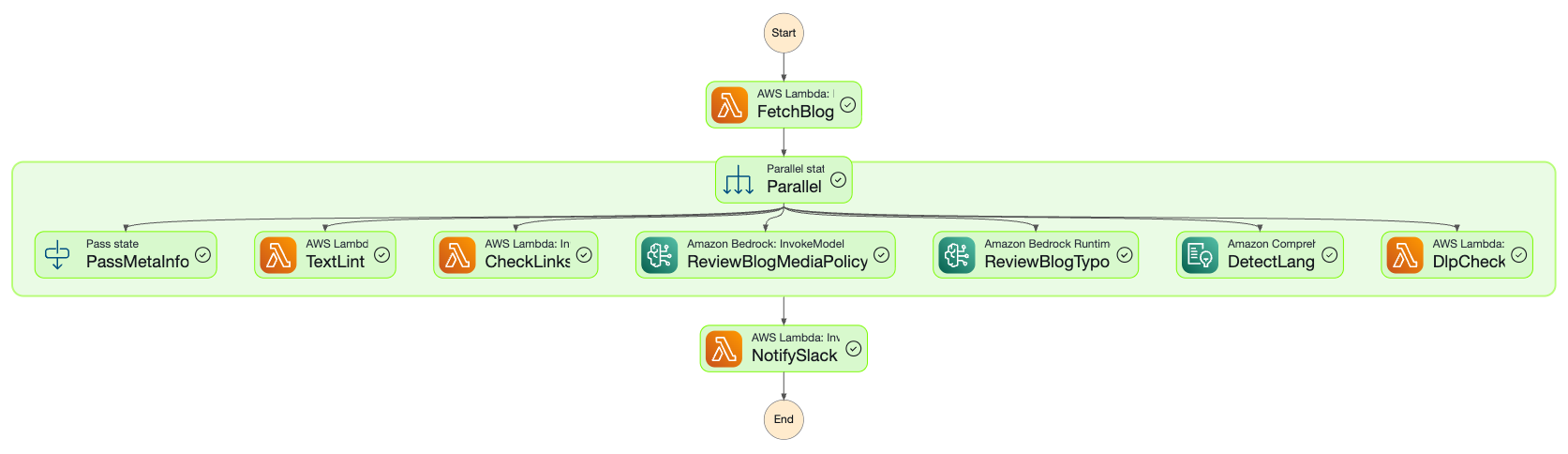
In this state machine, there was a bug in the implementation of the last Lambda, NotifySlack: when the review findings became long, they ran into a Slack API restriction and the Slack notification failed. Using this bug as the subject, I'll ask DevOps Agent to investigate and Kiro Web to fix it.
Investigating with DevOps Agent
First, let's have DevOps Agent investigate the defect. Note that the GitHub repository managing the source code has already been connected to the agent space beforehand.
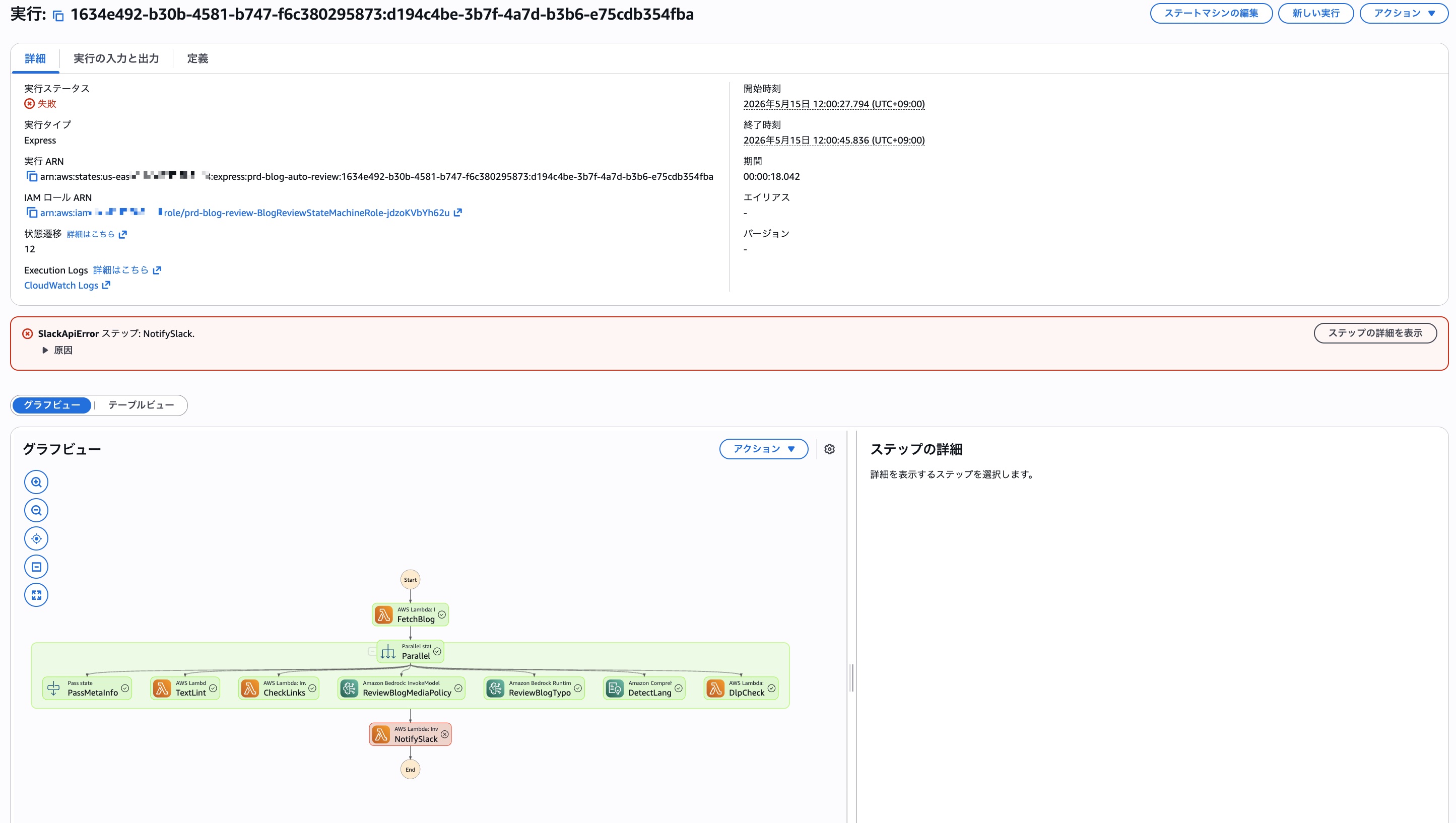
As shown below, there was a Step Functions execution that ended in an error. First, make a note of this execution ARN.
I asked DevOps Agent to investigate, attaching the execution ARN and the time range.
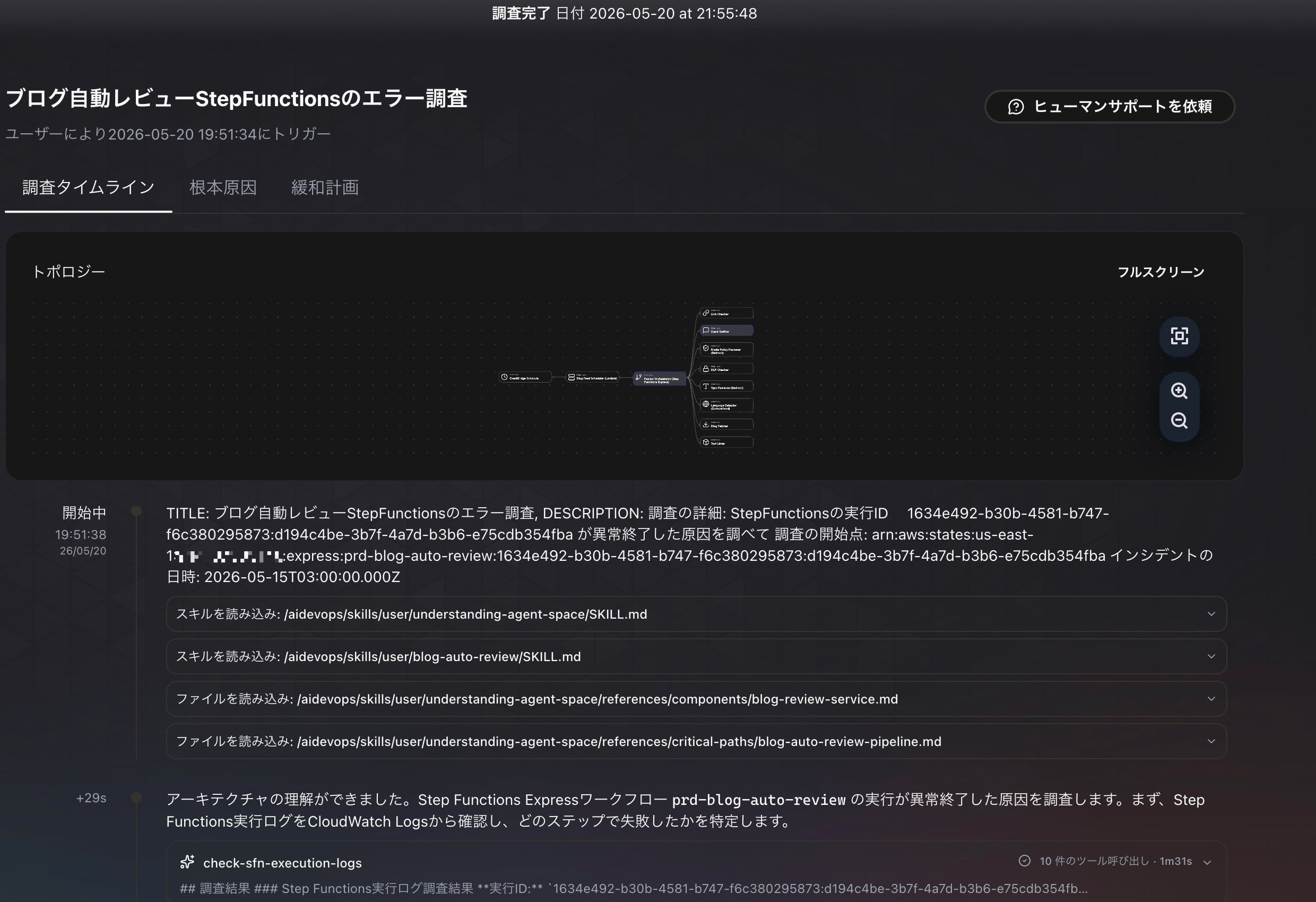
Once the investigation starts, let's wait for it to complete while having a coffee.
After waiting a while, the investigation completes.
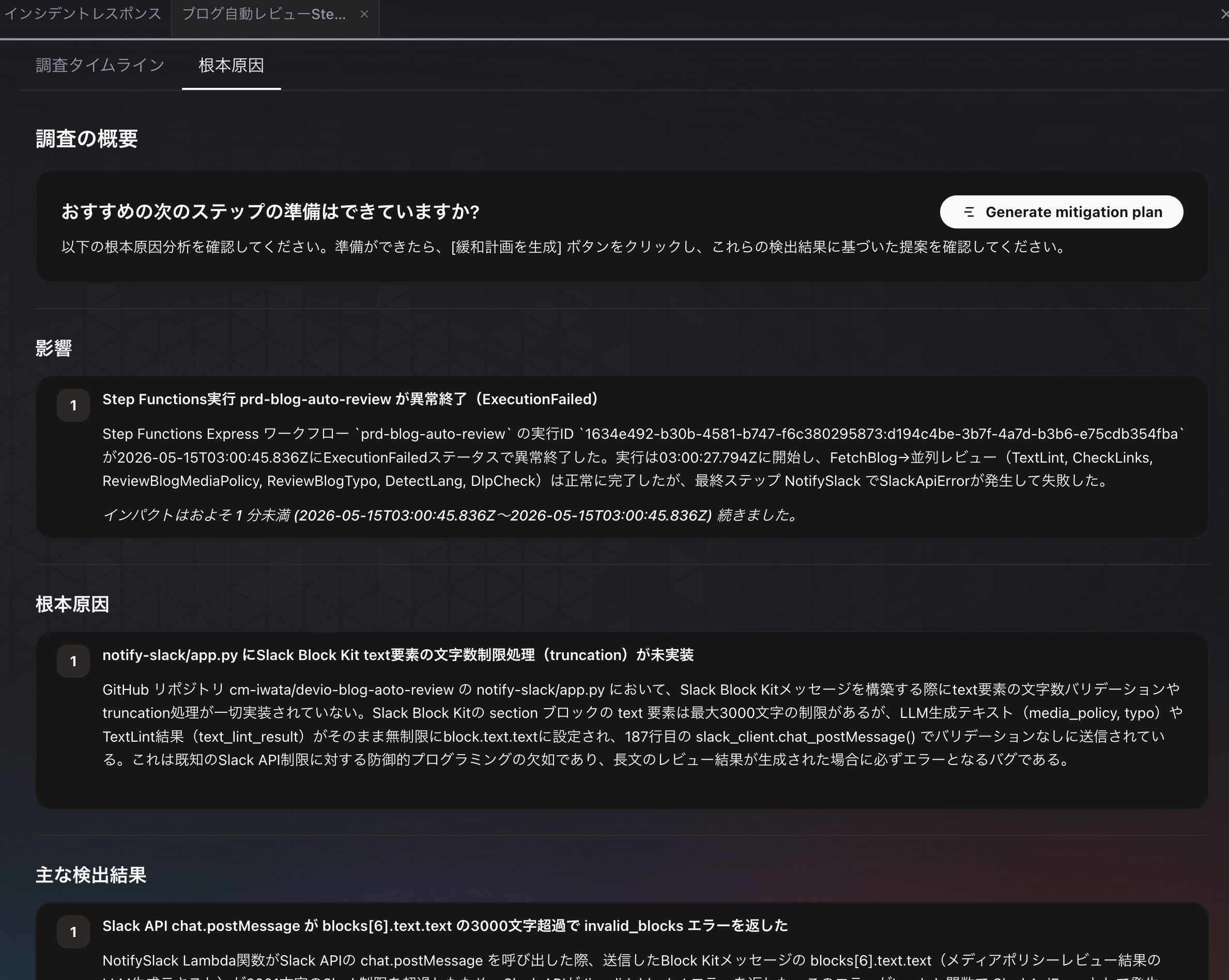
The root cause identified by DevOps Agent was as follows.
In notify-slack/app.py of the GitHub repository cm-iwata/devio-blog-aoto-review, no character count validation or truncation processing is implemented at all when building Slack Block Kit messages. The text element of a Slack Block Kit section block has a maximum limit of 3000 characters, but LLM-generated text (media_policy, typo) and TextLint results (text_lint_result) are set as-is without limit in block.text.text, and sent without validation by slack_client.chat_postMessage() on line 187. This is a lack of defensive programming against a known Slack API limit, and is a bug that will always cause an error when a long review result is generated.
I see. Indeed, I hadn't implemented truncation of long messages. Since the validity of the investigation result was confirmed, I clicked Generate Mitigation Plan to have it create a mitigation plan.
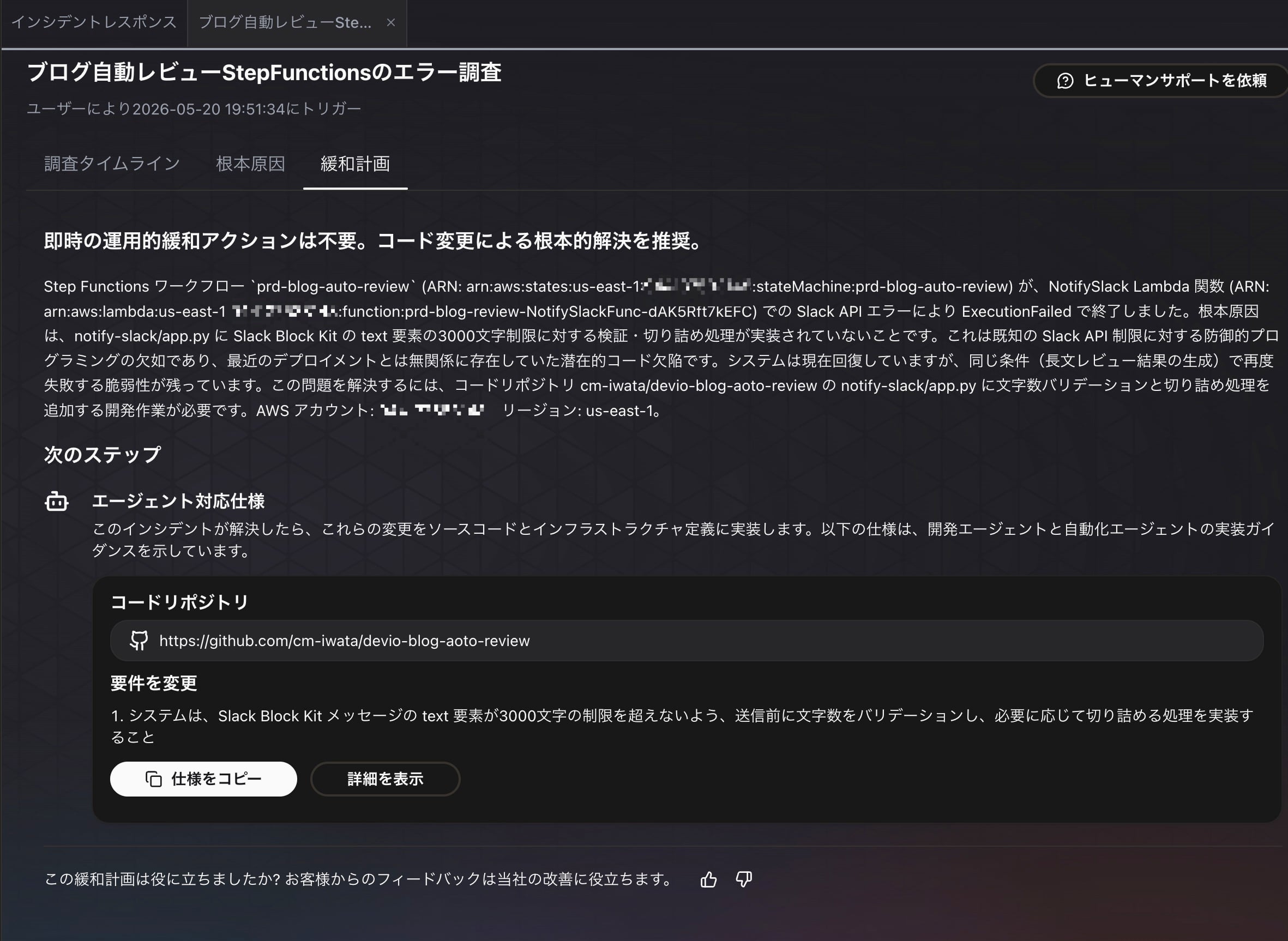
As the next step in the mitigation plan, the following Agent-ready specifications were created.
## 変更要件

1. **システムは、Slack Block Kit メッセージの text 要素が3000文字の制限を超えないよう、送信前に文字数をバリデーションし、必要に応じて切り詰める処理を実装すること**
notify-slack/app.py において、Slack API の chat.postMessage に送信する Block Kit メッセージを構築する際、各 section ブロックの text 要素(text.text フィールド)が Slack API の3000文字制限を超えないことを保証する。具体的には、LLM生成テキスト(media_policy, typo)、TextLint結果(text_lint_result)、およびその他の動的コンテンツを Block Kit の text 要素に設定する前に、文字数をチェックし、3000文字を超える場合は2950文字程度に切り詰めて '...(以下省略)' などのサフィックスを追加する。これにより、長文のレビュー結果が生成された場合でも Slack API が invalid_blocks エラーを返さず、NotifySlack Lambda 関数が正常に完了し、Step Functions ワークフローが成功することを保証する。

**受け入れ基準**

- notify-slack/app.py に、Slack Block Kit の section ブロック text 要素の文字数を3000文字以内に制限する関数またはロジックが実装されている
- media_policy, typo, text_lint_result などの動的コンテンツを Block Kit メッセージに設定する際、上記の文字数制限ロジックが適用されている
- 3000文字を超えるコンテンツは、2950文字程度に切り詰められ、切り詰めが発生したことを示すサフィックス(例: '...(文字数制限により省略)')が追加されている
- 単体テストまたは統合テストで、3001文字以上のレビュー結果が生成された場合でも Slack API が成功レスポンス(ok: true)を返すことを確認している
- 変更後のコードで Step Functions ワークフローを実行し、長文レビュー結果のケースで NotifySlack ステップが正常完了し、ワークフロー全体が SUCCESS ステータスで終了することを確認している
Fixing the Source Code with Kiro Web
From here, I'll have Kiro Web fix the bug.
First, create an issue in the repository that manages the source code, and paste the specification generated earlier as is.
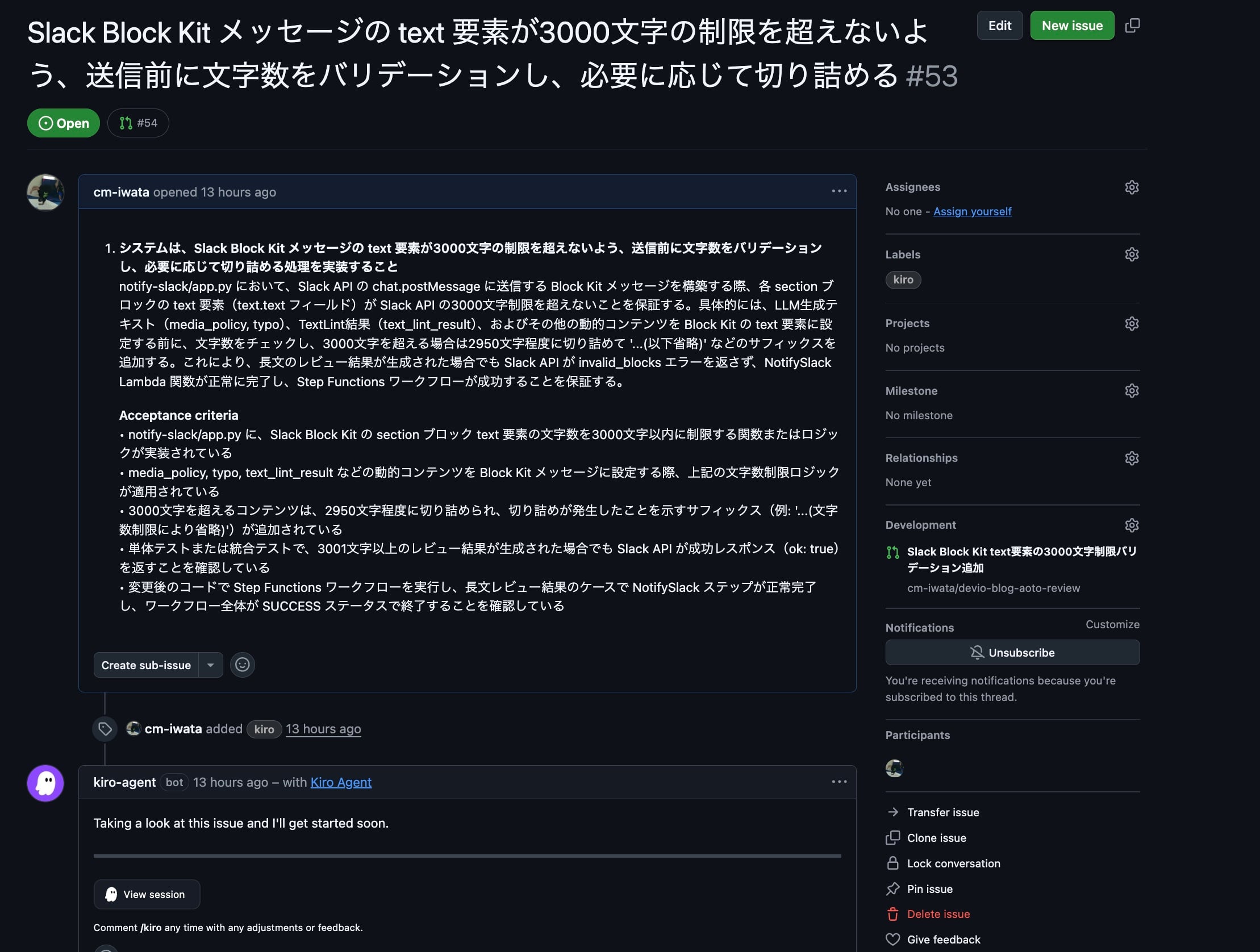
When you attach the kiro label to this issue, kiro-agent implements the fix.
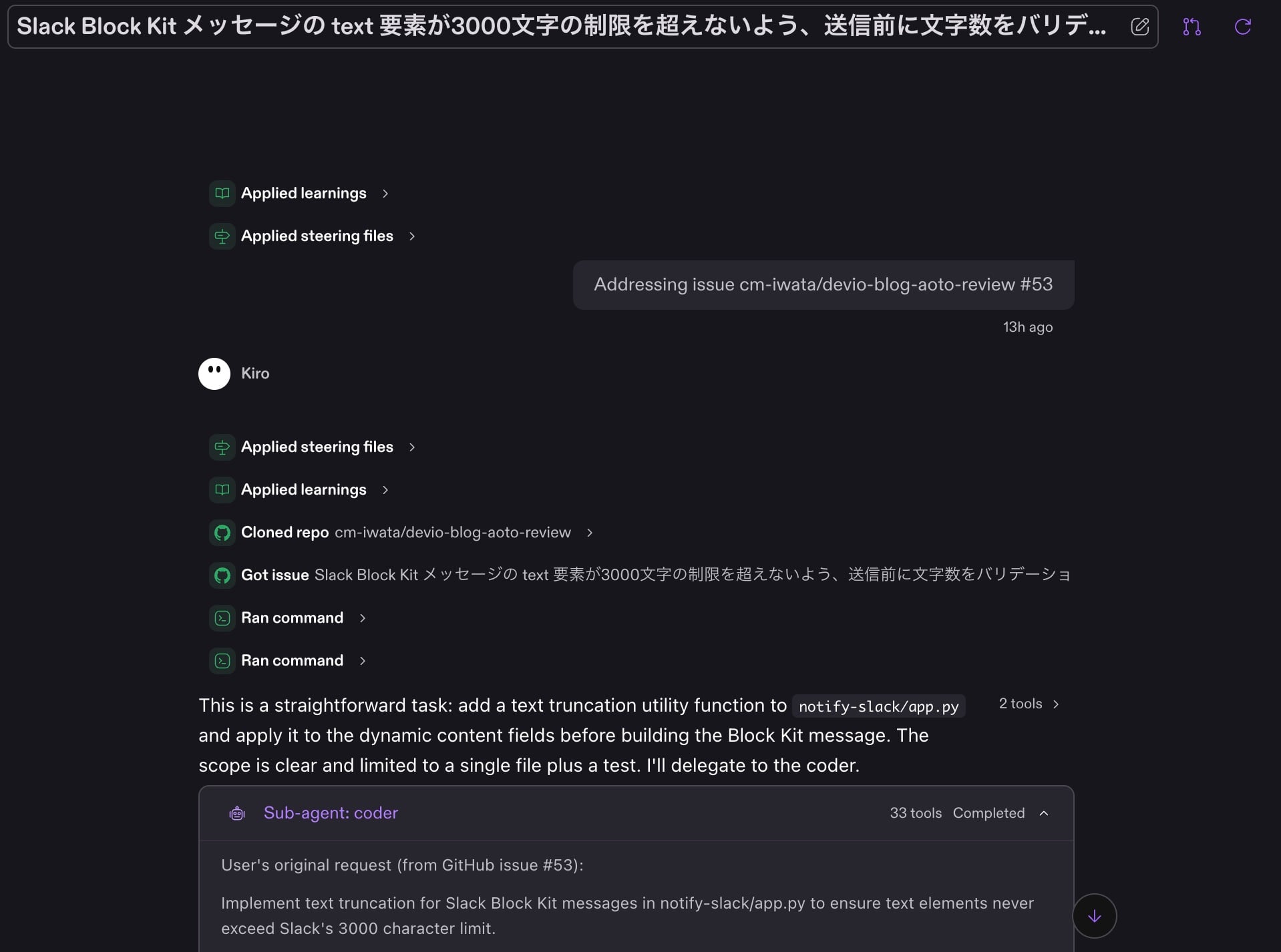
After waiting a while, the fix is completed and a PR is created.
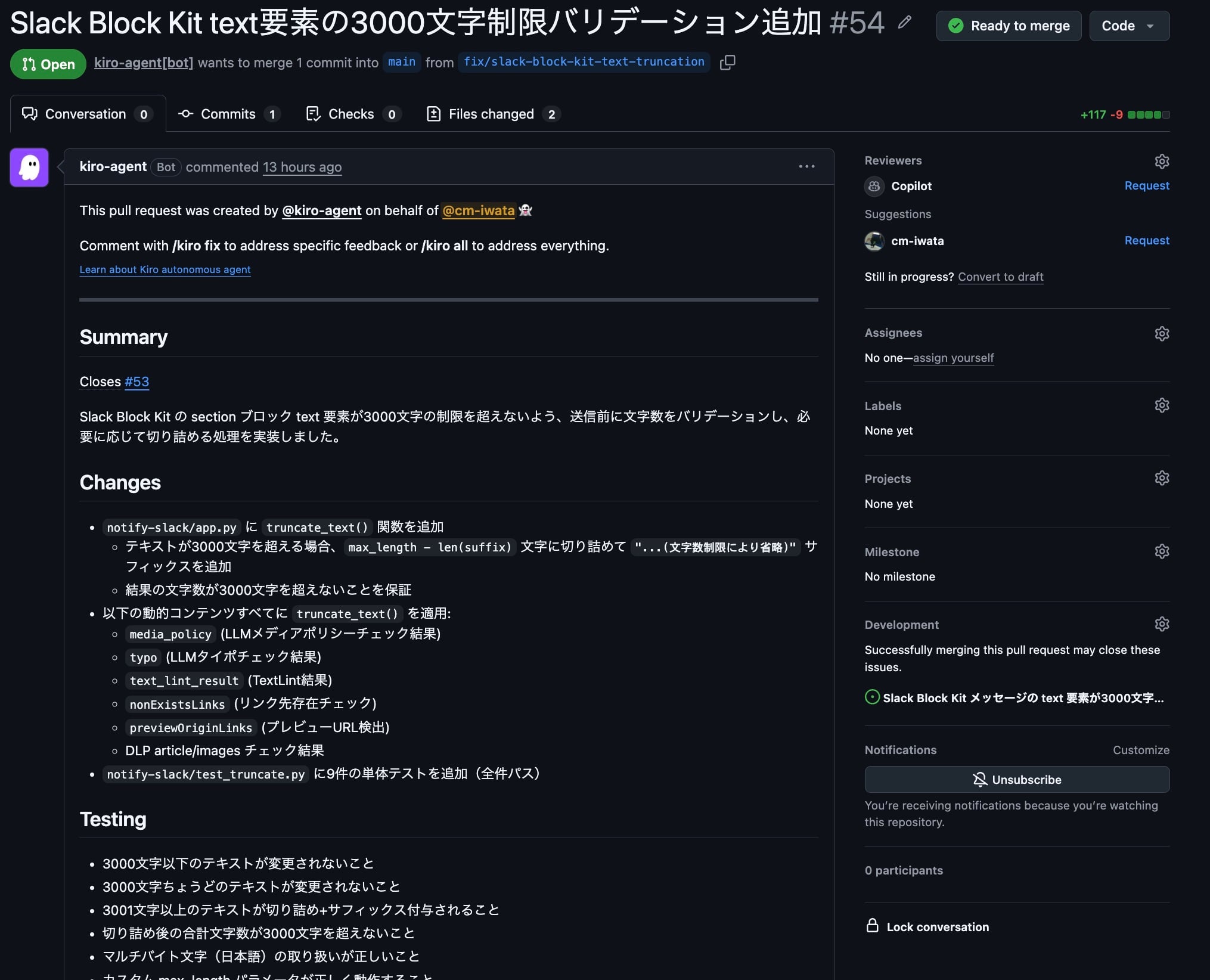
Checking the details of the diff, a function called truncate_text had been added as shown below, and calls to this function had been added to the processing that generates each block's message.
SLACK_BLOCK_TEXT_MAX_LENGTH = 3000
TRUNCATION_SUFFIX = "...(文字数制限により省略)"

def truncate_text(text: str, max_length: int = SLACK_BLOCK_TEXT_MAX_LENGTH) -> str:
    """Truncate text to stay within Slack Block Kit's character limit.

    If text exceeds max_length, it is truncated to (max_length - len(suffix))
    characters and the suffix is appended so the total never exceeds max_length.
    """
    if len(text) <= max_length:
        return text
    truncated_length = max_length - len(TRUNCATION_SUFFIX)
    return text[:truncated_length] + TRUNCATION_SUFFIX
There seem to be no particular problems with the implementation, so all that's left is to merge the PR and deploy, and the fix is complete!
Summary
By leaving it to DevOps Agent and Kiro Web, we completed everything from investigating the cause of the error to fixing the bug. I'd like to make good use of features like these to speed up the system improvement cycle!