![[Update] Custom agents can now be created with DevOps Agent](https://images.ctfassets.net/ct0aopd36mqt/51cg1nDeDwY3QV8Q8Z2bVX/73d108504bcf60ba8d92ebeb7e372b43/aws-devops-agent-DevOpsAgent.png?w=3840&fm=webp)
[Update] Custom agents can now be created with DevOps Agent

This page has been translated by machine translation. View original
This is Iwata from the Retail App Co-Creation Division @ Osaka.
With the update on 6/12, it is now possible to create custom agents with DevOps Agent.
I had previously written a blog about having DevOps Agent periodically generate SRE reports, and now exactly this kind of use case can be handled using only the managed features of DevOps Agent!
What is a Custom Agent?
Unlike DevOps Agent's built-in agents, custom agents allow users to freely define system prompts and other settings. In addition to system prompts, you can also finely control the available tools and skills, giving you the freedom to build dedicated agents optimized for your own use cases.
At this point, there are only two supported methods for executing custom agents: manual execution and scheduled execution. In other words, during an incident investigation, an incident triage agent will not call a custom agent.
The outputs that custom agents can generate are the following three:
- Text responses
- Artifacts
- Recommendations
The fact that scheduled execution is possible and artifacts can be generated makes it a perfect fit for use cases like generating SRE reports on a weekly or monthly basis!
For details on custom agents, please refer to the official documentation below.
Custom Agents - AWS DevOps Agent
Let's Try It
Let's go ahead and create and run a custom agent right away.
Creating a Custom Agent
First, navigate to "Agents" → "Create Agent" from the web app UI.
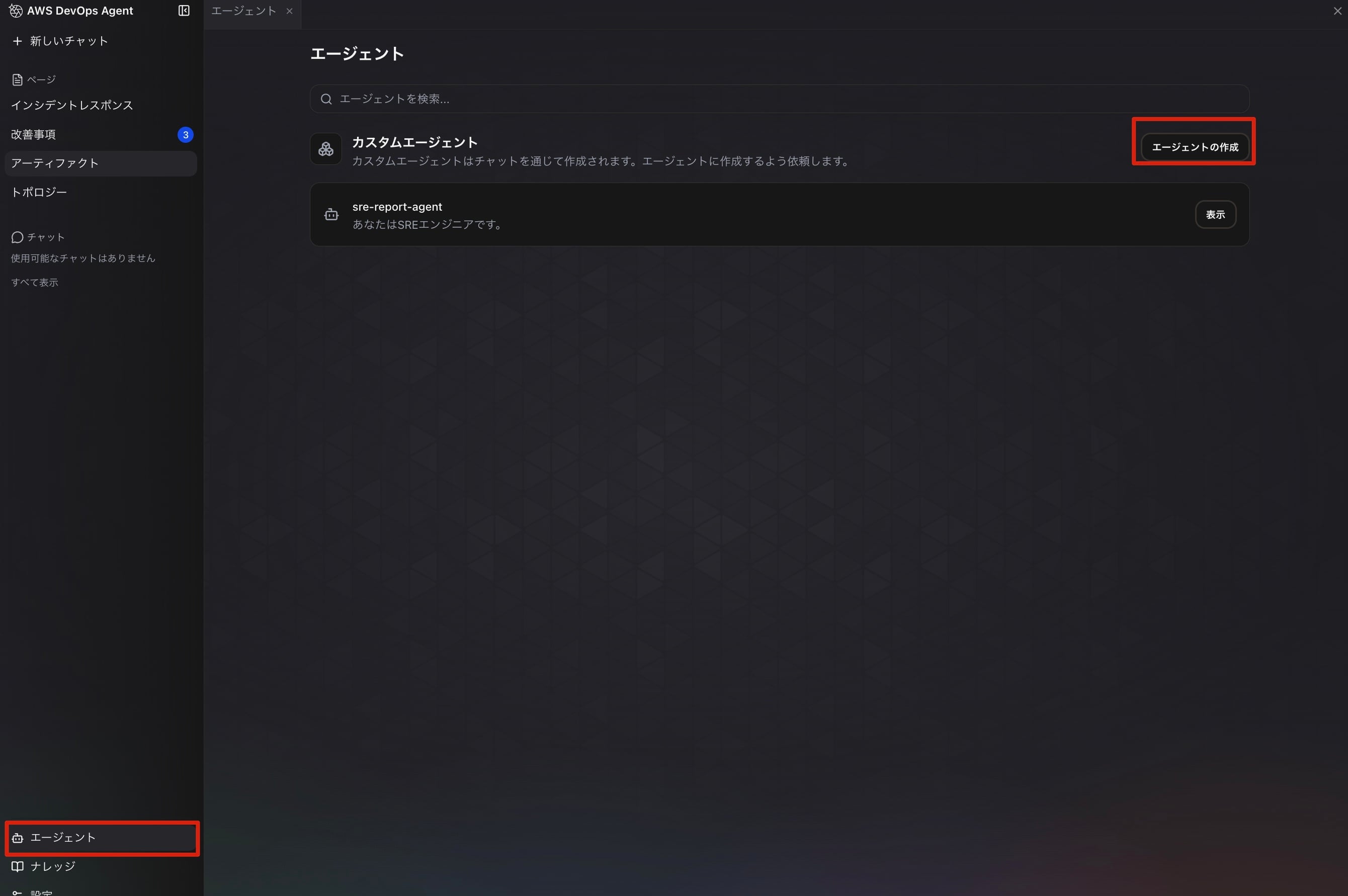
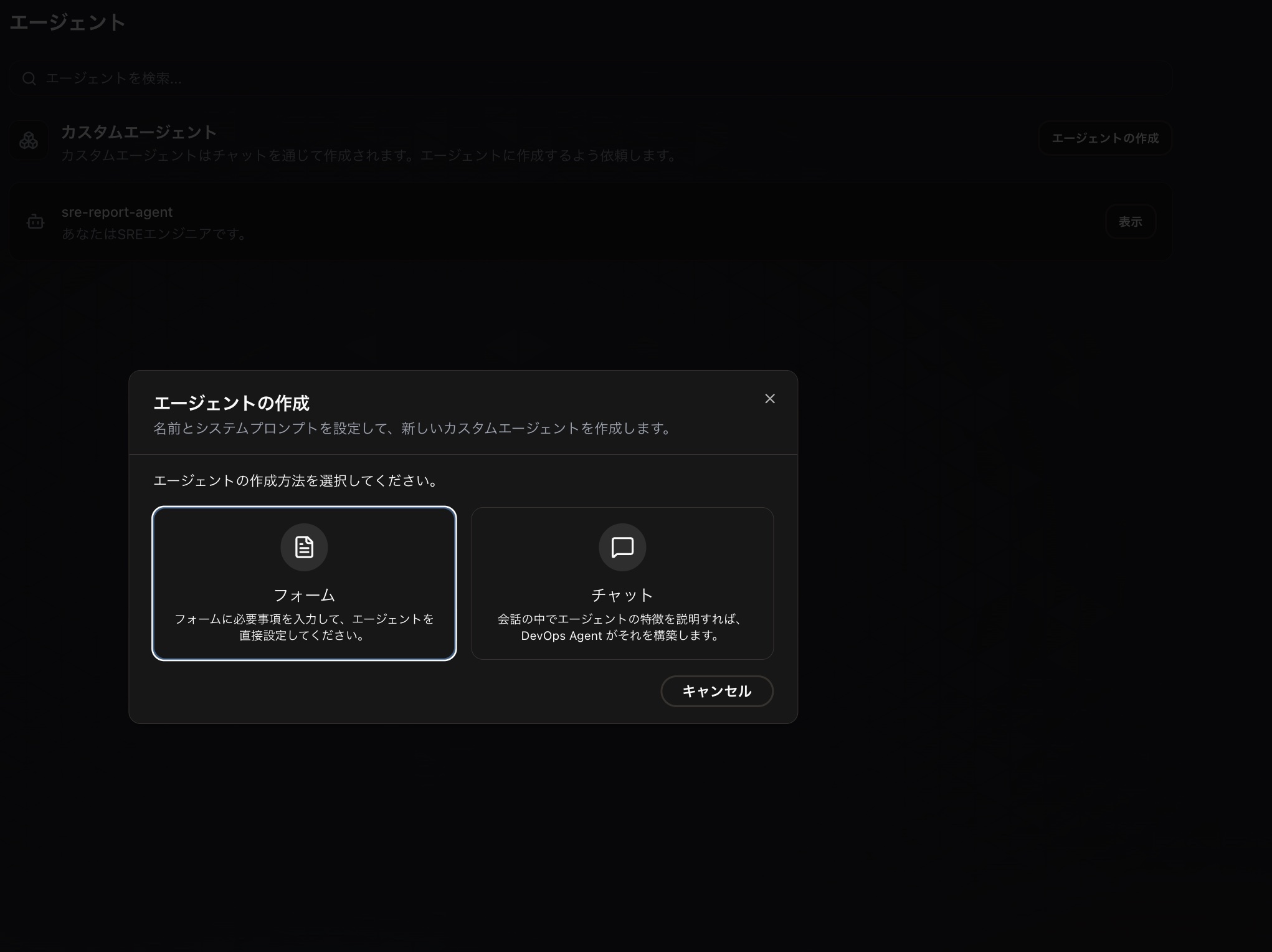
There are two ways to create a custom agent: entering each item through a form, or asking the AI to create it while chatting with it. This time, we will create it by entering information directly through the form.
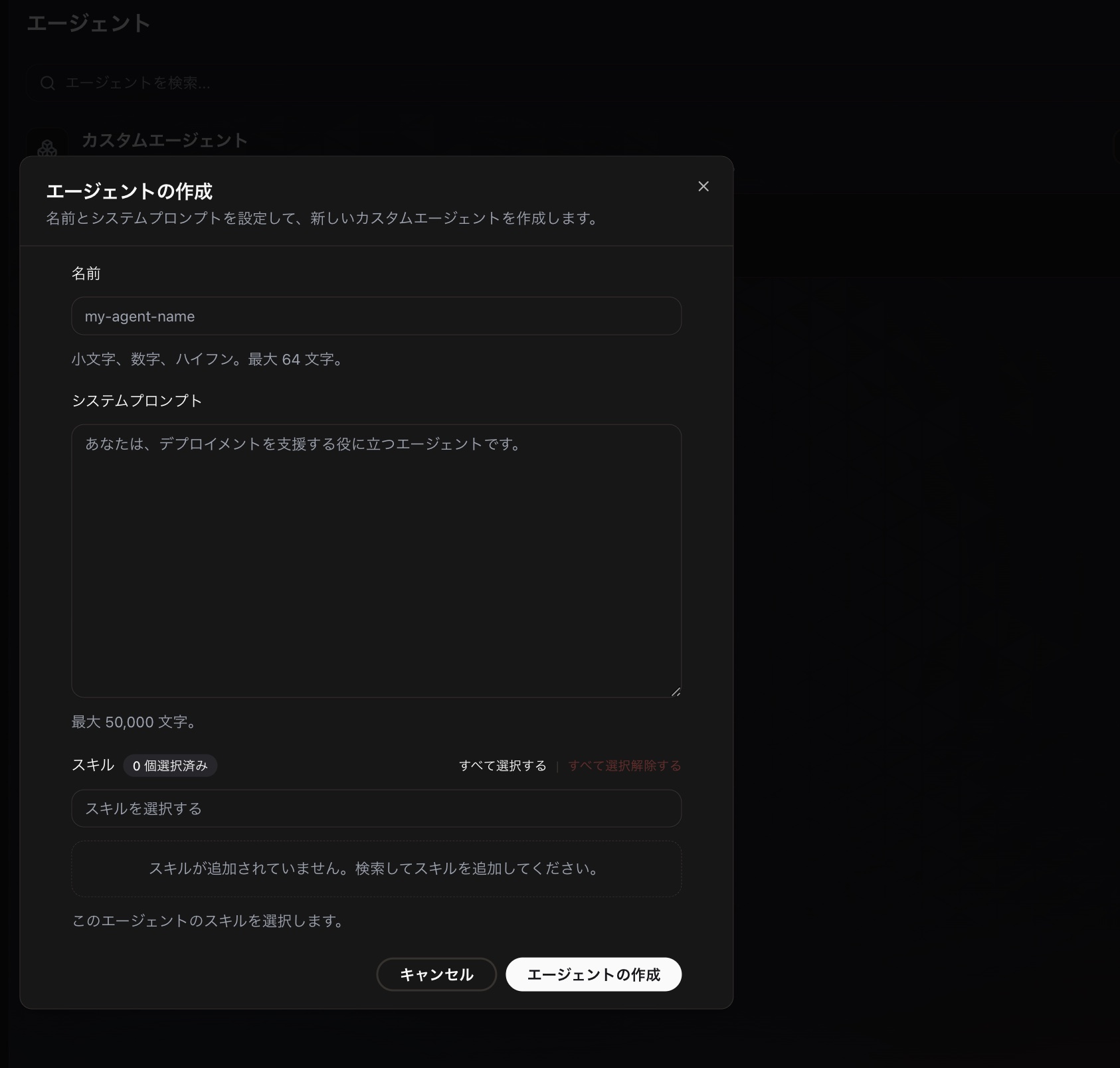
Once the input screen opens, enter the name and system prompt, and configure the skills you want to allow. Please note that the tools you want to allow cannot be configured through the form and must be set up through chat.
The final custom agent definition ended up as follows.
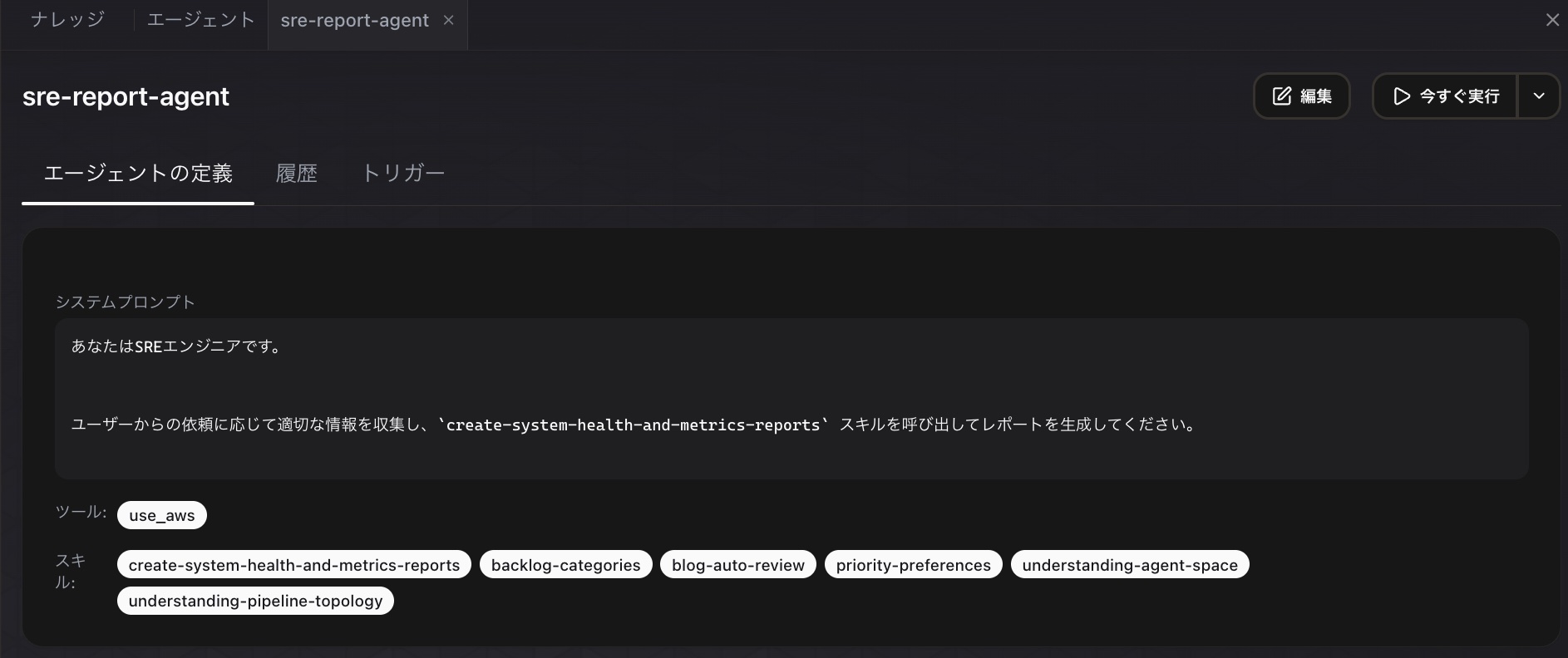
The system prompt I configured this time is as follows. Since this is for testing purposes, I kept it simple with instructions that just call a skill.
You are an SRE engineer.


In response to requests from users, collect the appropriate information and call the `create-system-health-and-metrics-reports` skill to generate a report.
The contents of the skill create-system-health-and-metrics-reports specified in the prompt are as follows.
---
name: create-system-health-and-metrics-reports
description: A skill used to create reports on various metrics and system health
---

## Overview

- Compare various metrics from the specified date range against past metrics to evaluate system health
  - For example, if a range of one week ago is specified, compare with metrics from two weeks ago
  - For example, if a range of one month ago is specified, compare with metrics from two months ago
- If no specific year or month is specified, retrieve today's date and compare metrics from the previous month against the month before that
- Target only the Virginia region (us-east-1)

### Investigation Procedure

## Step1 Retrieve comparison target metrics from CloudWatch

- Various Lambda metrics (namespace AWS/Lambda)
  - Total value of Errors within the period
  - Total value of Invocations within the period
  - Average value of Duration within the period

- Various Step Functions metrics (namespace AWS/States)
  - Total value of ExecutionsFailed within the period

## Step2 Evaluate system health based on the retrieved metrics

- Are errors increasing?
- Is response time degrading?
- Are computing resources insufficient?
- Has the service level degraded compared to the comparison period?
- Is there a risk of service level degradation in the future?

### Step3 Create an artifact based on the evaluation results

- Create tables and graphs that show the differences from the comparison period
The permission to use the use_aws tool was configured via chat after the custom agent was created.
※ After testing later, it turned out that this custom agent worked even without the use_aws tool permission, so leaving the tool permissions empty is fine.
Running It
Now that the custom agent has been created, let's configure a trigger.
Click the "Create Trigger" button from the "Triggers" tab in the custom agent definition.
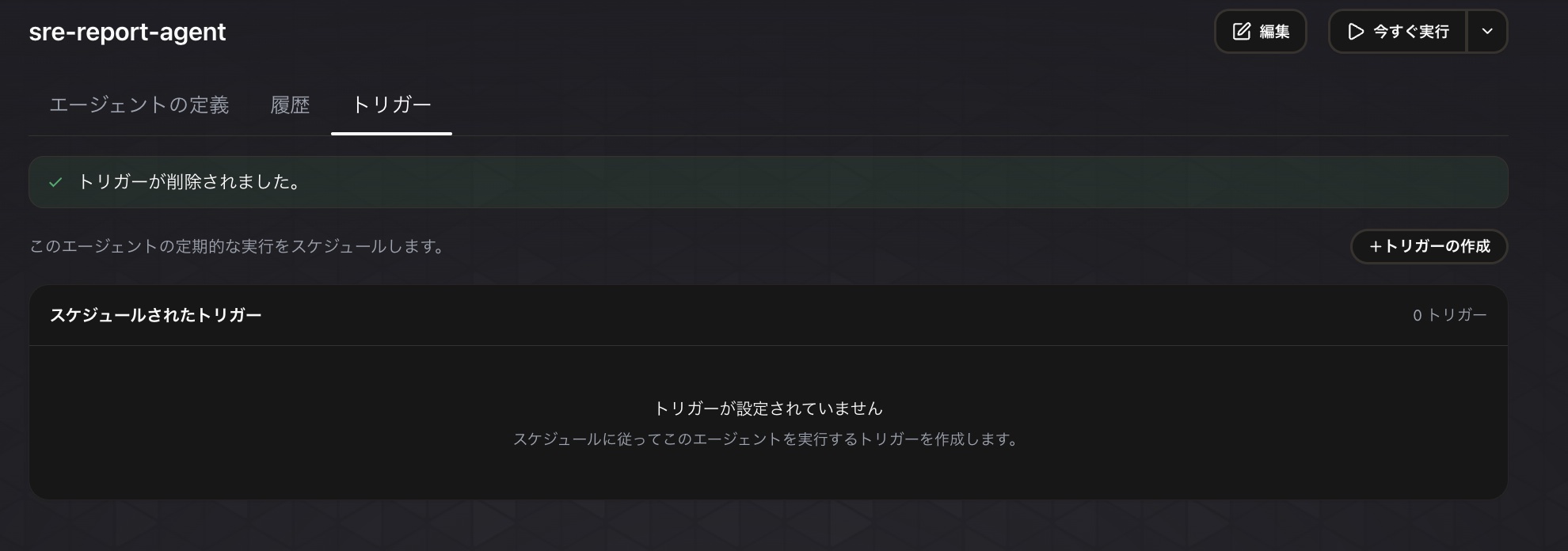
The trigger creation form will open, where you can specify a schedule in rate or cron format.
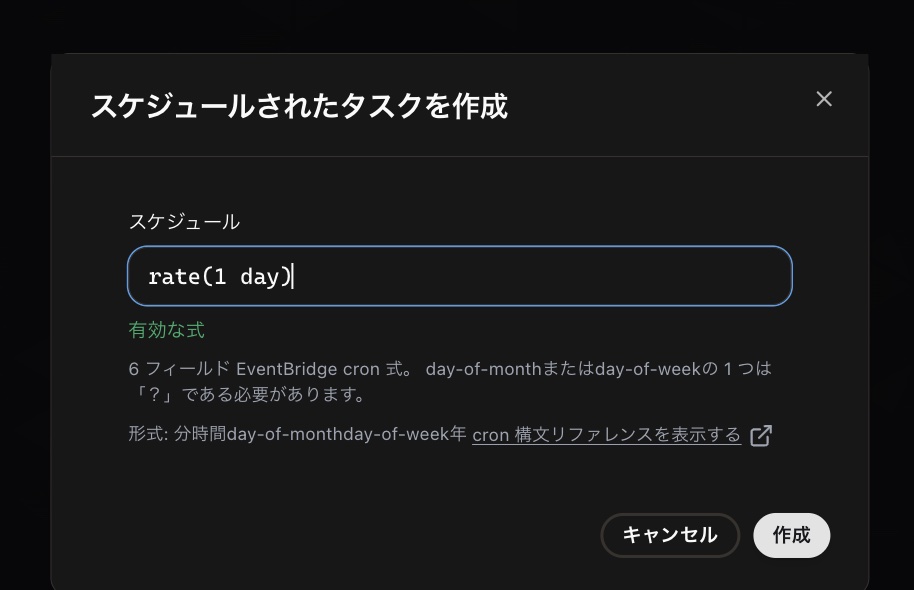
After clicking "Create", if "Trigger has been created." is displayed, the creation is complete.
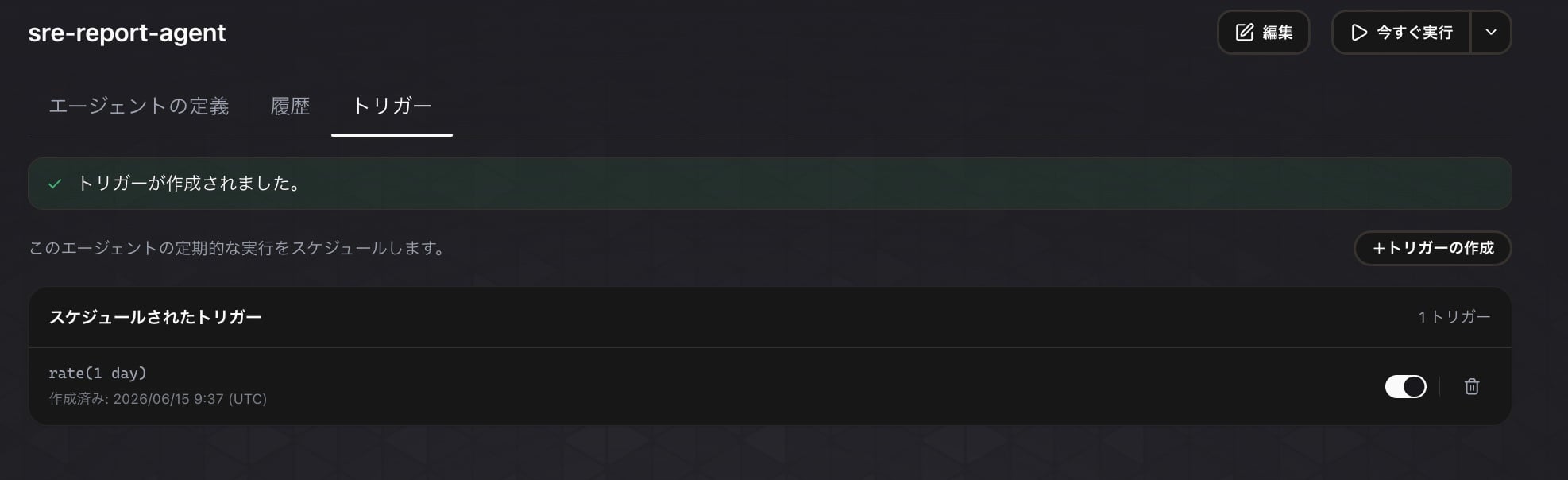
If left as is, the custom agent should be triggered according to the schedule, but since I wanted to verify the operation quickly, I manually triggered it this time using the "Run Now" button.
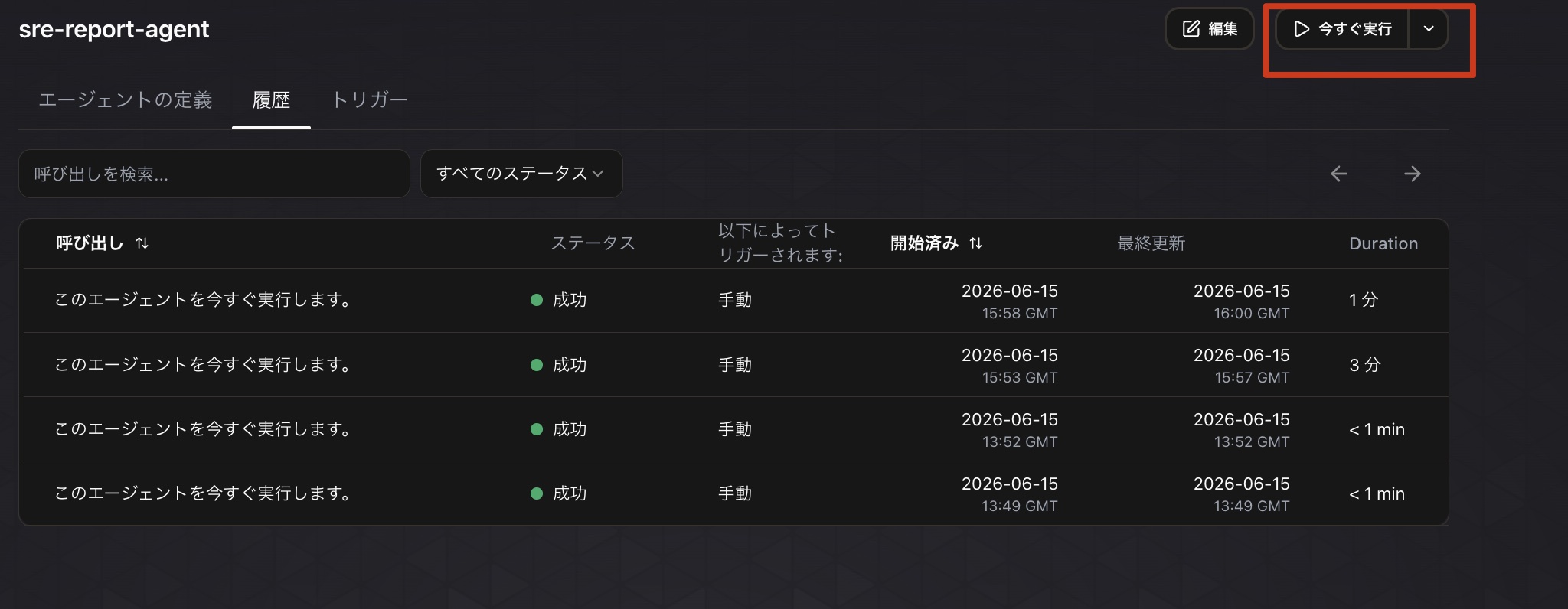
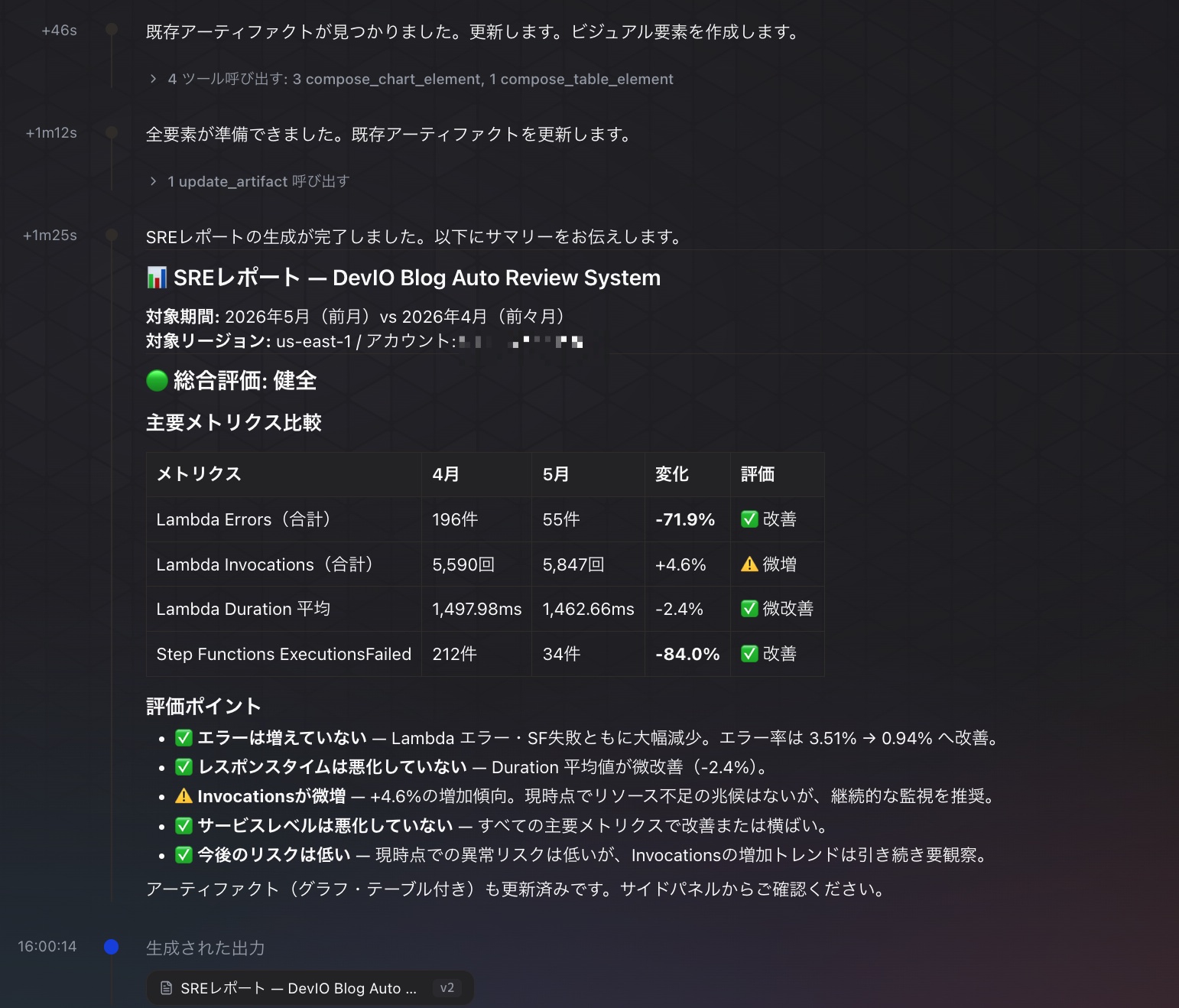
Once the trigger completes, you can check the history as shown above. Checking the details confirms that the artifact was successfully generated.
It was also reflected in the artifact list.
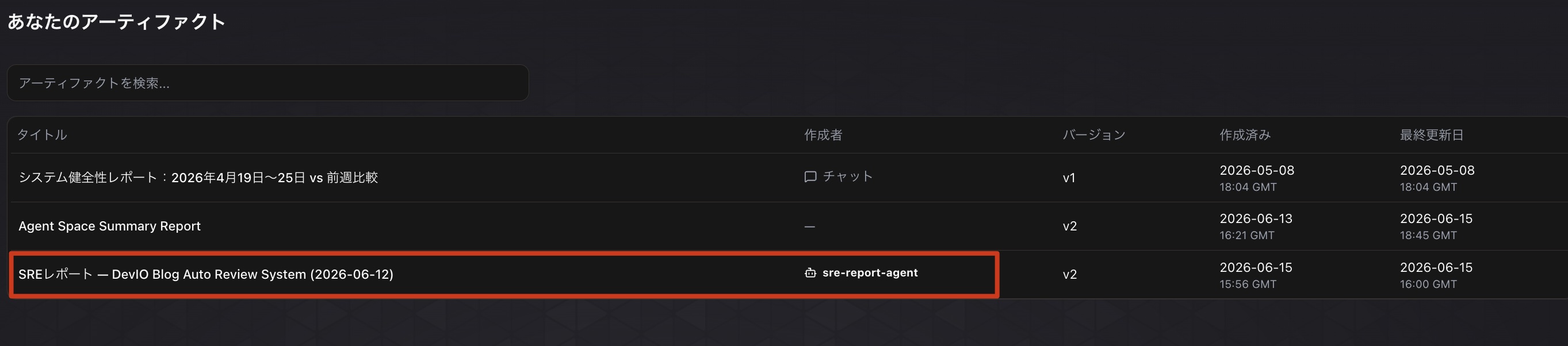
By the way, in the previous blog when artifacts were created from Lambda, the artifacts generated under the Lambda execution role were tied to a specific chat, so accessing the web app with a different IAM principal meant the artifacts were not displayed in the list. While you could view them by looking up the ID and entering the URL directly, that's inconvenient as a UI operation, isn't it? With the approach of generating artifacts using custom agents this time, the same reports can be viewed from a different IAM principal as well, making it convenient for use cases like sharing reports among team members.
Here is a screenshot taken when viewed from a different IAM role.
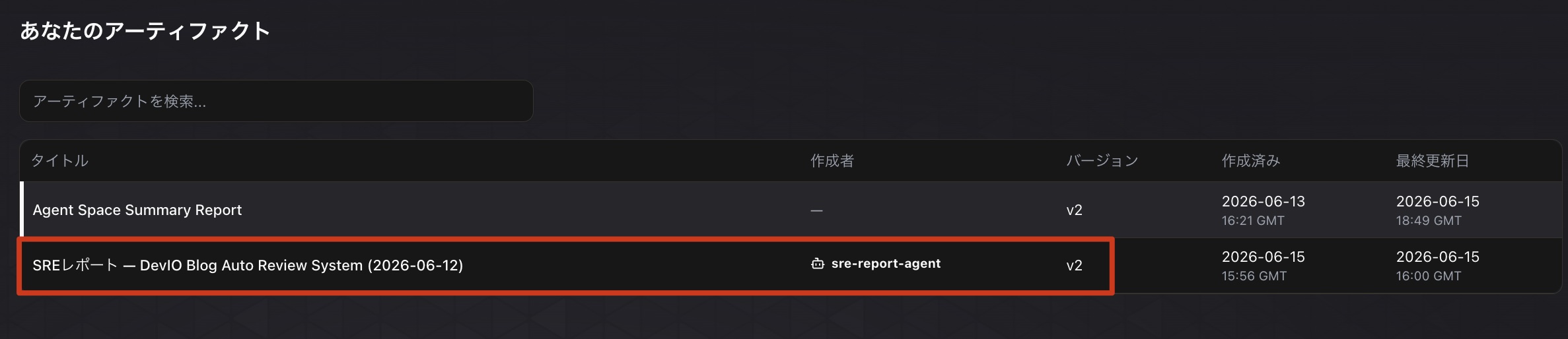
Unlike before, "System Health Report: April 19–25, 2026 vs. Previous Week Comparison" is not displayed, but you can see that "SRE Report — DevIO Blog Auto Review System (2026-06-12)" is displayed.
Additional Notes
In practice, execution didn't go smoothly from the start — some trial and error was needed. I'd like to share some of the personal stumbling points I encountered.
Got Stuck Because the Skill Definition Did Not Allow Usage from Custom Agents
The custom agent I created this time had a simple structure that just calls one skill, but since the agent type on the called skill side was set to "Chat Task", the skill could not be loaded properly.
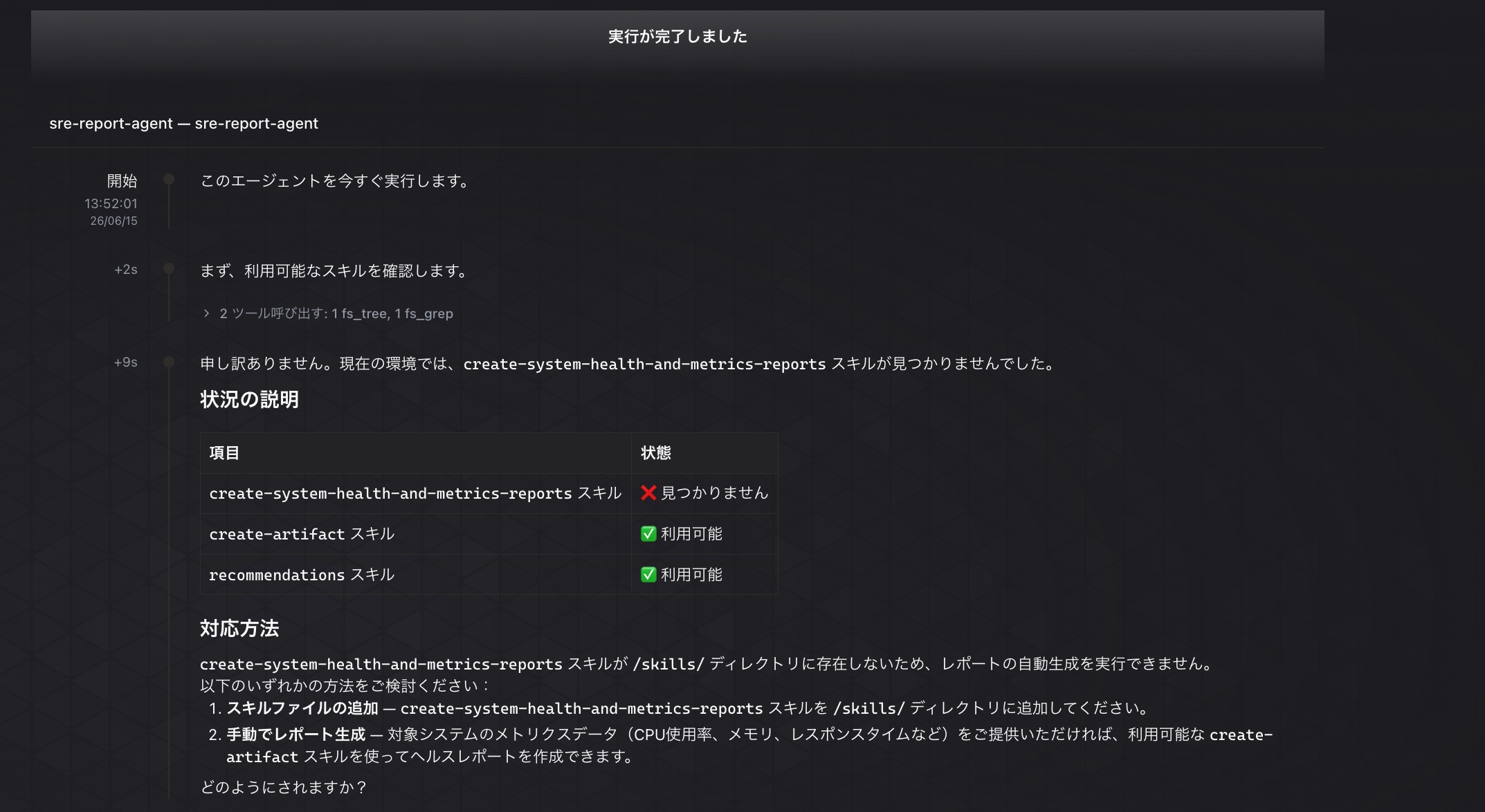
When specifying skills in the input form during custom agent creation, validation is not very detailed, so be careful. This issue was resolved by modifying the skill definition as follows.
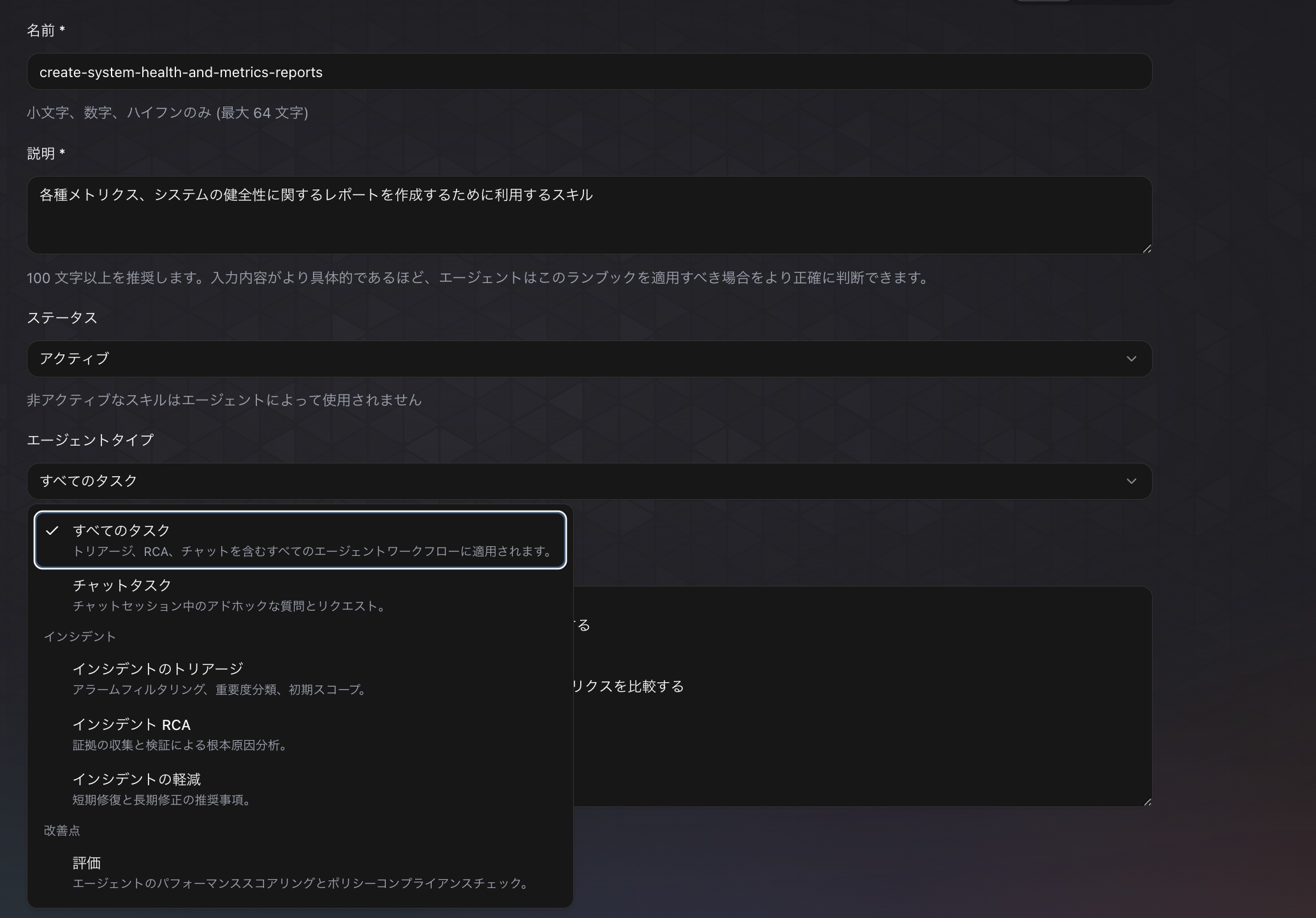
For now, since there doesn't appear to be a setting to allow usage only from custom agents, I addressed this by specifying "All Tasks" for the agent type.
Tried Adding Tool Permission from Chat
As mentioned above, since usage from custom agents was not permitted on the skill side, the skill could not be called properly at first. While asking the agent via chat about the cause of the error, I was told that use_aws permission was needed, so I tried requesting the addition of use_aws permission through chat.
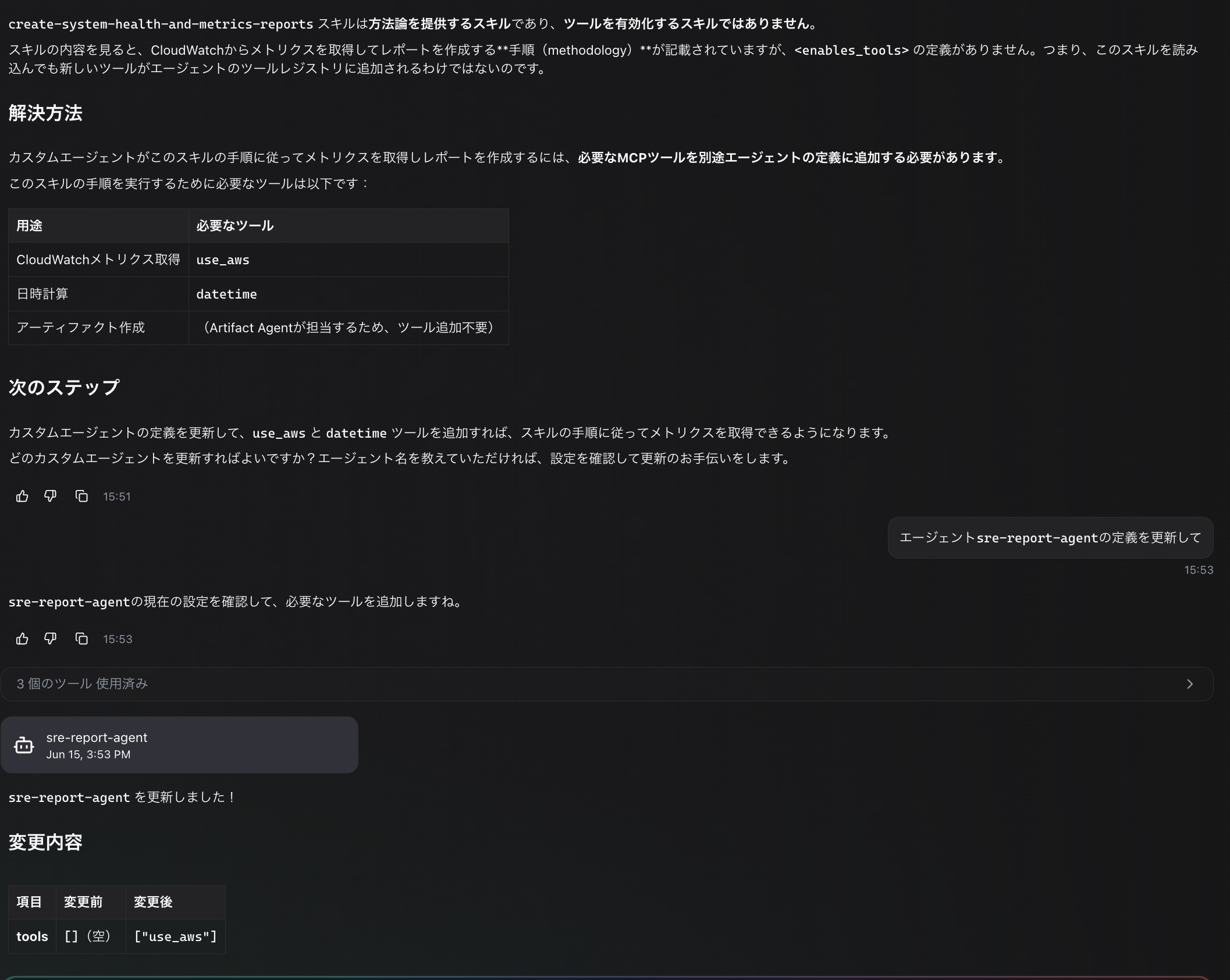
After isolating and testing various causes, I found that the root cause was the usage permission on the skill side, so the use_aws tool permission turned out to be unnecessary. However, since I've already gone through the process, I'll introduce it here as a procedure for maintaining tool usage permissions.
Summary
Custom agents defined by users can now be used for scheduled periodic execution or manual execution! This makes it easier to delegate periodic repetitive tasks and routine spot tasks to AI.
Let's make the most of it and use it more and more!