I Checked Out the Updated Display of Related Resources for VPC and EC2

This page has been translated by machine translation. View original
Introduction
On November 4, 2026, the Amazon EC2 and Amazon VPC consoles expanded the resource types for which you can view related resources. Previously this was limited to security groups, but EC2 instances, subnets, route tables, and more are now supported as well.
This time, I opened the related resources sidebar starting from an Elastic IP, an EC2 instance, and a VPC, and checked what it shows.
How to Open Related Resources
Select a target in the resource list and click the icon at the top right of the toolbar, and a sidebar titled "Related resources for <ID>" opens.
The sidebar has two tabs: "Resources" and "Resource topology". In "Resources", you can check the number of related resources and switch between a view by service and a view of all resources. In "Resource topology", the resources related to the selected resource are arranged in a tree by type, and you can expand it to see further related resources beyond them.
The "Related resources" tab on the VPC details page also shows an "Open related resources" button.
Display by Starting Point
Elastic IP
I selected an Elastic IP associated with a NAT gateway in the list and opened "Resource topology".
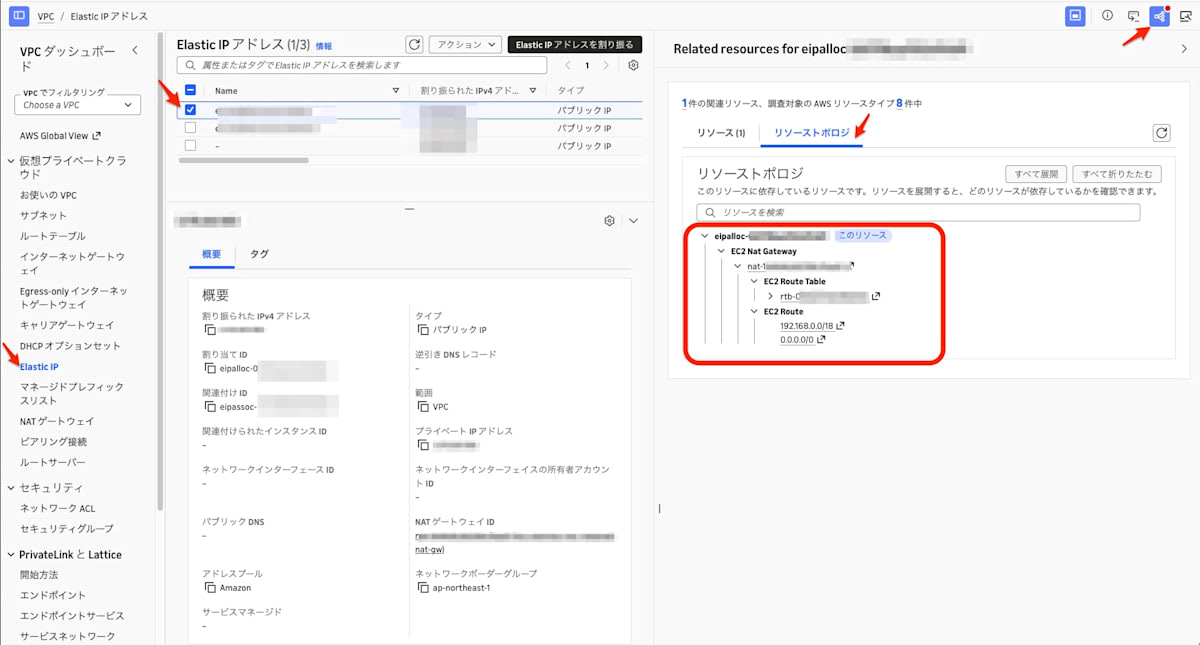
In the topology, EC2 Route Table and EC2 Route are listed under EC2 Nat Gateway.
EC2 Instance
I selected an EC2 instance in the list and opened "Resource topology".
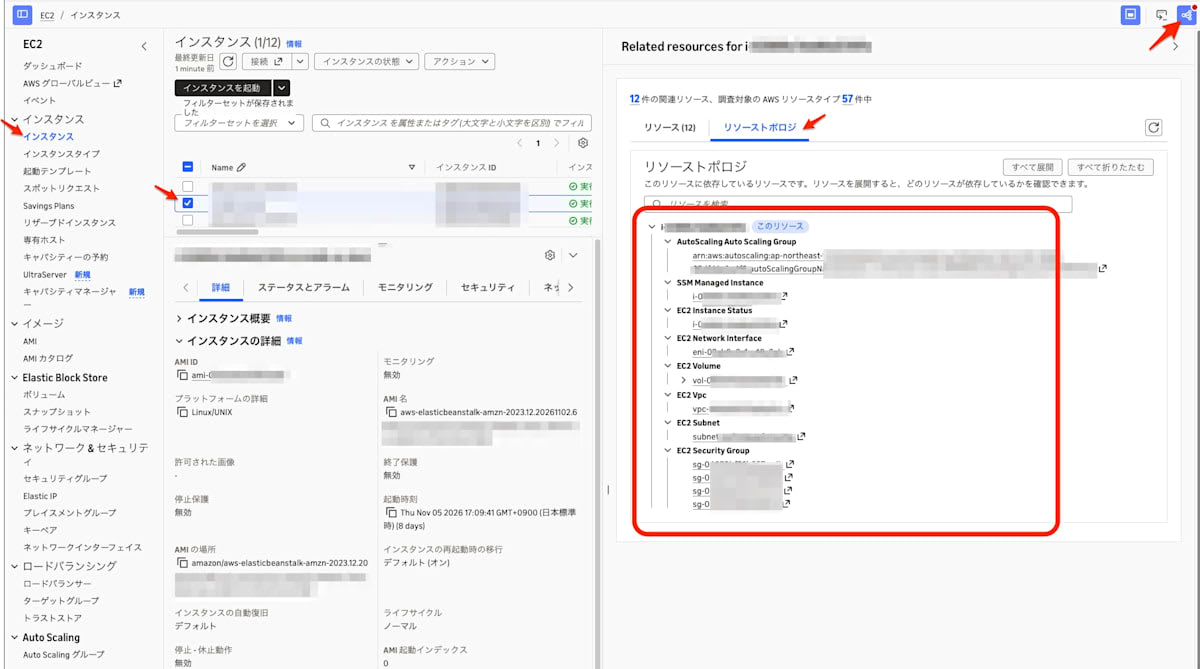
The topology lists the following resources from top to bottom.
- Auto Scaling Group
- SSM Managed Instance
- EC2 Instance Status
- EC2 Network Interface
- EC2 Volume
- EC2 Vpc
- EC2 Subnet
- EC2 Security Group
VPC
I selected a VPC in the list and opened the sidebar.
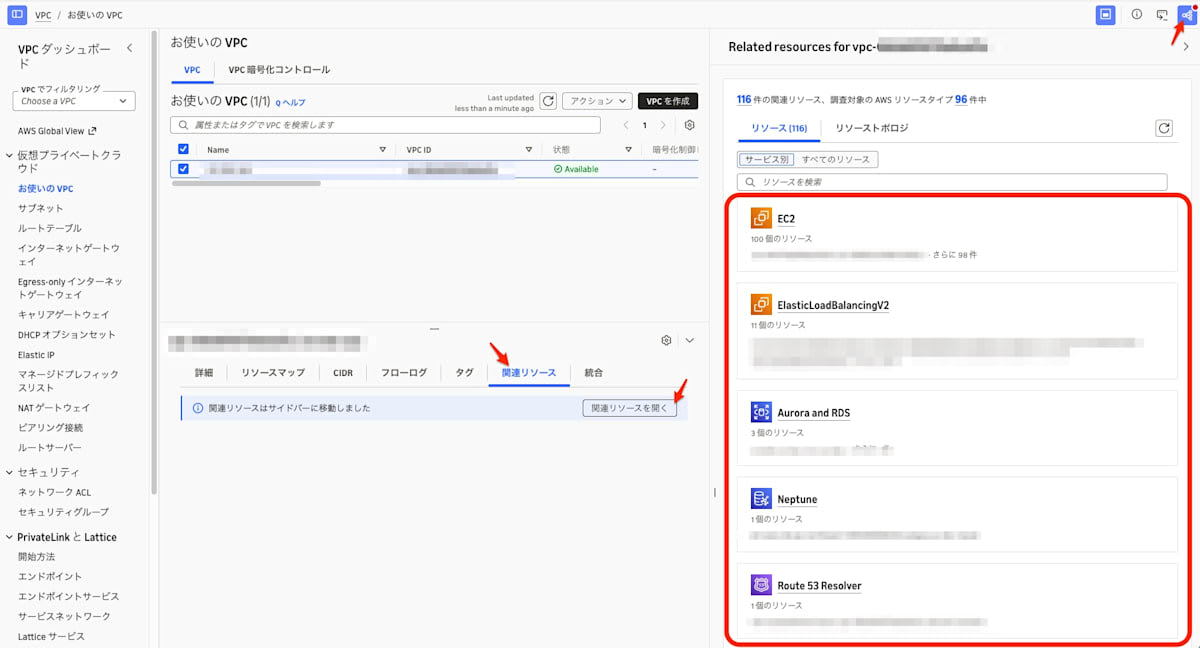
In the "Resources" tab, cards for EC2, ElasticLoadBalancingV2, Aurora and RDS, Neptune, and Route 53 Resolver are listed by service.
Summary
In the EC2 and VPC consoles, you can select a target in the list and click the icon on the toolbar to check related resources in the sidebar.
For accounts with many instances and network resources, this can make troubleshooting and similar tasks more efficient, so please make use of it.
