
I tried launching AWS CodePipeline using Amazon ECR replication events as triggers

This page has been translated by machine translation. View original
Introduction
Hello, I'm Kanno from the Consulting Department.
I had a situation where "I wanted to trigger AWS CodePipeline (hereinafter CodePipeline) in a different account using Amazon ECR (hereinafter ECR) cross-account replication as a trigger," so I investigated and tried it out!
For example, cases where you want to replicate a container image created in a development environment and deploy it in testing or production environments.
After trying it out, I found there were several key points to keep in mind, so I'd like to share this information with you.
About ECR Replication Events
ECR provides a feature that automatically replicates container images across regions and accounts.
When this replication is executed, an event like the one below is issued.
Structure of Replication Events
According to the official documentation, events issued during replication have the following structure.
{
  "version": "0",
  "id": "c8b133b1-6029-ee73-e2a1-4f466b8ba999",
  "detail-type": "ECR Replication Action",
  "source": "aws.ecr",
  "account": "123456789012",
  "time": "2024-05-08T20:44:54Z",
  "region": "us-east-1",
  "resources": [
    "arn:aws:ecr:us-east-1:123456789012:repository/docker-hub/alpine"
  ],
  "detail": {
    "result": "SUCCESS",
    "repository-name": "docker-hub/alpine",
    "image-digest": "sha256:7f5b2640fe6fb4f46592dfd3410c4a79dac4f89e4782432e0378abcd1234",
    "source-account": "123456789012",
    "action-type": "REPLICATE",
    "source-region": "us-west-2",
    "image-tag": "3.17.2"
  }
}
This event contains information such as the repository name, image digest, image tag, and replication result.
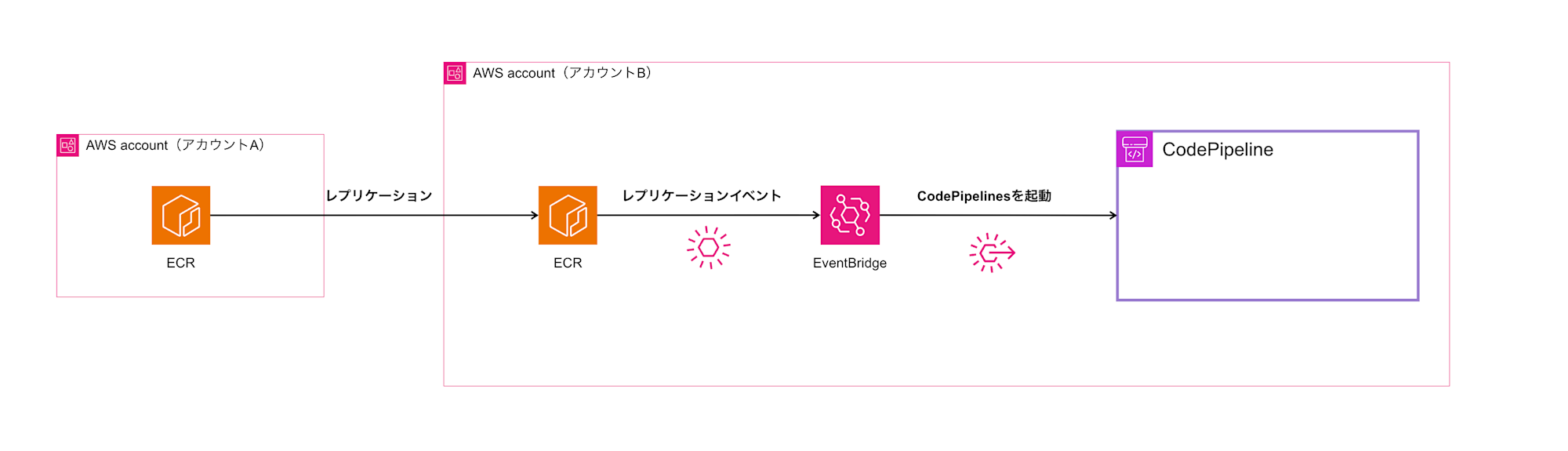
We'll capture this event with EventBridge to trigger CodePipeline.
The overall flow is as follows.
EventBridge Rule Configuration
Basic Configuration Pattern
First, a basic rule for detecting successful replication would look like this:
{
  "detail-type": ["ECR Replication Action"],
  "source": ["aws.ecr"],
  "detail": {
    "result": ["SUCCESS"],
    "repository-name": ["cross-account-sample-image"],
    "action-type": ["REPLICATE"]
  }
}
This configuration catches events that meet the following conditions:
- It's an ECR replication action
- The result is successful (SUCCESS)
- It matches a specific repository name
- The action type is REPLICATE
Specifying Tags Strictly
If you want to trigger only on specific tags (e.g., only the latest tag), add image-tag as follows:
{
  "detail-type": ["ECR Replication Action"],
  "source": ["aws.ecr"],
  "detail": {
    "result": ["SUCCESS"],
    "repository-name": ["cross-account-sample-image"],
    "action-type": ["REPLICATE"],
    "image-tag": ["latest"]
  }
}
With this configuration, CodePipeline will only be triggered when an image with the latest tag is replicated.
Configuration Differences Based on Image Tag Operations
However, the configuration method changes depending on how you operate image tags.
Pattern 1: Using Fixed Tags Like latest
If you only use fixed tags like latest, the basic configuration above works fine.
No special settings are required, and you can connect directly to CodePipeline.
Pattern 2: Using Dynamic Tags Like Commit Hashes
Caution is needed when using dynamically changing tags like Git commit hashes or build numbers.
Without specifying anything, CodePipeline will use the latest tag or a fixed tag as the source.
This would prevent correctly referencing the specific replicated image.
In such cases, you need to use EventBridge's input transformer feature.
Input Transformer Feature Configuration
By using the input transformer feature, you can process EventBridge event information and pass it to CodePipeline.
Input Path Configuration
First, define input paths to extract necessary information from the event.
{
  "imageDigest": "$.detail.image-digest",
}
This configuration allows you to extract the following information as variables:
imageDigest: The image's digest value
Input Template Configuration
Next, convert the extracted information into a format to pass to CodePipeline.
{
  "sourceRevisions": [
    {
      "actionName": "cross-account-sample-image-latest",
      "revisionType": "IMAGE_DIGEST",
      "revisionValue": "<imageDigest>"
    }
  ]
}
The key points here are as follows:
actionName: Specify the CodePipeline source action namerevisionType: SpecifyingIMAGE_DIGESTuniquely identifies a specific imagerevisionValue: Dynamically insert theimageDigestextracted by the input path
With this configuration, you can launch CodePipeline using an image with a specific image digest as the source! Let's try this pattern!
Let's Try It Out
Prerequisites
We'll proceed assuming that ECR cross-account replication is already set up.
The following steps will be performed in the replication destination account.
For ECR cross-account replication settings, the following reference might be helpful:
CodePipeline Configuration
Since we want to confirm dynamic source retrieval, I'll focus mainly on the ECR source configuration settings. The build stage and beyond can be combined as desired.
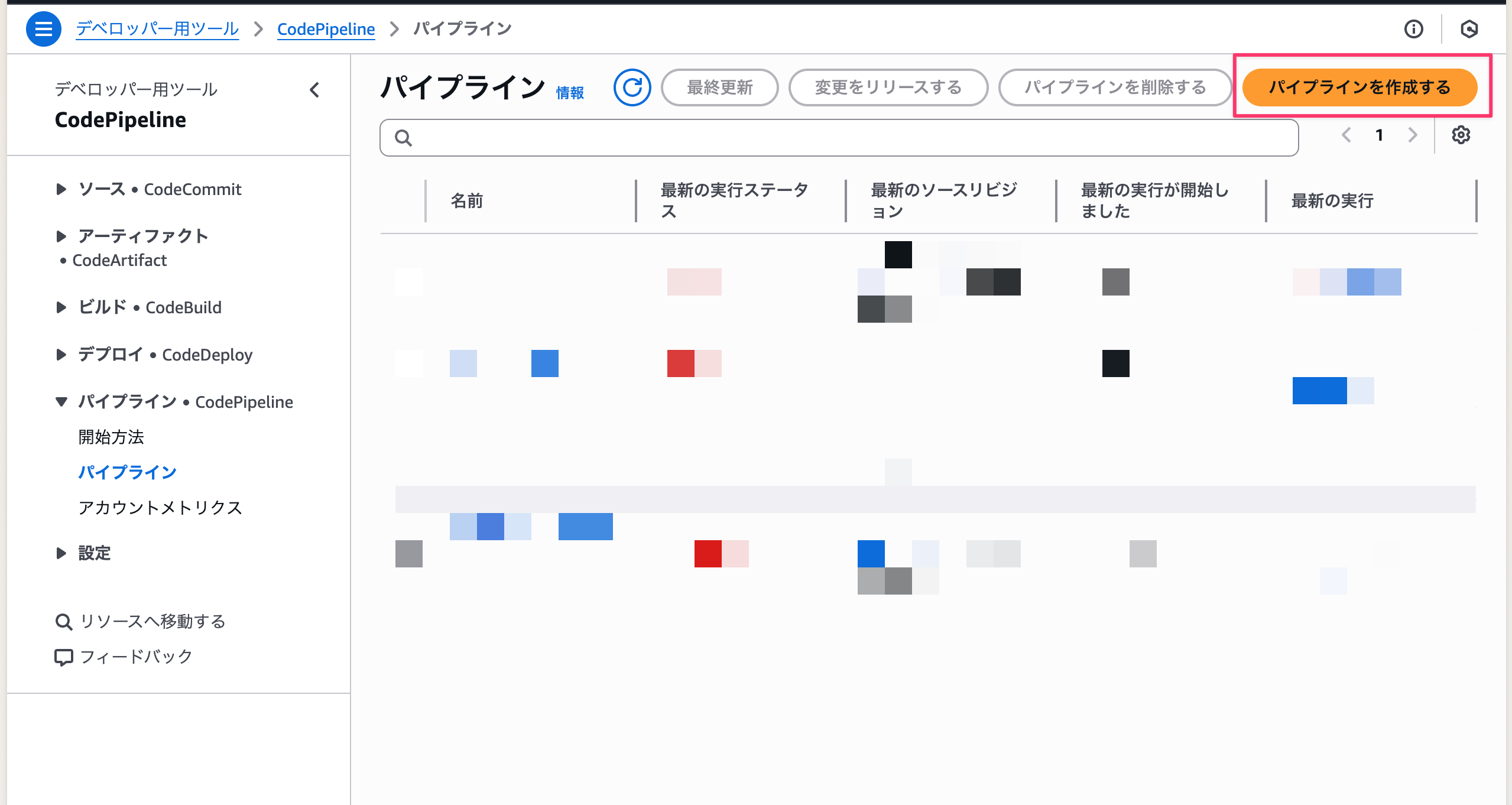
- Select
Create pipelinein the CodePipeline console
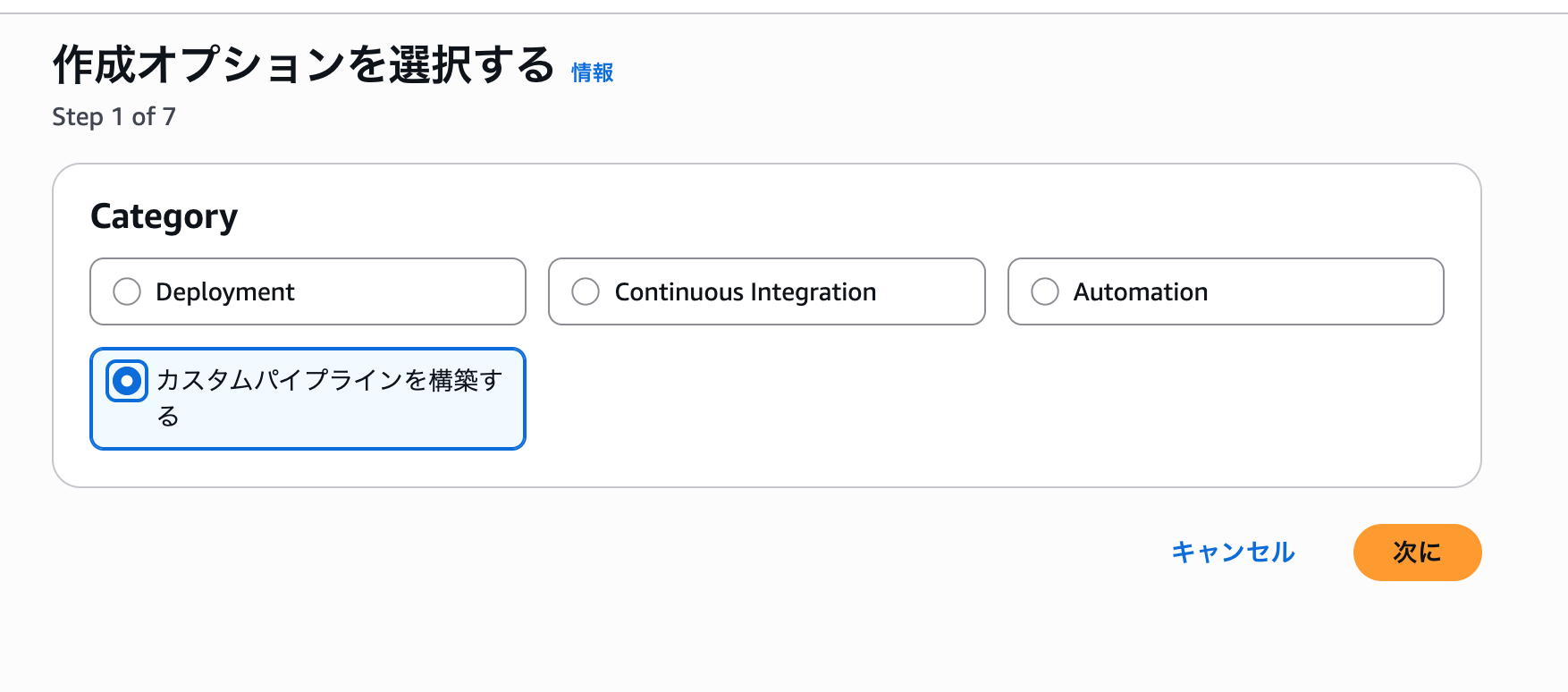
- Select
Build a custom pipeline
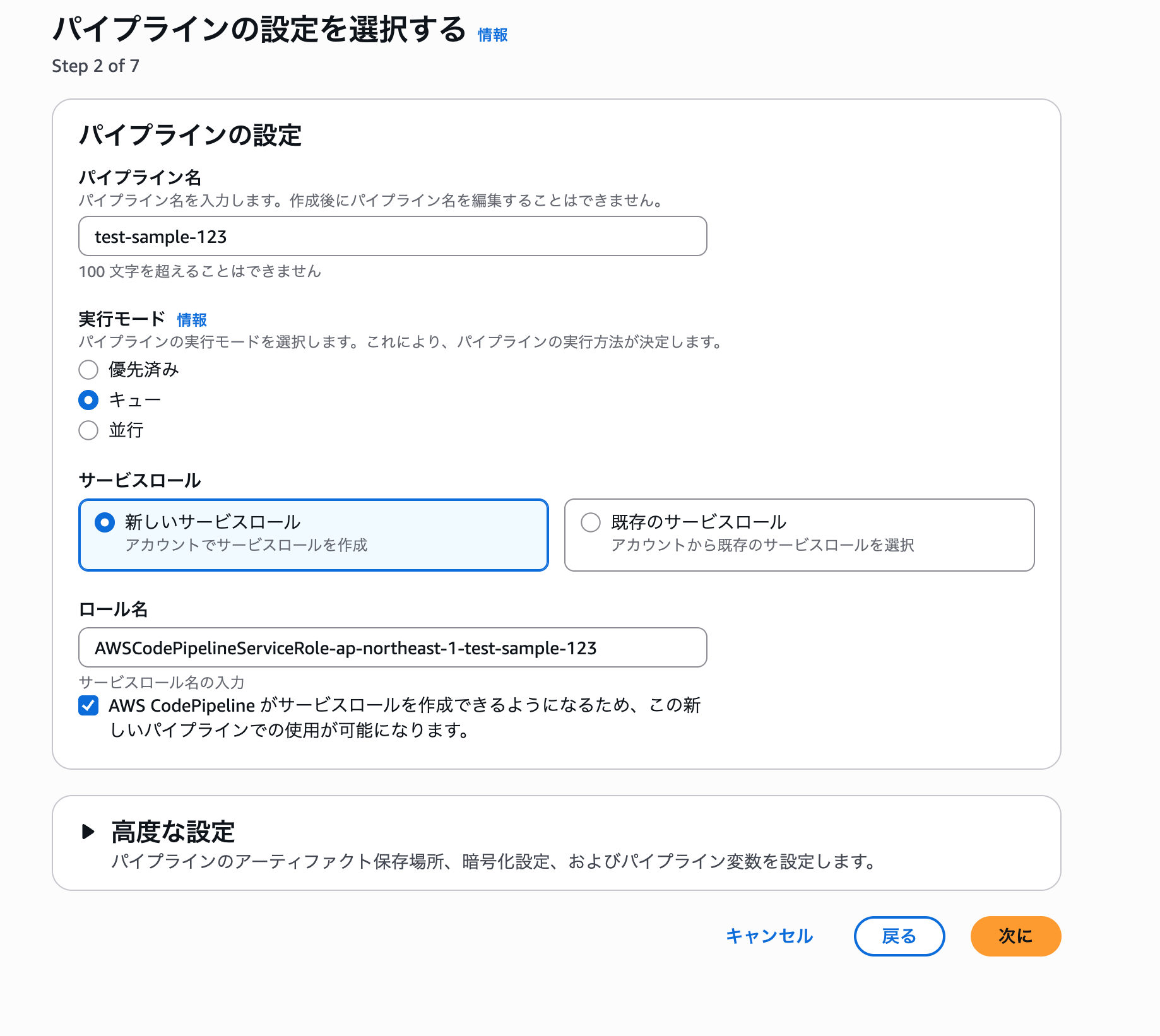
- Enter any pipeline name and select
Next
- Select the ECR repository where you've set up cross-account replication. I've left the tag empty because I want to dynamically retrieve the latest image. If nothing is specified, the
latesttag will be used as the source.

- The build stage and beyond can be chosen freely. I selected CodeBuild for this example.
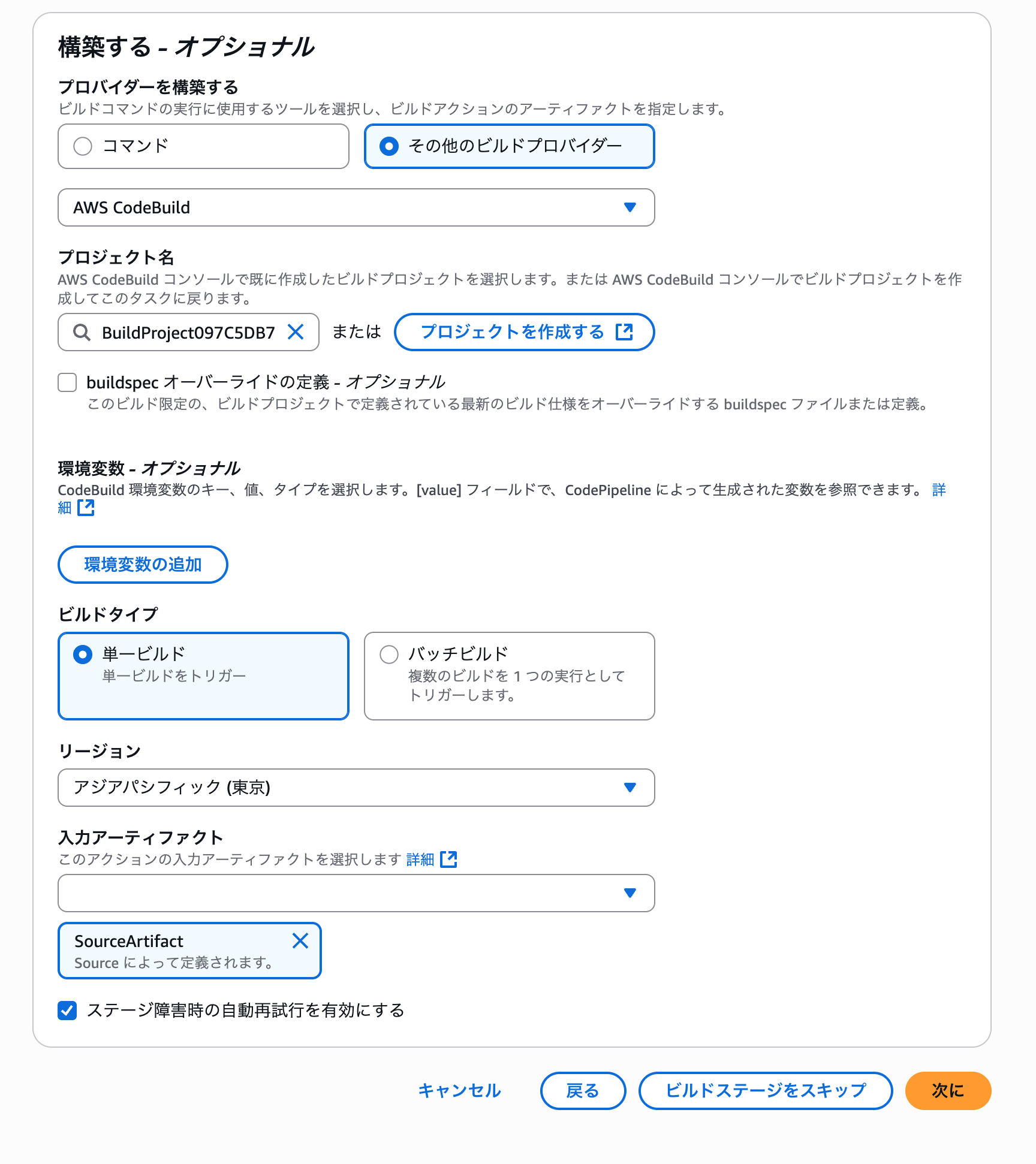
- Skip the steps after the build stage and create the pipeline.
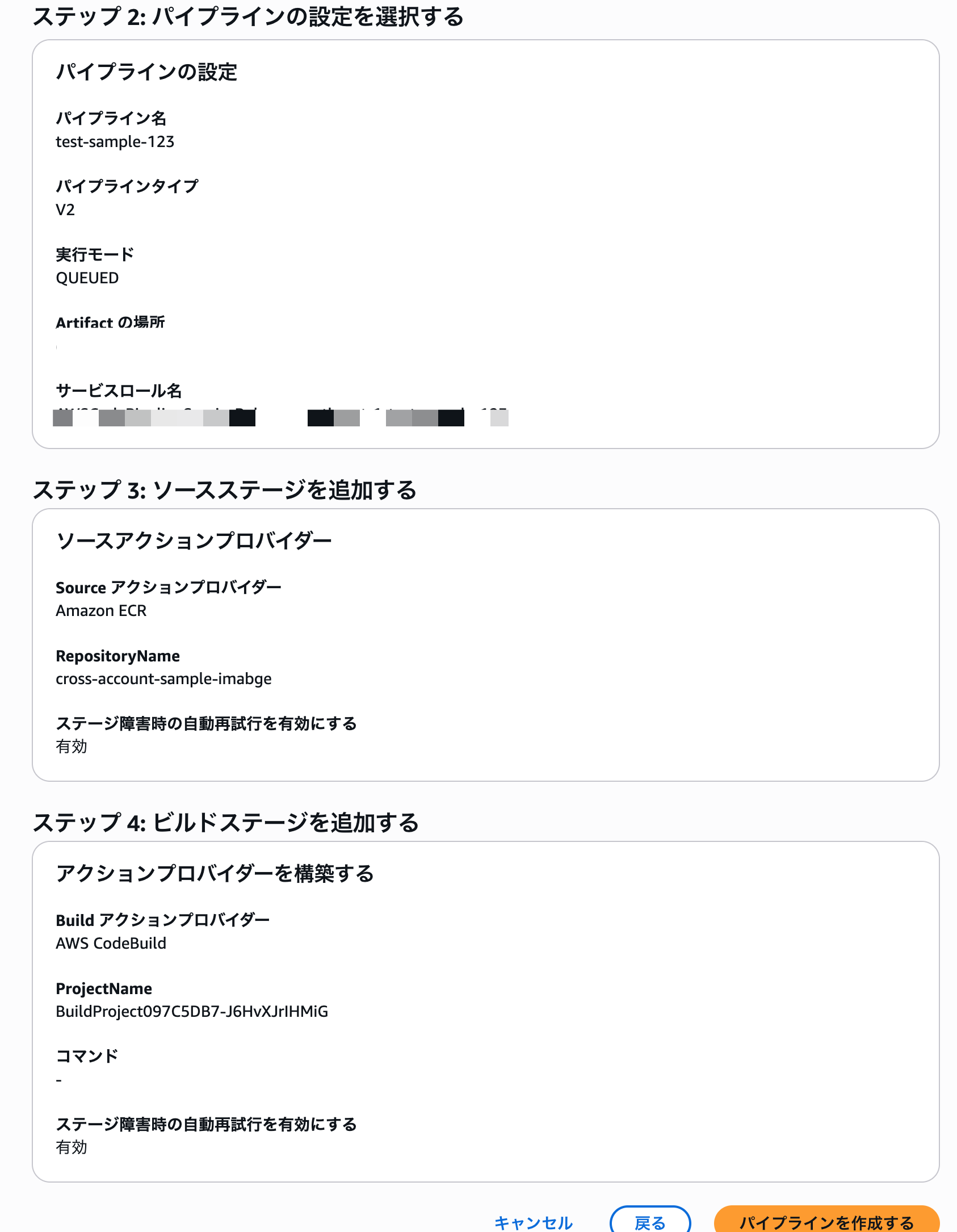
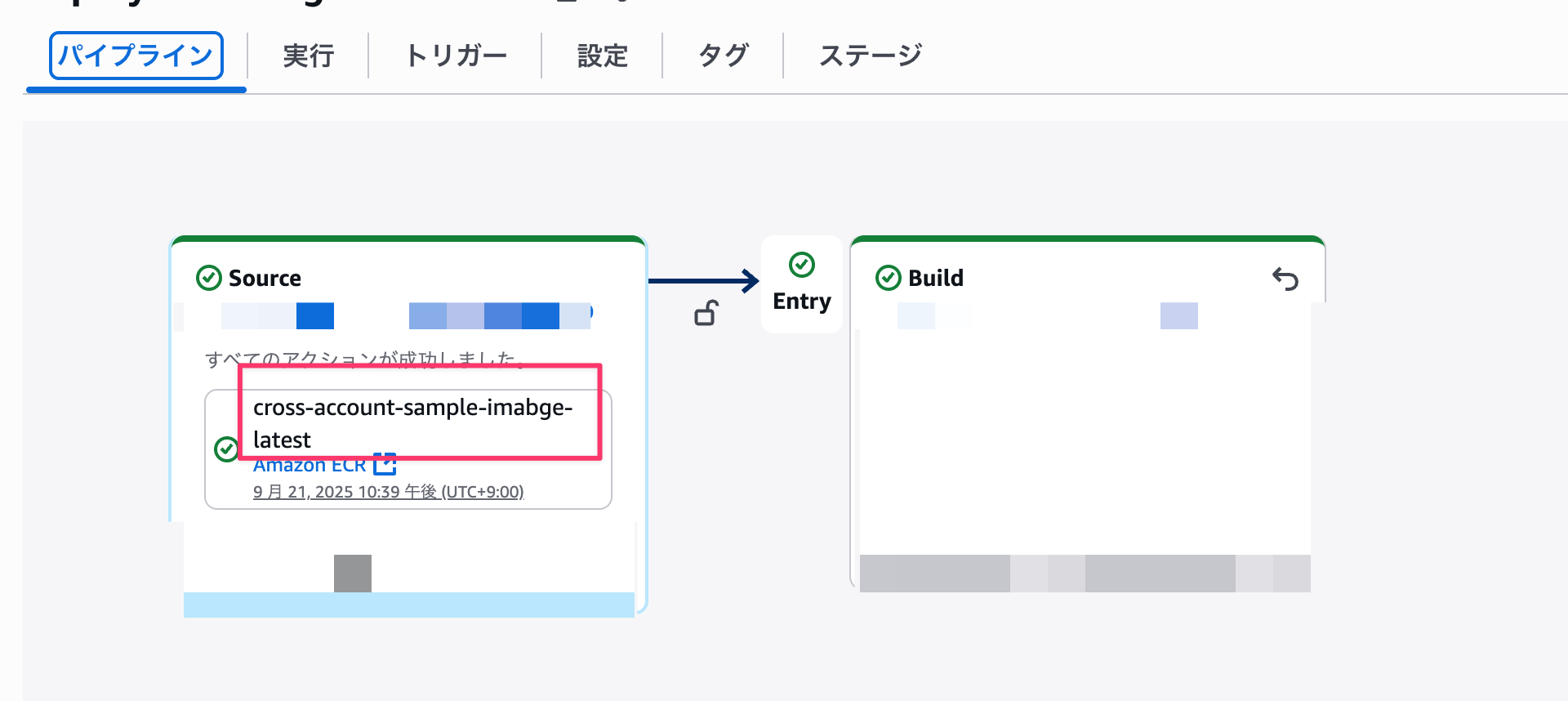
When creating the pipeline, the source stage action name is dynamically assigned, so make a note of it. We'll use it later when configuring the input transformer.
Next, let's configure EventBridge.
EventBridge Configuration
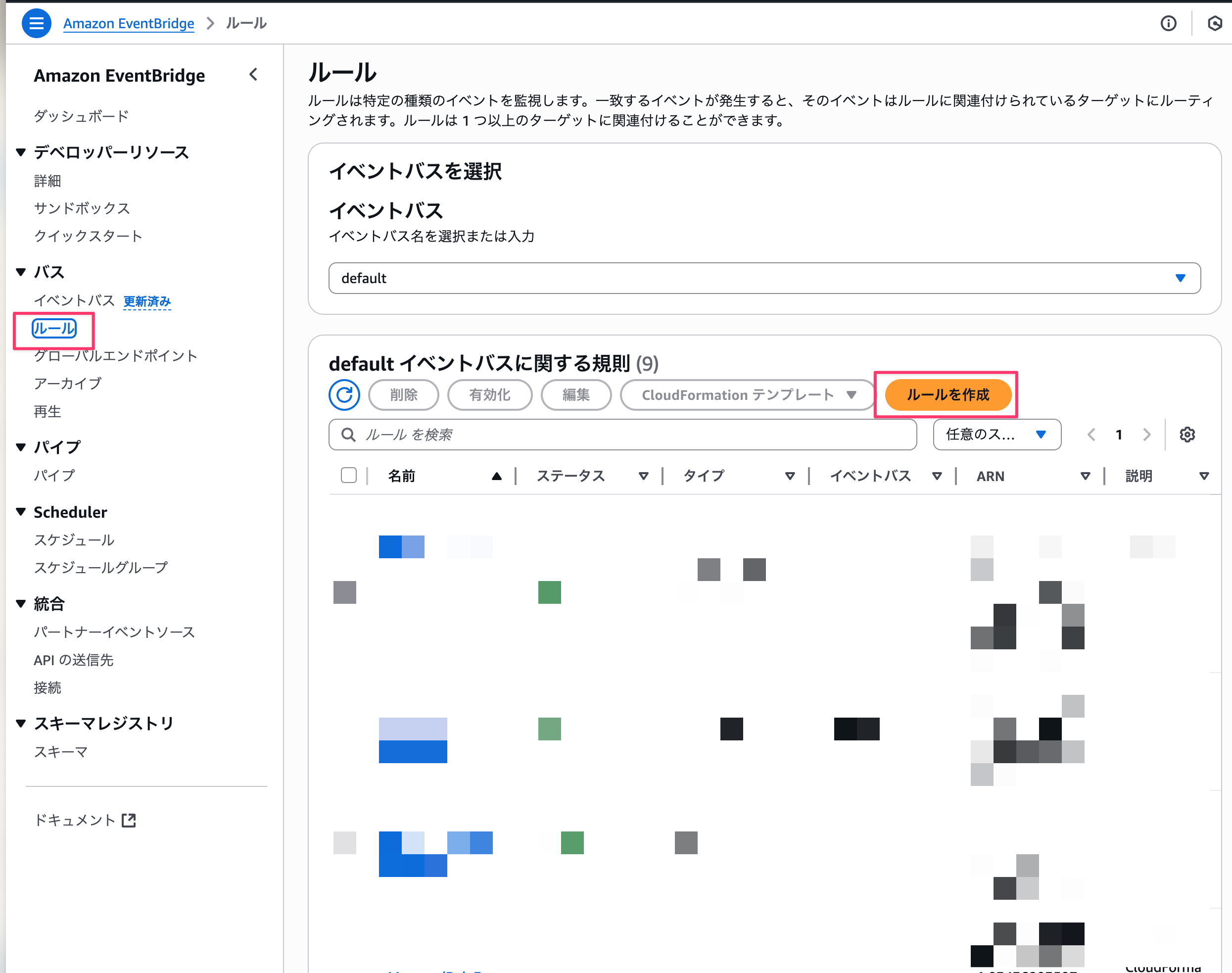
Create an EventBridge rule that detects ECR replication events and executes CodePipeline.
-
Select
Create rulefrom the EventBridge console
-
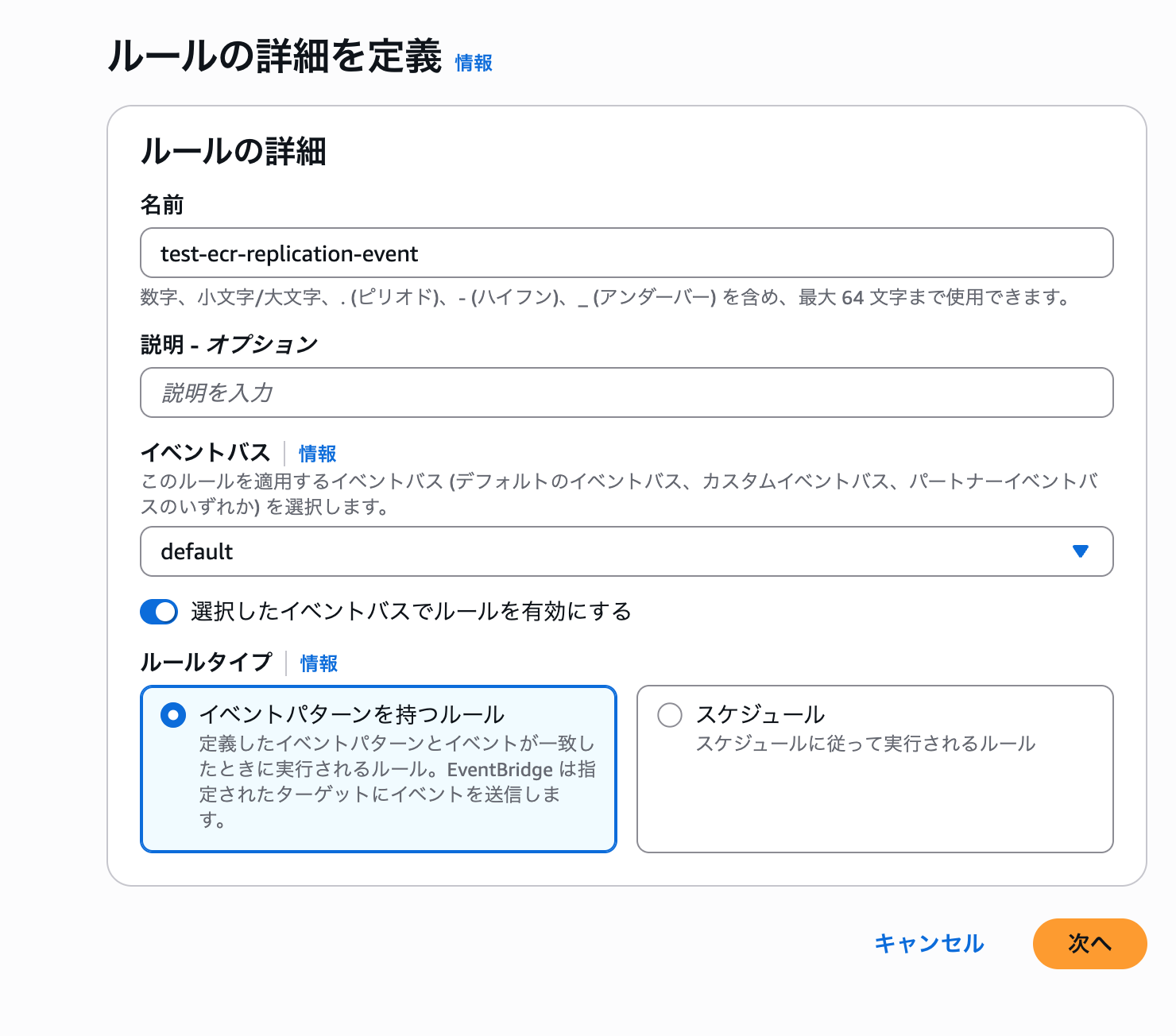
Enter any rule name, select
Rule with an event patternas the rule type, and click Next
-
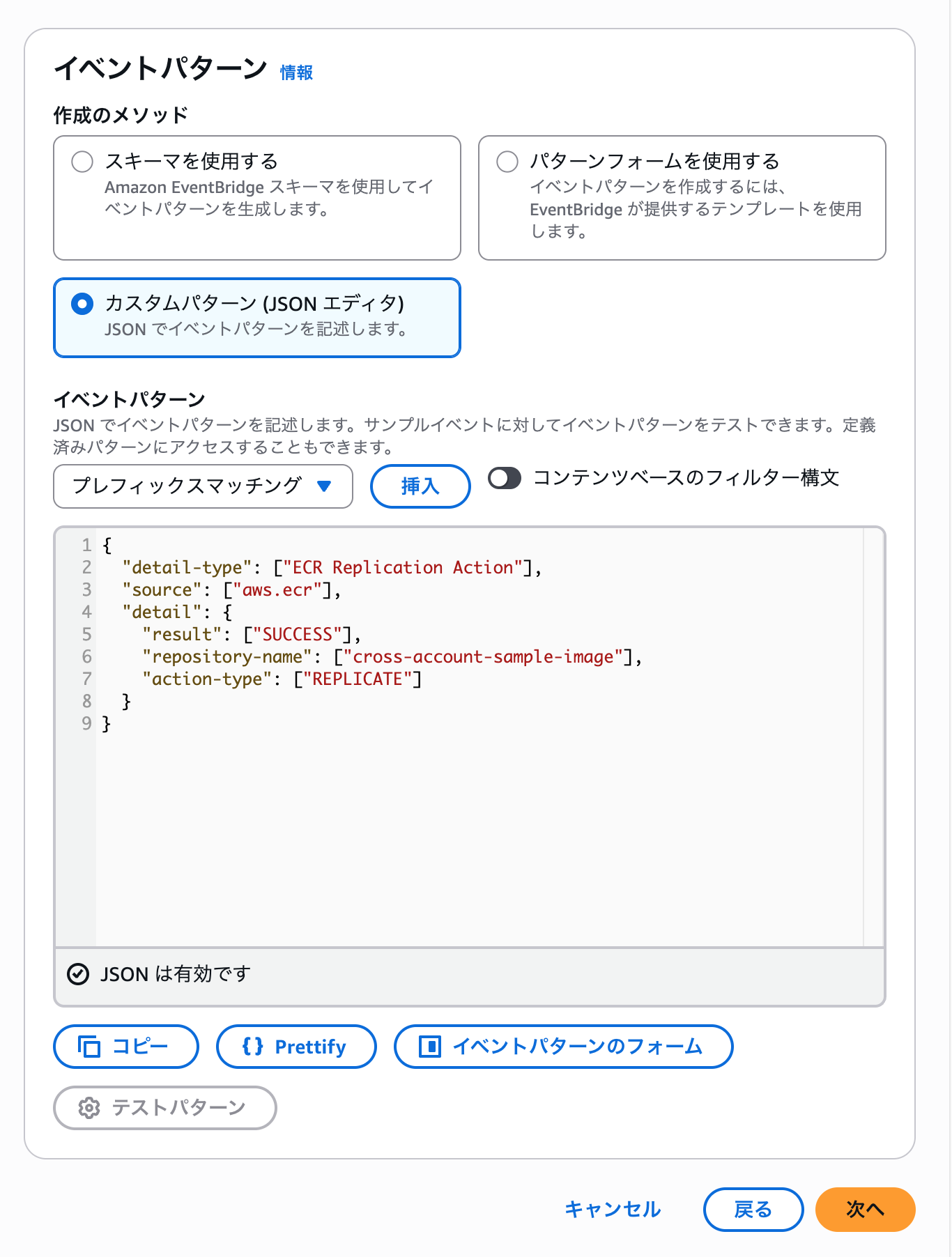
Select Custom pattern and enter the following JSON, setting repository-name to the repository name you're using. This will detect events when replication succeeds.
{
  "detail-type": ["ECR Replication Action"],
  "source": ["aws.ecr"],
  "detail": {
    "result": ["SUCCESS"],
    "repository-name": ["<repository name you're using>"],
    "action-type": ["REPLICATE"],
  }
}
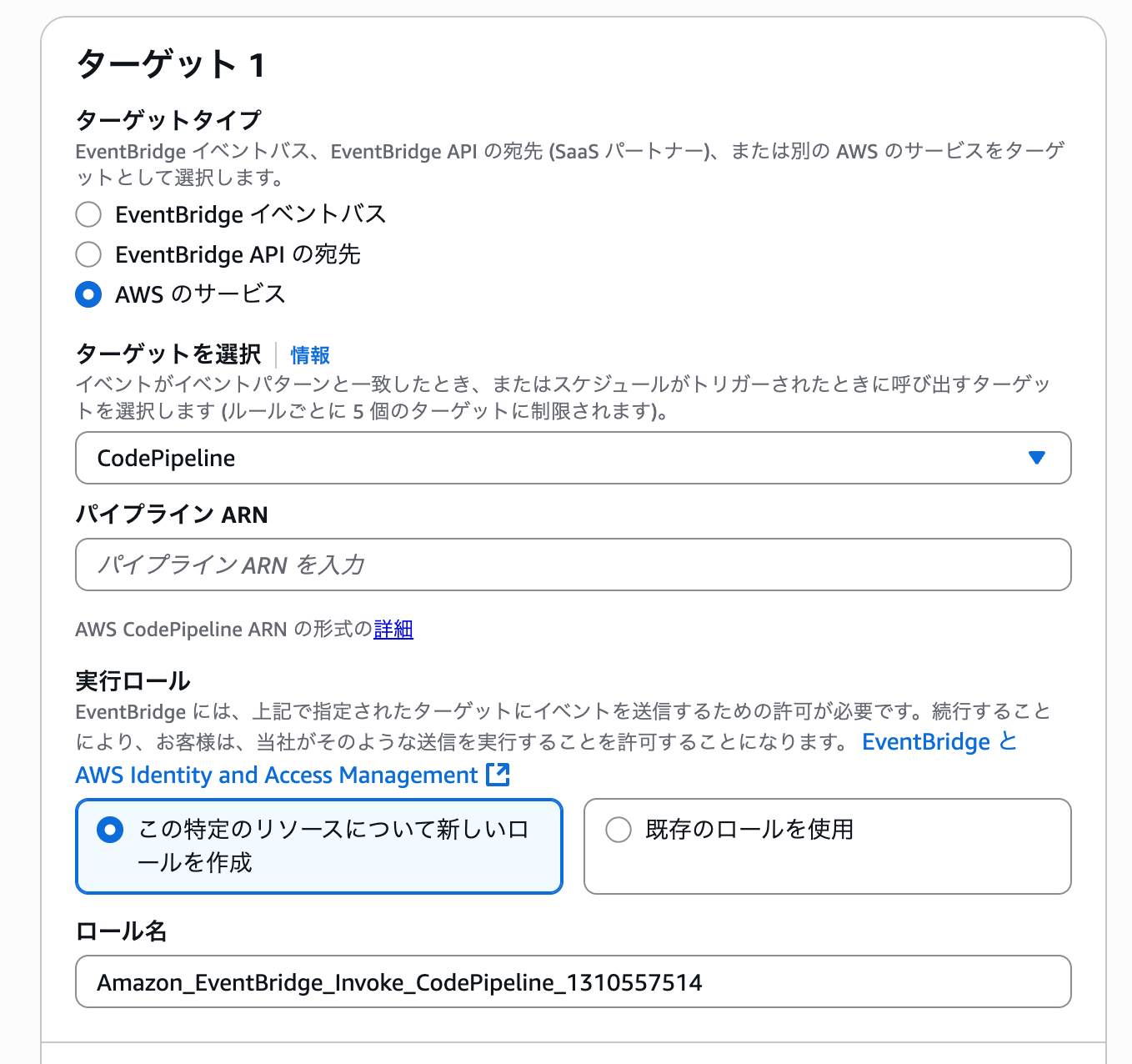
4. Select AWS services, and choose CodePipeline as the target. Enter the ARN of the pipeline you created earlier
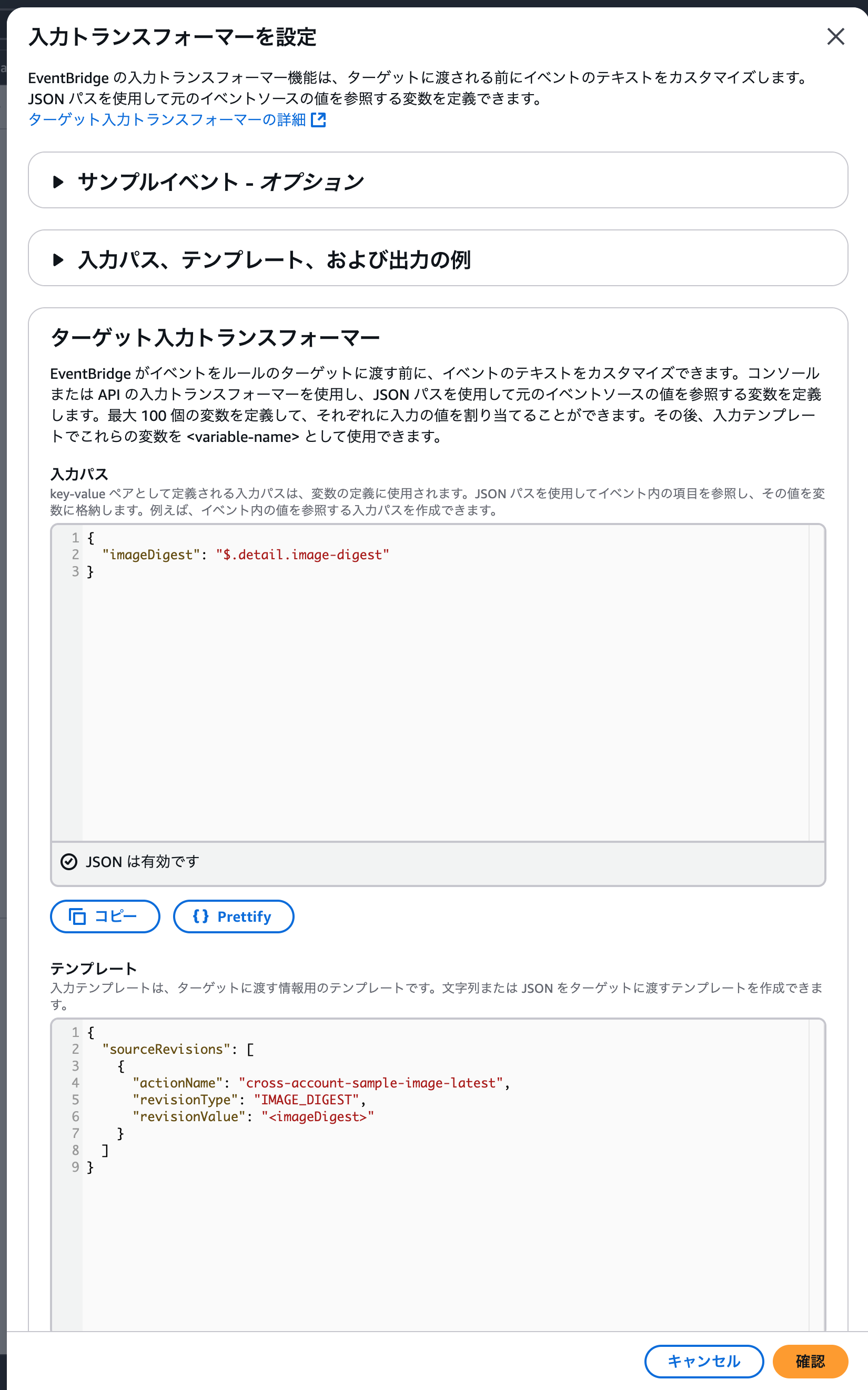
- Next, select input transformer in the target input settings and configure it.
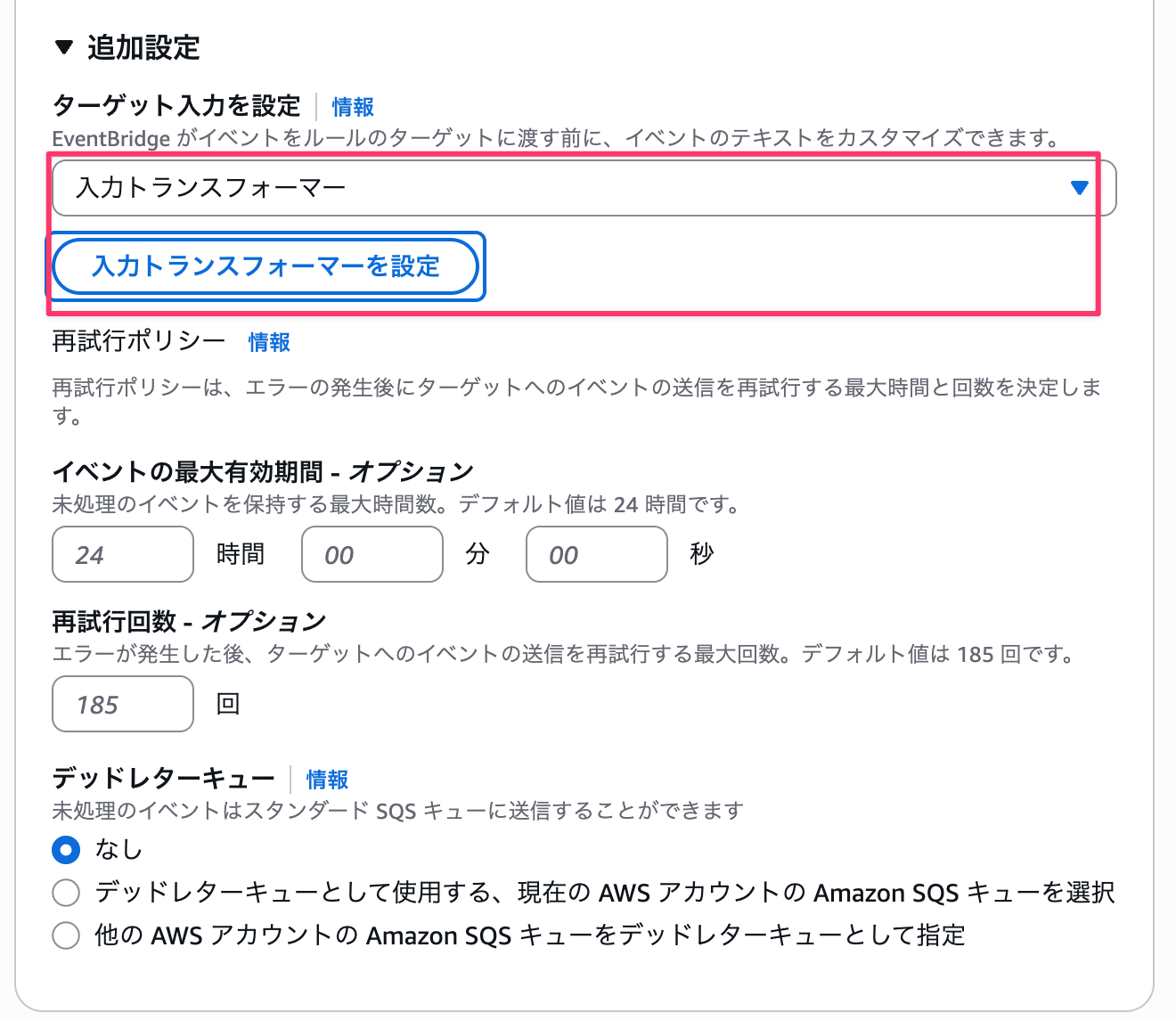
- Enter the following for the input path and template. This retrieves the image digest from the event and specifies that digest value in the transformer. Enter the source stage action name for
actionName.
{
  "imageDigest": "$.detail.image-digest"
}
{
  "sourceRevisions": [
    {
      "actionName": "Enter source stage action name",
      "revisionType": "IMAGE_DIGEST",
      "revisionValue": "<imageDigest>"
    }
  ]
}
7. Continue to complete the rule creation.
Now the preparation is complete. Update an image in the source account and execute replication to the target account.
After replication was completed, the latest state was as follows.
The image with digest starting with 2f8c... is the latest, and the latest tag is not the latest state.
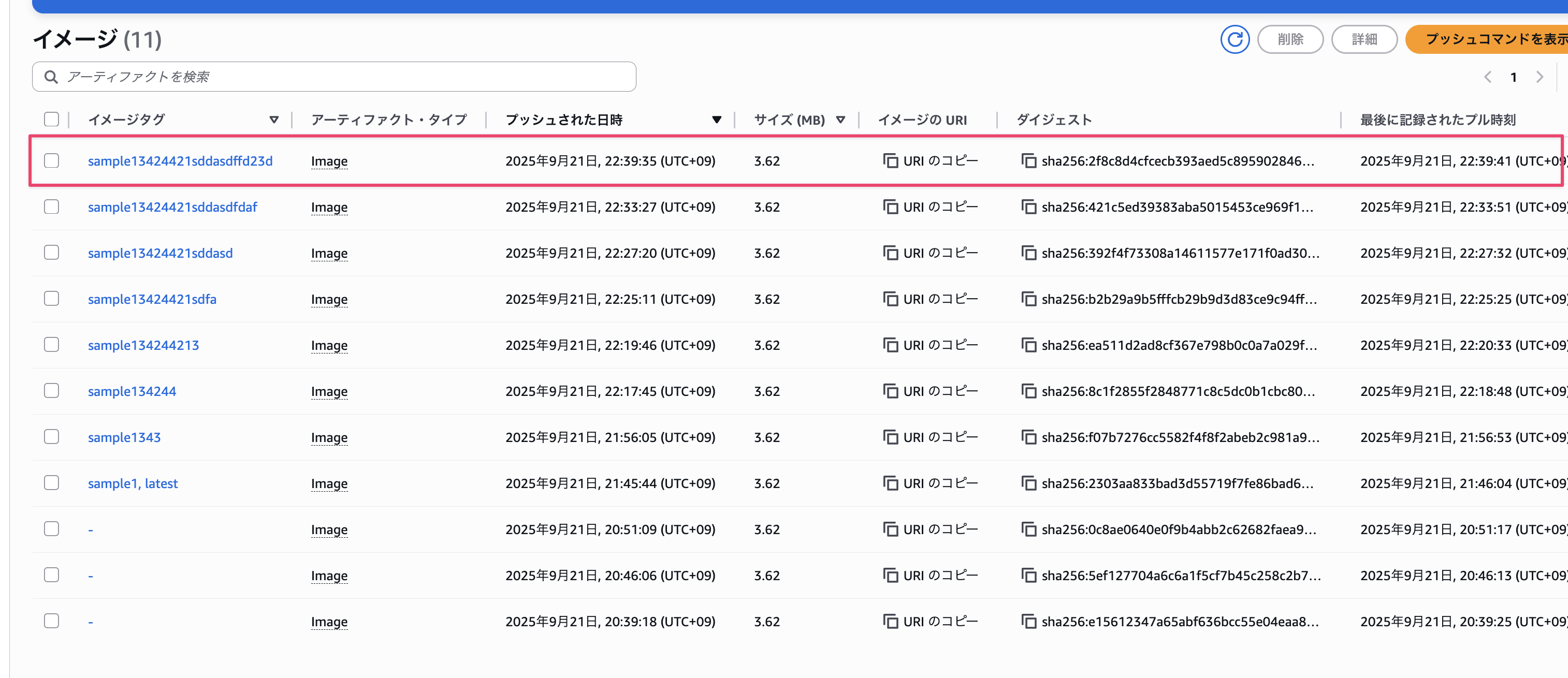
Let's check if CodePipeline is starting properly, and if the latest image is being dynamically retrieved.
Let's look at the source stage output.
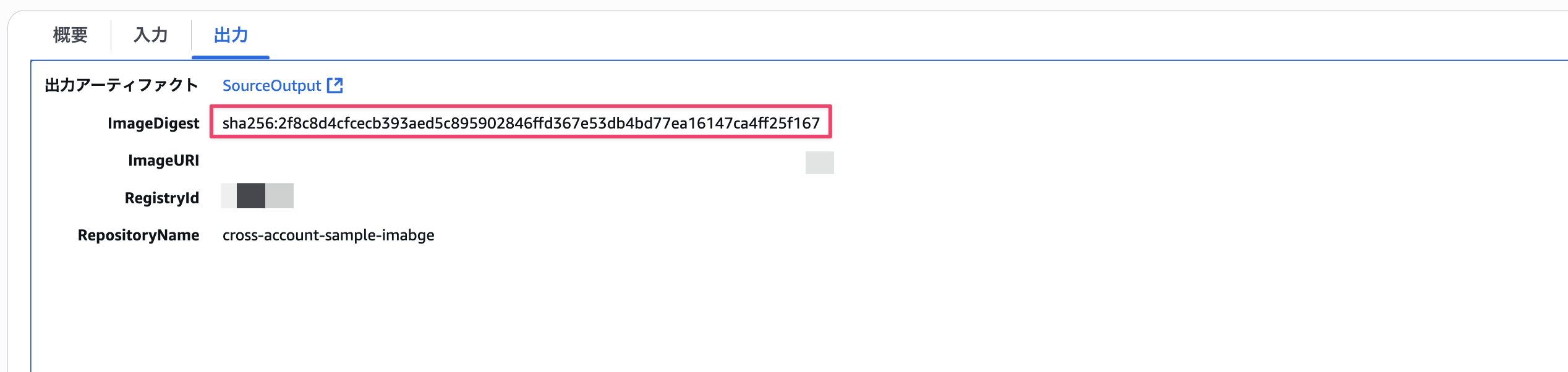
Looking at the digest, we can confirm it matches the latest image digest! We've successfully retrieved it dynamically!
Summary
This time, we tried triggering CodePipeline using ECR replication across accounts.
The integration of EventBridge and ECR wasn't that difficult and felt quite simple.
However, one key point is that depending on your tag operation, you may need to explicitly specify hash values using the EventBridge input transformer feature.
I hope this article was helpful!
Thank you for reading to the end!