![[Update] Amazon ECS Managed Daemons Now Support Low-Criticality Daemons](https://images.ctfassets.net/ct0aopd36mqt/wp-thumbnail-6d4fdf3578638cab4e6e4655b3d692aa/15a803840d72679e6593006354d5766b/amazon-elastic-container-service?w=3840&fm=webp)
[Update] Amazon ECS Managed Daemons Now Support Low-Criticality Daemons

This page has been translated by machine translation. View original
Introduction
Hello everyone, this is Akaike.
Are you using managed daemons with Amazon ECS Managed Instances?
This is a convenient feature that allows you to manage agents for security monitoring, logging, and other purposes separately from your applications, but until now the only behavior was the straightforward approach of "if a daemon task goes down, drain and replace the entire container instance."
However, there was recently an update that allows you to configure the criticality of managed daemons.
With this update, if you set a daemon to low criticality, application tasks can apparently continue running without stopping even if the daemon goes down.
So I decided to verify the behavior.
Overview of the Update
What are Amazon ECS Managed Daemons
Amazon ECS Managed Daemons is a feature that reliably places and manages exactly one daemon task on every container instance in Amazon ECS Managed Instances.
Since the lifecycle is separated from application deployments, you can update only the daemon without redeploying the application, and updates are rolled out to all container instances in the cluster via rolling deployment.
Another characteristic is that daemon tasks start before application tasks, which prevents problems like "the application starts processing before the containers for logging or tracing have started."
This Update
What was added this time is the ability to set criticality for daemons.
The documentation describes this feature as follows:
Critical - The default. Amazon ECS starts the daemon task before it places application tasks on the instance, and if the daemon task stops or becomes unhealthy, Amazon ECS drains and replaces the container instance.
Non-critical - Set the
criticalparameter tofalse. The daemon task operates independently of container instance health. If a non-critical daemon task fails, stops, or becomes unhealthy, Amazon ECS keeps the container instance active. Existing application tasks keep running, and Amazon ECS keeps placing new application tasks on it. A non-critical daemon never blocks instance registration, so application tasks can be placed immediately even if the daemon fails to start.
In summary, you can now choose between the following two options:
- Critical
- Same behavior as before, this is the default setting
- If the daemon task stops or becomes unhealthy, drain and replace the entire container instance
- Non-critical
- The container instance remains active regardless of the daemon's state
- Therefore, existing and new application tasks are not affected
Verification
About the Verification Environment
I built the verification infrastructure using Terraform.
The code is available in the following GitHub repository.
Note that as of the time this blog was written, the latest provider (terraform-provider-aws v6.63.0) did not support specifying criticality in the daemon task resource (aws_ecs_daemon).
Therefore, I will switch criticality from the AWS Management Console.
Stopping the Daemon When Criticality is Critical (Previous Behavior)
First, as a comparison, let's confirm the previous behavior.
The app task (ecs-daemon-critical-app) and daemon task (ecs-daemon-critical-daemon) are each running on a single container instance.
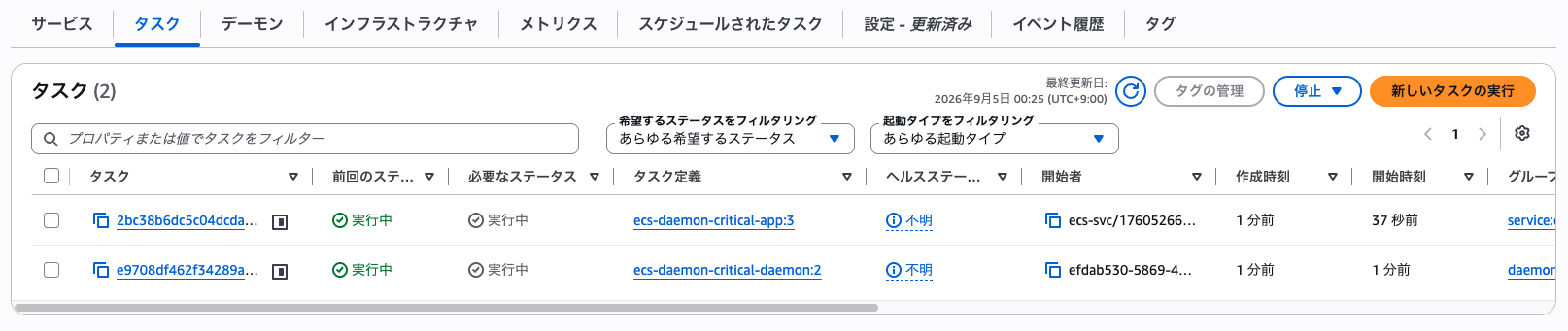
Let's manually stop this daemon task.
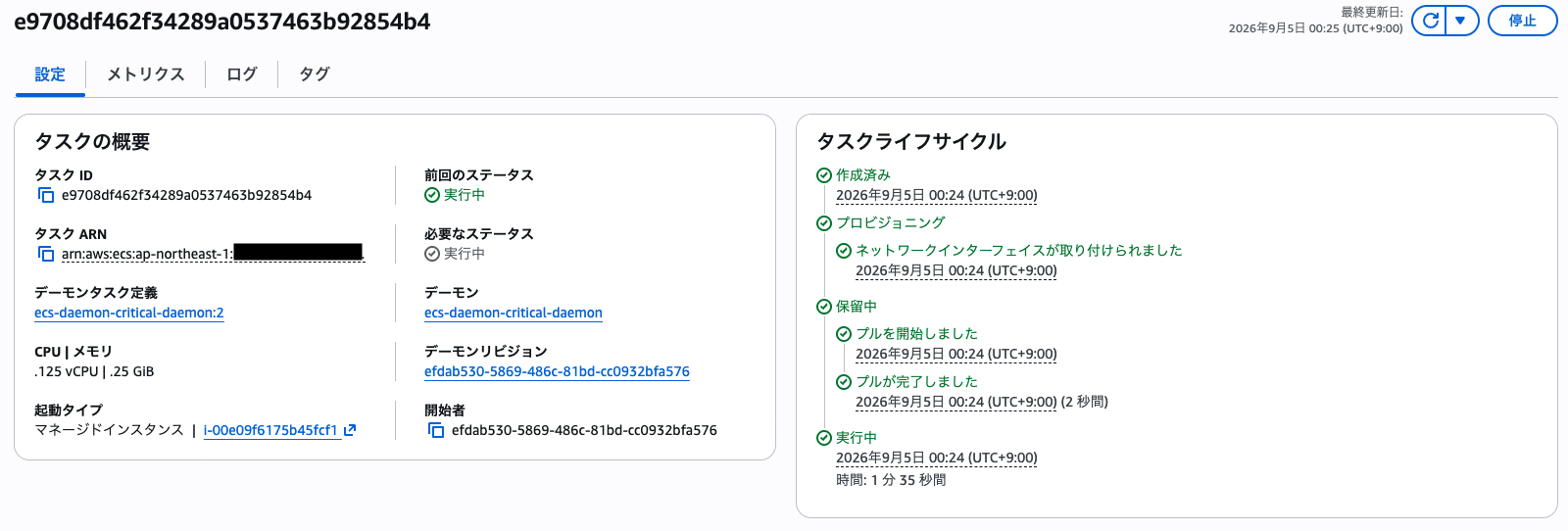
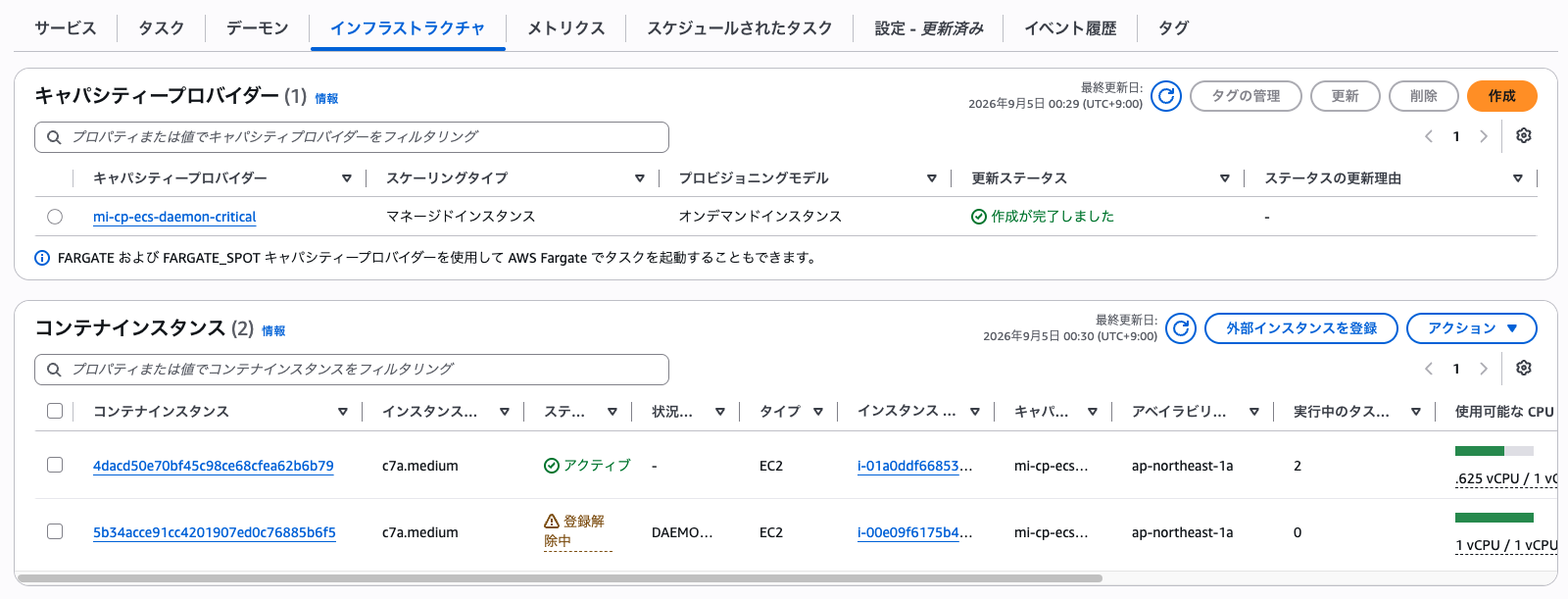
The original container instance then enters a deregistering status, and a new container instance is already launched as active in its place.
In the task list, both the app task and daemon task that were on the original container instance show as "Stopped," and you can see that both the app task and daemon task are running as "Running" on the new instance.
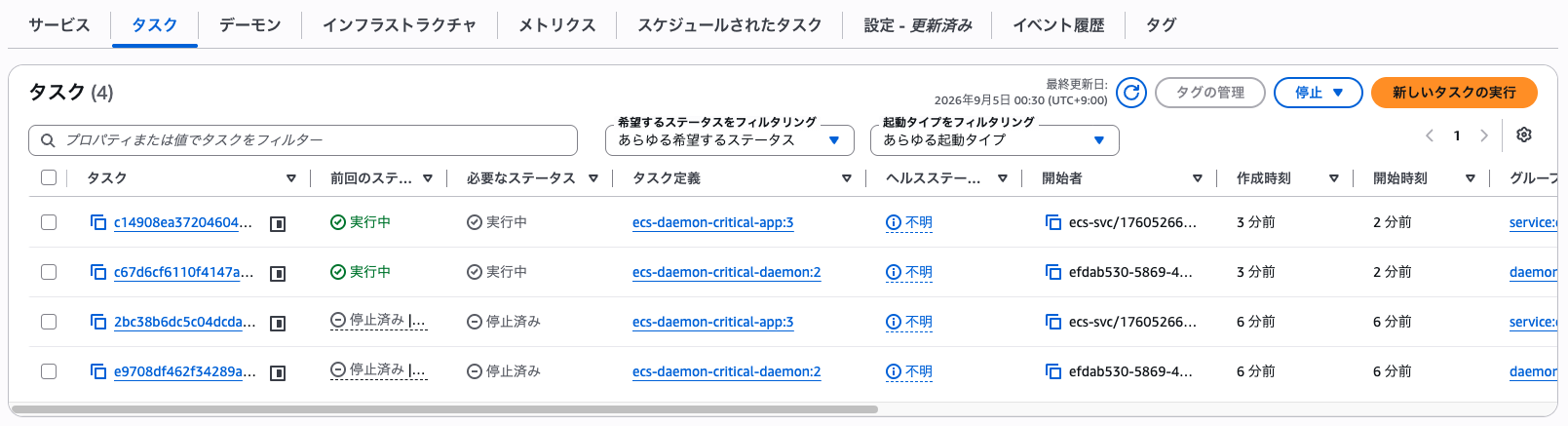
As described in the documentation, we confirmed that when criticality is critical, a daemon task failure causes the container instance to be replaced.
Stopping the Daemon When Criticality is Non-Critical (Added in This Update)
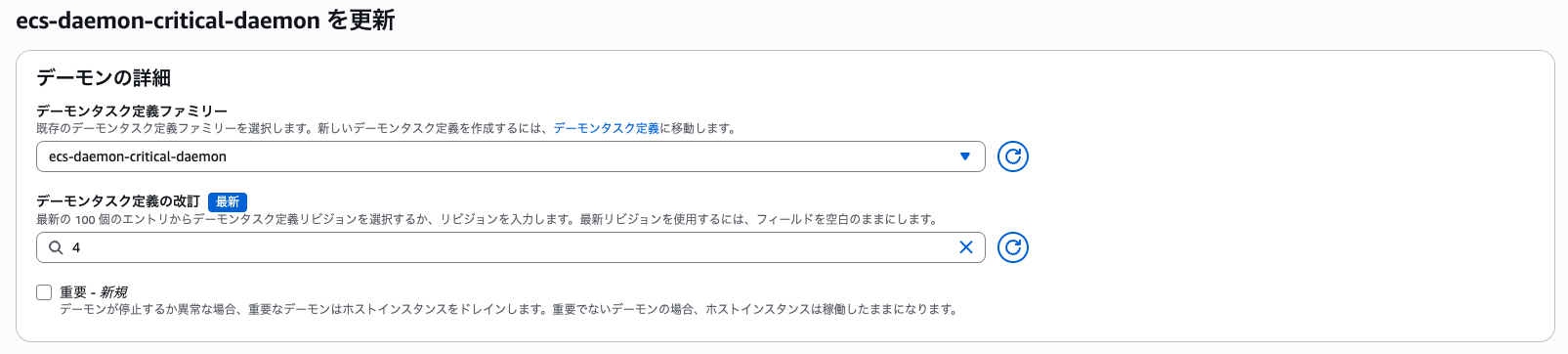
Next, let's change this daemon's criticality to non-critical.
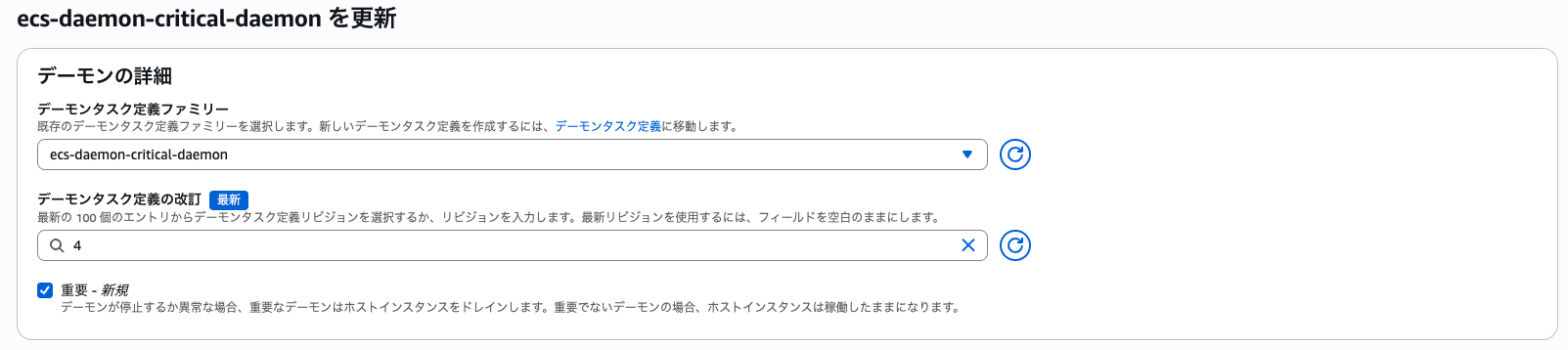
In the Management Console, you can configure this by unchecking "Critical" and saving.
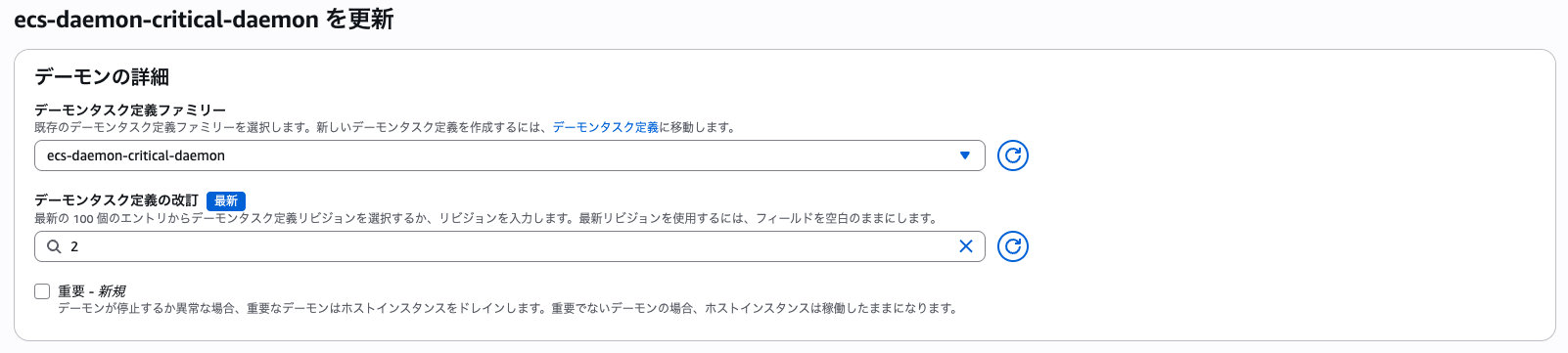
When updated, a rolling deployment runs and container instances are replaced.
Note that at this point, since we are transitioning from a critical setting, draining appears to occur.

Now, the non-critical daemon task is running on the new container instance.
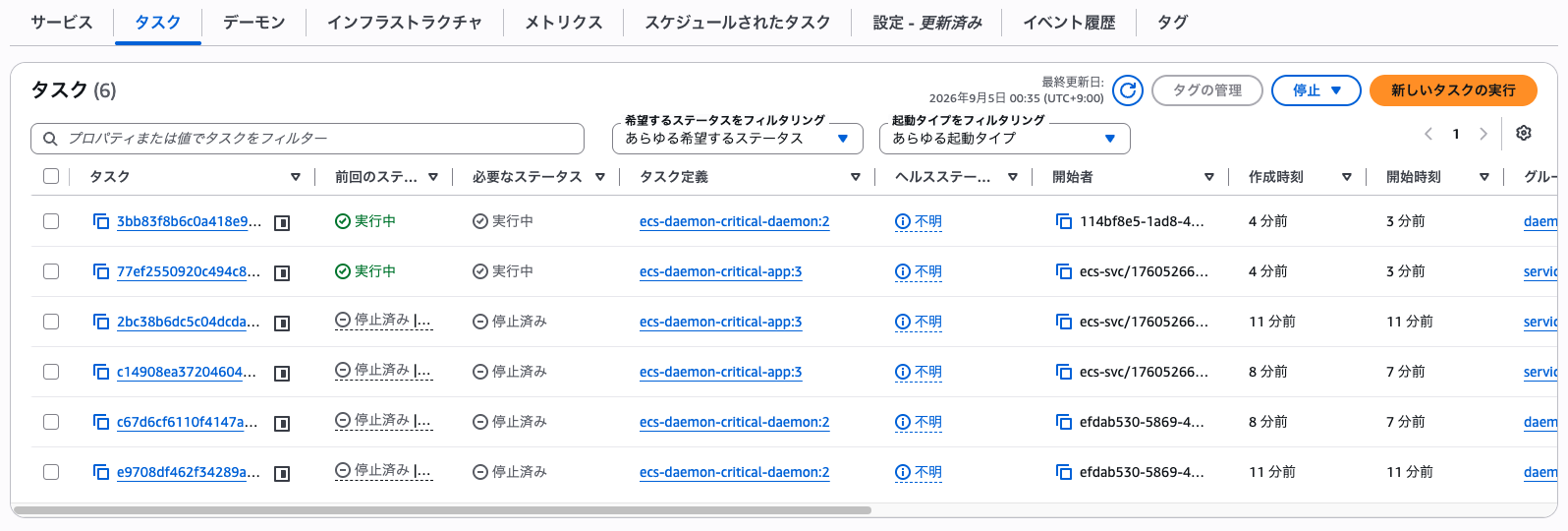
Stopping a Non-Critical Task
After confirming that the non-critical daemon task is running normally,
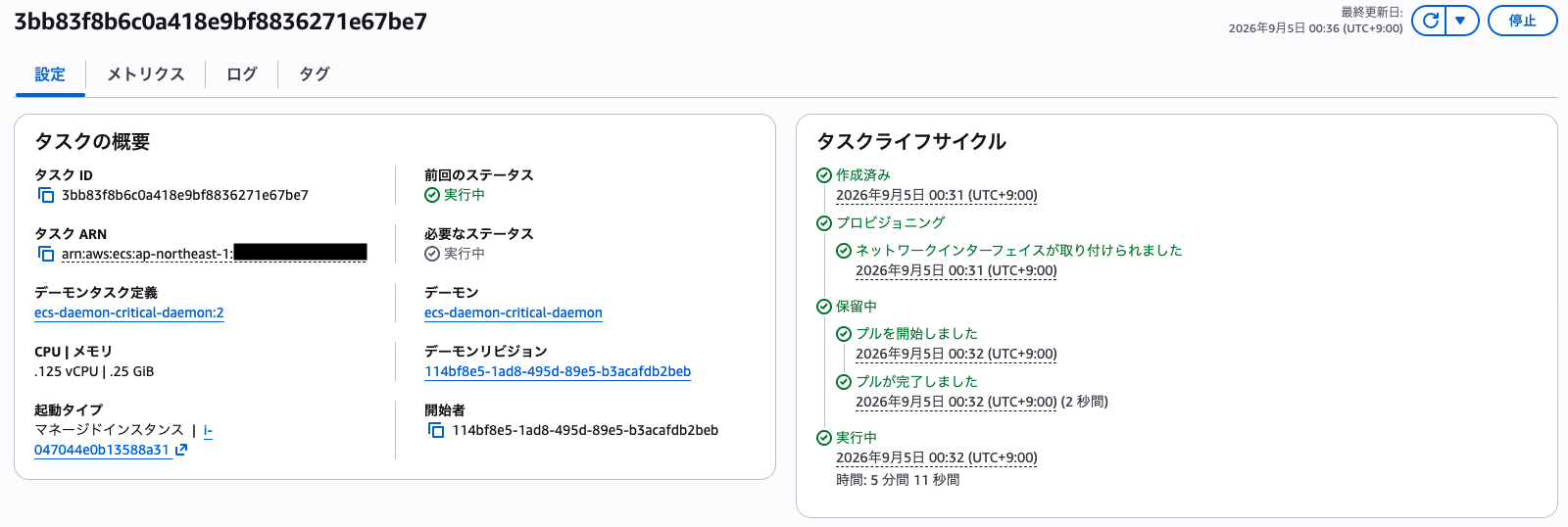
let's manually stop this daemon task as before.
Looking at the container instance list, the relevant instance remained active and no draining occurred.

Looking at the task list, the app task continues as "Running" while only the daemon task shows as "Stopped."
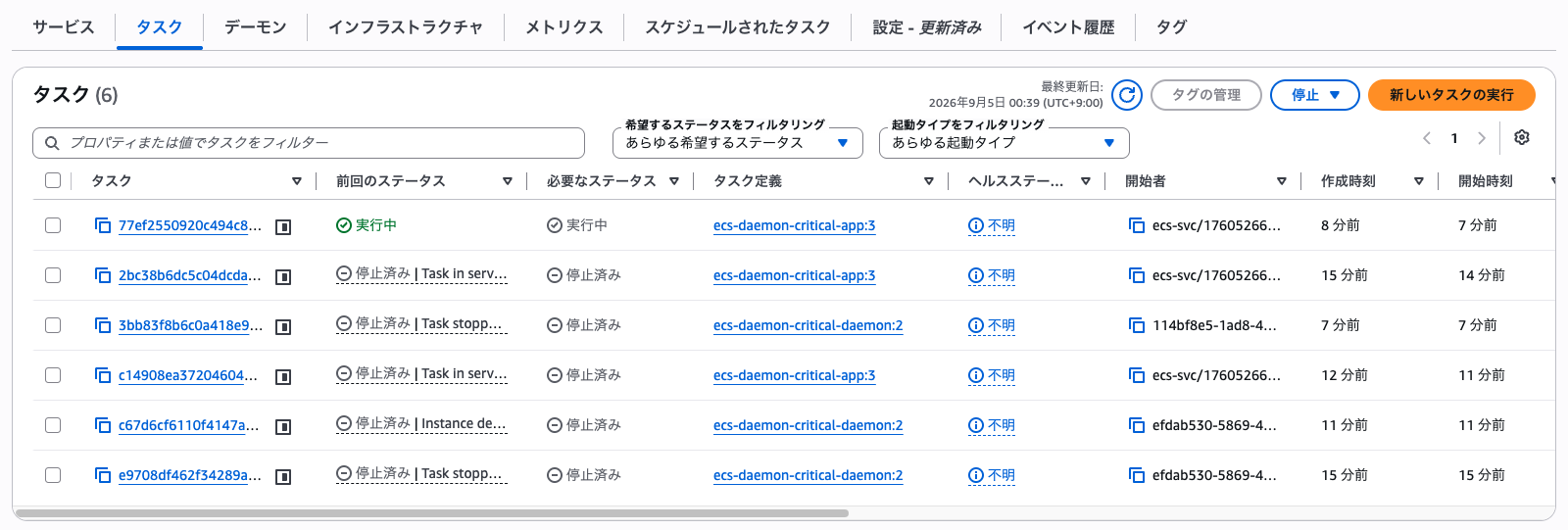
As written in the documentation, we confirmed on actual hardware that application tasks continue running without interruption.
Recovering a Stopped Non-Critical Task
What caught my attention here was the question: "How do you recover a stopped daemon task?"
First, let's try just updating without changing any daemon parameters.
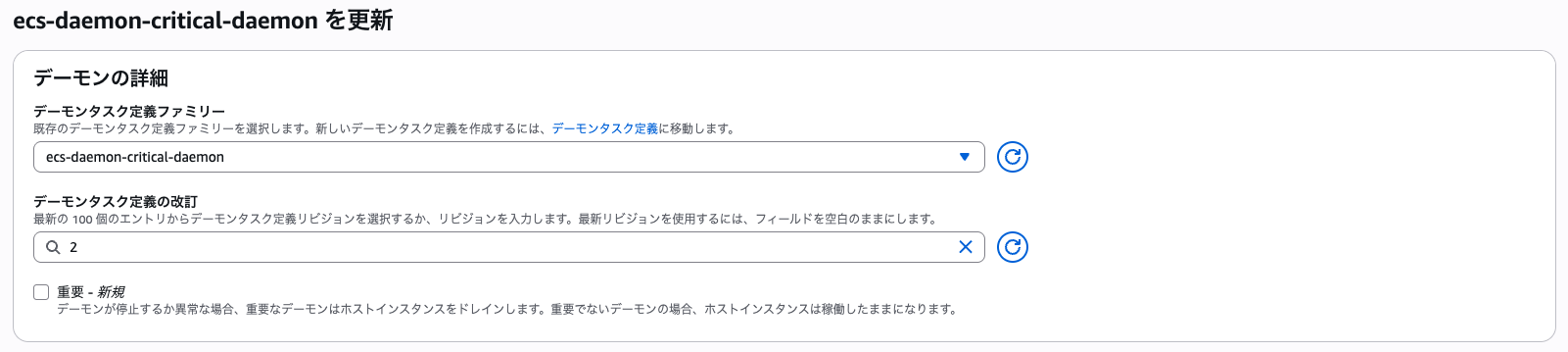
In this case, the daemon task did not recover.
The update completed without issues, but nothing was placed on the container instance where the daemon had already stopped.
Next, I switched the daemon task definition to a new revision (3) and tried running the update again. (The revision content was the same as the old revision)
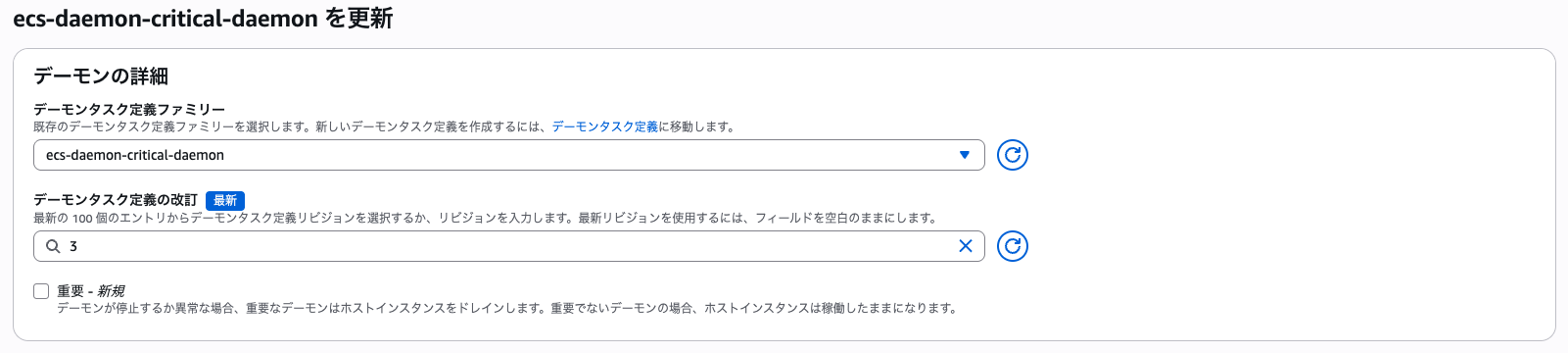
This time, a rolling deployment occurred.
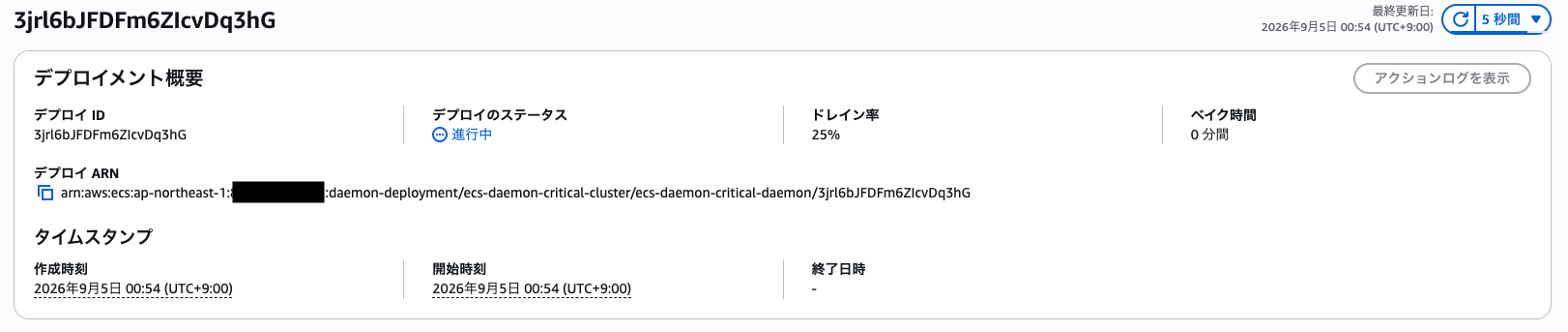
Looking at the container instance list, the original container instance where the daemon had stopped entered a draining state, and a new instance launched as active.

Ultimately, in the task list, both the app task (app:3) and daemon task (daemon:3) show as "Running" on the new instance, and the daemon has recovered.
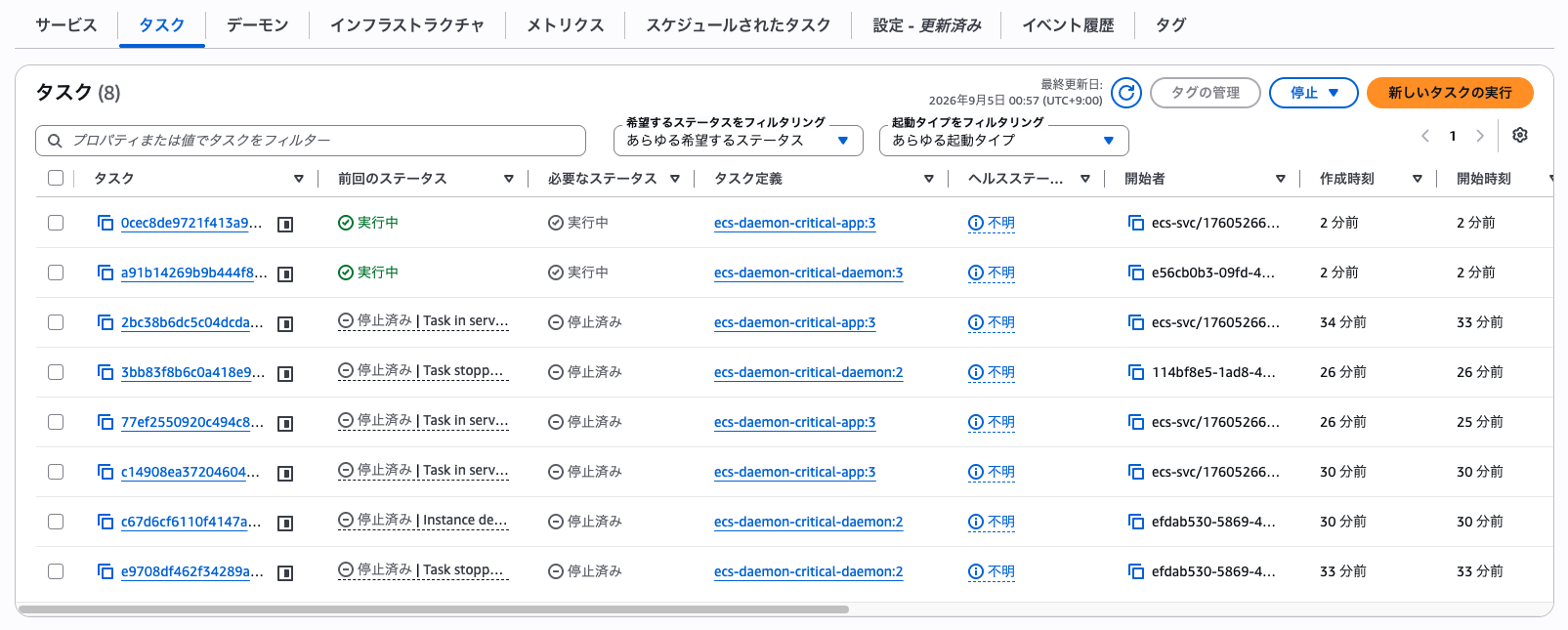
In other words, the daemon starts on the new container instance side when "container instances are replaced, such as through a daemon task definition update."
This behavior is also explicitly stated in the documentation.
When you update a daemon to a new task definition revision, Amazon ECS performs a rolling deployment across all instances in the associated capacity providers. During the deployment, Amazon ECS drains a configurable percentage of instances simultaneously, provisions replacement instances with the updated daemon, and replaces your Amazon ECS service tasks automatically.
Therefore, it can be said that on a container instance where the daemon has stopped, the daemon will not recover on that same container instance.
Deploying a Daemon That Fails to Start from the Beginning
Up to this point, we have looked at the case of "manually stopping a daemon that started normally once."
However, the documentation mentions behavior for cases where "the daemon task fails to start in the first place," which seems to be the more intended use case.
Criticality controls what Amazon ECS does when a daemon task doesn't start, or stops later. For a critical daemon, a task that fails to start keeps the instance from becoming active.
So I tried this as well.
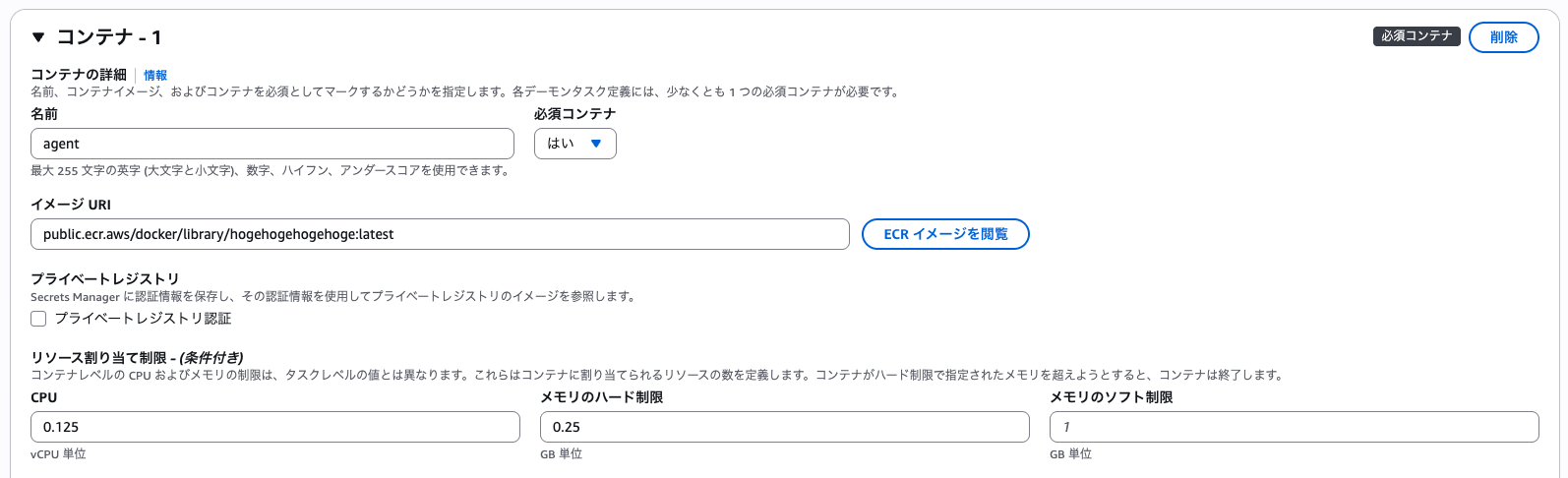
Since building a new container was too much trouble, I specified a random nonexistent image in the daemon task definition and created a new revision (4).
When Criticality is Non-Critical
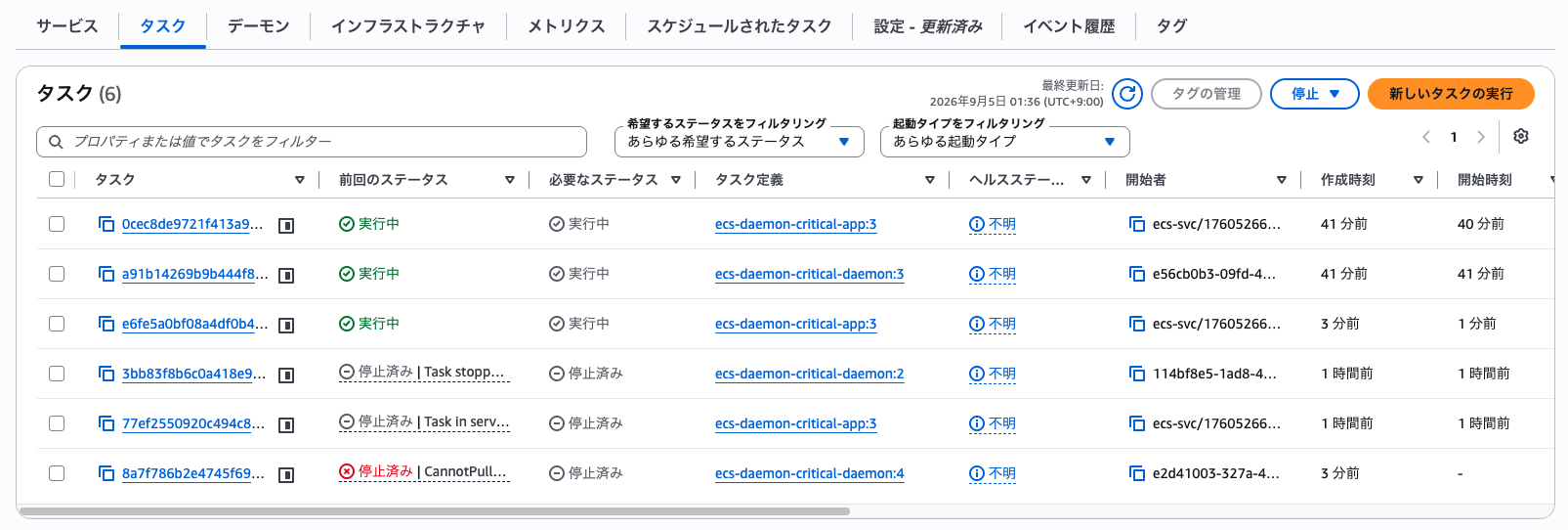
First, let's update to this revision 4 while keeping the non-critical setting.
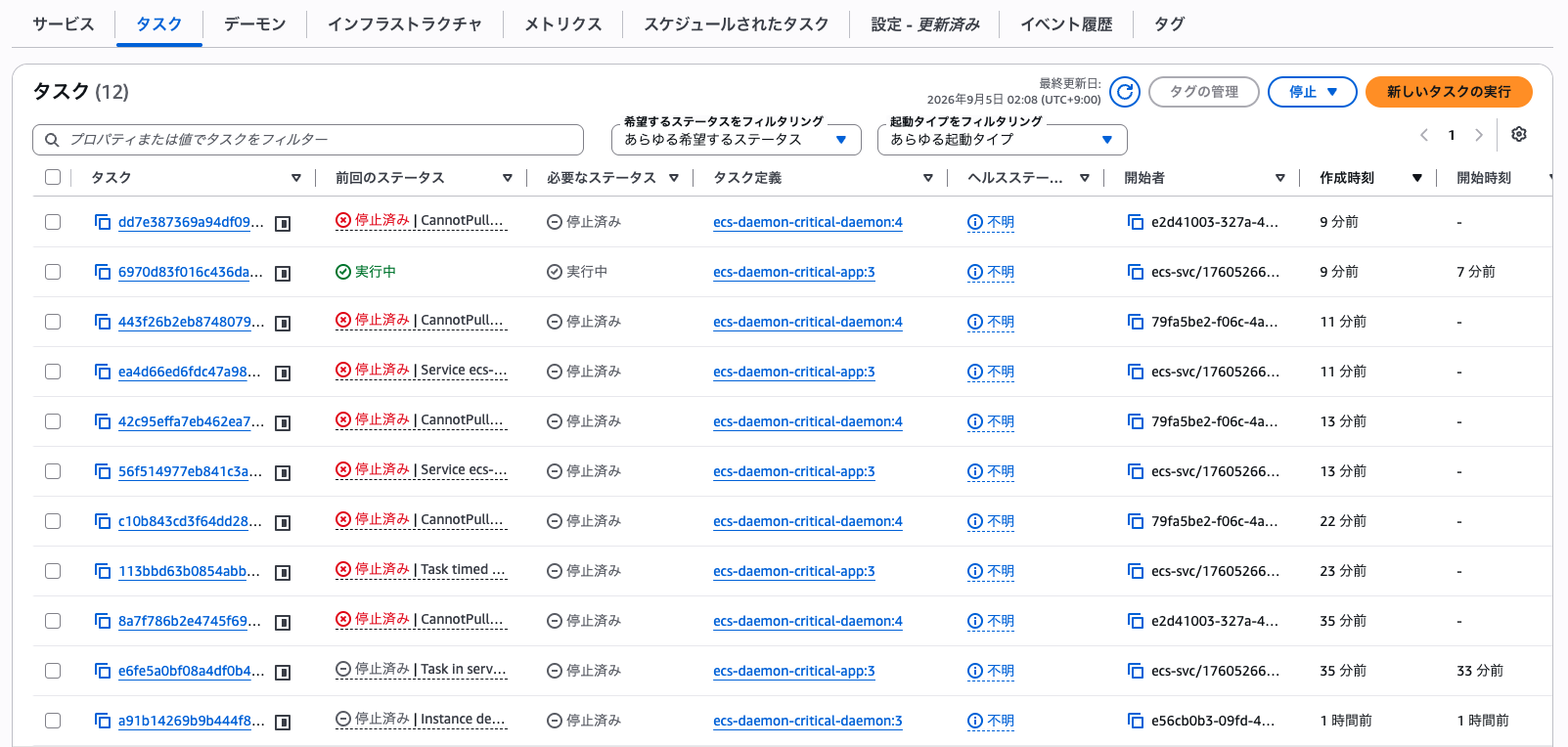
The result is that the daemon task (ecs-daemon-critical-daemon:4) is stopped with CannotPull..., but the app task (ecs-daemon-critical-app:3) is properly showing as Running.
After that, the app task continued running without any issues, the daemon (daemon:4) remained stopped with CannotPull..., the corresponding instance itself was also replaced, but there was no impact on the app task.
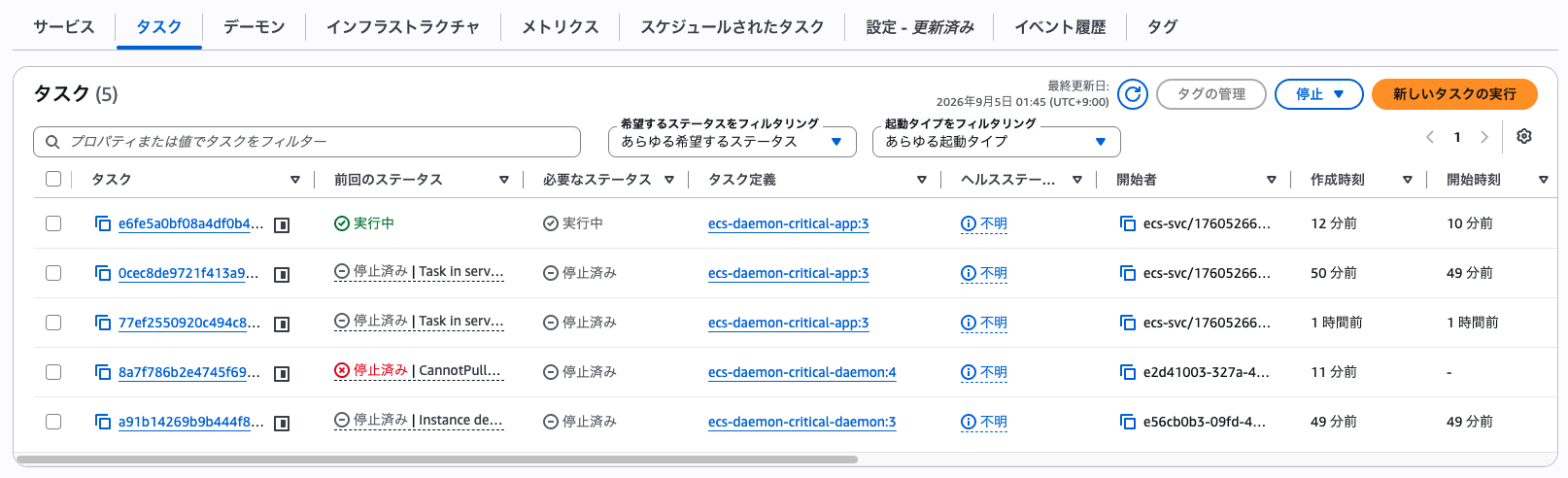
So we confirmed that even for a daemon that has never successfully started, if it is non-critical, instance registration and app task placement are not blocked.
When Criticality is Critical (Previous Behavior)
Next, let's update using the same "daemon that won't start (revision 4)", this time with the Critical checkbox checked.
Immediately after the deployment started, similar to the non-critical case, new container instances kept launching and failing with CannotPull... repeatedly, but ultimately only the app task remained with a running status.
Checking the daemon's "Deployments" tab, I could see that the deployment circuit breaker had activated and an automatic rollback had occurred.
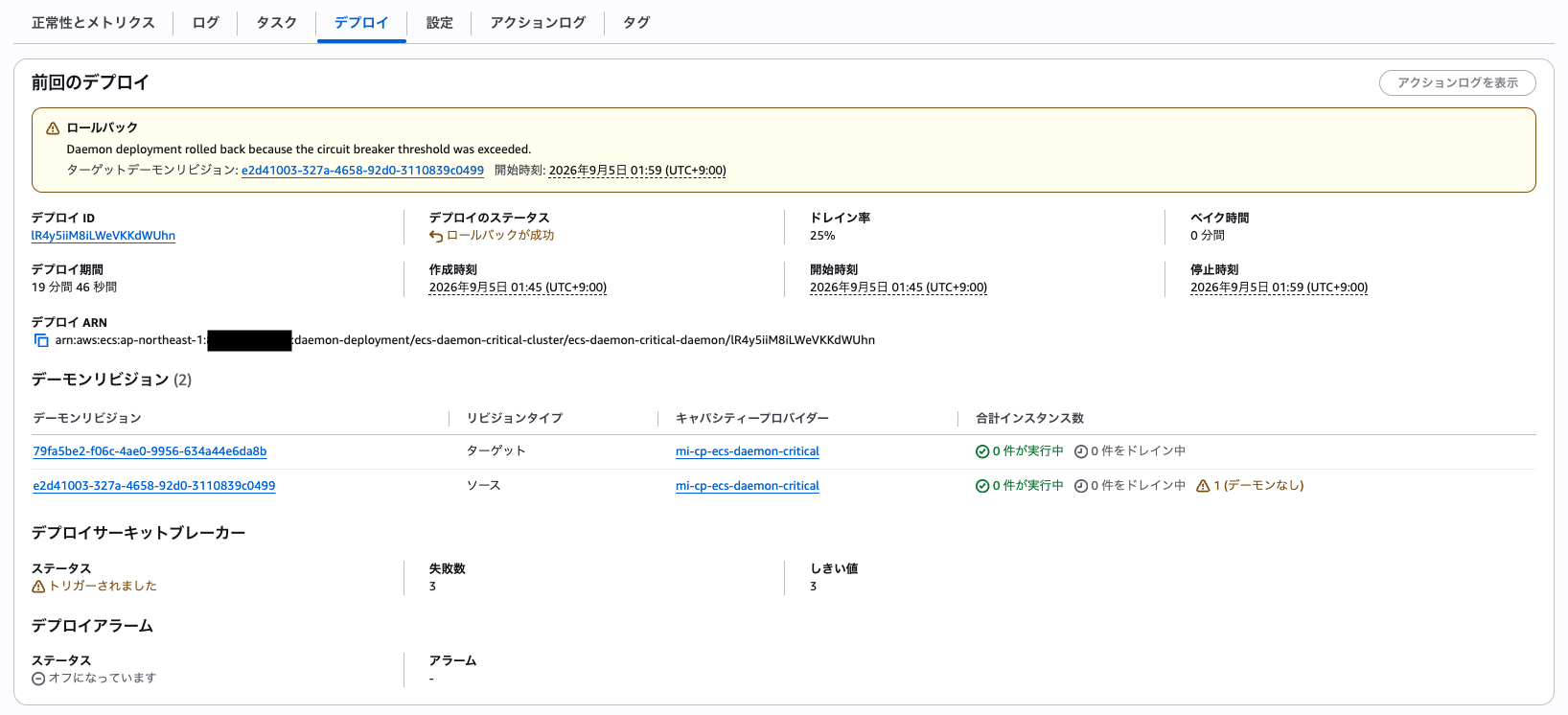
As a result, the circuit breaker triggered after 3 consecutive daemon task startup failures, and the entire deployment ended with a status of "Rollback successful."
That said, during the time until the rollback was complete, container instance launches and failures kept repeating, and new app task placement also became unstable, so this is certainly not an impact that can be ignored.
Conclusion
So that's my hands-on verification of the criticality option for Amazon ECS Managed Daemons.
What I felt after working with this is that this is not a feature that says "it's fine to leave the daemon as-is if it goes down," but rather "a feature where the app won't stop if the daemon goes down, but you still need to separately consider how to recover the daemon itself."
So if you're introducing this into a real system, here's what I think would be a practical way to divide usage:
- Daemons like logging and metrics collection agents, where "you want to keep the application running even if they temporarily go down," should be set to non-critical
- However, if left alone, instances without daemons will accumulate without you noticing, so introduce it together with an operational flow of "detect when a daemon goes down and recover by updating the task definition," combined with EventBridge events and similar mechanisms
- Conversely, daemons like Service Connect proxies and CSI drivers, where the application won't function properly without them, should remain critical
When introducing this in the future, I think I'll first establish this kind of operational flow before using it.
