
The story of how we achieved internal document search with Gemini's Google Workspace integration without building RAG

This page has been translated by machine translation. View original
Introduction
When you want to search and utilize internal documents with AI, the first thing that comes to mind might be building a RAG (Retrieval-Augmented Generation) system. Preparing a vector DB, splitting documents into chunks, generating embeddings... all of this involves considerable development and operational costs.
However, if your internal documents are consolidated in Google Drive, using Gemini's Google Workspace integration might provide an equivalent experience without building a RAG system.
At Classmethod, we manage our internal documents in Google Drive. After trying Gemini's Workspace integration feature, I found that the setup is almost zero, and the search accuracy and response quality are sufficiently practical, so I'll introduce the setup method and user experience.
Prerequisites
- Being an organization that uses Google Workspace
- Having a plan where Gemini is available (Gemini Business / Enterprise, or Google One AI Premium, etc.)
- Internal documents are stored on Google Drive
Setup Procedure
Setting up Gemini to search Google Workspace information is very simple.
1. Open Gemini settings
Access Gemini and open the settings screen.
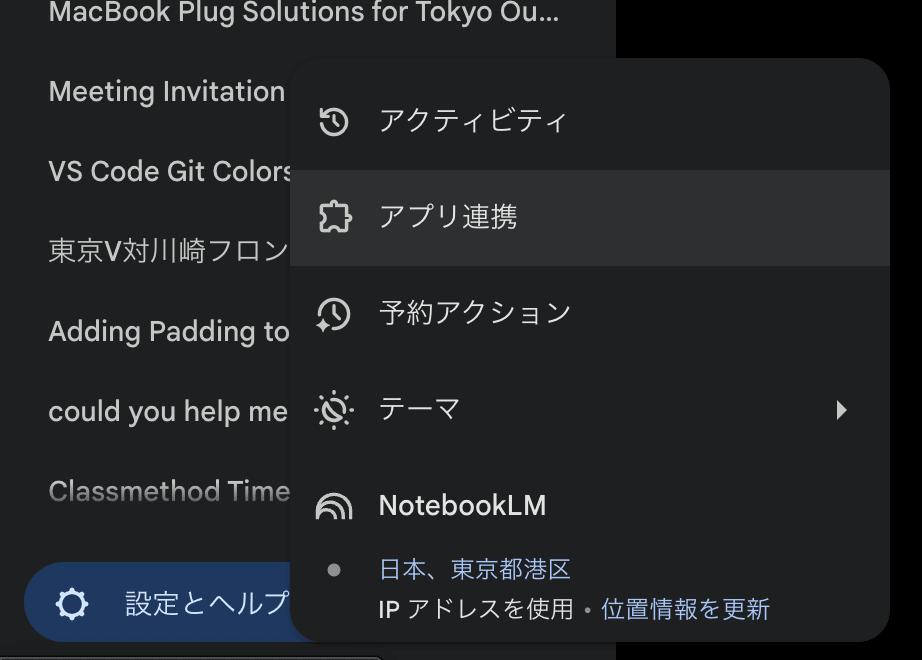
2. Enable app integration
Click on "App Integration" in the settings screen.
3. Enable Google Workspace
Turn on the toggle for "Google Workspace".
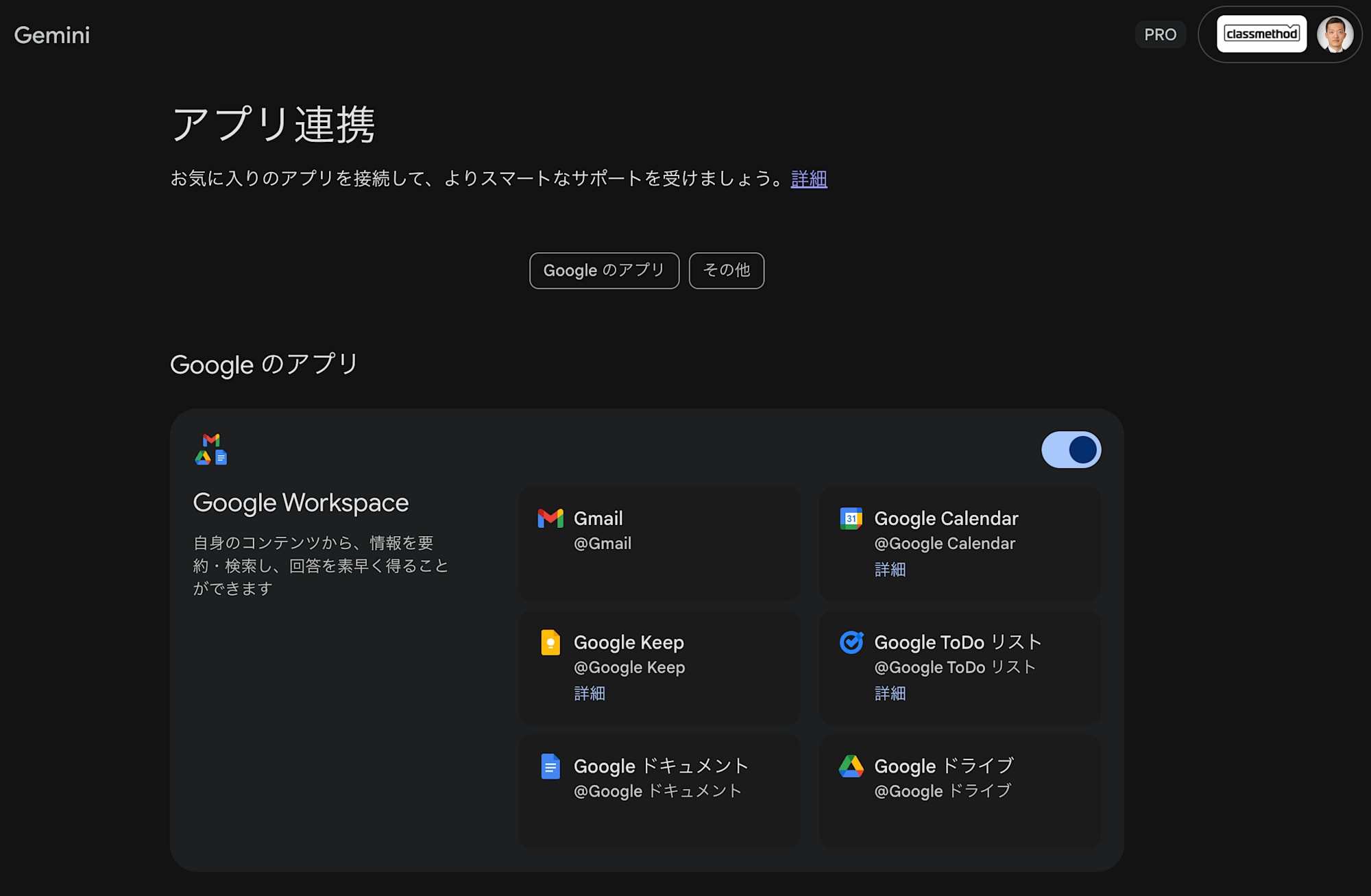
That's all for the setup.
How to Use
Once the setup is complete, you just need to use @workspace in the Gemini chat screen to ask questions.
Example: Checking internal procedures
For example, if you want to know "How to apply for Claude Max plan", enter the following:
@workspace Please tell me how to apply for the Claude Max plan

Gemini will search for relevant documents in Google Drive, summarize the content, and provide an answer.
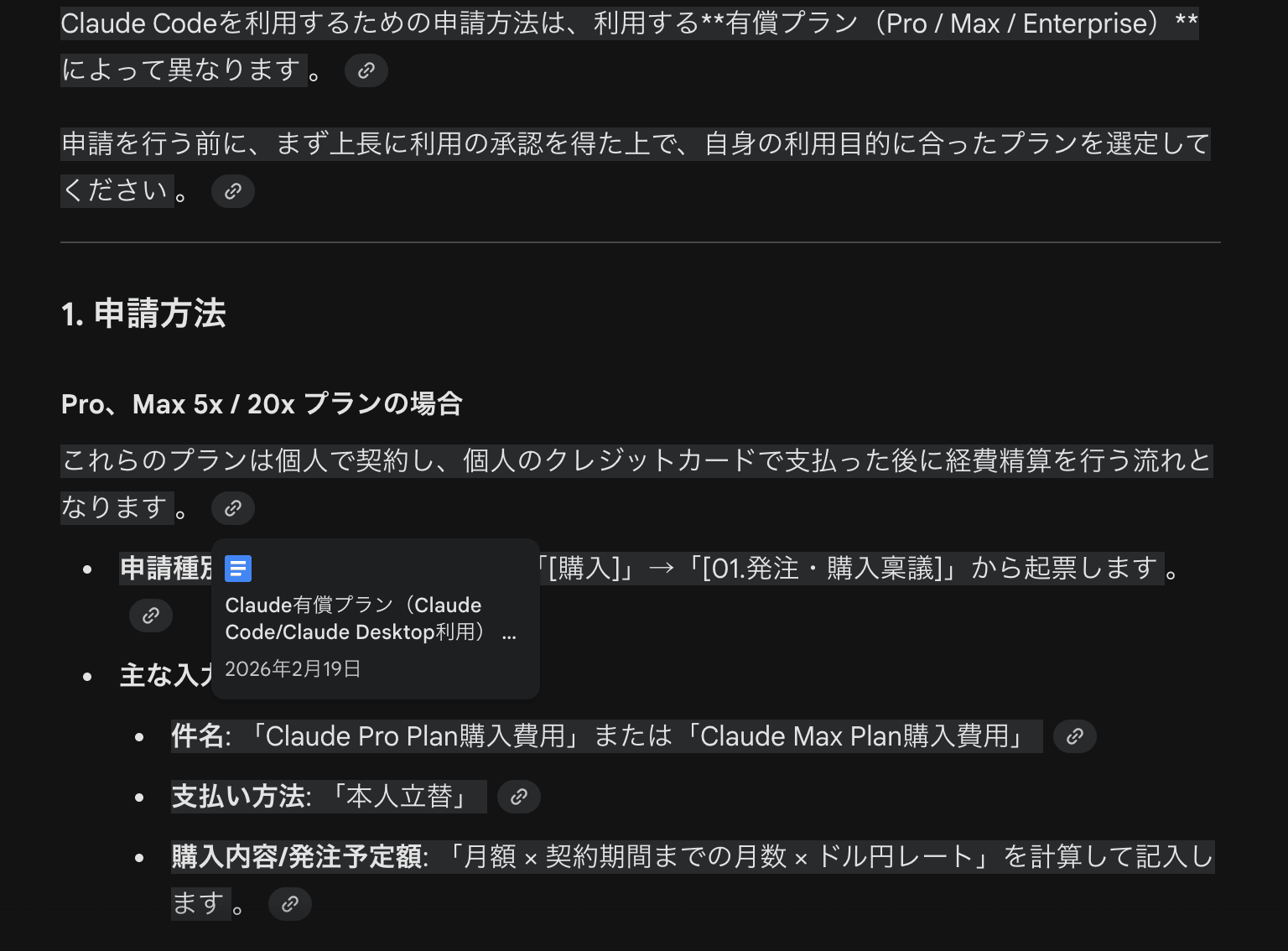
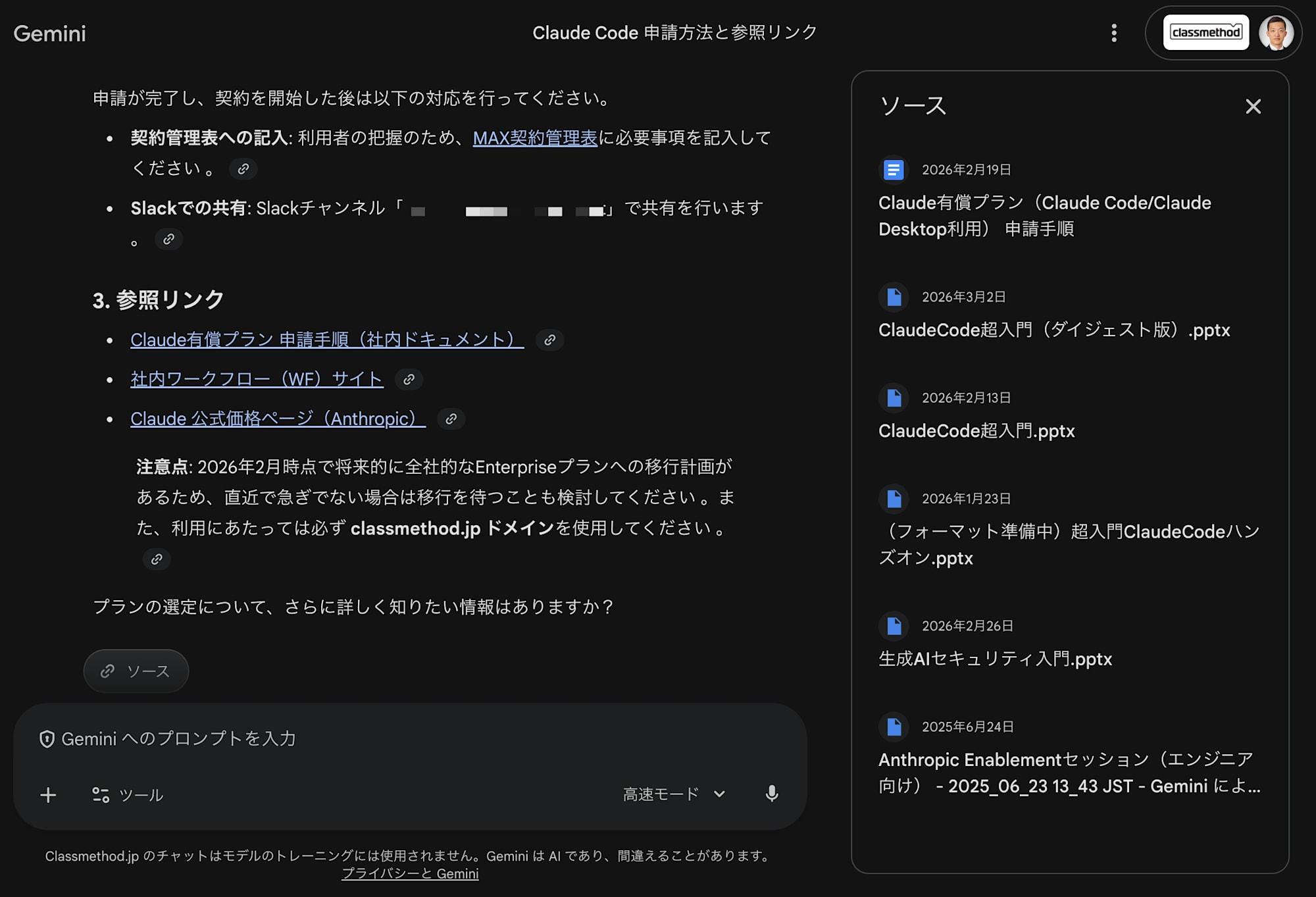
The answer includes links to the source documents, so you can immediately access the original document if you want to check the details.
Impressions After Use
Here's a summary of what I felt after actually using it.
Good Points
- Almost zero setup: You can start using it just by turning on a toggle. No need to build infrastructure or prepare embedding generation pipelines like with RAG
- Fast response speed: Searching and summarizing internal documents is smooth, allowing stress-free usage
- Good citation practices: Links to documents that form the basis of answers are clearly indicated, making it easy to verify the reliability of information
- No operational costs: Simply placing documents on Google Drive eliminates the need for additional synchronization or index update mechanisms
Points to Note
- It assumes documents are on Google Drive, so there may be coverage issues if they are distributed across other storage locations
- Searches are based on access permissions, so documents you can't access won't be included in search results
- Search accuracy depends on the organization of documents (file names, folder structure, text quality within documents)
Things to Consider Before Building RAG
While RAG is a versatile and powerful approach, it's not necessary in all cases. Particularly if the following conditions are met, it's worth trying Gemini's Workspace integration first:
- Internal documents are consolidated in Google Drive
- Search targets are mainly text-based documents (Google Docs, spreadsheets, PDFs, etc.)
- The primary goal is "easily searching company knowledge with AI"
Building a RAG system involves significant effort in selecting and operating a vector DB, considering chunking strategies, choosing an embedding model, building a data synchronization pipeline, and more. It makes sense to first utilize existing tools if they are sufficient.
Summary
Using Gemini's Google Workspace integration allows for easy searching and utilization of internal documents without building a RAG system. The setup is as simple as turning on a toggle, usage only requires adding @workspace to questions, and the answer quality and citation accuracy are at a practical level.
Before thinking "let's just build a RAG system," I recommend trying what can be done with the tools already at hand.