The story of how internal document search was achieved through Gemini's Google Workspace integration without building a RAG system

This page has been translated by machine translation. View original
Introduction
When you want to search and utilize internal documents with AI, the first thing that comes to mind is probably building a RAG (Retrieval-Augmented Generation) system. Setting up a vector DB, splitting documents into chunks, generating embeddings... it requires a fair amount of development and operational cost.
However, if your internal documents are consolidated on Google Drive, you might be able to get an equivalent experience without building a RAG system, simply by using Gemini's Google Workspace integration.
At Classmethod, we manage our internal documents on Google Drive. When I tried out Gemini's Workspace integration feature, the setup was virtually zero effort, and the search accuracy and answer quality were sufficiently practical, so I'd like to introduce the setup method and my impressions of using it.
Prerequisites
- Your organization uses Google Workspace
- You have a plan that allows Gemini usage (Gemini Business / Enterprise, or Google One AI Premium, etc.)
- Your internal documents are stored on Google Drive
Setup Steps
The configuration to enable searching Google Workspace information with Gemini is very simple.
1. Open Gemini's Settings Screen
Access Gemini and open the settings screen.
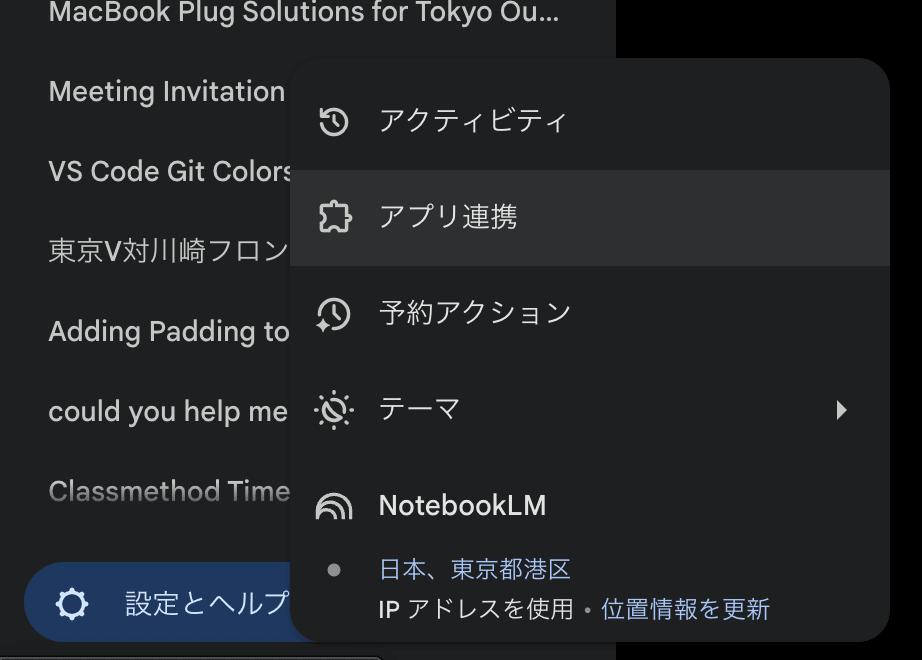
2. Enable App Integration
In the settings screen, click "App Integration".
3. Enable Google Workspace
Turn on the "Google Workspace" toggle.
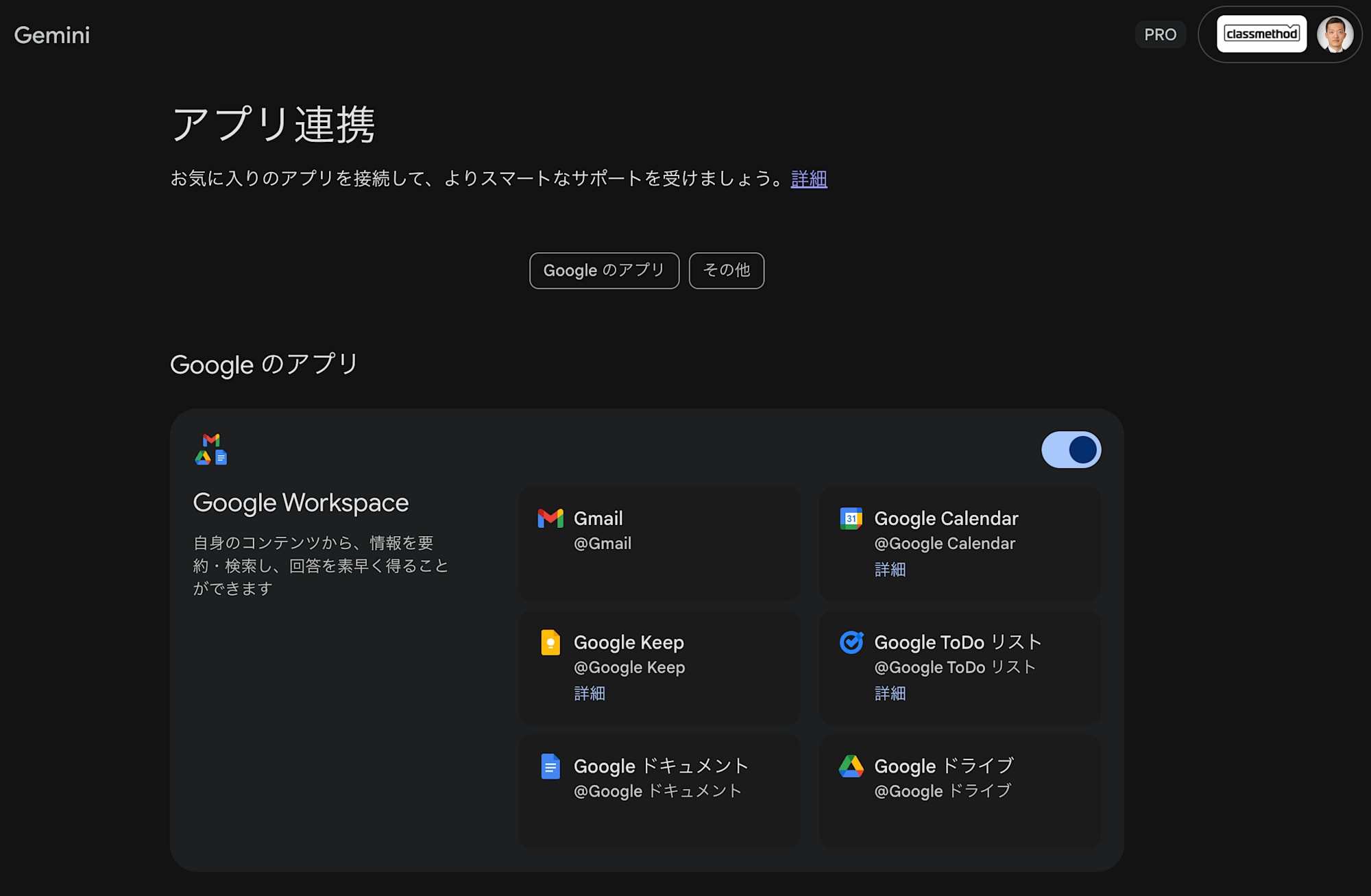
That's all there is to the setup.
How to Use
Once setup is complete, simply use @workspace in the Gemini chat screen to ask questions.
Example: Checking Internal Procedures
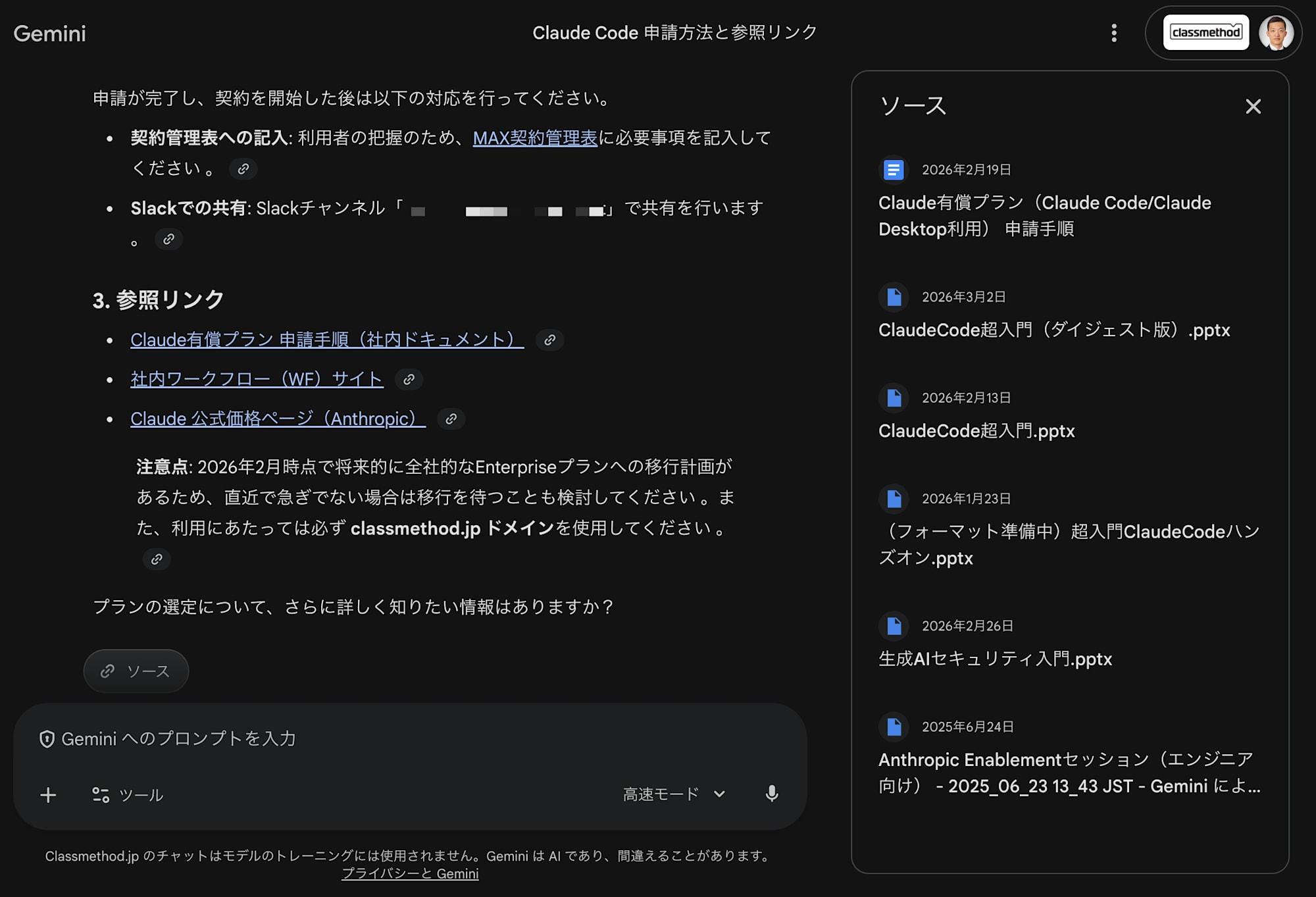
For example, if you want to know the "application method for the Claude Max plan", enter the following.
@workspace Claude Maxプランの申請方法を教えてください

Gemini searches for relevant documents within Google Drive and summarizes the content to provide an answer.
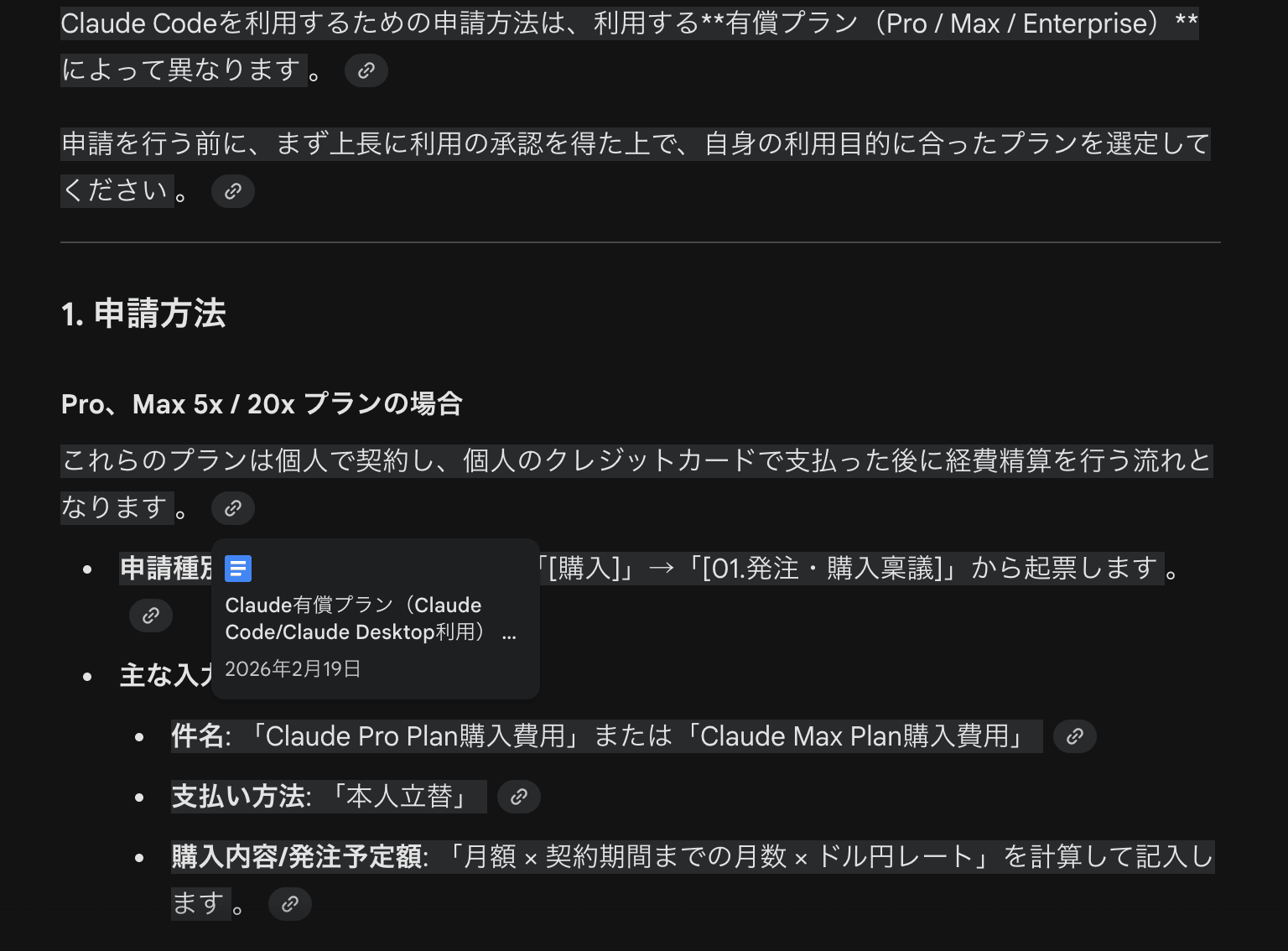
Since the response also includes links to source documents, you can quickly access the original document if you want to check the details.
Impressions After Using It
Here is a summary of the points I felt after actually using it.
What Was Good
- Setup is virtually zero: You can start using it just by turning on a toggle. There is no need to prepare infrastructure or embedding generation pipelines like with RAG
- Response speed is fast: Searching and summarizing internal documents is smooth and stress-free
- Citations are solid: Links to the documents that form the basis of the answers are explicitly shown, making it easy to verify the reliability of the information
- No operational costs: Just keeping documents on Google Drive is sufficient, with no need for additional sync or index update mechanisms
Points to Note
- Since it is premised on documents being on Google Drive, there are coverage challenges if documents are distributed across other storage systems
- The search is based on access permissions, so documents you cannot access will not be included in the search
- Search accuracy is also influenced by how well documents are organized (file names, folder structure, text quality within documents)
Things to Consider Before Building a RAG System
RAG is a versatile and powerful approach, but it is not necessary in every case. I think it is worth trying Gemini's Workspace integration first, especially when the following conditions are met.
- Internal documents are consolidated on Google Drive
- The search targets are primarily text-based documents (Google Docs, spreadsheets, PDFs, etc.)
- The main purpose is "wanting to easily search internal knowledge with AI"
Building a RAG system requires considerable effort, including selecting and operating a vector DB, considering chunking strategies, choosing an embedding model, and building a data synchronization pipeline. If existing tools are sufficient, it is rational to make use of them first.
Summary
By using Gemini's Google Workspace integration, you can easily search and utilize internal documents without building a RAG system. The ease of use — where setup is just turning on a toggle and usage is simply asking questions with @workspace — along with the practical level of answer quality and citation accuracy, makes it highly accessible.
Before thinking "let's just build a RAG system for now," I recommend first trying out how far you can get with the tools already at hand.

