I tried the Amazon Bedrock AgentCore integration supported by Generative AI Use Cases JP (abbreviated as GenU)

This page has been translated by machine translation. View original
Introduction
Hello, this is Jinno from the Consulting Department who loves the supermarket La Mu!
Recently, Amazon Bedrock AgentCore (hereafter AgentCore) integration was supported in GenU v5.0.0!!
It's convenient to have a place to try when you've created an AI agent but wonder what to do about the frontend. It's also useful if you've already implemented GenU and want to check your created AI agent in the GenU environment too!!
Let's try it right away!
About GenU
Let me briefly introduce GenU again.
GenU is an application implementation equipped with business use cases for safely utilizing generative AI in business.
It's a convenient tool when quickly considering how to apply generative AI to business.
Deployment is simple - just clone the above repository and run the deployment command to use it right away. For more detailed information, you might want to refer to the blog below.
For this demonstration, I'll pull the code locally and deploy it.
Prerequisites and Preparation
- AWS CLI 2.28.8
- Python 3.12.6
- AWS account
- Region to use: us-west-2
- The models you want to use must be enabled in advance.
- GenU version used: v5.1.1
- Docker version 27.5.1-rd, build 0c97515
Creating the Agent for This Demo
List the necessary dependencies in requirements.txt and install them.
strands-agents
strands-agents-tools
bedrock-agentcore
bedrock-agentcore-starter-toolkit
pip install -r requirements.txt
Let's create a simple agent using Strands Agent.
It's a simple application that returns "It's sunny" when asked about the weather.
We'll name the file agent.py.
import os
from strands import Agent, tool
from strands.models import BedrockModel
from bedrock_agentcore.runtime import BedrockAgentCoreApp

model_id = os.getenv("BEDROCK_MODEL_ID", "anthropic.claude-3-5-haiku-20241022-v1:0")
model = BedrockModel(model_id=model_id, params={"max_tokens": 4096, "temperature": 0.7}, region="us-west-2")

app = BedrockAgentCoreApp()

@tool
def get_weather(city: str) -> str:
    """Get the weather for a given city"""
    return f"The weather in {city} is sunny"

@app.entrypoint
async def entrypoint(payload):
    agent = Agent(model=model, tools=[get_weather])
    message = payload.get("prompt", "")
    stream_messages = agent.stream_async(message)
    async for message in stream_messages:
        if "event" in message:
            yield message

if __name__ == "__main__":
    app.run()
To match the response format expected by the GenU frontend,
we return the stream messages from Strands Agent as follows:
(I didn't notice this at first, and spent some time figuring out why responses weren't displaying on the screen...)
async for message in stream_messages:
        if "event" in message:
            yield message
After implementation is complete, let's deploy. First, use the configure command to set up IAM and ECR settings. There will be several prompts, but for this demo we'll proceed with automatic creation without changing from the default settings.
agentcore configure --entrypoint agent.py
.bedrock_agentcore.yaml and Dockerfile are automatically generated, so deploy with the launch command.
agentcore launch
When completed, the Agent ARN will be displayed, so make a note of it for later use.
Agent ARN:arn:aws:bedrock-agentcore:us-west-2:xxx:runtime/agent-yyy
GenU Deployment
Next, let's proceed with deploying GenU.
First, clone the source code from the repository.
git clone https://github.com/aws-samples/generative-ai-use-cases.git
After cloning, run the ci command to install the packages.
npm ci
After the dependencies are installed,
edit the parameters.ts file as follows:
const envs: Record<string, Partial<StackInput>> = {

  // If you want to define an anonymous environment, uncomment the following and the content of cdk.json will be ignored.
  // If you want to define an anonymous environment in parameter.ts, uncomment the following and the content of cdk.json will be ignored.
  '': {
     // Parameters for anonymous environment
     // If you want to override the default settings, add the following
     modelRegion: 'us-west-2',
     imageGenerationModelIds: [],
     videoGenerationModelIds: [],
     speechToSpeechModelIds: [],
     createGenericAgentCoreRuntime: true,
     agentCoreRegion: 'us-west-2',
     agentCoreExternalRuntimes: [
      {
        name: 'SimpleAgentCore',
        arn: 'arn:aws:bedrock-agentcore:us-west-2:xxx:runtime/agent-yyy',
      },
    ]
   },
  dev: {
    // Parameters for development environment
  },
  staging: {
    // Parameters for staging environment
  },
  prod: {
    // Parameters for production environment
  },
  // If you need other environments, customize them as needed
};
We'll use us-west-2 as our region, and pass empty arrays for unused parameters like imageGenerationModelIds.
The important parameters are createGenericAgentCoreRuntime, agentCoreRegion, and agentCoreExternalRuntimes.
createGenericAgentCoreRuntimeis the default AgentCore AI agent provided by GenU. I set it totrueto check how it behaves.agentCoreRegionis the region to deploy to.agentCoreExternalRuntimesspecifies custom AgentCore for use in GenU.
For this demo, we'll specify the ARN of the AI agent we just deployed.
Now we're ready! Let's deploy!
If you've never used CDK before, you'll need to bootstrap first, so run the bootstrap command beforehand.
npx -w packages/cdk cdk bootstrap
After the bootstrap command completes successfully, run the deploy command.
To enable the AgentCore use case, the docker command must be executable.
As mentioned in the documentation, if you're using an OS architecture like Intel/AMD, there's a warning to run the following command before deployment.
This is to enable building ARM-based container images.
docker run --privileged --rm tonistiigi/binfmt --install arm64
npm run cdk:deploy
It takes a while, but after waiting a bit, deployment completes and the URL is displayed.
GenerativeAiUseCasesStack.WebUrl = https://xxx.cloudfront.net
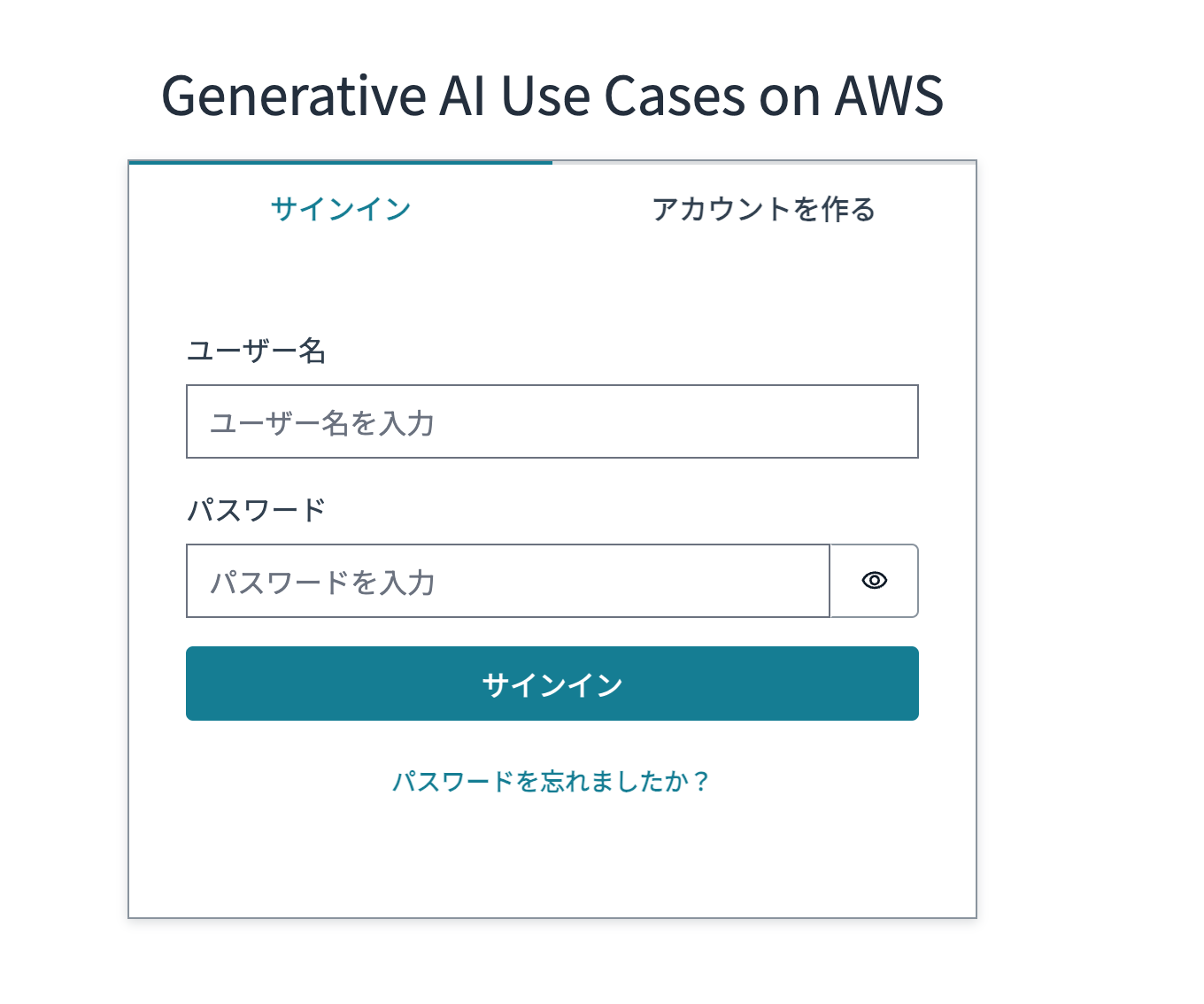
When you access it, the Cognito login screen appears. Register a user and log in.
After logging in, there's a menu labeled AgentCore!!!
The robot icon is cute!
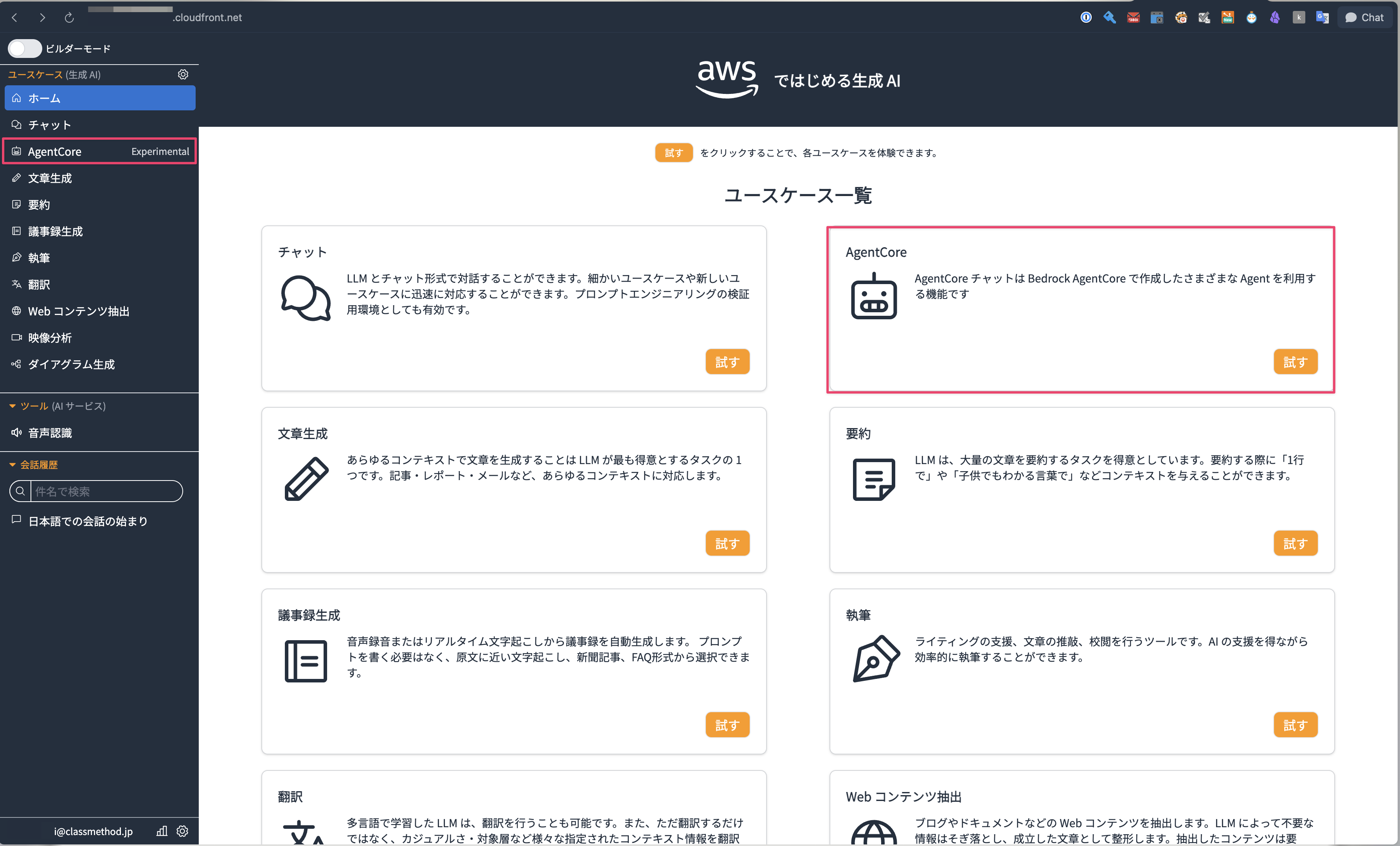
Let's click and try it out right away.
The default GenericAgentCoreRuntime is displayed.
This AI agent can use the MCP Servers defined below, so let's try asking a question that uses the Documentation MCP Server.
{
  "_comment": "Generic AgentCore Runtime Configuration",
  "_agentcore_requirements": {
    "platform": "linux/arm64",
    "port": 8080,
    "endpoints": {
      "/ping": "GET - Health check endpoint",
      "/invocations": "POST - Main inference endpoint"
    },
    "aws_credentials": "Required for Bedrock model access and S3 operations"
  },
  "mcpServers": {
    "time": {
      "command": "uvx",
      "args": ["mcp-server-time"]
    },
    "awslabs.aws-documentation-mcp-server": {
      "command": "uvx",
      "args": ["awslabs.aws-documentation-mcp-server@latest"]
    },
    "awslabs.cdk-mcp-server": {
      "command": "uvx",
      "args": ["awslabs.cdk-mcp-server@latest"]
    },
    "awslabs.aws-diagram-mcp-server": {
      "command": "uvx",
      "args": ["awslabs.aws-diagram-mcp-server@latest"]
    },
    "awslabs.nova-canvas-mcp-server": {
      "command": "uvx",
      "args": ["awslabs.nova-canvas-mcp-server@latest"],
      "env": {
        "AWS_REGION": "us-east-1"
      }
    }
  }
}
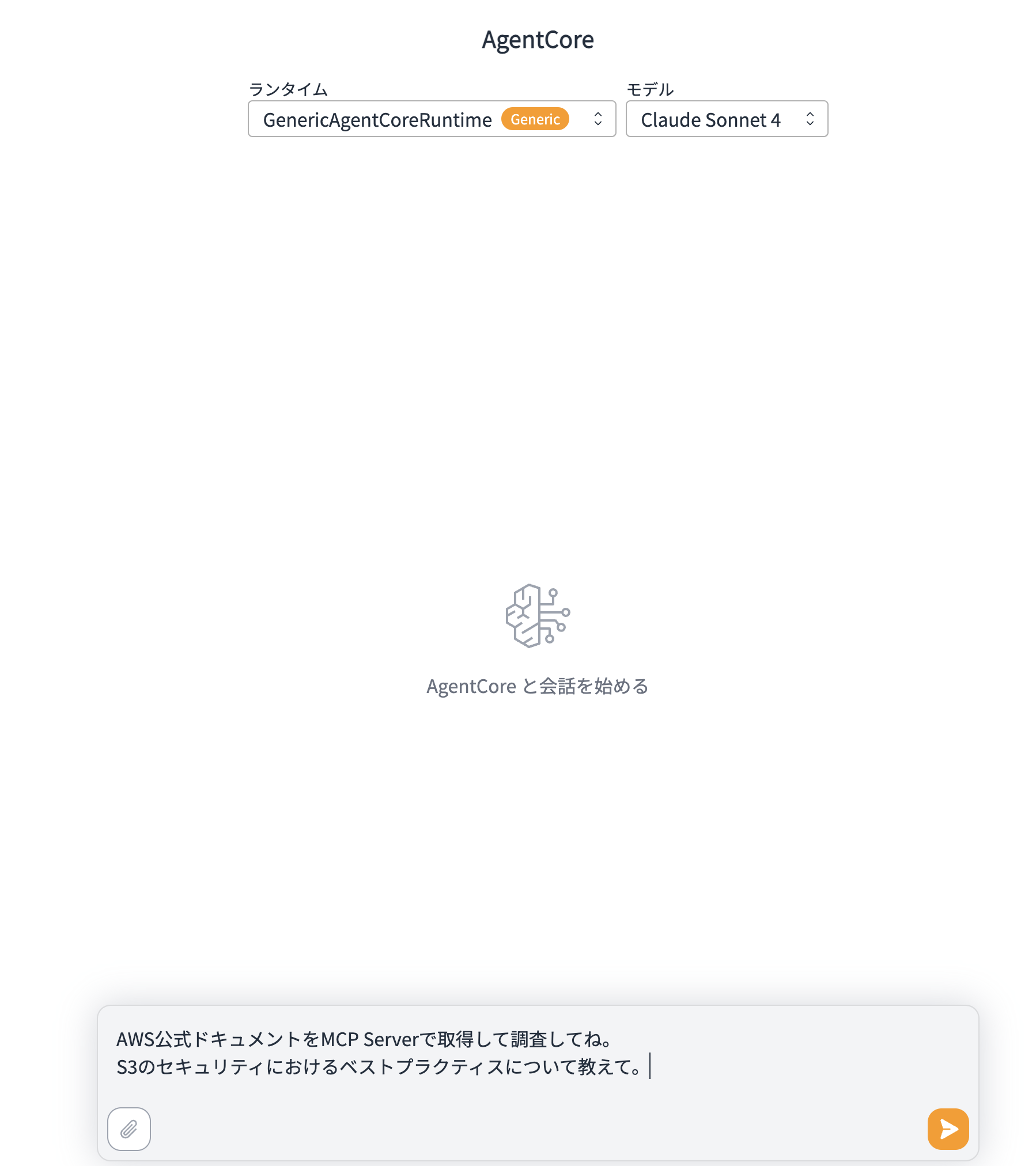
I got an answer!!
It retrieved results from the MCP server, and the LLM interpreted those results to provide an appropriate response!
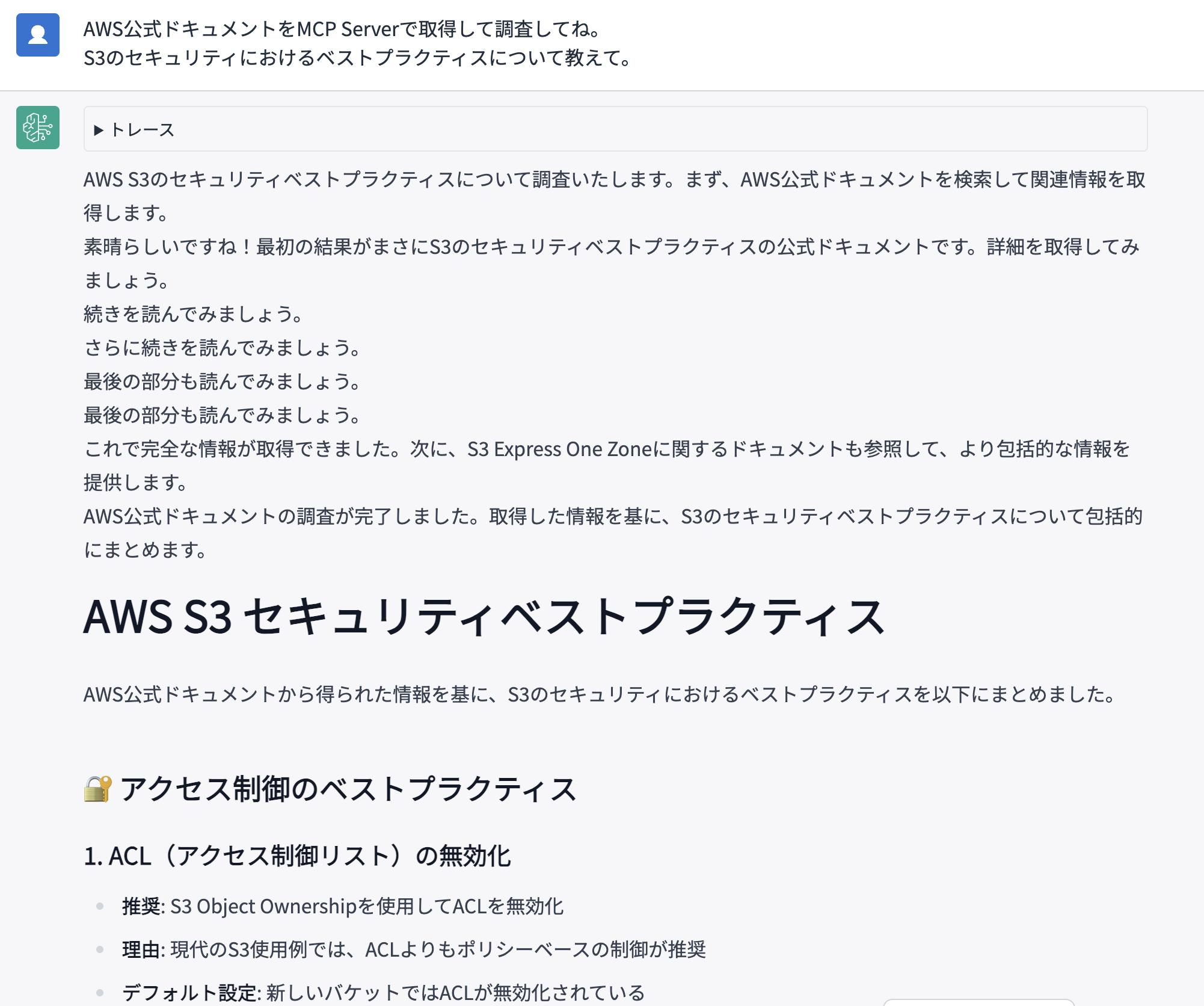
Looking at the trace results, search_documentation and read_documentation are running, so it seems the MCP Server is being used.
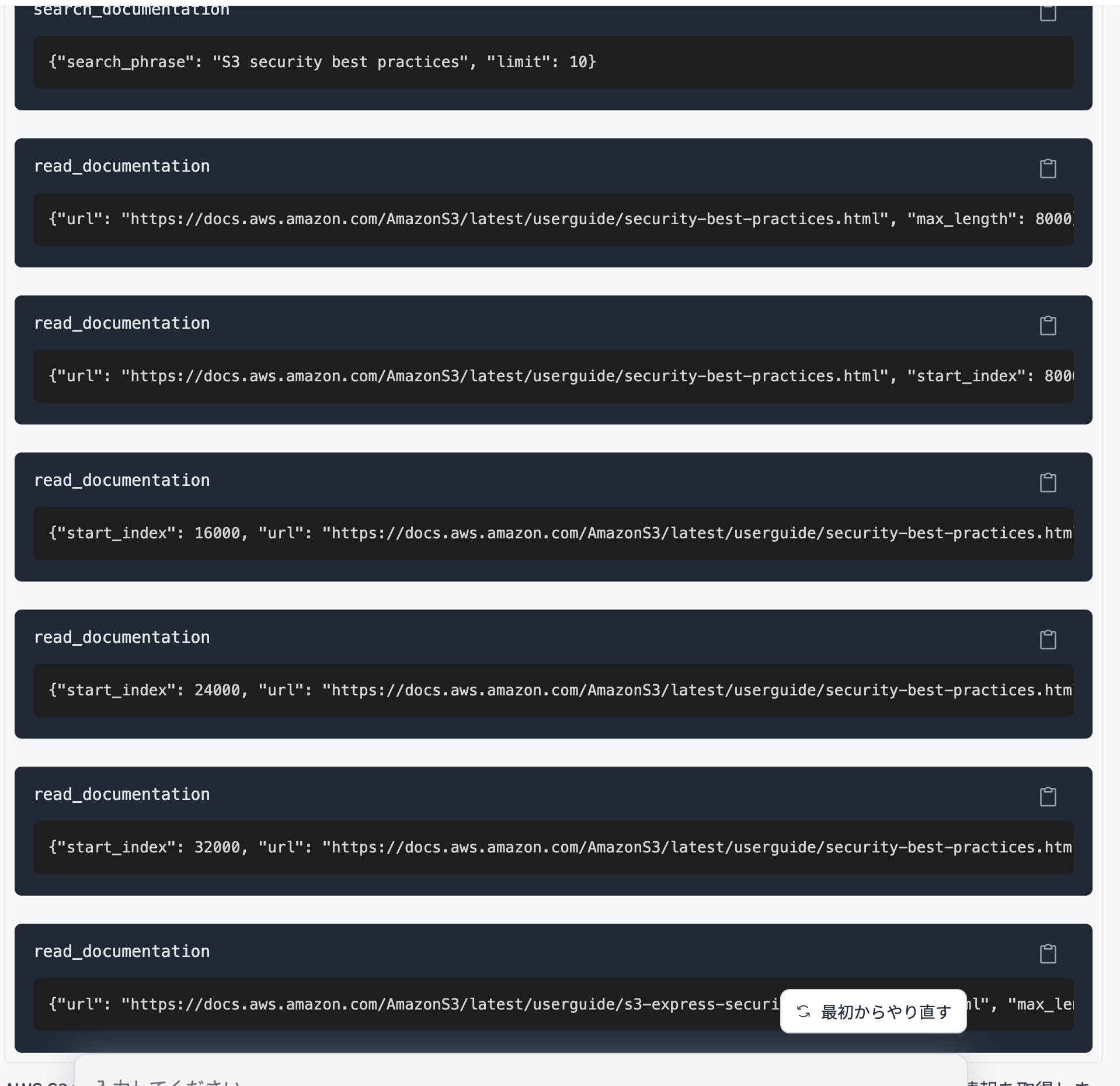
Even the default AI agent can do various things utilizing different MCP servers, which is great. It's also possible to add MCP servers to mcp.json and use them with this AI agent. I'd like to try that sometime too.
Now let's try our custom agent.
Switch the runtime from the select box.
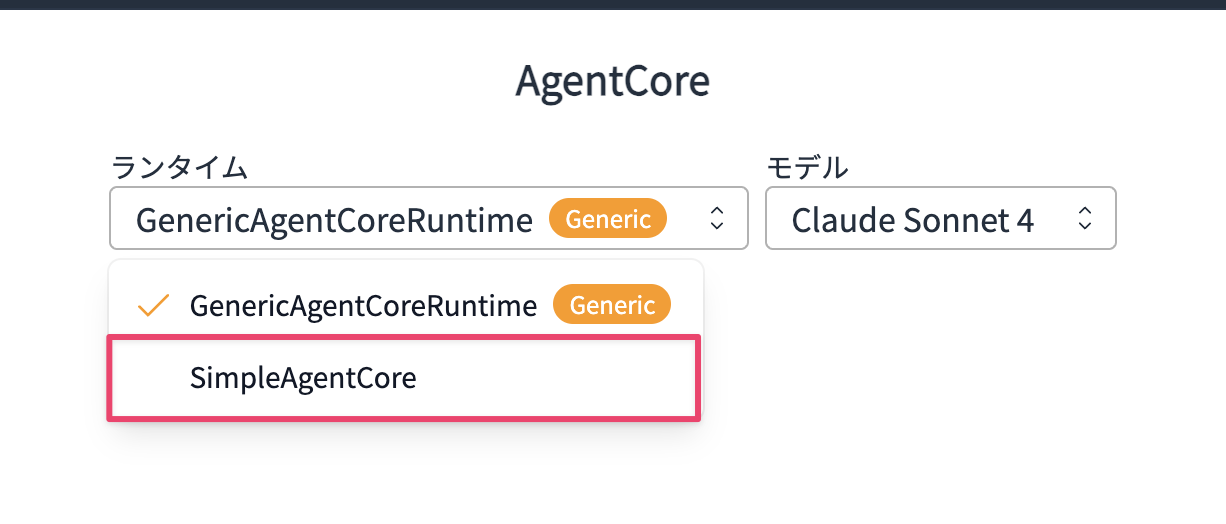
After switching, let's ask "Tell me the weather in Tokyo".
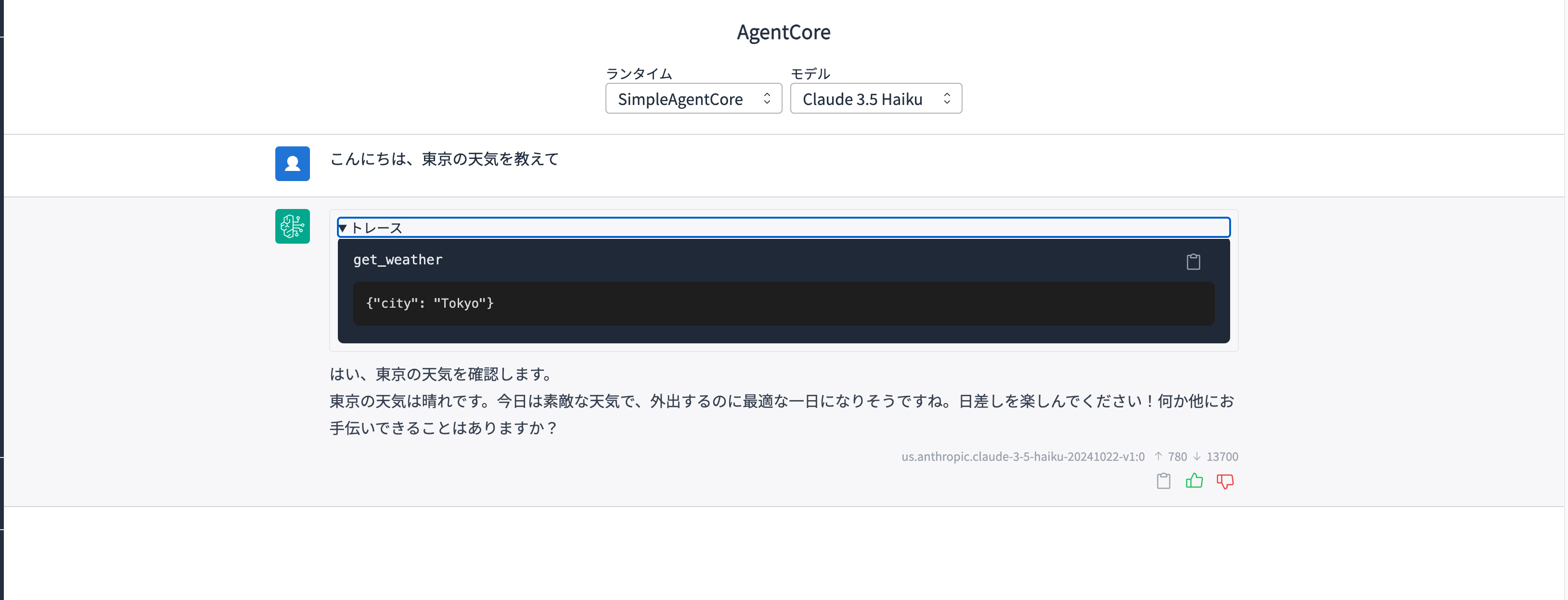
Oh! It worked without any issues!! I could also confirm from the trace that the weather retrieval tool was used.
By the way, the select box allows you to choose models, but currently we have a fixed model ID written in the code, so let's modify it to use the model ID sent from the request.
I checked what kind of request is being sent using the developer tools.
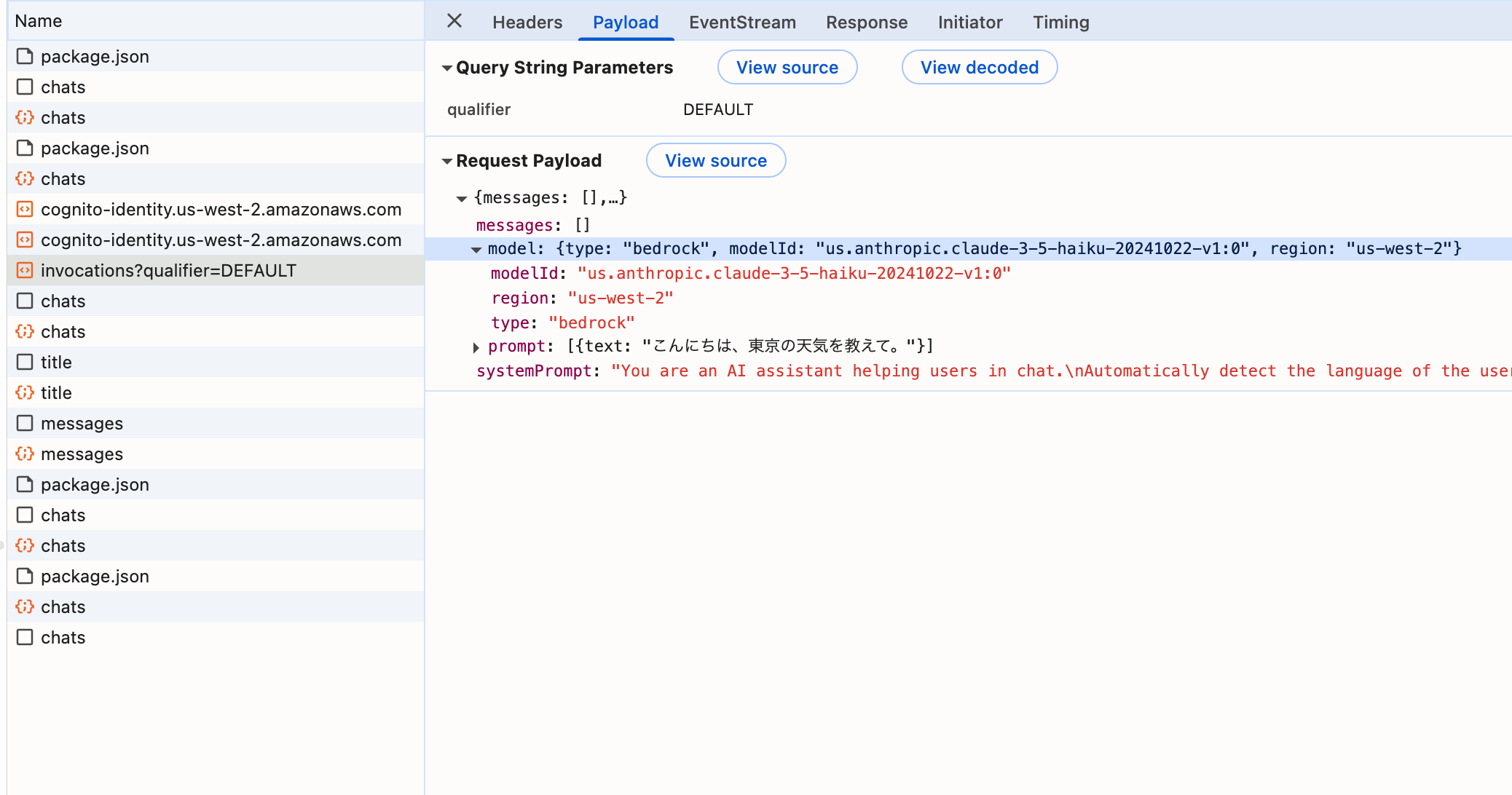
I see, the modelId is sent inside the model object.
I won't address it now, but it's also good to know that messages contains past conversations when handling AgentCore in GenU.
Based on this, let's modify the code and deploy again.
import os
from strands import Agent, tool
from strands.models import BedrockModel
from bedrock_agentcore.runtime import BedrockAgentCoreApp
app = BedrockAgentCoreApp()

@tool
def get_weather(city: str) -> str:
    """Get the weather for a given city"""
    return f"The weather in {city} is sunny"

@app.entrypoint
async def entrypoint(payload):
    message = payload.get("prompt", "")
    model = payload.get("model", {})
    model_id = model.get("modelId","anthropic.claude-3-5-haiku-20241022-v1:0")
    model = BedrockModel(model_id=model_id, params={"max_tokens": 4096, "temperature": 0.7}, region="us-west-2")
    agent = Agent(model=model, tools=[get_weather])
    stream_messages = agent.stream_async(message)
    async for message in stream_messages:
        if "event" in message:
            yield message

if __name__ == "__main__":
    app.run()
After the modification, deploy again.
agentcore launch
After deployment is complete, let's try switching models!
I'll switch to Claude 3.7 Sonnet.
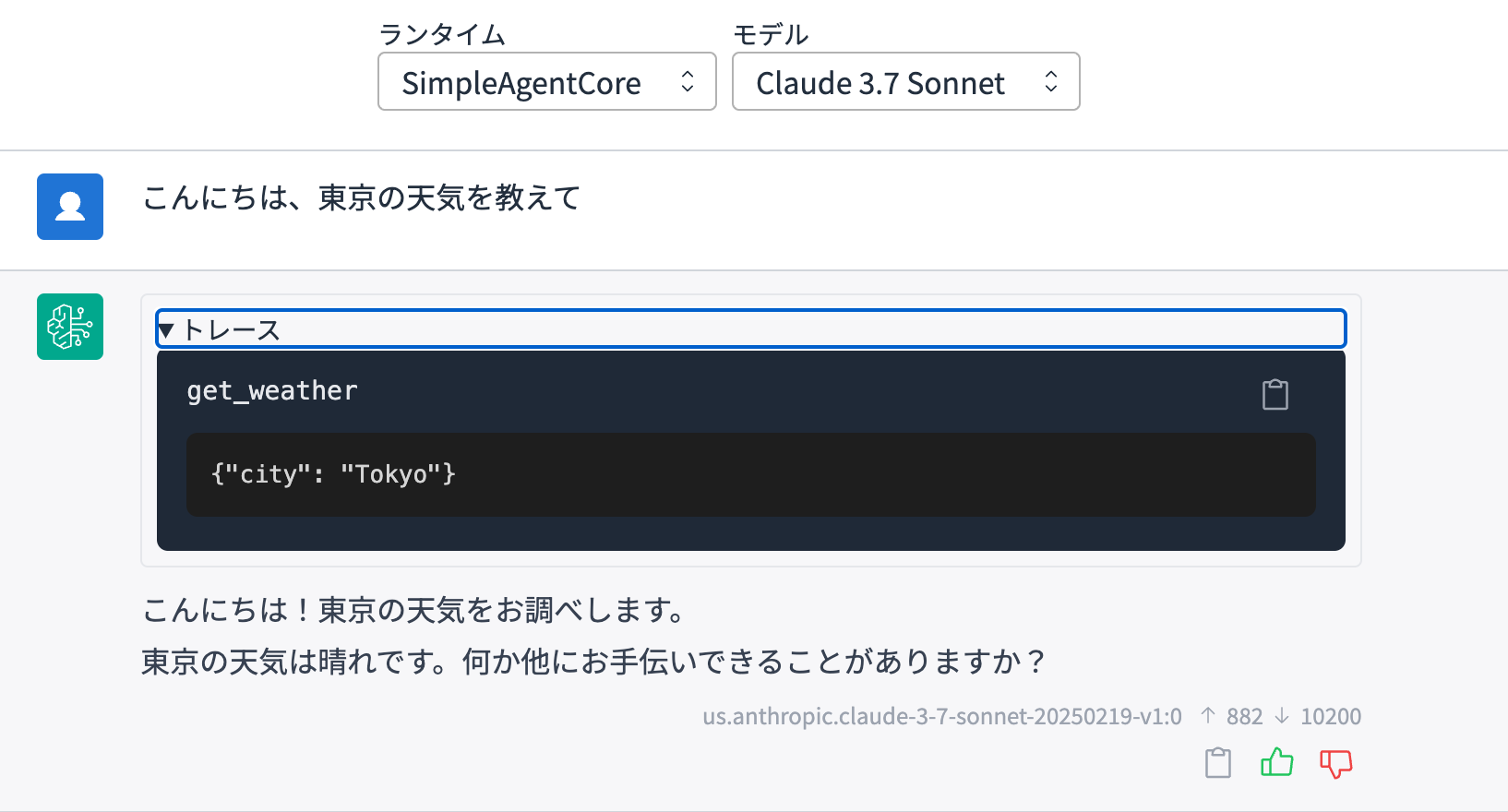
It worked perfectly! Just to make sure, let's check the logs to confirm that the model sent in the request was properly used.
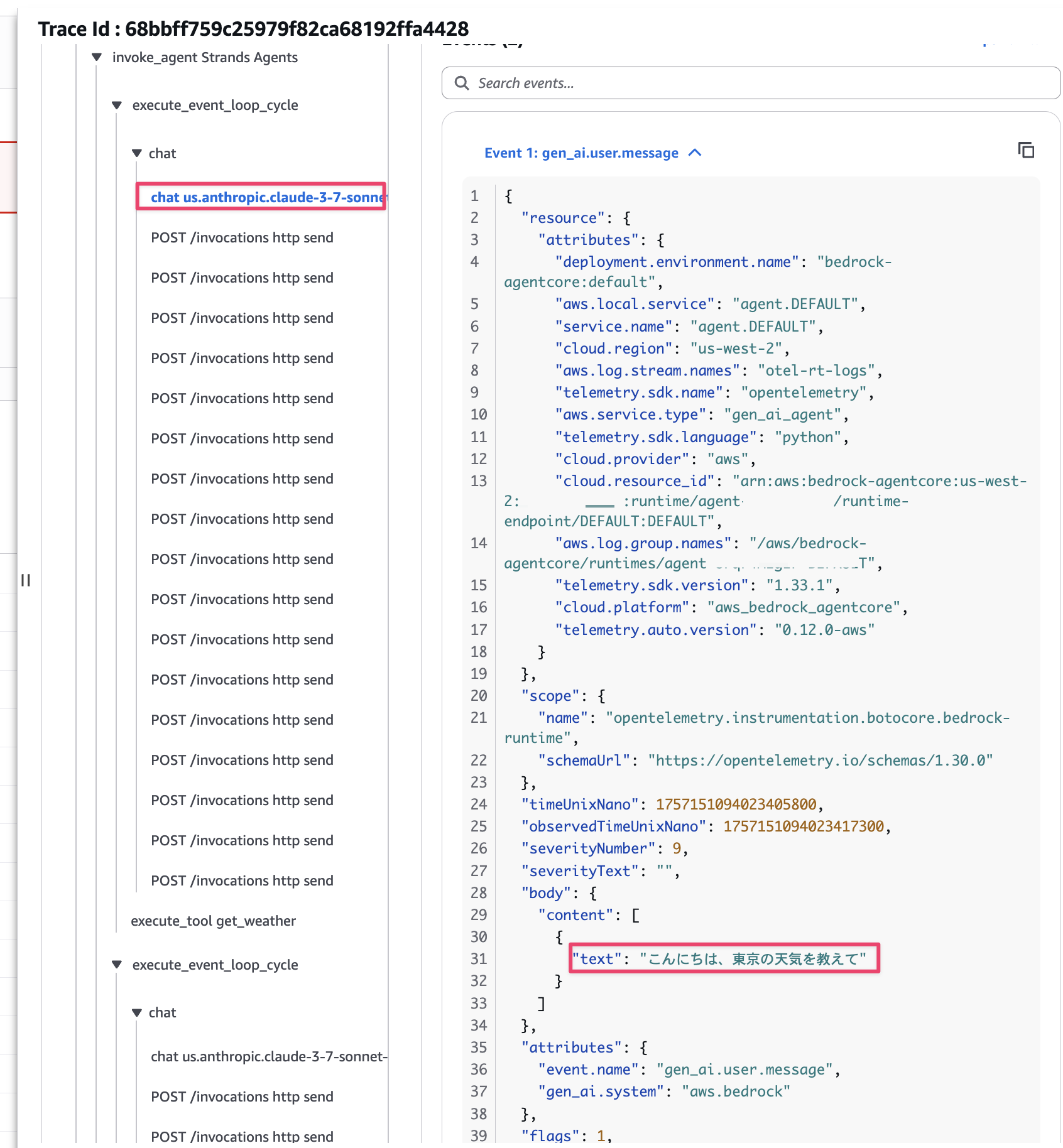
It successfully switched and was used!
This is convenient when you want to test agent behavior while switching models!
Impressions
I found this quite useful, so here's a summary of what I see as the advantages and disadvantages.
Advantages
- You can use AI agents created in the GenU environment
- If your team or company has already deployed GenU, it's nice to be able to quickly share AI agents you've created.
- Having an environment with Cognito authentication is also great. SSO via SAML integration with Entra ID is also possible.
- It's nice not having to create your own frontend.
- If your team or company has already deployed GenU, it's nice to be able to quickly share AI agents you've created.
- Since it runs through AgentCore, you can use LLMs other than Bedrock.
- GenU itself is built around Bedrock architecture. While there are ways to use other LLMs, such as custom implementation or calling through MCP servers, it might be a bit cumbersome. On the other hand, AgentCore can use LLMs other than Bedrock, including Azure OpenAI.
- If you want to use other LLMs on GenU, it might be worth wrapping them lightly with an AI agent framework and deploying to AgentCore. It's also good that the GenU side only requires adding parameters.
- GenU itself is built around Bedrock architecture. While there are ways to use other LLMs, such as custom implementation or calling through MCP servers, it might be a bit cumbersome. On the other hand, AgentCore can use LLMs other than Bedrock, including Azure OpenAI.
For articles about using other LLMs with AgentCore, please refer to the article I wrote previously:
Disadvantages
- Currently, you can't send arbitrary request parameters to the AI agent
- While model ID, prompt, and past messages are sent, user IDs or arbitrary request parameters can't be sent, making it difficult to handle Memory features or processing using request parameters. (I apologize if I missed something...)
- Since conversation history is stored in DynamoDB deployed on the GenU side, integration features using Short-term Memory might not be implemented.
Since it's currently an Experimental feature, I hope it will become more convenient in its integration with AgentCore in the future!! Looking forward to it!!
Looking at the PR below, it seems various AgentCore features will be integrated in the future!
Conclusion
I quickly tried connecting AgentCore with GenU and calling a created AI agent.
I found it useful for cases where you want to share AI agents in an environment where GenU is deployed.
On the other hand, it's still an Experimental feature, so I hope it becomes more convenient in the future!
I'll continue to test new updates as they come!
I hope this article was helpful! Thank you for reading to the end!!