
I tried running GitHub Actions self-hosted runners on Lambda MicroVMs

This page has been translated by machine translation. View original
This is Iwata from the Retail App Co-Creation Department @ Osaka.
I read the following article that was published the other day and wanted to try building a GitHub Actions self-hosted runner on Lambda MicroVMs.
My thinking was that using Lambda MicroVMs might resolve the issues with startup time and scale-out speed that are cited as disadvantages of the architecture that launches Runners on ECS each time.
So I was about to set up a verification environment right away, when...
I found that a prior contribution was already published on Construct Hub. This time, I'll use this Construct to build a self-hosted runner on Lambda MicroVMs and verify it.
Environment
The environment used this time is as follows.
- cdk-github-microvm-runners: 0.1.7
- aws-cdk-lib: 2.266.0
Architecture Overview
The details are explained in the cdk-github-microvm-runners GitHub repository.
The rough flow is as follows.
- When a GitHub Actions workflow is triggered, it calls Lambda via WebHook
- Lambda validates the caller, and if there are no issues, puts a message into SQS
- Lambda is triggered from SQS, Lambda starts a MicroVM and registers a self-hosted runner with GitHub as a Just-in-time runner
- The self-hosted runner executes the workflow
Information about the started MicroVM is managed in DynamoDB, which is said to control against duplicate job executions.
Let's Try It
Let's go ahead and build the self-hosted runner on Lambda MicroVMs environment.
Deploy all necessary resources with CDK
First, run npx cdk init --language typescript to prepare the CDK code, then install cdk-github-microvm-runners with npm install cdk-github-microvm-runners.
Once ready, write the CDK code following the Getting started guide.
import { App, CfnOutput, Stack } from 'aws-cdk-lib';
import { Secret } from 'aws-cdk-lib/aws-secretsmanager';
import {
  GithubAppId,
  GithubAppKey,
  GithubAuth,
  GithubMicrovmRunners,
  MicrovmSize,
  RunnerScope,
} from 'cdk-github-microvm-runners';

const app = new App();
const stack = new Stack(app, 'Runners', { env: { region: 'us-east-1' } });

const appId = Secret.fromSecretNameV2(
  stack,
  'AppId',
  'microvm-runner/dev/app-id',
);
const privateKey = Secret.fromSecretNameV2(
  stack,
  'AppKey',
  'microvm-runner/dev/app-private-key',
);
const webhookSecret = Secret.fromSecretNameV2(
  stack,
  'WebhookSecret',
  'microvm-runner/dev/webhook-secret',
);

const runners = new GithubMicrovmRunners(stack, 'Runners', {
  github: GithubAuth.app({
    appId: GithubAppId.fromSecret(appId),
    privateKey: GithubAppKey.fromSecret(privateKey),
    webhookSecret,
  }),
  scope: RunnerScope.org('<Set the name of the Org where you want to use the self-hosted runner here>'),
});

// A runner class: the `microvm` label, on 4 GB VMs.
runners.addRunnerClass('microvm', { size: MicrovmSize.GB4 });

new CfnOutput(stack, 'WebhookUrl', { value: runners.webhookUrl });
new CfnOutput(stack, 'SetupCommand', { value: runners.setupCommand });
The key point is to set the GitHub Org name where you want to register the self-hosted runner in RunnerScope.org.
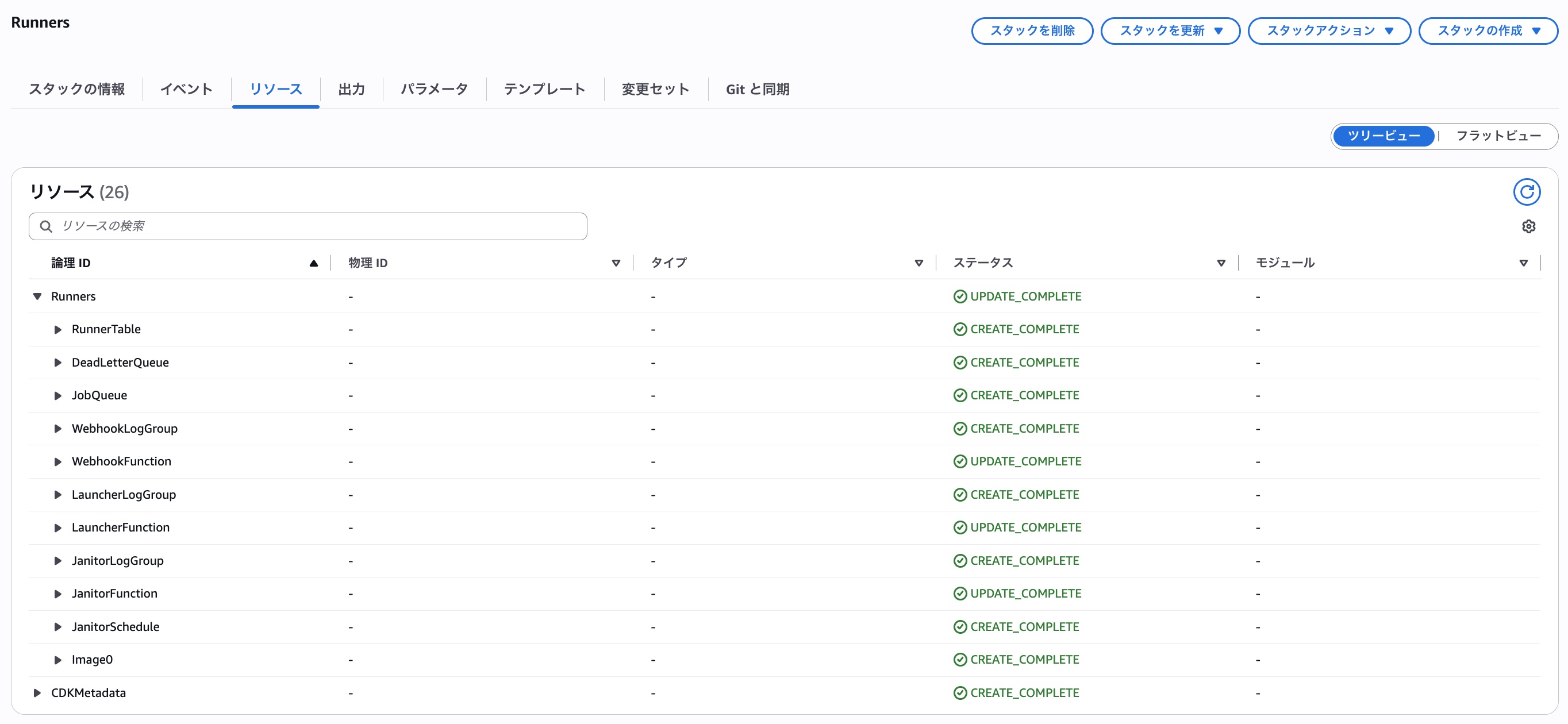
Once the code is ready, deploy the stack with npm cdk deploy. After waiting a while, the various resources will be created.
The MicroVM image is also registered.
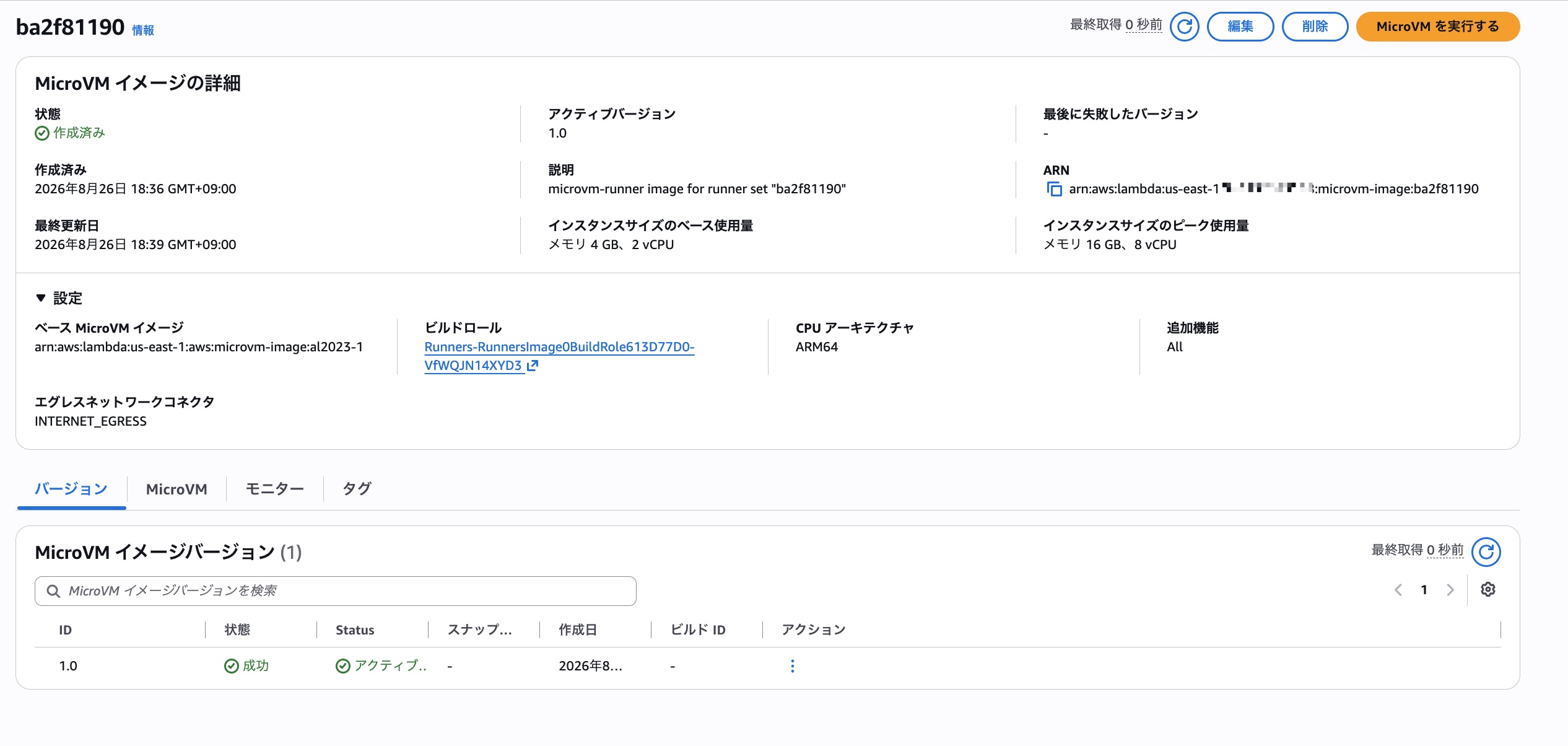
Incidentally, when I downloaded the Dockerfile used to build the above MicroVM image from S3, the contents were as follows.
FROM public.ecr.aws/lambda/microvms:al2023-minimal
RUN dnf install -y libicu bash git docker jq tar zip unzip nodejs22 sudo shadow-utils && dnf clean all
RUN dnf install -y gh --repofrompath gh-cli,https://cli.github.com/packages/rpm || true
RUN curl -fsSL https://awscli.amazonaws.com/awscli-exe-linux-aarch64.zip -o /tmp/awscliv2.zip && unzip -q /tmp/awscliv2.zip -d /tmp && /tmp/aws/install && rm -rf /tmp/aws /tmp/awscliv2.zip
RUN useradd -m runner && usermod -aG docker runner || groupadd docker && usermod -aG docker runner
RUN mkdir -p /opt/runner && cd /opt/runner && curl -fsSLo r.tgz https://github.com/actions/runner/releases/download/v2.335.1/actions-runner-linux-arm64-2.335.1.tar.gz && tar xzf r.tgz && rm r.tgz && chown -R runner:runner /opt/runner
COPY microvm-runner/agent.mjs /opt/microvm-runner/agent.mjs
COPY microvm-runner/entrypoint.sh /opt/microvm-runner/entrypoint.sh
RUN chmod +x /opt/microvm-runner/entrypoint.sh
ENTRYPOINT ["/opt/microvm-runner/entrypoint.sh"]
If you want to customize the image, you can also adjust it in the CDK code. For example, a way of writing using RunnerImage.fromInline like the following is available.
runners.addRunnerClass('custom', {
  size: MicrovmSize.GB4,
  image: RunnerImage.fromInline(`
FROM public.ecr.aws/lambda/microvms:al2023-minimal
...
(omitted)
`),
});
For details, please refer to the following link.
GitHub App Setup
Now that the stack is deployed, let's create a GitHub App. The setup command is also output in the CFn stack Output that was deployed earlier, and it looks like the following command.
npx cdk-github-microvm-runners@0.1 setup --org <target GitHub Org name> --stack Runners --region us-east-1
Please set the --stack option to the CFn stack name and --region to the region where the stack was deployed.
When you run the above command, a screen to create a GitHub App opens, so specify a unique name.
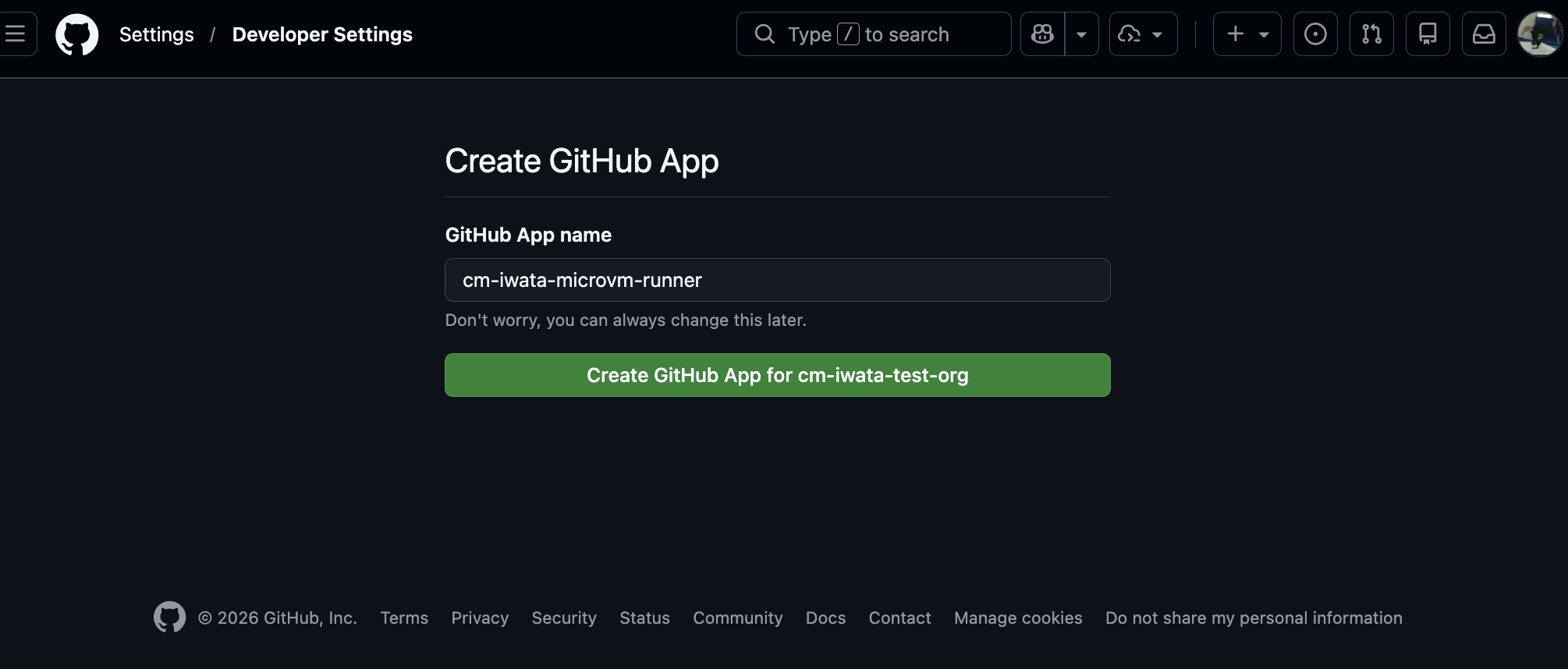
You are asked to confirm whether to install the created GitHub App to the Org, so click Install.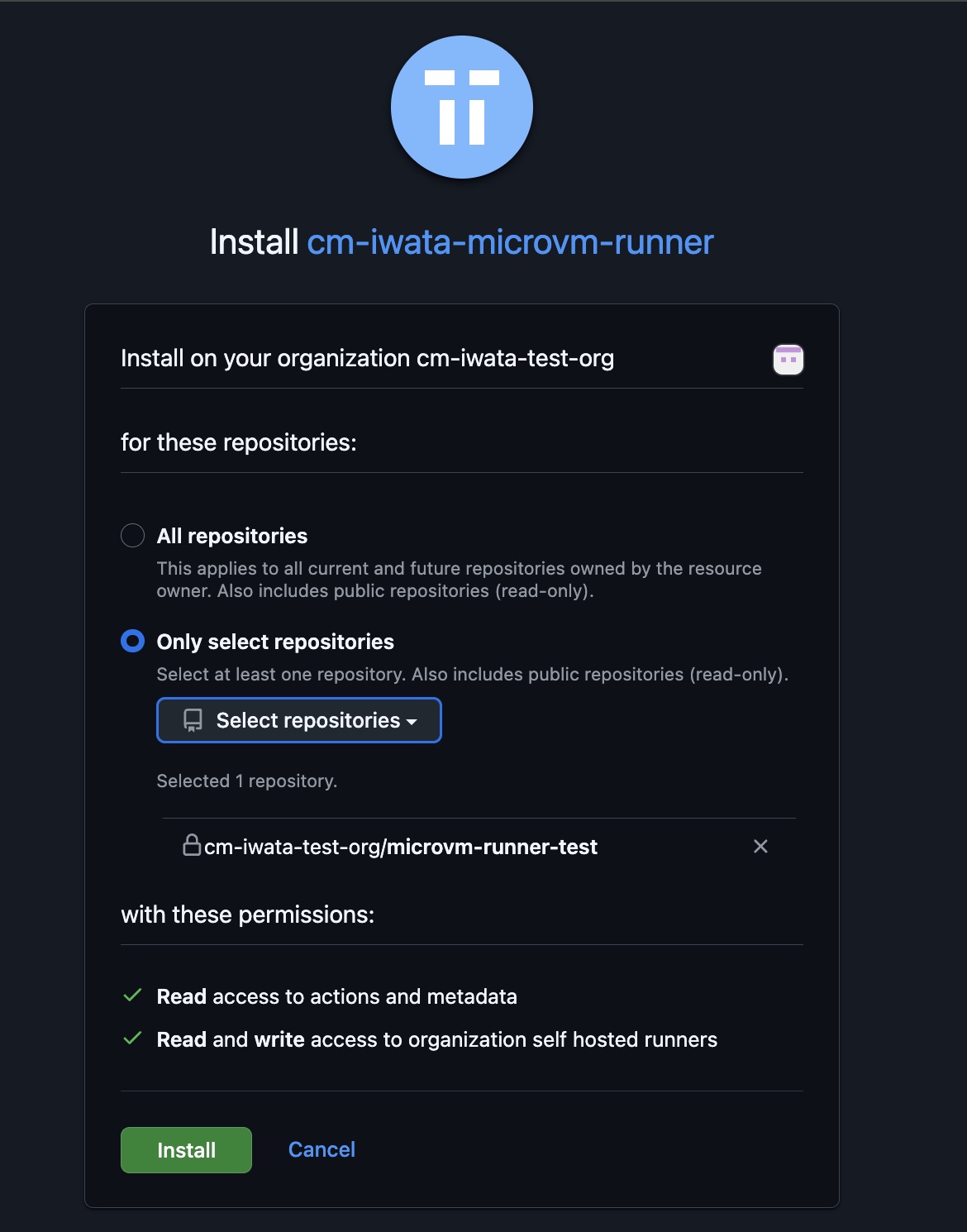
Once the installation is complete, close the browser.
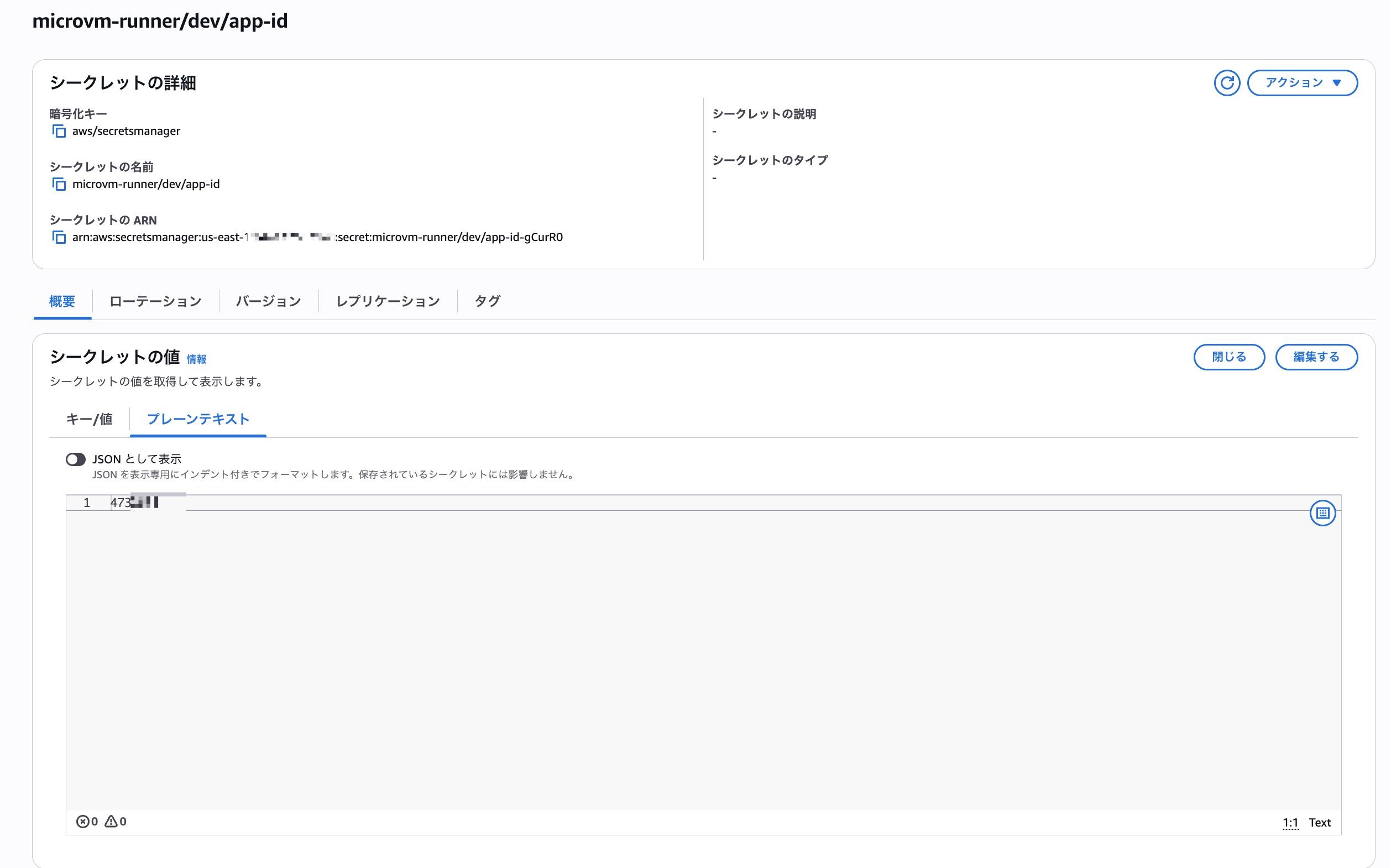
This completes all the necessary preparation. Behind the scenes of this series of operations, the secret values such as microvm-runner/dev/app-id specified in the CDK code are also registered.
Running a Workflow That Uses a Self-Hosted Runner
Now that we're ready to use the self-hosted runner, let's create a repository and trigger a GitHub Actions workflow. I first tried the following simple workflow.
on:
  workflow_dispatch
jobs:
  test:
    runs-on: [self-hosted, microvm]
    steps:
      - name: Checkout
        uses: actions/checkout@v4
      - name: test
        run: |
          echo test
          sleep 120
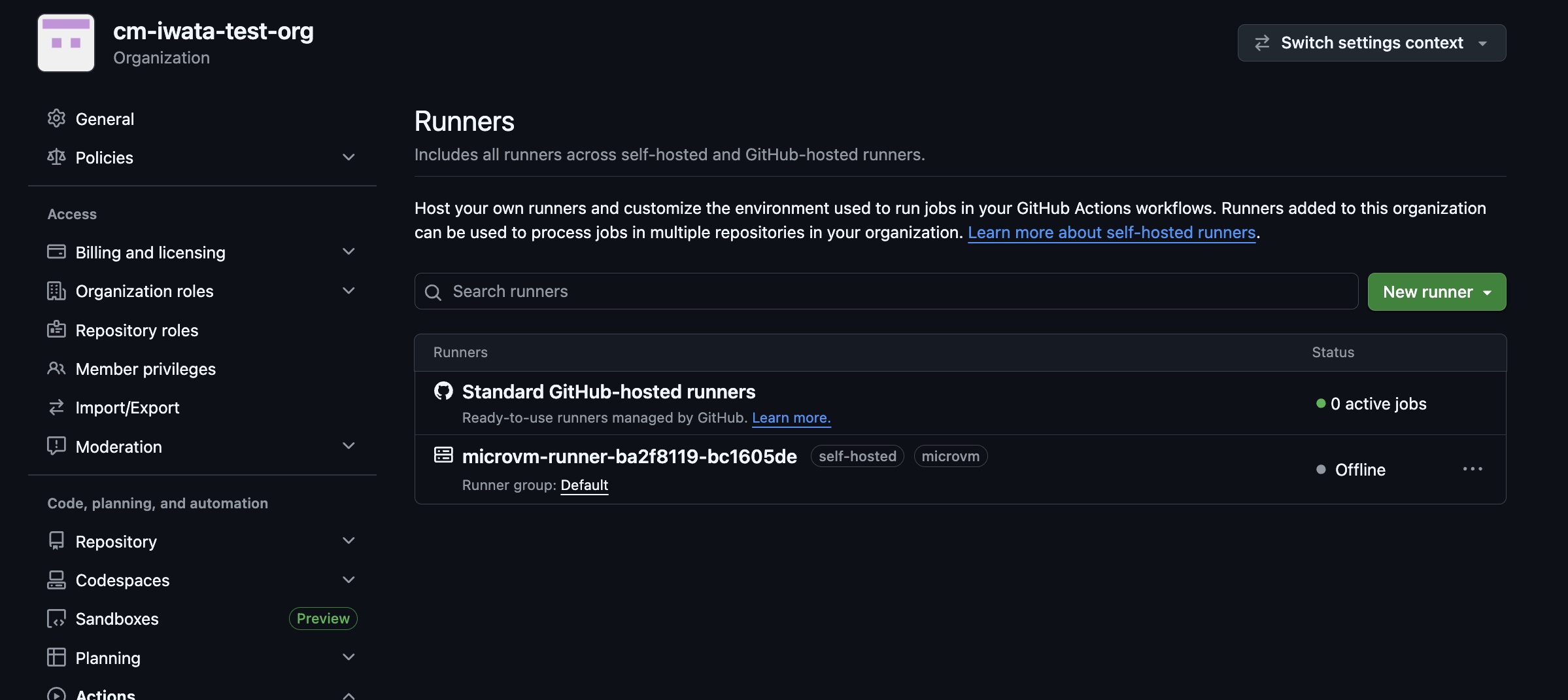
After triggering the workflow, checking Runners from the Org settings shows that the self-hosted runner has been registered.
After waiting a few more seconds, the workflow starts executing on the registered self-hosted runner.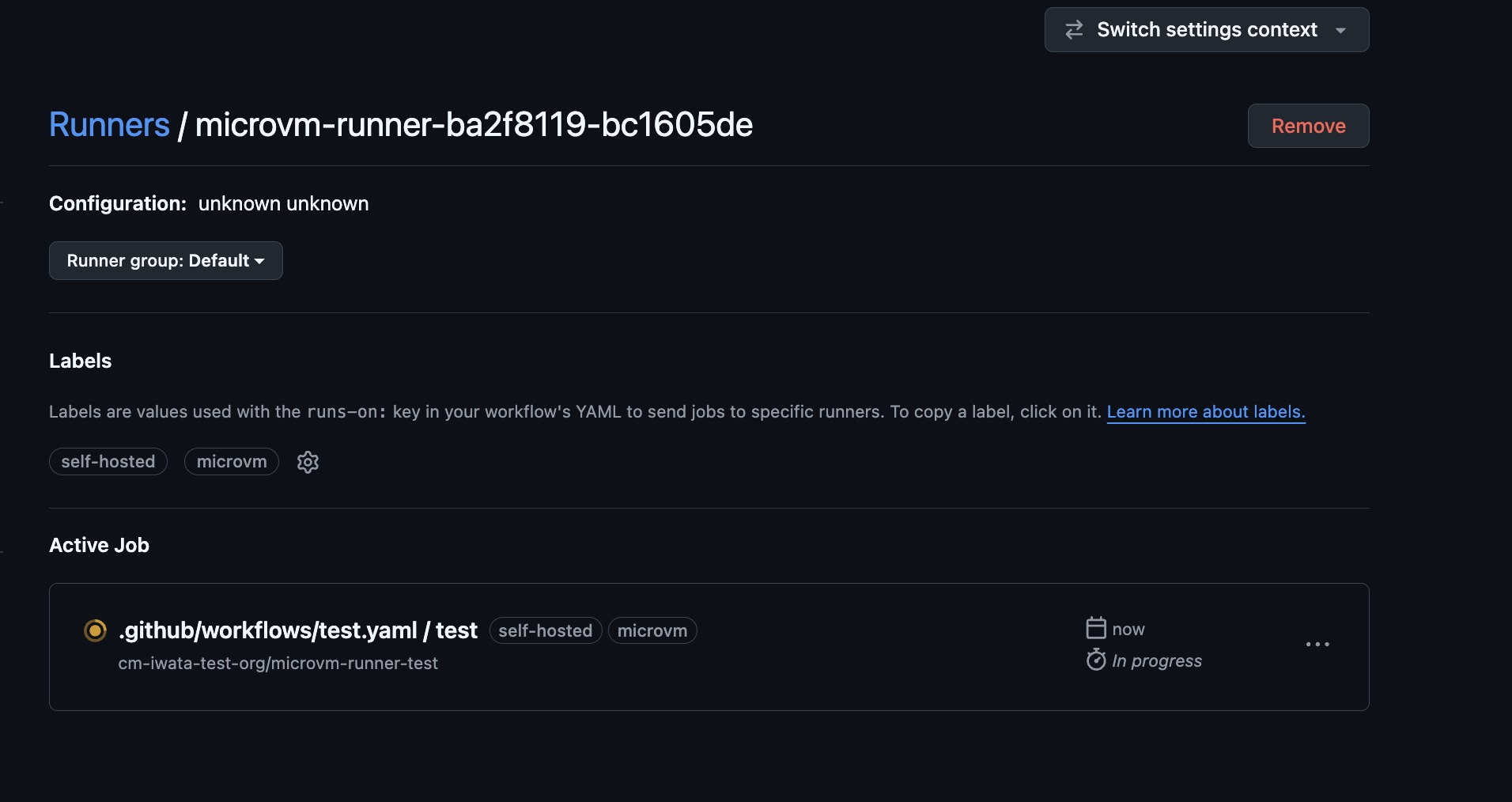
Here is the log. You can see it executed properly.
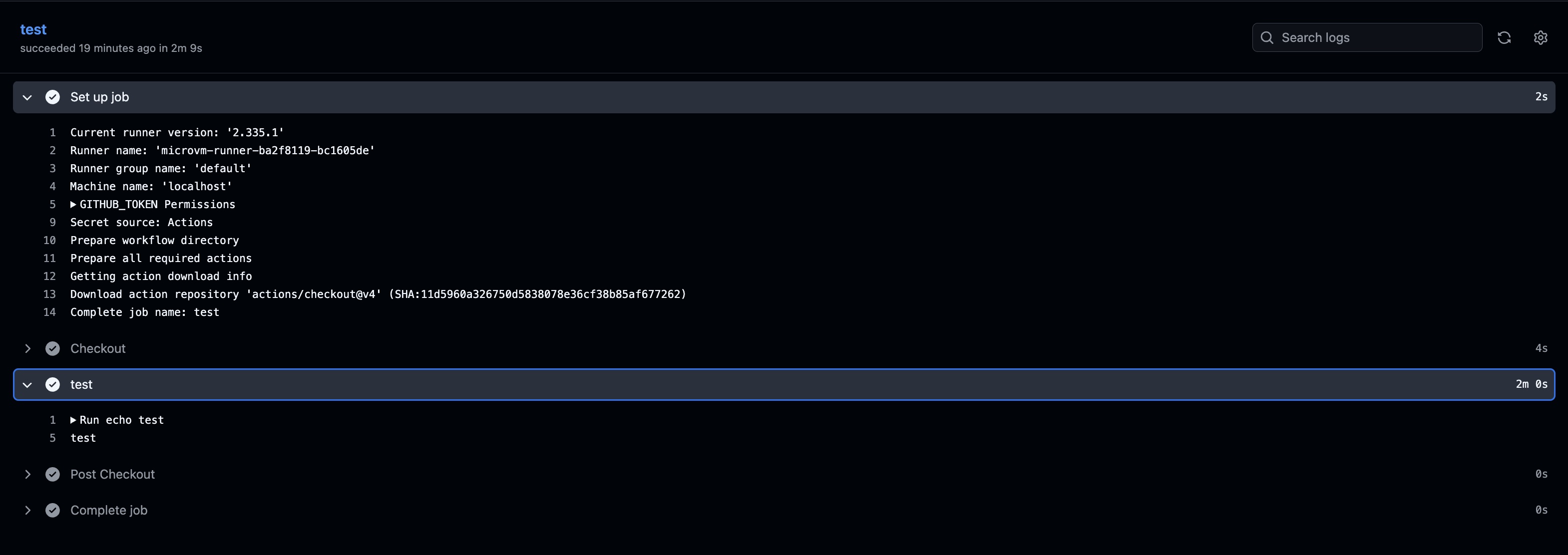
Looking at the log details, it seems to take about 20 seconds until the runner picks up the job.
2026-08-27T02:56:56.9760000Z Waiting for a runner to pick up this job...
2026-08-27T02:57:15.4380000Z Job is about to start running on the runner: microvm-runner-ba2f8119-bc1605de
According to the cdk-github-microvm-runners documentation, the time required for each phase is as follows. From when the workflow is triggered to when actual processing begins, the total wait time is about 25 seconds.
| Segment | Time | What happens |
|---|---|---|
| Queued → the VM is running | 6.8 s | webhook delivery, the queue, the launcher, VM boot |
| VM running → the runner's first log line | 8.2 s | run.sh, the .NET host starting, assemblies loading |
| Runner starting → connected to GitHub | 9.0 s | reading its configuration, registering |
| Connected → the job begins | 1.0 s | GitHub assigns the queued job to it |
| Total | 25 s |
※ Table quoted from https://github.com/schuettc/cdk-github-microvm-runners/blob/main/docs/architecture.md
While we're at it, let's also check the contents of the DynamoDB table. Scanning the table showed that the following items were registered.

Looking at the actual data makes it much easier to visualize what's happening behind the scenes.
Let's also create another workflow to confirm that Docker can be used. The workflow definition is as follows.
on:
  workflow_dispatch
jobs:
  test:
    runs-on: [self-hosted, microvm]
    steps:
      - name: Checkout
        uses: actions/checkout@v4
      - name: test
        run: |
          docker run --rm  hello-world
    services:
      postgres:
        image: postgres
        env:
          POSTGRES_PASSWORD: postgres
We are running a docker command inside run, and also starting a postgres container with the services specification.
Here is the log when this workflow was executed.
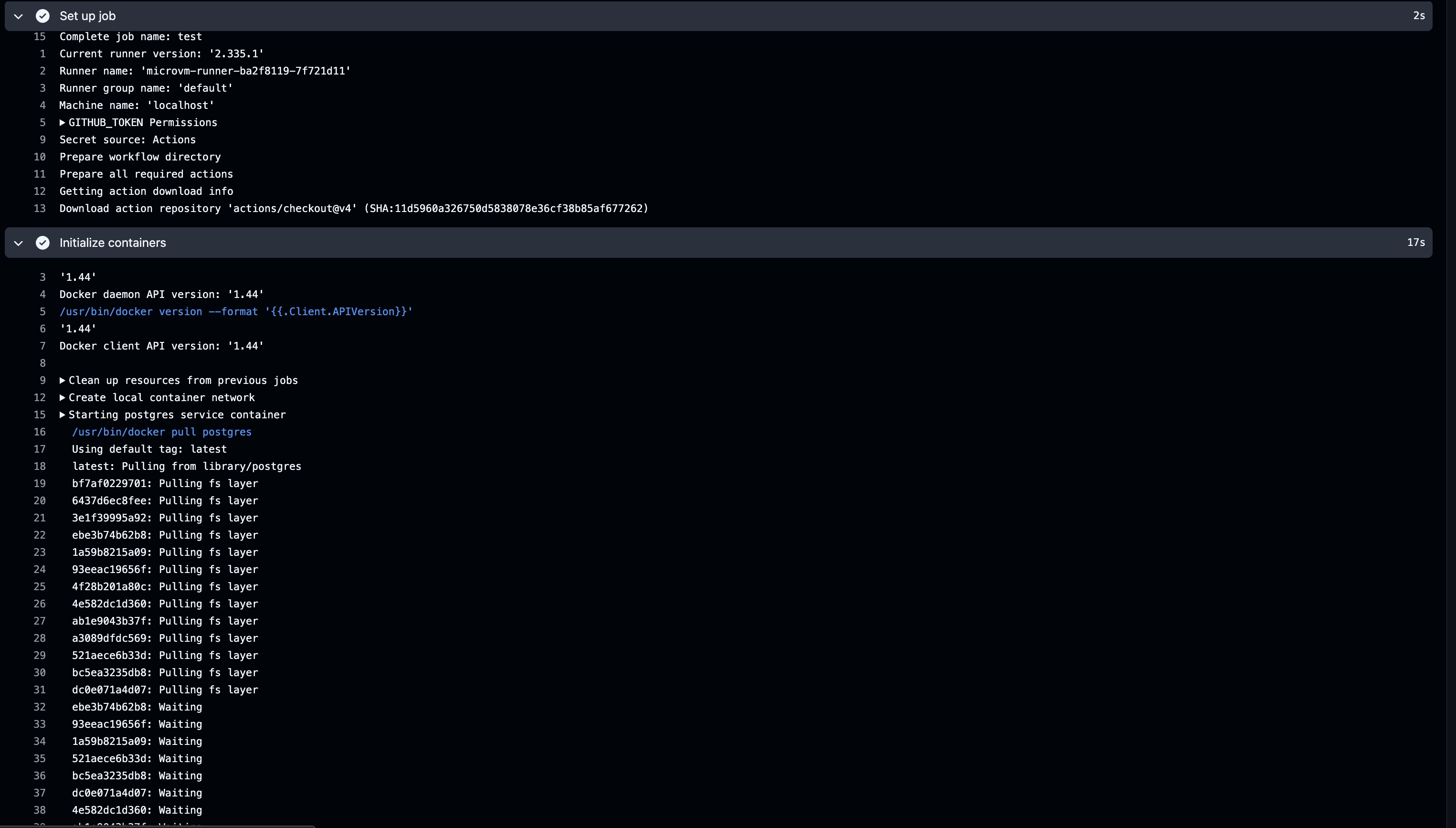
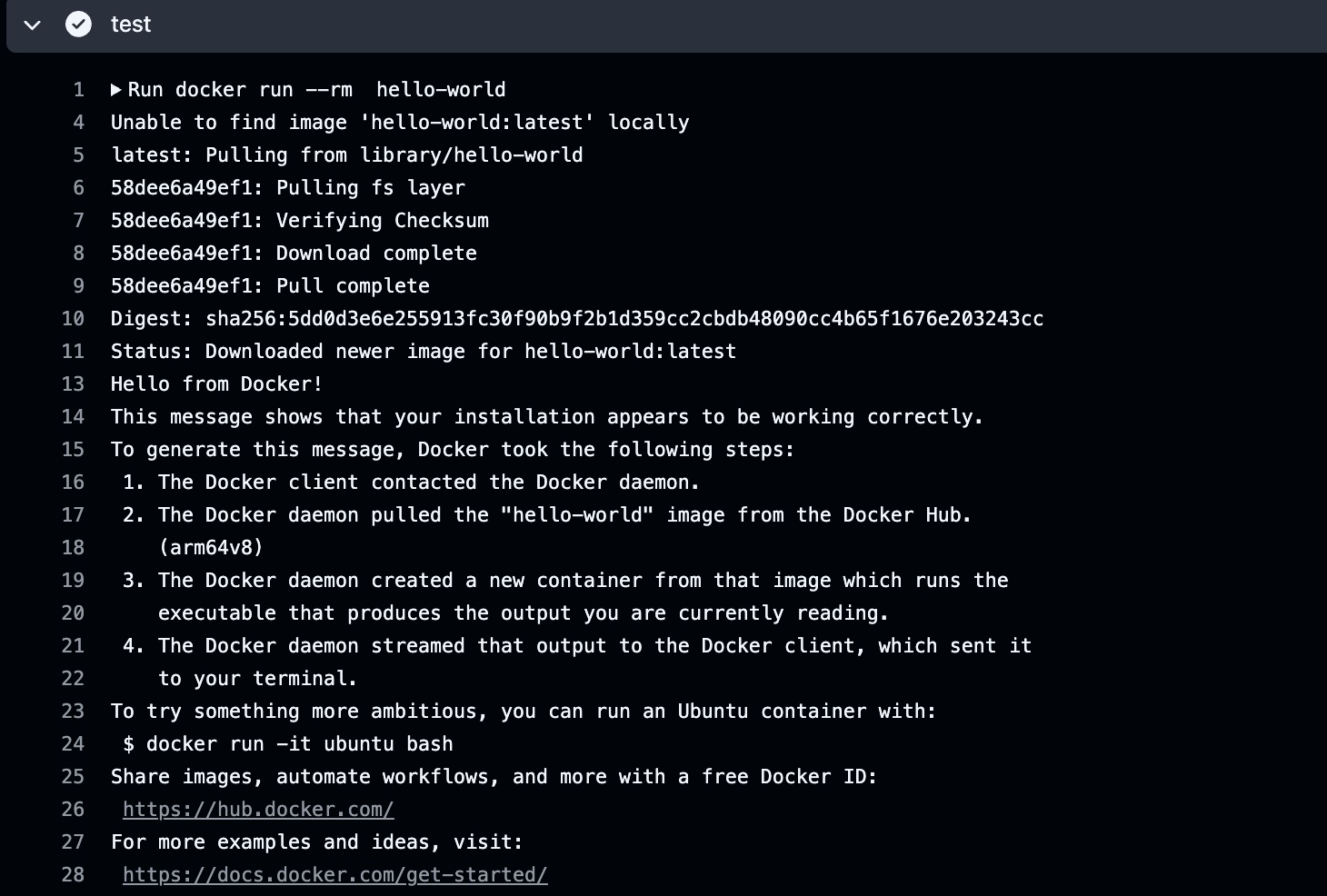
Docker can indeed be used on Lambda MicroVMs. When you select Lambda as the execution environment for CodeBuild, Docker cannot be used, but with a self-hosted runner on Lambda MicroVMs, Docker works without any issues.
Analysis
We managed to run GitHub Actions workflows on a self-hosted runner on Lambda MicroVMs, but let's consider whether this architecture is actually effective.
Comparing costs assuming the same processing time
First, let's do a simple cost comparison under the assumption that the workflow execution time doesn't change even when using a self-hosted runner.
For GitHub-hosted runners, the price for the SKU linux_2_core_arm is $0.005/minute. Starting an instance equivalent to linux_2_core_arm on Lambda MicroVMs, even in the Virginia region, gives the following estimate.
- vCPU price per second: 2vCPU × $0.0000276944
- Memory price per second (per GB): 8GB × $0.0000036667
The cost per minute is (2×0.0000276944 + 8 * 0.0000036667) × 60, which comes to $0.00508334. Although omitted here for simplicity, in practice additional storage costs for storing snapshots will also be incurred. Therefore, in a simple calculation, GitHub-hosted runners come out cheaper, but there is a possibility of achieving cost benefits by leveraging Saving Plans and similar options.
Another advantage of Lambda MicroVMs is that billing is per-second rather than per-minute. Since GitHub-hosted runners round billing up to the nearest minute, there could be cases where Lambda MicroVMs would bill for 1 minute and 31 seconds while GitHub-hosted runners would bill for 2 minutes.
Will the processing time actually be the same?
The previous estimate was based on the assumption that workflow execution time would not change, but what is the reality?
The cdk-github-microvm-runners used this time is designed to register self-hosted runners as Just-in-time runners and terminate MicroVMs each time, but Lambda MicroVMs support pausing and resuming. If reimplemented with an architecture where the MicroVM is paused after workflow completion and the paused MicroVM is resumed the next time the same workflow is triggered, it seems possible to make the most of Lambda MicroVMs' characteristic of being able to retain state.
For example, suppose a workflow contains a step that runs apt install. The first time the MicroVM starts, the package installation process runs in full, resulting in longer processing time, but from the second workflow execution onward, if the MicroVM with the packages already installed is resumed, the installation process would be skipped and command execution should complete quickly.
Going further, another approach would be to build a MicroVM image optimized for your own workload. Rather than running apt install inside the workflow, running apt install at MicroVM image build time would further reduce workflow processing time.
Whether you want to use a self-hosted runner for a specific project only, or provide self-hosted runners to multiple teams as an organizational foundation — depending on the requirements, the thinking around how much you can modify the MicroVM image will change, but reducing workflow processing time by leveraging the characteristics of a self-hosted runner seems worth considering.
Summary
I built and tested a GitHub Actions self-hosted runner on Lambda MicroVMs. With some additional work, this seems like it could enable some pretty interesting things.
If you're struggling with GitHub Actions processing time or costs, why not consider the self-hosted runner on Lambda MicroVMs architecture?