When I tried three subjects with Godot and Codex, I could see the strength of the initial output and the burden of manual verification

This page has been translated by machine translation. View original
Introduction
When evaluating development with Codex, it's easy to misjudge its capabilities by looking only at isolated successes. How far can it progress with initial output? How well does it improve when humans provide feedback about issues? What remains unresolved at the end? Without examining these aspects together, it's difficult to assess its true capabilities.
In this evaluation, I used Godot 4.6.1 and Codex 0.115.0 to test three different subjects in separate sessions:
- Fast-paced 2D action gameplay
- Small-scale competitive multiplayer
- Production support tool based on EditorPlugin
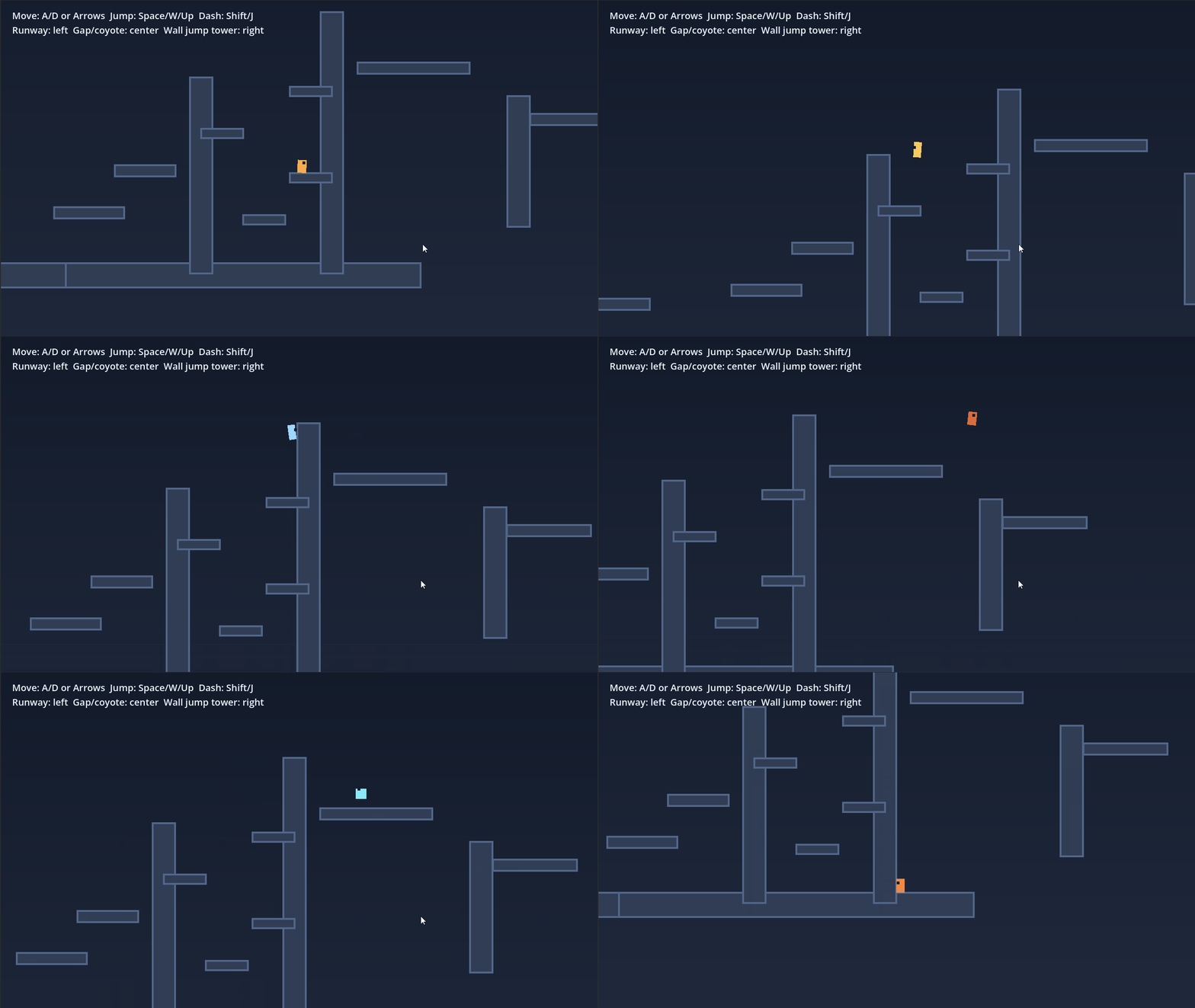
To summarize the findings: across all three subjects, Codex was able to create reasonably good foundations with its initial output. However, it struggled to fully resolve subtle behavioral issues and editor usability on its own, making human verification essential for ensuring final quality.
What is Godot?
Godot is an open-source game engine that supports both 2D and 3D development. It handles not only runtime implementation but also editor extensions in the same environment, making it suitable for comparative testing like this.
What is Codex?
Codex is a coding agent provided by OpenAI. It's designed for code editing, investigation, and correction through iterative collaboration with humans.
Testing Environment
- Godot: v4.6.1-stable_win64
- Codex CLI: v0.115.0
- Model Used: GPT-5.4
- OS: Windows
References
Testing Methodology
First, I provided an initial prompt to Codex for implementation, then manually verified the result in Godot to identify issues. When corrections were needed, I provided specific feedback. To observe differences between subjects, I conducted the three tests in separate, independent sessions.
Subject 1: 2D Action
For Subject 1, I focused on fast-paced 2D action gameplay. Fast action games require more than basic left-right movement; they need dash mechanics, wall actions, jumps, and camera following that together create a satisfying feel when played. Input handling and state management issues quickly become apparent, making this a good subject for comparing Codex's initial output against its feedback-revised implementation. My initial prompt requested implementation of dash mechanics, wall sliding, wall jumping, coyote time, jump buffering, and camera following during fast movement.
Initial Prompt
# Theme 1 Session Start Instructions

In this session, handle only the Godot 2D action verification.
Don't assume any content from other themes; focus solely on implementing, testing, and summarizing this theme within our conversation.

## Starting Assumptions

- The current working directory may not yet contain any actual files
- An empty directory is not abnormal. In this session, use this as the root for the test project
- First, either introduce a base candidate to this directory or create a minimal configuration to begin work
- The target Godot version is `Godot_v4.6.1-stable_win64`
- The test environment is Windows only
- This directory is assumed to include a `godot` folder
- When launching Godot via command, use `./godot/Godot_v4.6.1-stable_win64_console.exe`

## Theme Objective

In fast-paced 2D action, simply allowing character movement is insufficient.
The feel when playing depends on input handling, animation transitions, camera following, and how physics behaviors mesh together.
In this test, we'll verify how well Codex can handle 2D action modifications in Godot without breaking things.

## Target

- Theme: Fast-paced 2D action
- Base candidate: `2D Platformer Demo`
- Source: https://godotengine.org/asset-library/asset/2727
- License: MIT
- Only if the base candidate is difficult to obtain, you may create a minimal configuration with no rights issues in the current directory

## Elements to Target in Initial Implementation

For the initial implementation, target these 5 elements:

- dash
- wall slide / wall jump
- coyote time
- jump buffer
- camera following adjustment during fast movement

At least 4 of these elements are required, but prioritize all 5 listed above.

## Anticipated Issues

Be particularly wary of:

- Adding dash alone while breaking overall control feel
- Unstable wall jump detection
- Coyote time and jump buffer interfering, causing unnatural jumps
- Animation state and physics state becoming misaligned
- Camera following too closely during fast movement, reducing visibility
- Wall clipping, collision issues, or missed inputs

## Steps for This Session

1. Introduce the base to this directory and confirm it runs in Godot 4.6.1
2. Implement the 5 elements above
3. Manually test the initial output
4. Make additional modifications if needed
5. Summarize the final results in our conversation

## Key Aspects for Manual Testing

In human verification, prioritize at least these points:

- Does it feel natural to play?
- Does behavior remain stable during wall jumps and fast movement?
- Is input handling reliable without delays or missed inputs?
- Is the camera view comfortable during fast movement?
- Is the implementation well-structured rather than ad-hoc, with appropriate settings and separation of responsibilities?

## Content to Include in Final Summary

- Base introduction procedure
- Reason for base selection
- What worked in the initial output
- What failed in the initial output
- Number and key points of additional instructions
- Issues found by human testing
- State after modifications
- Remaining issues
- Main files updated
- Observations useful for an article
Codex created its own minimal configuration rather than modifying an external demo. The initial output provided an adequate foundation, but there were issues: unnatural appearance when facing left, mismatches between wall slide and wall kick states, and problems with movement speed and camera smoothness.
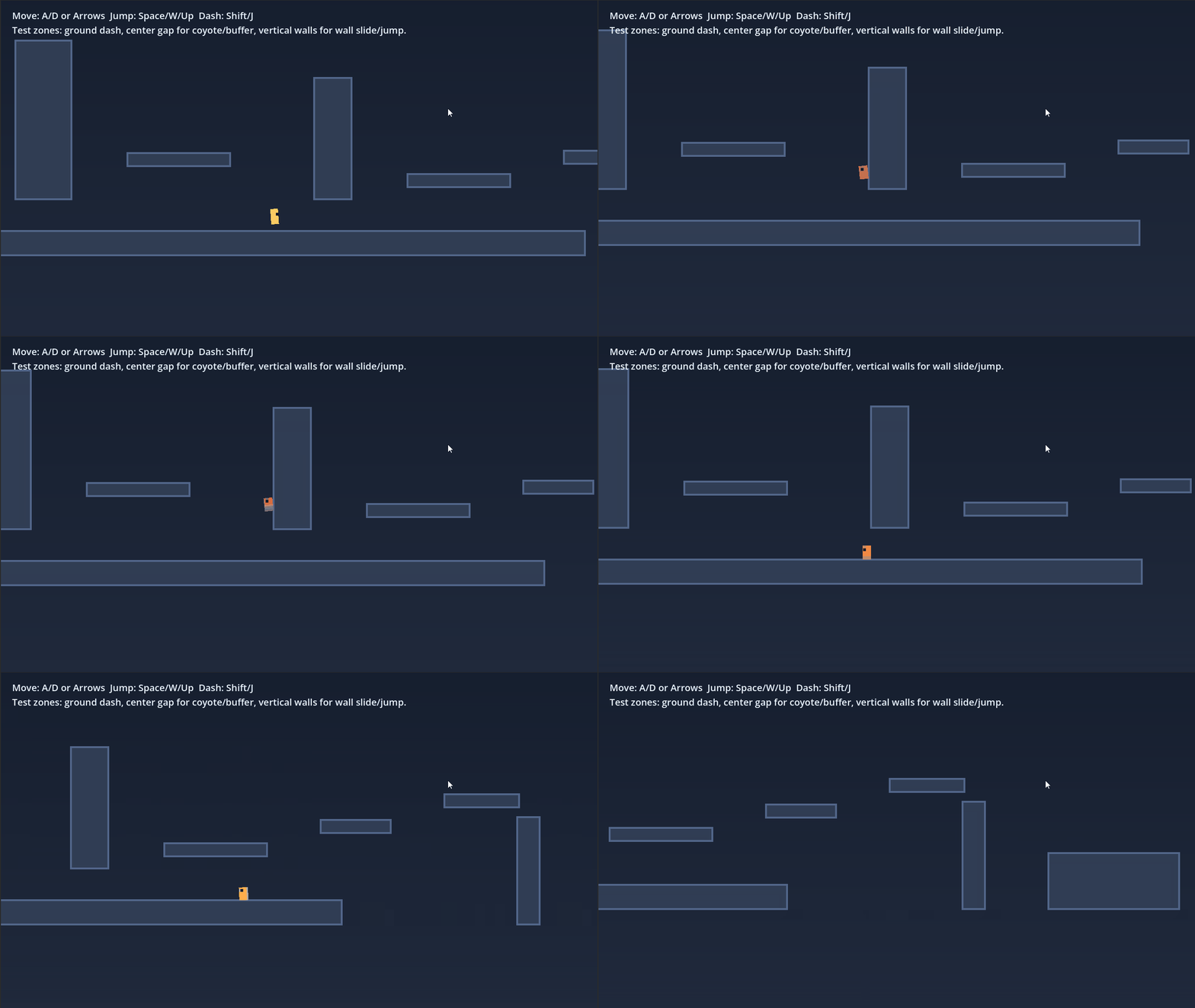
After providing one round of feedback, improvements were made: multi-point RayCast2D for wall detection, speed adjustments, and camera anticipation based on velocity. These changes achieved a satisfactory level of quality for our testing purposes.
Feedback Content
Overall there are no major breakdowns, but the fine tactile feel is still quite rough. Please fix these issues.

## Issues with implementation

- When facing left, the body flips every frame, making it look like the character is facing both forward and backward simultaneously.
- Wall slide detection fails in certain cases. When reaching the highest point where the state changes to falling and then attaching to a wall, wall sliding doesn't activate. However, wall kicking still works in that situation, so the state management appears inconsistent.

## Issues based on my personal feel (others might not find these problematic)

- Despite being described as a speed action, it lacks a sense of speed. Movement feels slow overall. The dash distance is also short and lacks impact.
- The camera movement feels uncomfortable. When turning left or right, the camera shakes significantly, so rapidly changing directions causes intense swaying that makes me dizzy.
- The test level terrain isn't appropriate. Despite having wall kicks, there aren't high walls on both sides to test climbing gameplay.
What I learned from this subject is that Codex shows higher improvement efficiency with subjects where humans can easily articulate what feels wrong. Observations about wall behavior, dash length, or camera motion sickness are easy for humans to communicate, which led to faster improvements.
Subject 2: Multiplayer
For Subject 2, I focused on small-scale competitive multiplayer. My interest was in seeing how well Codex could handle not just visual behavior but also synchronization and consistency across multiple viewpoints, including connection/disconnection handling.
Initial Prompt
# Theme 2 Session Start Instructions

In this session, handle only the Godot small-scale competitive multiplayer verification.
Don't assume any content from other themes; focus solely on implementing, testing, and summarizing this theme within our conversation.

## Starting Assumptions

- The current working directory may not yet contain any actual files
- An empty directory is not abnormal. In this session, use this as the root for the test project
- First, introduce a base candidate to this directory to begin work
- The target Godot version is `Godot_v4.6.1-stable_win64`
- The test environment is Windows only
- This directory is assumed to include a `godot` folder
- When launching Godot via command, use `./godot/Godot_v4.6.1-stable_win64_console.exe`

## Theme Objective

In this test, we'll verify how well Codex can handle ownership, interpolation, and synchronization issues in small-scale competitive multiplayer.
We'll particularly observe the difference between visually synchronized states versus actually playable states.
We prioritize competitive gameplay because differences in behavior each frame directly affect results, making issues easier to observe.

## Target

- Theme: Small-scale competitive multiplayer
- Primary candidate: `Multiplayer Bomber Demo`
- Backup candidate: `Pong Multiplayer Demo`
- Source: https://godotengine.org/asset-library/asset/2797
- License: MIT

## Elements to Target in Initial Implementation

For the initial implementation, target these 5 elements:

- Improved player position/movement synchronization
- Bomb and explosion synchronization
- Ownership clarification
- Basic connection/disconnection handling
- Improved visual smoothness

At least 3 of these elements are required, but prioritize all 5 listed above.

## Anticipated Issues

Be particularly wary of:

- Movement synchronizes but collision detection doesn't
- Ambiguous ownership of bombs or attack objects
- One view shows a hit while the other doesn't
- State corruption on disconnection or reconnection
- Interpolation makes visuals smooth but internal states inconsistent

## Steps for This Session

1. Introduce the base to this directory and confirm host/client startup
2. Implement the 5 elements above
3. Test the initial output with 2 instances
4. Make additional modifications if needed
5. Summarize the final results in our conversation

## Key Aspects for Manual Testing

In human verification, prioritize at least these points:

- Is the synchronization only visual or actually functional?
- Do hit detection and collisions match in both views?
- Is ownership clear and preventing incorrect behaviors?
- Does the state remain intact immediately after disconnection or reconnection?
- Do modifications preserve other synchronization behaviors?

## Content to Include in Final Summary

- Base introduction procedure
- Reason for base selection
- Host/client verification procedure
- What worked in the initial output
- What failed in the initial output
- Number and key points of additional instructions
- Perspective differences or issues found by humans
- State after modifications
- Remaining issues
- Main files updated
- Observations useful for an article
The first major issue was a crash immediately after Host → Join. The causes were unspecified types and remaining APIs incompatible with Godot 4.6 that were introduced during synchronization improvements.
Feedback Content
# Theme 2 Crash Fix Instructions

Please work only within this directory while maintaining the assumptions in `SESSION-INIT.md`.

The current issues are:

- When opening the project in Godot, a dialog appears saying "this project was last opened with 4.2, open as 4.6?"
- I allowed it to open
- I enabled multiple executions in debug
- When performing Host and Join, an error message appeared and crashed

I'd like you to:

1. Identify the crash cause from files in this directory only
2. First determine whether the issue is from 4.2 -> 4.6 migration or from our synchronization improvements
3. Fix the cause of the crash after `Host` and `Join` with minimal changes
4. After fixing, ensure it no longer crashes when "opening the project in 4.6" and "performing Host and Join"
5. Summarize the cause, your fixes, and any remaining unchecked issues in our conversation

Constraints:

- Target only files within the current directory
- Don't explore parent directories
- Don't completely rebuild the existing implementation; prioritize fixing the crash
- Make only the necessary minimum changes
- Provide the final summary in our conversation, not in a file

Additional information:

- Initial implementation modified `player.gd`, `bomb.gd`, `gamestate.gd`, `score.gd`, `player.tscn`, `bomb.tscn`
- Prioritize fixing the "crashes when Host/Join in 4.6" issue over "synchronization quality improvements"
- If possible, explicitly identify which node references, RPCs, synchronization settings, or 4.6-incompatible APIs directly caused the crash
- If possible, utilize the actual error message text that appeared in Godot
This issue was resolved with additional prompting. After manual verification, no major networking issues were found within the scope of our test.
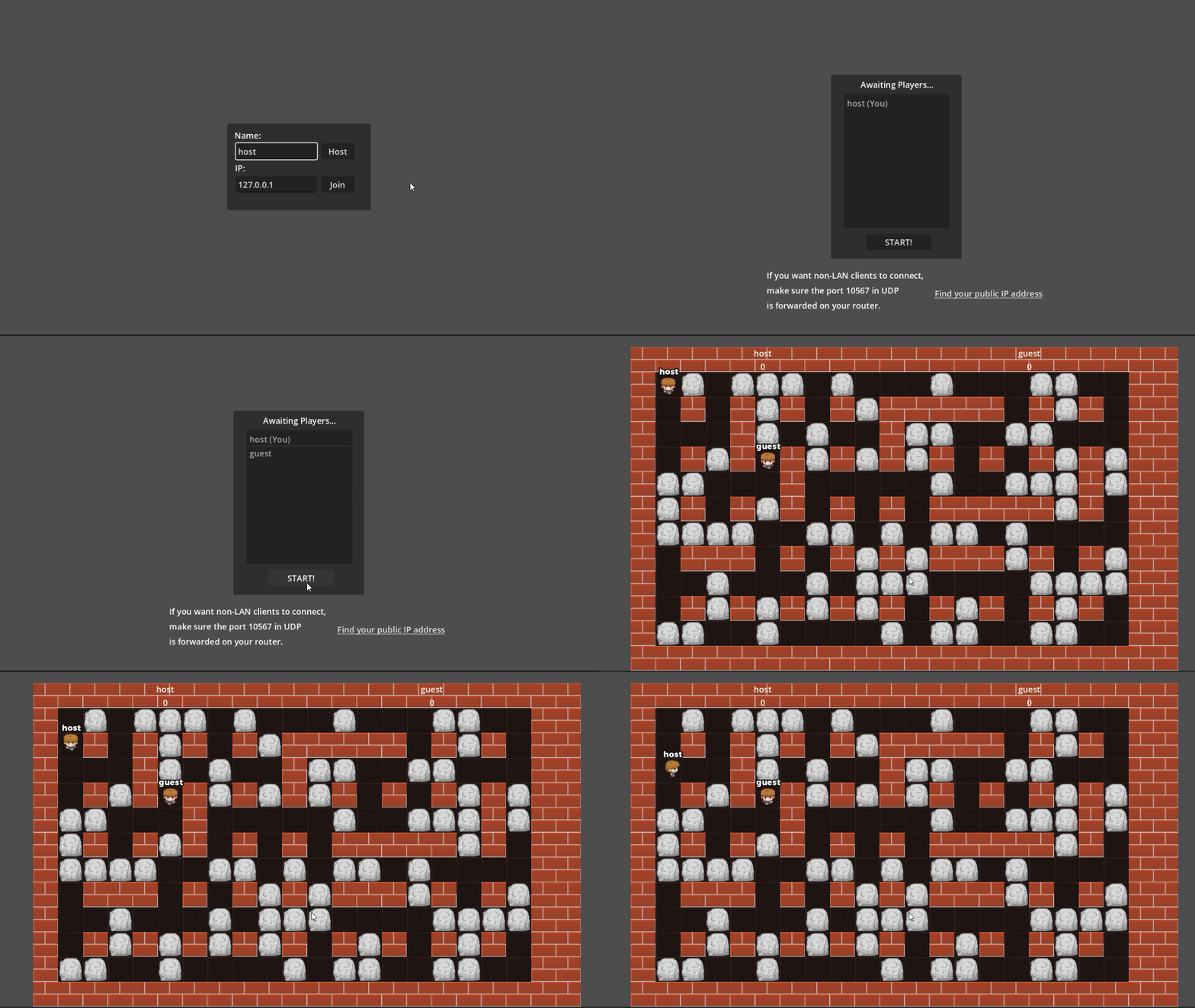
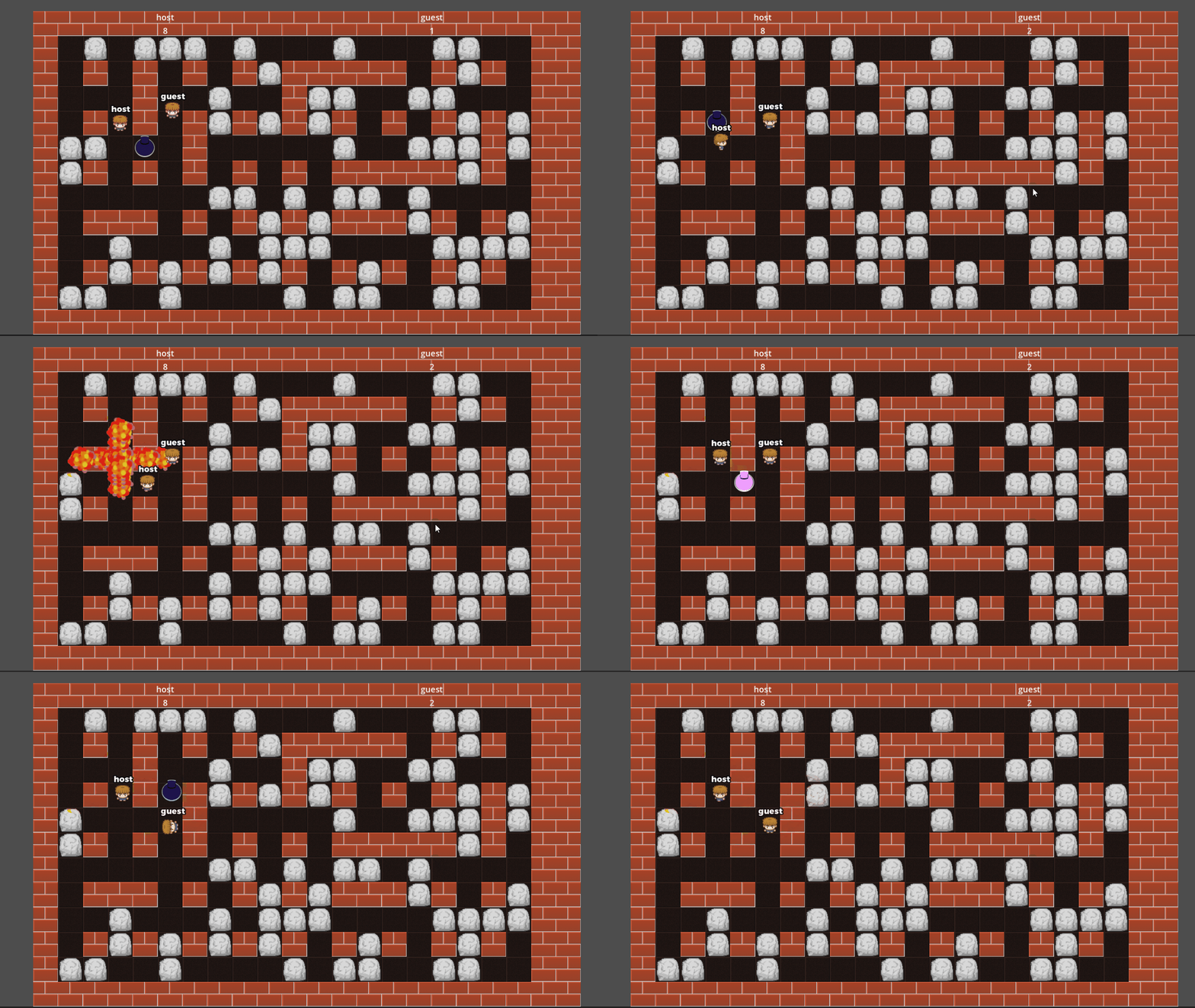
What I learned from this subject is that even with a challenging multiplayer implementation, when starting from a strong foundation like an official demo, adjustments and synchronization improvements can progress relatively smoothly.
In other words, this subject's success wasn't solely due to Codex solving multiplayer challenges from scratch, but also benefited from the existing template already handling crucial elements. This suggests that Codex's effectiveness varies not just with subject difficulty but also with the strength of the starting foundation.
Subject 3: EditorPlugin-Based Production Support Tool
For Subject 3, I focused on a production support tool using EditorPlugin and GraphEdit with node connections. I wanted to see if Codex could handle editor extensions, not just runtime implementations. My initial prompt requested a minimal configuration where selecting an EventGraphRunner node would allow graph editing in a dock.
Initial Prompt
# Theme 3 Session Start Instructions

In this session, handle only the Godot editor extension/production support tool verification.
Don't assume any content from other themes; focus solely on implementing, testing, and summarizing this theme within our conversation.

## Starting Assumptions

- The current working directory may not yet contain any actual files
- An empty directory is not abnormal. In this session, use this as the root for the test project
- First, create a minimal Godot project in this directory to begin work
- The target Godot version is `Godot_v4.6.1-stable_win64`
- The test environment is Windows only
- This directory is assumed to include a `godot` folder
- When launching Godot via command, use `./godot/Godot_v4.6.1-stable_win64_console.exe`

## Theme Objective

In this test, we'll verify how practically Codex can build a production support tool using Godot's EditorPlugin.
While the request is for an experience similar to Unreal Engine blueprints, Godot 4 has different prerequisites, so we'll treat this as a purpose-specific node connection tool.
We're also observing whether tool creation is more compatible with Codex than game development itself.

## Target

- Theme: Editor extension/production support tool
- Approach: Event/behavior configuration tool using `EditorPlugin` and `GraphEdit` with node connections
- Note: Implement as a focused production support tool rather than a general visual scripting language

## Elements to Target in Initial Implementation

For the initial implementation, target these elements:

- Node connection UI display
- Node placement
- Saving/reloading connection relationships
- Usage from the game side
- Clear integration path with EditorPlugin

## Anticipated Issues

Be particularly wary of:

- UI exists but connection information breaks during save/reload
- Node definitions misalign with game-side usage patterns
- Shallow editor integration that remains just a runtime UI
- Fragility when specifications change slightly
- Poor usability making continued use difficult

## Steps for This Session

1. Create a minimal Godot project in this directory
2. Confirm EditorPlugin activation and minimal display
3. Implement a tool with the elements above
4. Manually test the initial output
5. Make additional modifications if needed
6. Summarize the final results in our conversation

## Key Aspects for Manual Testing

In human verification, prioritize at least these points:

- Is it meaningful as a production support tool?
- Are node connection, saving, and reloading functioning without issues?
- Can it be used from the game/runtime side?
- Does it naturally fit into Godot's editor workflow?
- Is it comfortable enough to use that you'd want to continue using it?

## Content to Include in Final Summary

- Minimal project creation procedure
- Reason for the adopted tool approach
- What worked in the initial output
- What failed in the initial output
- Number and key points of additional instructions
- Usability issues found by humans
- State after modifications
- Remaining issues
- Main files updated
- Observations useful for an article
From the initial output, the tool functioned as a valid editor extension using EditorPlugin and GraphEdit, providing an interesting starting point as a minimal production support tool.
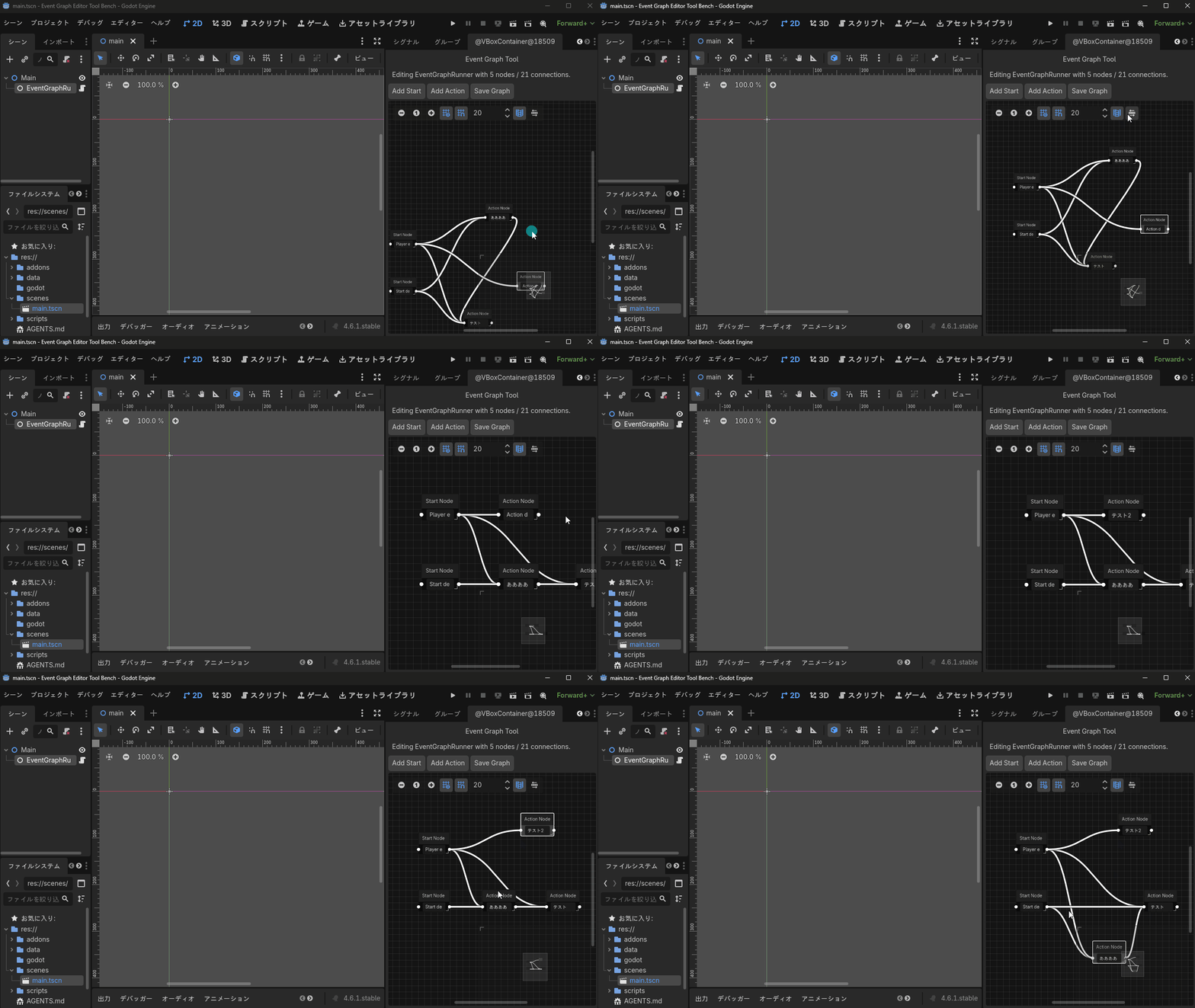
However, this subject wasn't stable from the start either. It had issues:
- Connection lines sometimes disappeared during continued operation
- Connections kept increasing in number
- Sometimes failed to properly restore after saving and reloading
- No way to delete nodes or connections
I provided feedback as follows:
Feedback Content
# Theme 3 Modification Instructions

Please work only within this directory while maintaining the assumptions in `SESSION-INIT.md`.

## Priorities for This Modification

For this modification, prioritize improving graph editing tool stability over adding features.
Focus especially on these three points:

- Preventing internal corruption of connection information
- Stabilizing connection line display
- Ensuring the same state returns after save/reload

Then, for minimal editing completeness, add the ability to delete nodes and connections from the GUI.

## What's Working Well Currently

These aspects are working well and should be preserved:

- Right dock appears only when `EventGraphRunner` is selected
- Map can be shown/hidden
- Auto-arrangement works
- Grid display can be toggled
- Grid snapping works
- Camera can be moved with middle mouse click
- The operational feel is similar to comparable tools, making it approachable for first-time users

## Issues Found During Manual Testing

### 1. Unstable Connection Line Display

Sometimes connection lines disappear after adding nodes or making connections.

- They appear to still exist on the minimap
- This suggests the connections themselves aren't being deleted, but rather the GraphEdit display update or reconstruction process is broken

### 2. Internal Connection Count Doesn't Match Visual Appearance

The GUI appearance doesn't match the internal connection count.

- For example, what visually appears to be around `5 nodes / 6 connections` might show a status of `Editing EventGraphRunner with 5 nodes / 21 connections`
- Connections may be getting registered multiple times internally

### 3. Unstable Save/Reload

After pressing `Save Graph` and restarting, added connections sometimes restore correctly and sometimes don't.

- Saving when connection lines are invisible leads to unstable reload results
- Duplicate or invalid connections may be saved in the `.tres` file

### 4. No or Unclear Deletion Path

There's no apparent way to delete added nodes or connections.

- If a method exists, it's not guided through the GUI and isn't intuitive
- As a production support tool, being able to add but not delete is insufficient

## Priority Order

Fix issues in this order:

1. Stop duplicate connection registration
2. Fix display issues where connection lines disappear
3. Ensure the same graph consistently returns after save/reload
4. Allow nodes and connections to be deleted from the GUI
5. Verify existing good operational aspects remain intact

## Aspects to Investigate

At minimum, check these aspects:

- Are connections being registered multiple times when added?
- Are connections accumulating with each `_rebuild_graph()` call?
- Is there duplicate management between `GraphEdit.connect_node()` and the resource-side array?
- Does display updating break after node addition, connection addition, disconnection, or saving?
- Are duplicate connections being saved directly to the `.tres` file?
- Are connection restoration order or reconnection processes unstable during reload?
- Is there a natural GUI method for deleting nodes and connections?

## What I'd Like You to Do

1. Fix the issues above using only files in this directory
2. First identify the direct causes of connection duplication and display instability
3. After fixing, ensure at minimum that `add node -> add connection -> Save Graph -> restart Godot -> reload` works consistently
4. Allow nodes and connections to be deleted from the GUI
5. Verify existing good operational features remain intact
6. Finally, summarize the causes, fixes, and remaining issues in our conversation

## Constraints

- Target only files within the current directory
- Don't explore parent directories
- Prioritize stability first
- Make only the necessary minimum changes
- Provide the final summary in our conversation, not in a file
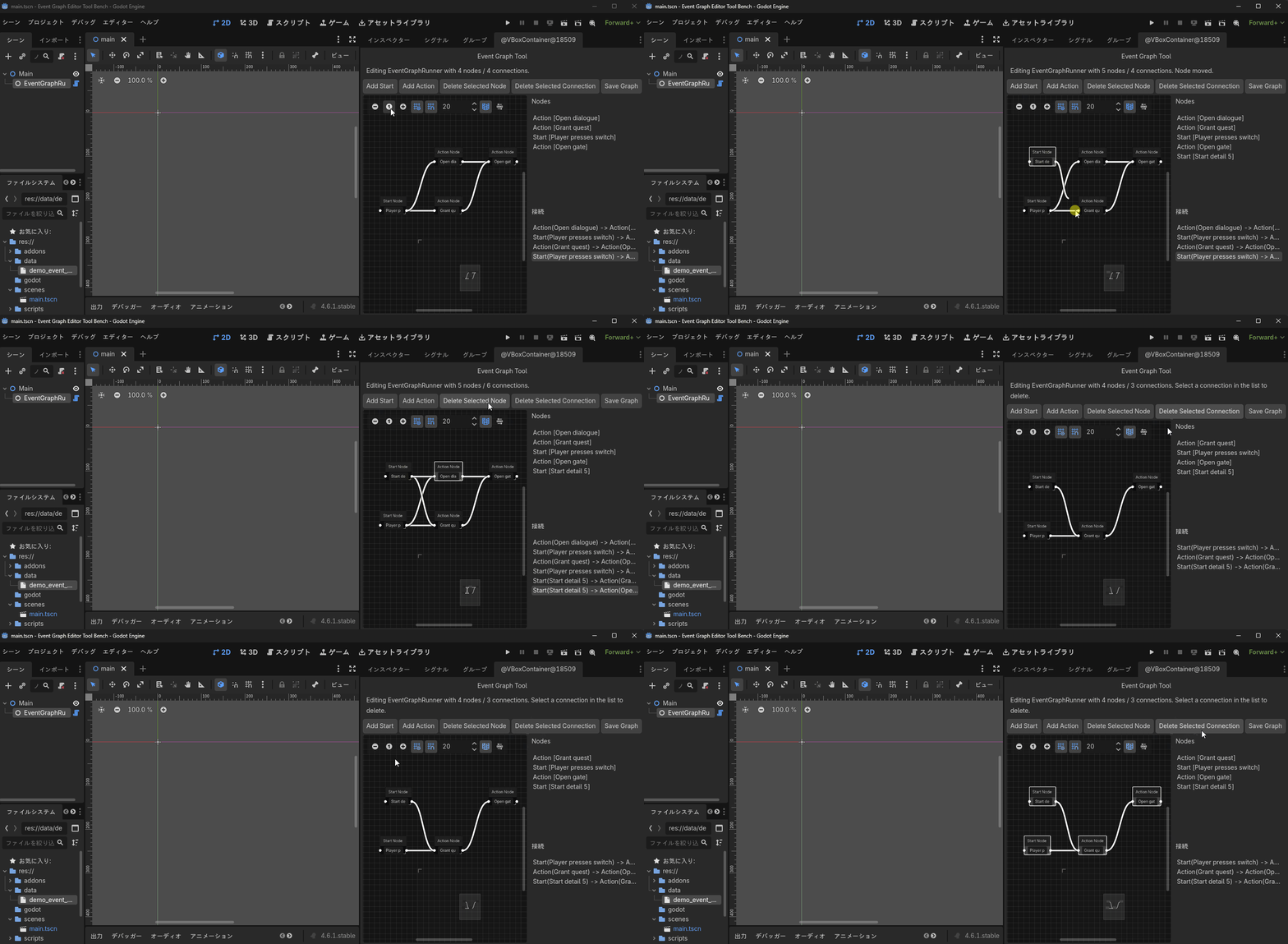
During modifications, another issue emerged: EventGraphResource was treated as a placeholder instance, causing stops at normalize() calls. This was due to GraphNode reconstruction order and @tool resource assumptions. Nevertheless, after several exchanges, most of the saving/reloading and connection management issues improved. At the end, only one issue remained: "there's a feature to delete selected connections, but no way to select connections." I felt this could likely be resolved with a few more exchanges.
This showed that for subjects with clearly defined responsibilities like editor tools, Codex can get quite far, but final usability still requires human review.
Insights from Testing
Comparing the three subjects reveals that Codex is less a tool for complete automation and more one for strongly advancing initial foundation creation. The initial outputs showed progress across all subjects, but human intervention was necessary for final refinement of subtle issues.
Two factors seemed particularly important: how well humans could articulate what felt wrong, and the strength of the starting foundation. For 2D action and editor tools, it was easy to provide brief feedback about behavior and UI issues, which led to more efficient improvements. For competitive multiplayer, the strong foundation of an official demo enabled relatively smooth progress despite the challenging subject.
Conclusion
Codex showed strengths in creating initial foundations and incorporating feedback when working with Godot, rather than in implementation itself. The 2D action project reached a finished state after just one round of specific feedback, while the editor tool approached practical usability after multiple revisions. Even the multiplayer project progressed steadily when built upon the strong foundation of an official demo.
Across all three subjects, I found that while Codex is strong at producing reasonably good initial implementations, it still struggles to fully refine rough edges on its own. Additionally, its effectiveness varies significantly depending on how much existing templates have already addressed difficult challenges. The most realistic approach at present seems to be a division of roles where AI creates the foundation and humans catch issues to determine final quality.