
[Update] GuardDuty RDS Protection Now Supports Data Activity Monitoring, Enabling Detection of Data Exfiltration and Destruction

This page has been translated by machine translation. View original
Until now, Amazon GuardDuty's RDS Protection focused mainly on detecting anomalies in login activity. It could tell you "whether there were any suspicious logins to the DB," but it could not tell you what was done after the login.
With the update on October 8, 2026, RDS Protection now supports monitoring of data activity (query patterns). It can detect retrieval of large amounts of data (data exfiltration) as well as deletion or destruction of data.
In this article, I summarize the contents of this update together with the official documentation. I have not verified the detection behavior this time, because baseline learning takes time.
Summary
| Item | Details |
|---|---|
| Prerequisite | RDS Protection login activity must be enabled |
| Added feature | Monitoring of data activity (patterns of data access and operations) |
| Supported engines | Aurora PostgreSQL / RDS for PostgreSQL |
| Pricing | Monthly charge based on the number of vCPUs/ACUs. In Tokyo, 3.99 USD/vCPU/month for RDS instances and 0.99 USD/ACU/month for Aurora Serverless v2. There is a 30-day free trial per account and Region |
Enhancements in This Update
If an attacker obtains legitimate credentials, the login is recorded as a "success." The queries executed afterward also cannot be distinguished from the behavior of a legitimate application, so the attack is missed.
Therefore, this update builds a baseline of query patterns for each database and each user and detects activity that deviates from it, making it possible to notice attacks even in patterns like the one above.
For an overview of the RDS Protection login activity up to now, please see the following articles.
What Has Changed
Difference Between Login Activity and Data Activity
According to the official documentation, RDS Protection is divided into the following two types of monitoring. Each is also enabled separately.
| Login activity | Data activity | |
|---|---|---|
| Monitoring target | Successful and failed logins | Database query patterns |
| Supported engines | Aurora MySQL / Aurora PostgreSQL / RDS for PostgreSQL / RDS for MySQL / RDS for MariaDB, etc. | Aurora PostgreSQL / RDS for PostgreSQL |
| Detection examples | Brute force, logins from suspicious IPs | Retrieval of an unusually large number of rows, DROP / DELETE, access from malicious IPs or Tor |
Please note that the supported engines for data activity are limited to the PostgreSQL family.
Added Finding Types
The update announcement (What's New) does not list the Finding Type names, but I was able to confirm the following seven types corresponding to data activity monitoring in the official documentation.
| Finding Type | Description | Severity |
|---|---|---|
Exfiltration:RDS/AnomalousBehavior |
A user retrieved an unusually large amount of data | Low to High (variable) |
Impact:RDS/AnomalousBehavior.Drop |
Execution of an anomalous DROP statement | Medium to High |
Impact:RDS/AnomalousBehavior.Delete |
Execution of an anomalous DELETE statement | Low to High |
Exfiltration:RDS/MaliciousIPCaller |
A malicious IP executed a data retrieval query | High |
Exfiltration:RDS/TorIPCaller |
A Tor exit node executed a data retrieval query | High |
Impact:RDS/MaliciousIPCaller |
A malicious IP executed a destructive statement | High |
Impact:RDS/TorIPCaller |
A Tor exit node executed a destructive statement | High |
The AnomalousBehavior types use GuardDuty's machine-learning-based anomaly detection and look at the user, the executed queries, the retrieved volume, connection information, and so on. The MaliciousIPCaller / TorIPCaller types are detections based on matching against threat intelligence.
How Severity Is Determined
For the three AnomalousBehavior Finding Types, the severity changes depending on the attributes of the source and the user.
Exfiltration:RDS/AnomalousBehavior
| Severity | Condition |
|---|---|
| Low | SELECT executed from a private network IP |
| Medium | SELECT executed from a public IP |
| High | A SELECT that returns an unusually large number of rows, and it is executed from a public network seen for the first time, or by a highly privileged role or administrative client |
Impact:RDS/AnomalousBehavior.Drop
| Severity | Condition |
|---|---|
| Medium | An anomalous DROP statement is executed |
| High | Multiple DROP statements are executed, and they are executed from a public network seen for the first time, or by a highly privileged role or administrative client |
Impact:RDS/AnomalousBehavior.Delete
| Severity | Condition |
|---|---|
| Low | DELETE executed from a private network IP |
| Medium | DELETE executed from a public IP |
| High | A DELETE that affects an unusually large number of rows, and it is executed from a public network seen for the first time, or by a highly privileged role or administrative client |
Drop has no Low, and its lowest severity is Medium.
Supported Engine Versions
The supported-version requirements for data activity monitoring are stricter than those for login activity monitoring.
| Engine | Login activity | Data activity |
|---|---|---|
| Aurora PostgreSQL | 10.23 / 11.12 / 12.7 / 13.3 / 14.3 / 15.2 / 16.1 and later | 11.19 / 12.14 / 13.10 / 14.7 / 15.2 and later |
| RDS for PostgreSQL | 11.17 / 12.12 / 13.8 / 14.5 and later, 15 to 18 | 11.20 / 12.15 / 13.11 / 14.8 / 15.3 and later |
※ The above is based on the official documentation (as of October 2026). Please check the official documentation for the latest supported versions.
Other conditions are as follows.
- For RDS for PostgreSQL read replicas, the primary must be on a supported version, and replication from the primary must be succeeding.
- Supported Regions are all commercial Regions where RDS Protection is offered, plus AWS GovCloud (US).
Pricing
RDS Protection is billed monthly according to the size of the protected DB instances. The unit price differs between login activity and data activity.
| Target | Billing unit | Formula |
|---|---|---|
| Provisioned instances | Number of vCPUs/month | Running hours × number of vCPUs ÷ hours in the month |
| Aurora Serverless v2 | Number of ACUs/month | Running hours × number of ACUs ÷ hours in the month |
The unit prices for Asia Pacific (Tokyo) are as follows (as listed in AWS's published price list).
| Monitoring target | Provisioned | Aurora Serverless v2 |
|---|---|---|
| Login activity | 1.33 USD/vCPU/month | 0.33 USD/ACU/month |
| Data activity | 3.99 USD/vCPU/month | 0.99 USD/ACU/month |
Data activity can be used only when login activity is enabled. You can choose login only, or login and data together. When used together, provisioned instances come to a total of 5.32 USD/vCPU/month.
Note that, as of the time of writing (October 20, 2026), the Japanese pricing page does not mention data activity, so the information here is based on the English pricing page. Please check the official pricing page for accurate information.
Free Trial
The free trial is 30 days per account and per Region.
- If you enable GuardDuty in that Region for the first time, RDS Protection (login and data activity) is also included in the free trial.
- If you are already using RDS Protection (login activity), enabling data activity monitoring for the first time gives you a separate 30-day free trial for it.
- Even after the trial ends, it is not disabled automatically, and usage charges simply start to apply.
During the trial period, you can check an estimate of the usage charges for that account and Region.
Trying to Enable It
Let's actually enable it.
- Open RDS Protection from Protection plans in the GuardDuty console
- The login activity and data activity settings can be enabled separately
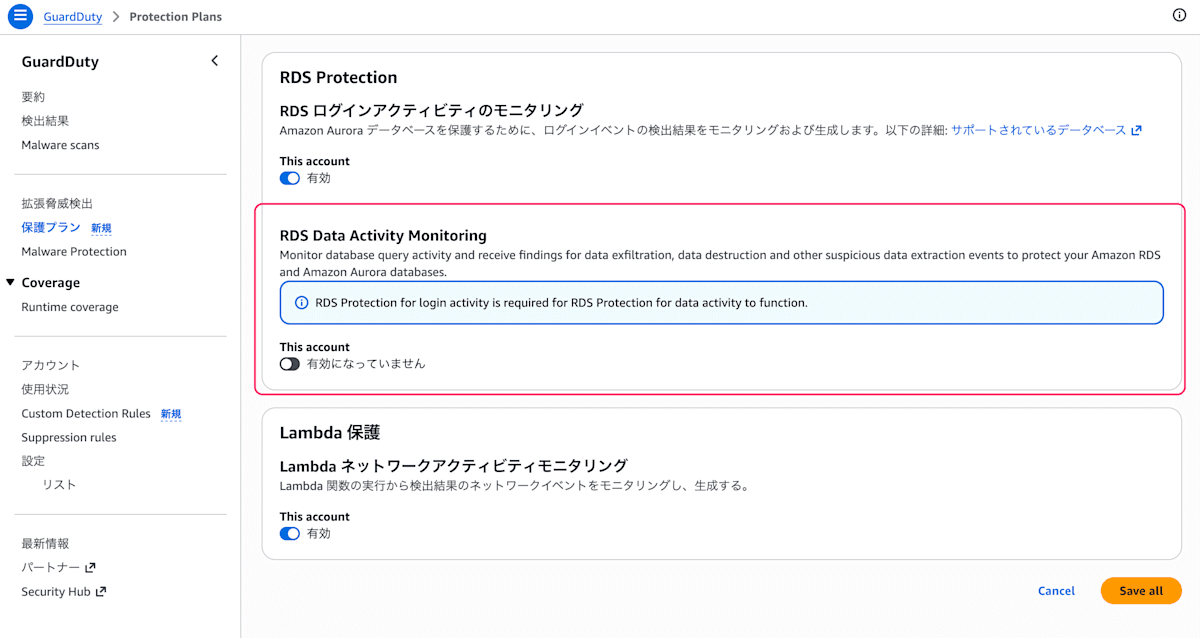
- Confirm that it is enabled
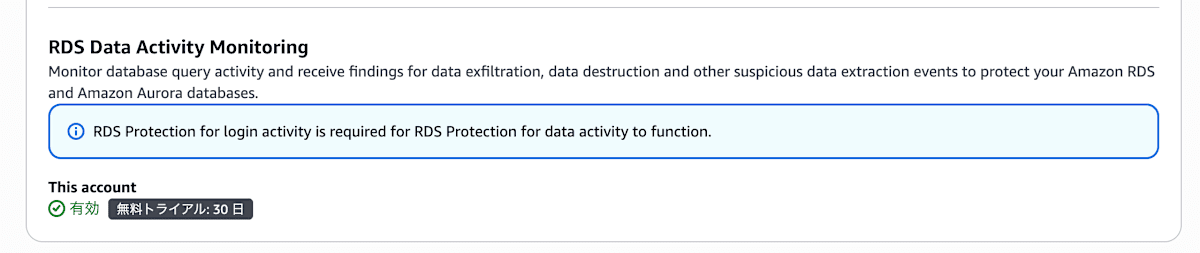
You can also enable it for the entire organization with one click from the console. It can also be enabled via the API, SDK, CLI, and CloudFormation.
Note that right after enabling, and for newly created DB instances, there is a baseline creation period during which normal behavior is learned. This period is up to two weeks, and during that time, Findings for anomalous data activity may not be generated.
Operational Notes
- Learning period: Right after enabling, or for new DB instances, Findings may not be generated for up to two weeks.
- Logs for investigation: GuardDuty does not provide data activity logs to users. To investigate a Finding in detail, you need to separately collect audit logs on the DB side (such as pgaudit).
- Response after detection: The official documentation recommends the following responses.
- Change the password of the affected DB user (and, for destructive operations, also revoke its access rights)
- Check the audit logs to confirm the data that was accessed and the scope of impact
- Place the DB in a private VPC and restrict sources to only those required using security groups
- If data loss is confirmed, restore from backups or point-in-time recovery
Conclusion
With this update, in addition to login monitoring, GuardDuty can now also show "what was done after the login." It is useful for detecting the spread of damage when credentials are leaked.
The target DB engines and versions are limited, but if yours apply, I think this is a feature worth actively using.
Since there is a 30-day free trial, it seems a good idea to first enable it in your target PostgreSQL environment and check the usage.
I hope this article is helpful to those considering security measures for RDS.
Reference Links
- https://aws.amazon.com/jp/about-aws/whats-new/2026/10/guardduty-rds-data-exfiltration/
- https://docs.aws.amazon.com/guardduty/latest/ug/rds-protection.html
- https://docs.aws.amazon.com/guardduty/latest/ug/findings-rds-protection.html
- https://aws.amazon.com/guardduty/pricing/
- https://dev.classmethod.jp/articles/update-guarduty-rds-protection-to-rds-for-postgresql/
- https://dev.classmethod.jp/articles/amazon-guardduty-rds-protection-aurora-ga/