I've compiled the deletion procedure for SageMaker Studio Domain that charges you when left unused

This page has been translated by machine translation. View original
Introduction
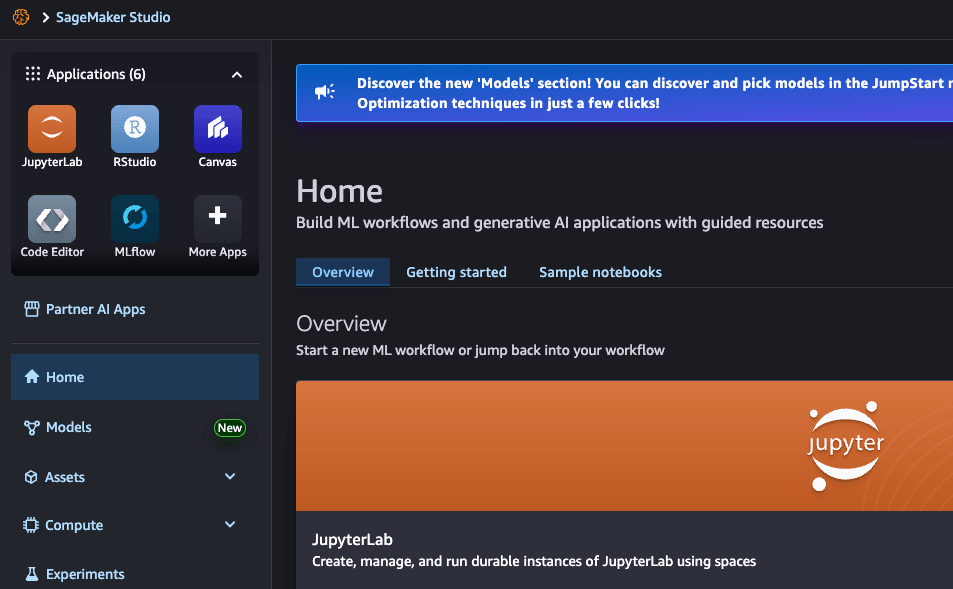
I wanted to try out SageMaker Studio, so I created a Domain and used it a little, then left it alone. Before I knew it, costs were being incurred.
When I checked Cost Explorer, I found this item:
APN1-Studio:VolumeUsage.gp3
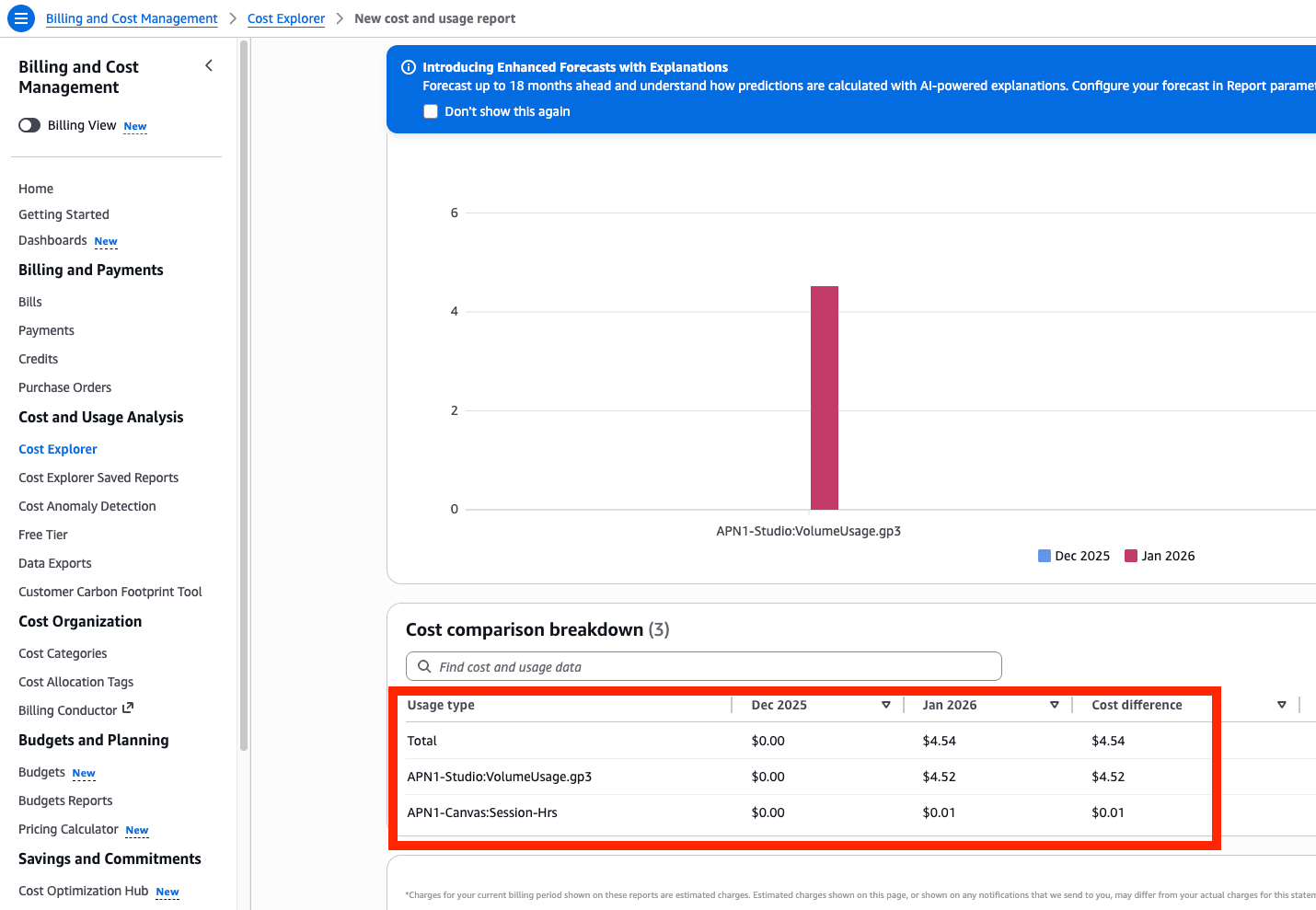
Apparently, when you create a SageMaker Studio Domain, an EBS volume (gp3) is provisioned in the background, and as long as the Domain exists, storage charges continue to accrue.
Since you're charged even if you're not using it, it's best to delete unnecessary Domains promptly.
However, the deletion procedure wasn't very intuitive, so I'm summarizing it in this blog post.
Procedure
Open Domain settings
First, open the Domain settings for the Domain you want to delete.
When you scroll down, there's a Delete domain button, but initially it's grayed out and can't be clicked.
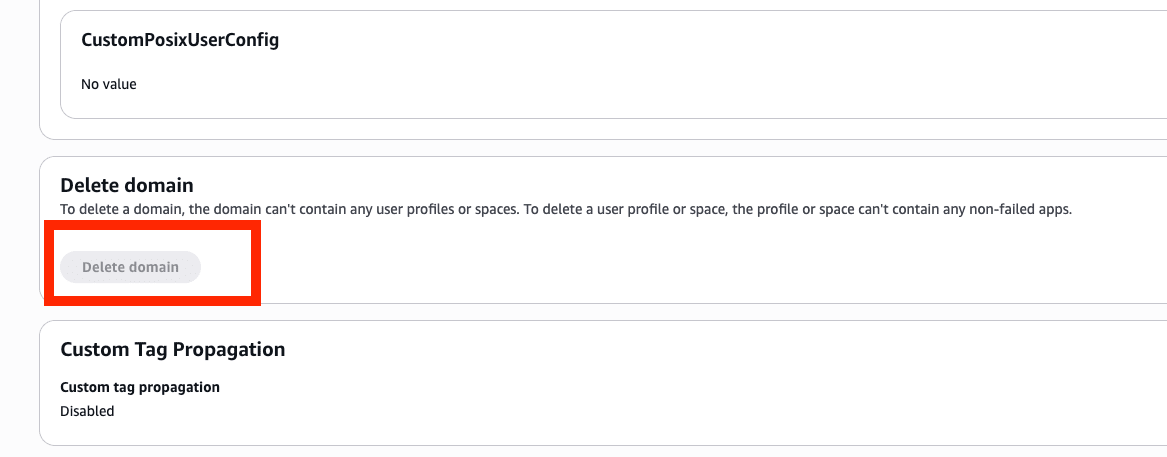
The message says:
To delete a domain, the domain can't contain any user profiles or spaces. To delete a user profile or space, the profile or space can't contain any non-failed apps.
In other words, you can't delete the Domain itself until you first delete the User profiles and Spaces under the Domain.
Delete User profiles and Spaces
When you open the User profiles tab, you'll see the User profile that was automatically generated when the Domain was created.
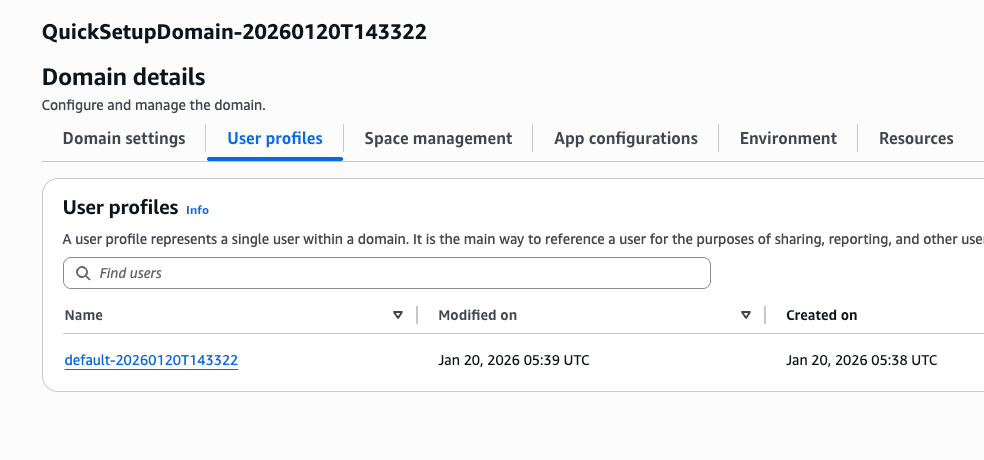
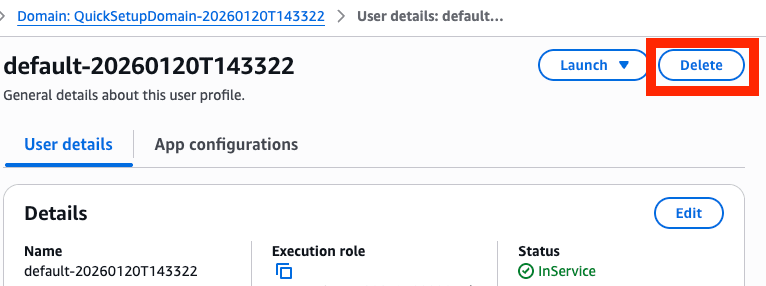
Click on the User profile to enter the details screen, and delete it from the Delete button in the upper right.
Similarly, check the Space management tab and delete any remaining Spaces.
Delete the Domain
After deleting all User profiles and Spaces, return to Domain settings.
The Delete domain button that was previously grayed out should now be enabled.
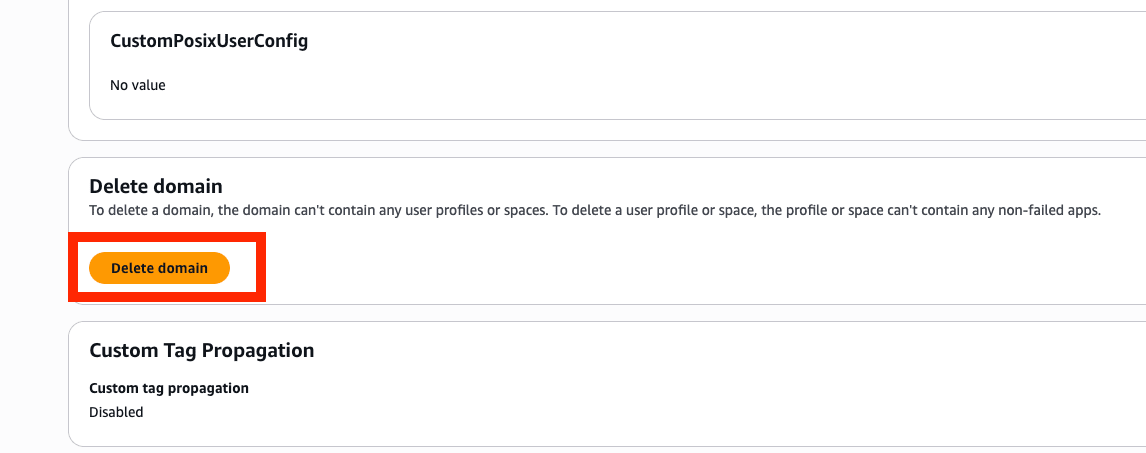
Click this and confirm to complete the deletion of the Domain.
Conclusion
SageMaker Studio is convenient, but it's easy to overlook that charges begin just by creating a Domain.
By the way, SageMaker Canvas is similar - if you don't logout/exit/delete after use, unexpected costs may occur, so be careful.
If you want to back up your Domain data before deleting it, the AWS official documentation is helpful:
SageMaker AI Studio domain backup and recovery
Let's clean up unnecessary resources regularly and use AWS with peace of mind.