![[Update] We now provide a Role Manager that automatically configures IAM roles](https://images.ctfassets.net/ct0aopd36mqt/wp-thumbnail-7bf2dfb6b7a0dd9b7561e87b396ccdc3/018019c86ac567eceba7268550750d9f/aws-iam?w=3840&fm=webp)
[Update] We now provide a Role Manager that automatically configures IAM roles

This page has been translated by machine translation. View original
Introduction
Hello everyone, this is Akaike.
When you just want to use an AWS service casually, you first have to create an IAM role…
A "role manager" has been made available to take care of this subtle roadblock for you, so let's try it out in practice.
Update Overview
Role manager is a new IAM feature that automatically prepares the IAM roles required by AWS services within the console operation flow.
When you create a resource in a supported service, it either automatically creates the necessary role or reuses an existing role that meets the requirements.
How role manager works
When role manager is enabled, creating a resource in the console of a supported service applies a role template suited to the service and use case.
A role template is a blueprint for a role that combines a trust policy and permissions.
The processing flow is as follows.
Internally, an API called AcquireRole is invoked, which evaluates the IAM actions required by the template against the user's permissions and returns the role shown in the diagram above.
Roles created by role manager are no different from regular roles you create yourself.
You can view, edit, and delete them, and each role records the template it was based on, so you can identify roles originating from role manager.
Additionally, an AcquireRole event is recorded in CloudTrail at the time of creation, allowing you to audit who created it, when, and how.
Supported services
At this point, the following 6 service consoles are supported.
More supported services are planned to be added in the future, so I'm looking forward to what's coming.
- AWS Elastic Beanstalk
- Amazon EventBridge
- AWS Lambda
- Amazon SageMaker Unified Studio
- AWS Secrets Manager
- AWS Step Functions
About role templates
Which template each service uses is listed in the official documentation.
| Service | Role Template |
|---|---|
| AWS Elastic Beanstalk | PowerUserRoleTemplate |
| Amazon EventBridge | PowerUserRoleTemplate |
| AWS Lambda | PowerUserRoleTemplate |
| Amazon SageMaker Unified Studio | AmazonSageMaker...ExecutionRoleTemplate |
| AWS Secrets Manager | AWSSecretsManagerRotationRoleTemplate |
| AWS Step Functions | PowerUserRoleTemplate |
Template versions are immutable, and when AWS updates a template, it does not modify the existing version but instead publishes a new version.
Note that templates with purposes like "run your own code," such as PowerUserRoleTemplate, grant broader permissions because the necessary permissions cannot be determined in advance.
Key points for operation
Here is a summary of the key points to keep in mind for operations, from how to enable it to narrowing down permissions and controlling at the organizational level.
Enabling and the concept of least privilege
Role manager can be toggled on/off on the Account settings page in the IAM console.
Enabling/disabling requires the iam:PutAccountProperties permission, which is included in the AWS managed policy IAMFullAccess.
Also, as mentioned above, roles created by role manager have broader permissions by default to allow you to get started quickly.
For this reason, the official blog also recommends narrowing down permissions once you understand what permissions the resource actually needs.
Control within an organization
In an AWS Organizations environment, you can control the use of role manager with SCPs.
For example, denying iam:PutAccountProperties can block the activation itself in member accounts.
Also, using the iam:RoleTemplateARN condition key, you can deny only template-based role creation, or conversely, deny role creation through means other than role manager.
If you want to set up guardrails in a multi-account environment, this is something you'll likely want to consider.
Trying it out
From here, I'll actually run role manager and verify the behavior.
1. Enable role manager
When I opened "Account settings" in the IAM console, a "Role manager" section had been added.
By default, it is set to "Disabled."
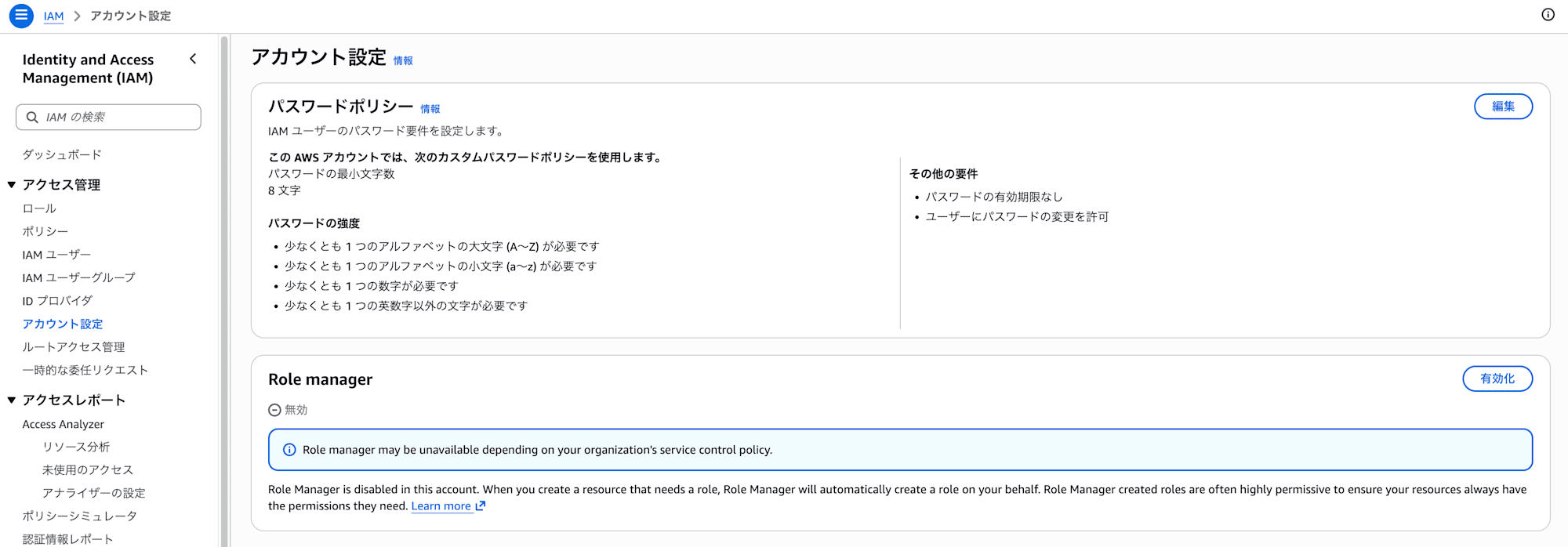
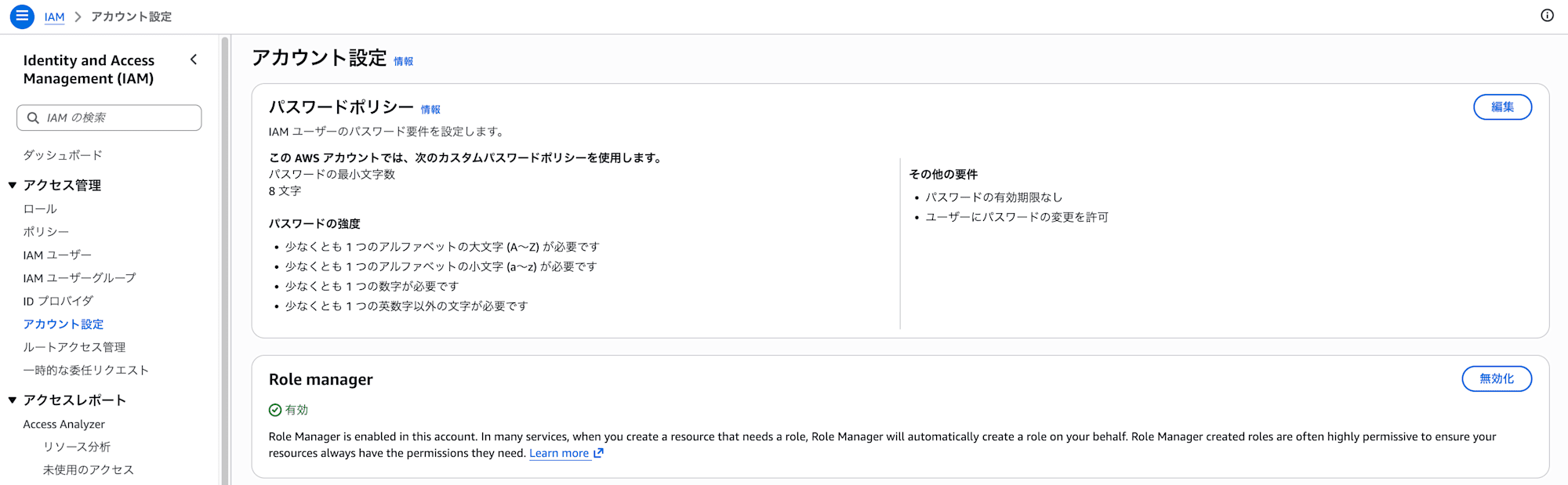
When I pressed the "Enable" button in the top right, the display changed to "Enabled."
Role manager is now active in this account.
2. Create a Lambda function and verify that a role is automatically created
Next, I'll create a Lambda function from the console.
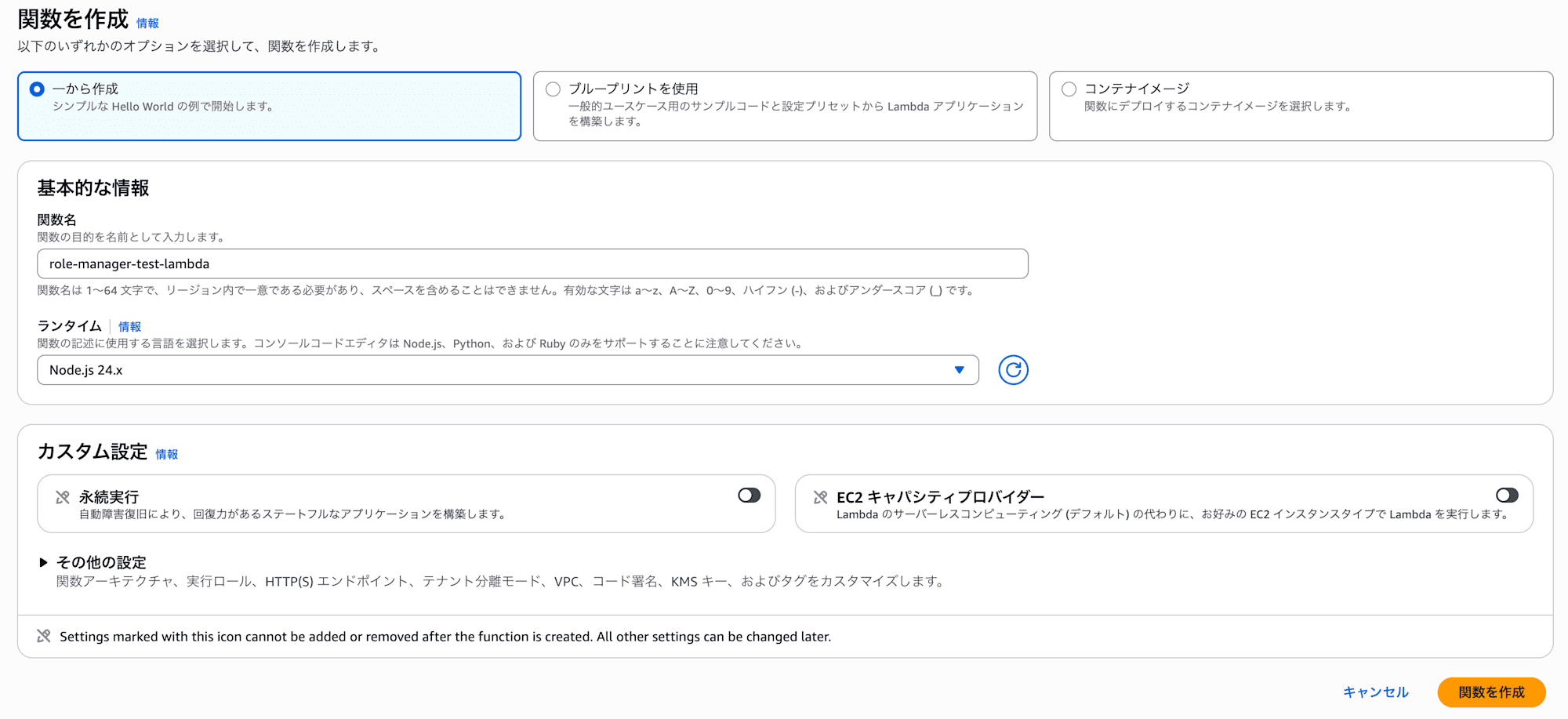
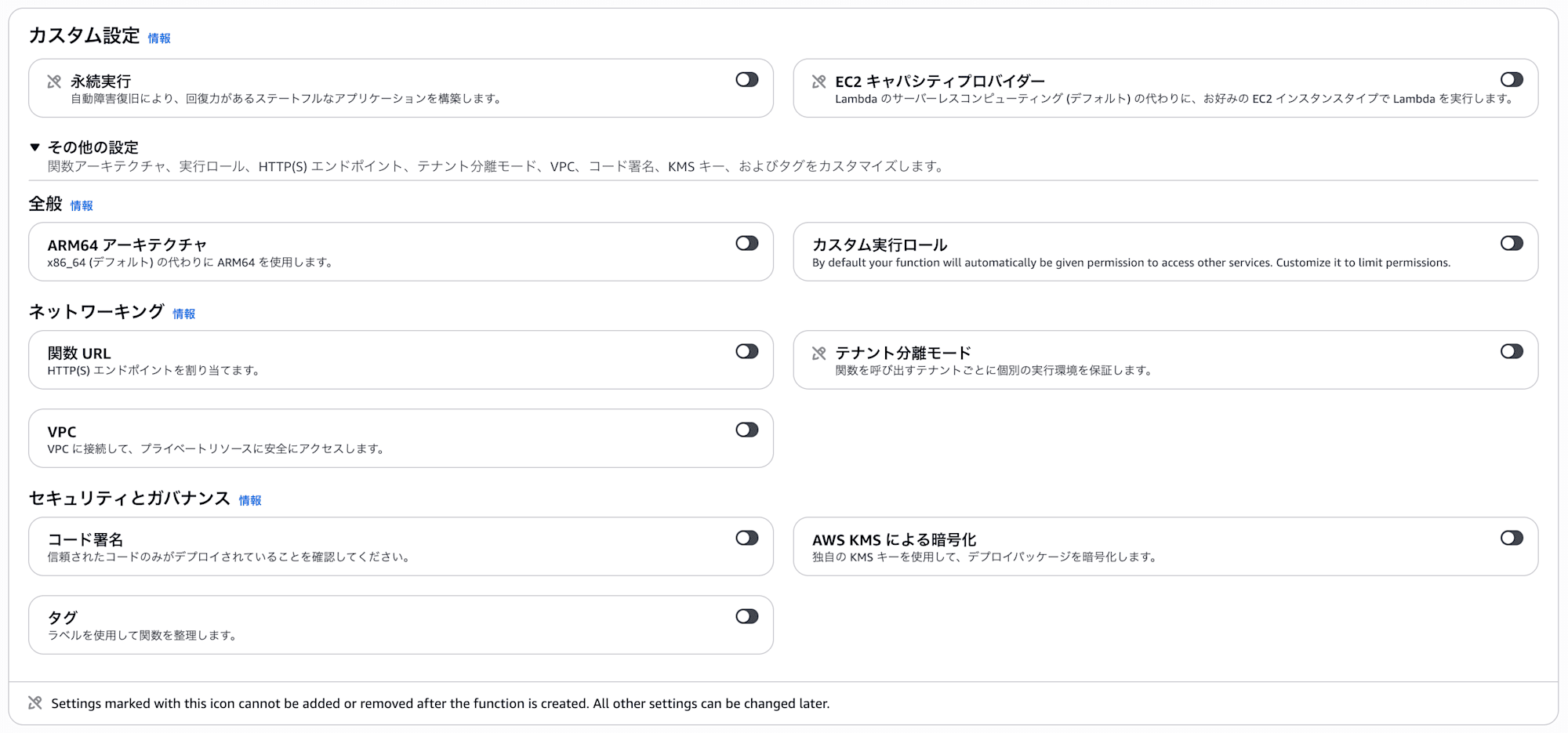
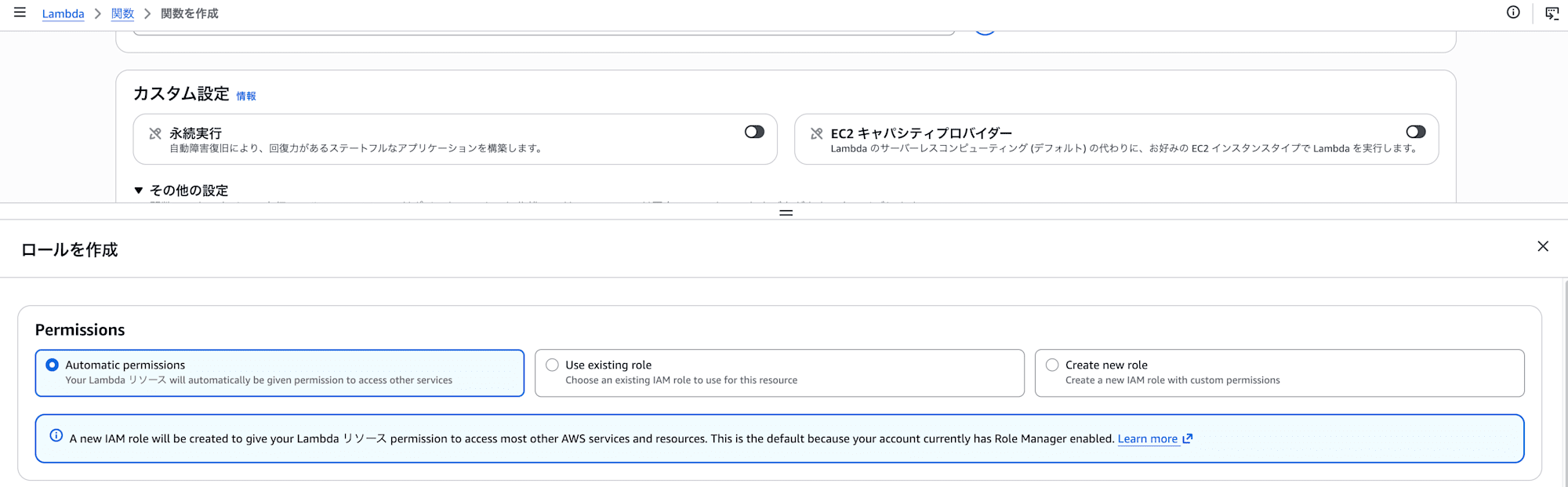
When I opened "Additional settings," the "Custom execution role" was off by default, and it was now possible to create a function without explicitly specifying a role.
Looking at the actual role creation screen, the permission options were divided into three: "Automatic permissions," "Use existing role," and "Create new role," with Automatic permissions selected by default.
The description also reads "This is the default because your account currently has Role Manager enabled," confirming that this behavior is due to enabling role manager.
3. Check the created role
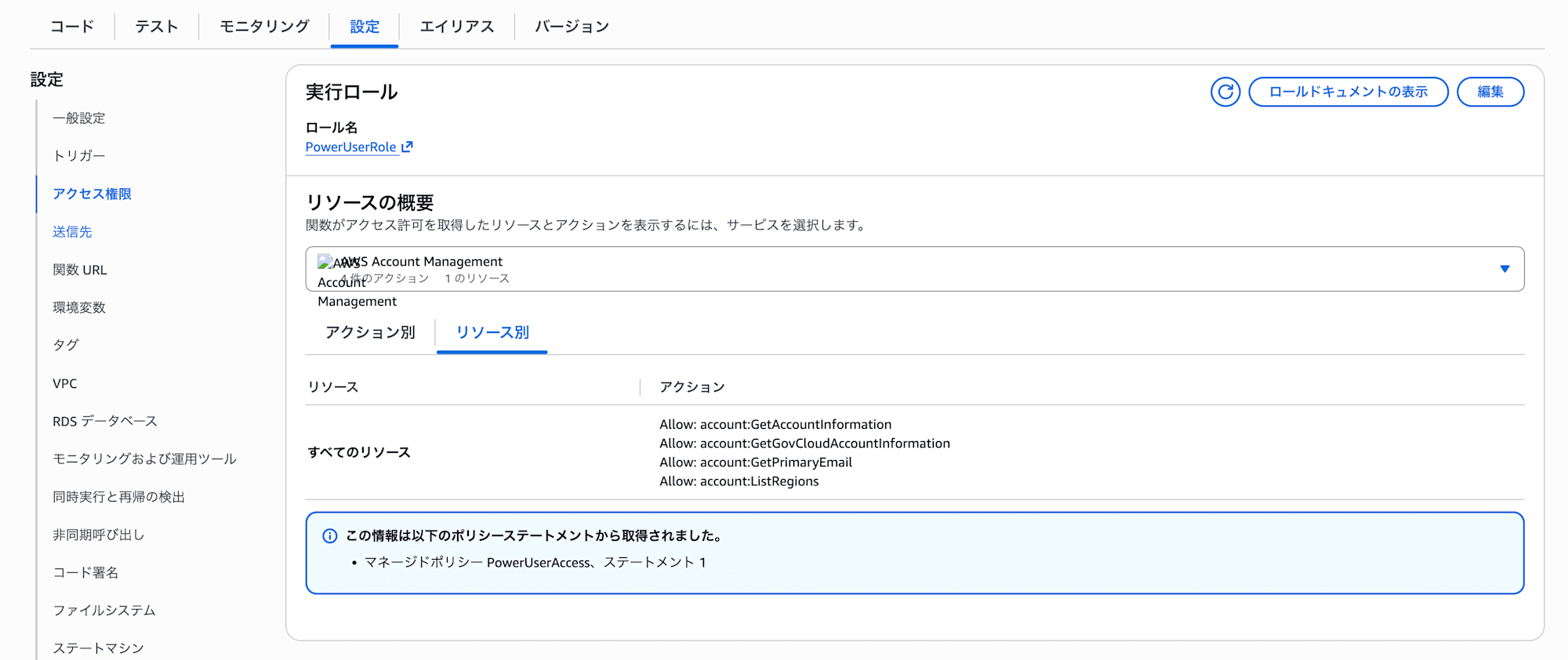
After creating the function, looking at "Configuration > Permissions" on the Lambda side, the execution role PowerUserRole had been assigned.
The resource overview lists actions derived from PowerUserAccess, showing that it has quite broad permissions.
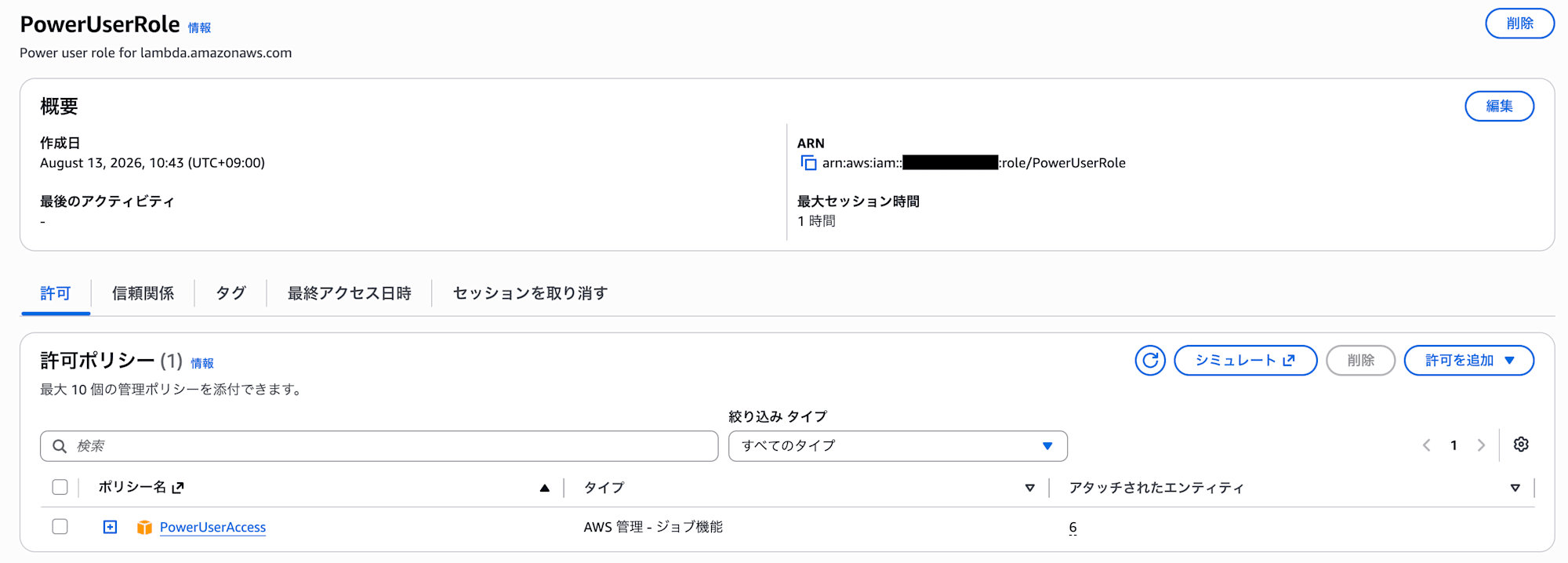
I'll check the details of PowerUserRole in the IAM console.
The description is "Power user role for lambda.amazonaws.com," and the attached permission policy is PowerUserAccess.
The Lambda template PowerUserRoleTemplate from the supported services table has been created as PowerUserRole as-is.
4. Check the AcquireRole event in CloudTrail
Searching CloudTrail for the log at the time of role creation, an AcquireRole event was recorded.
The event source is iam.amazonaws.com, and it matches the time of role creation (10:43:19), so this must be it.
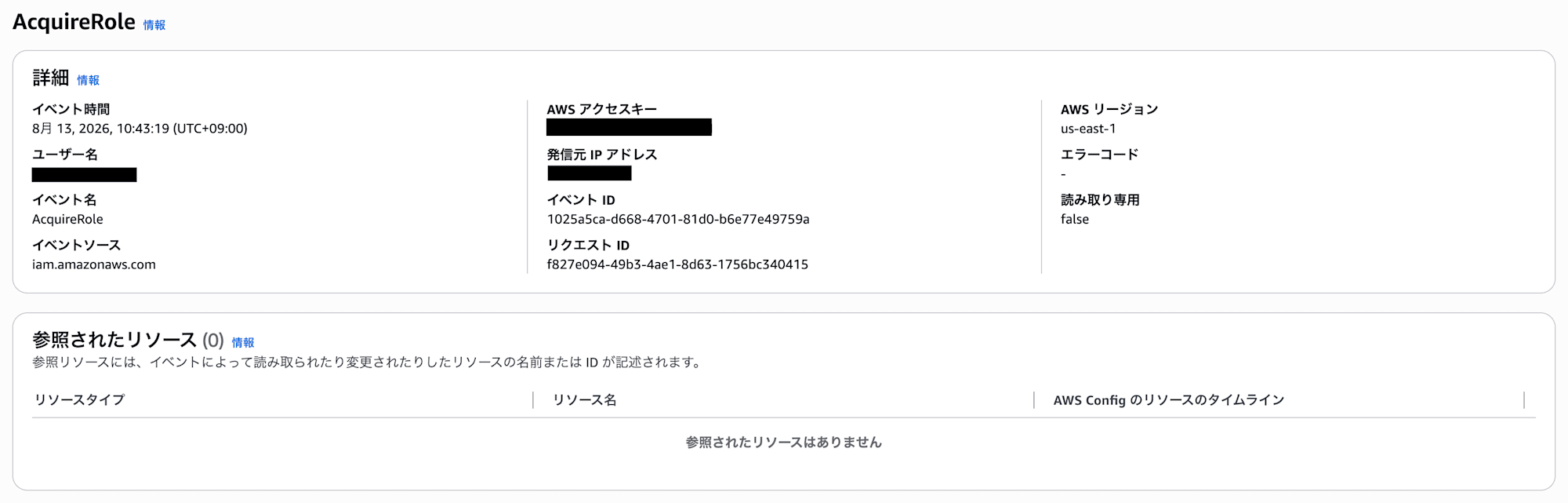
※ Since IAM is a global service, this event was recorded in Northern Virginia (us-east-1)
Conclusion
That's an introduction to role manager, which automatically configures IAM roles.
It seems to be designed with the workflow "get it running first, then narrow down with Access Analyzer later" in mind, so it looks like it would be convenient for getting up to speed with AWS services you're trying for the first time or for verification purposes.
