Getting the Fold and Camera Positions of the iPhone Duo

This page has been translated by machine translation. View original
Introduction
Previously, I summarized the APIs for iPhone Duo added in the iOS 27.1 SDK.
This time, I will take a deep dive into reservedRegions from among them.
Test Environment
- Xcode 27.2
- iOS 27.2 iPhone Duo Simulator
What is reservedRegions
With reservedRegions on GeometryProxy, you can get the areas occupied by things that obstruct the screen, such as the fold and the camera.
func reservedRegions(
    kind: ReservedRegion.Kind,
    options: ReservedRegion.QueryOptions = [],
    layoutDirectionBehavior: LayoutDirectionBehavior = .mirrors
) -> [ReservedRegion]
The frame of the returned ReservedRegion is in the coordinates of the View it was obtained from. margins (the surrounding margins) are also included from the start.
kind
The type is ReservedRegion.Kind
Specifies the kind of region you want to get. There are two values.
.occlusion: Places that are covered by something, such as the camera or the Dynamic Island.division: The fold. It is active only when half-open; when fully open it is inactive and is not returned by default. The documentation says it is also active when closed, but in the simulator, when closed it was not returned even with.includeInactive(described later)
On the iPhone Duo, the outer camera is always active, and the inner camera is active only while it is in use.
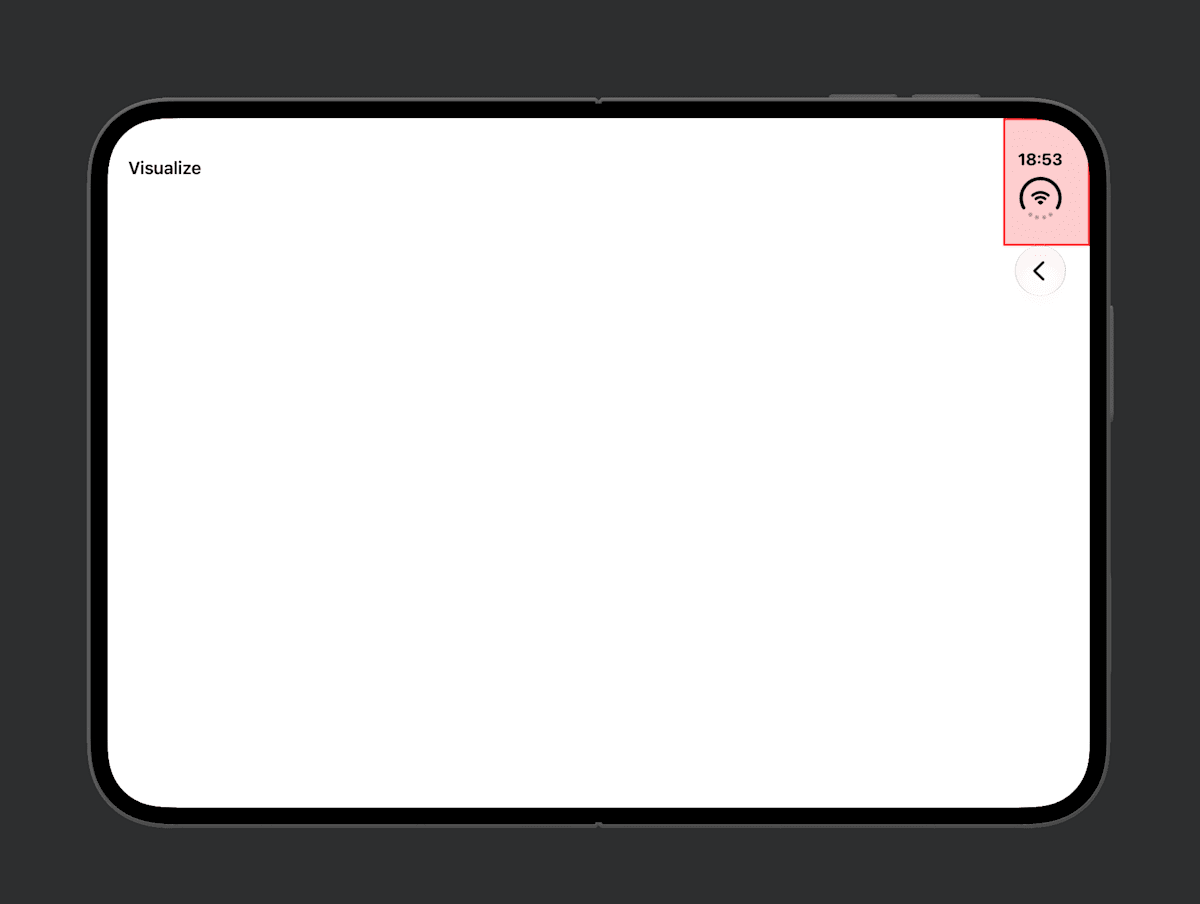
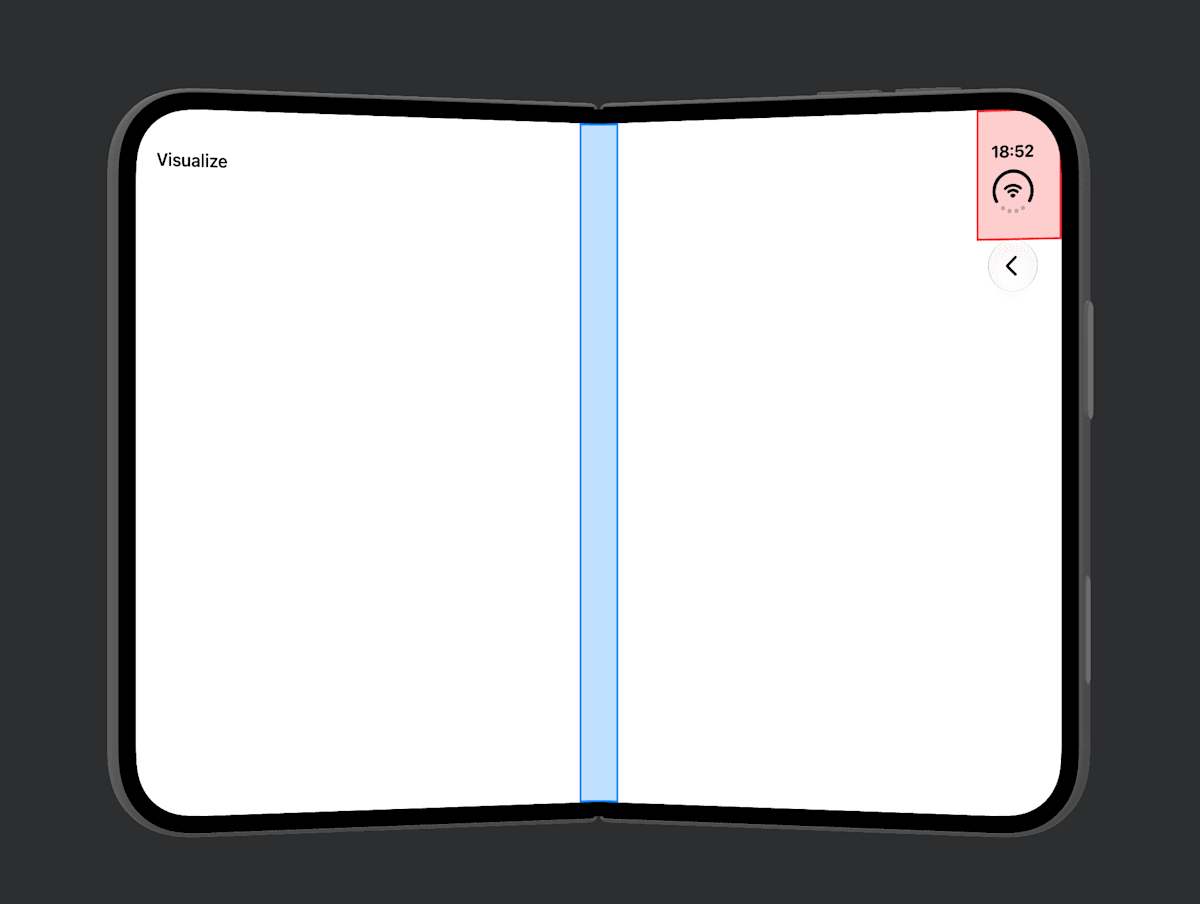
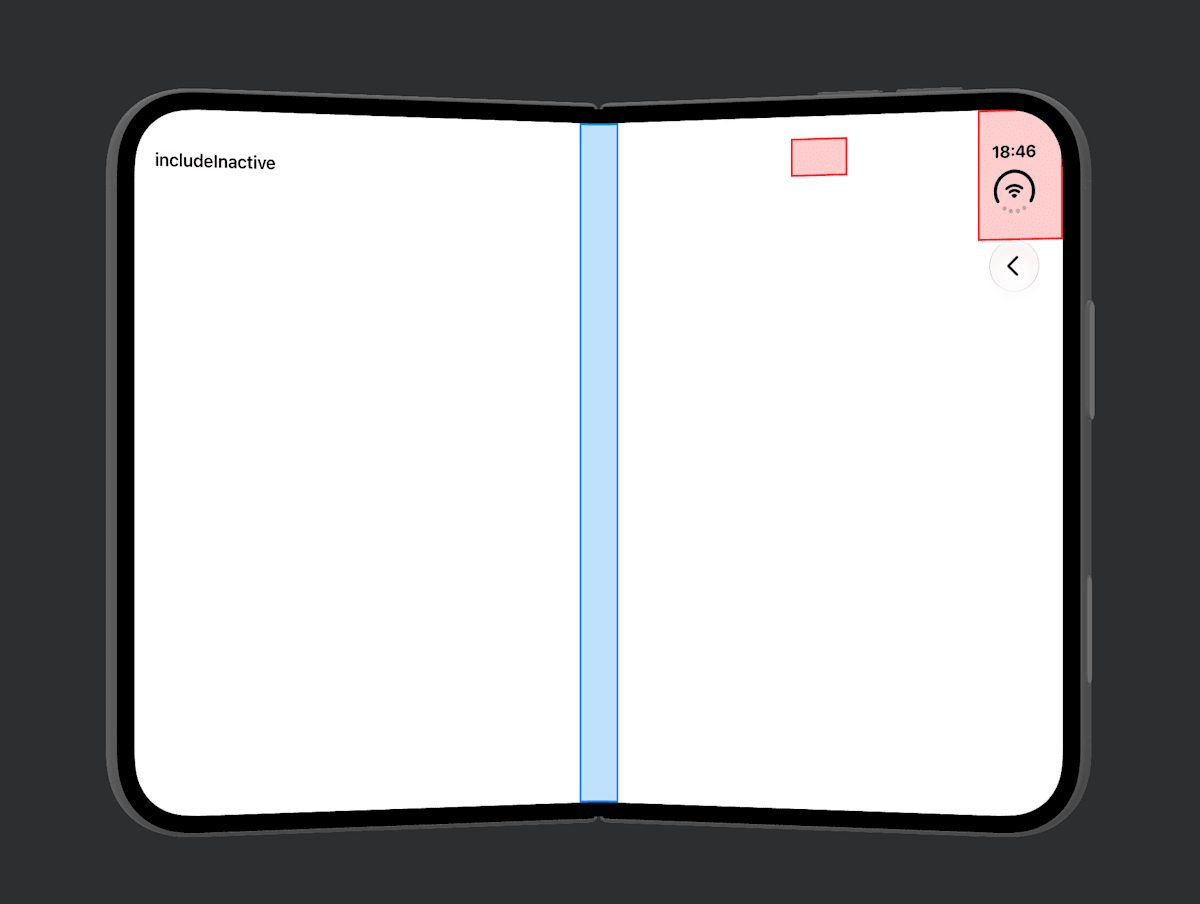
I colored the retrieved regions to visualize them.
- Red:
.occlusion - Blue:
.division
| Fully open | Half-open |
|---|---|
 |
 |
options
The type is ReservedRegion.QueryOptions
The only thing you can specify is .includeInactive.
Since it is an OptionSet, you can specify it either alone or as an array literal like [.includeInactive]. This is speculation, but I think it is designed with the possibility of more options being added in the future.
By default ([]), only active regions are returned, but if you pass .includeInactive, inactive regions are returned as well. You can tell whether a region is active with isActive.
If you reserve space in advance for regions that become active depending on the state, like the inner camera and the fold, the layout won't jitter.
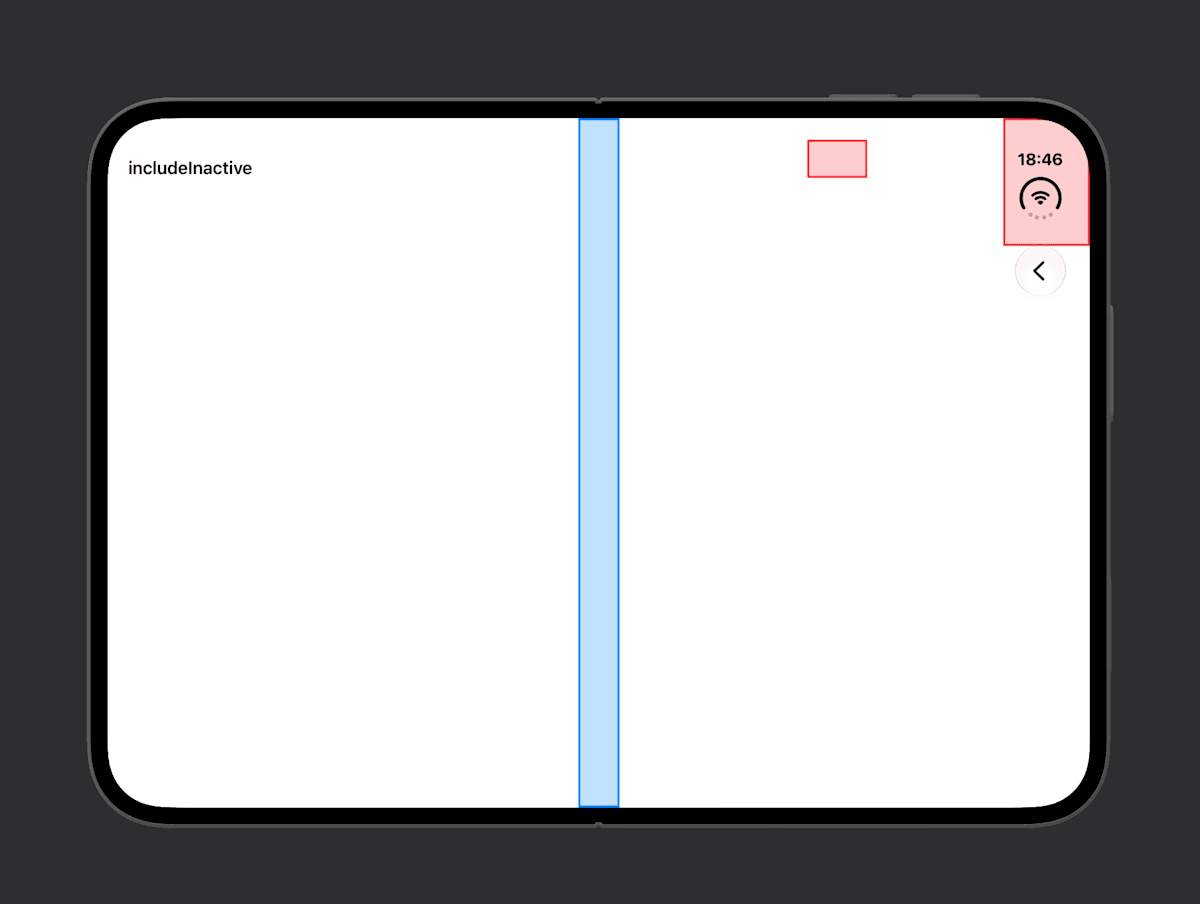
I passed .includeInactive, retrieved the regions, and displayed them.
Compared with the case without it, you can see that inactive regions are also retrieved.
- Red:
.occlusion - Blue:
.division
| Fully open | Half-open |
|---|---|
 |
 |
layoutDirectionBehavior
In languages written right to left (RTL) such as Arabic, SwiftUI measures coordinates from the right edge. layoutDirectionBehavior determines from which edge the numbers in frame are measured and returned. The location of the region itself does not change.
.mirrors(default): In RTL, measures from the right edge (the same as SwiftUI's layout).fixed: Does not flip (even in RTL, measures from the left edge just as in LTR)
On the iPhone Duo simulator, I obtained the frame of the camera (.occlusion) located on the right edge. RTL is reproduced with .environment(\.layoutDirection, .rightToLeft). The screen width is 951.
.mirrors |
.fixed |
|
|---|---|---|
| LTR | 867.0–951.0 | 867.0–951.0 |
| RTL | 0.0–84.0 | 867.0–951.0 |
With .mirrors in RTL, the value is measured from the right edge. SwiftUI also measures from the right edge when laying out in RTL, so if you use this value as is, it will align with the camera position. Normally the default is fine.
Which edge it measures from is determined not by the device's language but by the layoutDirection of the View it was obtained from. In a View with .environment(\.layoutDirection, .leftToRight) attached, .mirrors also gave values measured from the left edge.
.fixed is used when you want a layout that does not flip according to the layout direction (per the official documentation). However, since ordinary SwiftUI layouts automatically flip in RTL, I didn't really understand when .fixed would be needed.
Trying it out
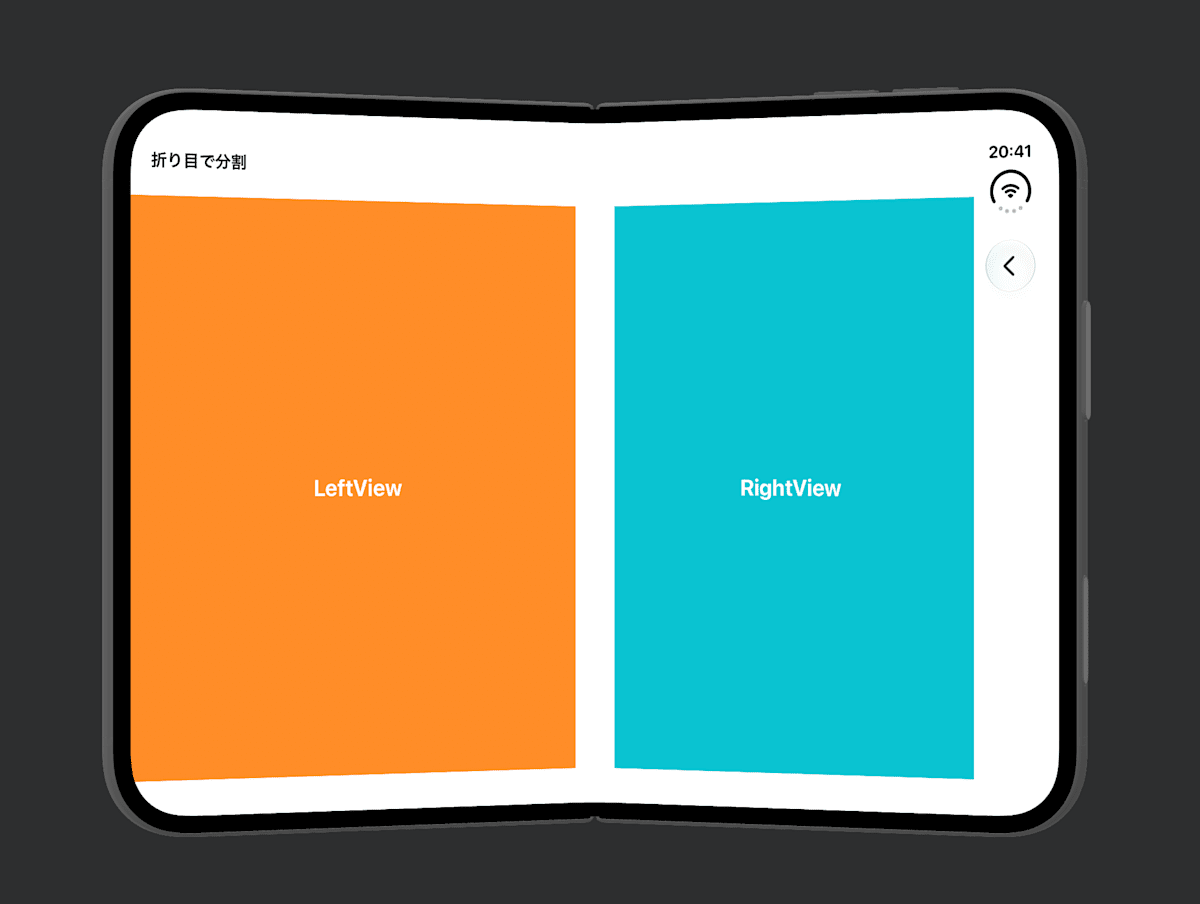
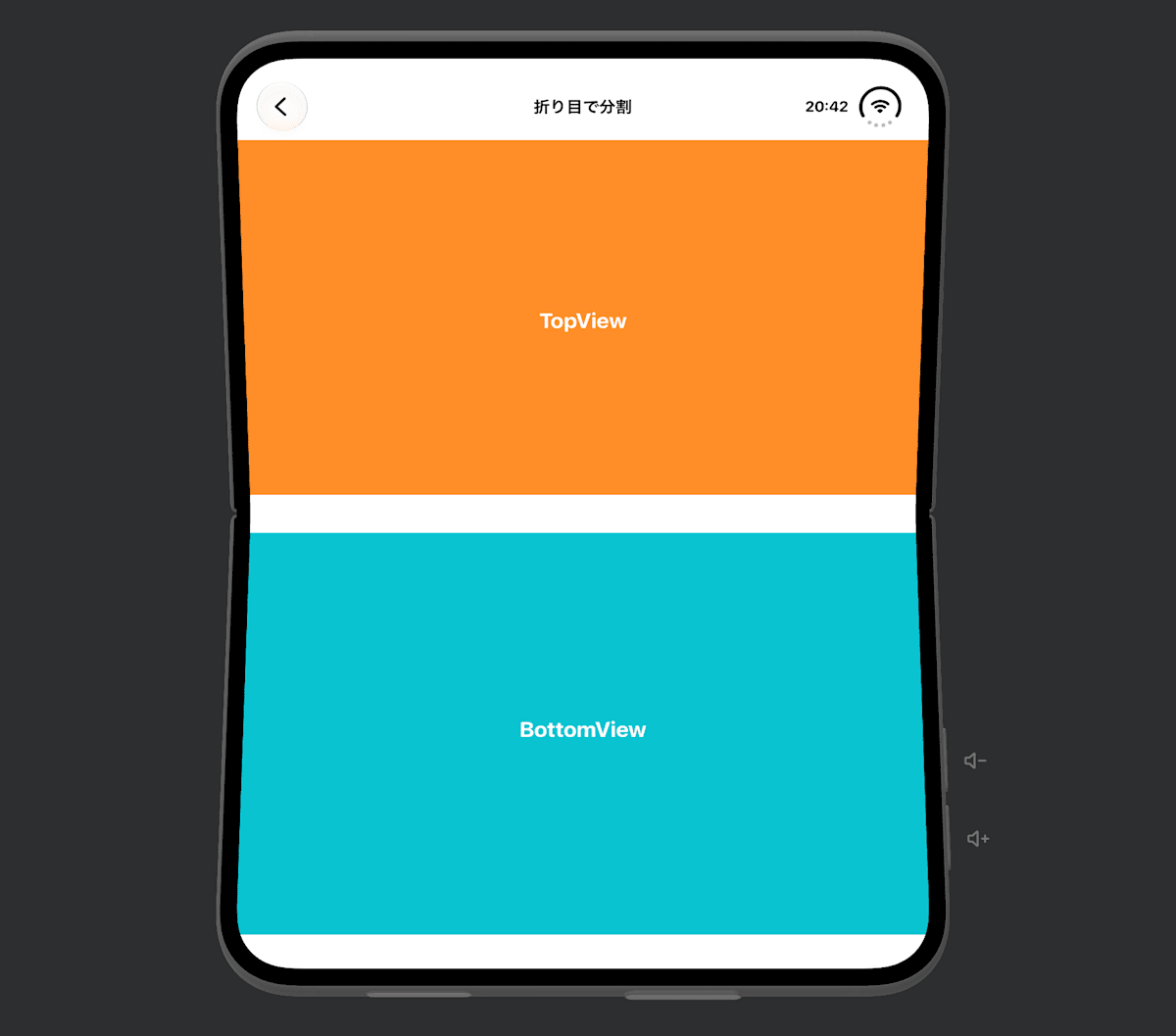
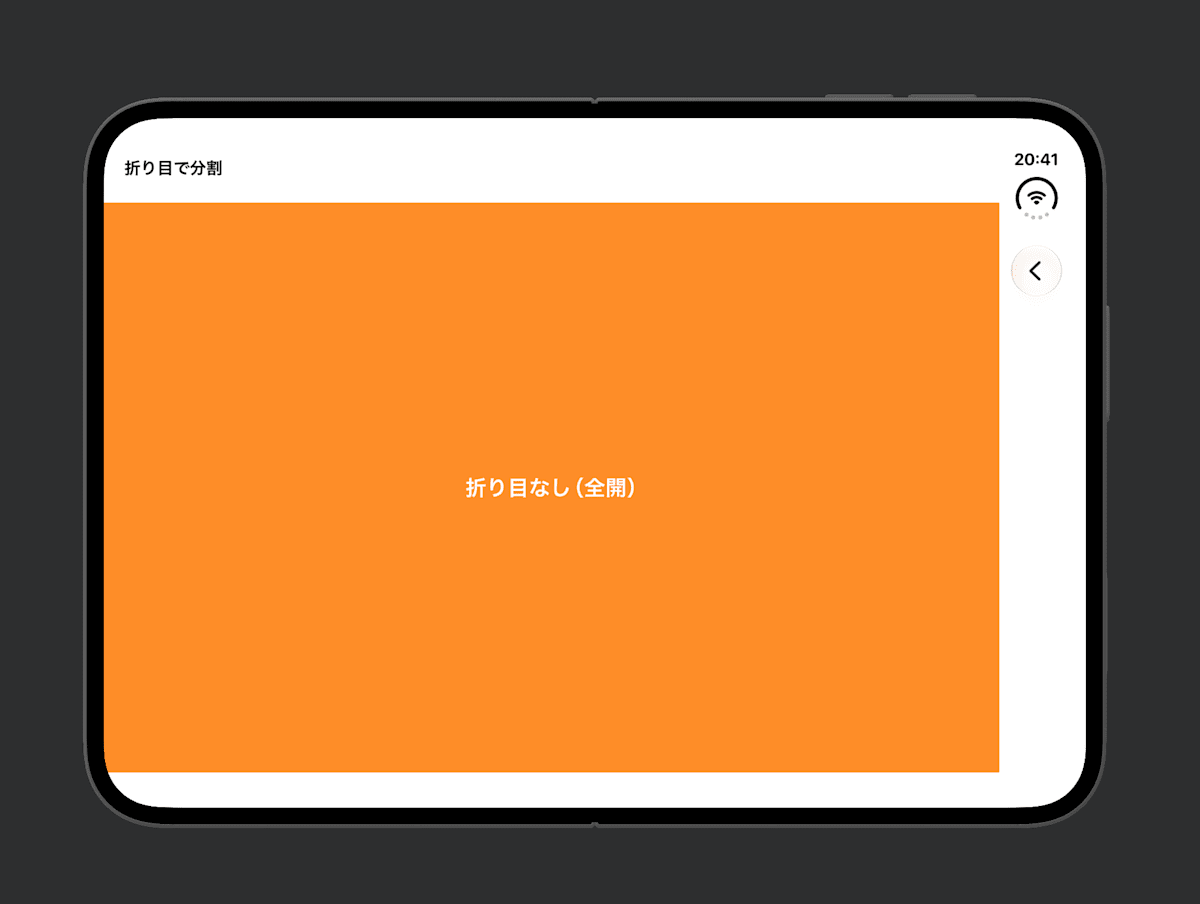
By comparing the height and width of the .division frame, you can tell the orientation of the fold. Using this, I split two Views to the left and right (or top and bottom) of the fold.
GeometryReader { proxy in
    if let fold = proxy.reservedRegions(kind: .division).first?.frame {
        if fold.height > fold.width { // 縦の折り目
            HStack(spacing: fold.width) {
                LeftView().frame(width: fold.minX)
                RightView().frame(width: proxy.size.width - fold.maxX)
            }
        } else { // 横の折り目
            VStack(spacing: fold.height) {
                TopView().frame(height: fold.minY)
                BottomView().frame(height: proxy.size.height - fold.maxY)
            }
        }
    } else { // 折り目がない(全開)
        SingleView()
    }
}
| Half-open like a book | Half-open like a laptop | Fully open |
|---|---|---|
 |
 |
 |
However, if you simply want to split two Views on both sides of the fold, the official documentation recommends using ArrangementView instead of reading the regions yourself.
Summary
frameis in the coordinates of the View it was obtained from.divisionis active only when half-open. When fully open, it can be retrieved as inactive with.includeInactivelayoutDirectionBehaviordetermines how theframeis measured in RTL. Normally the default is fine
The documentation says system-provided Views make the adjustments, so the occasions to use it seem limited.
References