Let me try reordering with the iOS 27 reorderable container API

This page has been translated by machine translation. View original
Introduction
Let's actually try using the new APIs reorderable() / reorderContainer() added in iOS 27
With the official API for implementing reordering now available, reordering has become much easier to implement
Based on the session, it seems it can be applied not just to List but to various containers, which should increase UI flexibility
It apparently works on watchOS as well
Testing Environment
- Xcode 27 beta 6
- iOS 27.0 Simulator
※ This is verification with a beta version. Specifications may change before the official release.
First, let's read the documentation and write some code
import SwiftUI
import OrderedCollections

@main struct MyApp: App {
    var body: some Scene {
        WindowGroup {
            ContentView()
        }
    }
}

// Temporary data
struct Landmark: Identifiable {
    let id = UUID()
    let name: String
}

struct ContentView: View {
    @State private var landmarks: [Landmark] = [
        Landmark(name: "Mt. Fuji"),
        Landmark(name: "Kiyomizu-dera"),
        Landmark(name: "Himeji Castle"),
        Landmark(name: "Itsukushima Shrine"),
        Landmark(name: "Tokyo Tower"),
    ]

    var body: some View {
        VStack {
            ForEach(landmarks) { landmark in
                Text(landmark.name)
                    .padding()
                    .frame(maxWidth: .infinity, alignment: .leading)
                    .background(.thinMaterial, in: RoundedRectangle(cornerRadius: 8))
            }
            .reorderable() //New API
        }
        .reorderContainer(for: Landmark.self) { difference in
            // Update the array
            difference.apply(to: &landmarks)
        } //New API
        .padding()
    }
}

// Array reordering
extension ReorderDifference where CollectionID == ReorderableSingleCollectionIdentifier {
    func apply(to values: inout [some Identifiable<ItemID>]) {
        var dictionary = OrderedDictionary(uniqueKeys: values.map { $0.id }, values: values)
        let destinationOffset: Int? = switch destination.position {
        case .before(let destination):
            dictionary.keys.firstIndex(of: destination)
        case .end:
            nil
        }
        dictionary.move(keys: sources, to: destinationOffset ?? values.endIndex)
        values = dictionary.values.elements
    }
}
Implemented with reference to these resources
The WWDC video mentioned using swift-collections, so I tried creating a somewhat similar helper function, but honestly I'm not sure what the correct implementation approach is
Behavior

Looks good
Reordering works fine even with VStack!
Trying different containers
List
    var body: some View {
        List {
            ForEach(landmarks) { landmark in
                Text(landmark.name)
                    .padding()
                    .frame(maxWidth: .infinity, alignment: .leading)
                    .background(.thinMaterial, in: RoundedRectangle(cornerRadius: 8))
            }
            .reorderable()
        }
        .reorderContainer(for: Landmark.self) { difference in
            // Update the array
            difference.apply(to: &landmarks)
        }
        .padding()
    }
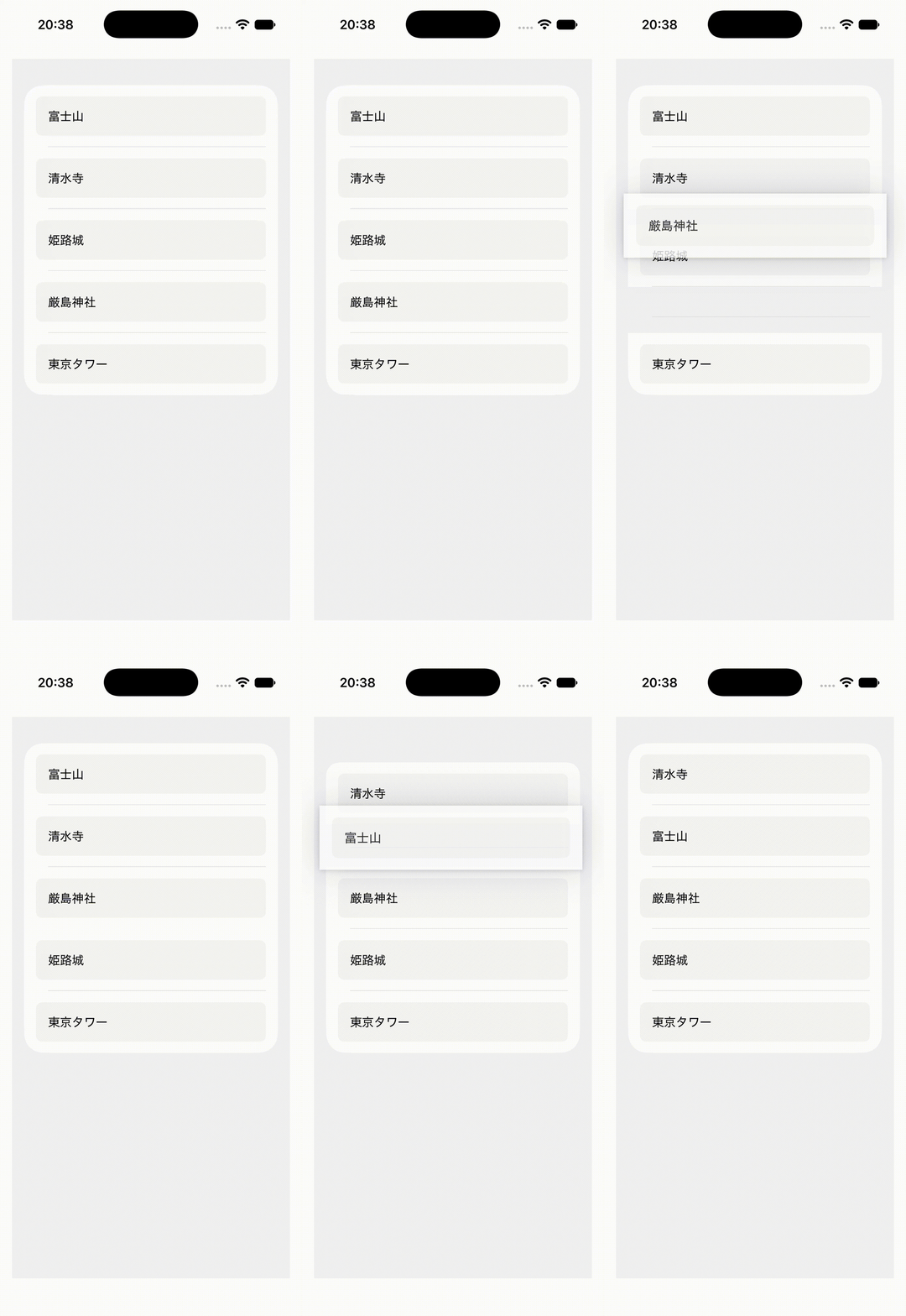
It's hard to tell from the GIF, but there are moments of stuttering when moving items. It works, but the behavior is a bit questionable
LazyVGrid
    private let columns = [GridItem(.adaptive(minimum: 100), spacing: 12)]

    var body: some View {
        LazyVGrid(columns: columns, spacing: 12) {
            ForEach(landmarks) { landmark in
                Text(landmark.name)
                    .padding()
                    .frame(maxWidth: .infinity, alignment: .leading)
                    .background(.thinMaterial, in: RoundedRectangle(cornerRadius: 8))
            }
            .reorderable()
        }
        .reorderContainer(for: Landmark.self) { difference in
            difference.apply(to: &landmarks)
        }
        .padding()
    }

This one works nicely
Issues I noticed while playing around
When I first implemented it with VStack as shown in the official documentation, a warning appears during reordering operations
Adding 'UIView' as a subview of UIHostingController.view is not supported and may result in a broken view hierarchy. Add your view above UIHostingController.view in a common superview or insert it into your SwiftUI content in a UIViewRepresentable instead.
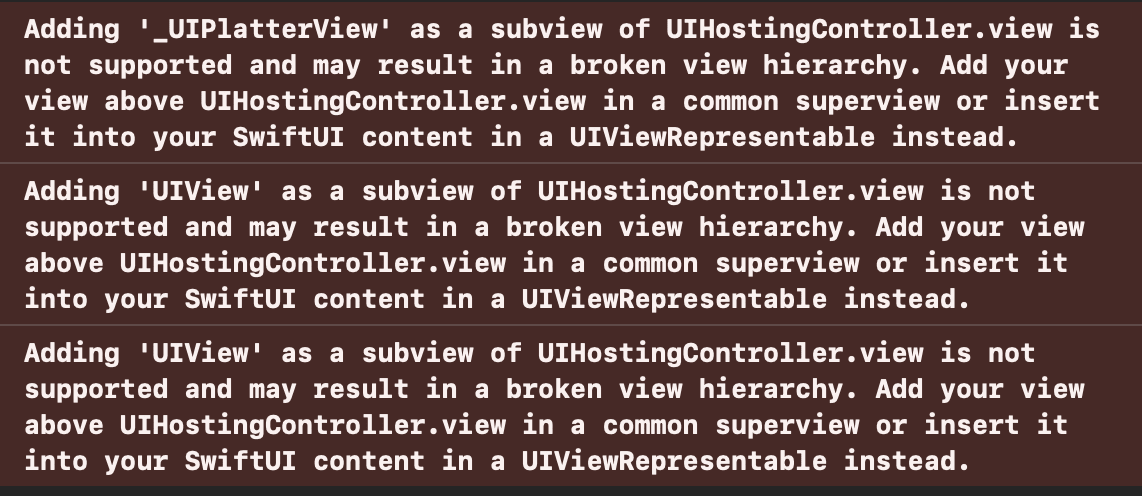
I did some research but couldn't find any information about the cause of this warning related to reorderContainer
The VStack / LazyVGrid implementations above produce this warning, but List does not
The warning disappears when wrapped in a ScrollView
I found that wrapping VStack / LazyVGrid in a ScrollView eliminates this warning. My guess is that the reason List didn't show the warning earlier is because it's a scrollable View, but the details are unknown
Workaround below
    var body: some View {
        ScrollView {
            VStack {
                ForEach(landmarks) { landmark in
                    Text(landmark.name)
                        .padding()
                        .frame(maxWidth: .infinity, alignment: .leading)
                        .background(.thinMaterial, in: RoundedRectangle(cornerRadius: 8))
                }
                .reorderable()
            }
            .reorderContainer(for: Landmark.self) { difference in
                difference.apply(to: &landmarks)
            }
            .padding()
        }
    }
Summary
The Good
- Reordering works with various containers
- Being able to leave animation implementation to the system without implementing it yourself is incredibly convenient
The Bad
- Depending on the container, there can be a feeling of catching or stuttering when grabbing and reordering items
- You'd understand if you tried it hands-on yourself
Things I'm Not Sure About
- Is the helper function implementation for reordering correct???
- There were some questionable behaviors, but since it's Beta, I'm hoping for improvements going forward
- I don't yet know what best practices look like, and there's not much information available
Finally
There are other things I want to verify, and I wasn't able to dig very deep, but if I feel like it I'll try verifying more in a separate article!