
Jenkins Pipeline and Jenkinsfile

This article was published more than one year ago. Please be aware that the information may be outdated.
Introduction to Jenkins Pipeline and Jenkinsfile
Jenkins Pipeline involves the process to integrate and chain the processes in a project. In other words, the stages and processes involved in the building are integrated into a pipeline.
To implement Jenkins Pipeline, Jenkinsfile must be used.
Build >>>Deployment >>>Testing >>> Release
Jenkinsfile is simply Pipeline-as-a-code, it is a text file where the code is written to define the stages and steps of the pipeline.
it can be created within a Jenkins job or from a repository.
Building a Jenkins Pipeline
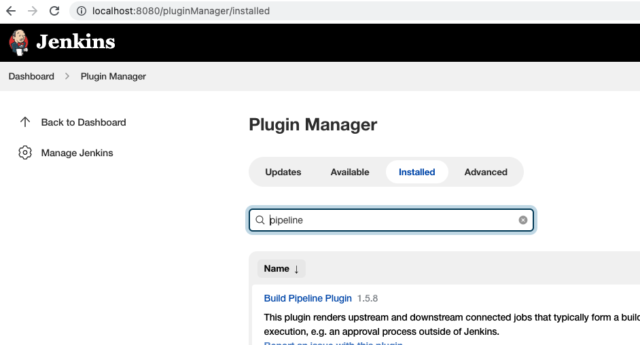
Step 1: Install Pipeline Plugin
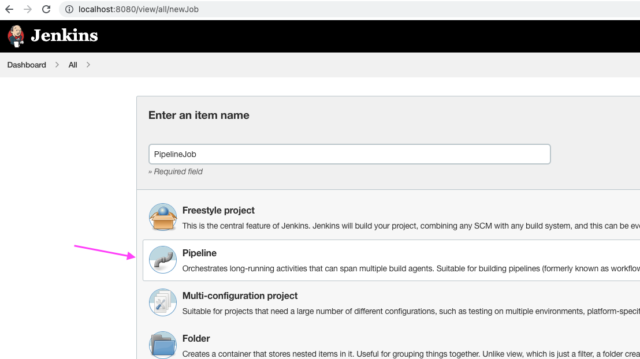
Step 2: create a new item/job and choose pipeline and save
Step 3: in the pipeline section create a Jenkinsfile or get a Jenkinsfile from SCM


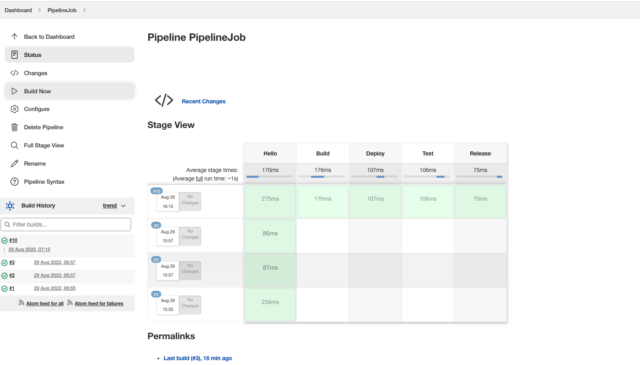
Step 5: Run the job and check the result
Getting a Jenkinsfile from SCM
A Jenkinsfile can also be used from a repository by connecting the repository URL from the pipeline and specifying the branch where the file resides in the repository.
NOTE: If the repository is private, then a credential will be required.


