I Tried "AI Agent Development Code Server," Which Lets You Set Up a Kiro-CLI Environment with One Click

This page has been translated by machine translation. View original
In November 2025, I came across a post on X (formerly Twitter) saying that "kiro-cli is now installed by default in the Agent development environment that can be deployed with one click."
Kiro-CLI (formerly Amazon Q Developer CLI) can also be installed in a local environment or on a regular EC2 instance, but I had a chance to check whether it can be used more easily with the "AI Agent Development Code Server" published by AWS Samples, so I'd like to introduce it.
1. Verification Setup and Template
The solution used this time is the following CloudFormation template published in GitHub's aws-samples.
- Solution: AI Agent Development Code Server
- Source: aws-samples/sample-one-click-generative-ai-solutions
This template creates CloudFront, an Application Load Balancer (ALB), EC2 (Code Server), and the related IAM roles all at once.
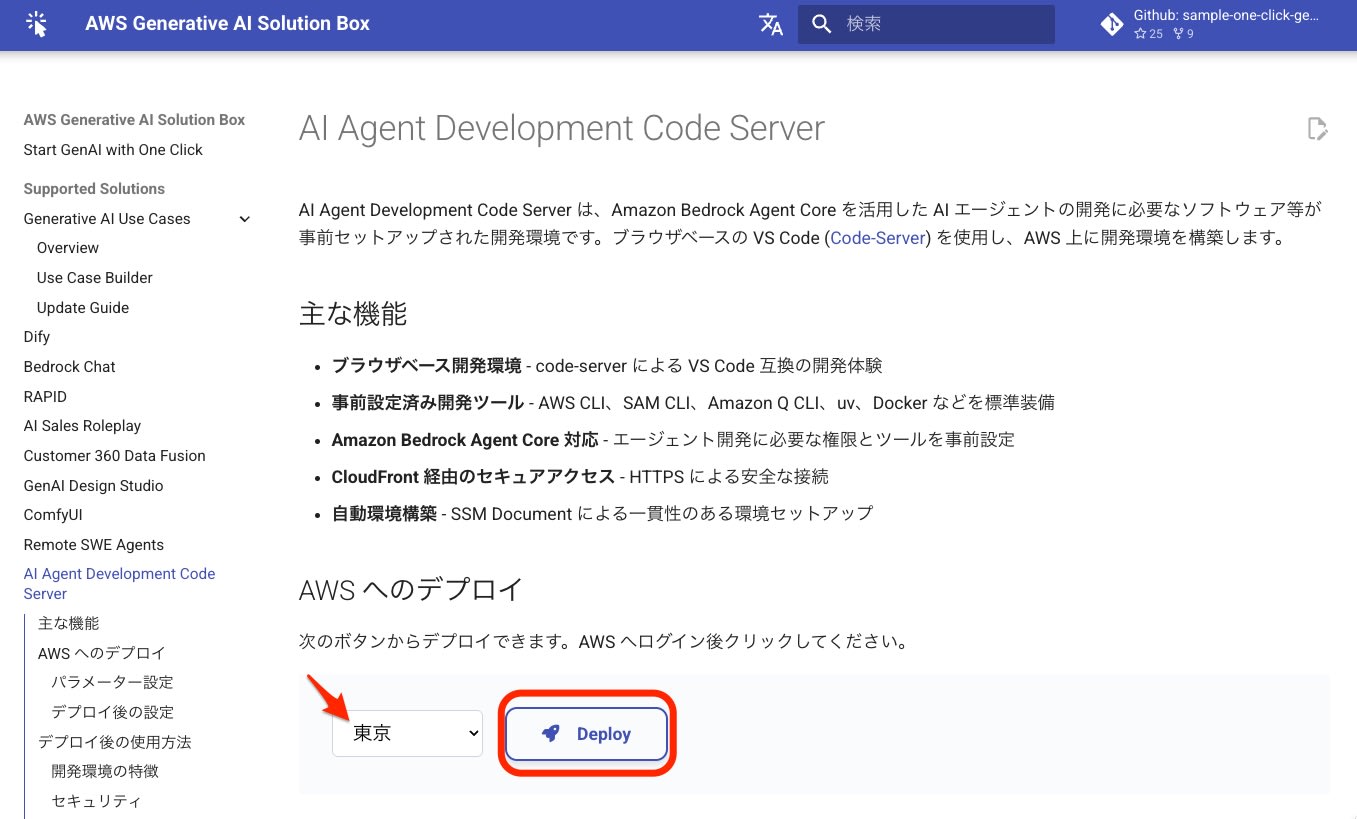
In a browser logged in to the target AWS account, I opened the link on the official page
https://aws-samples.github.io/sample-one-click-generative-ai-solutions/solutions/aiagentdev/
specified the Tokyo region, and started the deployment.
2. Building the Environment with CloudFormation
When you press the deploy button, you are taken to "Quick create stack."
Specifying Parameters
I set the parameters as follows.
- UserEmail: (email address for verification)
- UserFullName: (for git configuration)
- InstanceType: (code server spec
t4g.small)
The default for InstanceType was "t4g.medium", but I changed it to "t4g.small", which is covered by the free tier described later.
Measuring Deployment Time
I checked the event log from the start to the completion of stack creation.
{
    "StackName": "AI-Agent-Dev-Env",
    "Events": [
        {
            "Timestamp": "2025-11-29T10:07:32.000Z",
            "LogicalResourceId": "AI-Agent-Dev-Env",
            "ResourceStatus": "CREATE_COMPLETE",
            "ResourceStatusReason": "User Initiated"
        },
        ...
        {
            "Timestamp": "2025-11-29T10:00:15.000Z",
            "LogicalResourceId": "AI-Agent-Dev-Env",
            "ResourceStatus": "CREATE_IN_PROGRESS",
            "ResourceStatusReason": "User Initiated"
        }
    ]
}
The start was at 10:00:15 and the completion at 10:07:32, so I confirmed that the build was completed in about 7 minutes 17 seconds.

Checking the "Outputs" Tab
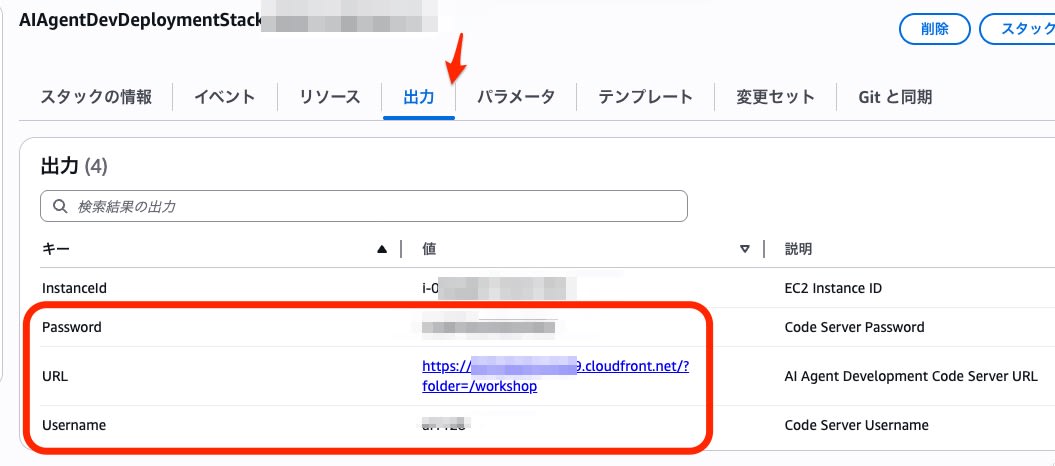
From the Outputs tab of CloudFormation, I checked the information needed to connect.
| Key | Value (Masked) | Description |
|---|---|---|
| CodeServerUrl | https://d1234xxxxx.cloudfront.net |
URL for access |
| Password | wJa...... |
Login password |
| Username | user |
Login username |
3. Operation Check and Kiro-CLI Verification
Accessing Code Server
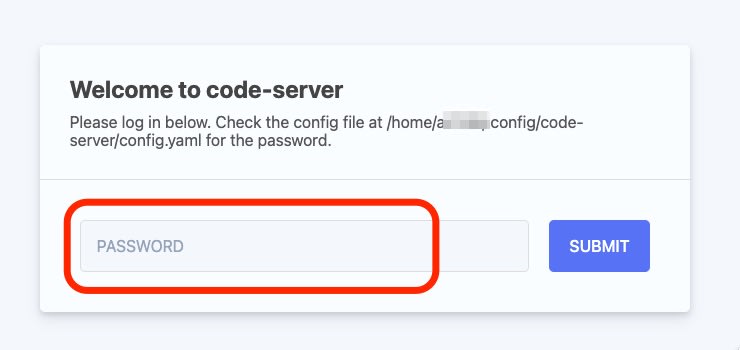
I accessed the CodeServerUrl I had checked in a browser and entered the PASSWORD.
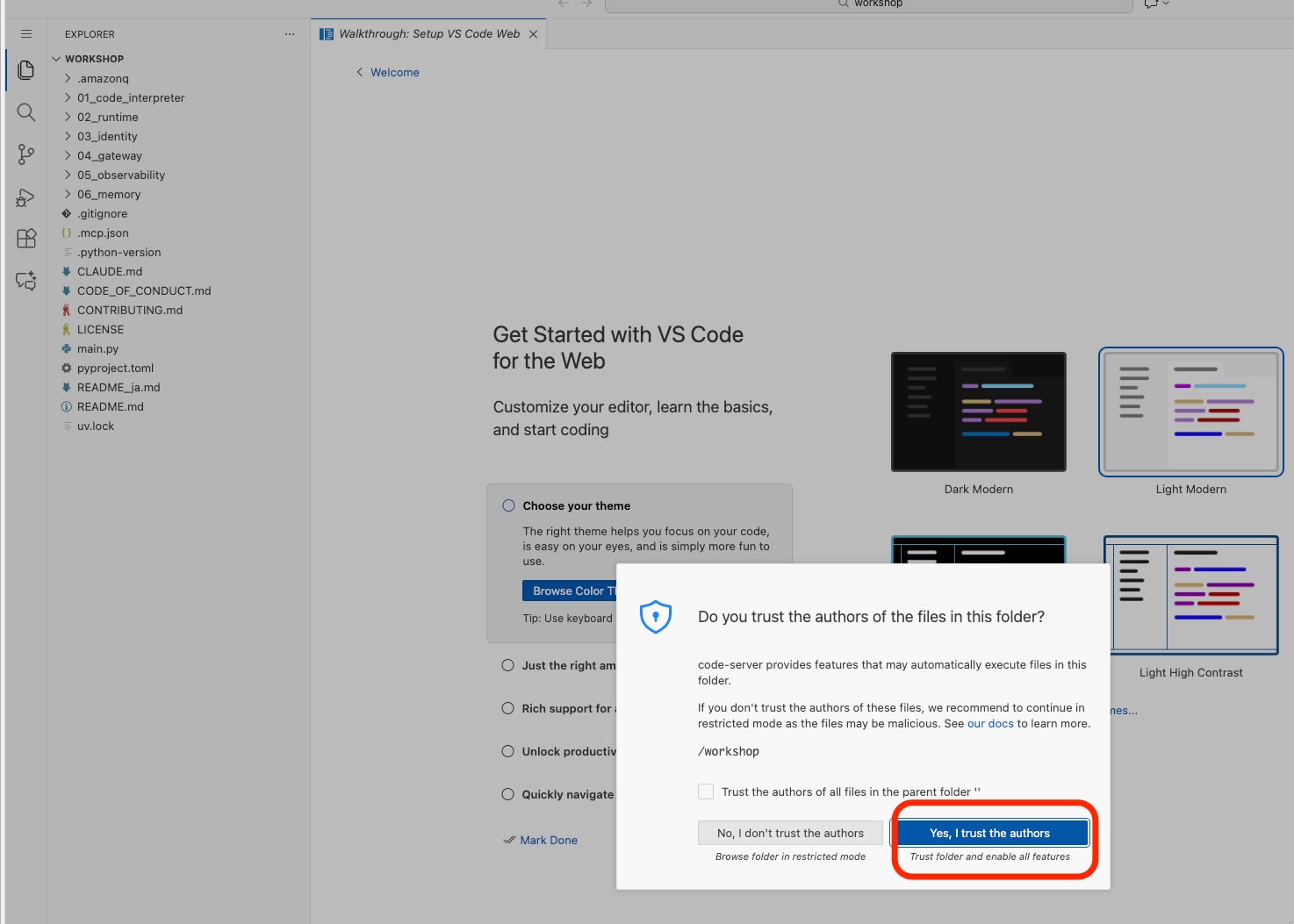
A browser-based VS Code (Code Server) launched.
After selecting "Yes, I trust the authors"
I opened a new Terminal and checked the version of the CLI tool.
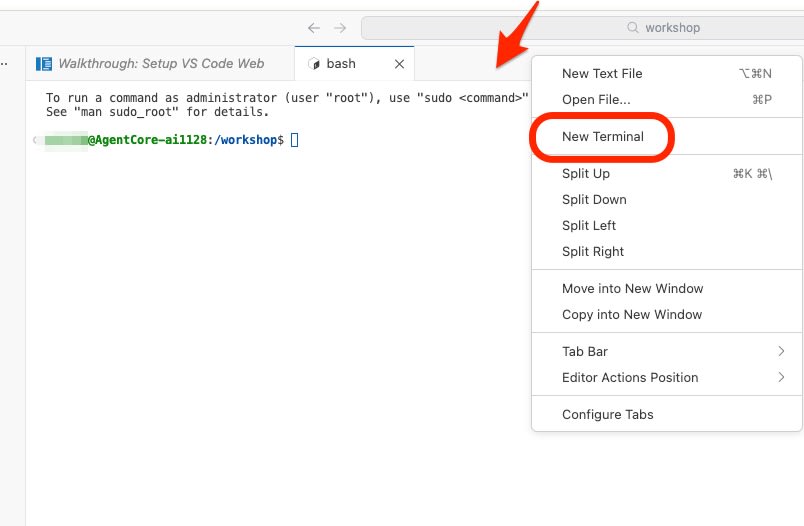
$ kiro-cli --version
kiro-cli 1.21.0
I confirmed that the latest version of Kiro-CLI is preinstalled.
Verifying the Authentication Process (--use-device-flow)
Authentication is required to use Kiro-CLI.
Because this Code Server is a remote environment and cannot automatically launch a browser during authentication, I used --use-device-flow as an input parameter.
$ kiro-cli login --use-device-flow

? Select login method
> Use with Builder ID
  Use with IAM Identity Center

(Builder IDを選択)

Confirm the following code in the browser
Code: XXXX-YYYY

Open this URL: https://view.awsapps.com/start/#/device?user_code=XXXX-YYYY
A URL and a code were displayed. I opened the URL in the browser on my local PC, authenticated with Builder ID, and then, after confirming the code, approved the authentication.
Afterward, the following log was output on the terminal side, and the login was completed.
Device authorized
Logged in successfully
After logging in successfully, I launched the CLI again
kiro-cli
and confirmed that chat responses and model selection are available.

I was also able to get answers from Kiro about the hands-on materials stored under the home directory, as well as about the IAM permissions available via the EC2 role.
> 現在のディレクトリ直下のサブディレクトリは以下の通りです:

- 01_code_interpreter
- 02_runtime
- 03_identity
- 04_gateway
- 05_observability
- 06_memory
- .amazonq
- .git
 ▸ Credits: 0.01 • Time: 2s

> 各ディレクトリの概要を3行でまとめます:

01_code_interpreter
セキュアなサンドボックス環境でPythonコードを実行。AWS費用推定エージェントの実装を通じてAgentCoreの基礎を学ぶ初心者向けステップ。

02_runtime
01で作成したエージェントをAWSクラウドにデプロイ。スケーラブルなエージェント展開パターンを理解し本番環境への準備を進める。

03_identity
OAuth 2.0認証でセキュアな操作を実現。Cognitoプロバイダーのセットアップと@requires_access_tokenによる透過的認証を実装。

04_gateway
MCP互換APIでエージェントを公開。Lambdaとの統合でローカルツールとリモートゲートウェイ機能を組み合わせる。

05_observability
CloudWatch統合で包括的な監視を実現。トレーシング、メトリクス、デバッグ機能で本番エージェントの動作を可視化。

06_memory
短期・長期メモリでコンテキスト認識エージェントを構築。パーソナライズされた適応型エージェント体験を実装する高度なトピック。
 ▸ Credits: 0.02 • Time: 3s

利用できるIAMは?

アタッチされたポリシー:
- CloudWatchAgentServerPolicy - CloudWatch監視
- AmazonEC2ContainerRegistryFullAccess - ECRへのフルアクセス
- AmazonSSMManagedInstanceCore - Systems Manager管理
- CloudWatchLogsFullAccess - CloudWatch Logsへのフルアクセス
- ReadOnlyAccess - AWSリソースの読み取り権限
- AWSXRayDaemonWriteAccess - X-Ray トレーシング
- AmazonQDeveloperAccess - Amazon Q開発者アクセス
- **BedrockAgentCoreFullAccess** - Bedrock AgentCoreへのフルアクセス

このセットアップでは、AgentCoreの全機能(01~06)を実行するのに必要な権限が揃っています。
 ▸ Credits: 0.06 • Time: 16s
4. Cost Estimate and Resource Management
I checked the running cost of this setup.
Since I used the new free plan introduced in July 2025, it should be possible to use it without any cost burden within the range of up to 200 dollars in AWS credits for up to 6 months.
In addition, there is a free tier set for EC2 "T4g" until the end of December 2025.
I estimated the main costs assuming this environment is maintained after these free plans end (Tokyo region, on-demand pricing).
| Resource | Spec | Reference monthly cost (USD) |
|---|---|---|
| EC2 | t4g.small | $12.00 |
| EBS | 40GB (gp3) | $3.20 |
| Public IPv4 | 1 Address | $3.65 |
| Total | - | $18.85 |
The above is an estimate for continuous operation for one month. If you use it only during verification and remove (or stop) it right after evaluation, it will likely be possible to keep it even cheaper.
5. Summary
By using the AWS Samples template, I confirmed the following.
- Build speed: Completed in about 7 minutes with CloudFormation.
- Tools: The latest
kiro-cliis preinstalled. - Authentication:
--use-device-flowis required on Code Server - IAM permissions: The IAM role required for Agent development is properly configured
I think this is a very effective environment for experiencing AI agent development with tools such as Kiro-CLI inside an isolated VPC with low risk.
I think many of you used AWS Cloud9 in AWS hands-on sessions and the like in the past. If you are looking for a successor for AI development, please try this solution, which has Kiro-CLI installed by default.

