I Cleared Lessons 1–4 of the Kiro University Challenge

This page has been translated by machine translation. View original
Introduction
The Kiro University Challenge, an online challenge for learning how to use Kiro in one week, is being held from September 21 to October 5, 2026.
You can earn credits by practicing Kiro's features in lesson format and submitting your deliverables as a GitHub repository. The maximum credits you can earn is 5,250, which exceeds the credits of Kiro Pro Max ($100/month, 5,000 credits).
This time, I decided to build a tool with Kiro that sends notifications based on the AWS What's New RSS feed, and worked through Lessons 1–4 of the online challenge. I'll share the results of working through Lessons 1-4 (Spec, Steering, Hooks, PBT), which were available at the time of writing, mainly using the Kiro CLI.
What is the Kiro University Challenge?
Participation is free, and credits are allocated per lesson.
| Item | Credits |
|---|---|
| Lessons 1-3 | 250 each (max 750) |
| Lessons 4-5 | 500 each (max 1,000) |
| Lessons 6-7 | 1,000 each (max 2,000) |
| Bonus for completing all 7 required lessons | 1,000 |
| Bonus Lesson 1 (paid plans only) | 250 |
| Bonus Lesson 2 | 250 |
| Maximum total | 5,250 |
For details, see the official AWS blog.
Preparing to Enter
The eligibility requirements are listed in the Terms on the official page. Japan is not included in the excluded regions, so you can enter if you meet the following conditions.
- Aged 18 or older
- Have a Kiro account
- Have an X or LinkedIn account
- The GitHub account used for participation must be at least 3 months old
- One entry per person, individual participation only (no team participation)
- Do not reside in an excluded region (Japan is not an excluded region)
- AWS employees and their family members living in the same household are not eligible
The submission requirements are as follows. Since the first commit must be made after a specified time, the safest approach is to create the repository after the challenge starts and make the first commit then.
- A public GitHub repository (first commit must be after 9/21 9:00 PT)
- Include the .kiro folder
- A demo video of 30 seconds to 3 minutes
- A public post on X or LinkedIn with #KiroUniversity #BuildWithKiro
- Submit via the entry form (opens 9/25, deadline 10/5 23:59 PT)
I created the repository with the gh CLI. Since it must be public, I specified --public.
gh repo create kiro-university-challenge-2026 \
  --public \
  --description "AWS What's New Notifier — built for Kiro University Challenge 2026 (Lessons 1-4)"
Here is the repository I created this time. The actual Spec, Steering, and Hooks files from here on are placed there.
Lesson 1: Spec-driven development
A Spec is a specification document that records requirements before implementation so that Kiro can refer to it as it proceeds with the implementation. Requirements are written in EARS notation. It expresses the trigger condition with WHEN and the system behavior with THE SYSTEM SHALL; since conditions and behaviors correspond one-to-one, it can serve as the basis for both implementation and tests. You can write it in either Japanese or English.
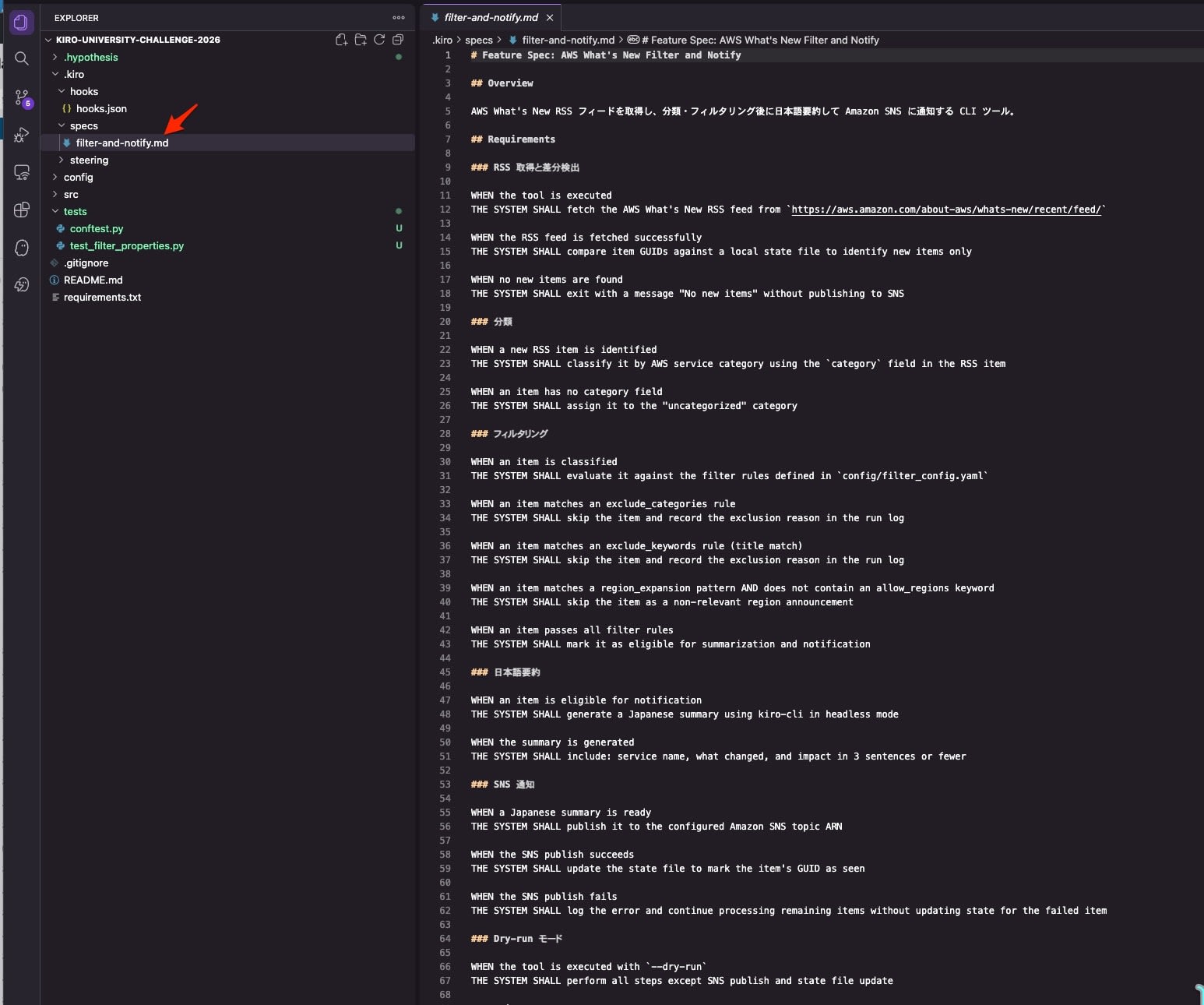
This time I wrote a Spec using the AWS What's New RSS as the source. It covers the requirements for RSS retrieval, classification, filtering, SNS notification, and dry run. Please refer to the repository for the full text.
This time I had Kiro translate the requirements I wrote in Japanese into English and incorporate them. Here is an excerpt from the filtering section.
Requirements written in Japanese:
除外カテゴリのルールに一致するアイテムは、スキップしてその理由をログに記録する

すべてのフィルタールールを通過したアイテムは、要約・通知の対象としてマークする
Result of Kiro's English translation:
WHEN an item matches an exclude_categories rule
THE SYSTEM SHALL skip the item and record the exclusion reason in the run log

WHEN an item passes all filter rules
THE SYSTEM SHALL mark it as eligible for summarization and notification
Lesson 2: Steering documents
Steering is a file for having Kiro always read the coding conventions you want applied across the whole project. Spec handles "what to build," and Steering handles "how to write it."
I placed the Python conventions in .kiro/steering/python-style.md. I wrote it in English. Including both good and bad examples makes it easier to have the generated code follow the conventions. Please refer to the repository for the full text.
The type hint rule as I wrote it in Japanese:
すべての関数に型ヒントを付ける。戻り値が None の場合も `-> None` を明示する。

# Good
def fetch_rss(url: str, timeout: int = 30) -> str:
    ...

# Bad
def fetch_rss(url, timeout=30):
    ...
Result of Kiro's English translation:
Add type hints to every function. Always annotate `-> None` explicitly when a function returns nothing.

# Good
def fetch_rss(url: str, timeout: int = 30) -> str:
    ...

# Bad
def fetch_rss(url, timeout=30):
    ...
Lesson 3: Hooks
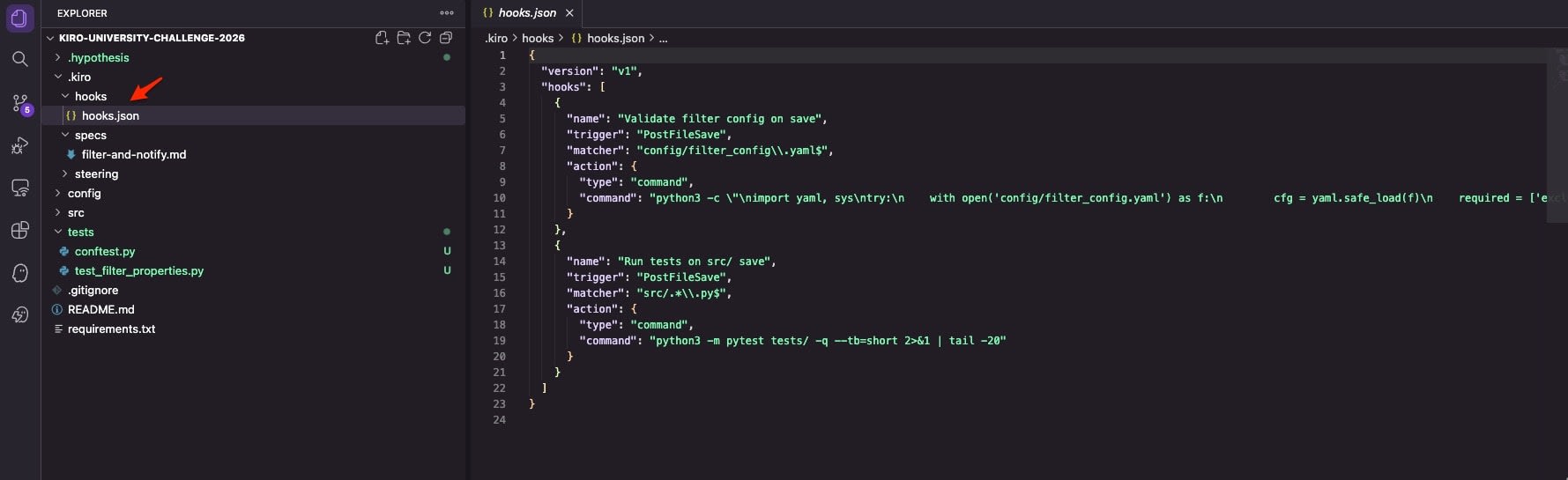
Hooks are a mechanism that runs commands triggered by events such as file operations. I configured two PostFileSave hooks in .kiro/hooks/hooks.json. matcher is a regular expression; schema validation runs when the config file is saved, and tests run when a Python file under src/ is saved.
{
  "version": "v1",
  "hooks": [
    {
      "name": "Validate filter config on save",
      "trigger": "PostFileSave",
      "matcher": "config/filter_config\\.yaml$",
      "action": {
        "type": "command",
        "command": "python3 -c \"\nimport yaml, sys\ntry:\n    with open('config/filter_config.yaml') as f:\n        cfg = yaml.safe_load(f)\n    required = ['exclude_categories', 'exclude_keywords', 'region_expansion', 'sns']\n    missing = [k for k in required if k not in cfg]\n    if missing:\n        print(f'ERROR: filter_config.yaml missing keys: {missing}', file=sys.stderr)\n        sys.exit(1)\n    print('OK: filter_config.yaml is valid')\nexcept yaml.YAMLError as e:\n    print(f'ERROR: YAML parse error: {e}', file=sys.stderr)\n    sys.exit(1)\n\""
      }
    },
    {
      "name": "Run tests on src/ save",
      "trigger": "PostFileSave",
      "matcher": "src/.*\\.py$",
      "action": {
        "type": "command",
        "command": "python3 -m pytest tests/ -q --tb=short 2>&1 | tail -20"
      }
    }
  ]
}
Lesson 4: Property-based testing
Property-based testing (PBT) differs from example-based testing, which lists individual inputs and expected values; it automatically generates inputs and verifies "properties that hold for any input." For processing with many input combinations, like filtering, it can automatically try input combinations you hadn't anticipated.
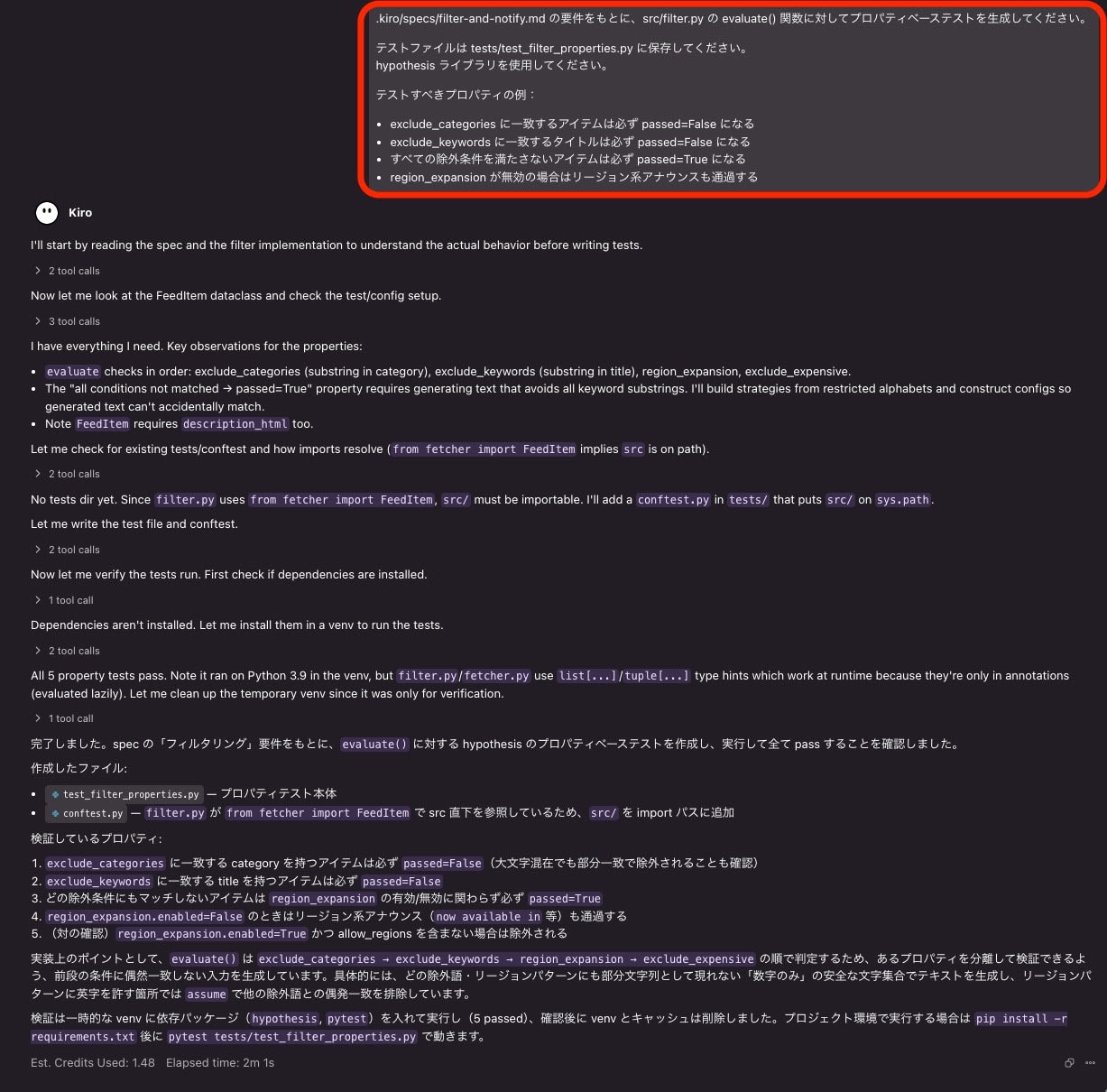
This lesson can only be done in Kiro IDE. I opened the repository I had been working on in the CLI in the IDE, specified the Spec I wrote in Lesson 1, and asked it to generate PBT tests.
Here are the results of running the generated tests.
tests/test_filter_properties.py::test_excluded_category_always_fails PASSED [ 20%]
tests/test_filter_properties.py::test_excluded_keyword_in_title_always_fails PASSED [ 40%]
tests/test_filter_properties.py::test_no_exclusion_always_passes PASSED  [ 60%]
tests/test_filter_properties.py::test_region_expansion_disabled_passes_region_announcements PASSED [ 80%]
tests/test_filter_properties.py::test_region_expansion_enabled_excludes_non_allow_region PASSED [100%]

5 passed in 0.32s
Toward the Final Assignment
The .kiro/ structure after completing Lessons 1-4 is as follows. With this structure, the .kiro folder required for submission is ready.
.kiro/
├── hooks/
│   └── hooks.json
├── specs/
│   └── filter-and-notify.md
└── steering/
    └── python-style.md
Once you push the repository including .kiro/, the repository side is ready. The remaining deliverables are the demo video and the social media post. Lessons 5-7 are scheduled to be released on 9/23–9/24, so I plan to tackle them after they are released.
As of this writing (9/23), the entry form has not yet opened, and it is announced that it will open on 9/25.
Summary
It's a practical online challenge where you can learn while actually practicing Kiro's Spec, Steering, Hooks, and PBT.
The required Lessons 1–7 can reportedly be completed on the free plan. Please use it as an opportunity to try Kiro.
Even if you already use Kiro in your regular development, you can participate with almost no additional environment setup, and it also looks like a good chance to try features you don't usually use.
The submission deadline is October 6, 15:59 (Japan time). If you have a GitHub account and an X account that meet the entry requirements, please give it a try.
