
Preparing LLM training data: I tried placing a 100GB slice of FineWeb on S3

This page has been translated by machine translation. View original
Introduction
When you start learning about LLM training, the first thing you run into is "how to prepare training data and where to put it." As a first step, I tried taking a portion of FineWeb (derived from Common Crawl, approximately 4TB), a well-known LLM training dataset, and placing it in my own S3 for use.
Online tutorials are mostly focused on the HuggingFace side of things, like load_dataset(...) or snapshot_download(...). But what I wanted to do was the AWS side of things — "placing a fixed slice on S3 in a reproducible way" — and I couldn't find much information on that.
The goals for this time are these two:
- Place a fixed ~100GB slice from FineWeb in an S3 bucket
- Make it possible to verify the same byte sequence half a year later by anyone (or yourself) using a manifest
The core of the transfer itself is just a short Python script. However, I ran into several issues before actually getting it to run to completion on AWS, so I'm documenting those as well.
Verification Environment
- A test AWS account (Tokyo region
ap-northeast-1, admin privileges) - AWS authentication uses temporary credentials (something like SSO / assume-role. No static access key files)
- SkyPilot (for spinning up EC2 in one shot. Setup covered in the next section)
- Python 3.12
- Terraform v1.13 (for managing S3 buckets)
- Local machine is macOS
Setup: Installing SkyPilot and Connecting to AWS
This is the first hurdle. Install SkyPilot and get it into a state where it can access AWS.
I used uv for installation (SkyPilot supports Python 3.9–3.13). The per-project installation pattern looks like this:
uv venv --seed --python 3.12
uv pip install 'skypilot[aws]'
If you want to use it machine-wide, uv tool install 'skypilot[aws]' works too (no venv needed in that case). [aws] specifies installing only the AWS dependencies.
Next, AWS credentials. SkyPilot doesn't have its own authentication file and uses the same credential chain as the AWS CLI. So as long as the AWS CLI is working, you're good (use aws configure for access keys, aws sso login for SSO).
You can verify the connection with sky check. This is the first hurdle — if it doesn't pass, all subsequent sky launch commands will fail.
uv run sky check aws
On success, you'll see this:
🎉 Enabled infra 🎉
  AWS [compute, storage]
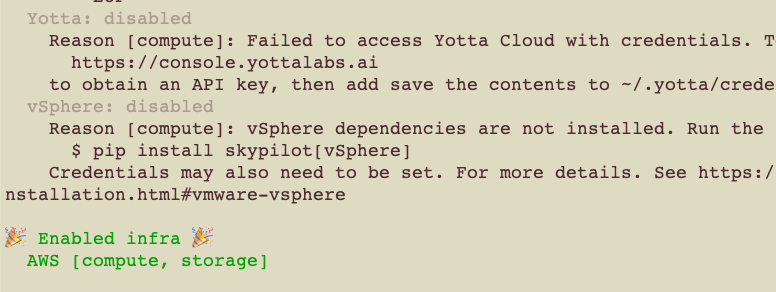
Once you see this output, SkyPilot can use AWS (compute = EC2, storage = S3). Confirm this before moving on.
Reference: SkyPilot Installation
Overall Design
The pipeline is just this:
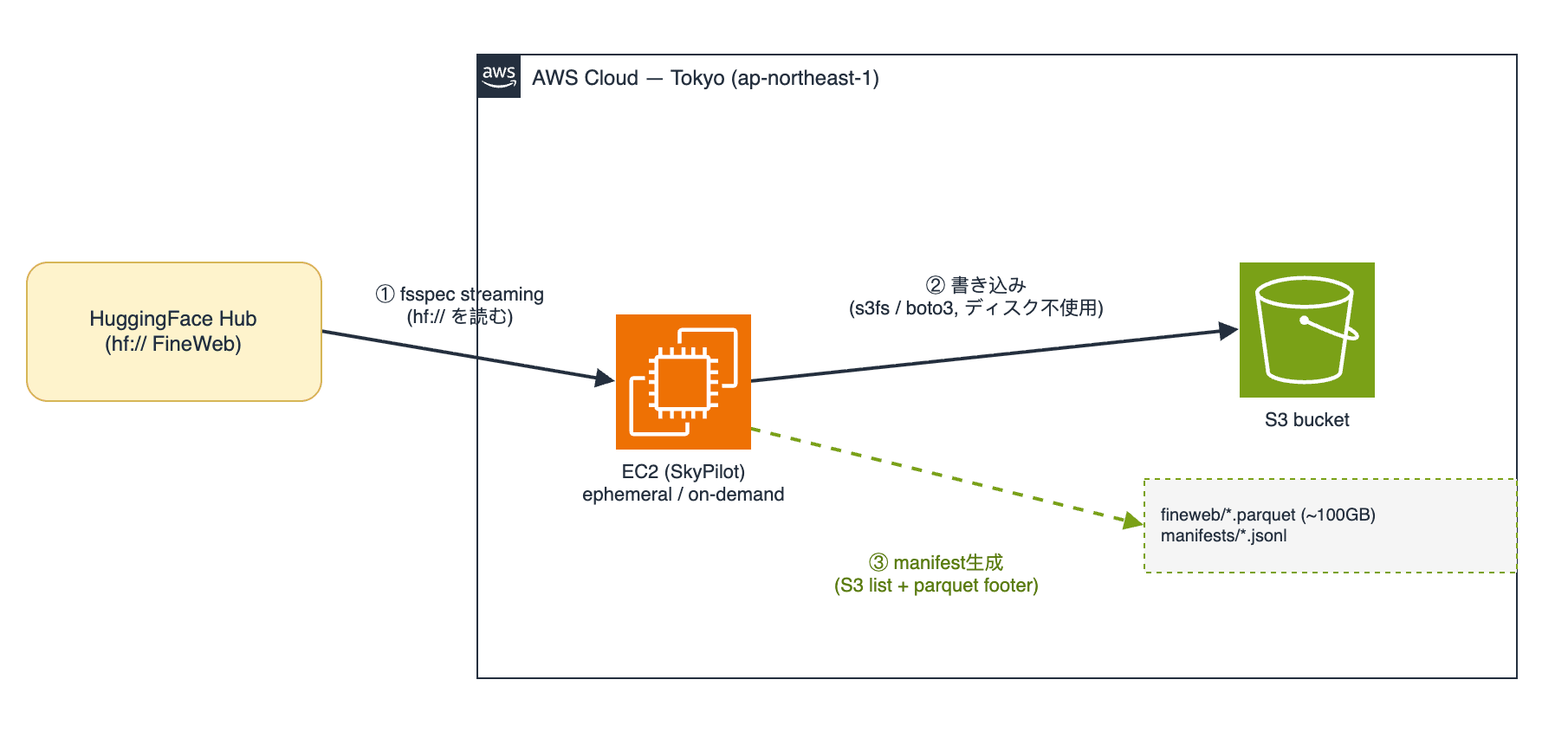
- No files are downloaded locally at all. It simply connects the
hf://read stream and thes3://write stream via fsspec and streams bytes through. - The transfer runs on EC2 launched by SkyPilot, not on the laptop (to avoid bandwidth and sleep issues).
- The manifest is generated on a separate path from the transfer, after upload, from S3 alone. This makes it an independent artifact that "can be regenerated without re-accessing HuggingFace as long as the bucket exists."
The slice is defined as "the first N files from a single dump, sorted by filename." Specifying the same dump and the same count will yield the same set of files for anyone (as long as the dataset revision is the same). The caveat is that while this approach ensures the same files are retrieved, if the content of main is updated in the future, they won't be the same anymore. For strict reproducibility, we record the revision and hash in the manifest described later, allowing identity verification afterward.
Folder Structure
Auto-generated files (.venv/, .terraform/, *.tfstate) are omitted.
test/
├── .sky.yaml                 # SkyPilot project config (auth method)
├── fineweb.yaml              # SkyPilot task (instance + run steps)
├── stream_fineweb_slice.py   # hf:// -> s3:// streaming
├── build_manifest.py         # build the manifest after upload
└── infra/
    └── main.tf               # S3 bucket (Terraform)
Creating the S3 Bucket with Terraform
The bucket is the only persistent resource in this project (EC2 is deleted when done). We manage it with Terraform so it can be cleanly destroyed later. Two key points:
- S3 bucket names must be globally unique. So we append a random suffix to a prefix like
fineweb-mirror. This way, no account-specific information remains in the committed code. - With
force_destroy = true, you can delete the bucket withterraform destroyeven when it contains 100GB. It's a test environment, so we accept this trade-off.
# infra/main.tf
terraform {
  required_providers {
    aws    = { source = "hashicorp/aws", version = "~> 5.0" }
    random = { source = "hashicorp/random", version = "~> 3.0" }
  }
}

provider "aws" {
  region = var.region
}

variable "region" {
  default = "ap-northeast-1"
}

variable "bucket_prefix" {
  default = "fineweb-mirror"
}

# S3 bucket names are globally unique; a random suffix avoids collisions
resource "random_id" "suffix" {
  byte_length = 4 # -> 8 hex chars, e.g. "a3f9c1d0"
}

resource "aws_s3_bucket" "fineweb" {
  bucket = "${var.bucket_prefix}-${random_id.suffix.hex}"

  # allow destroy even when the bucket still holds ~100GB (test env)
  force_destroy = true
}

output "bucket_name" {
  value = aws_s3_bucket.fineweb.bucket
}
cd test/infra
terraform init
terraform apply                # create the bucket
terraform output bucket_name   # pass this name to sky launch
SkyPilot Task and the Two Scripts
The transfer core is stream_fineweb_slice.py. It simply reads from hf:// and streams to s3://.
# stream_fineweb_slice.py
import argparse
import concurrent.futures
import os
import shutil
import sys

import fsspec
from huggingface_hub import HfFileSystem

HF_REPO = "datasets/HuggingFaceFW/fineweb"

def list_slice(dump: str, count: int) -> list[str]:
    """Return the first `count` parquet paths in `dump`, name-sorted (deterministic)."""
    hf = HfFileSystem()
    all_files = hf.glob(f"{HF_REPO}/data/{dump}/*.parquet")
    if not all_files:
        sys.exit(f"No parquet files found for dump {dump!r}")
    chosen = sorted(all_files)[:count]
    print(f"Selected {len(chosen)} / {len(all_files)} files from {dump}")
    return chosen

def stream_one(hf_path: str, bucket: str, dump: str, region: str) -> str:
    """Stream one file hf:// -> s3:// without touching local disk."""
    filename = hf_path.split("/")[-1]
    s3_key = f"fineweb/{dump}/{filename}"
    src = f"hf://{hf_path}"
    dst = f"s3://{bucket}/{s3_key}"

    # region in client_kwargs is REQUIRED (see below). Without it s3fs writes to
    # the wrong regional endpoint and PutObject fails: "No AWSAccessKey was presented".
    with fsspec.open(src, "rb") as fin, \
            fsspec.open(dst, "wb", client_kwargs={"region_name": region}) as fout:
        shutil.copyfileobj(fin, fout, length=32 * 1024 * 1024)  # 32MB chunks
    print(f"  uploaded {s3_key}")
    return s3_key

def main() -> None:
    p = argparse.ArgumentParser()
    p.add_argument("--dump", required=True)
    p.add_argument("--count", type=int, default=50)
    p.add_argument("--bucket", required=True)
    p.add_argument("--workers", type=int, default=8)
    p.add_argument("--region", default=os.environ.get("AWS_DEFAULT_REGION", "ap-northeast-1"))
    args = p.parse_args()

    files = list_slice(args.dump, args.count)

    # network I/O -> threads (not processes) overlap the waiting
    with concurrent.futures.ThreadPoolExecutor(max_workers=args.workers) as pool:
        futures = [pool.submit(stream_one, f, args.bucket, args.dump, args.region) for f in files]
        for fut in concurrent.futures.as_completed(futures):
            fut.result()

    print(f"Done: {len(files)} files -> s3://{args.bucket}/fineweb/{args.dump}/")

if __name__ == "__main__":
    main()
The manifest is created separately from the transfer, after upload, looking only at the S3 side. Each line pins one file with size + ETag + row count, so readers can check whether they truly have the same byte sequence. This is the substantive artifact of this article.
# build_manifest.py
import argparse
import json
import os

import boto3
import pyarrow.parquet as pq
import fsspec

def build(bucket, dump, revision, pulled_at, region):
    s3 = boto3.client("s3", region_name=region)
    paginator = s3.get_paginator("list_objects_v2")
    entries = []

    for page in paginator.paginate(Bucket=bucket, Prefix=f"fineweb/{dump}/"):
        for obj in page.get("Contents", []):
            key = obj["Key"]
            if not key.endswith(".parquet"):
                continue

            # read only the parquet footer for the row count (not the whole file)
            with fsspec.open(f"s3://{bucket}/{key}", "rb",
                             client_kwargs={"region_name": region}) as f:
                rows = pq.read_metadata(f).num_rows

            entries.append({
                "path": key,
                "size_bytes": obj["Size"],
                "etag": obj["ETag"].strip('"'),  # multipart ETags carry a "-N" suffix
                "rows": rows,
                "hf_revision": revision,
                "pulled_at": pulled_at,
            })
            print(f"  manifested {key} ({rows} rows)")

    entries.sort(key=lambda e: e["path"])
    return entries

def main():
    p = argparse.ArgumentParser()
    p.add_argument("--dump", required=True)
    p.add_argument("--bucket", required=True)
    p.add_argument("--revision", default="main")
    p.add_argument("--pulled-at", default="unknown")
    p.add_argument("--region", default=os.environ.get("AWS_DEFAULT_REGION", "ap-northeast-1"))
    args = p.parse_args()

    entries = build(args.bucket, args.dump, args.revision, args.pulled_at, args.region)
    if not entries:
        raise SystemExit(f"No parquet objects under fineweb/{args.dump}/")

    body = "\n".join(json.dumps(e) for e in entries) + "\n"
    manifest_key = f"manifests/{args.dump}-{len(entries)}files-v1.jsonl"

    boto3.client("s3", region_name=args.region).put_object(
        Bucket=args.bucket, Key=manifest_key,
        Body=body.encode("utf-8"), ContentType="application/x-ndjson",
    )
    print(f"Wrote manifest: s3://{args.bucket}/{manifest_key} ({len(entries)} entries)")

if __name__ == "__main__":
    main()
The generated manifest is a jsonl with one file per line.
{"path": "fineweb/CC-MAIN-2024-10/000_00000.parquet", "size_bytes": 2147483648, "etag": "a4f3...-21", "rows": 973991, "hf_revision": "main", "pulled_at": "2026-07-25T09:12:33Z"}
The SkyPilot task definition that ties this together is fineweb.yaml. The bucket name and HF token are passed via --env at launch time, so the file itself is safe to publish as-is.
# fineweb.yaml
resources:
  cloud: aws
  region: ap-northeast-1
  instance_type: c7g.2xlarge   # 16GB RAM (see the memory-shortage section below)
  use_spot: false              # on-demand (see the spot section below)
  disk_size: 30                # boot disk only; nothing lands on local disk

envs:
  HF_TOKEN: null                     # supplied via --env at launch
  S3_BUCKET: null                    # supplied via --env at launch
  CC_DUMP: CC-MAIN-2024-10
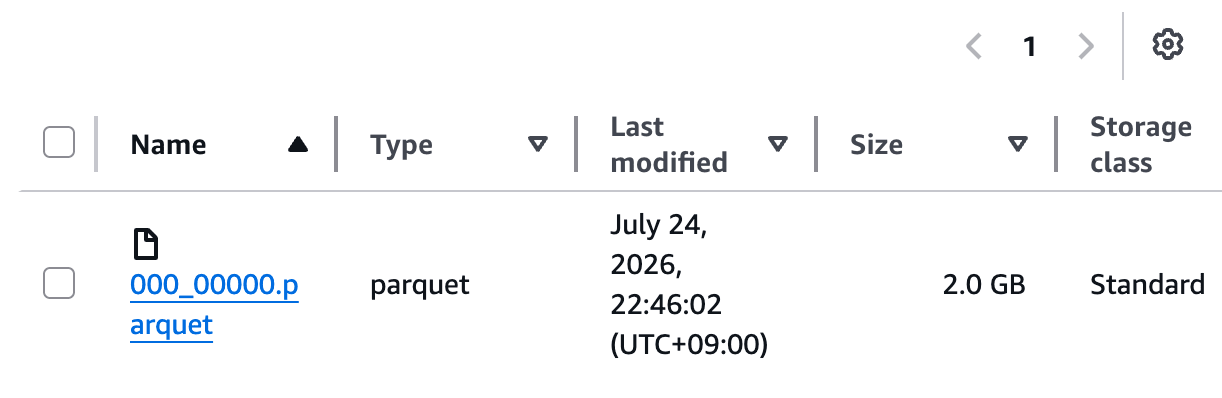
  FILE_COUNT: 50                     # ~2.0 GB/file measured, so 50 x 2.0 = ~100 GB
  AWS_DEFAULT_REGION: ap-northeast-1 # must match the bucket region (see below)

workdir: .

setup: |
  pip install 'huggingface_hub[hf_xet]>=1.5' 's3fs' 'pyarrow' 'boto3'

run: |
  set -e
  python stream_fineweb_slice.py --dump "$CC_DUMP" --count "$FILE_COUNT" --bucket "$S3_BUCKET" --workers 4
  python build_manifest.py --dump "$CC_DUMP" --bucket "$S3_BUCKET" \
      --revision main --pulled-at "$(date -u +%Y-%m-%dT%H:%M:%SZ)"
There's also .sky.yaml for authentication configuration. Without this, jobs on EC2 can't write to S3, which leads to the issues described later. By default, SkyPilot uploads local AWS credentials to the instance for use. However, with temporary credentials like SSO or assume-role, there are no static files to upload, so the instance can't access S3 (it fails with No AWSAccessKey was presented).
So we specify remote_identity: SERVICE_ACCOUNT to let the instance access using its own IAM role. Since no credentials are passed to the instance, this is also more secure (if you're using static access keys, the default will work, but it's safer to use this setting).
# .sky.yaml (placed in test/; auto-loaded when you run sky from that dir)
aws:
  remote_identity: SERVICE_ACCOUNT
Once all these files are in place (infra/main.tf, stream_fineweb_slice.py, build_manifest.py, fineweb.yaml, .sky.yaml), you're ready to launch. -i 5 --down means "automatically terminate the instance after 5 minutes of idle."
cd test
uv run sky launch -c fw-pull -i 5 --down fineweb.yaml \
    --env HF_TOKEN=none \
    --env S3_BUCKET=$(terraform -chdir=infra output -raw bucket_name) \
    --env FILE_COUNT=50
(FineWeb is public, so it can be read without a token. The script doesn't use HF_TOKEN either. The HF_TOKEN=none above is just passing a dummy value because of how the YAML requires the env variable. Only pass a real token when working with gated datasets that require one.)
Try It with One File First
Before running the above command with 50 files, I ran it with FILE_COUNT=1 to transfer just one file. With one file, it finishes quickly for a few cents, so you can cheaply verify that the pipeline works end-to-end.
Two main things became clear at the one-file stage:
- The full flow from reading → S3 writing → manifest generation works
- One file is approximately 2.0GB (this number was used to decide the file count for the actual run)
Incidentally, of the issues listed next, the authentication-related ones (1–3) were mostly surfaced during this one-file test. Those affecting parallelism and execution time (4 and 5) only appeared after increasing to 50 files. The approach is: run small first to flush out problems early, then move to production.
5 Issues Encountered Before It Worked
The files presented so far, if created as-is, will work. However, the values like remote_identity: SERVICE_ACCOUNT in .sky.yaml, use_spot: false, c7g.2xlarge, and AWS_DEFAULT_REGION in fineweb.yaml weren't known from the start — they were all arrived at after hitting problems. I'll walk through why those values are what they are, in the order I encountered the issues.
| # | Symptom | Cause | Fix |
|---|---|---|---|
| 1 | aws command gives InvalidClientTokenId |
aws was aliased to another auth tool, which was overwriting this session |
Disable the alias side (unalias aws, etc.) |
| 2 | Job on EC2 fails on S3 write with No AWSAccessKey was presented |
SkyPilot's default (LOCAL_CREDENTIALS) uploads local ~/.aws. Temporary credentials have no static files, so nothing gets passed to the instance |
Set remote_identity: SERVICE_ACCOUNT in .sky.yaml to use the instance's own IAM role |
| 3 | Even after attaching a role, writes still give No AWSAccessKey |
s3fs had no region, so writes went to the wrong endpoint and weren't signed | Explicitly specify AWS_DEFAULT_REGION + region_name in code |
| 4 | Instance reverts from UP to INIT and stops during execution |
Spot instance was preempted (reclaimed by AWS). sky launch does not automatically resume preempted jobs |
Switch to use_spot: false (on-demand) |
| 5 | Ray kills the driver due to out-of-memory (FAILED_DRIVER) |
c7g.large has 4GB RAM. With 8 parallel workers each buffering ~2GB/file on both ends → exceeds 4GB | Switch to 16GB instance, reduce workers to 4 |
The individual fixes are as shown in the table. Here I'll go deeper on the three that are most useful to understand for broader application.
(2) An IAM Role Doesn't "Have Permissions" — It "Distributes Temporary Credentials"
When I first saw No AWSAccessKey was presented, I thought "the role has S3 permissions attached, what is it complaining about." But that was a misunderstanding.
AWS API requests always require a signature (SigV4). There's no implicit allowance of "this instance has permissions, so let it through." What an IAM role does is distribute temporary credentials via the EC2 metadata service (IMDS, 169.254.169.254). SDKs (boto3, s3fs) fetch those credentials and use them to sign requests.
- Role is attached → AWS places temporary credentials on IMDS
- SDK retrieves credentials from IMDS
- SDK signs the request using those credentials (this is where the "access key" is used)
- S3 verifies the signature → only then checks the role's permissions
No AWSAccessKey was presented meant "the request was not signed" — step 3 never happened. S3 checks authentication (signature) before authorization (permissions). So even if the role has S3FullAccess, an unsigned request is rejected before permissions are even checked.
The cause of (2) was that SkyPilot's default uploads local ~/.aws files to the instance. Temporary credentials like SSO or assume-role are often passed via environment variables, and there are no static credential files to upload. As a result, nothing gets passed to the instance, and no IMDS role is attached by default either. Switching to SERVICE_ACCOUNT has SkyPilot attach its own IAM role (skypilot-v1) to the instance, which resolved the issue.
As a side note, the .sky.yaml placed earlier is auto-read when you run sky from that directory (it takes precedence over the global ~/.sky/config.yaml). The advantage is that "what was done" is entirely self-contained in the repository. However, whether the project .sky.yaml is auto-loaded depends on the SkyPilot version. If it's not being picked up, place the same content in ~/.sky/config.yaml or specify it explicitly with SKYPILOT_CONFIG.
(3) s3fs Passes "Reads" But Requires a Region for "Writes"
(3) was the most troublesome. The boto3 sts check passes. s3fs ls (bucket listing) also passes. But only s3fs writes fail with No AWSAccessKey. Same process, same credentials.
The cause was the region. ListBuckets uses a global endpoint, so it passes. On the other hand, PutObject requires the region-specific endpoint for the bucket. Without specifying a region, s3fs writes to the wrong endpoint, the signature is mismatched, and that error occurs.
The fix is simply to specify the region explicitly. But since S3 is accessed in multiple places in the script, I used a two-pronged approach: passing AWS_DEFAULT_REGION once via the YAML, and also explicitly specifying region_name in the code.
This debugging ladder is useful elsewhere, so I'll leave it here:
# 1. Is the credential chain (IMDS/role) working at all?
python -c "import boto3; print(boto3.client('sts').get_caller_identity())"
# 2. Is an empty AWS_* env var breaking the chain?
env | grep -i aws
# 3. s3fs READ auth test
python -c "import s3fs; print(s3fs.S3FileSystem().ls(''))"
# 4. test WRITE separately (read working != write working)
(5) "Streaming Without Disk" Still Consumes RAM
(5) was a case of being tripped up by an assumption. Thinking "it's not landing on local disk so it must be lightweight," I ran 8 parallel workers on a c7g.large (4GB RAM), and Ray killed the job due to out-of-memory.
Streaming still requires memory. hf_xet (HuggingFace's transfer layer) buffers chunks on the read side, and s3fs buffers multipart parts on the write side. In practice, each file held up to about 2GB on both ends. With 8 parallel workers, that multiplies several times over, which a 4GB machine can't handle. The one-file test had passed simply because parallelism was 1.
The fix was both increasing memory (c7g.2xlarge, 16GB) and reducing parallelism (--workers 4). 4 workers × ~2GB = ~8GB fits comfortably within 16GB. The lesson: even with "streaming, no disk," choose your instance size to match the degree of parallelism.
Results
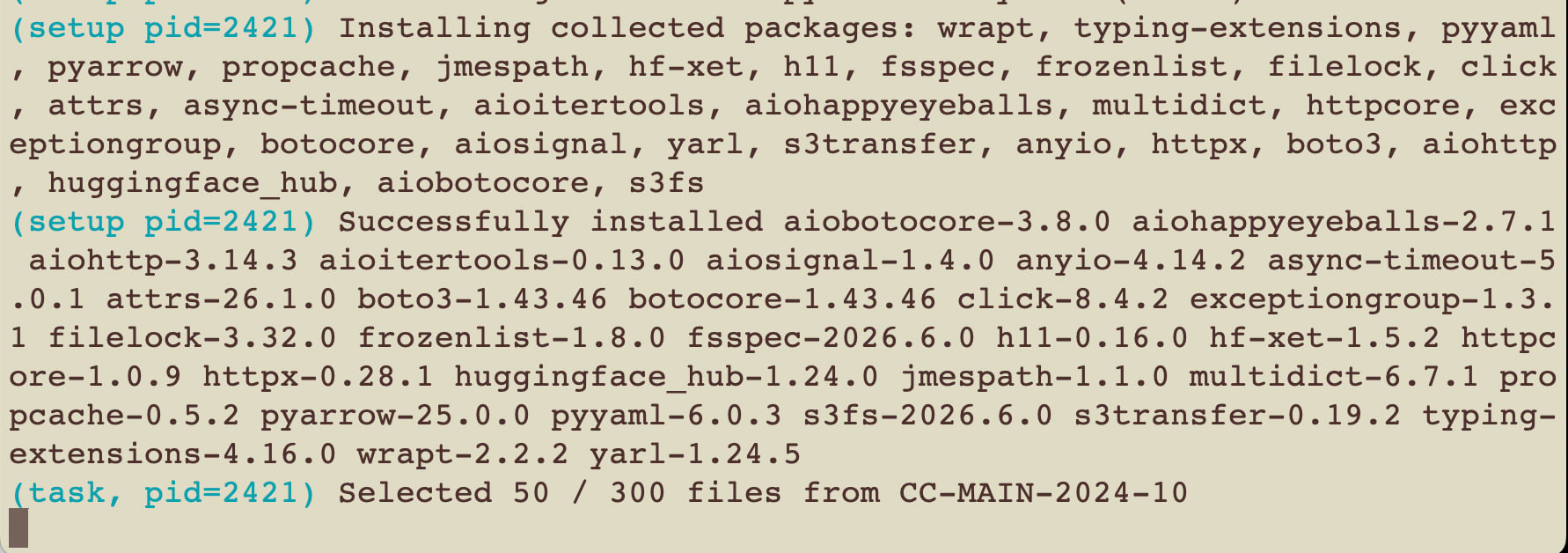
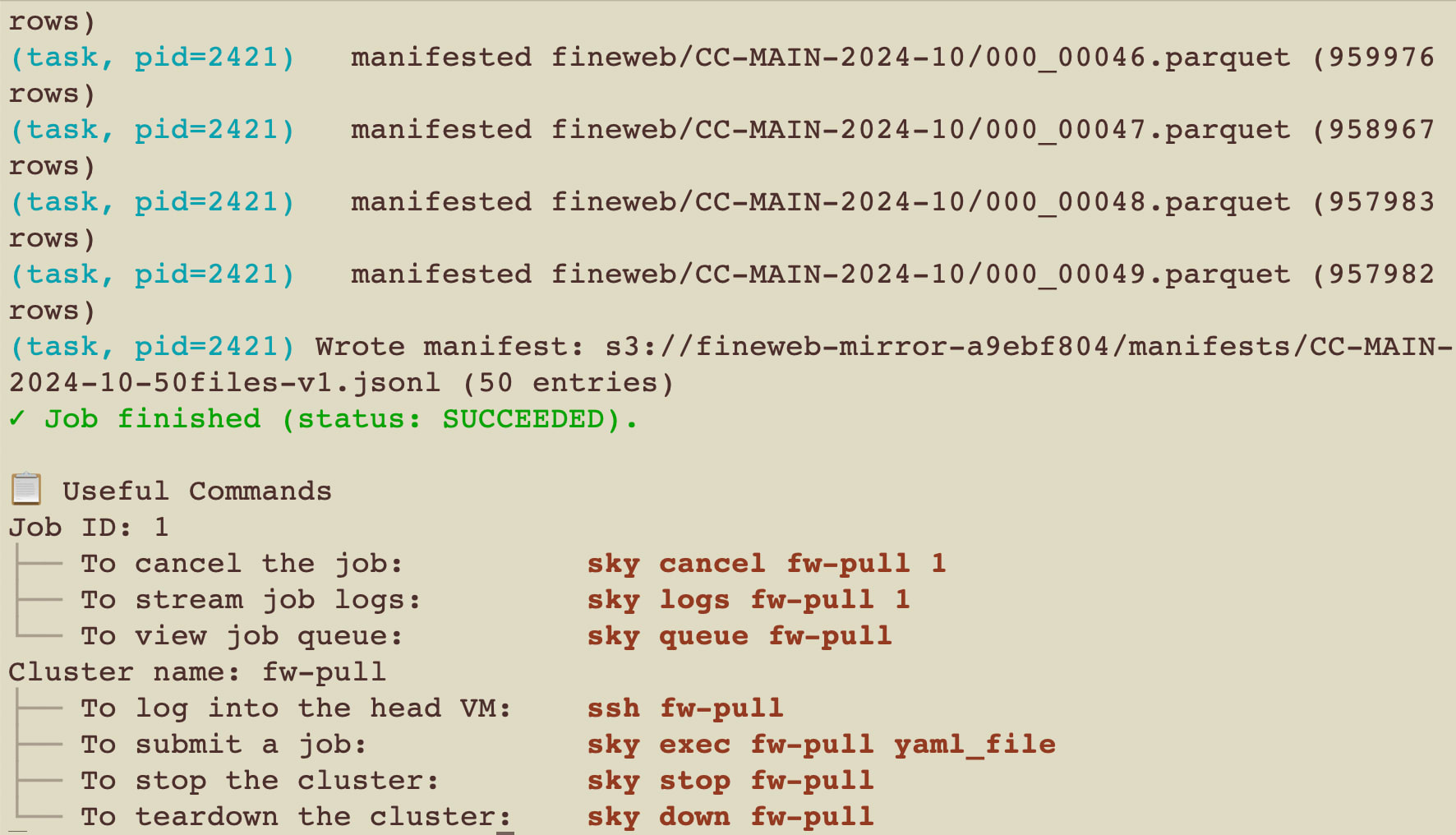
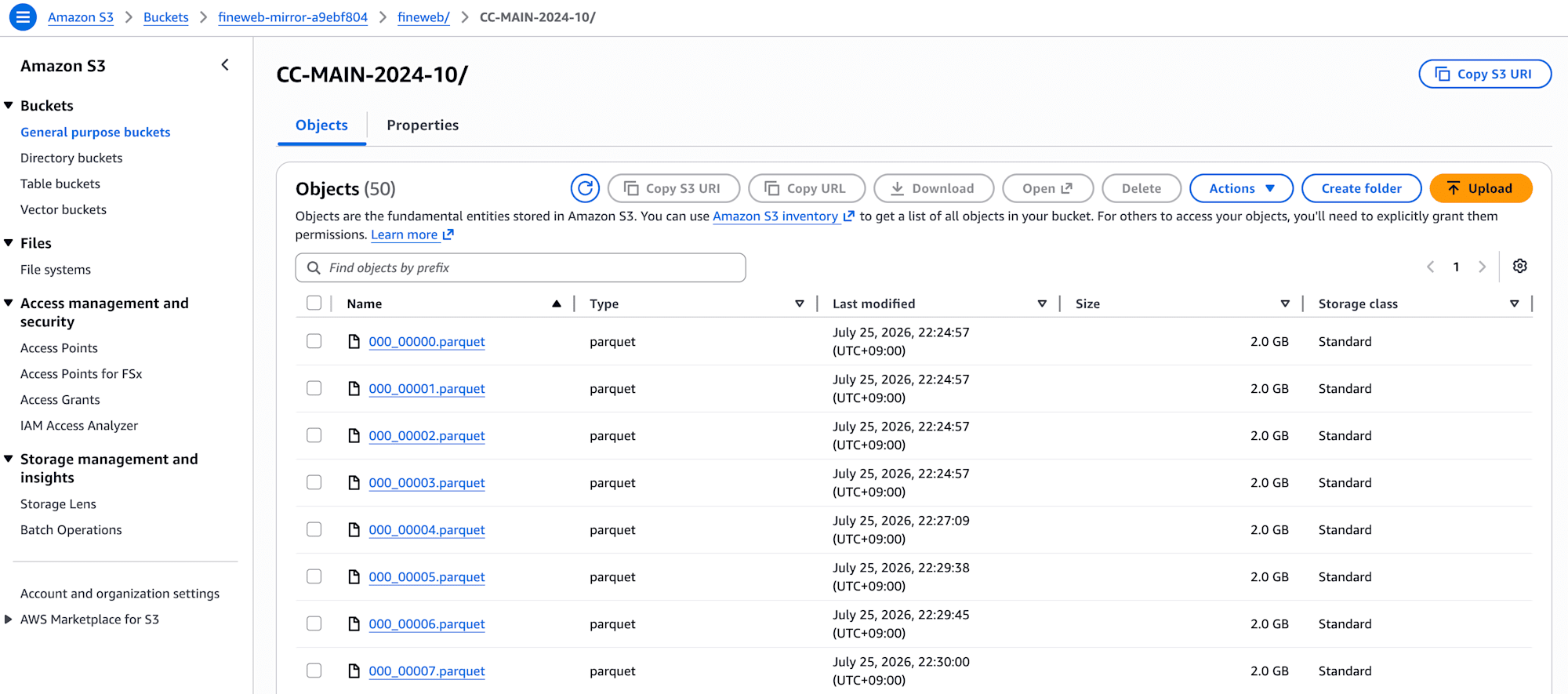
The final configuration (on-demand c7g.2xlarge, 4 workers, 50 files) ran to completion. It took approximately 40 minutes (may vary depending on HF CDN speed).
  uploaded fineweb/CC-MAIN-2024-10/000_00049.parquet
Done: 50 files -> s3://<bucket>/fineweb/CC-MAIN-2024-10/
  manifested fineweb/CC-MAIN-2024-10/000_00049.parquet (957982 rows)
Wrote manifest: s3://<bucket>/manifests/CC-MAIN-2024-10-50files-v1.jsonl (50 entries)
- 50 parquet files (~100GB) in
s3://<bucket>/fineweb/CC-MAIN-2024-10/ - Manifest (50 entries, approximately 950,000–970,000 rows per file) in
s3://<bucket>/manifests/CC-MAIN-2024-10-50files-v1.jsonl - Instance automatically terminates 5 minutes after the job completes
The file count of 50 was calculated from the ~2.0GB per file observed in the one-file test. 50 files gives a scale of roughly 100GB. Note that in actual LLM training, data size is rarely fixed to exactly "X GB," so the 100GB here is just a rough ballpark for demonstration purposes.
Here's a rough cost estimate:
| Item | Cost |
|---|---|
| EC2 c7g.2xlarge on-demand ~40 min | ~$0.2 |
| HF egress (transfer from HuggingFace) | $0 (covered by HF) |
| S3 PUT requests | <$0.01 |
| S3 storage 100GB/month | ~$2.30 |
| First month total | ~$2.5 |
Transfer from HuggingFace (egress) is covered by HF, so it's $0. However, EC2 and S3 storage are billed normally. This is not within the AWS free tier, so if you're trying this personally, note that leaving it in place incurs ongoing storage costs (~$2.3/month for 100GB). When done, you can delete the bucket entirely with terraform destroy.
When readers want to verify the same slice, they just need to check against the manifest. If the hashes (ETags) don't match, that benchmark result is not comparable — that's the intent of this design.
head = s3.head_object(Bucket=bucket, Key=entry["path"])
assert head["ETag"].strip('"') == entry["etag"]
assert head["ContentLength"] == entry["size_bytes"]
Closing Thoughts
Before starting, I thought it would be "just putting FineWeb on S3." In reality, the core of the transfer is a Python script of around 10 lines.
But the real work was in getting those 10 lines to run to completion on an actual AWS account. None of the issues were in the transfer code itself — they were all problems in the surrounding authentication, infrastructure, and resource design, the parts that don't appear in tutorials that stop at snapshot_download.
If you're also looking to "place HuggingFace data on your own AWS in a reproducible way," I've already stepped on all five of these issues for you, so feel free to take them as a head start and adapt them to your own environment.
