
I want to adore Clawd more ~statusLine edition~

This page has been translated by machine translation. View original
Introduction
Are you familiar with Clawd? It's the adorable crab (?) character that appears when Claude Code starts up.
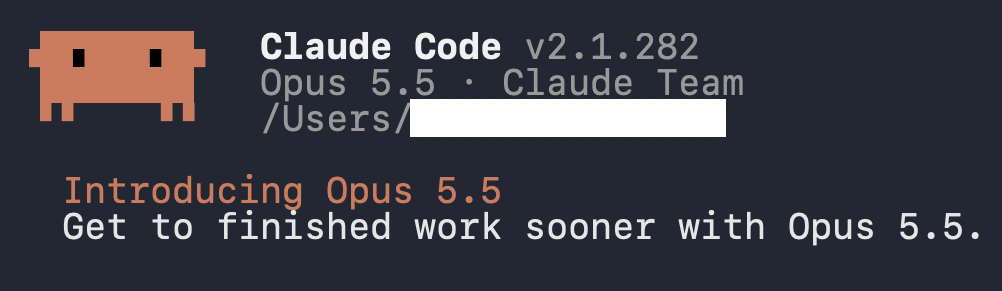
It's introducing Opus 5.5. So cute.
That said, I've been thinking for a while now — doesn't this character appear rather infrequently?
As far as I know, it only shows up when you launch Claude Code.
Since it's this cute, I think having it appear more often would deepen our love for Claude...
It really is such a waste.
So, let's summon it to other places too.
Appreciating It Through statusLine
statusLine refers to the area below the input field in Claude Code.

By default it looks like the above, but you can freely change what's displayed by writing your own script. If we can summon Clawd here, we'd be able to appreciate Clawd whenever we're using Claude Code.
However, just having it sit in the statusLine might feel awkward, so ideally we'd want it to serve a practical purpose as well.
Now, one classic item to display in statusLine is the context usage rate. This time, I'm thinking of making Clawd get fatter as the usage rate increases.
Context refers to the amount of information Claude references in a conversation — you could also say it's the amount of information accumulated inside Claude. So it's only natural that Clawd would get fatter as the context grows.
Let's implement it.
Implementation
To freely customize statusLine, you need to write the command to execute in ~/.claude/settings.json.
{
  "statusLine": {
    "type": "command",
    "command": "node ~/.claude/statusline.js"
  }
}
Session information such as model name and context usage rate is passed to the script as JSON via standard input, and whatever you write to standard output is displayed directly in the statusLine. It supports multi-line output and ANSI escape color coding, so Clawd should have no trouble living there.
First, let's handle the appearance. I wanted to reproduce the official pixel art as closely as possible, so I checked how it's drawn in the CLI version of Claude Code.
Looking closely after zooming in, it appears to be drawn using quarter-block characters like ▟ and ▖. Once I figured that out, it was just a matter of carefully reproducing it.
// Bits are top-left 8, top-right 4, bottom-left 2, bottom-right 1
const GLYPH = [' ', '▗', '▖', '▄', '▝', '▐', '▞', '▟', '▘', '▚', '▌', '▙', '▀', '▜', '▛', '█'];

for (let y = 0; y < grid.length; y += 2) {
  let line = '';
  for (let x = 0; x < grid[0].length; x += 2) {
    const bits = (grid[y][x] << 3) | (grid[y][x + 1] << 2) | (grid[y + 1][x] << 1) | grid[y + 1][x + 1];
    line += GLYPH[bits];
  }
  out.push(line);
}
Making It Fat
As a personal preference to keep Clawd's artwork intact, the dot width needs to be an even number of 12 or more. For simplicity, I made it get fatter in 5 stages.
/** pct: context usage rate */
const widthFor = (pct) => (pct < 20 ? 12 : pct < 40 ? 14 : pct < 60 ? 16 : pct < 80 ? 18 : 20);
As a bonus, let's make the color change when it gets too fat.
const NORMAL = [218, 119, 88];
const WARN = [214, 142, 61];
const DANGER = [198, 74, 58];

const colorFor = (pct) => (pct >= 90 ? DANGER : pct >= 70 ? WARN : NORMAL);
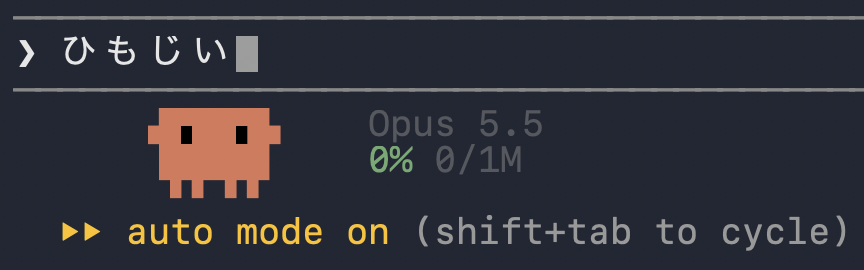
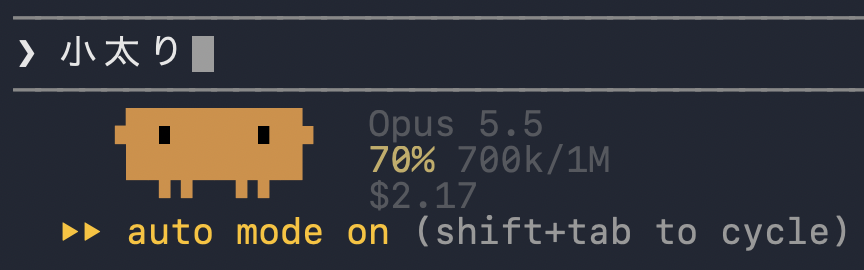
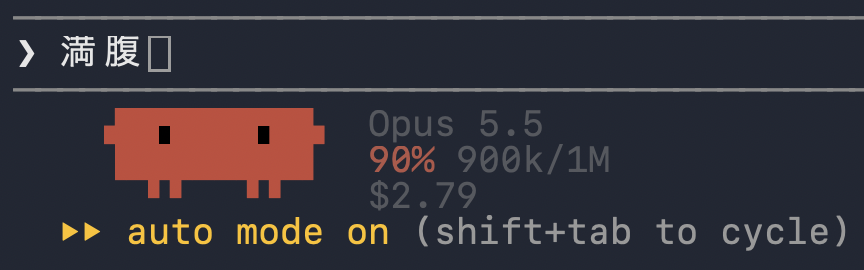
This is so cute! Since the body shape is close to a rectangle, it's also very easy to understand visually.
Animation
Let's pursue even more cuteness with animation. If it hops around while Claude is responding, it would give a sense of it working hard.
However, the JSON passed to statusLine doesn't include an item indicating whether a response is in progress. So I used hooks to create a flag file on UserPromptSubmit and delete it on Stop.
INPUT=$(cat)
SESSION=$(echo "$INPUT" | jq -r '.session_id // empty' 2>/dev/null || true)
[ -n "$SESSION" ] || exit 0

FLAG="/tmp/clawd-busy-$SESSION"

case "${1:-}" in
  start) : > "$FLAG" ;;
  stop)  rm -f "$FLAG" ;;
esac
On the statusLine side, I implemented it to switch animations based on whether that file exists. Note that statusLine is normally only updated when messages arrive, so I set refreshInterval to redraw it periodically.
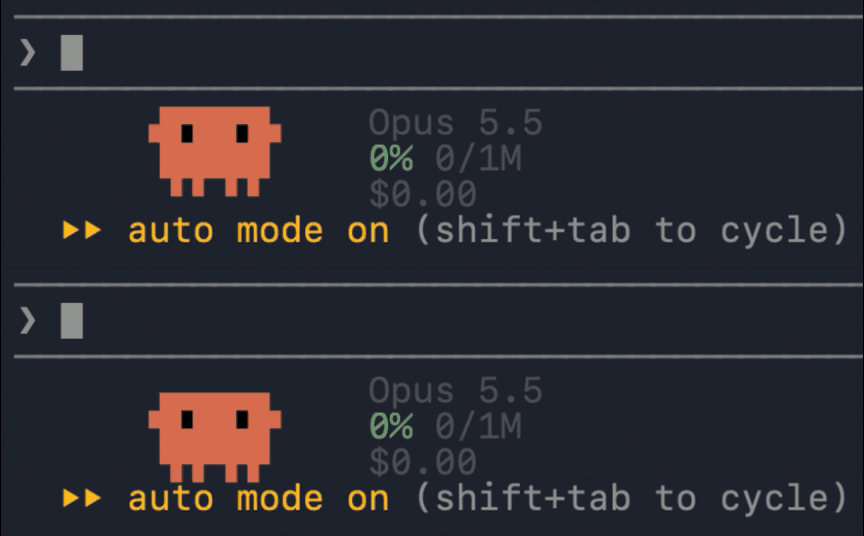
It's working hard. Thank you, as always.
Summary
So, we've found that with some customization, we can appreciate Clawd even more.
Beyond what was introduced in this article, I'm sure there are many other diverse approaches, so please try to find your own way of getting along with Clawd.
We'd also love it if you shared your cute Clawd creations!
