
I compared Marp and Reveal.js with the same content - Markdown slides vs HTML presentation

This page has been translated by machine translation. View original
Introduction
As methods for creating technical presentations, beyond PowerPoint and Google Slides, there are "code-based slide tools" that can be managed. Representative examples include Marp, which generates slides from Markdown, and Reveal.js, an HTML/JS-based presentation framework.
To determine which one suits my use case, I created the same content with both tools and compared them in practice.
Marp Output

Reveal.js Output

Prerequisites & Environment
- macOS (Apple Silicon)
- Node.js 22.x
- pnpm 11.x
- Marp CLI 4.4.0
- Reveal.js 5.1.0 (via CDN)
What is Marp?
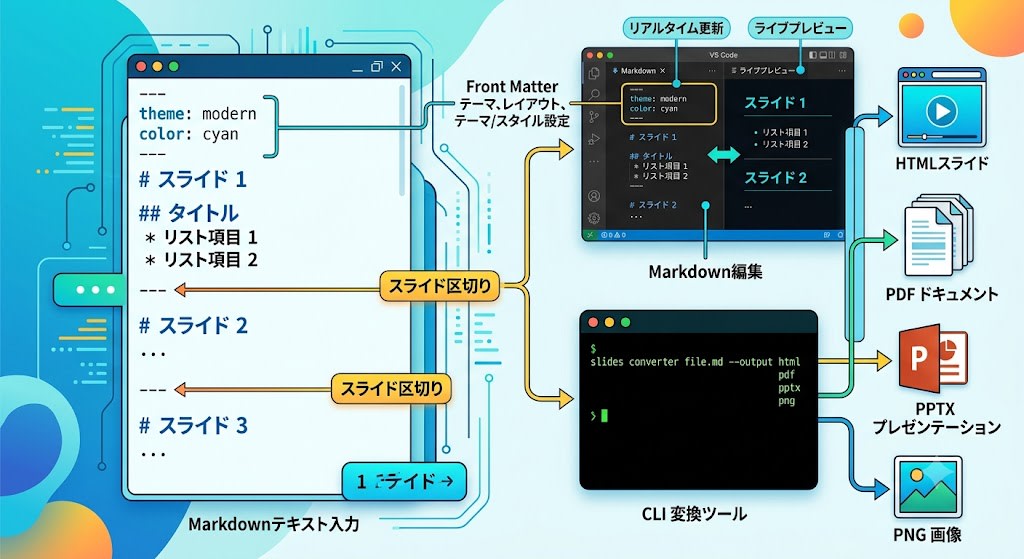
Marp stands for "Markdown Presentation Ecosystem" and is a tool that generates presentation slides from Markdown files.
Key features:
- Text written in Markdown becomes slides as-is
- Slides are separated by
---(horizontal rule) - CLI can convert to HTML / PDF / PPTX / PNG
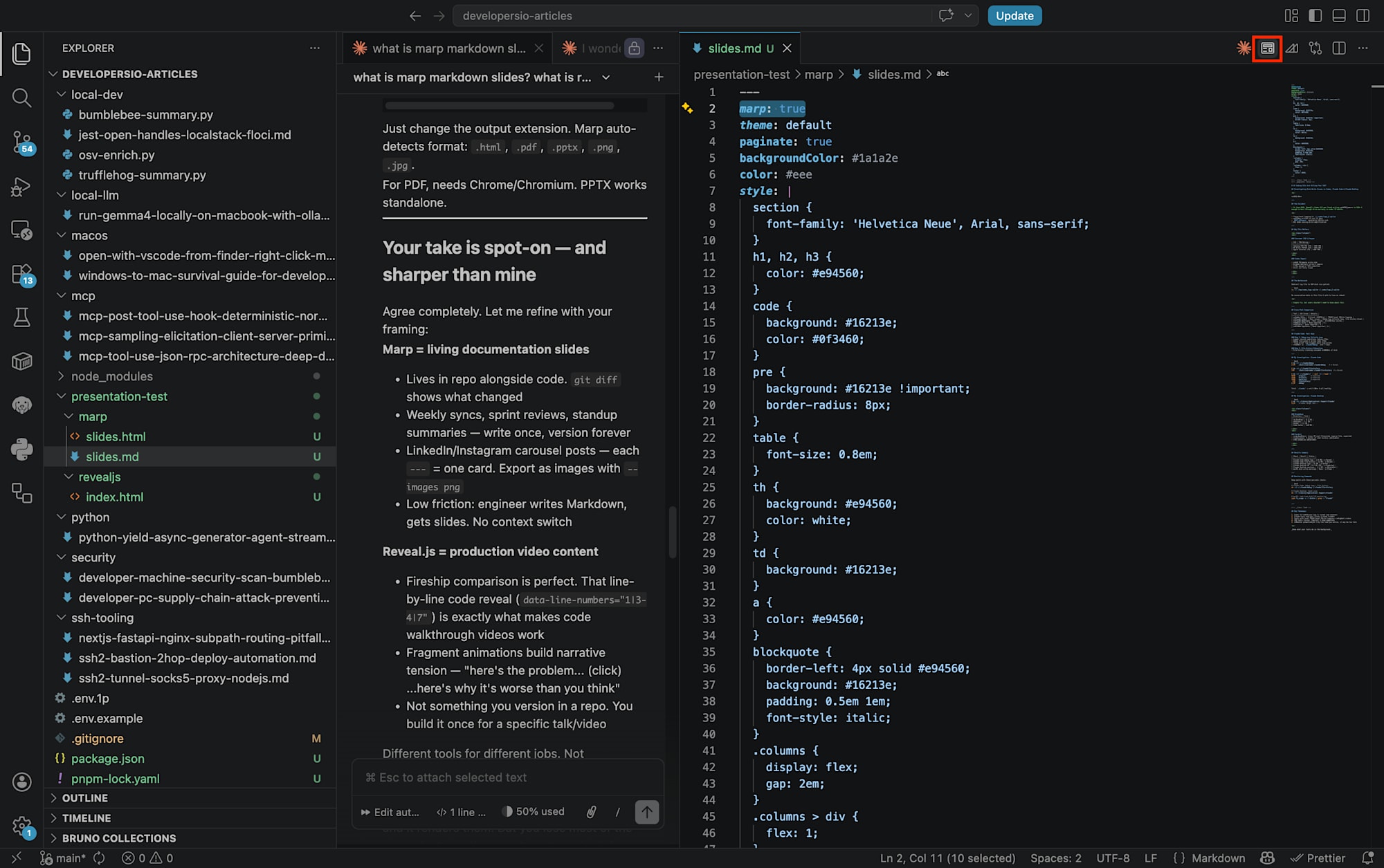
- Live preview support with VS Code extension
- Theme and style configuration via front matter
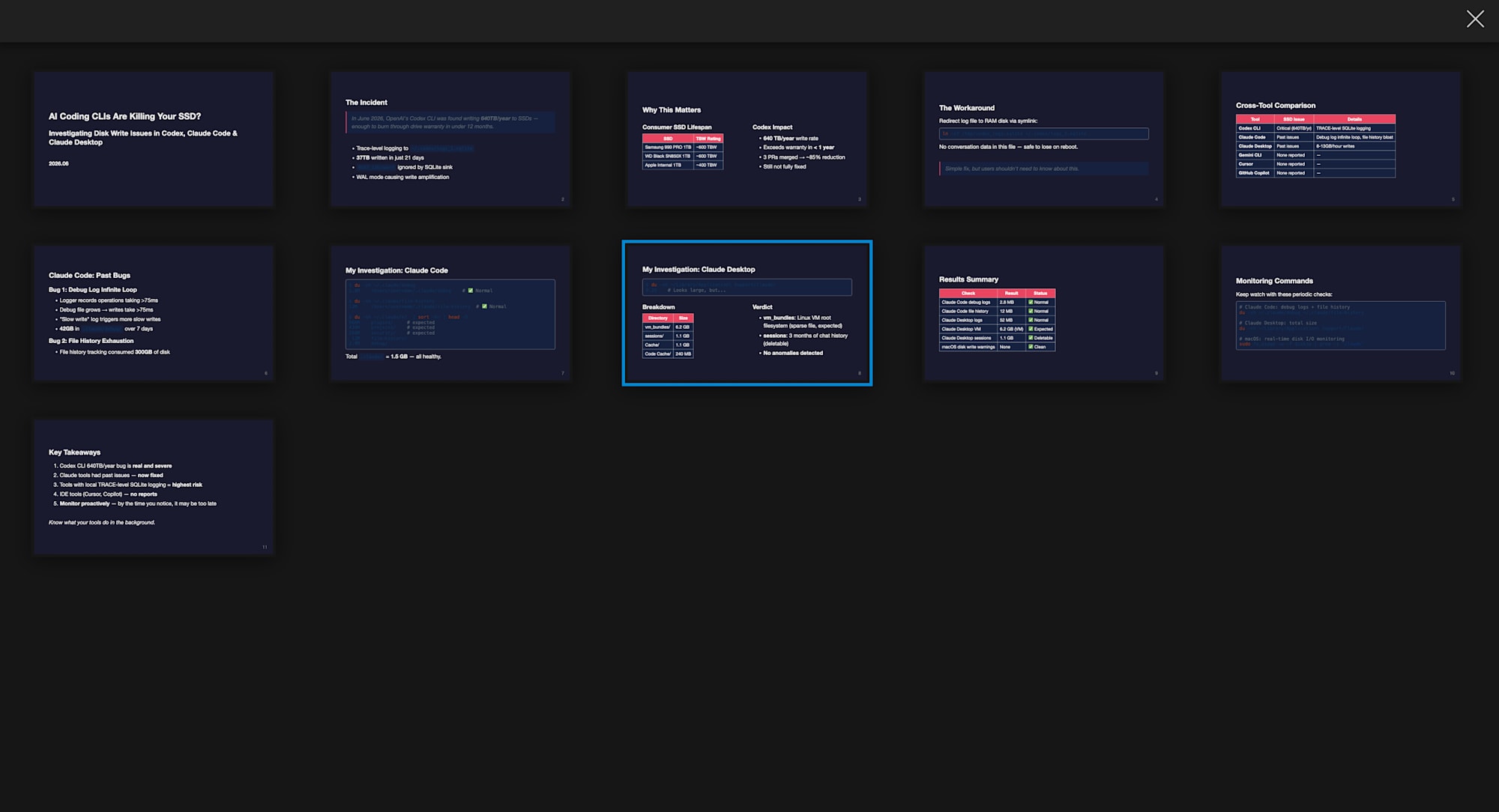
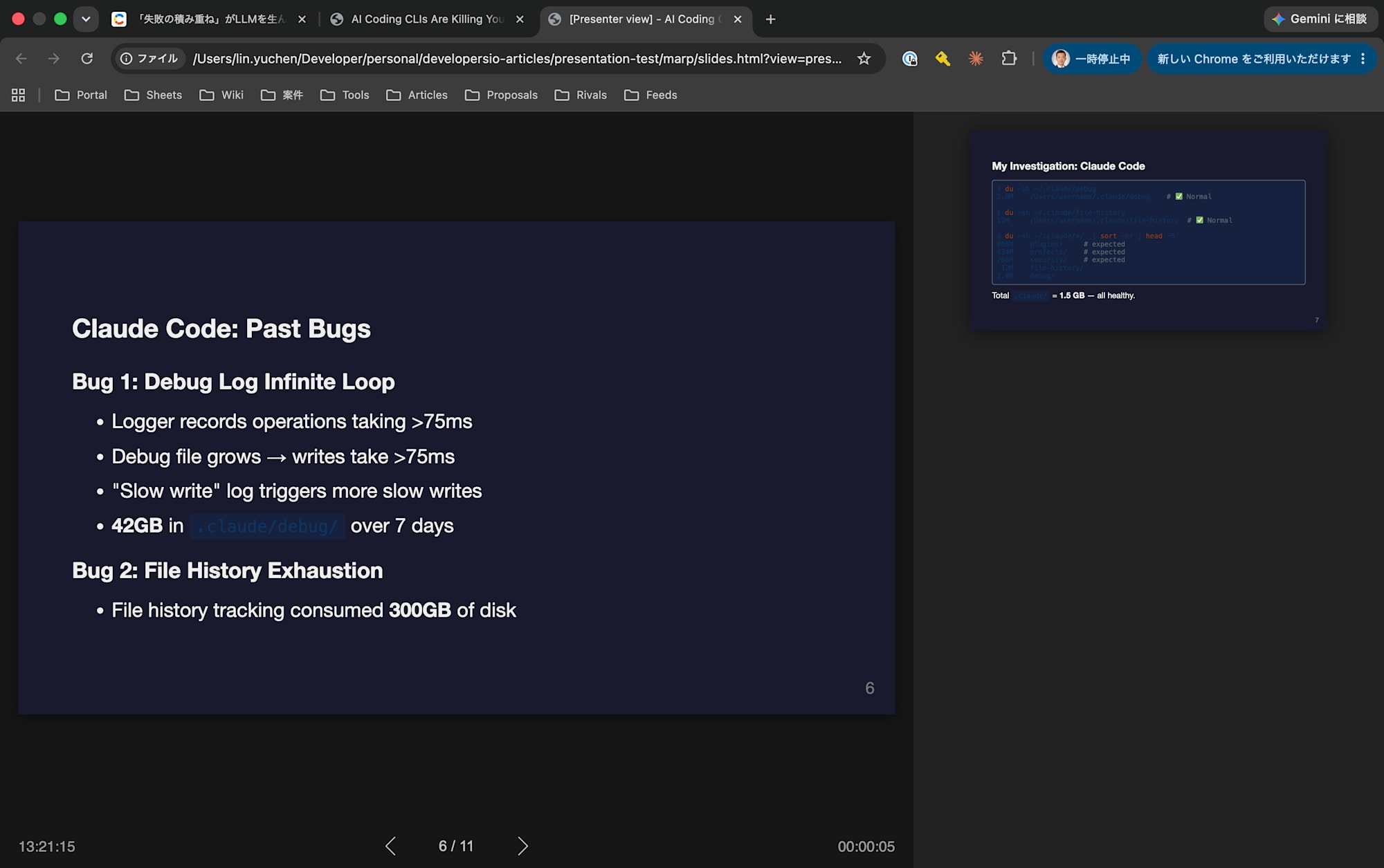
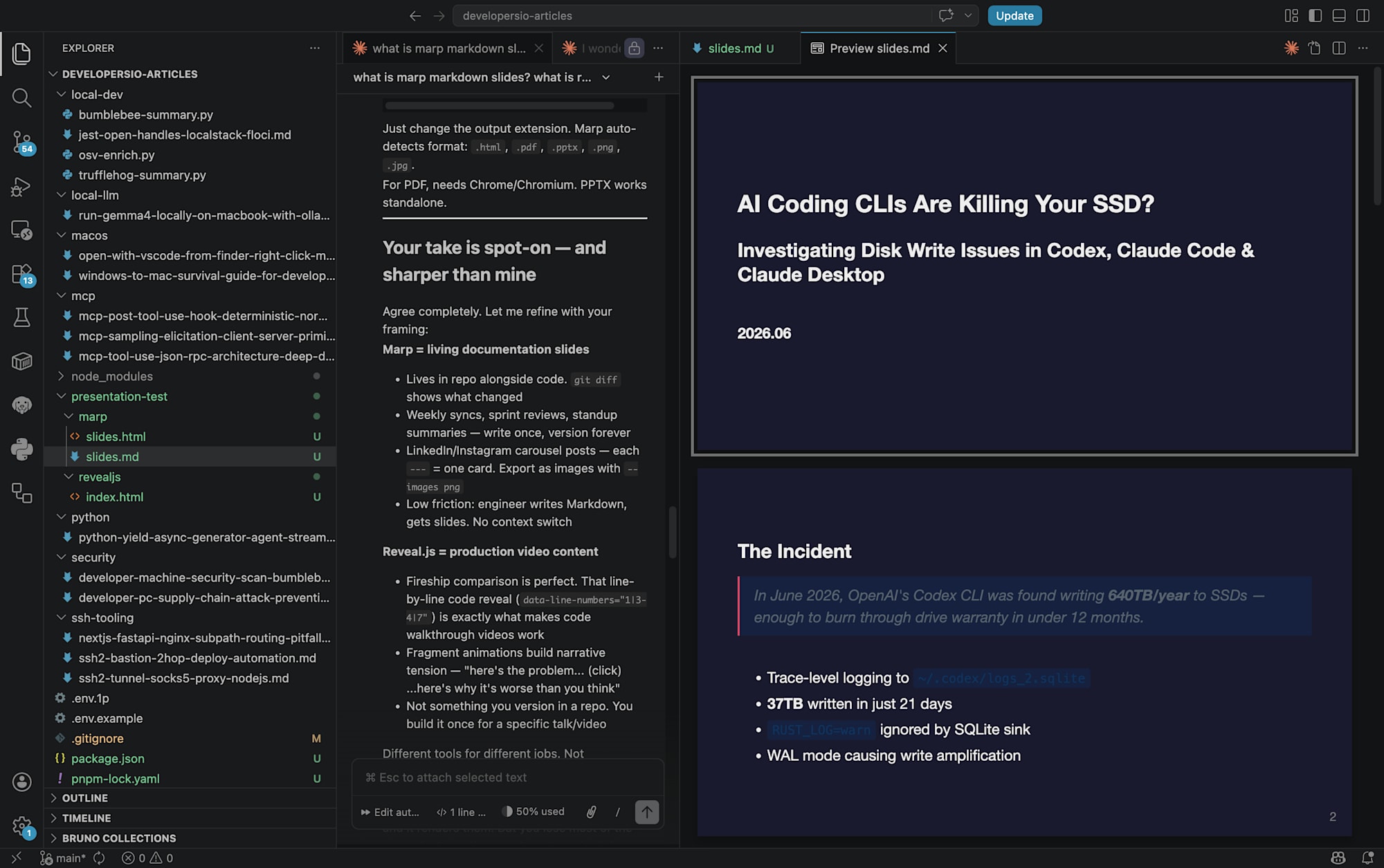
- There are three modes: Full Screen, Overview, and Presenter

Full Screen Mode

Overview Mode
Presenter Mode
- Click Open Preview
What is Reveal.js?
Reveal.js is a presentation framework based on HTML/CSS/JavaScript. It is also used as the underlying technology for slides.com.
Key features:
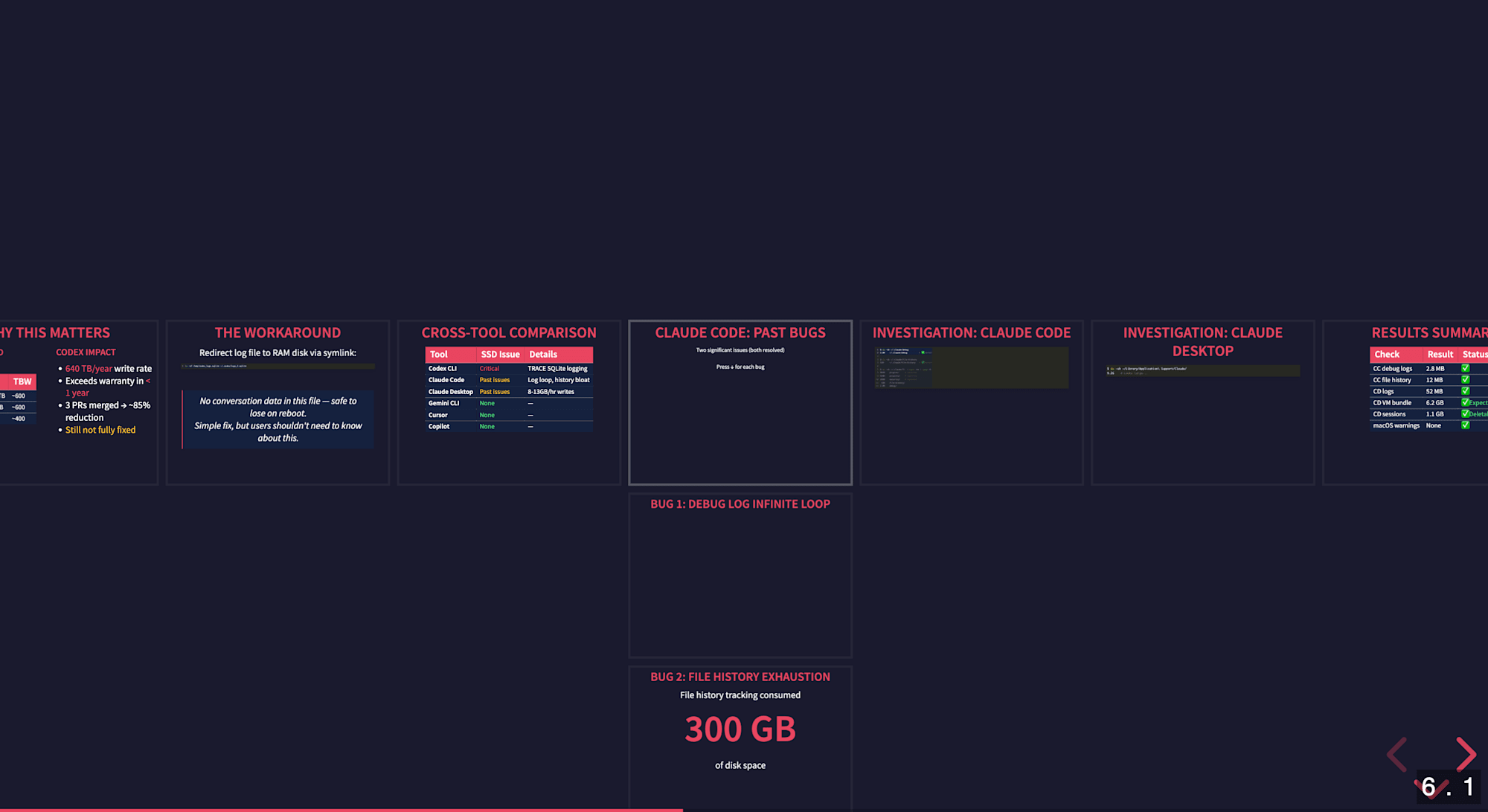
- Fragment animations (displaying elements one at a time)
- Vertical slides (drill-down structure)
- Smooth transitions via
data-auto-animate - Code line highlighting via
data-line-numbers - Plugin ecosystem (math, notes, search, etc.)

Overview Mode
Setup
Marp
Install the CLI as follows:
# Install CLI
pnpm add -D @marp-team/marp-cli

# Build slides
pnpm dlx @marp-team/marp-cli slides.md -o slides.html

# PDF output
pnpm dlx @marp-team/marp-cli slides.md -o slides.pdf

# PPTX output
pnpm dlx @marp-team/marp-cli slides.md -o slides.pptx

# Image output (for LinkedIn/Instagram carousels)
pnpm dlx @marp-team/marp-cli slides.md --images png
The output format is automatically determined by the file extension. PDF output requires Chrome/Chromium, but HTML/PPTX works as-is.
Reveal.js
<!doctype html>
<html>
<head>
  <link rel="stylesheet" href="https://cdn.jsdelivr.net/npm/reveal.js@5.1.0/dist/reveal.css">
  <link rel="stylesheet" href="https://cdn.jsdelivr.net/npm/reveal.js@5.1.0/dist/theme/black.css">
  <link rel="stylesheet" href="https://cdn.jsdelivr.net/npm/reveal.js@5.1.0/plugin/highlight/monokai.css">
</head>
<body>
  <div class="reveal">
    <div class="slides">
      <section>Slide 1</section>
      <section>Slide 2</section>
    </div>
  </div>
  <script src="https://cdn.jsdelivr.net/npm/reveal.js@5.1.0/dist/reveal.js"></script>
  <script src="https://cdn.jsdelivr.net/npm/reveal.js@5.1.0/plugin/highlight/highlight.js"></script>
  <script>
    Reveal.initialize({
      hash: true,
      plugins: [RevealHighlight]
    });
  </script>
</body>
</html>
Via CDN, no installation is required and everything is contained in a single HTML file. For local installation, use pnpm add reveal.js.
Creating the Same Content in Both Tools
As test content, I turned a previously written article about "SSD write issues with AI coding CLI tools" into a presentation. It contains code blocks, tables, data comparisons, and a narrative flow — making it a good subject for revealing the strengths and weaknesses of both tools.
The demo created for this article is published in the following repository:
Marp Source Code (Excerpt)
---
marp: true
theme: default
paginate: true
backgroundColor: #1a1a2e
color: #eee
style: |
  h1, h2, h3 { color: #e94560; }
  th { background: #e94560; color: white; }
  .columns { display: flex; gap: 2em; }
  .columns > div { flex: 1; }
---

<!-- _class: lead -->

# AI Coding CLIs Are Killing Your SSD?

---

## The Incident

> OpenAI's Codex CLI was found writing **640TB/year** to SSDs

- Trace-level logging to `~/.codex/logs_2.sqlite`
- **37TB** written in just 21 days

---

## Why This Matters

<div class="columns">
<div>

### Consumer SSD Lifespan

| SSD | TBW Rating |
|-----|-----------|
| Samsung 990 PRO 1TB | ~600 TBW |

</div>
<div>

### Codex Impact

- **640 TB/year** write rate
- Exceeds warranty in **< 1 year**

</div>
</div>
Key points:
- Customize CSS with the
style:block in front matter - Apply title slide layout with
<!-- _class: lead --> - Achieve two-column layout with
<div class="columns">(embedding HTML within Markdown) - Tables, quotes, and code blocks all use standard Markdown
Reveal.js Source Code (Excerpt)
<!-- Fragment animation: elements are displayed one at a time -->
<section data-auto-animate>
  <h2>Cross-Tool Comparison</h2>
  <table>
    <thead><tr><th>Tool</th><th>SSD Issue</th></tr></thead>
    <tbody>
      <tr class="fragment"><td>Codex CLI</td><td><span class="status-bad">Critical</span></td></tr>
      <tr class="fragment"><td>Claude Code</td><td><span class="status-warn">Past issues</span></td></tr>
      <tr class="fragment"><td>Gemini CLI</td><td><span class="status-ok">None</span></td></tr>
    </tbody>
  </table>
</section>

<!-- Vertical slides: drill down with the ↓ key -->
<section>
  <section>
    <h2>Claude Code: Past Bugs</h2>
    <p><small>Press ↓ for each bug</small></p>
  </section>
  <section>
    <h3>Bug 1: Debug Log Infinite Loop</h3>
    <p class="fragment">Logger records ops taking >75ms</p>
    <p class="fragment">→ Debug file grows large</p>
    <p class="fragment">→ <span class="status-bad">42GB in 7 days</span></p>
  </section>
</section>

<!-- Code line highlighting: focus area switches with each click -->
<section>
  <pre><code class="language-bash" data-line-numbers="1-2|4-5|7-12">
$ du -sh ~/.claude/debug
2.8M    ~/.claude/debug          # Normal

$ du -sh ~/.claude/file-history
12M     ~/.claude/file-history   # Normal

$ du -sh ~/.claude/*/  | sort -hr | head -5
866M    plugins/
434M    projects/
266M    security/
 12M    file-history/
2.8M    debug/
  </code></pre>
</section>
Key points:
class="fragment"animates elements to appear one at a time- Nesting
<section>elements creates vertical slides (drill-down) data-line-numbers="1-2|4-5|7-12"highlights code lines step by stepdata-auto-animateenables smooth transitions between slidesdata-background-gradientchanges the background per slide
Comparison Results
Source Readability
Marp's source is Markdown that can be read as-is. You can understand the content whether you preview it on GitHub or open it in VS Code.
# Marp source: 244 lines of Markdown
$ wc -l slides.md
244

# Reveal.js source: 287 lines of HTML
$ wc -l index.html
287
The line counts alone don't show much difference, but Reveal.js has many HTML tags like <section>, <div>, and <span>, making Marp's information density overwhelmingly higher. Marp's source also functions as a document on its own, whereas Reveal.js's source requires an HTML parser.
Animations & Transitions
This is the biggest difference.
Marp has no in-slide animation features. Slides simply switch at ---. Reveal.js offers:
- Fragments: Display table rows one at a time, gradually reveal conclusions
- Vertical slides: Keep the main flow while showing details via drill-down
- Code line highlighting: Switch focus areas per click with
data-line-numbers="1-2|4-5" - auto-animate: Elements move smoothly between slides
For technical videos (code explanations in the Fireship style) and conference talks, this difference is decisive.
Export
| Output Format | Marp | Reveal.js |
|---|---|---|
| HTML | Built-in | Built-in |
| Built-in (requires Chrome) | Requires separate tools (e.g., decktape) | |
| PPTX | Built-in | Not supported |
| PNG/JPG images | Built-in (--images) |
Not supported |
Marp's PPTX output is handy when you need to hand files to stakeholders who use PowerPoint. --images png can be used directly for social media carousel posts.
CI/CD Compatibility
Marp naturally supports a md → html/pdf/pptx CLI pipeline:
# Auto-build slides with GitHub Actions
pnpm dlx @marp-team/marp-cli slides.md -o dist/slides.html
Reveal.js is static HTML so no build step is needed, but automating PDF export requires a headless browser.
Themes and Styling
Marp allows scoped CSS via the style: block in front matter. While there are constraints, basic customizations such as colors, fonts, table styles, and backgrounds are fully achievable.
Reveal.js supports full CSS/JS, so there is no ceiling. Themes can be easily adjusted with CSS variables (such as --r-heading-color), and complex layouts are completely flexible.
Use Cases: Choosing the Right Tool
When Marp is a Good Fit
- Weekly meetings / sprint reviews: Quickly create in Markdown, manage with Git, track diffs
- Turning internal documents into slides: Just add
---to existing Markdown documents to make slides - LinkedIn / Instagram carousel posts: Output each slide as an image with
--images png - Automated builds in CI/CD: Naturally integrates into CLI pipelines
- Team collaboration: Markdown is easy to review, and merge conflicts are easier to resolve

When Reveal.js is a Good Fit
- Conference talks: Control audience attention with fragment animations and vertical slides
- Recording technical videos: Step-by-step code line highlighting is perfect for Fireship-style explanations
- Interactive demos: Dynamic content can be embedded via JS plugins
- When elaborate visual effects are needed: Background gradients, custom animations

Summary
| Aspect | Marp | Reveal.js |
|---|---|---|
| Creation speed | Fast | Moderate |
| Source readability | Excellent (Markdown) | Low (HTML) |
| Animations | None | Rich |
| Code highlight control | Basic | Step-by-step line execution |
| Export | HTML/PDF/PPTX/Images | HTML (others require separate tools) |
| Git management compatibility | Excellent | Possible but diffs are hard to read |
| Visual flexibility | Moderate | Unlimited |
In conclusion, these two tools are not competitors — they serve different purposes.
- Marp = Everyday slides: Presentations as an extension of documentation. Write it, version-control it, and convert to PPTX or PNG as needed.
- Reveal.js = High-stakes presentations: Craft the audience experience with animations and interactions.
Personally, I felt that Marp can comfortably cover about 80% of day-to-day work. Its greatest advantage is being bundleable alongside code as a Markdown file in the codebase, allowing presentations to be treated as "artifacts managed under version control together with code." Reveal.js is best reserved for conference talks and technical videos where production value directly impacts outcomes.