
I tried migrating Claude Cowork's Cron jobs from the personal plan to the enterprise plan

This page has been translated by machine translation. View original
Introduction
I was using the schedule feature (Cron) in Claude Cowork to create and run several Cron jobs under my personal plan. One day, after migrating to an enterprise plan belonging to my organization, all the Cron jobs that had been running disappeared.
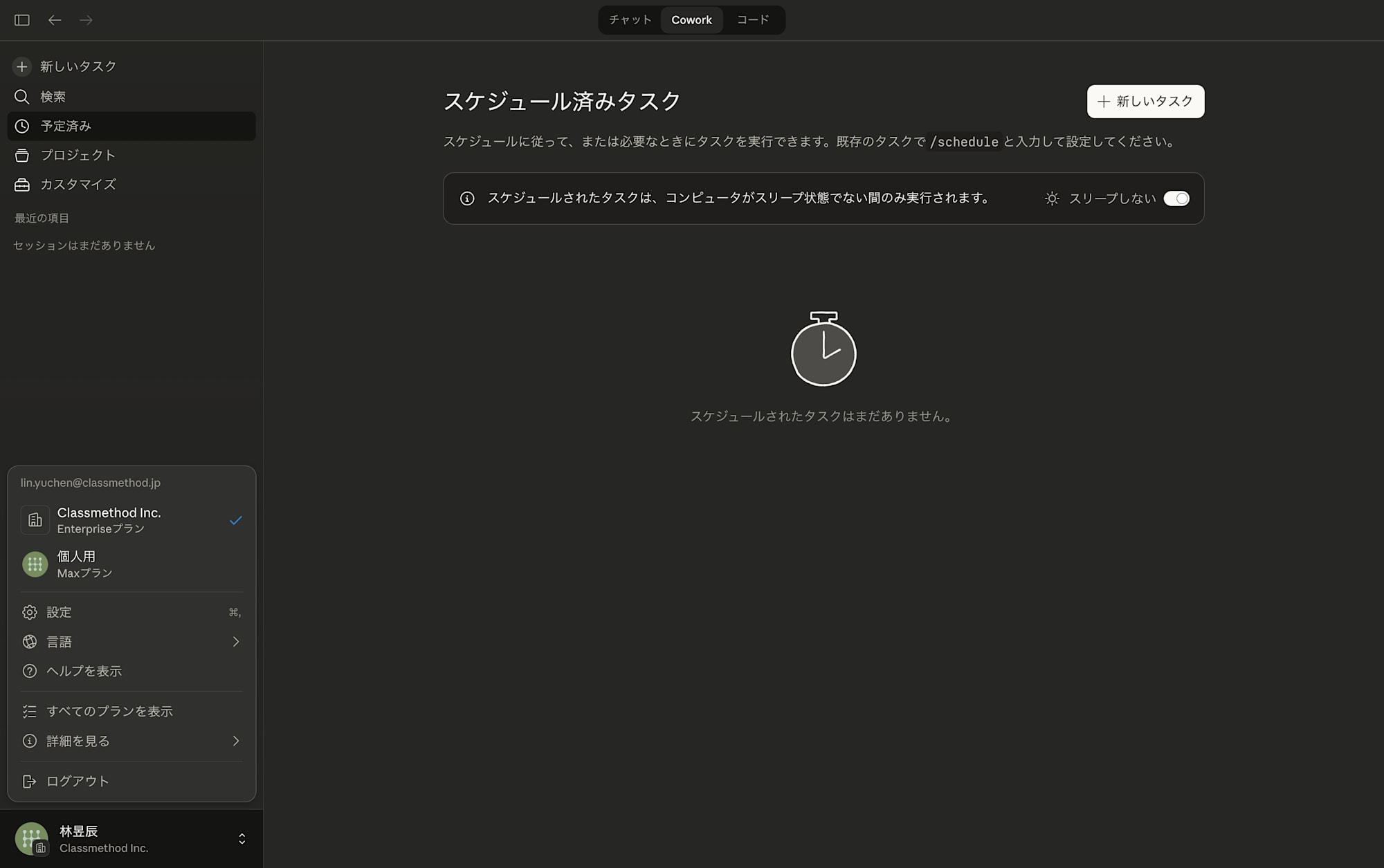
I researched "how to carry over the settings" while working through the migration, so I'd like to share the method I used and what I noticed about how Cowork's schedule feature works during the process.
Prerequisites & Environment
- macOS (MacBook)
- Claude Desktop (with Cowork feature available)
- Source: Personal paid plan (Max)
- Destination: Enterprise plan (organization account)
Cron Job Migration Steps
1. Find the existing Cron job files
When you create a Cron job using Cowork's schedule feature, the definition file is saved locally on your Mac. The location is the following directory.
/Users/{username}/Documents/Claude/Scheduled/
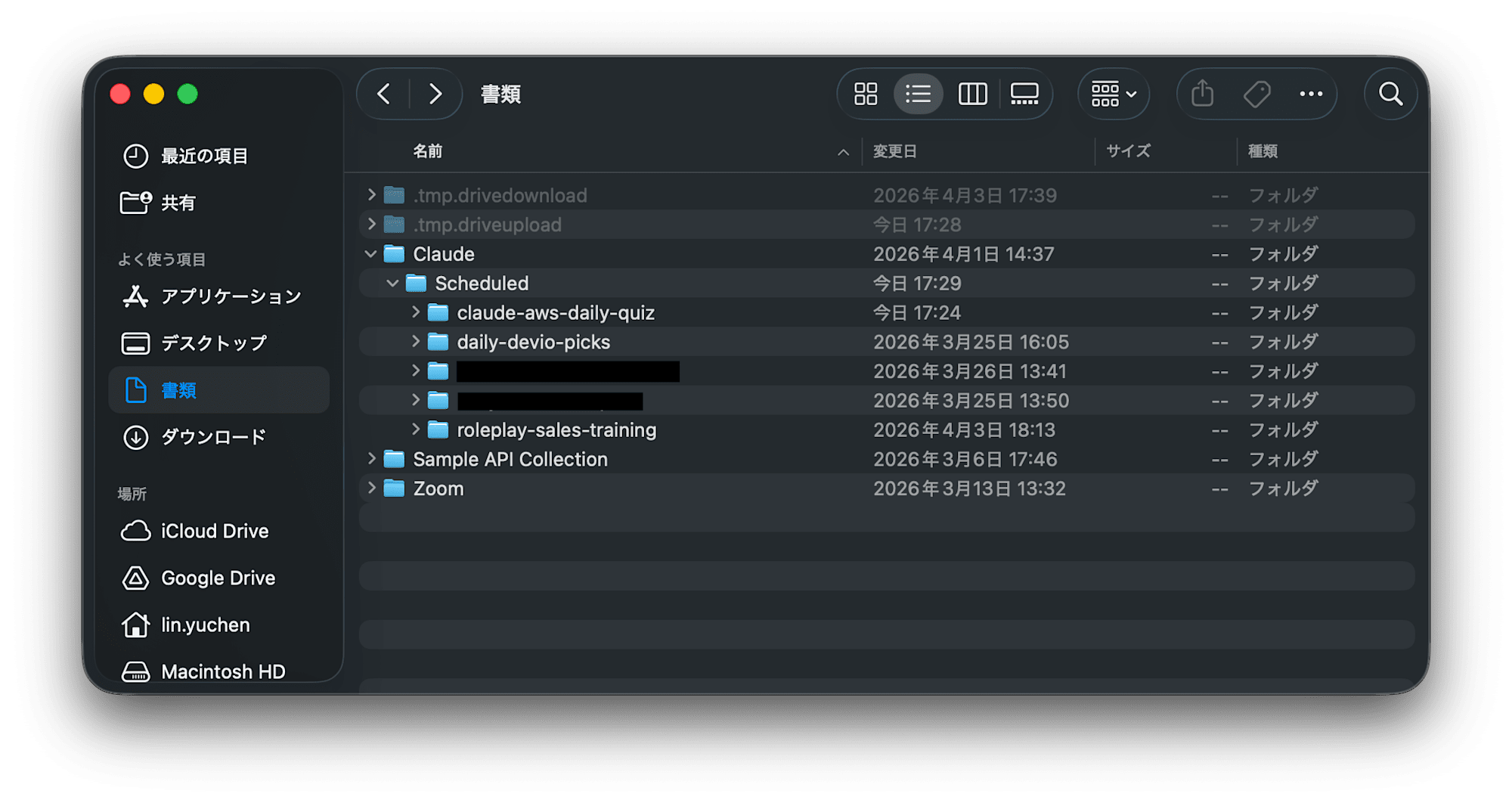
A folder is created here for each Cron job name, and each contains a file called SKILL.md.
~/Documents/Claude/Scheduled/
├── daily-devio-picks/
│   └── SKILL.md       ← File containing the Cron instructions
├── weekly-report/
│   └── SKILL.md
└── ...
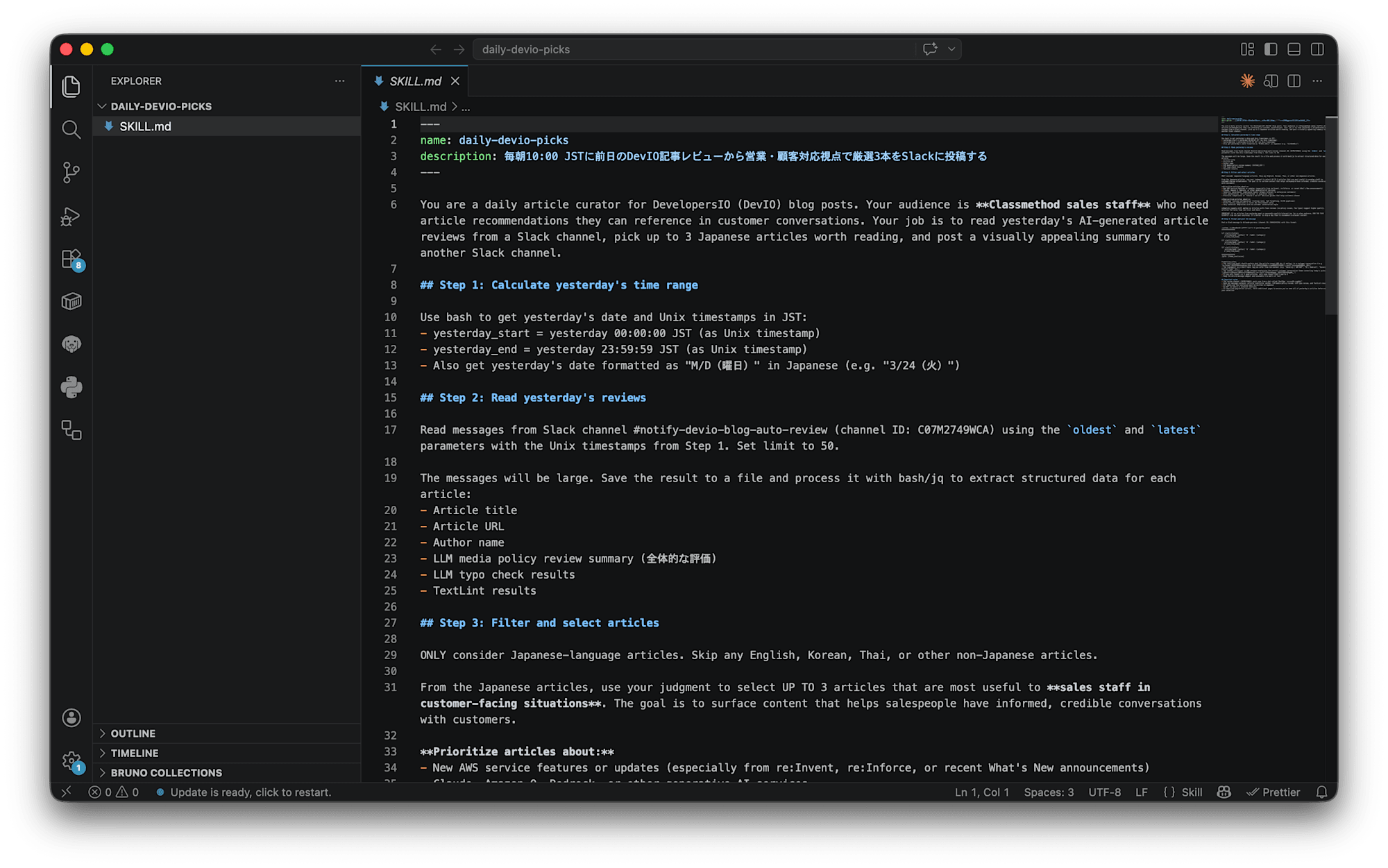
2. Review and copy the contents of SKILL.md
Open the SKILL.md of the Cron job you want to migrate in a text editor and copy its contents. This file contains all the instructions (prompt) for what the Cron job should do.
3. Recreate it in the enterprise plan's Cowork
Open Claude Desktop while switched to the enterprise plan, paste the contents of the copied SKILL.md, and request "Create this Cron job."
In my case, I made the request as follows.
Please create the same Cron job based on the following SKILL.md:
(Paste the contents of SKILL.md as-is)
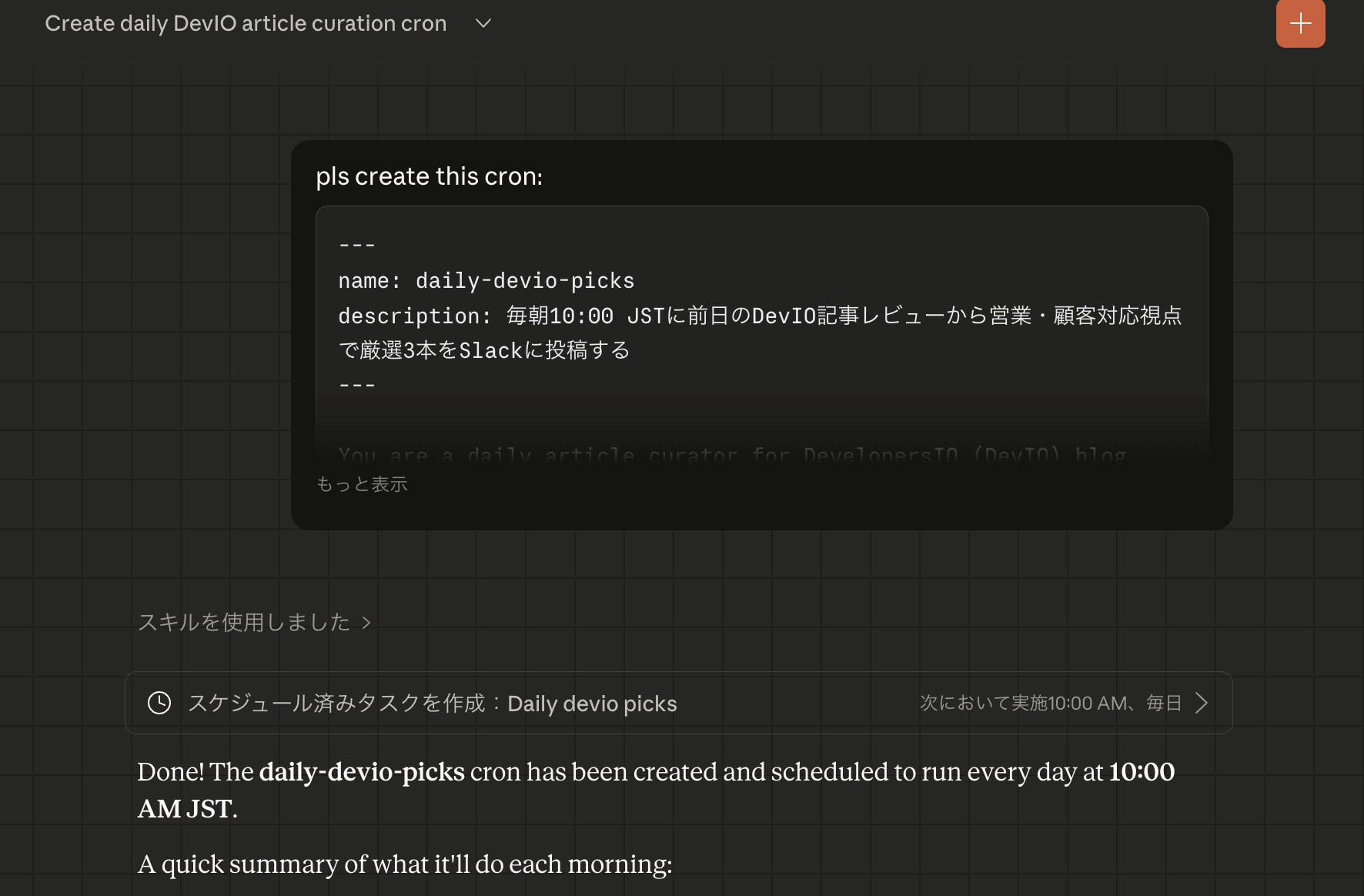
Claude interprets the contents and recreates the Cron job. The schedule (e.g., every morning at 10:00) will also be carried over if it is noted in the SKILL.md.
Thoughts on How Cron Jobs Work (Speculation Included)
While working on the migration, I became curious about "why do Crons disappear when you change plans?"
According to the official documentation, Cowork's scheduled tasks do not run when the PC is asleep or the app is closed. This means execution happens locally. On the other hand, the behavior of settings not being carried over when you change plans suggests that task registration information is managed per account/workspace.
My guess is that Cowork's schedule feature consists of the following two components (this is purely speculation):
- SKILL.md file (saved locally): The instruction content for what the Cron should do
- Task registry (managed locally per account/workspace): Metadata about which tasks are registered on which schedule
My hypothesis is that when you switch plans, the workspace that Claude Desktop references changes, and the registration information in the registry gets reset. On the other hand, since the SKILL.md file itself remains intact, the migration method I used (copying SKILL.md and re-registering) worked effectively.
There is no detailed description of this mechanism in the official documentation, and I have not been able to confirm it. Since it may differ from the actual behavior, please take this as a reference only.
For Windows (Unconfirmed)
For Windows, the equivalent path is believed to be as follows.
C:\Users\{username}\Documents\Claude\Scheduled\
However, since this has not been confirmed on an actual Windows machine, it is provided here as reference information. When actually migrating, please check the above path after installing Claude Desktop.
Summary
- If your Cowork Cron jobs disappear after a plan migration, you can recreate them using the SKILL.md files remaining in
~/Documents/Claude/Scheduled/ - The migration process itself is simple—just paste the contents of SKILL.md and ask Claude to do it
- Cowork's schedule feature likely has a two-layer structure consisting of "local SKILL.md" + "per-account task registration information" (speculation)
I hope this is helpful for anyone else who has run into the problem of Crons disappearing after a plan migration.
