Trying out Single Sign-On by integrating Multi-Region IAM Identity Center with Okta

This page has been translated by machine translation. View original
Introduction
Hello everyone, this is Akaike.
Recently, IAM Identity Center now supports multi-region configuration.
This allows you to continue accessing AWS accounts through additional regions even if the primary region experiences an outage.
So in this article, I've set up multi-region IAM Identity Center with Okta integration for single sign-on.
Prerequisites
This article assumes you have completed the following:
- Basic integration setup between Okta and IAM Identity Center
- Adding the AWS IAM Identity Center app to Okta
- SAML configuration (ACS URL, Issuer URL)
- Automatic user/group provisioning via SCIM
- Reference: Steps for setting up single sign-on between Okta and AWS IAM Identity Center
- IAM Identity Center multi-region enablement is completed
- Creation of multi-region KMS keys
- Creation of replica keys
- Adding regions to IAM Identity Center
- Reference: [Update] AWS IAM Identity Center now supports multi-region
Note: About the KMS Key Policy for Multi-Region KMS Keys
The key policy configuration for multi-region KMS keys was a bit complex, so I'll provide additional information.
If you've already configured this, feel free to skip this section.
Minimum Required Key Policy
The minimum key policy needed for multi-region IAM Identity Center appears to be as follows:
Key Policy
| Statement | Purpose |
|---|---|
| EnableIAMUserPermissions | Key policy management permissions |
| AllowIAMIdentityCenterAdminToUseTheKMSKeyViaIdentityCenter | For IAM Identity Center administrators (encryption operations) |
| AllowIAMIdentityCenterAdminToUseTheKMSKeyViaIdentityStore | For Identity Store administrators (encryption operations) |
| AllowIAMIdentityCenterAdminToDescribeTheKMSKey | For IAM Identity Center administrators (DescribeKey) |
| AllowIAMIdentityCenterToUseTheKMSKey | For IAM Identity Center service (encryption operations) |
| AllowIdentityStoreToUseTheKMSKey | For Identity Store service (encryption operations) |
| AllowIAMIdentityCenterAndIdentityStoreToDescribeKMSKey | For services (DescribeKey) |
{
  "Version": "2012-10-17",
  "Statement": [
    {
      "Sid": "EnableIAMUserPermissions",
      "Effect": "Allow",
      "Principal": {
        "AWS": "arn:aws:iam::<Management Account ID>:root"
      },
      "Action": "kms:*",
      "Resource": "*"
    },
    {
      "Sid": "AllowIAMIdentityCenterAdminToUseTheKMSKeyViaIdentityCenter",
      "Effect": "Allow",
      "Principal": {
        "AWS": "arn:aws:iam::<Management Account ID>:root"
      },
      "Action": [
        "kms:Decrypt",
        "kms:Encrypt",
        "kms:GenerateDataKeyWithoutPlaintext"
      ],
      "Resource": "*",
      "Condition": {
        "ArnLike": {
          "aws:PrincipalArn": "arn:aws:iam::<Management Account ID>:role/aws-reserved/sso.amazonaws.com/*/AWSReservedSSO_*"
        },
        "StringLike": {
          "kms:EncryptionContext:aws:sso:instance-arn": "*",
          "kms:ViaService": "sso.*.amazonaws.com"
        }
      }
    },
    {
      "Sid": "AllowIAMIdentityCenterAdminToUseTheKMSKeyViaIdentityStore",
      "Effect": "Allow",
      "Principal": {
        "AWS": "arn:aws:iam::<Management Account ID>:root"
      },
      "Action": [
        "kms:Decrypt",
        "kms:Encrypt",
        "kms:GenerateDataKeyWithoutPlaintext"
      ],
      "Resource": "*",
      "Condition": {
        "ArnLike": {
          "aws:PrincipalArn": "arn:aws:iam::<Management Account ID>:role/aws-reserved/sso.amazonaws.com/*/AWSReservedSSO_*"
        },
        "StringLike": {
          "kms:EncryptionContext:aws:identitystore:identitystore-arn": "*",
          "kms:ViaService": "identitystore.*.amazonaws.com"
        }
      }
    },
    {
      "Sid": "AllowIAMIdentityCenterAdminToDescribeTheKMSKey",
      "Effect": "Allow",
      "Principal": {
        "AWS": "arn:aws:iam::<Management Account ID>:root"
      },
      "Action": "kms:DescribeKey",
      "Resource": "*",
      "Condition": {
        "ArnLike": {
          "aws:PrincipalArn": "arn:aws:iam::<Management Account ID>:role/aws-reserved/sso.amazonaws.com/*/AWSReservedSSO_*"
        }
      }
    },
    {
      "Sid": "AllowIAMIdentityCenterToUseTheKMSKey",
      "Effect": "Allow",
      "Principal": {
        "Service": "sso.amazonaws.com"
      },
      "Action": [
        "kms:Decrypt",
        "kms:ReEncryptTo",
        "kms:ReEncryptFrom",
        "kms:GenerateDataKeyWithoutPlaintext"
      ],
      "Resource": "*",
      "Condition": {
        "StringLike": {
          "kms:EncryptionContext:aws:sso:instance-arn": "*"
        },
        "StringEquals": {
          "aws:SourceAccount": "<Management Account ID>"
        }
      }
    },
    {
      "Sid": "AllowIdentityStoreToUseTheKMSKey",
      "Effect": "Allow",
      "Principal": {
        "Service": "identitystore.amazonaws.com"
      },
      "Action": [
        "kms:Decrypt",
        "kms:ReEncryptTo",
        "kms:ReEncryptFrom",
        "kms:GenerateDataKeyWithoutPlaintext"
      ],
      "Resource": "*",
      "Condition": {
        "StringLike": {
          "kms:EncryptionContext:aws:identitystore:identitystore-arn": "*"
        },
        "StringEquals": {
          "aws:SourceAccount": "<Management Account ID>"
        }
      }
    },
    {
      "Sid": "AllowIAMIdentityCenterAndIdentityStoreToDescribeKMSKey",
      "Effect": "Allow",
      "Principal": {
        "Service": [
          "identitystore.amazonaws.com",
          "sso.amazonaws.com"
        ]
      },
      "Action": "kms:DescribeKey",
      "Resource": "*"
    }
  ]
}
Note that the above policy states "IAM Identity Center management account is only the AWS Organization management account", but if you have a delegated administrator account, you'll need to include that as well.
Required Tasks
After enabling multi-region for IAM Identity Center, the following configurations are necessary to make SSO function in additional regions.
Basically, I just needed to add the ACS URL to the Okta configuration to enable access.
| Configuration Item | Target | Task |
|---|---|---|
| Get ACS URL | IAM Identity Center | Obtain the SAML endpoint to register in Okta |
| Add ACS URL | Okta | Enable direct sign-in to additional regions |
| Register portal URL (optional) |
Browser | Shortcut to the additional region portal |
In the official documentation, this corresponds to "Step 3: Update external IdP setup".
State Before Configuration
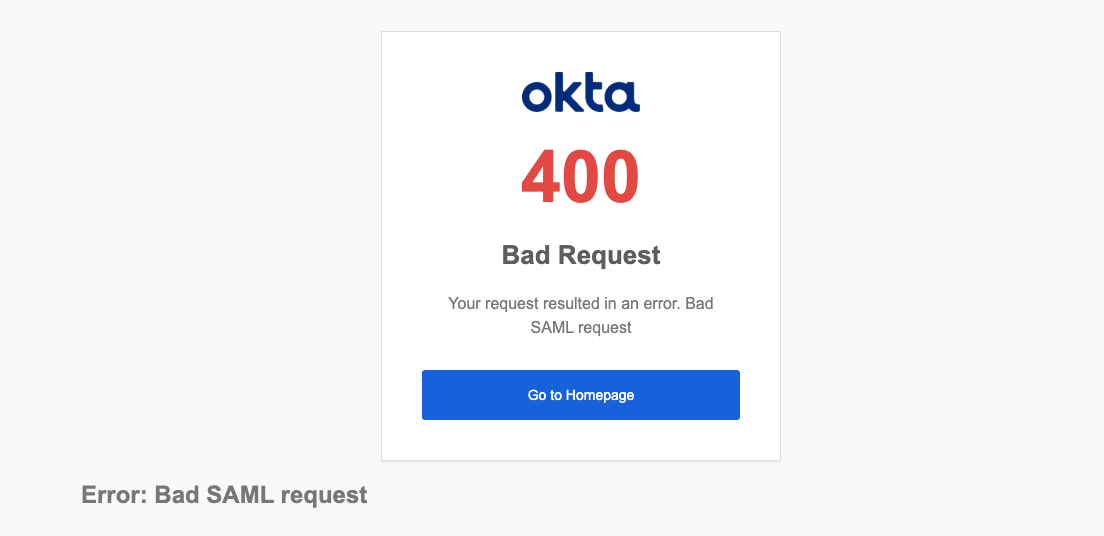
As expected, before configuration, accessing the secondary region's access portal URL results in the following error:
IAM Identity Center Side
Getting the ACS URL
After enabling multi-region, you can check the ACS (Assertion Consumer Service) URL for each region.
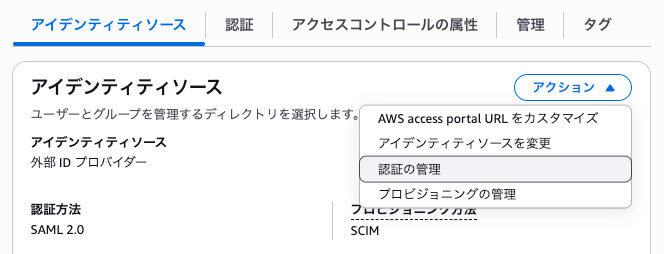
In the IAM Identity Center console, open "Manage authentication" from the actions in the identity source.
Check from "View ACS URLs" in the "Service provider metadata" section.
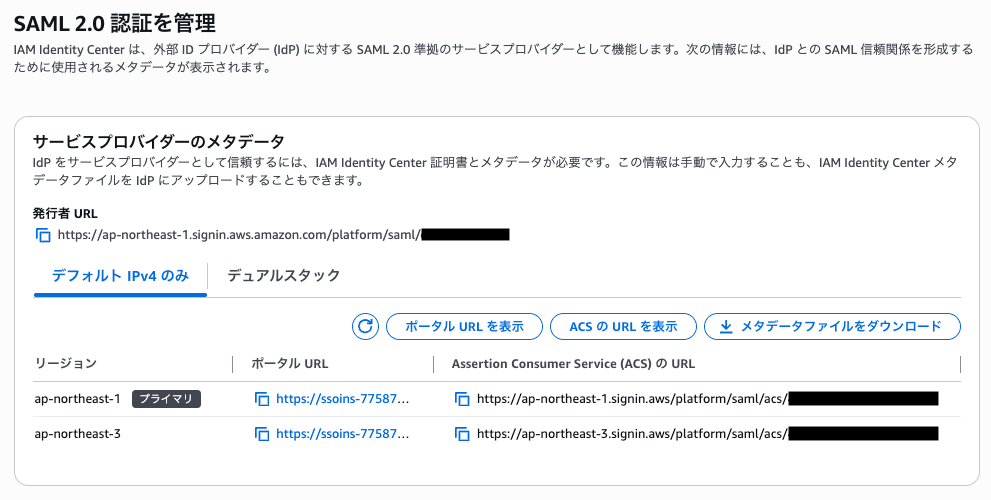
Available ACS URLs have the following formats.
Note that the Alternative IPv4 format is no longer used for new instances after February 2026 and is not recommended.
| Type | Primary Region | Additional Region | URL Format |
|---|---|---|---|
| IPv4 only | ○ | ○ | https://[Region].signin.aws/platform/saml/acs/[Tenant ID] |
| Alternative IPv4 only | ○ | × | https://[Region].signin.aws.amazon.com/platform/saml/acs/[Tenant ID] |
| Dual-stack | ○ | ○ | https://[Region].sso.signin.aws/platform/saml/acs/[Tenant ID] |
Checking the Portal URL
Let's also check the portal URL for additional regions.
You can view it from "Show portal URLs" in the "Service provider metadata" section mentioned earlier.
The portal URL format also differs by region, and in additional regions, only the Alternative IPv4 or Dual-stack portal URL formats are available.
| Type | Primary Region | Additional Region | URL Example |
|---|---|---|---|
| Classic IPv4 | ○ | × | https://d-12345678.awsapps.com/start |
| Custom alias | ○ | × | https://mycompany.awsapps.com/start |
| Alternative IPv4 | ○ | ○ | https://ssoins-111111h2222j33pp.ap-northeast-1.portal.amazonaws.com |
| Dual-stack | ○ | ○ | https://ssoins-111111h2222j33pp.portal.ap-northeast-1.app.aws |
Okta Side
Adding the ACS URL
Register the obtained ACS URL in Okta.
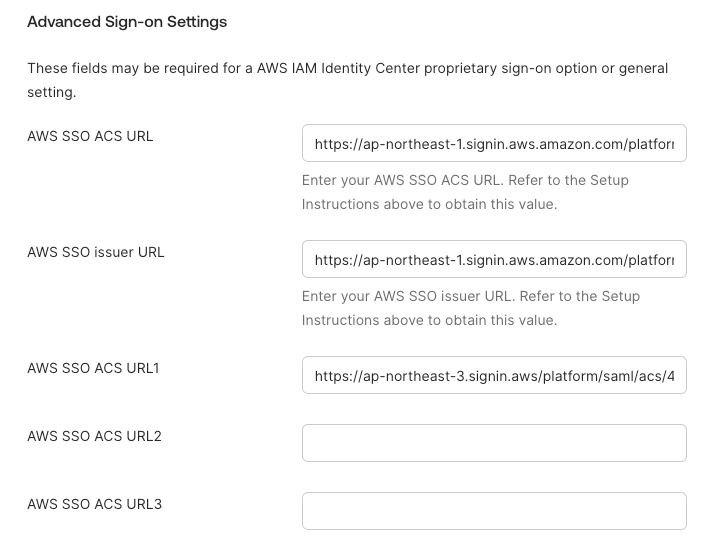
From the Okta admin console, open the AWS IAM Identity Center Okta app and edit "Authentication" > "Sign-on settings" > "Sign-on methods".
The primary region is registered in "AWS SSO ACS URL", so you can register secondary regions in "AWS SSO ACS URL1 ~" and so on.
(I was surprised to find out that you can register up to 17 AWS SSO ACS URLs)
Verification
Let's verify that it works.
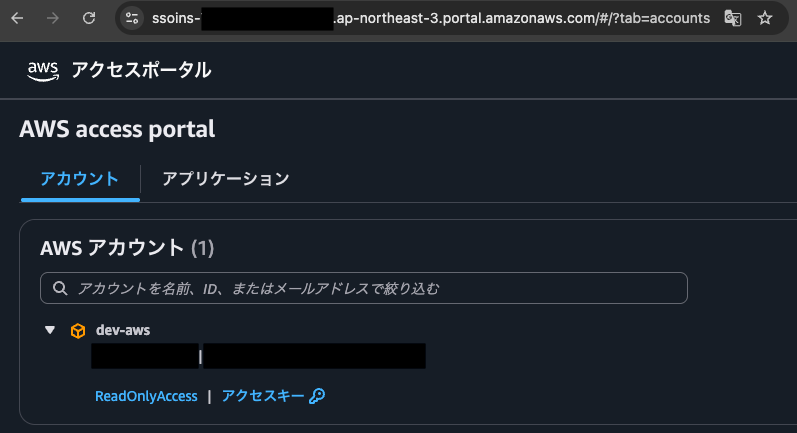
When opening the secondary region (ap-northeast-3) access portal URL, Okta authentication is requested first, and after that's completed, I can successfully access the secondary (ap-northeast-3) access portal.
Success!
For normal access through the user access portal login:
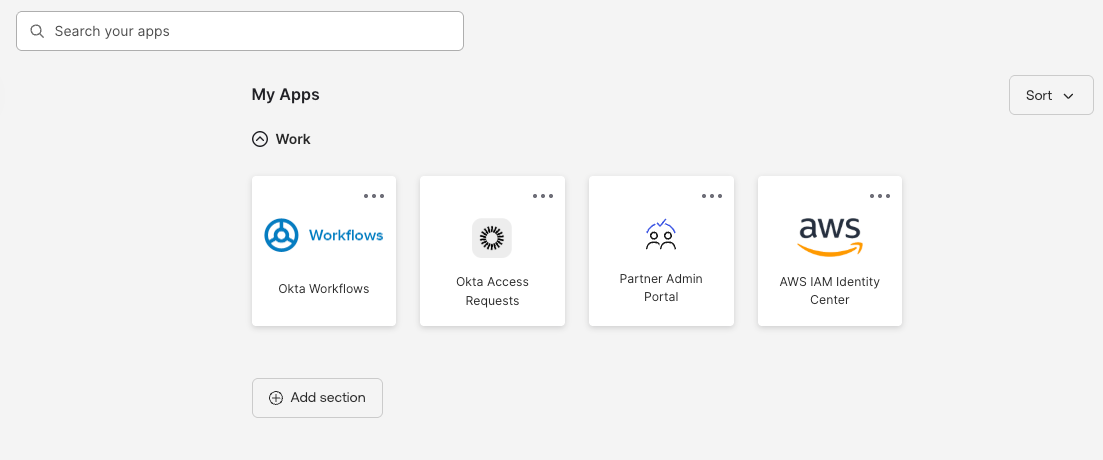
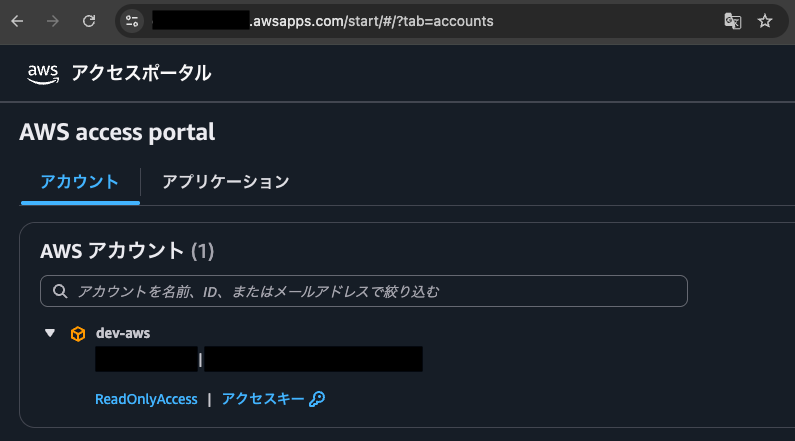
It connects directly to the primary (ap-northeast-1) access portal.
There's no option to choose which region to access.
This relates to how SAML authentication is configured in Okta.
When signing in from Okta to AWS, Okta sends the SAML assertion to the default ACS URL (AWS SSO ACS URL).
Therefore, additional region ACS URLs (AWS SSO ACS URL1 ~) are merely requestable URLs, not defaults.
As a result, users aren't shown region choices and always connect to the primary region portal.
Bookmarking Portal URLs (Optional)
As mentioned earlier, you can't set multiple portal URLs in Okta's AWS IAM Identity Center app.
Therefore, for direct access to additional region portals, it's good to provide users with this information in advance so they can bookmark it.
This allows users to access additional region portals directly.
In actual operations, including this information in user guidelines or documentation would be helpful.
Consideration: IdP-side Outages
While this multi-region configuration improves resilience against IAM Identity Center regional outages, we still need to consider outages on the IdP side (in this case, Okta).
Okta guarantees 99.99% uptime, so the risk of IdP outages could be considered low.
However, if you want to ensure AWS access even during IdP outages, you should separately consider a Break Glass (emergency access) mechanism.
Conclusion
I've summarized the configuration for single sign-on between multi-region AWS IAM Identity Center and Okta.
The work on the Okta side was just adding the ACS URL, so it was surprisingly simple.
As far as I tested, this could be configured without affecting existing single sign-on, which should make implementation easier to coordinate.
I hope this article is helpful to someone.