
Multirow calculations using Tableau Prep Builder

This article was published more than one year ago. Please be aware that the information may be outdated.
Introduction:
Tableau Prep Builder, allows limited multirow calculations. This can be helpful during the data preparation step. The details can be found in this post.
How to Achieve it:
Following calculations are currently possible in Tableau Prep Builder:
Difference from:
Computes the difference between the current row value and another value.
Percent difference from:
Computes the difference between the current row value and another value as a percentage.
Moving calculations:
Returns the sum or average of a numeric field within a flexible set of rows.
Using an example, let us see the steps involved in performing a multirow calculation.
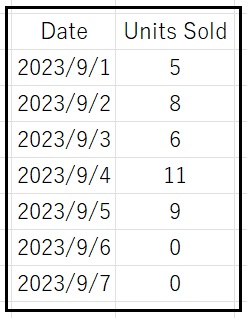
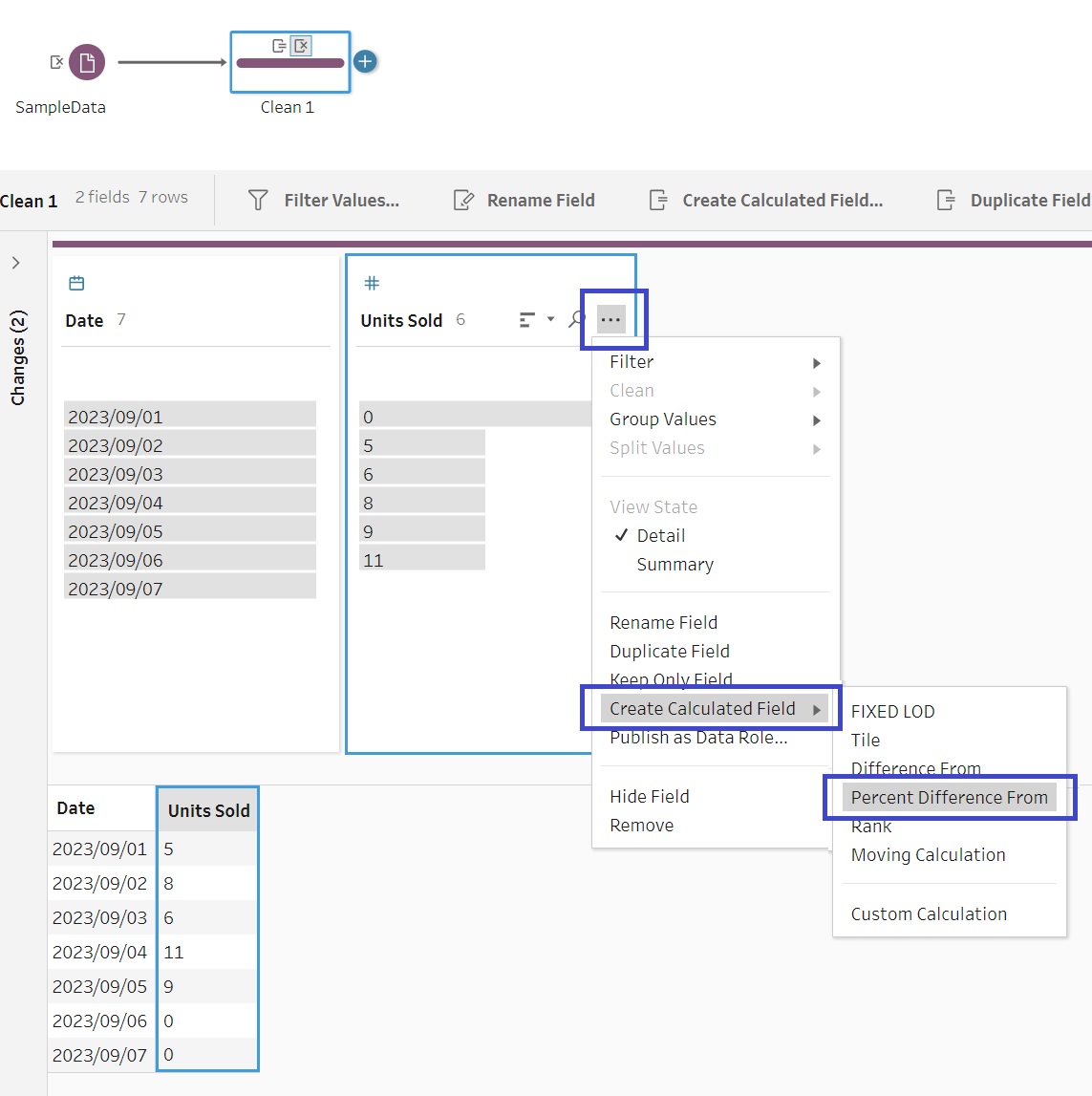
Connect the data to Tableau Prep Builder. Add a “Clean Step” to the flow, and here we can add a new field (eg. Percent difference from previous value) based on multi row level calculation as shown below.
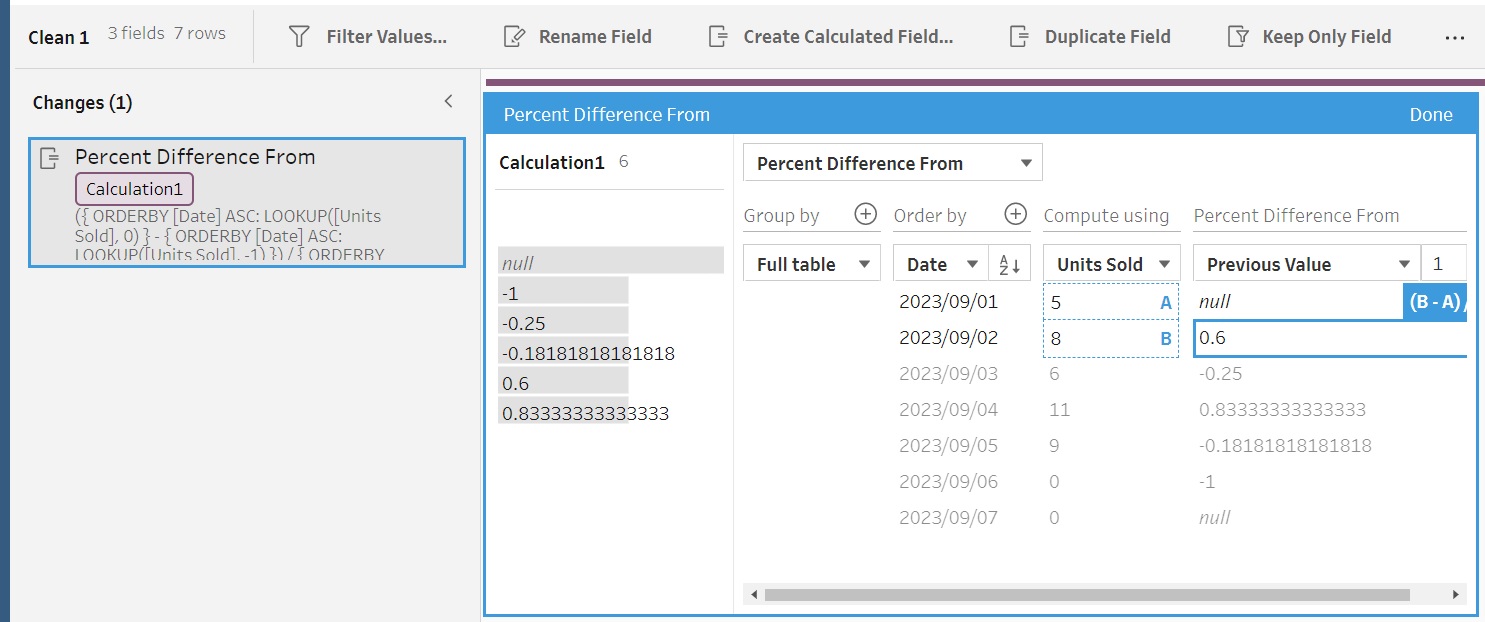
A popup window will appear as shown below, here users can define the nature of the calculation. Finally click “Done” button to save the new calculation and continue data processing.
Summary:
Tableau Prep Builder started supporting multirow calculations, this can be of some help during the data processing step.


