![[iOS] Let's generate original emoji (Gen characters) using on-device LLMs. Explanation of try! Swift Tokyo 2026 talk](https://devio2024-media.developers.io/image/upload/f_auto,q_auto,w_3840/v1776764479/user-gen-eyecatch/wo6wmeqlimkkcaozizxw.png)
[iOS] Let's generate original emoji (Gen characters) using on-device LLMs. Explanation of try! Swift Tokyo 2026 talk

This page has been translated by machine translation. View original
I presented at the largest Swift conference in Japan, try! Swift Tokyo 2026, where developers gather from around the world.
This year, the venue was once again at Tachikawa Stage Garden, and apparently the day before, Morning Musume.'26 had their concert at the same venue. I never thought I'd stand on the same stage as such great idols.
Presentation Content
I presented on the theme How to Live with Genmoji.
It was a presentation about image generation using Apple Intelligence (mainly Genmoji).
Since it was a short LT presentation, I could only give a rough overview.
So in this article, I'll explain some additional details while sharing my presentation slides.
Environment
- Xcode 26.4
- iOS 26.4
Apple Intelligence
Apple Intelligence is Apple's AI built into devices.
Apple Intelligence Compatible Devices
iPhone
| Device | Chip |
|---|---|
| iPhone 15 Pro / 15 Pro Max | A17 Pro |
| iPhone 16 / 16 Plus | A18 |
| iPhone 16e | A18 |
| iPhone 16 Pro / 16 Pro Max | A18 Pro |
| iPhone 17 / 17e | A19 |
| iPhone Air | A19 Pro |
| iPhone 17 Pro / 17 Pro Max | A19 Pro |
iPad
| Device | Chip |
|---|---|
| iPad mini (7th generation) | A17 Pro |
| iPad Air | M1 or later |
| iPad Pro | M1 or later |
Mac / Others
| Device | Chip |
|---|---|
| MacBook Air / Pro | M1 or later |
| iMac / Mac mini | M1 or later |
| Mac Studio | M1 Max or later |
| MacBook Neo | A18 Pro |
| Apple Vision Pro | M2 or later |
What is Genmoji
Genmoji is a feature of Apple Intelligence announced at WWDC24 that allows you to create personalized emoji.
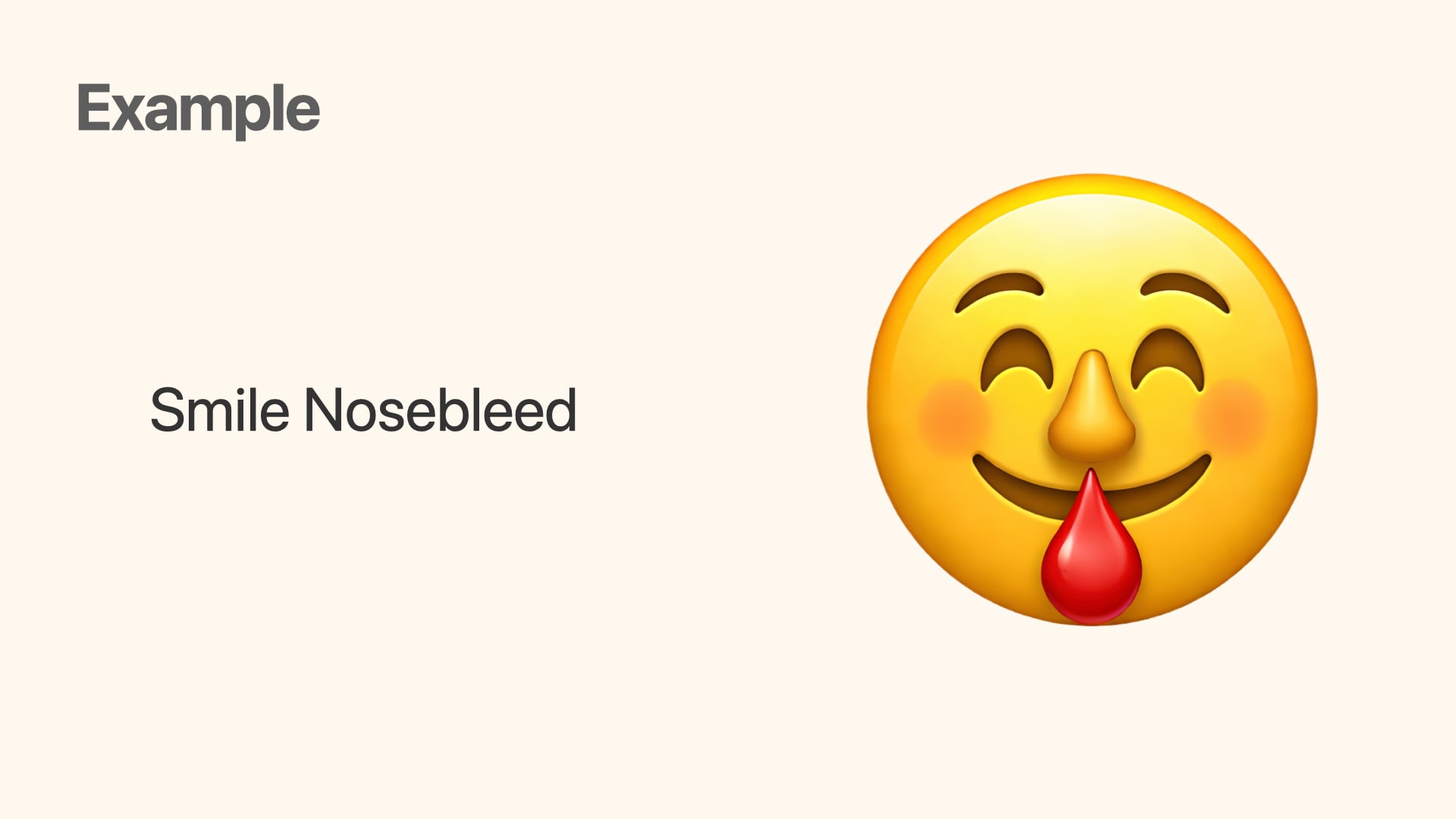
For example, you can create Genmoji like this from the text Smile and Nosebleed.
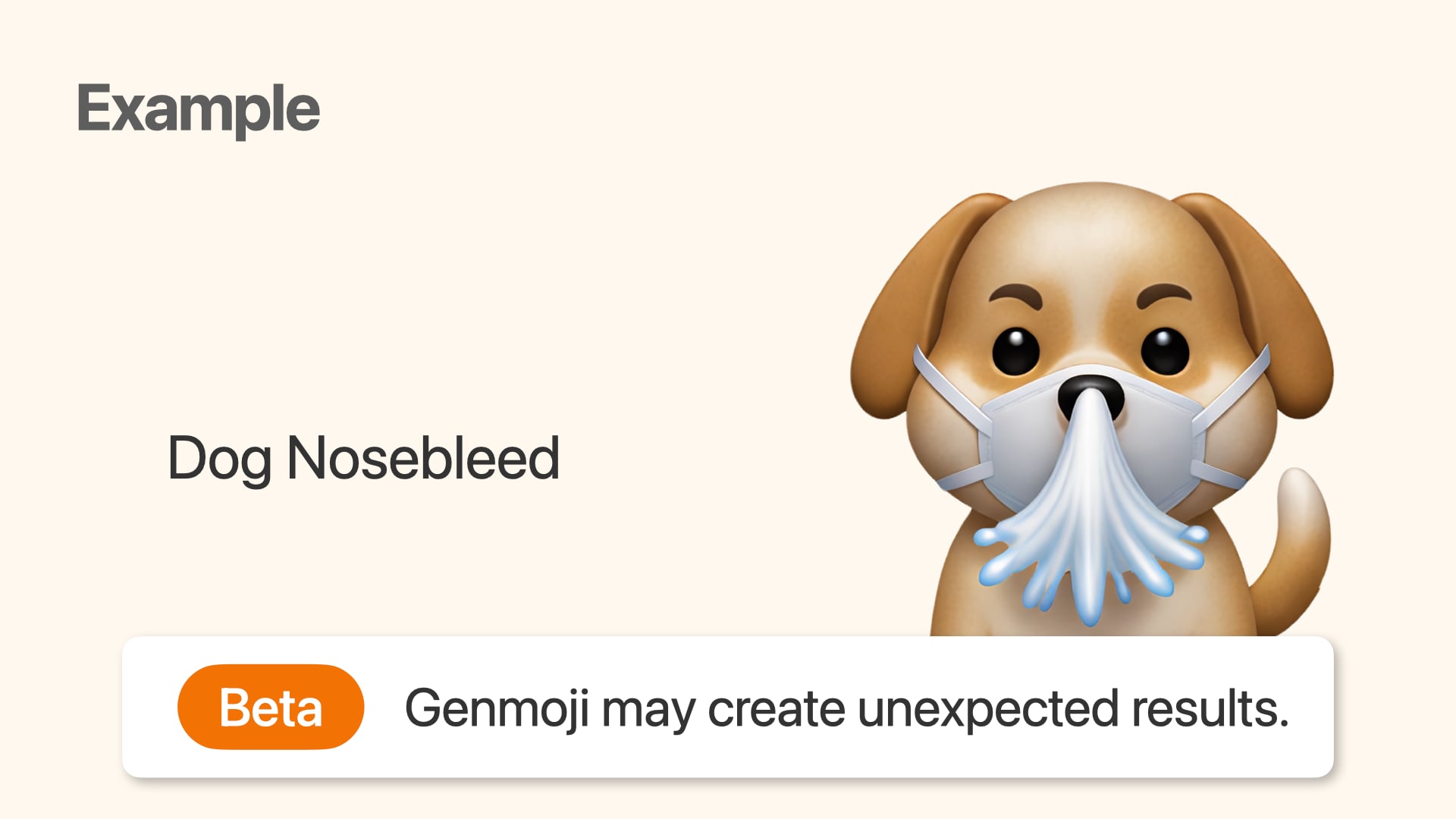
Genmoji is in Beta
Even though it's been 2 years since its introduction, it's still in Beta, so please understand that it may produce unintended results.
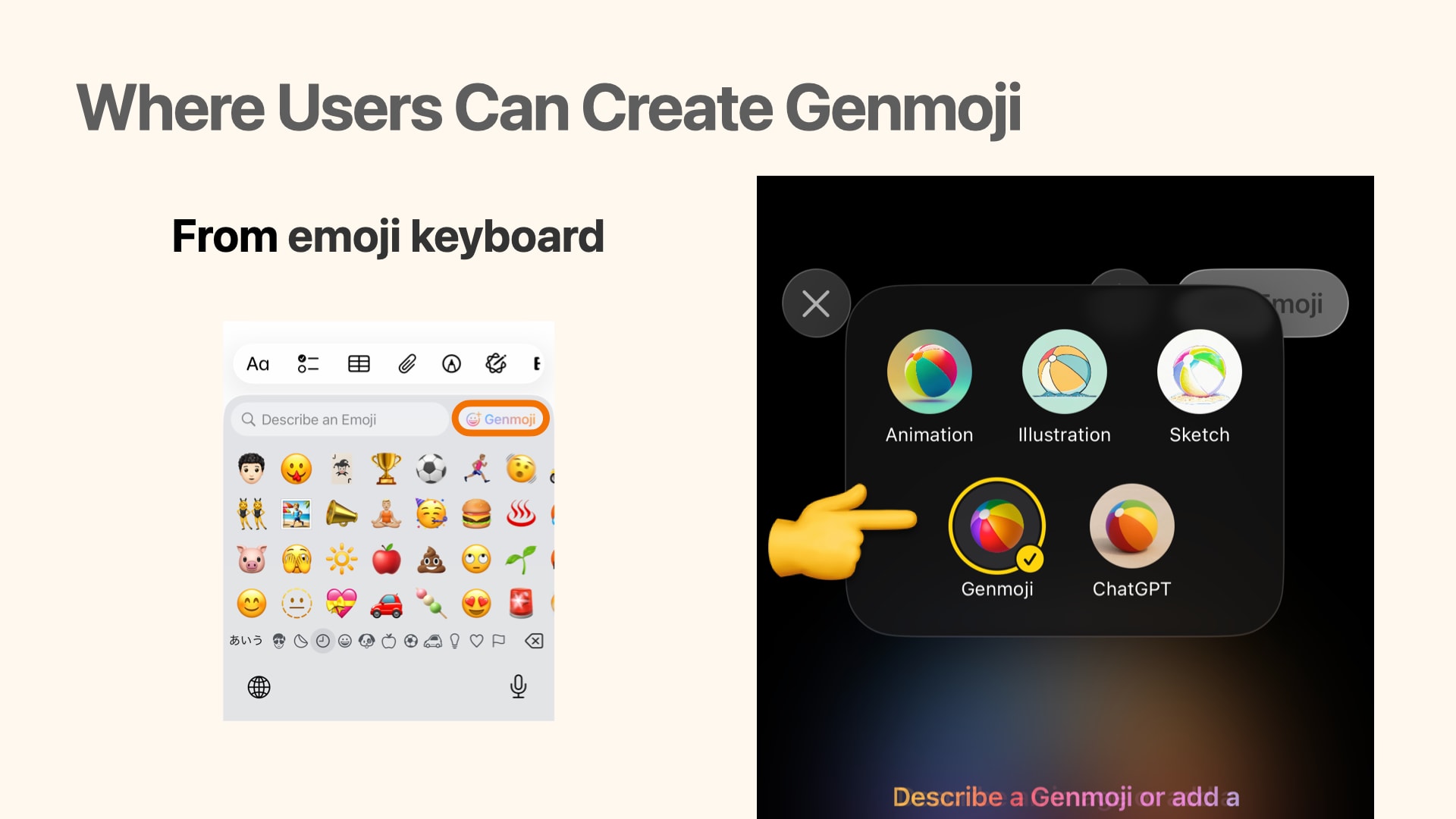
Where users can create Genmoji
If you have an Apple Intelligence compatible device, you can create Genmoji through:
- The Genmoji button in the emoji keyboard
- Apple's Image Playground app
- By selecting the Genmoji option in styles
How developers can integrate image generation into their apps
Apple provides the Image Playground framework, which makes it easy to incorporate on-device image generation into apps.
There are mainly two approaches:
ImagePlaygroundSheet- UIKit, AppKit:
ImagePlaygroundViewControleer
- UIKit, AppKit:
ImageCreator
ImagePlaygroundSheet
ImagePlaygroundSheet is a feature that displays a system sheet with the same functionality as Apple's Image Playground app.
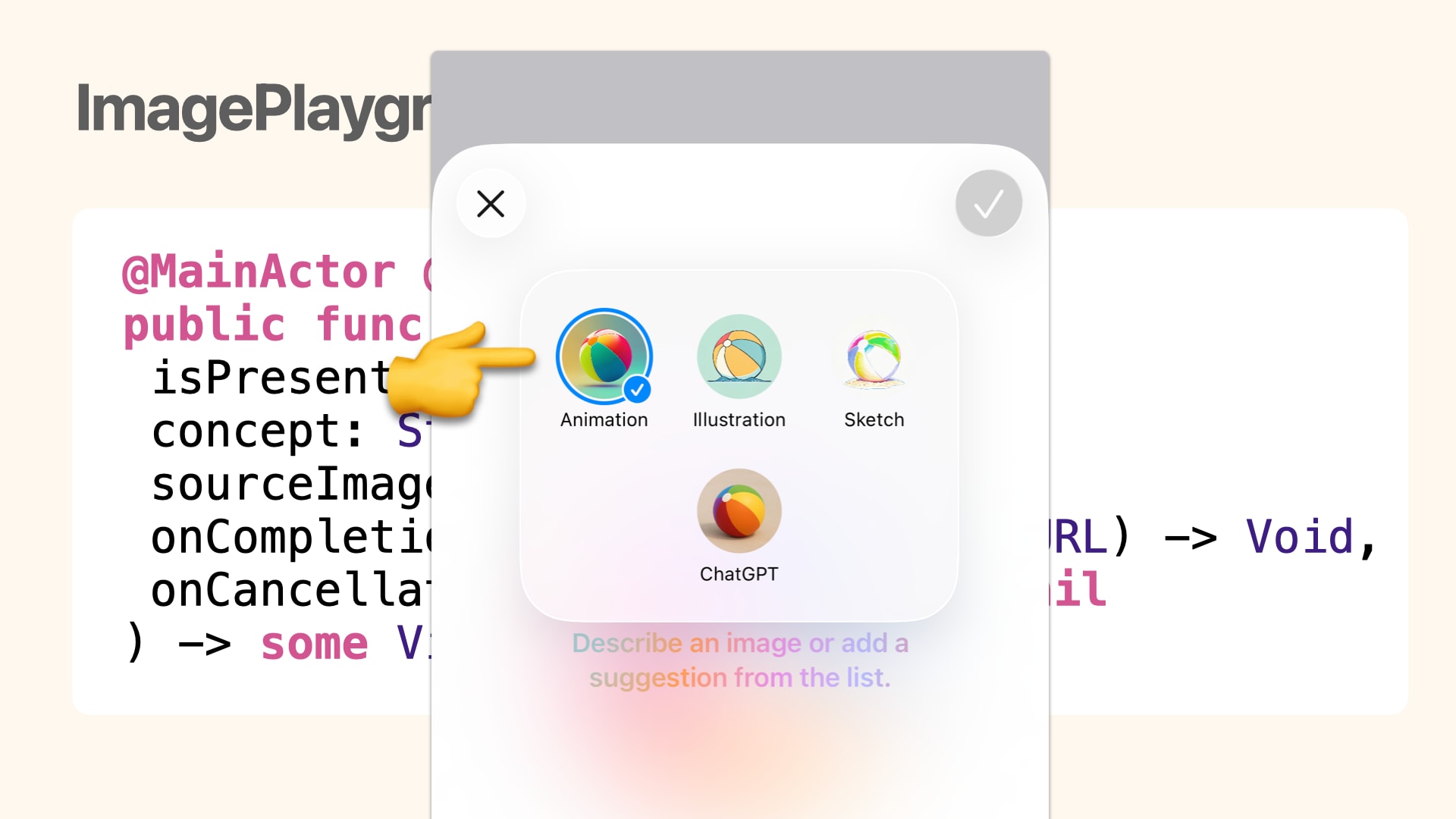
The image generation styles you can select on this sheet are the following four:
- Animation
- Illustration
- Sketch
- ChatGPT
Interestingly, the Genmoji option that exists in the Image Playground app was not available...
ImageCreator
ImageCreator is a class that allows you to programmatically generate images by determining the image generation style from given text or images.
For more details, please read the following blog post.
The basic image generation flow is as follows:
func generateImage() async throws {
    // Initialize ImageCreator
    let creator = try await ImageCreator()
    // Concepts to include in the image
    let concepts: [ImagePlaygroundConcept] = [.text("enjoy programing")]
    // Style option for the generated image
    let style: ImagePlaygroundStyle = .animation
    for try await result in creator.images(
        for: concepts,
        style: style,
        limit: 1
    ) {
        // Generated image
        let generateImage = result.cgImage
    }
}
ImagePlaygroundConcept
You can provide concepts to include in the generated image using text, PKDrawing, or images.
text(String)- Creates a concept from a short text
extracted(from: String, title: String?)- Creates a concept from a long text string and title
- This
titleis used as a keyword to summarize the long text
- This
- Creates a concept from a long text string and title
drawing(PKDrawing)- Creates a concept from a PencilKit drawing
image(CGImage)- Creates a concept from a specified image
image(URL)- Creates a concept from an image at the specified URL
You can pass an array of ImagePlaygroundConcept to creator.images, allowing for expressions like:
for try await result in creator.images(
    for: [.text("enjoy programing"),
          .image(capturedImage)],
    style: style,
    limit: 1
) {
In my personal experience, when using image, the generated image tends to be strongly influenced by the input image.
ImagePlaygroundStyle
You can choose appearance options for the generated image.
animation- Animation style
illustration- 2D cartoon style
sketch- Hand-drawn sketch style
externalProvider- Style provided by an external provider
all:[ImagePlaygroundStyle]- Option to generate images in any style
Unfortunately, there was no genmoji option in this documentation either...
ImageCreator.availableStyles
There's a property called availableStyles in ImageCreator.
When checking this value, we can confirm an emoji style for Genmoji.
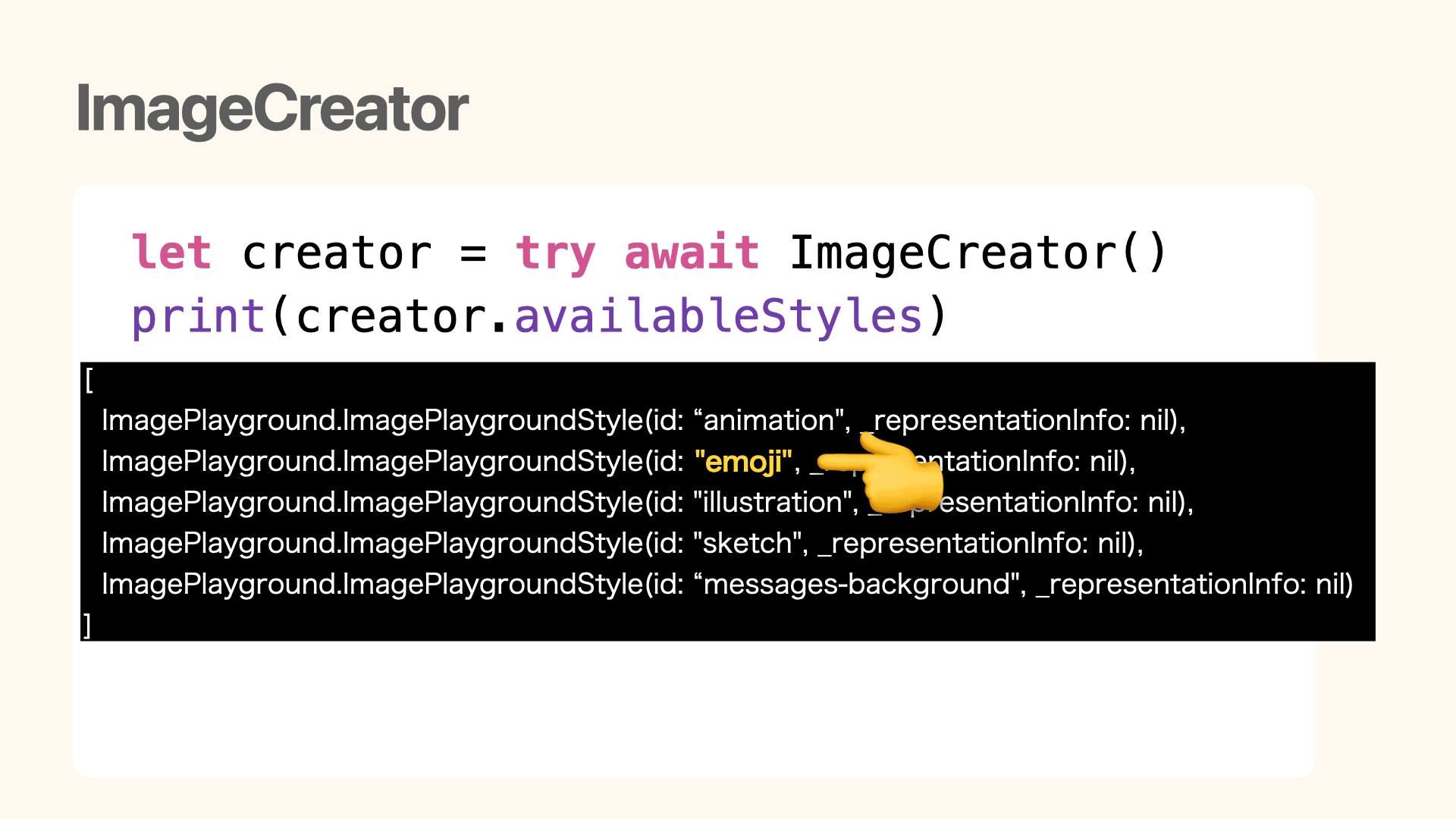
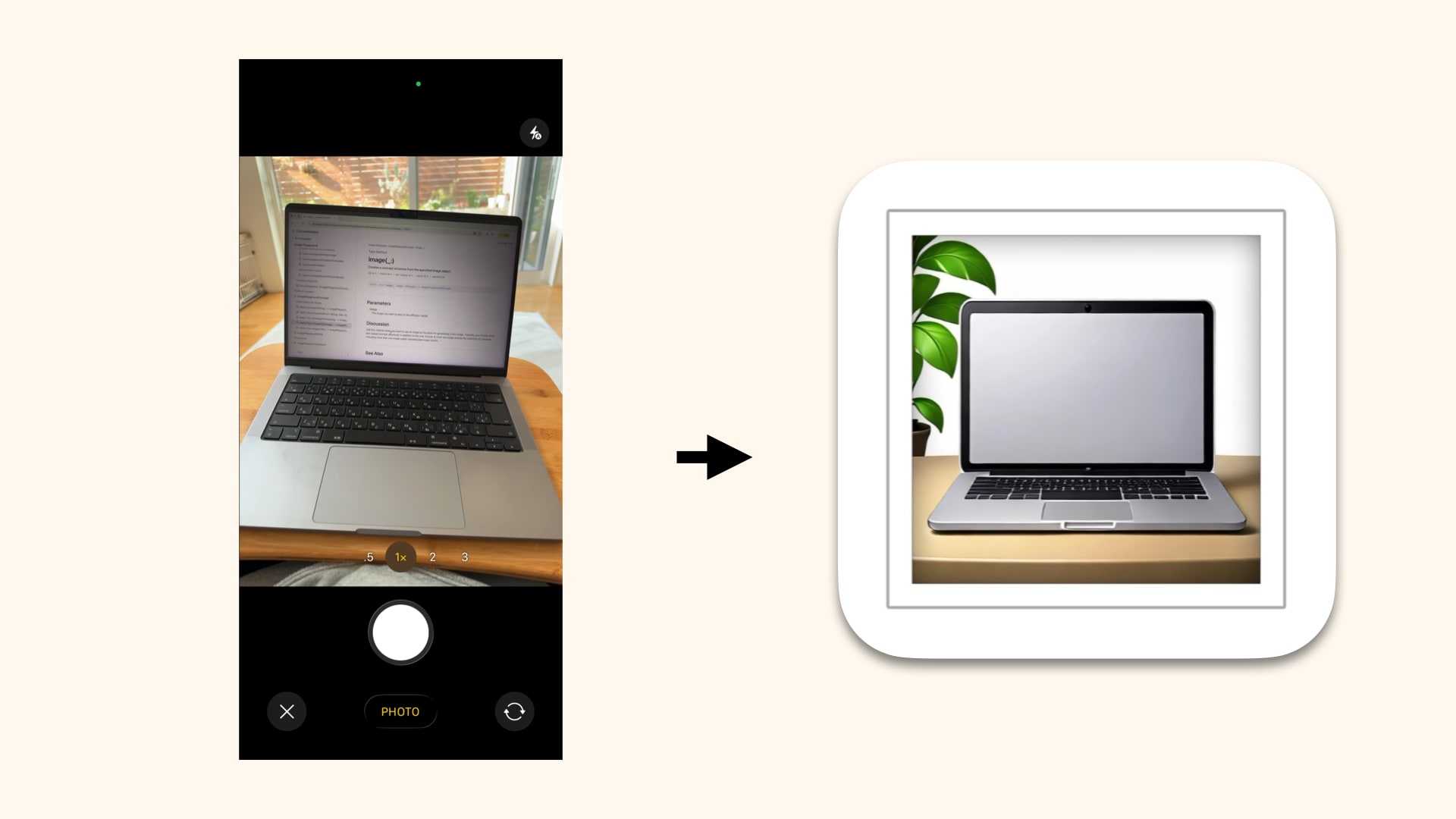
You can programmatically generate Genmoji with code like this:
func generateGenmoji() async throws {
    let creator = try await ImageCreator()

    guard let emojiStyle = creator.availableStyles.first(where: { $0.id == "emoji" })
    else { fatalError("My App is dead") }

    for try await result in creator.images(
        for: [.image(capturedImage)],
        style: emojiStyle,
        limit: 1
    ) {
        let generateImage = result.cgImage
    }
}
The photo taken on the left was output as the Genmoji on the right.
conceptRequirePersonIdentity
This isn't limited to Genmoji generation, but when generating images with text strings in ImageCreator, I often encountered conceptRequirePersonIdentity errors.
Looking at the string concepts that were causing this error:
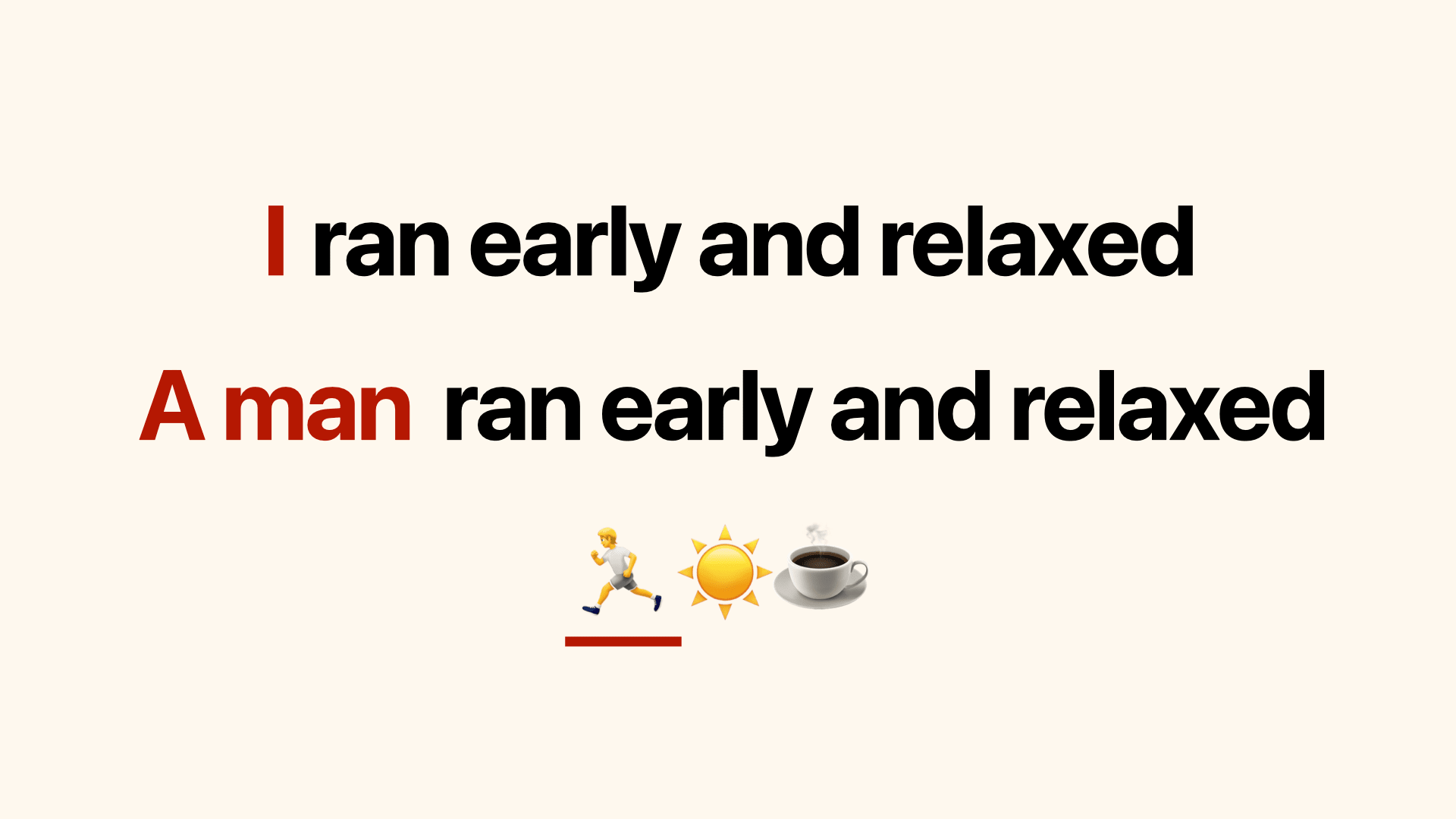
I found it occurs frequently with human-related expressions like I, a man, or 🏃.
Checking the explanation of the conceptRequirePersonIdentity error:
It seems we need to provide an additional human face image.
An error indicating that a source image of a person's face must be added to complete the request.
Solutions
- Remove human-related expressions
- Delete the relevant text
- Replace with alternative expressions
- Add a person's image to
ImagePlaygroundConcept
Adding a person's image to the concept is the simplest solution, but not all users want to set a face photo. So I explored solutions focusing on removing human-related expressions.
Foundation Models
This is where the Foundation Models framework comes in.
Using this framework, you can access Apple's on-device LLM. You can define a role through instructions, input a prompt, and receive results.
Now let's try replacing human-related expressions with alternative expressions.
Here's an example of giving the instruction to convert diary content into emoji:
func removeHumanSubject(from text: String) async throws -> String {
    let session = LanguageModelSession(instructions: """
            You are a text rewriter. Given a journal entry,
            rewrite it as a short emoji description \
            that captures the mood and theme,
            but remove all references to people,
            humans, faces, or person identity.
            Focus on objects, animals, nature, food,
            activities, and emotions.
            Reply with only the rewritten description, nothing else.
            """)
    let response = try await session.respond(to: text)
    return response.content
}
Additionally, the respond(to:) method can control the generated values by setting the generating argument.
If you pass a struct or enum with the Generable macro to generating, the result will be output in that format.
func convertToEmojis(from text: String) async throws -> [String] {
    // ...omitted
    let response = try await session.respond(
        to: text,
        generating: ExpressiveEmojis.self
    )
    return response.content.emojis
}

@Generable
struct ExpressiveEmojis {
    @Guide(description: "A list of emojis without any text", .count(6))
    let emojis: [String]
}
You can also influence the generated values by adding the Guide macro. In this example, we've added a guide specifying an array of emojis without text with a count of 6.
However, this doesn't completely control the output values; it's better to think of it as something that can influence the output to some extent.
Using Foundation Models, we can implement the following pipeline:
- User Input: Receive user input
- Foundation Models: Convert user input to expressions suitable for image generation
- ImageCreator: Generate images from the converted image generation string
Example
Here's an example result using the Foundation Models pipeline:
- User Input:
Feeling so nervous about my upcoming talk at try! Swift Tokyo - Foundation Models: Converted to
😬📣🐦💻🌍📺 - ImageCreator: Converted to the following image

By the way, I found that when ImageCreator receives concepts like 😬📣🐦💻🌍📺 (emojis) for Genmoji generation, it tends to create Genmoji that combine these emojis.
Bonus
Now that we understand how to generate Genmoji from any string, to increase Genmoji's popularity, we need to integrate it into people's daily lives.
Here's one idea I came up with:
Getting users' daily events
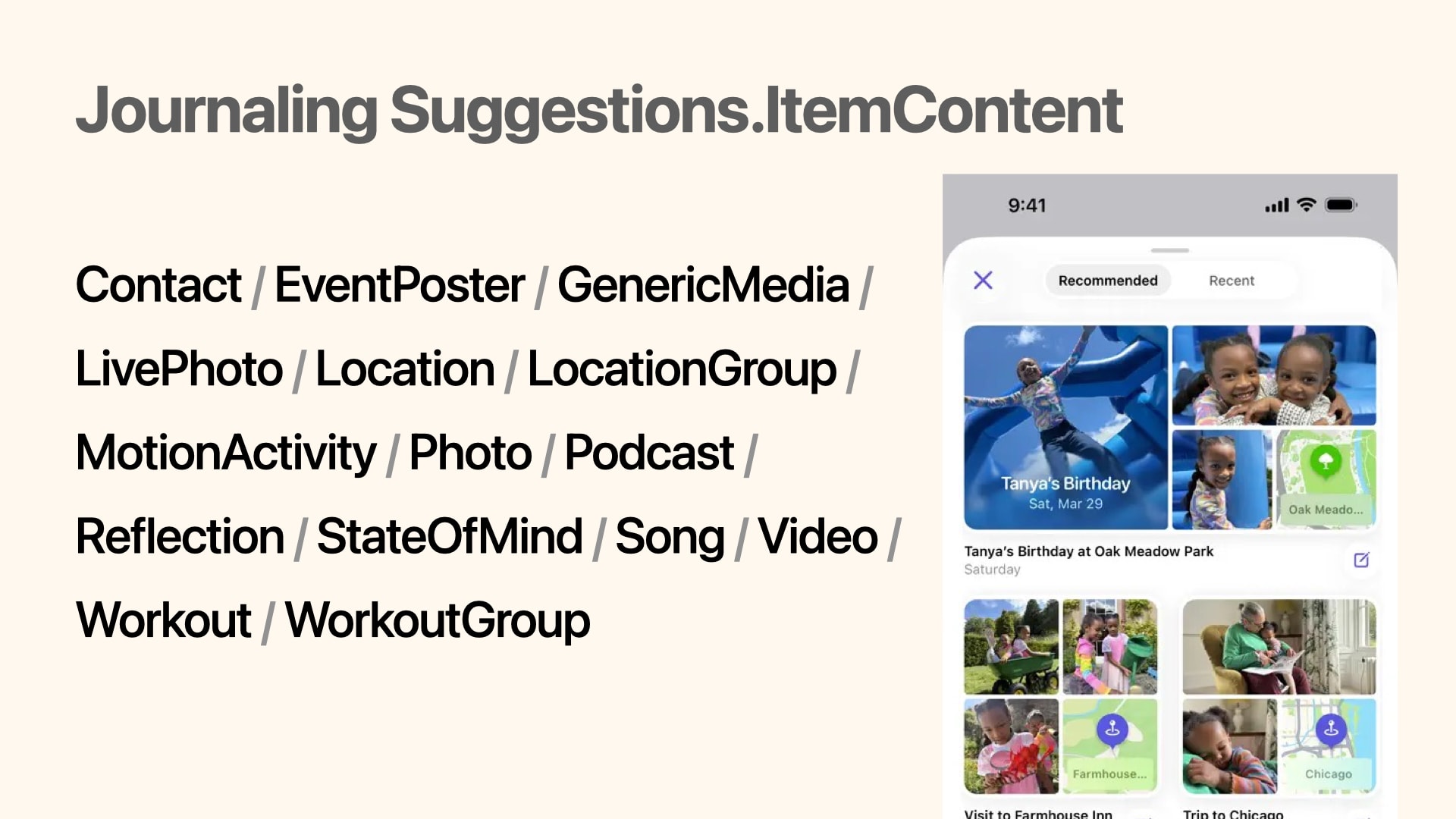
Using the Journaling Suggestions framework, you can use the JournalingSuggestionsPicker feature, similar to what's shown in Apple's native Journal app.
This Picker displays personal events from the user's life, such as places visited, people interacted with, photos taken, and music listened to. You can receive this data as JournalingSuggestion.ItemContent.
Example
Here's an example Genmoji generation flow when receiving workout information from JournalingSuggestionPicker:
You can get workout details from JournalingSuggestion.Workout.Details.
struct SampleView: View {
    @State private var genmojiImage: CGImage?

    var body: some View {
        VStack {
            // result of Genmoji
            if let genmojiImage {
                Image(uiImage: UIImage(cgImage: genmojiImage))
            }

            // Button for JournalingSuggestionPicker
            JournalingSuggestionsPicker {
                Text("Show JournalingSuggestions")
            } onCompletion: { @MainActor suggestion in
                do {
                    let snapshot = await WorkoutSnapshot(suggestion: suggestion)
                    for name in snapshot.workoutNames {
                        let convertedEmojis = try await convertEmojis(from: "\(name) 頑張ったぞ")
                        let concept = convertedEmojis.joined()
                        try await generateGenmoji(from: concept)
                    }
                } catch {
                    print(error)
                }
            }
        }
    }

    func convertEmojis(from text: String) async throws -> [String] {
        let session = LanguageModelSession()
        let response = try await session.respond(
            to: text,
            generating: ExpressiveEmojis.self
        )
        return response.content.emojis
    }

    func generateGenmoji(from concept: String) async throws {
        let creator = try await ImageCreator()
        guard let emojiStyle = creator.availableStyles.first(where: { $0.id == "emoji" })
        else { fatalError() }
        let resultImages = creator.images(for: [.text(concept)], style: emojiStyle, limit: 1)
        for try await image in resultImages {
            // Generated Genmoji
            self.genmojiImage = image.cgImage
        }
    }
}

@Generable
struct ExpressiveEmojis {
    @Guide(description: "A list of emojis without any text", .count(3))
    let emojis: [String]
}

struct WorkoutSnapshot {
    let workoutNames: [String]

    init(suggestion: sending JournalingSuggestion) async {
        let workouts = await suggestion.content(forType: JournalingSuggestion.Workout.self)
        self.workoutNames = workouts.compactMap {
            $0.details?.localizedName ?? "No title"
        }
    }
}
Summary
I'll continue striving to make Genmoji accessible to more people.

Closing
This year at try! Swift Tokyo, I again had the opportunity to interact with many people and spend stimulating days.
It's a rare opportunity in Japan to connect with international engineers.
Once again, thank you to the organizers, staff, speakers, sponsors, and all participants for creating such a wonderful space!