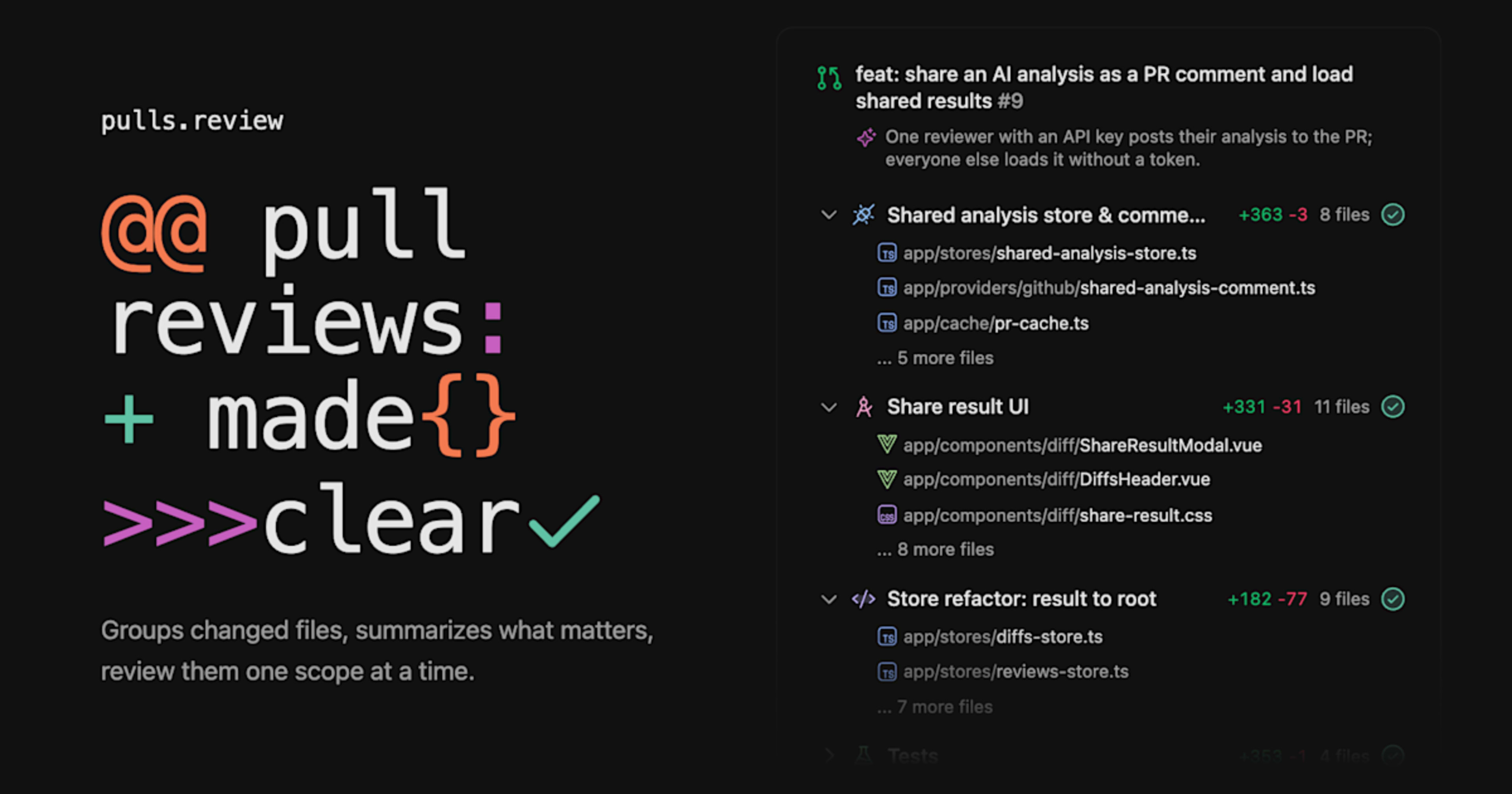
I tried using pulls.review with Claude Code to group and summarize PR changes

This page has been translated by machine translation. View original
Introduction
Anthony Fu has released a tool called "pulls.review" for reviewing GitHub Pull Requests.
It groups changed files by intent, attaches a summary to each group, and allows you to review them one by one.
Anthony Fu is a core team member of Vue, Nuxt, and Vite, and works on the Nuxt team at Vercel[1].
He is also the author of Vitest, Slidev, VueUse, UnoCSS, and maintains Shiki and ESLint Stylistic.
The Files changed tab on GitHub lists files in path order.
In PRs where a single feature spans multiple directories, related files end up scattered apart, forcing reviewers to mentally reassemble the changes.
pulls.review does this reassembly for you upfront.
This article summarizes how to use pulls.review, then shares the results of reading a PR using Claude Code as the analyzer from a local CLI.
What is pulls.review?
pulls.review is a tool that bills itself as "Pull request review made simple," released under the MIT license[2].
The README states it was heavily inspired by Linear's PR review guides.
The repository was created on 2026-09-16, the first release v0.1.0 was on 2026-10-05, and v0.3.3 used in this article was on 2026-10-13.
Releases come out every few days, and even while writing this article, it was updated 3 times from v0.3.0 to v0.3.3.
As the README states at the top, "Heavily work in progress" — it is still in early development.
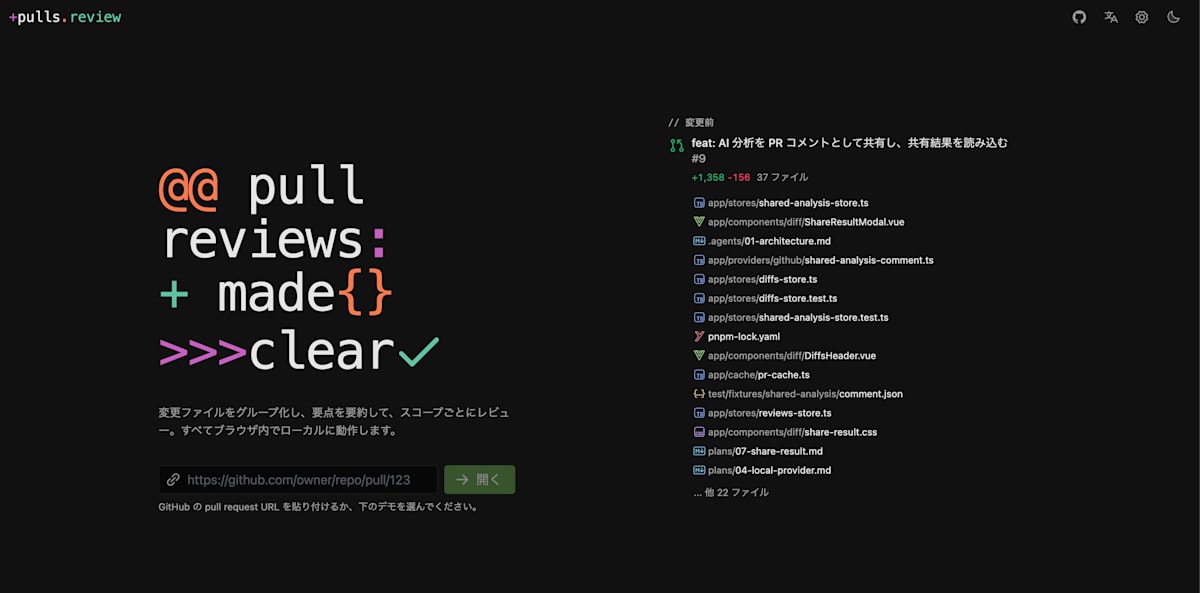
pulls.review top page. Paste a PR URL to open it
Types of Usage
pulls.review can be used in the following ways.
- Website: Link your GitHub account at pulls.review and open PRs in the browser
- Userscript: Adds pulls.review functionality to the GitHub interface. Install from the GitHub section of the site
- Local CLI: Open diffs from your local git or GitHub PRs in the browser using
npx pulls.review - GitHub Actions (experimental): Analyze once per PR in CI and leave the results as a PR comment
For AI analysis, you can either register a model API key in the settings screen or delegate to a locally installed coding agent.
The latter is a local CLI-only feature, and that is what this article tries.
The GitHub Actions approach is designed to eliminate the redundancy of each reviewer analyzing the same PR with their own key.
The analysis results that CI leaves as a PR comment are loaded on the screens of everyone who opens that PR in pulls.review.
name: pulls.review
on:
  pull_request_target:
    types: [opened, synchronize, reopened]

permissions:
  pull-requests: write

jobs:
  analyze:
    runs-on: ubuntu-latest
    steps:
      - uses: antfu/pulls.review@main
        with:
          api-key: ${{ secrets.VERCEL_AI_GATEWAY_API_KEY }}
The reason pull_request_target is used, according to a README comment, is that the analysis only reads the diff via API and does not check out the PR code.
Opening a PR with the Local CLI
The local CLI is run inside a git repository.
You specify the page to open with arguments, and you can reselect other diffs on the browser side.
npx pulls.review               # Diff between the current branch and the default branch
npx pulls.review main...feat   # Changes added to feat since it branched from main
npx pulls.review HEAD          # 1 commit
npx pulls.review --worktree    # Uncommitted changes (including untracked files)
npx pulls.review owner/repo#1  # GitHub PR
For the token when opening a GitHub PR, it uses the GITHUB_TOKEN environment variable if present, otherwise the result of gh auth token.
The CLI starts a server on localhost and opens the page in the browser.
According to the README, the browser tab is trusted with a one-time code displayed in the terminal.
Reviewed marks and AI analysis results are cached in the repository's .git/pulls-review.
For this article, I opened PR #1072 of vuejs-translations/docs-ja, introduced in a later section.
GitHub PRs can be opened regardless of the repository where the CLI is launched, but you need to run it inside some git repository as a place to store the cache.
npx pulls.review@0.3.3 vuejs-translations/docs-ja#1072
When run, the server URL is displayed and the browser opens.
pulls.review is serving http://localhost:7390/gh/vuejs-translations/docs-ja/1072
Selecting Claude Code as the Analyzer
In the settings screen's "AI Analysis" tab, selecting Local agent as the provider lets a locally installed coding agent handle the analysis instead of an API key.
As of v0.3.3, the four supported agents are Claude Code, OpenCode, Pi, and Codex (Pi was added in v0.3.1, Codex in v0.3.2).
Since it uses an already signed-in agent directly, you don't need to prepare a separate API key.
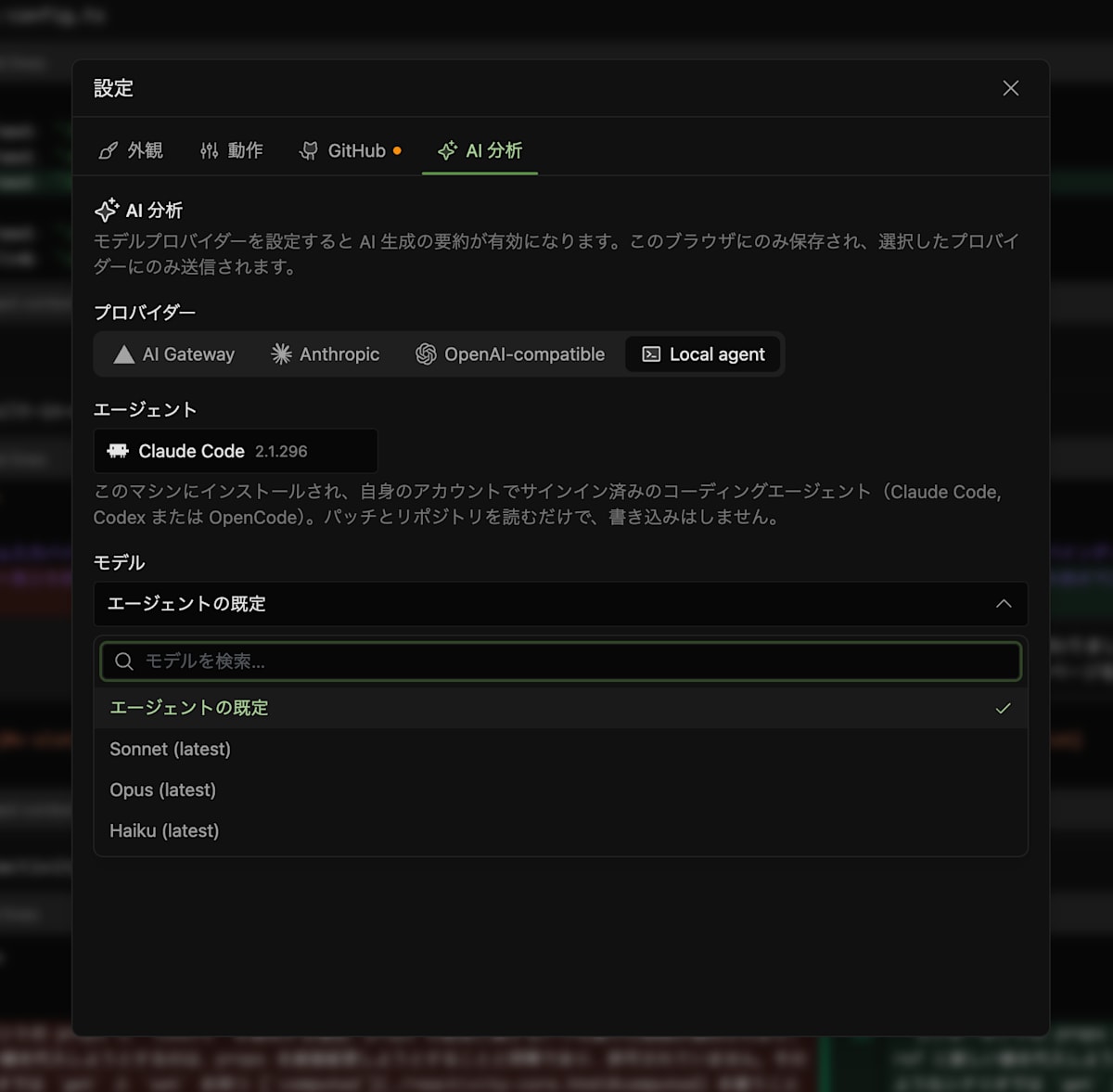
When selecting Claude Code as a Local agent, the model can be chosen from the agent's default, Sonnet, Opus, or Haiku
For Claude Code, pulls.review launches claude -p with the following arguments (excerpt from the implementation).
const READ_ONLY_TOOLS = ['Read', 'Grep', 'Glob']
const WRITE_TOOLS = ['Bash', 'Edit', 'Write', 'MultiEdit', 'NotebookEdit', 'WebFetch', 'WebSearch', 'Task']

const list = ['-p', '--output-format', 'stream-json', '--verbose',
  '--system-prompt', system,
  '--permission-mode', 'dontAsk',
  '--allowedTools', ...READ_ONLY_TOOLS,
  '--disallowedTools', ...WRITE_TOOLS,
  '--json-schema', JSON.stringify(analysisJsonSchema())]
Only read-oriented tools — Read, Grep, and Glob — are allowed, while write-oriented tools like Bash and Edit are explicitly prohibited.
Analysis results are returned as JSON conforming to the grouping schema via --json-schema, so pulls.review doesn't need to re-parse the output.
The chat after analysis continues the same session using --resume.
When analyzing local diffs, the agent runs inside the repository, so for changes where the intent isn't clear from the hunk alone, it can open the original file to check.
This is where it differs from the API key approach.
Grouping Policy
How the AI is instructed to divide things is written in the system prompt.
The key points are as follows.
- Group by intent, not by directory. If a single feature spans multiple modules, put it in one group
- Keep groups flat. Use child groups only when there are more than 15 files that can't be read at once
- Use the minimum number of groups that separates independent intents. A typical PR has 1 to 5 groups
- Tests and fixtures should basically be in a separate group from the code they target
- Order by review priority. Core changes first, mechanical changes like lock files and generated files last
- Use file and line annotations and "critical" marks sparingly — only where they save the reviewer time
This policy changed in v0.3.1[3].
In v0.3.0, child groups were used when there were more than 5 files, and tests were included in the group of the feature they target.
It is also explicitly noted that grouping is done on the final diff rather than per commit.
This is because fixup and WIP commits tend to mix concerns.
For lock files and build artifacts, only the filename and line count are passed without including the diff body in the prompt.
This saves tokens while preserving the information a reviewer needs — that the file changed.
Trying It with a Japanese PR
For the subject, I chose a merged PR from vuejs-translations/docs-ja, the Japanese translation repository of the official Vue documentation.
Since the diff is Japanese Markdown rather than code, it lets us verify how well intent-based grouping works for changes to Japanese text.
This PR reflects changes made in the English Vue documentation (moving the v-model explanation for components from the component events page to a standalone page) into the Japanese version.
The changes span 6 files, +459/-438, with 2 commits.
| File | Changes |
|---|---|
.vitepress/config.ts |
+1/-0 |
src/api/built-in-directives.md |
+1/-1 |
src/api/reactivity-utilities.md |
+1/-1 |
src/guide/components/events.md |
+19/-435 |
src/guide/components/v-model.md |
+436/-0 |
src/guide/essentials/forms.md |
+1/-1 |
In GitHub's Files changed, these appear in path order as shown in the table.
More than 400 lines of deletions and additions are split across 2 files, making it look like a large rewrite at first glance.
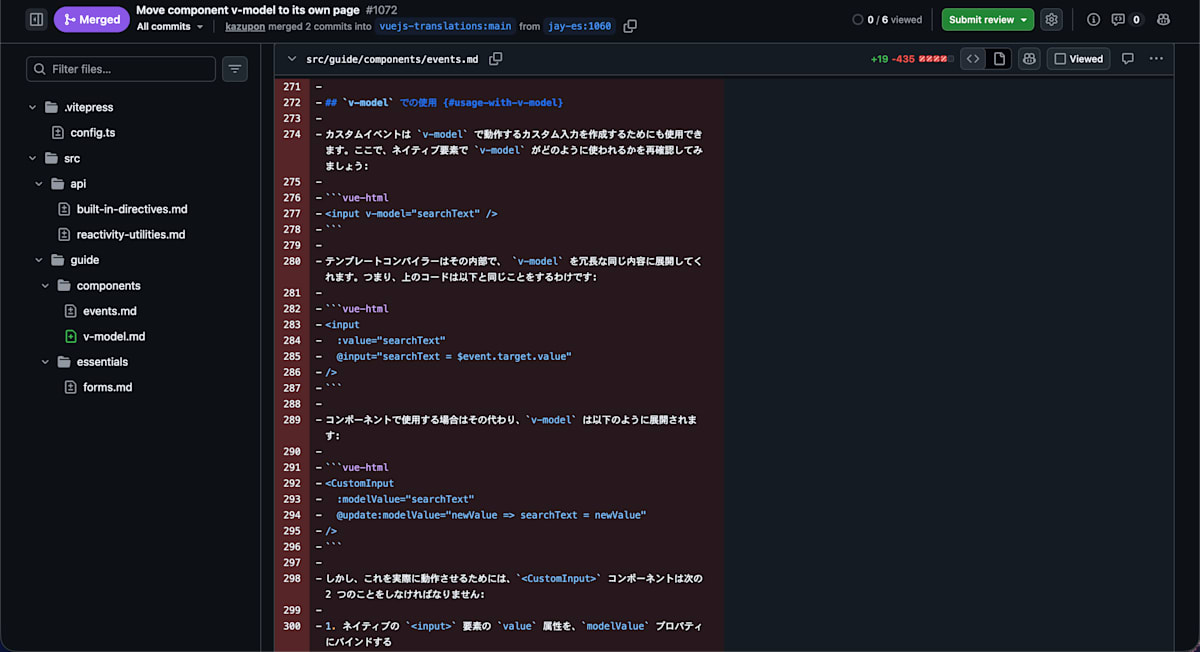
GitHub Files changed. Files are listed in path order, with a long run of deletions in events.md
Breaking down the diff by content, this PR contains the following 4 types of changes.
- Content move: Move the
v-modelsection (~435 lines) fromevents.mdto the newv-model.md - Old link forwarding: Add a script to
events.mdthat redirects visitors arriving via old anchors (#usage-with-v-modeletc., 4 in total) to the same anchors inv-model.html - Link target updates: Rewrite links pointing to
events.html#usage-with-v-modelin 3 files —built-in-directives.md,reactivity-utilities.md, andforms.md— tov-model.html - Sidebar entry addition: Add "Component v-model" to
.vitepress/config.ts
There is not much to read in the review.
Of the ~435 moved lines, the only things that changed between source and destination are the heading, the introduction, and three heading levels (H3 to H2).
The rest consists of the 19 lines of the forwarding script and 4 lines of links and the sidebar.
To verify this in Files changed, a reviewer would need to go back and forth between 2 files to manually confirm "was this just moved?"
Let's see how much of this verification pulls.review can handle.
Analysis Results from pulls.review
After analysis, the 6 files were divided into 2 groups.
The groups appear as tabs at the top of the screen, with a summary and file list for each group on the left and the diff on the right.
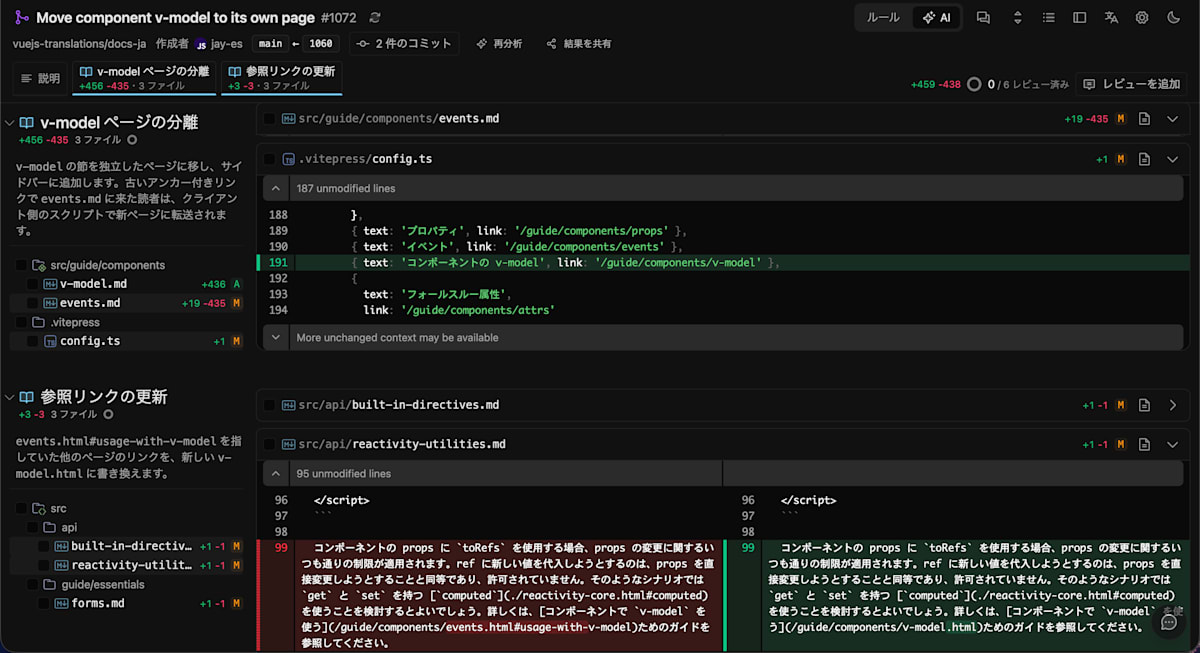
Screen after analysis. The 6 files are organized into 2 groups, each with a summary
| Group | Files | Summary (as-is) |
|---|---|---|
| v-model page separation (+456/-435) | v-model.md, events.md, .vitepress/config.ts |
Moves the v-model section to a standalone page and adds it to the sidebar. Visitors arriving at events.md via old anchor links are forwarded to the new page by a client-side script. |
| Reference link updates (+3/-3) | built-in-directives.md, reactivity-utilities.md, forms.md |
Rewrites links in other pages that pointed to events.html#usage-with-v-model to the new v-model.html. |
Comparing against the 4 types of changes identified in the previous section, the move, forwarding script, and sidebar addition are in the first group, and the link target updates are in the second group.
Changes accompanying the move were bundled together, and the ripple effects to other pages were separated — matching the result of the author's own reading of the diff.
The summaries were also in natural Japanese.
The fact that the summary mentions the forwarding script was also helpful.
The 19 lines of the forwarding script are inside events.md along with the 435 deleted lines, and they are easy to skim past in Files changed.
Reading the summary first means you can open the diff already knowing that this file contains not just deletions but also a script addition.
The files within the group are ordered as: the new v-model.md, the source events.md, and the sidebar config.ts — in the order you'd follow to trace the move.
In Files changed with path ordering, config.ts comes first, so the readability differs here too.
On the other hand, the actual moved lines are still displayed as full deletions and additions, just as in Files changed.
Whether the content before and after the move is identical cannot be confirmed from the diff display alone.
Verifying the Move Contents via Chat
So I used the chat in the bottom right of the screen to ask: "List any changes in the content moved from events.md to v-model.md, other than the move itself."
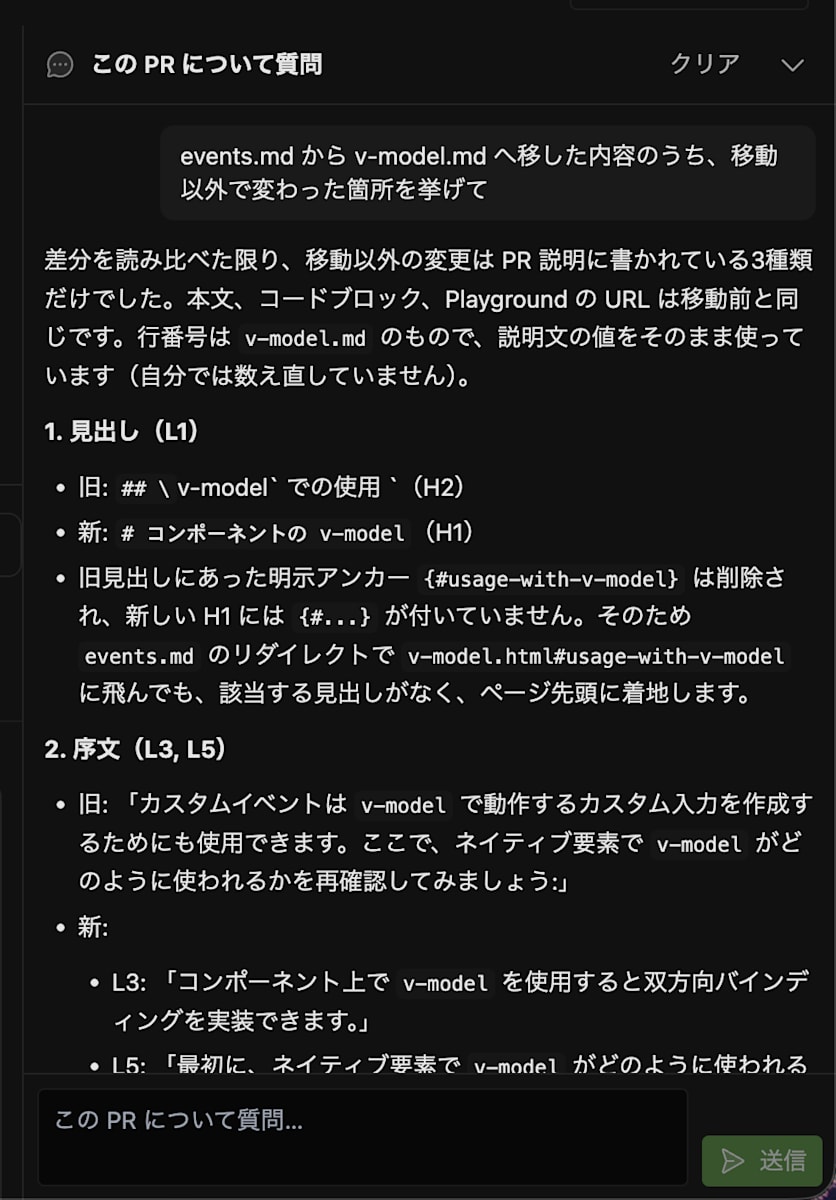
Chat response when asking about changes beyond the move. Heading and introduction changes shown with old and new side by side
The response was that the only changes beyond the move were the 3 types mentioned in the PR description (heading, introduction, heading levels), that the body text, code blocks, and Playground URLs were identical to before the move.
This matched the result of the author's own comparison of deleted and added lines.
The response also included a note that "line numbers are taken as-is from the description and I haven't re-counted them myself," making it clear what to verify independently.
The response also included one point not mentioned in the PR description.
The anchor {#usage-with-v-model} present on the heading in the source was not attached to the heading in the new page, meaning that following the forwarding script to v-model.html#usage-with-v-model would land at the top of the page.
Checking the merged v-model.md confirmed that this anchor was indeed absent.
The English original is the same, so it is not a translation error.
Since the destination page itself explains v-model, landing at the top shouldn't cause any problem for readers.
Still, it is the kind of observation that requires connecting two distant places — the anchor list in the forwarding script and the headings in the new page — and is easy to miss when just scanning Files changed.
Compared to Files Changed
When reviewing the same PR in Files changed, you face nearly 900 lines of diff and first have to cut out what is essential yourself.
In pulls.review, this sorting was presented upfront as groups and summaries, and reading through 2 groups in order was enough to grasp the full picture of the PR.
Verifying the move itself doesn't get easier from the diff display alone.
However, asking the chat let you identify changes beyond the move, picking up even points not mentioned in the PR description.
The approach of grasping the big picture through groups and summaries, then asking the chat for detailed confirmation, felt like a good fit.
Things to Note
pulls.review is in early development, and behavior is likely to change every few days.
Even while writing this article, the grouping policy changed in v0.3.1 (as mentioned above).
The content of this article reflects v0.3.3.
Also, as of v0.3.3, there is no MCP server or skill for calling pulls.review from an agent.
The local CLI is designed to open a page in the browser, and there is no mode to return analysis results to standard output.
The direction of integration is not agents calling pulls.review, but pulls.review calling agents as a Local agent.
Conclusion
pulls.review is a tool that reorganizes PR changes by intent rather than by file, and attaches summaries and annotations.
With the local CLI, you can use a familiar coding agent like Claude Code as the analyzer without needing to prepare an API key.
Since features like summaries and chat are available within the pulls.review UI, I found it to already be a practical tool.
It is still in early development with fast-moving updates, so if you are interested, try it out while following the releases.
References
- antfu/pulls.review
- pulls.review
- v0.3.3 release notes
- vuejs-translations/docs-ja#1072
- Linear Docs: Diffs
