
Tried setting Object Lock period to existing objects using S3 Batch Operations

This page has been translated by machine translation. View original
I want to set object locks for existing objects
Hello, I'm nonpi (@non____97).
Have you ever wanted to set object locks for existing objects? I have.
As introduced in the article below, it is possible to enable object locks on existing S3 buckets.
However, using the method introduced in this article, while enabling object locks for an S3 bucket, object locks are not applied to existing objects.
When you "enable object locks for an S3 bucket later," wouldn't you want to enable object locks for existing objects as well?
Batch operations can be used to set object locks for existing objects.
I'll now use batch operations to set object locks for existing objects.
Let's try it
Current S3 bucket
Let's check the current state of the S3 bucket.
Object lock is disabled as shown below.
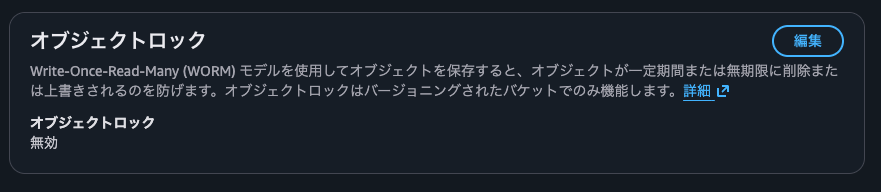
I'll confirm that object locks are not set for each object.
> aws s3api list-object-versions --bucket non-97-object-lock --query 'Versions[].Key' --output text | tr '\t' '\n' | while read key; do
    echo "=== $key ==="
    aws s3api head-object --bucket non-97-object-lock --key "$key" --query '{ObjectLockMode: ObjectLockMode, RetainUntilDate: ObjectLockRetainUntilDate, LegalHold: ObjectLockLegalHoldStatus}' --output json
    echo ""
  done
=== config/production/prod-config.json ===
{
    "ObjectLockMode": null,
    "RetainUntilDate": null,
    "LegalHold": null
}

=== config/staging/stage-config.json ===
{
    "ObjectLockMode": null,
    "RetainUntilDate": null,
    "LegalHold": null
}

=== data/2024/february/report-02.txt ===
{
    "ObjectLockMode": null,
    "RetainUntilDate": null,
    "LegalHold": null
}

=== data/2024/january/report-01.txt ===
{
    "ObjectLockMode": null,
    "RetainUntilDate": null,
    "LegalHold": null
}

=== data/2024/summary.txt ===
{
    "ObjectLockMode": null,
    "RetainUntilDate": null,
    "LegalHold": null
}

=== data/2025/january/report-03.txt ===
{
    "ObjectLockMode": null,
    "RetainUntilDate": null,
    "LegalHold": null
}

=== data/2025/summary.txt ===
{
    "ObjectLockMode": null,
    "RetainUntilDate": null,
    "LegalHold": null
}

=== logs/application/app-2024.log ===
{
    "ObjectLockMode": null,
    "RetainUntilDate": null,
    "LegalHold": null
}

=== logs/application/app-2025.log ===
{
    "ObjectLockMode": null,
    "RetainUntilDate": null,
    "LegalHold": null
}

=== logs/system/sys-2025.log ===
{
    "ObjectLockMode": null,
    "RetainUntilDate": null,
    "LegalHold": null
}
Let's also confirm from the management console that object locks are not set.
Enabling object lock
Now I'll enable object lock.
I'll enable object lock for the S3 bucket from the management console.
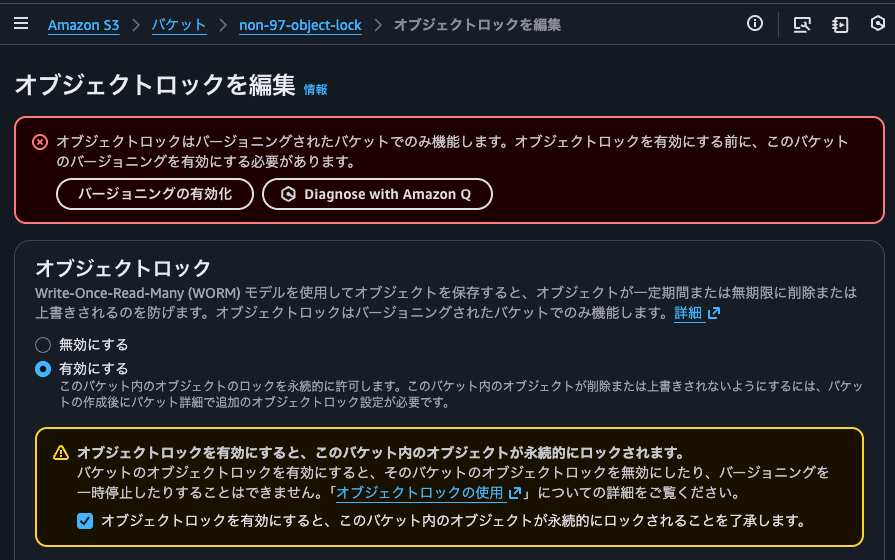
Since versioning is required, I'll enable it.
I'll set the default retention mode to compliance mode with a retention period of 1 day.
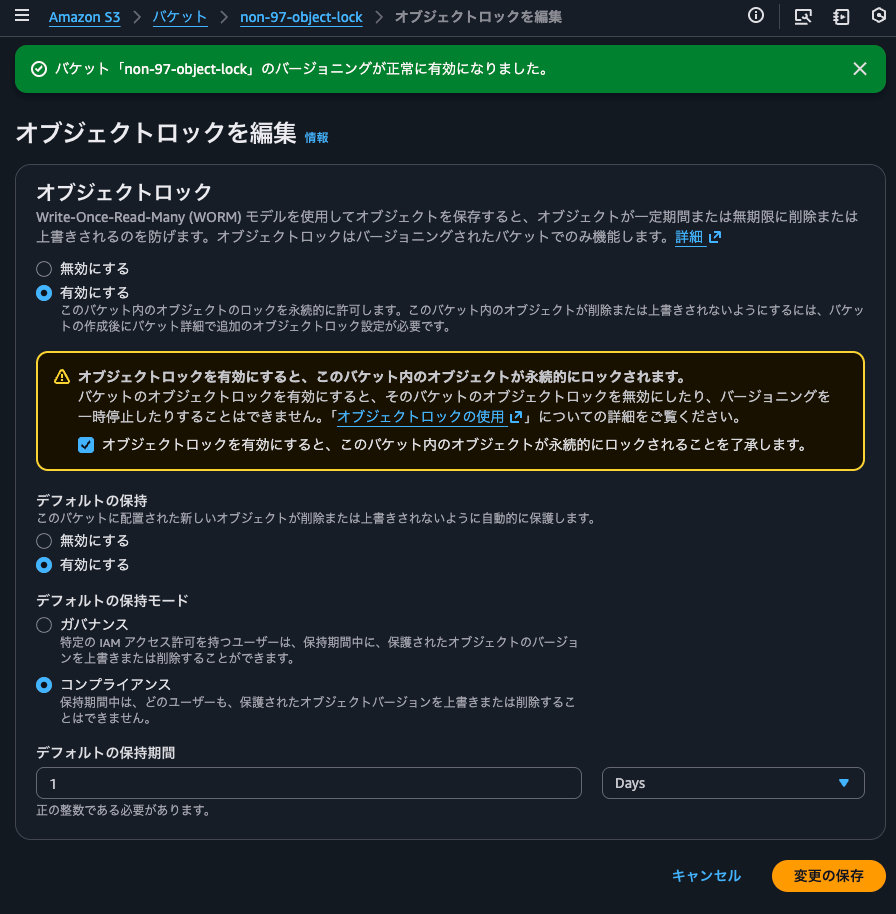
I'll confirm when prompted.
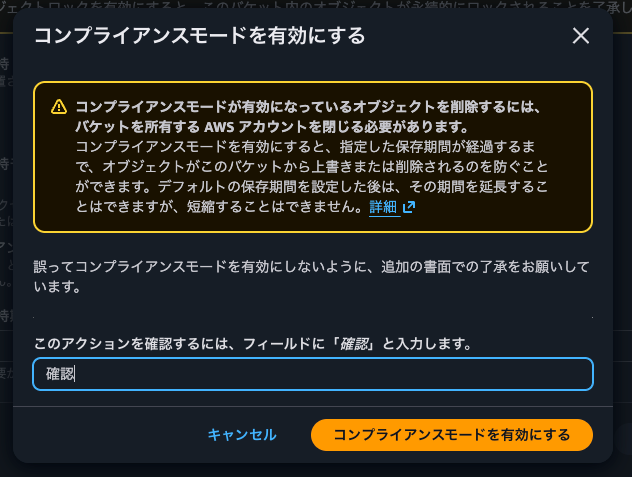
I'll confirm that object lock has been set.
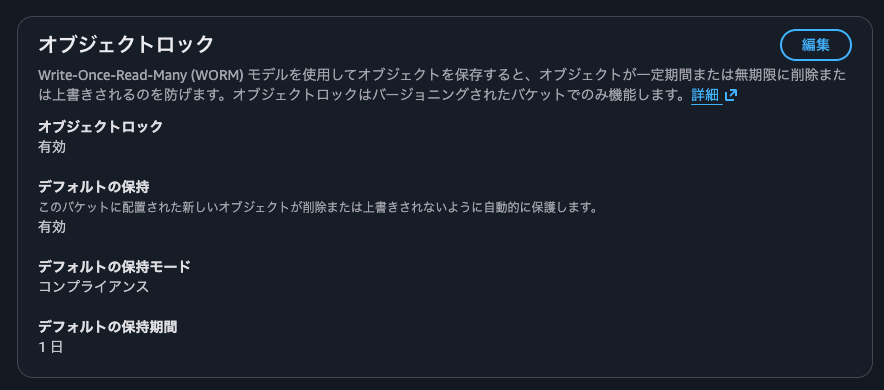
By the way, the retention period and retention mode that can be set here are just defaults, so they can be changed later.
As shown below, it's possible to change from compliance mode to governance mode, or even disable the retention mode entirely.
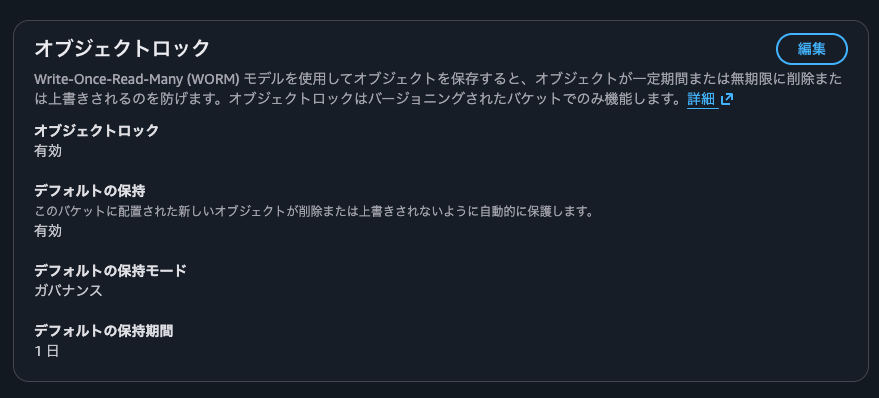

I'll set the default settings back to compliance mode with a retention period of 1 day.
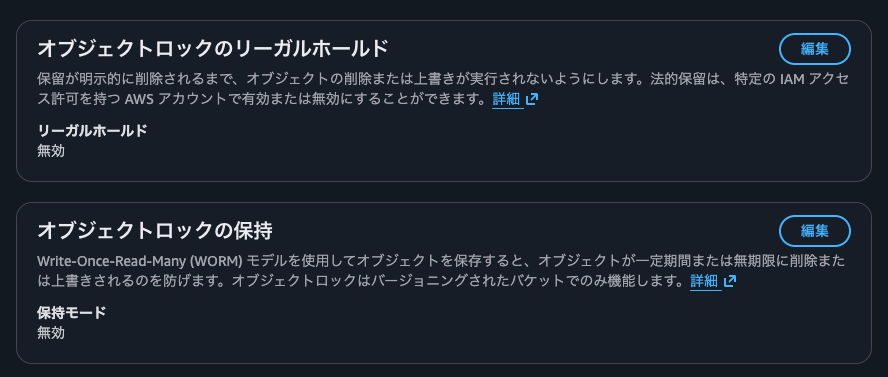
I'll confirm that object locks are still not set on individual objects.
> aws s3api list-object-versions --bucket non-97-object-lock --query 'Versions[].Key' --output text | tr '\t' '\n' | while read key; do
    echo "=== $key ==="
    aws s3api head-object --bucket non-97-object-lock --key "$key" --query '{ObjectLockMode: ObjectLockMode, RetainUntilDate: ObjectLockRetainUntilDate, LegalHold: ObjectLockLegalHoldStatus}' --output json
    echo ""
  done
=== config/production/prod-config.json ===
{
    "ObjectLockMode": null,
    "RetainUntilDate": null,
    "LegalHold": null
}

=== config/staging/stage-config.json ===
{
    "ObjectLockMode": null,
    "RetainUntilDate": null,
    "LegalHold": null
}

=== data/2024/february/report-02.txt ===
{
    "ObjectLockMode": null,
    "RetainUntilDate": null,
    "LegalHold": null
}

=== data/2024/january/report-01.txt ===
{
    "ObjectLockMode": null,
    "RetainUntilDate": null,
    "LegalHold": null
}

=== data/2024/summary.txt ===
{
    "ObjectLockMode": null,
    "RetainUntilDate": null,
    "LegalHold": null
}

=== data/2025/january/report-03.txt ===
{
    "ObjectLockMode": null,
    "RetainUntilDate": null,
    "LegalHold": null
}

=== data/2025/summary.txt ===
{
    "ObjectLockMode": null,
    "RetainUntilDate": null,
    "LegalHold": null
}

=== logs/application/app-2024.log ===
{
    "ObjectLockMode": null,
    "RetainUntilDate": null,
    "LegalHold": null
}

=== logs/application/app-2025.log ===
{
    "ObjectLockMode": null,
    "RetainUntilDate": null,
    "LegalHold": null
}

=== logs/system/sys-2025.log ===
{
    "ObjectLockMode": null,
    "RetainUntilDate": null,
    "LegalHold": null
}
I'll also check from the management console that object locks are not set yet.
Setting object locks for existing objects using batch operations
Now, I'll set object locks for existing objects using batch operations.
I'll create a batch operations job.
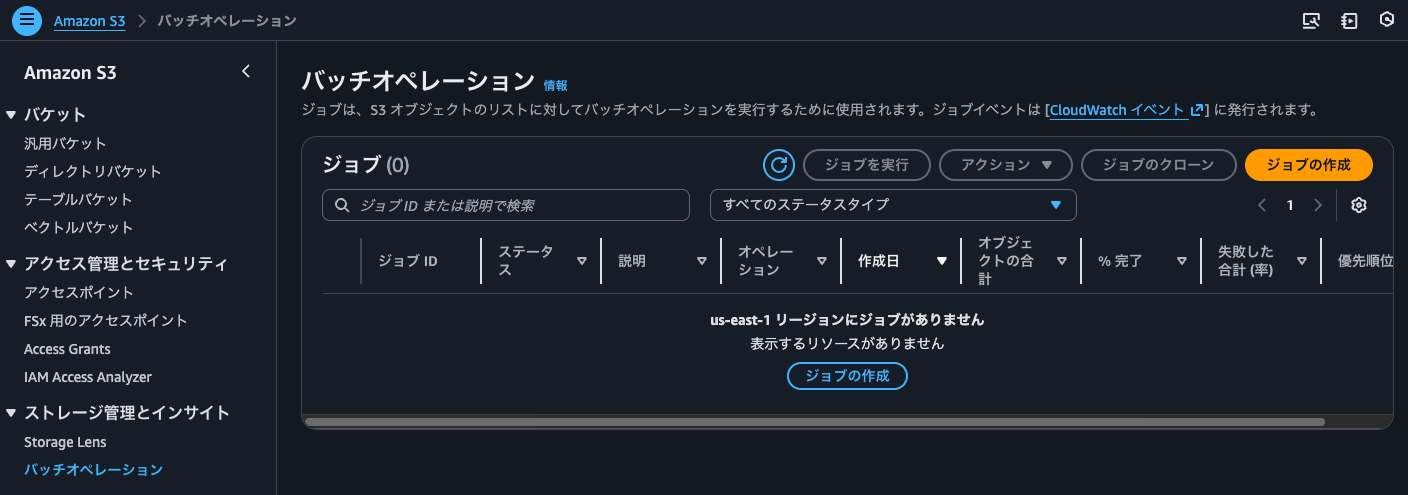
As introduced in the article below, there's no need to create a manifest file in advance when creating a job, so I'll use that method.
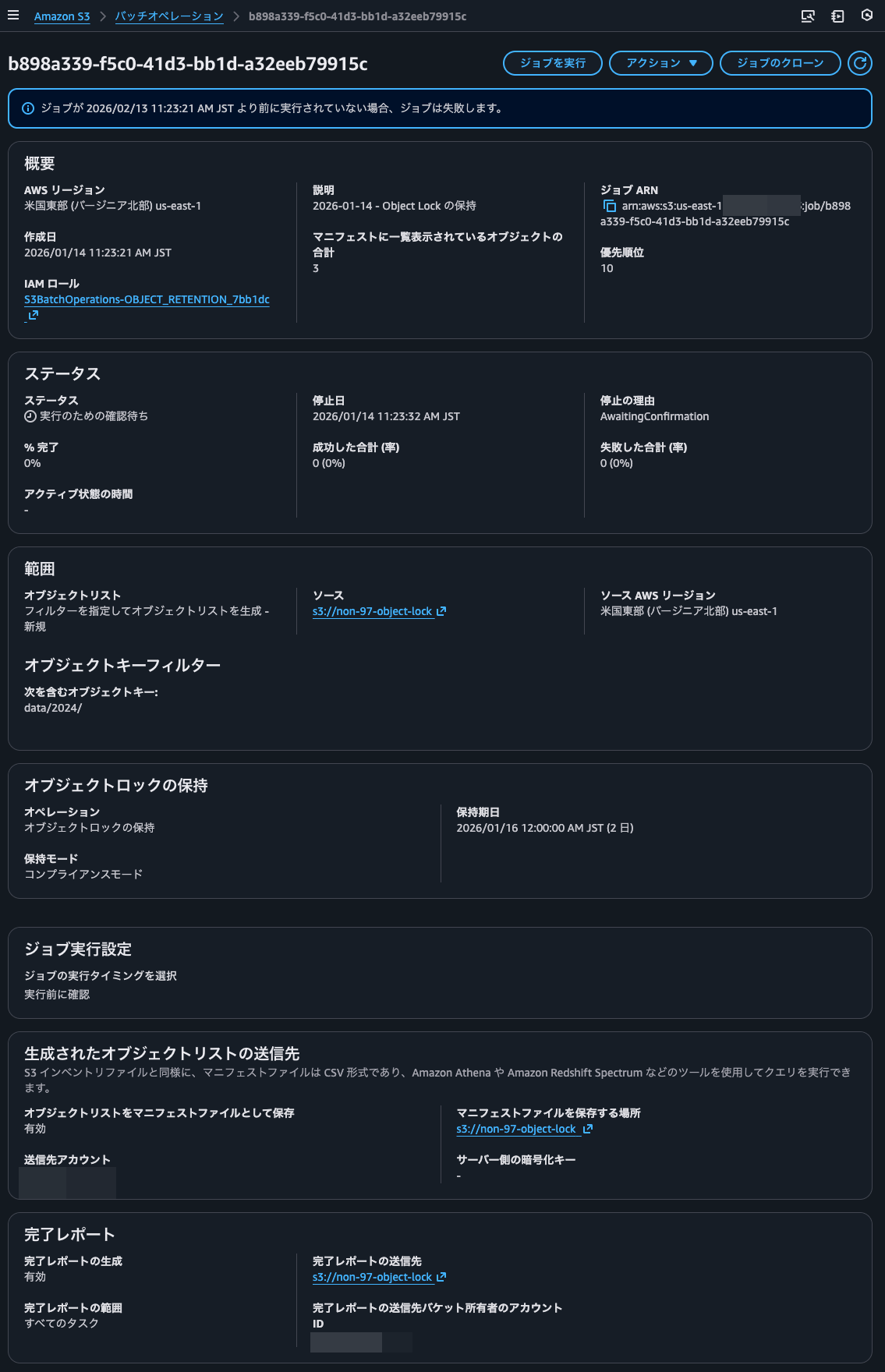
This time, I'll set object locks only for objects with the data/2024/ prefix.
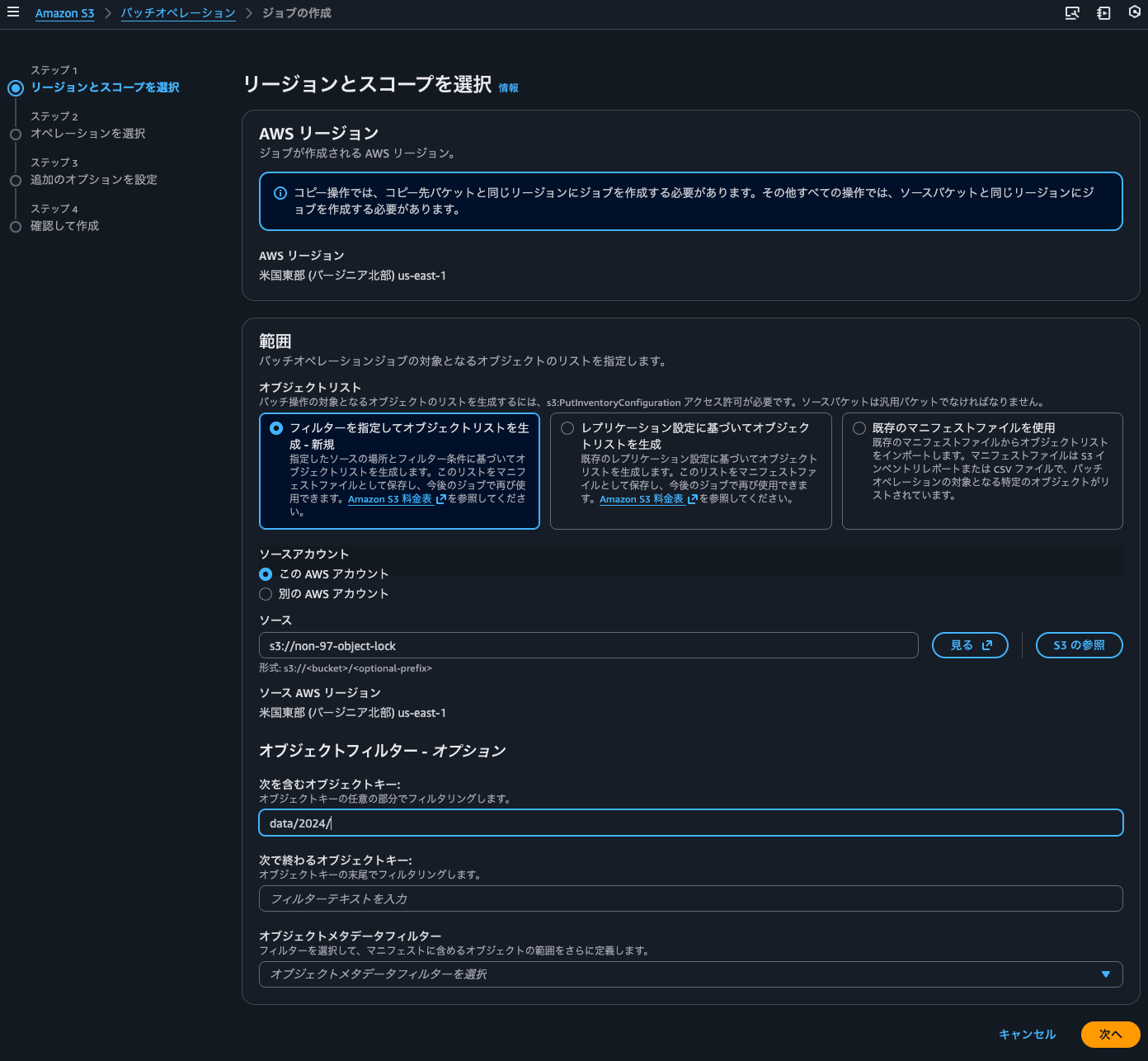
I'll select object lock for the operation. Since the default retention period was 1 day, I set it to 2 days. Note that this is a specific date, not the number of days from when each object was created.
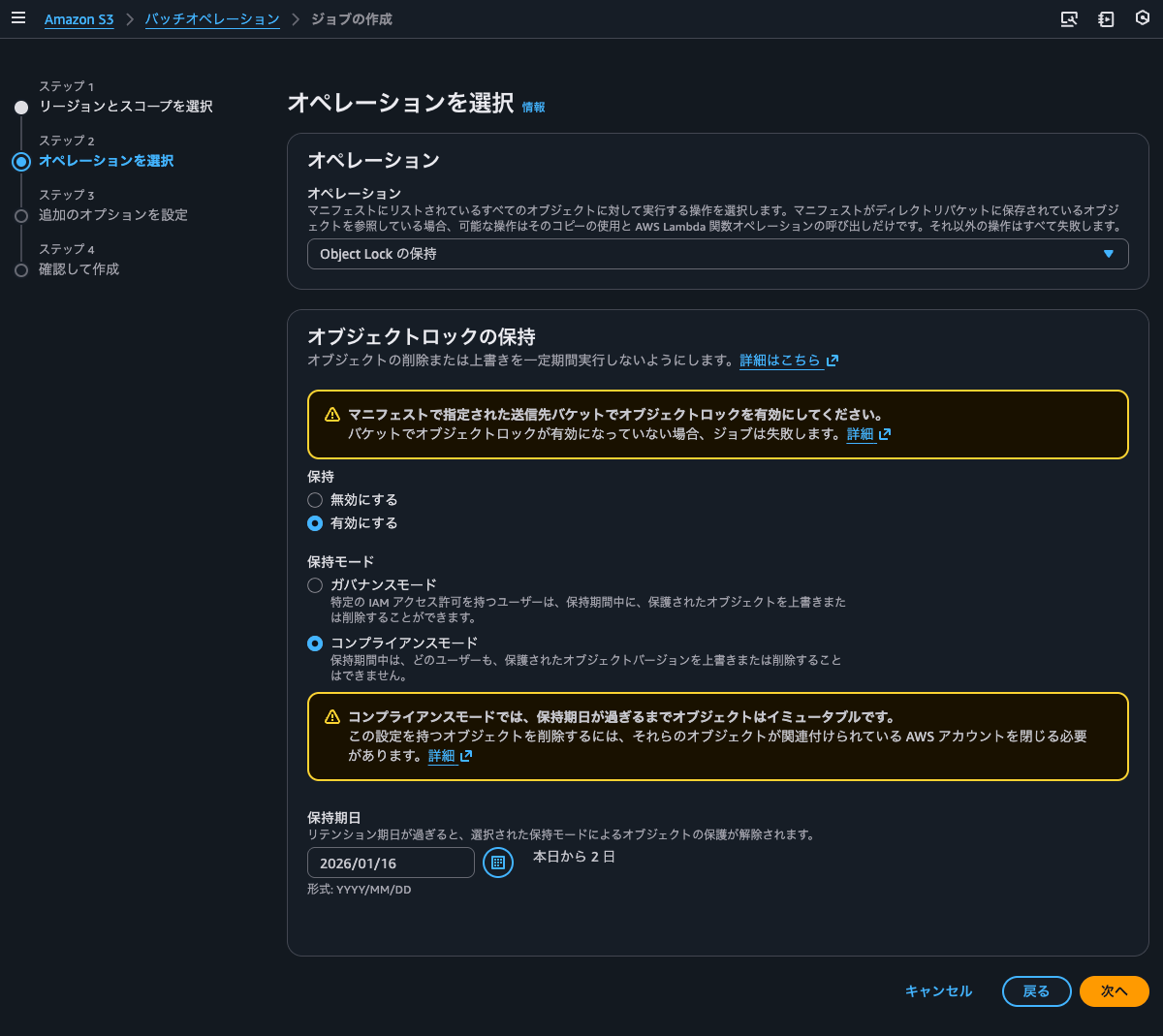
I'll configure job execution timing, object list, reports, and other settings.
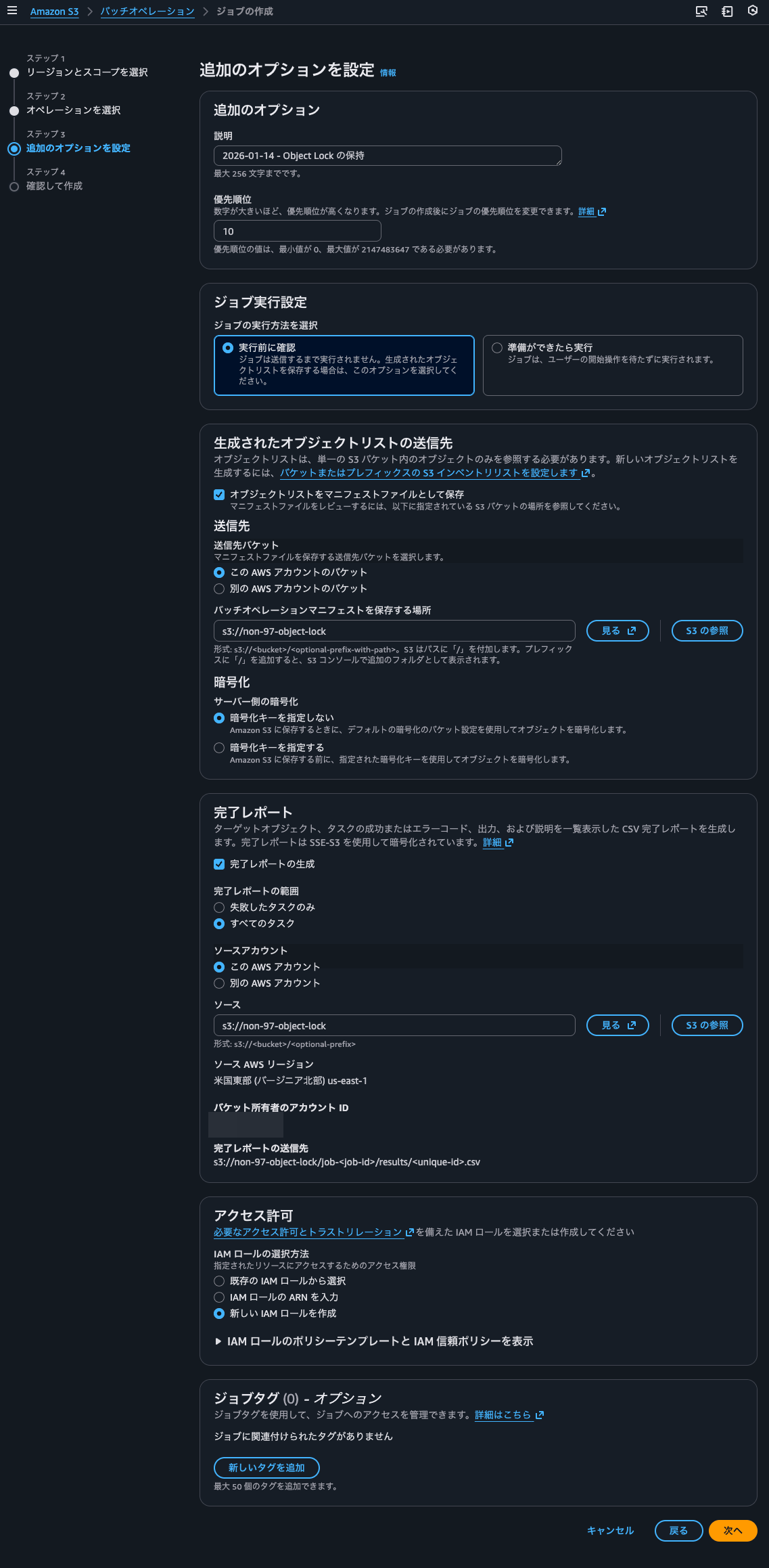
I'll review the job details and create it.
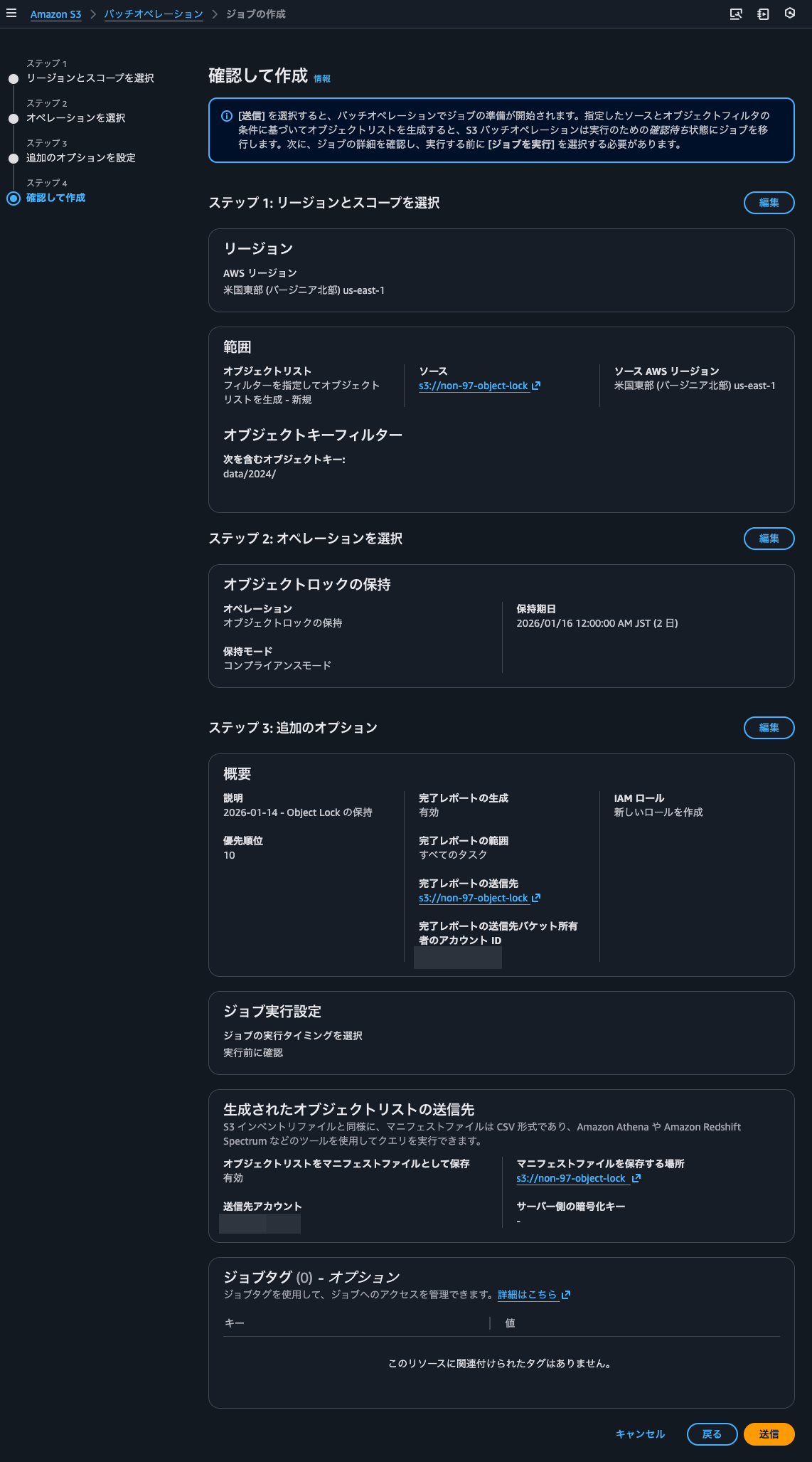
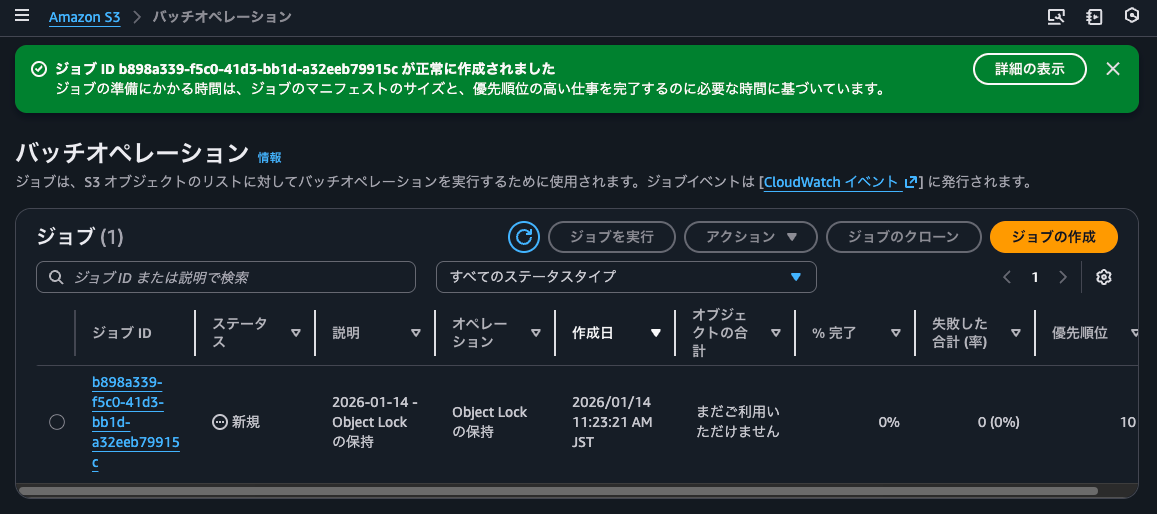
I'll confirm that the job has been created.
I'll check the created job.
The current list of objects in the S3 bucket is as follows:
$ s3-tree non-97-object-lock
non-97-object-lock
├── config
│   ├── production
│   │   └── prod-config.json
│   └── staging
│       └── stage-config.json
├── data
│   ├── 2024
│   │   ├── february
│   │   │   └── report-02.txt
│   │   ├── january
│   │   │   └── report-01.txt
│   │   └── summary.txt
│   └── 2025
│       ├── january
│       │   └── report-03.txt
│       └── summary.txt
├── job-b898a339-f5c0-41d3-bb1d-a32eeb79915c
│   └── manifest.json
├── logs
│   ├── application
│   │   ├── app-2024.log
│   │   └── app-2025.log
│   └── system
│       └── sys-2025.log
└── non-97-object-lock
    └── b898a339-f5c0-41d3-bb1d-a32eeb79915c
        ├── 2026-01-14T02-23Z
        │   ├── manifest.checksum
        │   └── manifest.json
        ├── data
        │   └── 00ab6e92-7bc6-472a-b55c-380f5eedf983.csv.gz
        └── hive
            └── dt=2026-01-14-02-23
                └── symlink.txt

19 directories, 15 files
I'll check the manifest file.
> aws s3 cp s3://non-97-object-lock/non-97-object-lock/b898a339-f5c0-41d3-bb1d-a32eeb79915c/2026-01-14T02-23Z/manifest.json -
{
  "sourceBucket" : "non-97-object-lock",
  "destinationBucket" : "arn:aws:s3:::non-97-object-lock",
  "version" : "2021-11-30",
  "creationTimestamp" : "1768357404157",
  "fileFormat" : "CSV",
  "fileSchema" : "Bucket, Key, VersionId, IsLatest, IsDeleteMarker",
  "files" : [ {
    "key" : "non-97-object-lock/b898a339-f5c0-41d3-bb1d-a32eeb79915c/data/00ab6e92-7bc6-472a-b55c-380f5eedf983.csv.gz",
    "size" : 112,
    "MD5checksum" : "05cf3d0c5811bb9730e56d7e92b9f19f"
  } ]
}

> aws s3 cp s3://non-97-object-lock/non-97-object-lock/b898a339-f5c0-41d3-bb1d-a32eeb79915c/data/00ab6e92-7bc6-472a-b55c-380f5eedf983.csv.gz - \
  | gunzip -c
"non-97-object-lock","data/2024/february/report-02.txt","null","true","false"
"non-97-object-lock","data/2024/january/report-01.txt","null","true","false"
"non-97-object-lock","data/2024/summary.txt","null","true","false"
As intended, objects with the data/2024/ prefix are targeted.
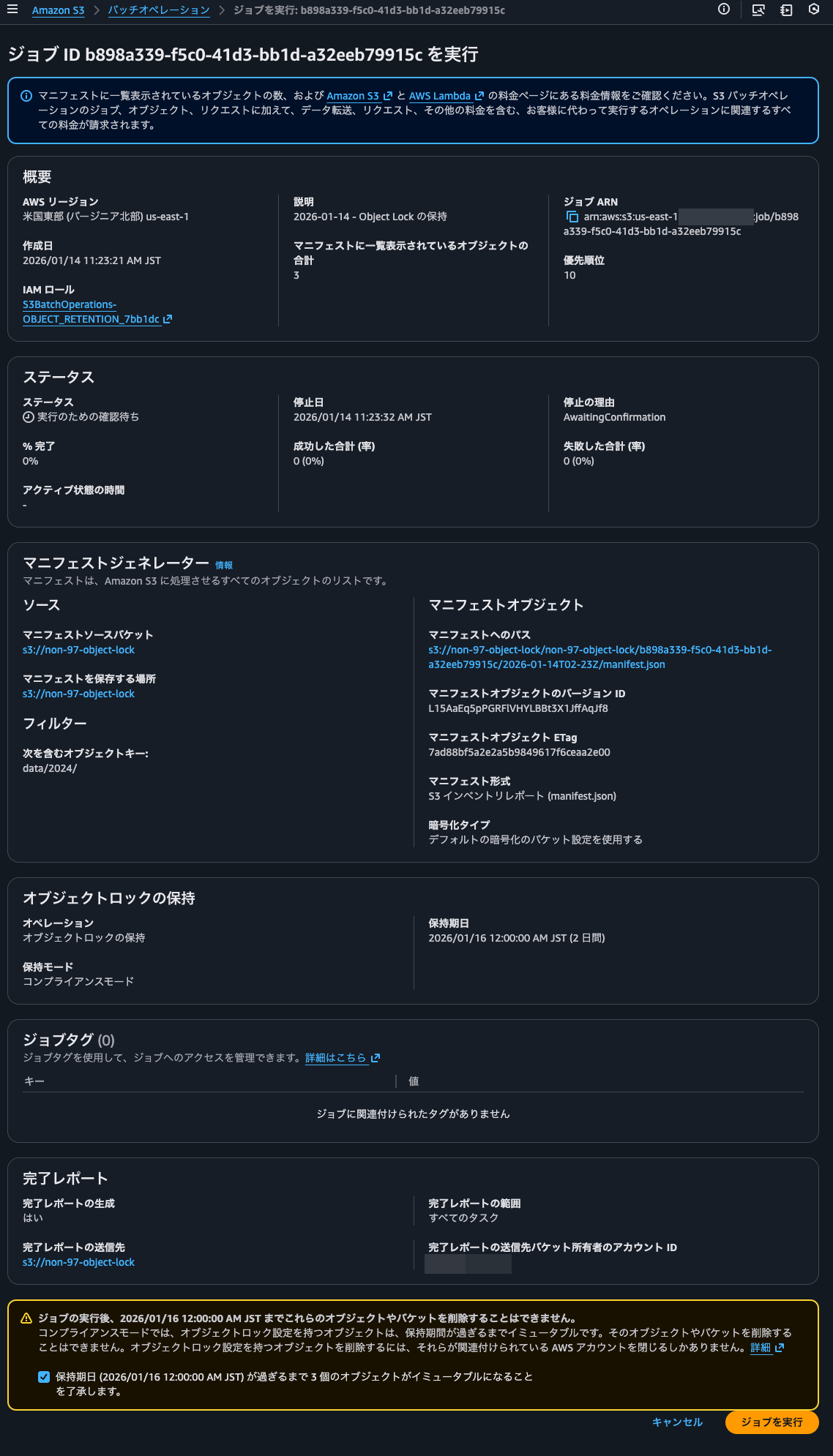
I'll execute the job.
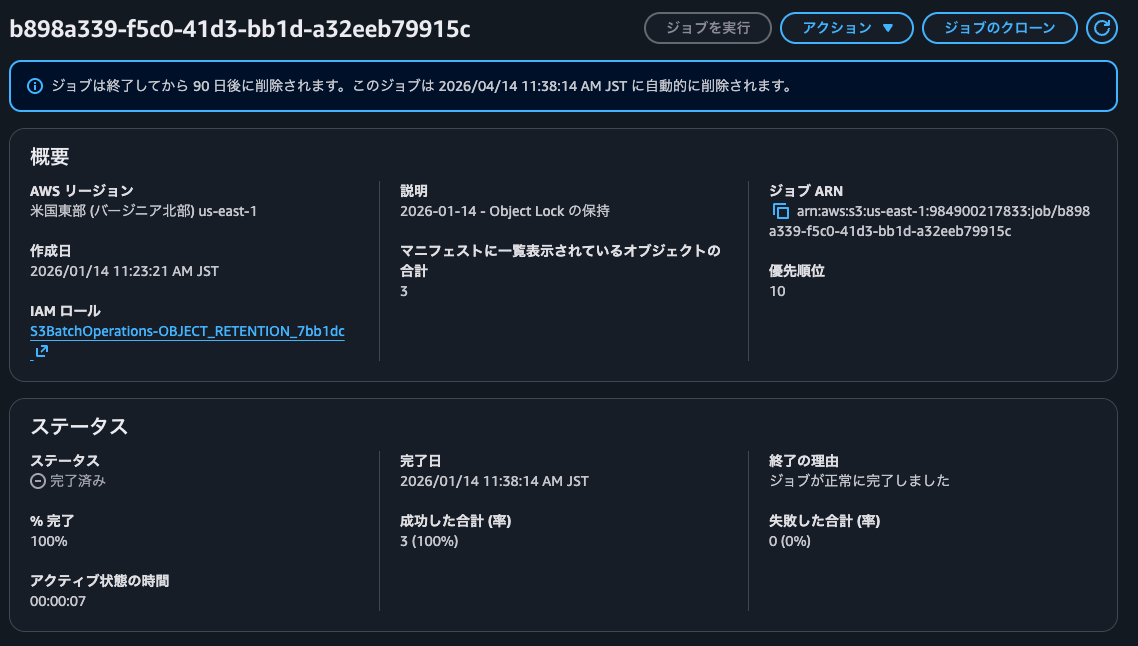
The execution completed in a few tens of seconds.
The current list of objects is as follows. The execution result object 9163512a65070cf0c92d15ddb6da15d730bd9161.csv has been created.
$ s3-tree non-97-object-lock
non-97-object-lock
├── config
│   ├── production
│   │   └── prod-config.json
│   └── staging
│       └── stage-config.json
├── data
│   ├── 2024
│   │   ├── february
│   │   │   └── report-02.txt
│   │   ├── january
│   │   │   └── report-01.txt
│   │   └── summary.txt
│   └── 2025
│       ├── january
│       │   └── report-03.txt
│       └── summary.txt
├── job-b898a339-f5c0-41d3-bb1d-a32eeb79915c
│   ├── manifest.json
│   ├── manifest.json.md5
│   └── results
│       └── 9163512a65070cf0c92d15ddb6da15d730bd9161.csv
├── logs
│   ├── application
│   │   ├── app-2024.log
│   │   └── app-2025.log
│   └── system
│       └── sys-2025.log
└── non-97-object-lock
    └── b898a339-f5c0-41d3-bb1d-a32eeb79915c
        ├── 2026-01-14T02-23Z
        │   ├── manifest.checksum
        │   └── manifest.json
        ├── data
        │   └── 00ab6e92-7bc6-472a-b55c-380f5eedf983.csv.gz
        └── hive
            └── dt=2026-01-14-02-23
                └── symlink.txt

20 directories, 17 files
Checking the contents of the execution result object, I can see that the process was successfully completed for the target objects.
> aws s3 cp s3://non-97-object-lock/job-b898a339-f5c0-41d3-bb1d-a32eeb79915c/results/9163512a65070cf0c92d15ddb6da15d730bd9161.csv -
non-97-object-lock,data/2024/january/report-01.txt,null,succeeded,200,,Successful
non-97-object-lock,data/2024/february/report-02.txt,null,succeeded,200,,Successful
non-97-object-lock,data/2024/summary.txt,null,succeeded,200,,Successful
I'll verify that object locks have actually been set.
> aws s3api list-object-versions --bucket non-97-object-lock --query 'Versions[].Key' --output text | tr '\t' '\n' | while read key; do
    echo "=== $key ==="
    aws s3api head-object --bucket non-97-object-lock --key "$key" --query '{ObjectLockMode: ObjectLockMode, RetainUntilDate: ObjectLockRetainUntilDate, LegalHold: ObjectLockLegalHoldStatus}' --output json
    echo ""
  done
=== config/production/prod-config.json ===
{
    "ObjectLockMode": null,
    "RetainUntilDate": null,
    "LegalHold": null
}

=== config/staging/stage-config.json ===
{
    "ObjectLockMode": null,
    "RetainUntilDate": null,
    "LegalHold": null
}

=== data/2024/february/report-02.txt ===
{
    "ObjectLockMode": "COMPLIANCE",
    "RetainUntilDate": "2026-01-15T15:00:00+00:00",
    "LegalHold": null
}

=== data/2024/january/report-01.txt ===
{
    "ObjectLockMode": "COMPLIANCE",
    "RetainUntilDate": "2026-01-15T15:00:00+00:00",
    "LegalHold": null
}

=== data/2024/summary.txt ===
{
    "ObjectLockMode": "COMPLIANCE",
    "RetainUntilDate": "2026-01-15T15:00:00+00:00",
    "LegalHold": null
}

=== data/2025/january/report-03.txt ===
{
    "ObjectLockMode": null,
    "RetainUntilDate": null,
    "LegalHold": null
}

=== data/2025/summary.txt ===
{
    "ObjectLockMode": null,
    "RetainUntilDate": null,
    "LegalHold": null
}

=== job-b898a339-f5c0-41d3-bb1d-a32eeb79915c/manifest.json ===
{
    "ObjectLockMode": "COMPLIANCE",
    "RetainUntilDate": "2026-01-15T02:38:13.967000+00:00",
    "LegalHold": null
}

=== job-b898a339-f5c0-41d3-bb1d-a32eeb79915c/manifest.json ===
{
    "ObjectLockMode": "COMPLIANCE",
    "RetainUntilDate": "2026-01-15T02:38:13.967000+00:00",
    "LegalHold": null
}

=== job-b898a339-f5c0-41d3-bb1d-a32eeb79915c/manifest.json.md5 ===
{
    "ObjectLockMode": "COMPLIANCE",
    "RetainUntilDate": "2026-01-15T02:38:13.945000+00:00",
    "LegalHold": null
}

=== job-b898a339-f5c0-41d3-bb1d-a32eeb79915c/results/9163512a65070cf0c92d15ddb6da15d730bd9161.csv ===
{
    "ObjectLockMode": "COMPLIANCE",
    "RetainUntilDate": "2026-01-15T02:38:13.865000+00:00",
    "LegalHold": null
}

=== logs/application/app-2024.log ===
{
    "ObjectLockMode": null,
    "RetainUntilDate": null,
    "LegalHold": null
}

=== logs/application/app-2025.log ===
{
    "ObjectLockMode": null,
    "RetainUntilDate": null,
    "LegalHold": null
}

=== logs/system/sys-2025.log ===
{
    "ObjectLockMode": null,
    "RetainUntilDate": null,
    "LegalHold": null
}

=== non-97-object-lock/b898a339-f5c0-41d3-bb1d-a32eeb79915c/2026-01-14T02-23Z/ ===
{
    "ObjectLockMode": "COMPLIANCE",
    "RetainUntilDate": "2026-01-15T02:23:24.188000+00:00",
    "LegalHold": null
}

=== non-97-object-lock/b898a339-f5c0-41d3-bb1d-a32eeb79915c/2026-01-14T02-23Z/manifest.checksum ===
{
    "ObjectLockMode": "COMPLIANCE",
    "RetainUntilDate": "2026-01-15T02:23:27.608000+00:00",
    "LegalHold": null
}

=== non-97-object-lock/b898a339-f5c0-41d3-bb1d-a32eeb79915c/2026-01-14T02-23Z/manifest.json ===
{
    "ObjectLockMode": "COMPLIANCE",
    "RetainUntilDate": "2026-01-15T02:23:27.670000+00:00",
    "LegalHold": null
}

=== non-97-object-lock/b898a339-f5c0-41d3-bb1d-a32eeb79915c/data/00ab6e92-7bc6-472a-b55c-380f5eedf983.csv.gz ===
{
    "ObjectLockMode": "COMPLIANCE",
    "RetainUntilDate": "2026-01-15T02:23:26.454000+00:00",
    "LegalHold": null
}

=== non-97-object-lock/b898a339-f5c0-41d3-bb1d-a32eeb79915c/hive/dt=2026-01-14-02-23/symlink.txt ===
{
    "ObjectLockMode": "COMPLIANCE",
    "RetainUntilDate": "2026-01-15T02:23:27.648000+00:00",
    "LegalHold": null
}
They are set correctly. Also, I can see that objects created after setting object lock on the S3 bucket have the default object lock retention period of 1 day.
I'll also confirm that object locks are set from the management console.
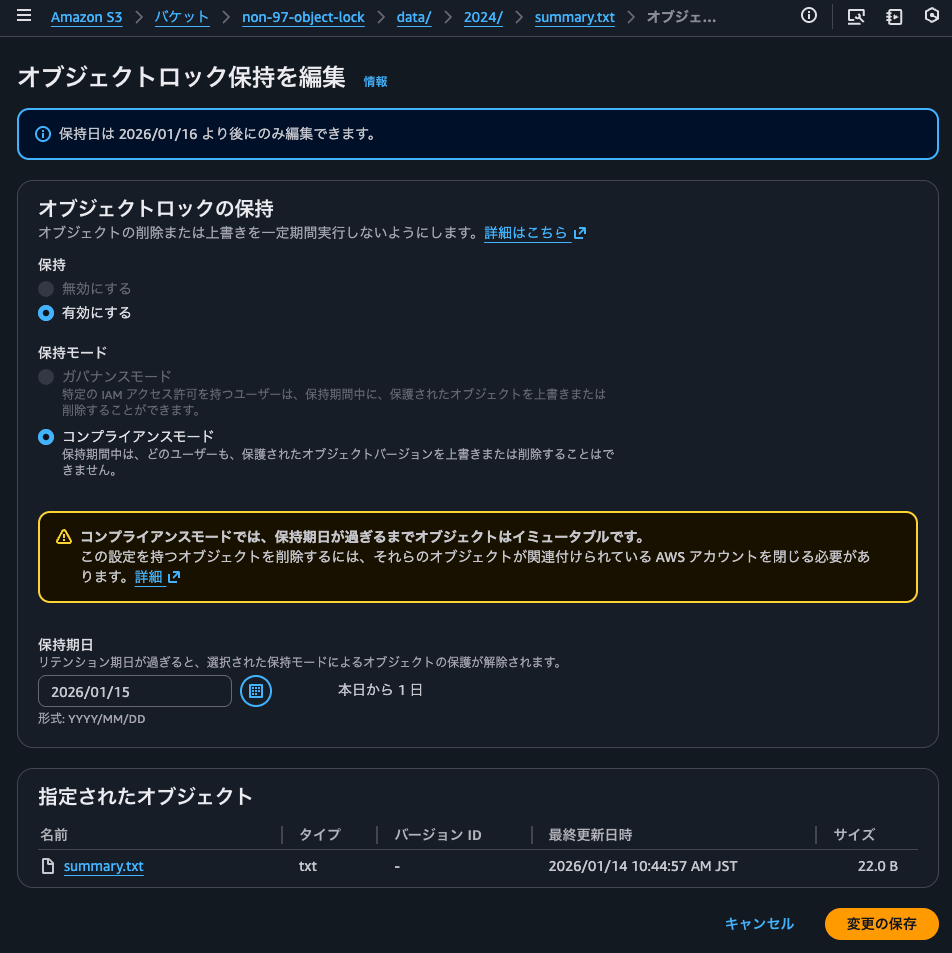
I can clearly see that it's possible to change the retention mode to governance mode or shorten the retention date.
Deleting objects with object locks
Let's try to delete objects with object locks set.
I'll try to delete the current version.
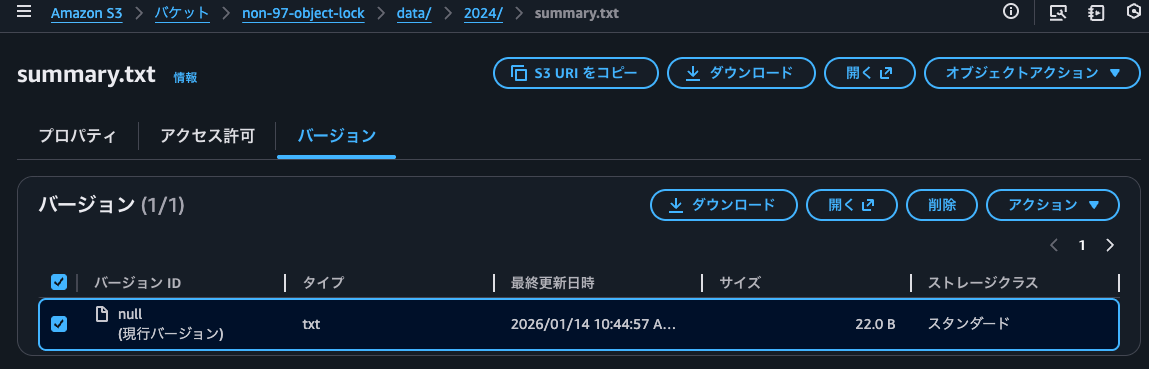
Let's try to delete it completely.
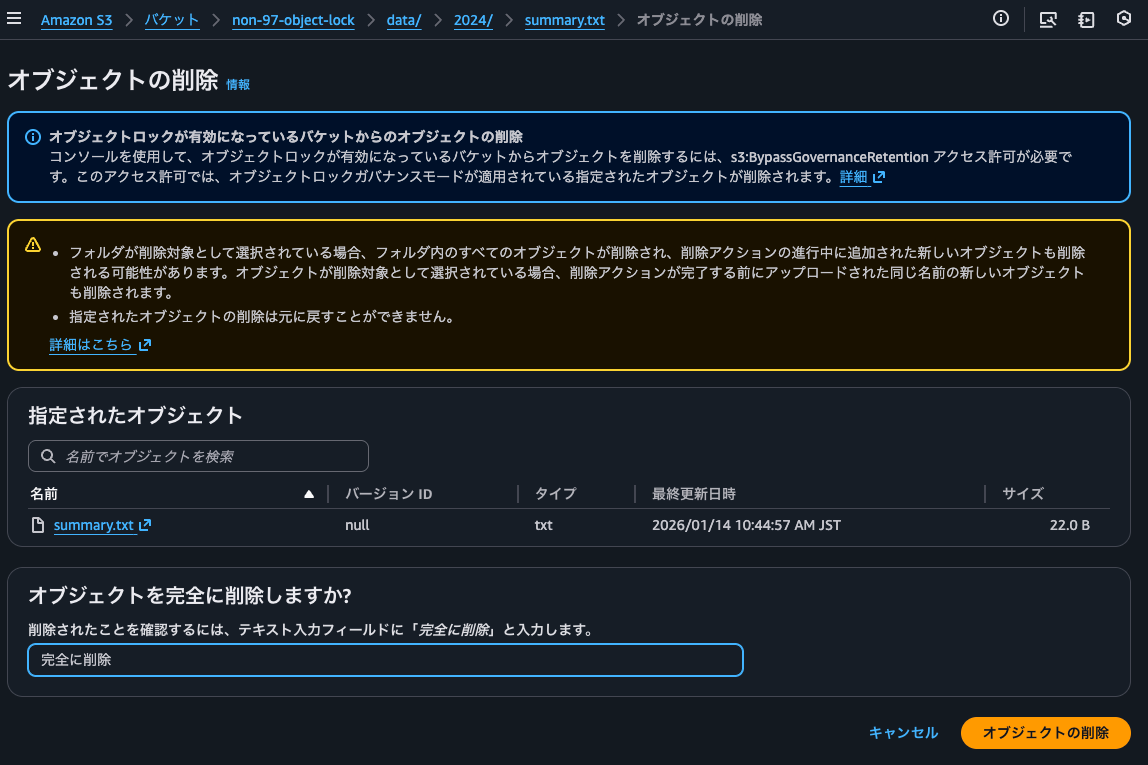
Yes, it failed.
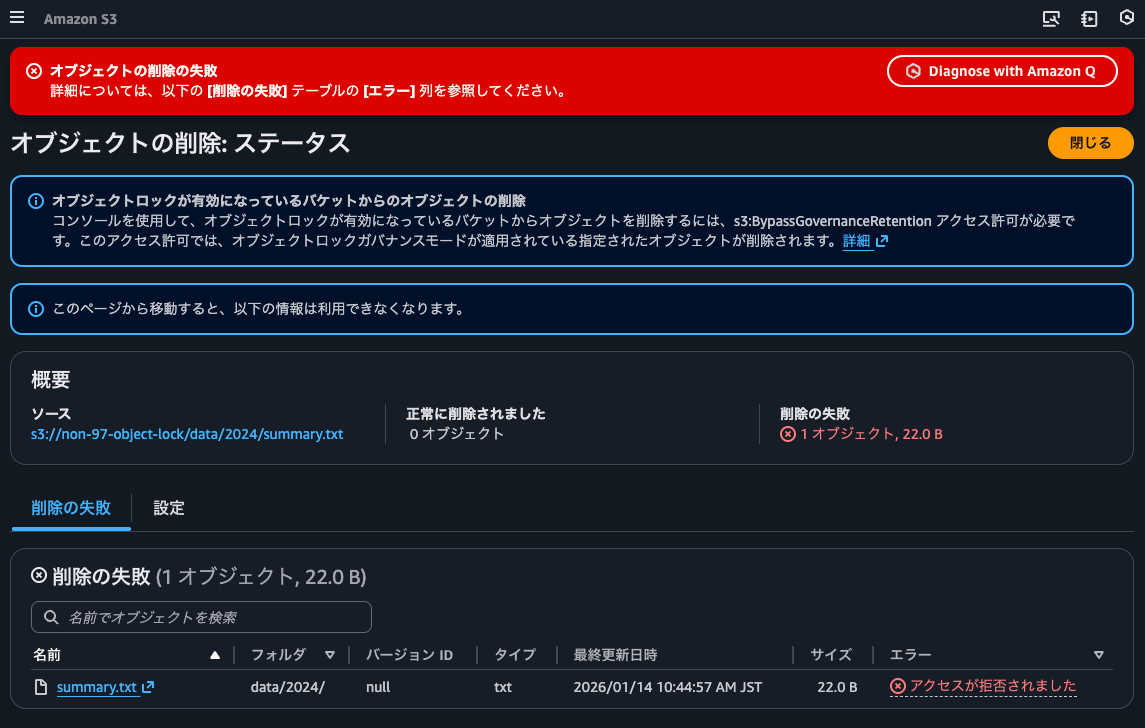
Next, let's try deleting by adding a delete marker.
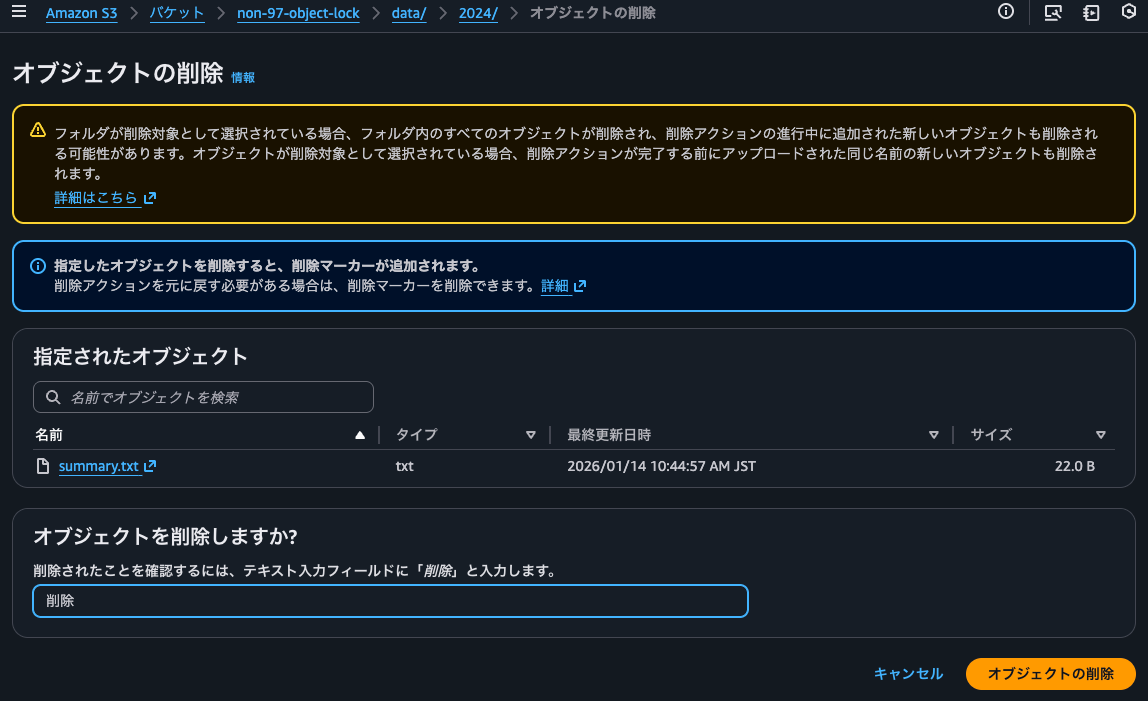
This deletion = adding a delete marker was successful.
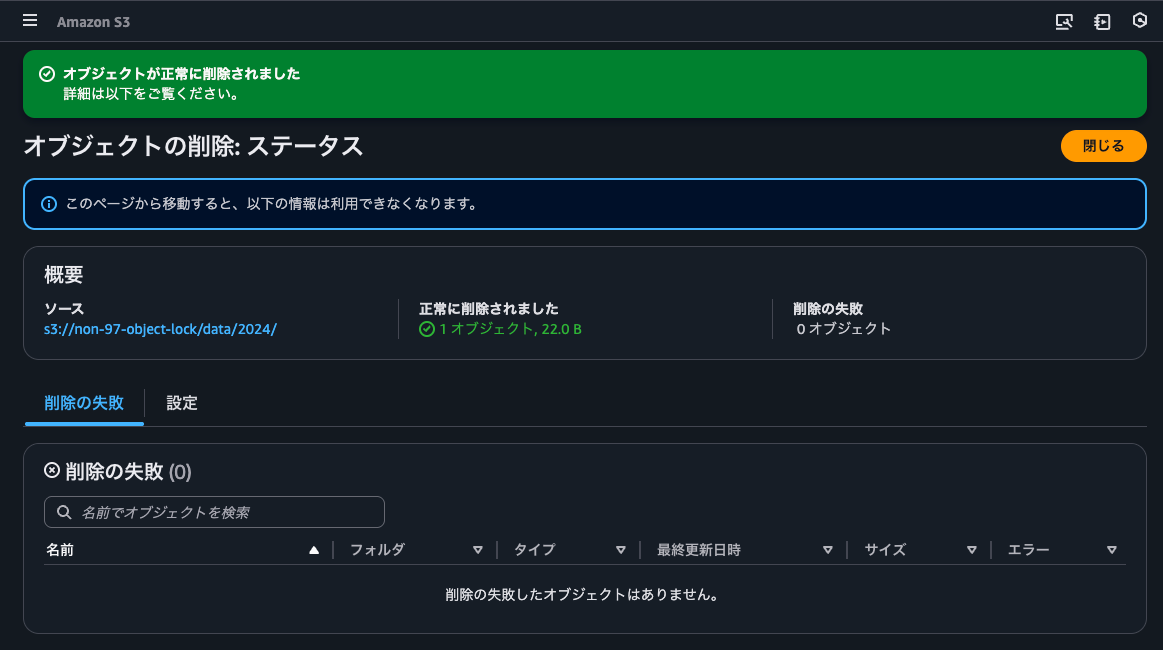
I'll confirm that a delete marker was added.
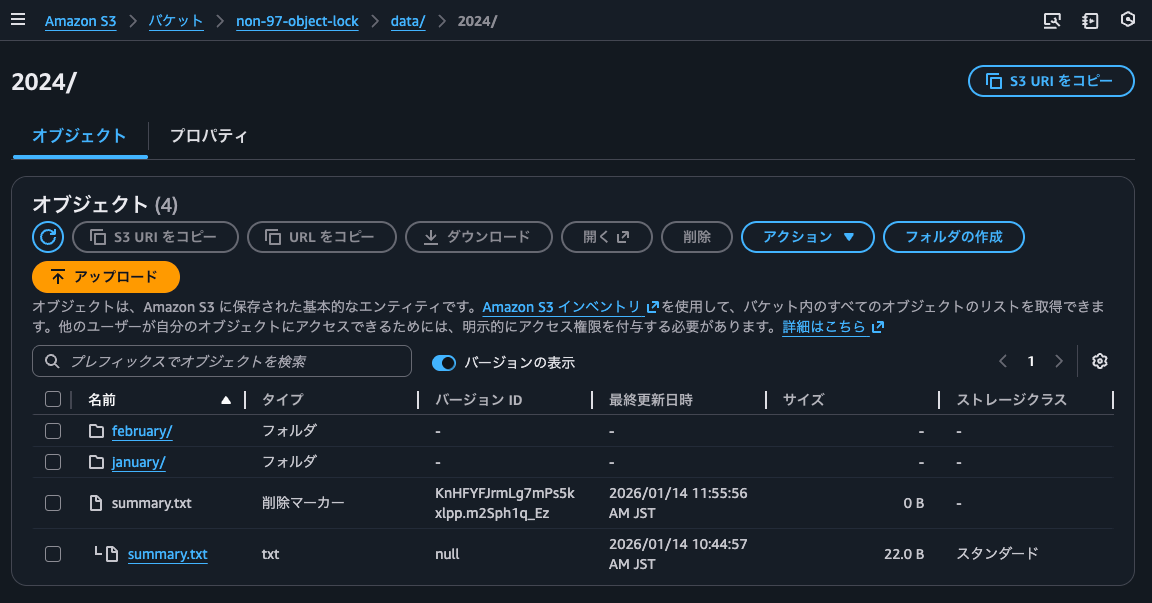
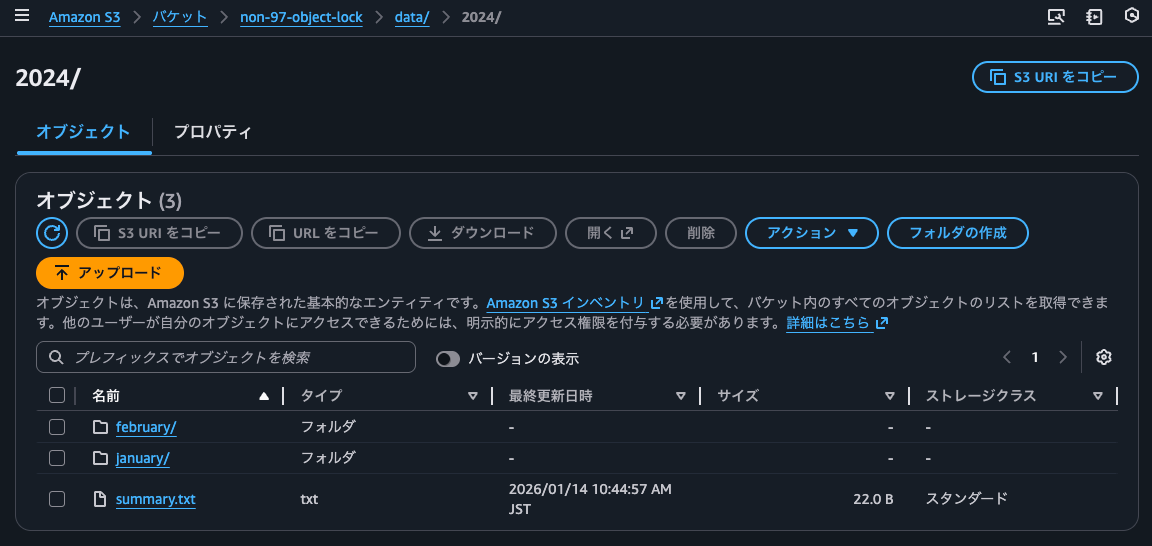
I'll delete the delete marker so that the version with the object lock becomes the latest version.
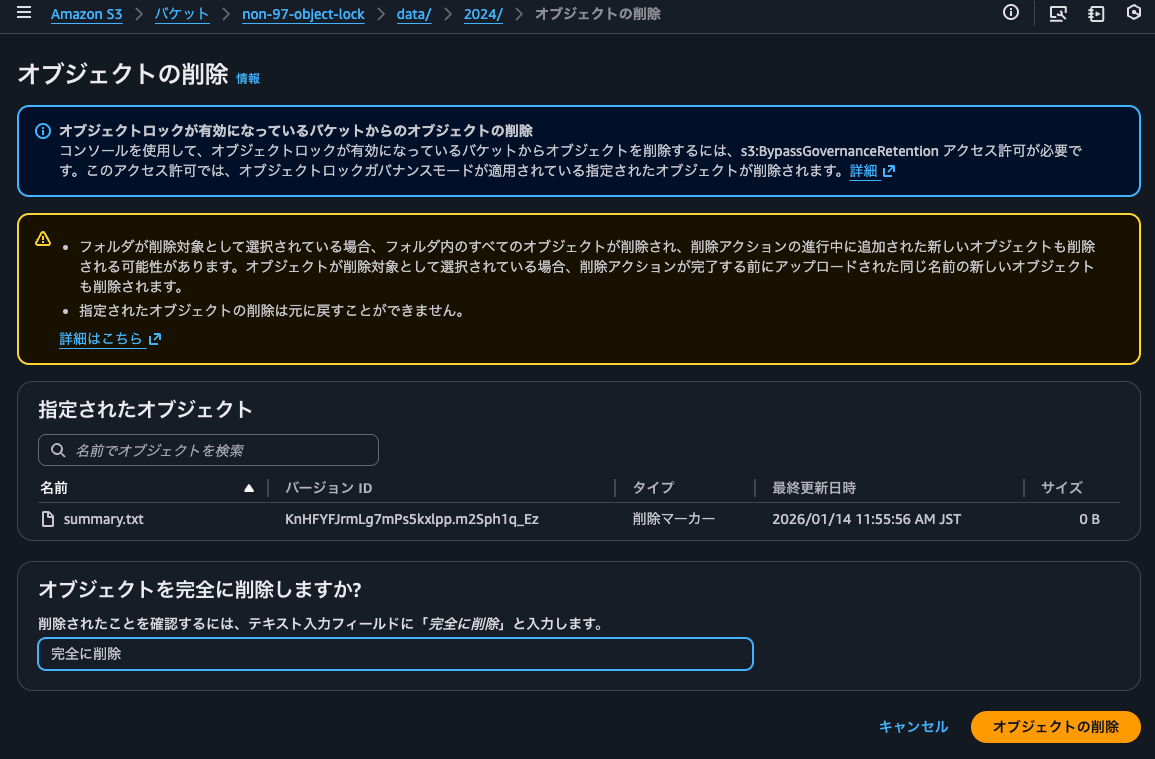
It's been deleted.
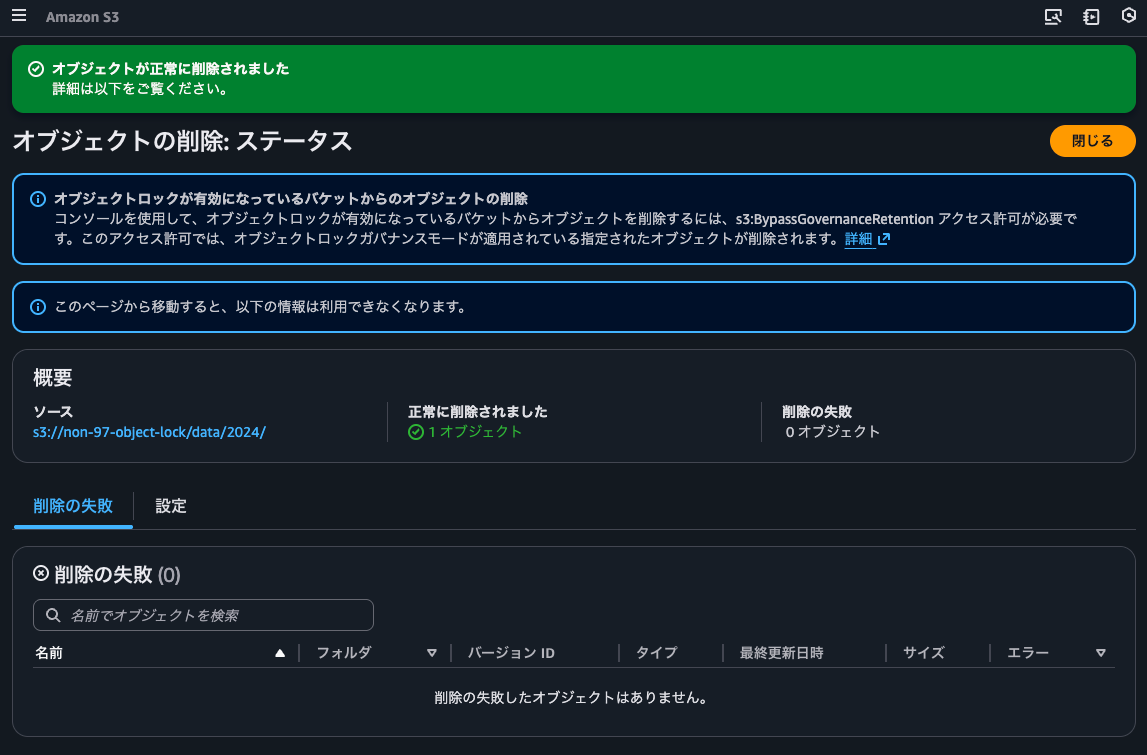
The delete marker has been removed, and the version with the object lock has become the latest version.
Object locks can be easily applied using batch operations
I tried setting object lock periods for existing objects using S3 batch operations.
It was easy to set up using just the management console. It's also helpful that you can easily check the list of target objects and the success/failure results.
I hope this article helps someone.
That's all from nonpi (@non____97) of the Cloud Business Division, Consulting Department!