I tried saving MQTT messages to CloudWatch Logs using AWS IoT Rules

This page has been translated by machine translation. View original
Introduction
Once you're able to connect devices to AWS IoT Core, the next thing you'll want to do is store and review the published messages.
This time, I'll use an AWS IoT Rule to output MQTT messages sent from a local container to CloudWatch Logs. I kept the infrastructure minimal using Terraform.
As a prerequisite, you'll need a Thing or device environment that can send messages to AWS IoT Core. The method for creating a Thing is not limited to Fleet Provisioning. For this verification, I used a local container that had already been registered via Fleet Provisioning.
If you don't have an AWS IoT Thing ready that can send MQTT messages to AWS IoT Core, please refer to this blog: AWS IoT Fleet Provisioningでローカルコンテナを自動登録してみた
Verification Environment
- AWS IoT Core (
ap-northeast-1) - Terraform 1.15.8
- AWS Provider 6.62.0
- Local container capable of sending messages to AWS IoT Core
The container used this time is already registered via Fleet Provisioning. It stores an individual device certificate and is ready to publish to the following topic.
factory/line-a/<ThingName>/telemetry
Preparing the Infrastructure
Service Relationships
The flow we'll be building this time is as follows.
Local container
└── Publish MQTT message
    └── factory/line-a/<ThingName>/telemetry
        ↓
AWS IoT Core MQTT broker
        ↓ Topic filter matches
AWS IoT Rule
├── Select payload with IoT SQL
├── Add Thing name from topic(3)
└── CloudWatch Logs action
    ├── AssumeRole with IAM Role
    │   └── IAM Policy allows writing to target Log group
    └── /aws/iot/lab-rules/telemetry
There are three main components.
- AWS IoT Rule: Selects messages based on MQTT Topic conditions and passes the IoT SQL results to another AWS Service.
- IAM Role and Policy: AWS IoT Core assumes the Role and writes only to the specified CloudWatch Logs Log group.
- CloudWatch Logs Log group: Stores the messages processed by the Rule, allowing you to review the results from the console.
The device's IoT Policy is used to connect to the MQTT broker and publish to its own topic. On the other hand, the IAM Role for writing to CloudWatch Logs is used by AWS IoT Core.
Therefore, there is no need to add IAM credentials or CloudWatch Logs permissions to the container.
IaC (Terraform)
The Terraform used this time is published in the following repository.
Terraform loads all .tf files in the same directory as a single Module. This time, I split them into cloudwatch-logs.tf, iam-role.tf, iam-policy.tf, and iot-rule.tf to make the services and roles being created clear.
The basic execution commands are as follows.
git clone https://github.com/cm-obuchi-hugo-examples/iot-rules-and-observibility-minimal.git
cd iot-rules-and-observibility-minimal

terraform init
terraform fmt -check
terraform validate
terraform plan -out=tfplan
terraform apply tfplan
Before running terraform apply, I confirmed with terraform plan that existing Things, certificates, and IoT Policies were not included as targets for changes.
Below, I'll extract and review the main parts from the actual Terraform. Please refer to the repository for the full content, including variable definitions.
cloudwatch-logs.tf
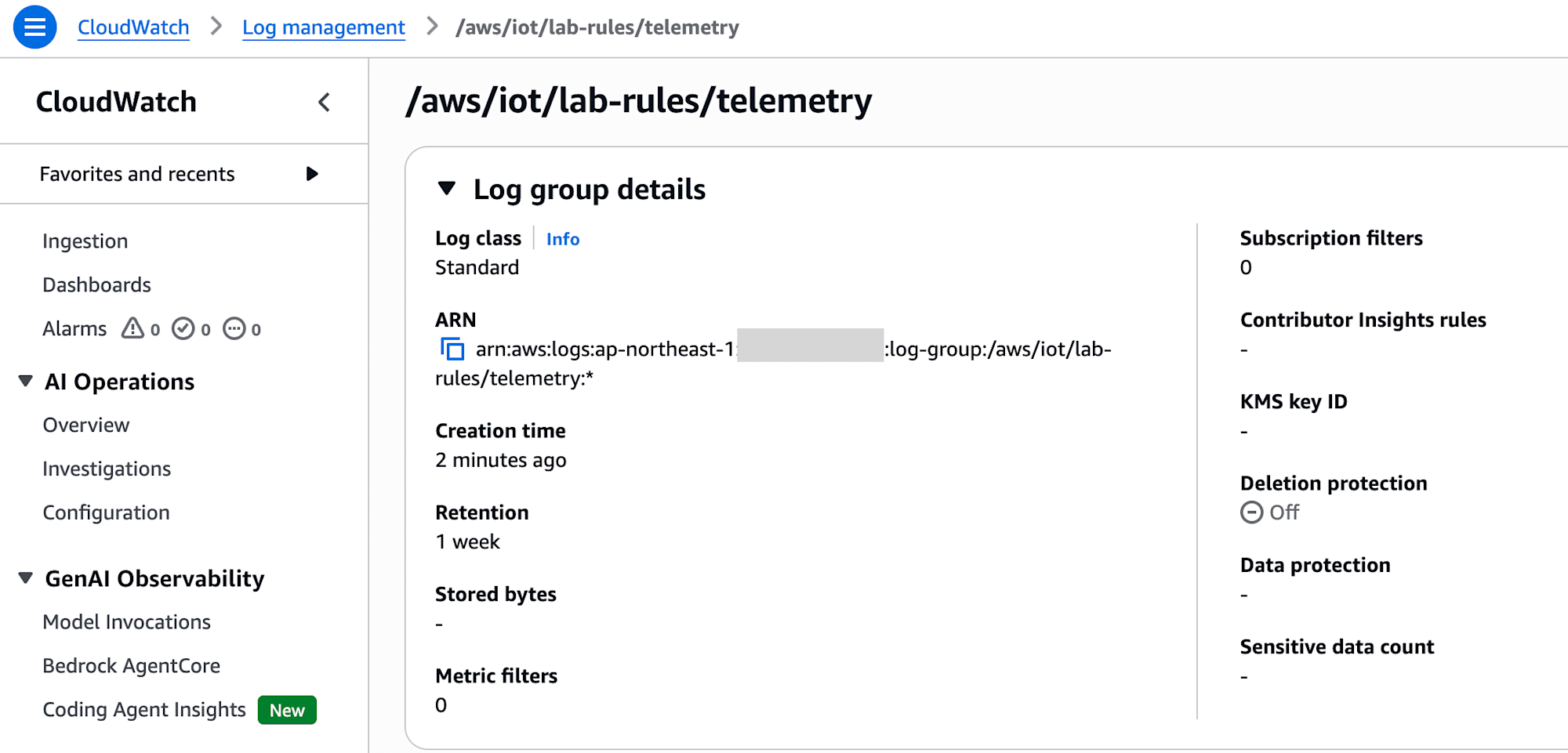
First, create the Log group that will serve as the output destination for the Rule.
# Create the destination explicitly so Terraform manages its retention and the
# IAM policy can target one exact group.
resource "aws_cloudwatch_log_group" "telemetry" {
  name              = var.telemetry_log_group_name
  retention_in_days = var.log_retention_days
}
The values used this time are as follows.
Log group: /aws/iot/lab-rules/telemetry
Retention: 7 days
By creating the Log group first, the IAM Policy described later can be restricted to only this output destination. Permissions for logs:CreateLogGroup or writing to arbitrary Log groups are not granted.
This Log group is the storage destination for messages processed by the IoT Rule. It is separate from AWSIotLogsV2, which stores AWS IoT Core's own diagnostic logs.
iam-role.tf
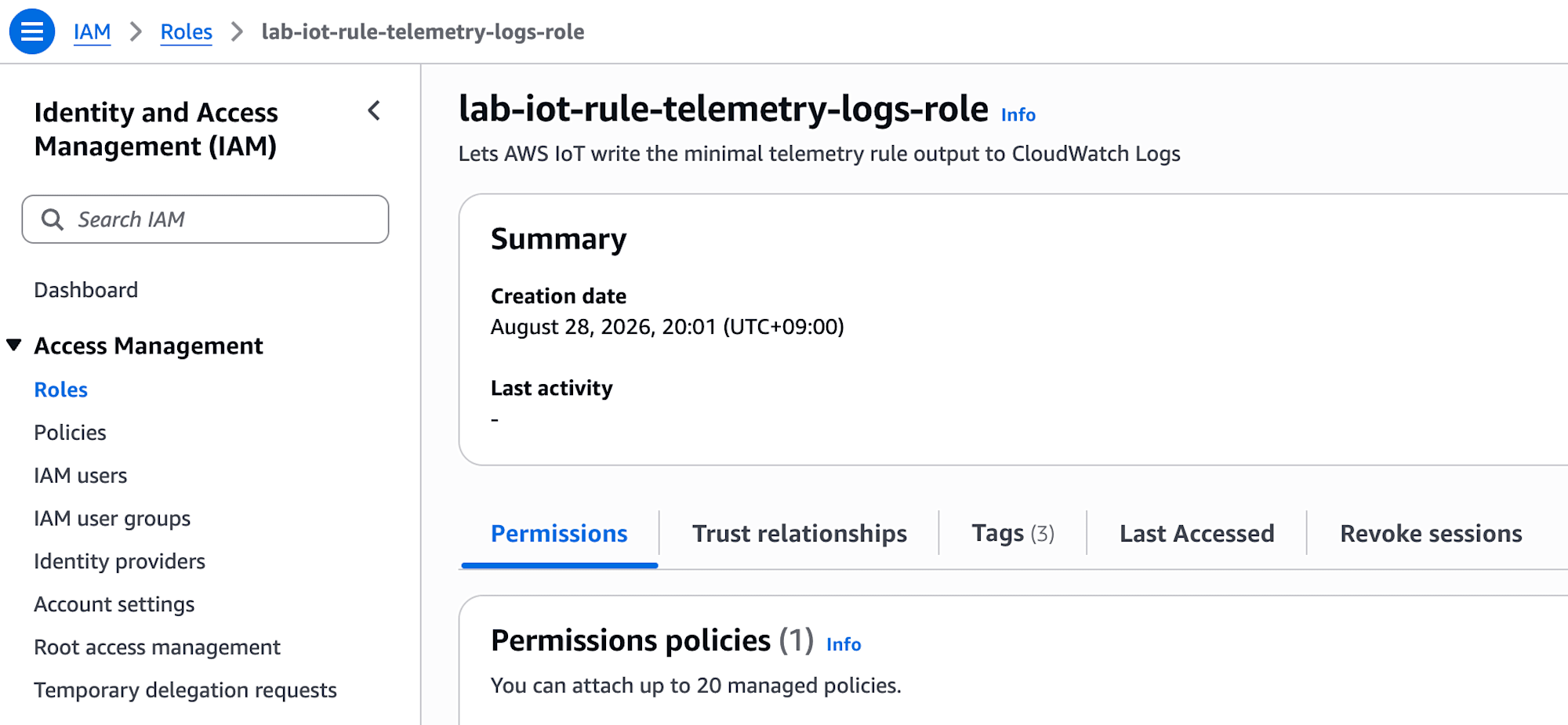
Next, create the IAM Role that AWS IoT Core will AssumeRole.
# A role's trust policy answers "who may assume this role?"
data "aws_iam_policy_document" "iot_assume_role" {
  statement {
    effect  = "Allow"
    actions = ["sts:AssumeRole"]

    principals {
      type        = "Service"
      identifiers = ["iot.amazonaws.com"]
    }
  }
}

resource "aws_iam_role" "rule_action" {
  name               = var.rule_action_role_name
  assume_role_policy = data.aws_iam_policy_document.iot_assume_role.json
}
The iot.amazonaws.com in the Trust Policy indicates that this Role can be assumed by AWS IoT Core.
aws_iam_policy_document is a Data Source that assembles the Policy JSON within Terraform. This block itself does not create an IAM resource on AWS; the generated JSON is used by aws_iam_role.
iam-policy.tf
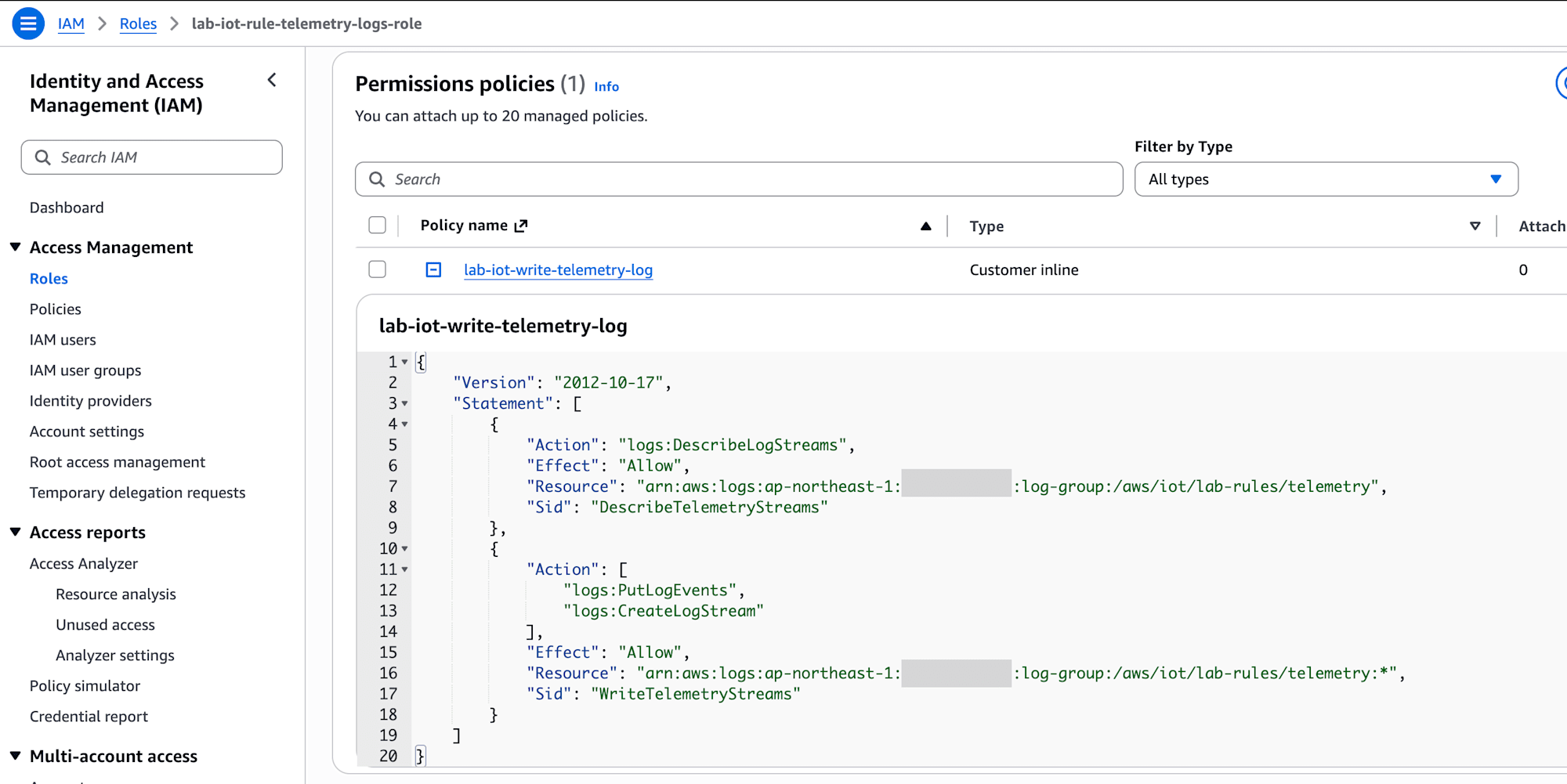
While the Trust Policy determines "who can assume the Role," the Permission Policy determines "what the assumed Role can do."
data "aws_iam_policy_document" "write_telemetry_logs" {
  statement {
    sid       = "DescribeTelemetryStreams"
    effect    = "Allow"
    actions   = ["logs:DescribeLogStreams"]
    resources = [aws_cloudwatch_log_group.telemetry.arn]
  }

  statement {
    sid    = "WriteTelemetryStreams"
    effect = "Allow"
    actions = [
      "logs:CreateLogStream",
      "logs:PutLogEvents",
    ]
    resources = ["${aws_cloudwatch_log_group.telemetry.arn}:*"]
  }
}

resource "aws_iam_role_policy" "write_telemetry_logs" {
  name   = "lab-iot-write-telemetry-log"
  role   = aws_iam_role.rule_action.id
  policy = data.aws_iam_policy_document.write_telemetry_logs.json
}
The three CloudWatch Logs Actions that were permitted are as follows.
logs:DescribeLogStreamslogs:CreateLogStreamlogs:PutLogEvents
The Resource references the ARN of the Log group created by Terraform. This allows Terraform to fill in the AWS account ID and region, and also automatically creates a dependency on the Log group.
The permissions required for the CloudWatch Logs action can also be confirmed in the AWS official documentation at CloudWatch Logs rule action.
iot-rule.tf
Finally, create the IoT Rule that selects MQTT messages.
resource "aws_iot_topic_rule" "telemetry_to_logs" {
  name        = var.topic_rule_name
  description = "Send lab device telemetry to CloudWatch Logs"
  enabled     = true
  sql_version = "2016-03-23"

  sql = <<-SQL
    SELECT
      thingName,
      observedAt,
      message,
      topic(3) AS sourceThing
    FROM '${var.telemetry_topic_filter}'
  SQL

  cloudwatch_logs {
    log_group_name = aws_cloudwatch_log_group.telemetry.name
    role_arn       = aws_iam_role.rule_action.arn
    batch_mode     = false
  }

  depends_on = [aws_iam_role_policy.write_telemetry_logs]
}
The Topic filter value used this time is as follows.
factory/line-a/+/telemetry
The MQTT + is a wildcard that matches only a single level. For example, the following topic would be targeted.
factory/line-a/lab-iot-machine-03/telemetry
Looking at the topic by level, it breaks down as follows.
topic(1) = factory
topic(2) = line-a
topic(3) = lab-iot-machine-03
topic(4) = telemetry
The IoT SQL selects thingName, observedAt, and message from the payload. Additionally, topic(3) is added to the result as sourceThing.
This allows you to verify both the Thing name placed in the payload by the device and the Thing name retrieved from the actually published Topic in the same Event.
Since batch_mode = false was set, each MQTT message will be confirmed as a single Log event.
depends_on is added to ensure the Rule is created only after the Inline Policy creation is complete, not just after the IAM Role ARN is available.
Confirming the Resources Created After Terraform Apply
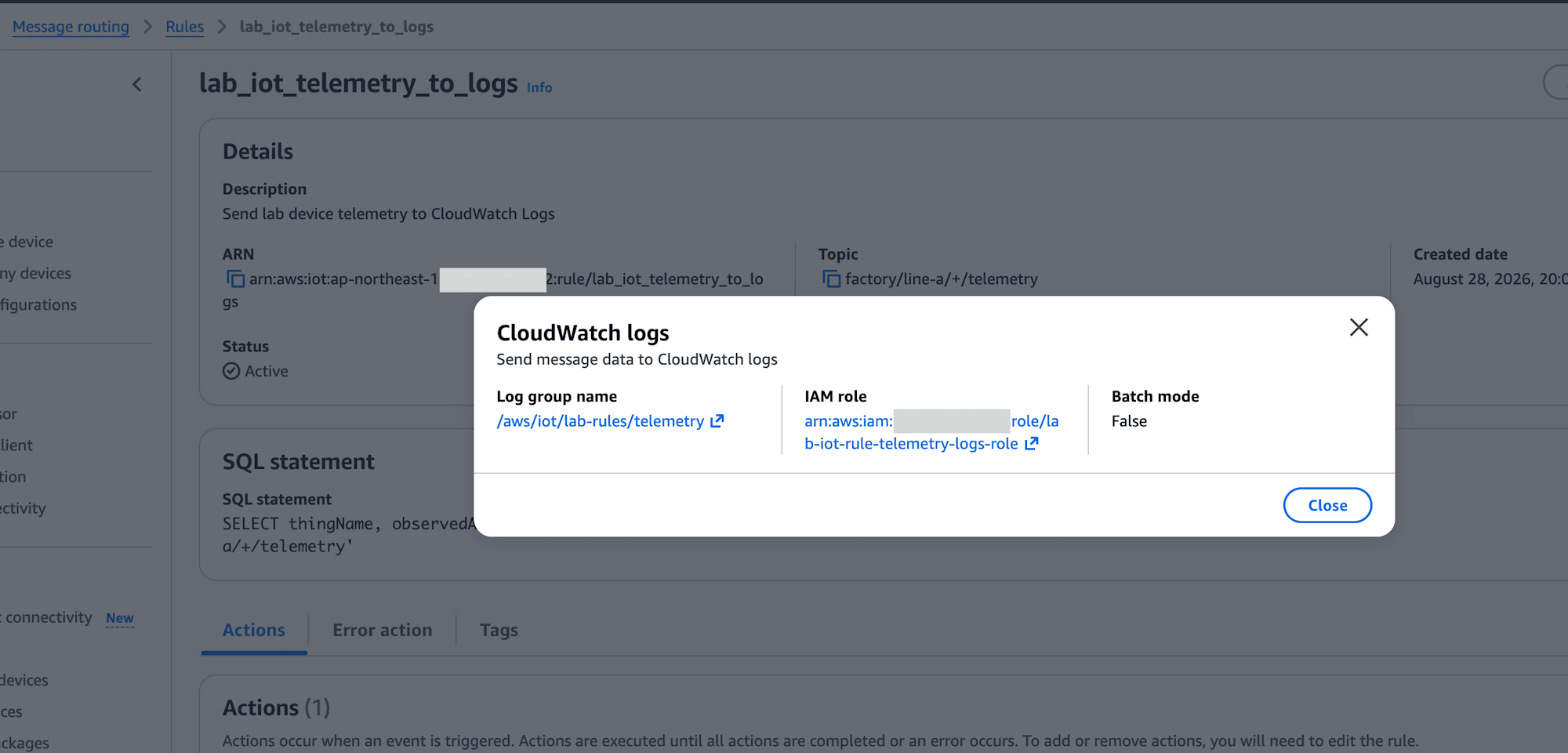
After completing terraform apply, I confirmed that the following resources had been created.
- CloudWatch Logs:
/aws/iot/lab-rules/telemetry - IAM Role:
lab-iot-rule-telemetry-logs-role - Inline Policy:
lab-iot-write-telemetry-log - AWS IoT Rule:
lab_iot_telemetry_to_logs
Testing the Messages
After preparing the infrastructure, I started the lab-iot-machine-03 container registered via Fleet Provisioning for this test. I reused the saved device certificate and did not mount a Claim certificate.
The reason Fleet Provisioning is used here is due to how I prepared my container environment. As long as you can send a message to the target Topic on AWS IoT Core, you can test the same Rule with a Thing or device created using a different method.
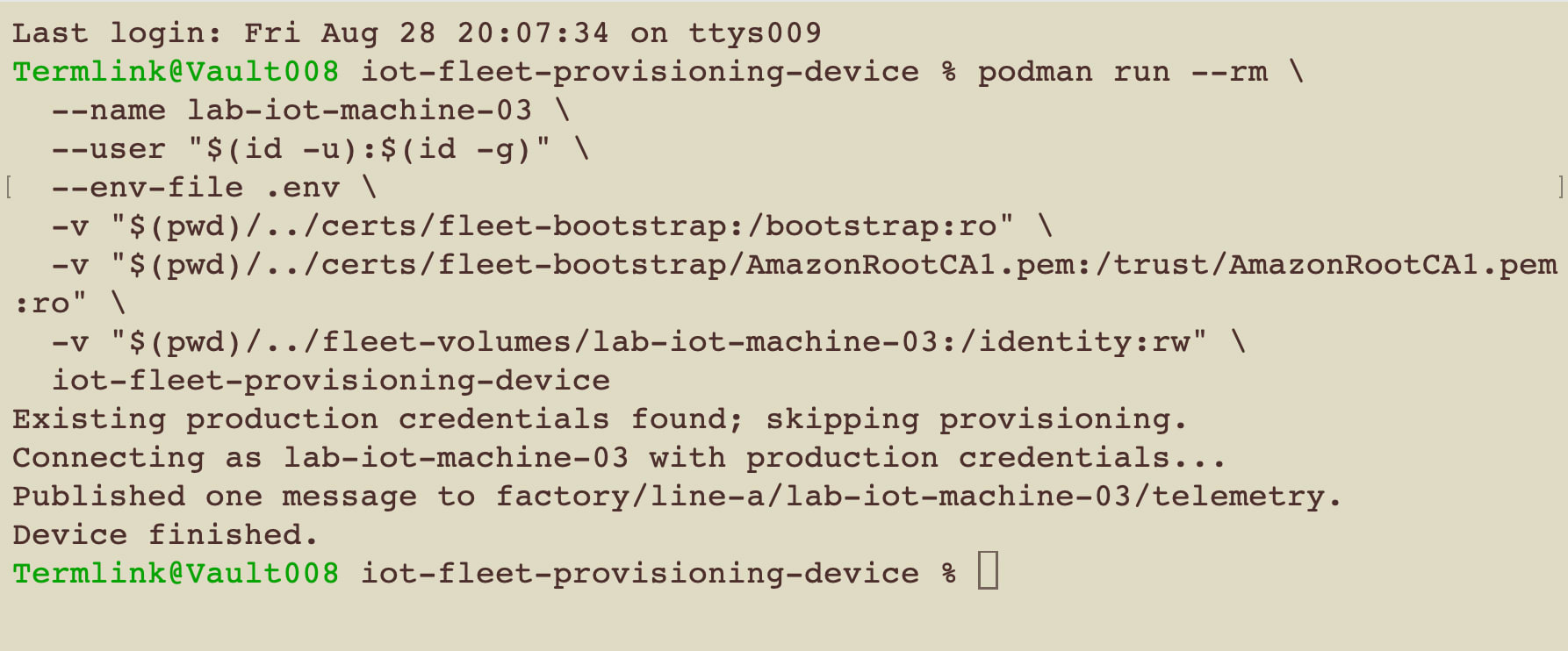
The container published one message to the following topic.
factory/line-a/lab-iot-machine-03/telemetry
On the container side, I confirmed that the publish was completed using the existing credentials.
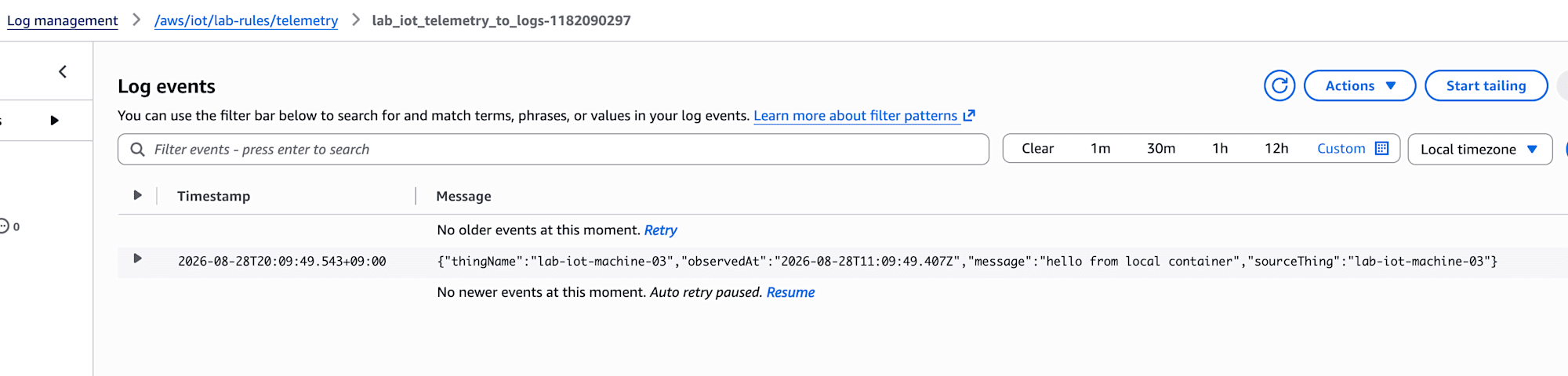
Next, I opened /aws/iot/lab-rules/telemetry in CloudWatch Logs and checked the latest Log stream.
The stored Event is in the following format. The actual value of observedAt has been omitted.
{
  "thingName": "lab-iot-machine-03",
  "observedAt": "<timestamp>",
  "message": "hello from local container",
  "sourceThing": "lab-iot-machine-03"
}
The scope of this verification covers up to the point where a normal message matches the Topic filter and is stored by the IoT Rule's CloudWatch Logs action. Error actions, AWS IoT Service logging, CloudWatch metrics, and failure behavior are not included in this minimal test.
Deleting Unnecessary Resources
The resources created with Terraform this time can be deleted with the following commands.
terraform plan -destroy
terraform destroy
Review the destroy plan before executing. Existing Things, certificates, IoT Policies, and other resources used to prepare the device are not managed by this Terraform.
Conclusion
Using an AWS IoT Rule, I was able to confirm MQTT messages published from a local container in CloudWatch Logs.
In this configuration, the device is only responsible for publishing to MQTT, and the subsequent writing to CloudWatch Logs is handled by AWS IoT Core using an IAM Role. Splitting the Terraform into files per service also made it easier to trace the boundaries of these permissions.
Even with a minimal configuration, I was able to confirm the relationship between the Topic filter, IoT SQL, and Rule action through to actual Events, making it a clear first verification of AWS IoT Rules.
