I tried automatic backup of AWS Secrets Manager secrets across accounts

This page has been translated by machine translation. View original
Hello, I'm Arahira from the Cloud Business Division, Consulting Department (@eiraces).
Have you ever wanted to create cross-account backups of secrets stored in AWS Secrets Manager?
It would have been nice if AWS Backup natively supported this, but as of this writing, that feature isn't available.
I was thinking, "I want to backup to another account, but creating my own system seems a bit troublesome..." when I found a perfect solution in aws-samples that I decided to try. I'm grateful for that.
AWS Secrets Manager Cross Account Backup
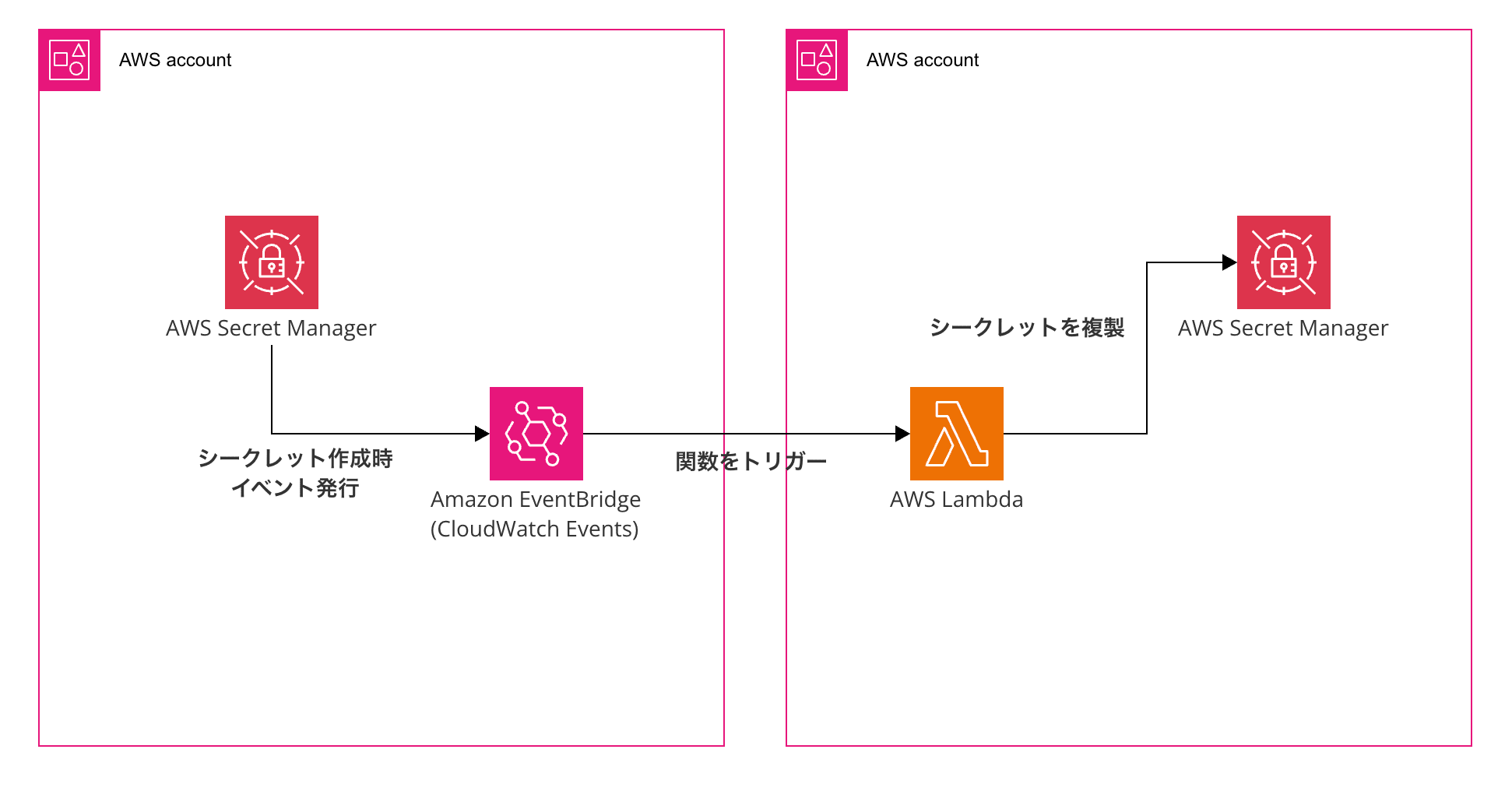
The mechanism works like this: when a secret is created or updated in the source account's Secrets Manager, EventBridge detects the API call, and a Lambda function in the backup account retrieves and replicates the secret from the source account.
The backed-up secrets are saved in the backup account with the naming convention <ACCOUNT>/<REGION>/<SOURCE_NAME>.
It's good that you can see at a glance which account and region it came from.
Verification Configuration
Here's a simple configuration diagram for this entry. We'll deploy the following structure using CloudFormation (via Service Catalog).
Implementation
We'll follow the 4 steps according to the GitHub repository's README.
Step 1. Prepare Resources
In the backup account, clone the repository we'll be using.
Note that it doesn't matter which account you use as long as it has proper access, as mentioned below.
git clone https://github.com/aws-samples/aws-secrets-manager-cross-account-backup.git
cd aws-secrets-manager-cross-account-backup
Next, upload the files from the scripts/ and templates/ directories to an S3 bucket.
aws s3 cp scripts/ s3://<Bucket-Name>/ --recursive
aws s3 cp templates/ s3://<Bucket-Name>/ --recursive
This S3 bucket needs a bucket policy configured to allow access from both the source and backup accounts.
Apply a policy like the following (requiring s3:GetObject and s3:ListBucket):
{
  "Version": "2012-10-17",
  "Statement": [
    {
      "Sid": "AllowCrossAccountAccess",
      "Effect": "Allow",
      "Principal": {
        "AWS": [
          "arn:aws:iam::<Account-ID-Dst>:root",
          "arn:aws:iam::<Account-ID-Src>:root"
        ]
      },
      "Action": [
        "s3:GetObject",
        "s3:ListBucket"
      ],
      "Resource": [
        "arn:aws:s3:::<Bucket-Name>",
        "arn:aws:s3:::<Bucket-Name>/*"
      ]
    }
  ]
}
Also, deploy an execution IAM role to the backup account:
aws iam create-role \
    --role-name StackSetAdminRole \
    --assume-role-policy-document '{
      "Version": "2012-10-17",
      "Statement": [{
        "Effect": "Allow",
        "Principal": {"Service": "cloudformation.amazonaws.com"},
        "Action": "sts:AssumeRole"
      }]
    }'

aws iam put-role-policy \
  --role-name StackSetAdminRole \
  --policy-name AssumeExecutionRole \
  --policy-document '{
    "Version": "2012-10-17",
    "Statement": [{
      "Effect": "Allow",
      "Action": "sts:AssumeRole",
      "Resource": "arn:aws:iam::*:role/StackSetExecutionRole"
    }]
  }'
Next, deploy the following IAM role to both the backup and source accounts.
The permissions are limited to only the required services. Replace Account-ID-Dst with the backup account ID.
aws iam create-role \
    --role-name StackSetExecutionRole \
    --assume-role-policy-document '{
      "Version": "2012-10-17",
      "Statement": [{
        "Effect": "Allow",
        "Principal": {"AWS": "arn:aws:iam::<Account-ID-Dst>:root"},
        "Action": "sts:AssumeRole"
      }]
    }'

aws iam put-role-policy \
    --role-name StackSetExecutionRole \
    --policy-name StackSetExecution \
    --policy-document '{
      "Version": "2012-10-17",
      "Statement": [{
        "Effect": "Allow",
        "Action": [
          "cloudformation:*",
          "events:*",
          "iam:*",
          "lambda:*",
          "secretsmanager:*",
          "s3:*",
          "kms:*",
          "sns:*",
          "logs:*"
        ],
        "Resource": "*"
      }]
    }'
Step 2. Deploy the Baseline
In the backup account, deploy the CloudFormation template secrets_manager_backup.baseline.template.yml.
You need to pass the ARN of an IAM role that can operate Service Catalog, so run aws sts get-caller-identity --query 'Arn' --output text and replace accordingly.
aws cloudformation create-stack \
    --stack-name secrets-manager-backup-baseline \
    --template-url https://s3.amazonaws.com/<Bucket-Name>/templates/secrets_manager_backup.baseline.template.yml \
    --capabilities CAPABILITY_NAMED_IAM \
    --parameters ParameterKey=pResourceLocationBucket,ParameterValue=<Bucket-Name> \
      ParameterKey=pServiceCatalogPortfolioAssociationPrincipalARN,ParameterValue=<IAM-Principal-ARN> \
      ParameterKey=pResourceLocationBucketRegion,ParameterValue=ap-northeast-1 \
      ParameterKey=pResourceLocationBucketKeyPrefix,ParameterValue=templates \
    --region ap-northeast-1
Note that the IAM principal only accepts role, user, or group, and I got stuck with a Validate error when using assumed-role, so be careful.
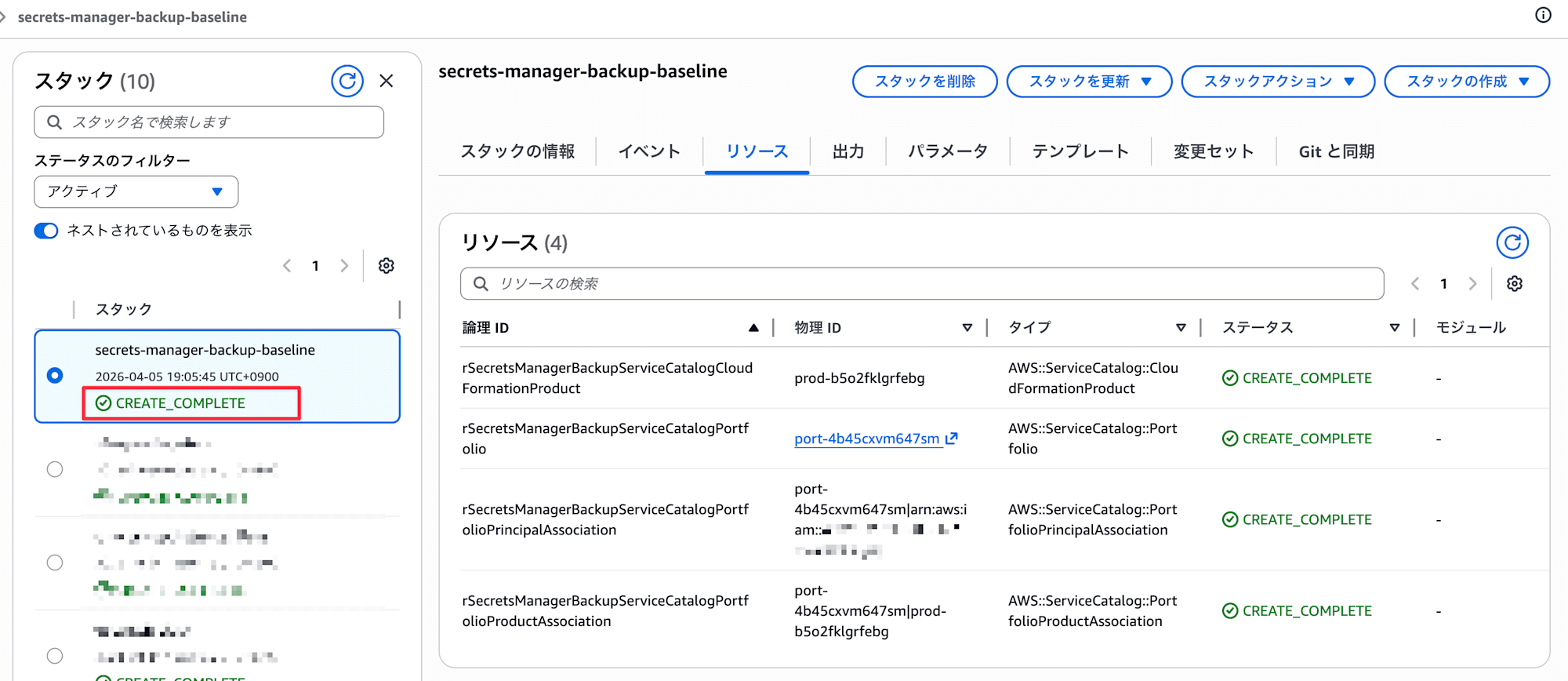
Once the CloudFormation screen shows CREATE_COMPLETE, you're good to go.
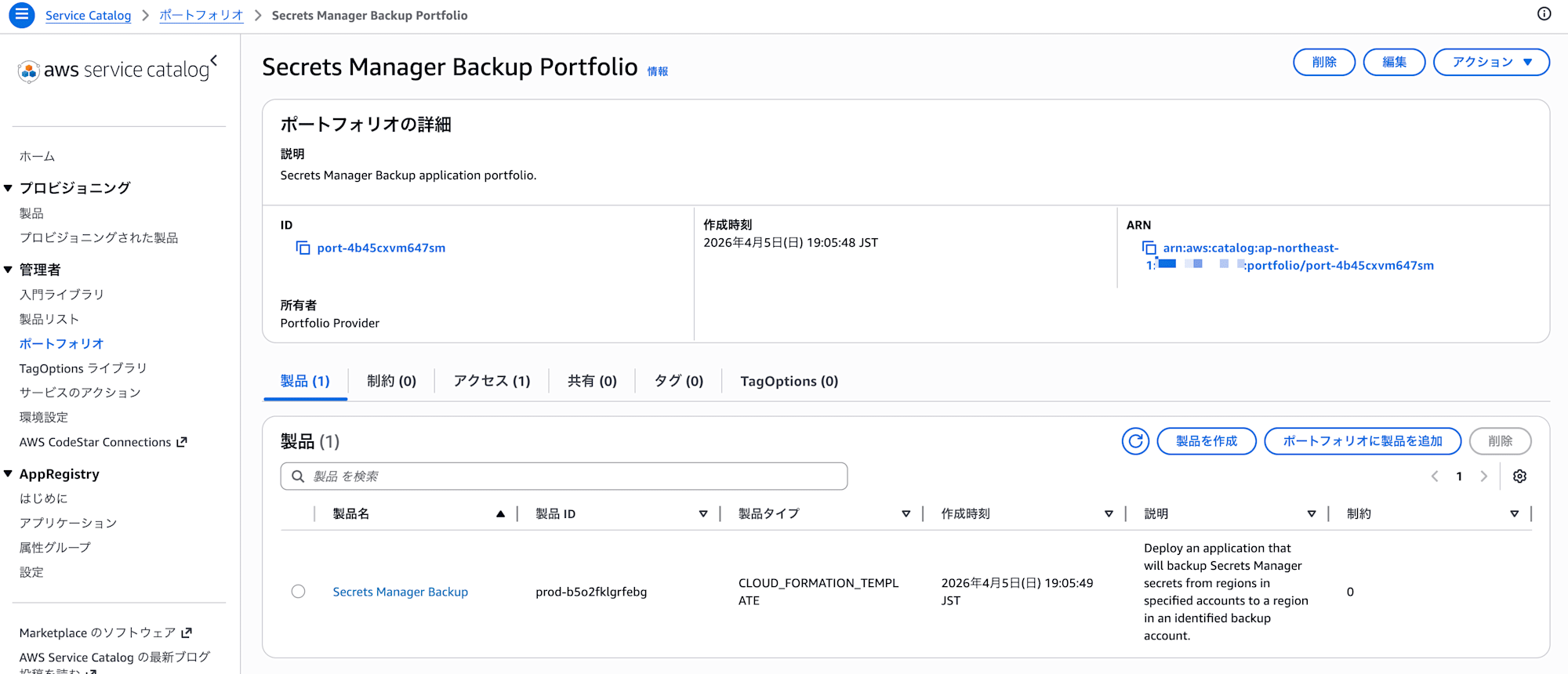
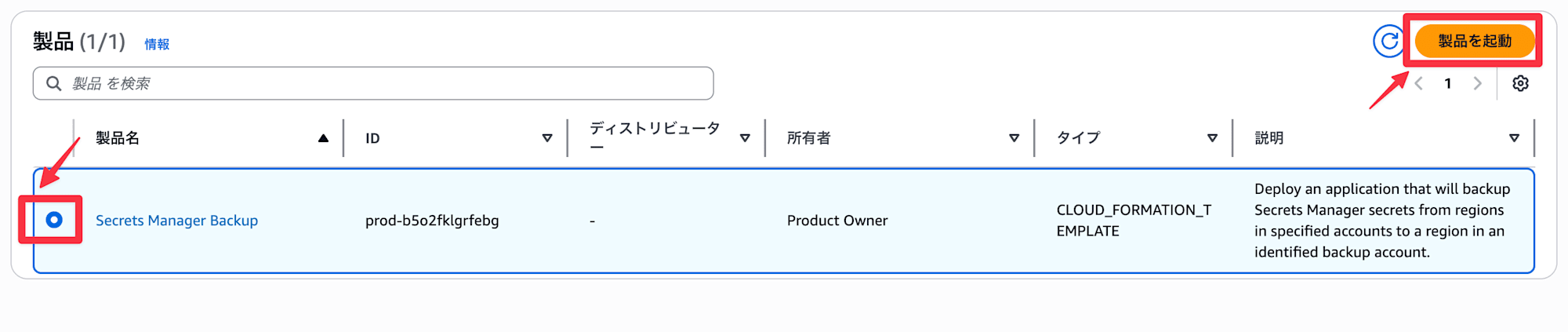
Once the stack creation is complete, the "Secrets Manager Backup" product will be registered in Service Catalog.
Step 3. Configure Backup Targets in Service Catalog
Select and launch the "Secrets Manager Backup" product from Service Catalog.
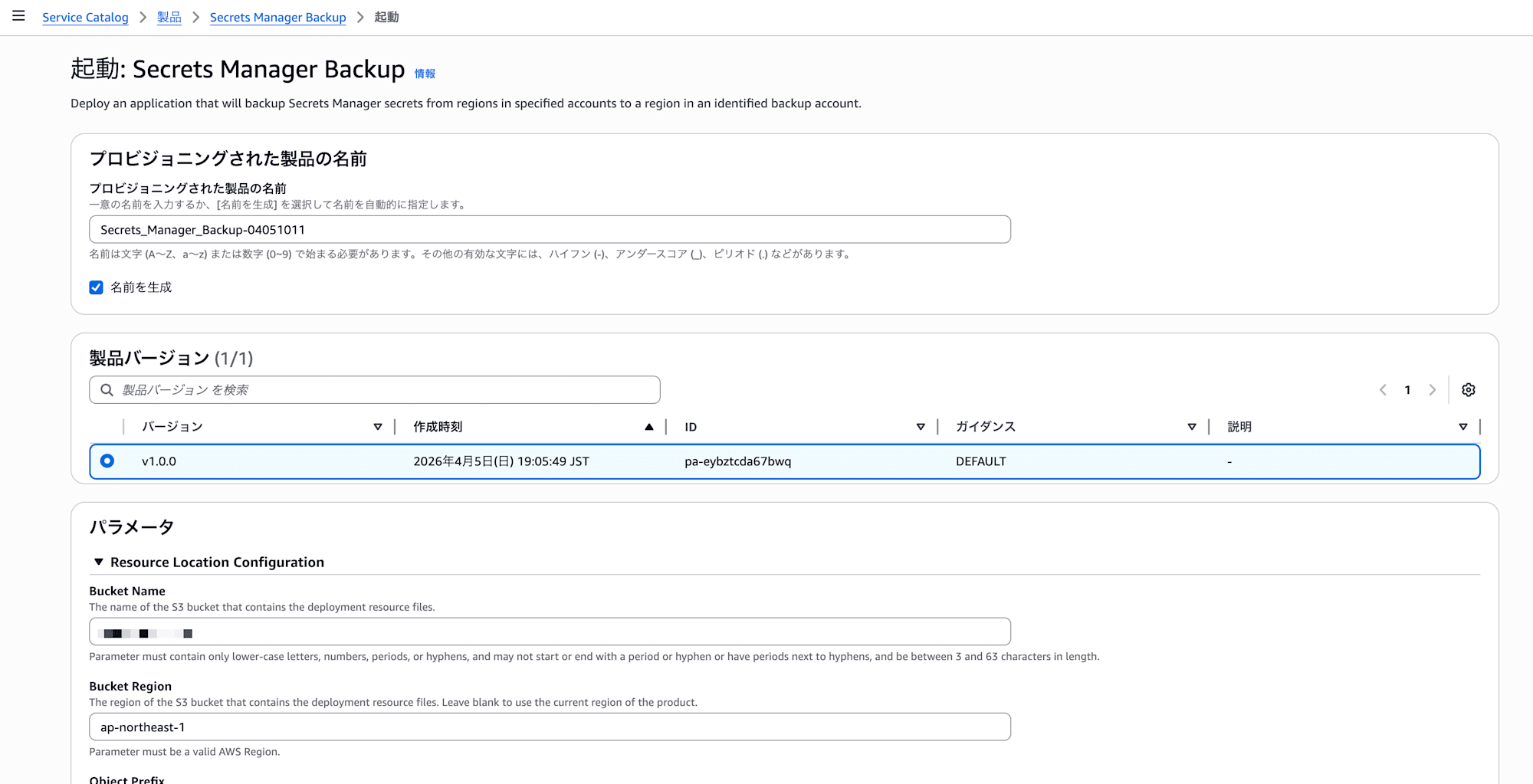
Specify each parameter including the source account ID for the backup target:
- Bucket Name
- The S3 bucket name for backups
- Bucket Region
- The bucket region. In this case,
ap-northeast-1
- The bucket region. In this case,
- Object Prefix
- Specify the folder where deployment files are stored. Left blank as templates were stored directly in the root
- Source Account Configuration
- Specify source account ID and region
- Backup Account Configuration
- Specify backup account ID and region
- CloudFormation Stackset Configuration
- Administration Role Name is
StackSetAdminRole(if you didn't change it in step 1) - Execution Role Name is
StackSetExecutionRole(if you didn't change it in step 1)
- Administration Role Name is
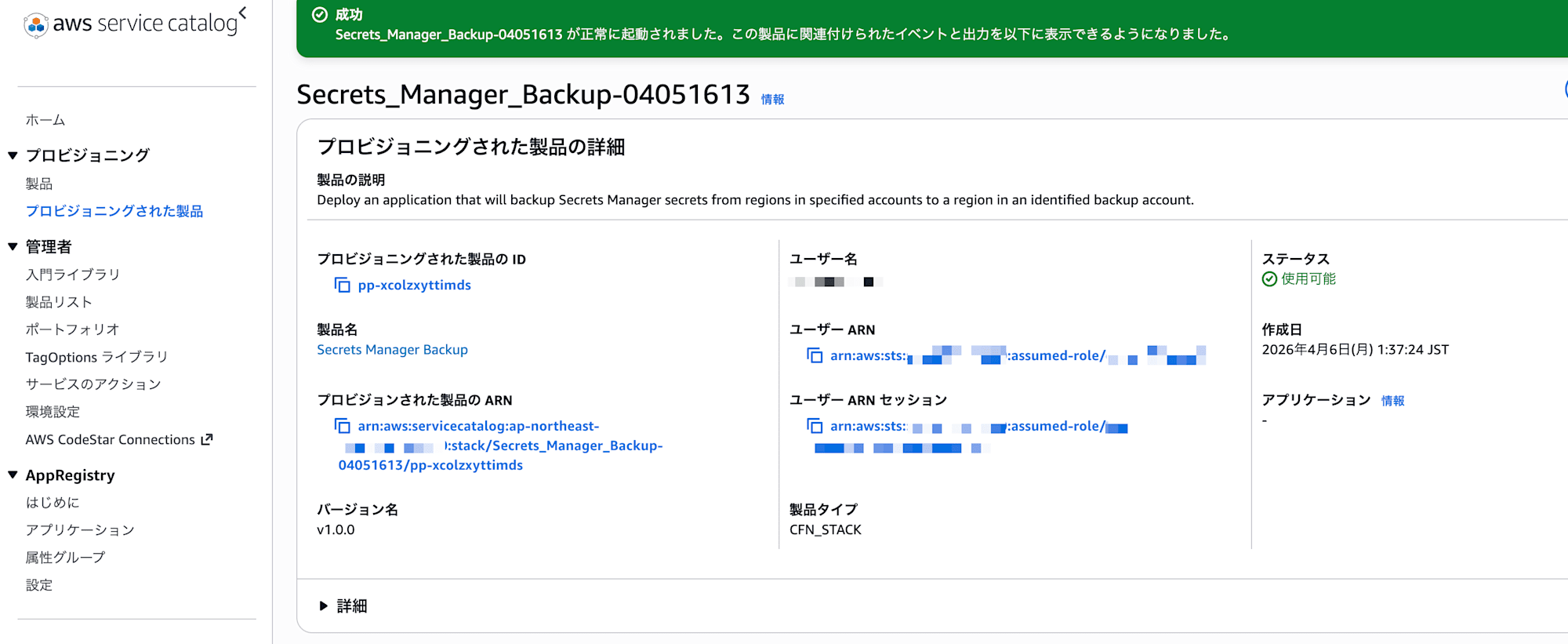
Incidentally, the adoption of Service Catalog for provisioning seems intended to allow operators to easily add or remove backup target accounts. Not having to directly work with CloudFormation also helps reduce operational mistakes.
The product was successfully launched. If you get an error here, it's possible the IAM role configuration is incorrect, so review it.
Step 4. Verification
Create a test secret in the source account:
aws secretsmanager create-secret \
    --name "test/cross-account-backup" \
    --secret-string '{"username":"admin","password":"P@ssw0rd"}' \
    --tags Key=Environment,Value=test \
    --region ap-northeast-1
Note: If the secret doesn't have tags, the Lambda in the backup account will fail.
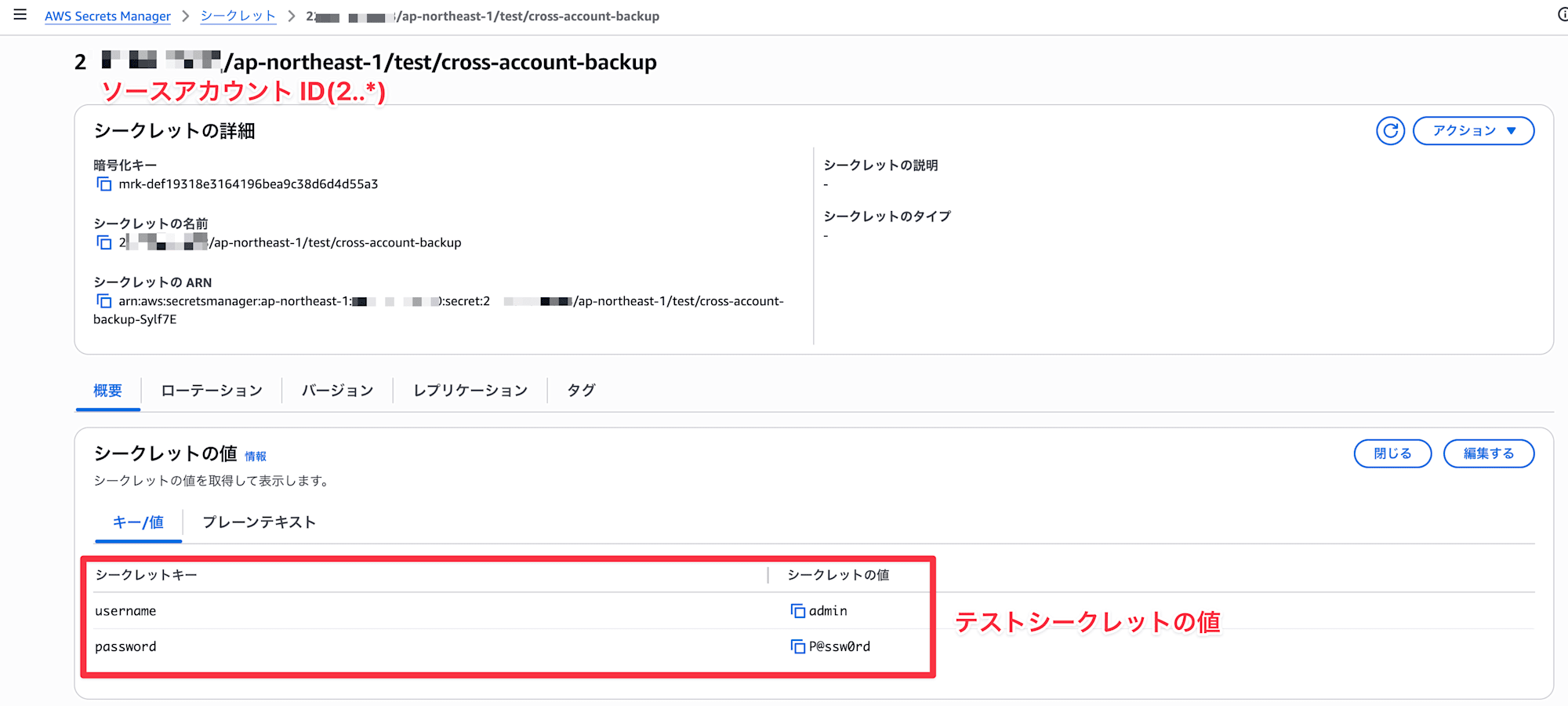
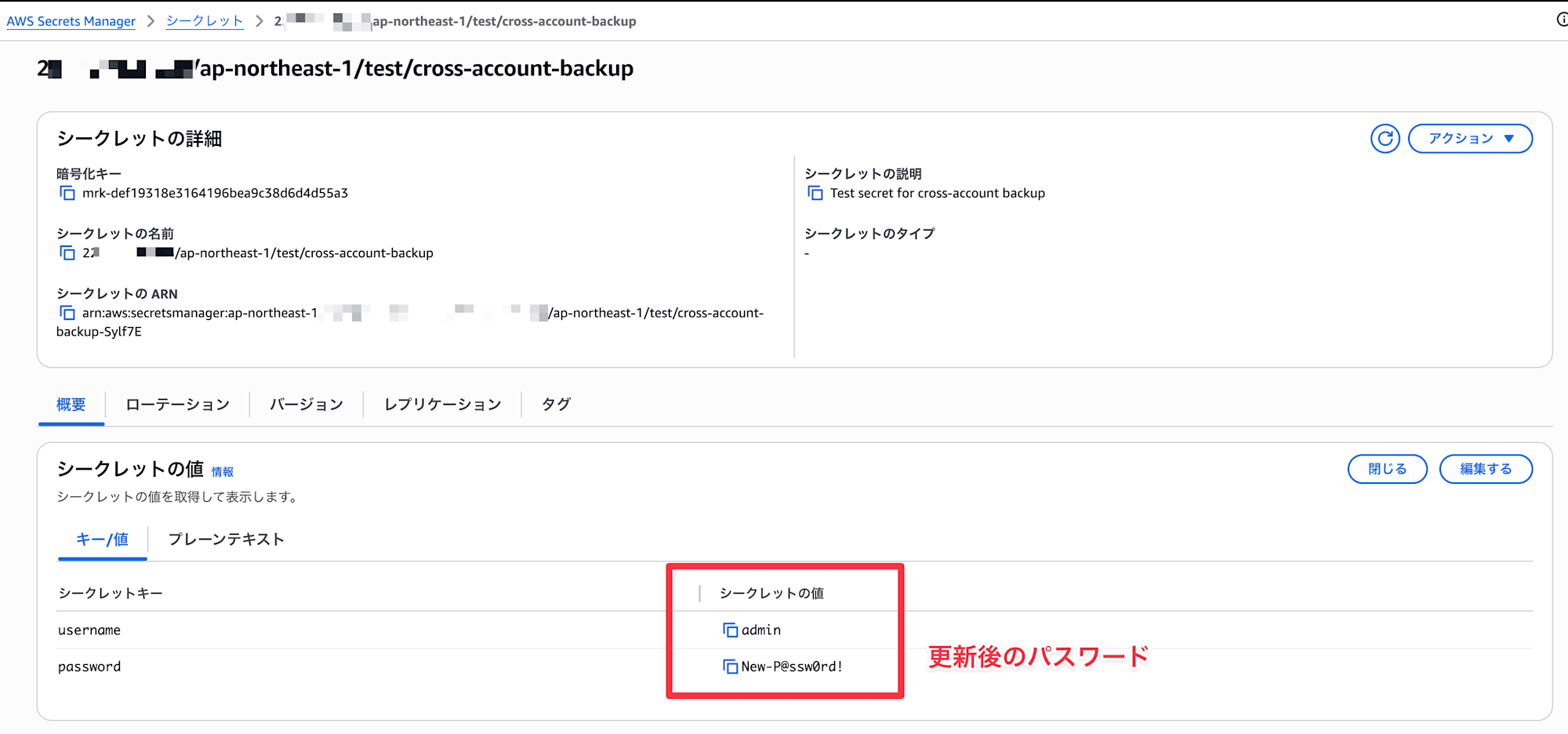
After a few minutes, check the Secrets Manager in the backup account.
If you see a secret named <ACCOUNT_ID>/ap-northeast-1/test/cross-account-backup, it was successful.
Verify Update Behavior
Let's also verify that backups run when a secret is updated, not just created.
Execute the following in the source account:
aws secretsmanager update-secret \
  --secret-id "test/cross-account-backup" \
  --secret-string '{"username":"admin","password":"New-P@ssw0rd!"}' \
  --description "Test secret for cross-account backup" \
  --region ap-northeast-1
Note: When updating, if the secret itself doesn't have a Description, the Lambda in the backup account might fail.
After 30 seconds, I confirmed it was properly reflected.
Notes
Deletion Behavior
It's worth knowing what happens to the backup secret when a secret is deleted in the source account.
Since this wasn't specifically mentioned in the README, I tested it myself.
Here's the command to delete a secret (be careful as it has the force option):
aws secretsmanager delete-secret \
    --secret-id "test/cross-account-backup" \
    --force-delete-without-recovery \
    --region ap-northeast-1
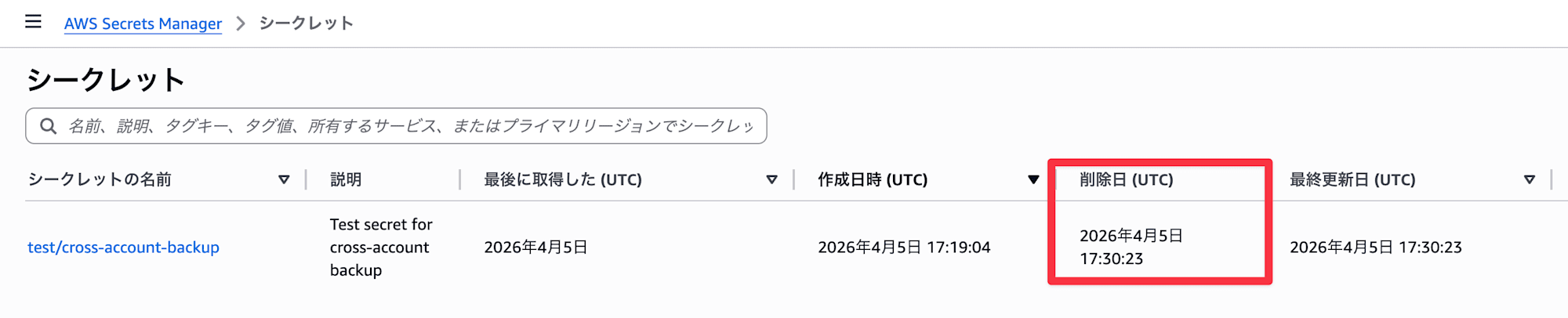
I deleted the secret in the source account. Of course, it was not automatically deleted in the backup account.
Pricing
The main costs for this solution are:
| Resource | Approximate Cost |
|---|---|
| EventBridge | Custom event bus pricing ($1.00 per 1 million events) |
| Secrets Manager (backup side) | $0.40/month per secret + $0.05 per 10,000 API calls |
In environments with many source secrets, the Secrets Manager costs on the backup side might add up.
Lambda execution charges are also incurred but should be negligible.
Conclusion
Secrets Manager secrets can be challenging when asked "How are you handling backups?"
Unlike RDS or EBS, they're not targets for AWS Backup, so using solutions like this to store them in a separate account can be effective from a disaster recovery perspective.
Many repositories in aws-samples can be used as-is, so I recommend checking them out if you have similar use cases.
Note that I thought I could also back up to the Osaka region simultaneously by entering a value for pStackSetBackupAccountReplicationRegions, but I encountered what was probably a permission error (ReplicateSecretToRegions). Using this option would likely require modifying the IAM deployed by aws-samples, so I skipped it in this verification.
I hope this entry helps someone.
This has been Arahira from the Cloud Business Division, Consulting Department!
References
