![[New Feature] You can now directly reference secrets from AWS Secrets Manager and other sources from Snowflake](https://images.ctfassets.net/ct0aopd36mqt/wp-thumbnail-37f4322e7cca0bb66380be0a31ceace4/0886455fd66594d3e7d8947c9c7c844d/eyecatch_snowflake?w=3840&fm=webp)
[New Feature] You can now directly reference secrets from AWS Secrets Manager and other sources from Snowflake

This page has been translated by machine translation. View original
Introduction
In the September 2026 update, External Secret Providers — which allow Snowflake to directly read values stored in cloud secret management services — entered public preview.
This article summarizes what I tried with this feature using AWS Secrets Manager.
Overview of the Update
This feature is described in the following documentation.
External Secret Providers is a feature that allows Snowflake to read from cloud secret management services. At the time of writing, the following providers are supported.
- AWS Secrets Manager
- Azure Key Vault
- Google Cloud Secret Manager
Previously, the common approach for storing secrets in Snowflake was to store and reference the values themselves as SECRET objects. Compared to that approach, this feature has the following characteristics.
- If the same secret is used in other systems, you only need to update it on the cloud side, eliminating the risk of discrepancies caused by forgetting to reflect changes on the Snowflake side
- If secrets are being rotated on the cloud side, Snowflake always references the latest value directly, so manual updates on the Snowflake side are unnecessary
- Management can be consolidated through cloud-side audit logs and IAM policies
Additionally, Workload Identity Federation is used for authentication, meaning there is no need to store cloud-side access keys or service account keys on the Snowflake side.
With this feature, the connection to the cloud side is created as a security integration object. On the Snowflake side, roles with USAGE privileges on this integration object can access secrets.
Two system functions are provided for actually handling secrets on the Snowflake side.
- SYSTEM$LIST_EXTERNAL_SECRETS
- Retrieves a list of secrets reachable through the integration (ARNs in the case of AWS)
- SYSTEM$FETCH_EXTERNAL_SECRET_FROM_INTEGRATION
- Retrieves the value of a specified secret
Trying It Out
In this article, I'll try a configuration where an API key for dbt platform stored in AWS Secrets Manager is referenced from Snowflake, and a job is triggered from Snowflake.
The integration procedure with AWS Secrets Manager is described below, so I'll follow along with it.
Prerequisites
The following environments are used.
- Snowflake: Commercial account
- For external network access
- dbt platform
There is also a verification article using the secret object approach, so please refer to that as well.
Preparation
I created the various objects used for verification with the following setup.
CREATE DATABASE IF NOT EXISTS yasuhara_test_db;
CREATE SCHEMA IF NOT EXISTS yasuhara_test_db.network_rule;
CREATE SCHEMA IF NOT EXISTS yasuhara_test_db.procedure;
CREATE SCHEMA IF NOT EXISTS yasuhara_test_db.task;
Registering a Secret in AWS Secrets Manager
Issue a service token from dbt platform under "Account settings > Service tokens." Since I'm only testing job execution this time, I granted the "Job Runner" permission set for the target project.
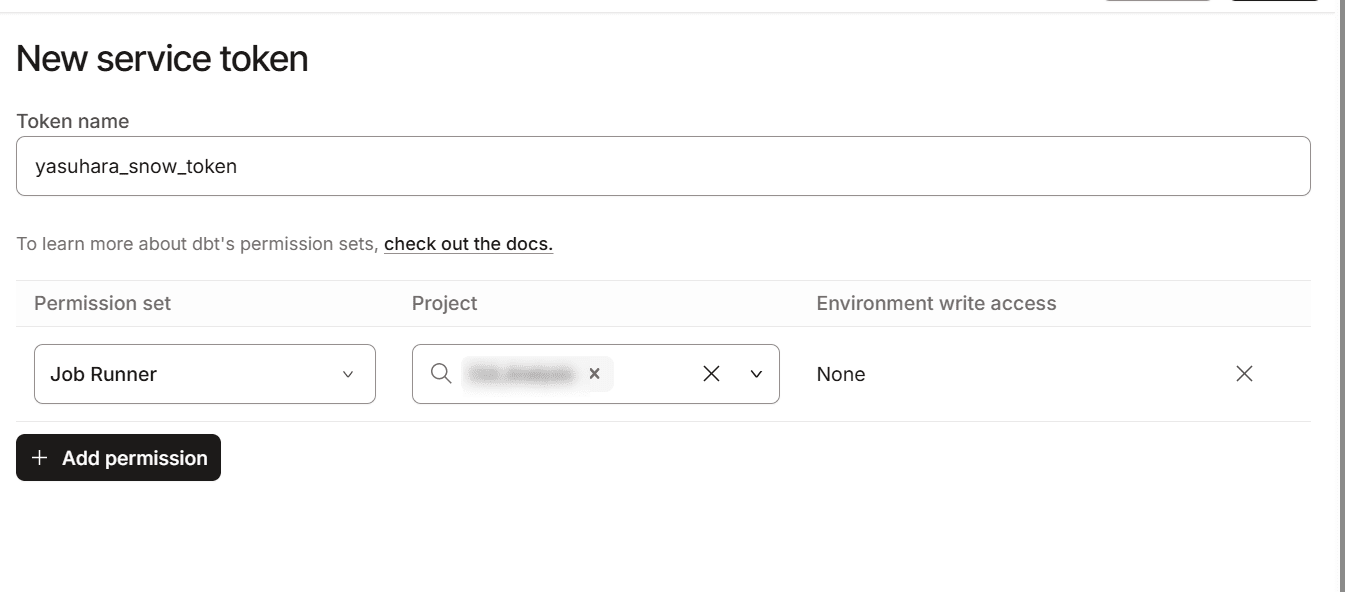
Register the issued token in AWS Secrets Manager.
aws secretsmanager create-secret \
  --name dbt-cloud-service-token \
  --description "dbt Cloud service token for Snowflake External Secret Provider" \
  --secret-string "<dbt service token>"
Output:
{
    "ARN": "arn:aws:secretsmanager:<region>:<account_id>:secret:dbt-cloud-service-token-xxxxxx",
    "Name": "dbt-cloud-service-token",
    "VersionId": "xxxxxxxx-xxxx-xxxx-xxxx-xxxxxxxxxxxx"
}
Keep note of the ARN in the output, as it will be used both for the IAM role and for retrieving secrets from Snowflake later.
Snowflake Side: Creating a Security Integration
Without creating the IAM role on the AWS side yet, we'll create the security integration first with just a placeholder name.
USE ROLE ACCOUNTADMIN;

CREATE SECURITY INTEGRATION yasuhara_aws_sm_integration
  TYPE = API_AUTHENTICATION
  AUTH_TYPE = WORKLOAD_IDENTITY_FEDERATION
  API_PROVIDER = AWS_SECRETS_MANAGER
  AWS_ROLE_ARN = 'arn:aws:iam::<account_id>:role/yasuhara-snowflake-ext-secret-role'
  AWS_REGION = '<region>'
  ENABLED = TRUE;
After creation, run the following command to retrieve the issuer (WORKLOAD_IDENTITY_FEDERATION_ISSUER) and subject (WORKLOAD_IDENTITY_FEDERATION_SUBJECT). These values will be used in the next step to create an OIDC identity provider and IAM role on the AWS side.
DESCRIBE SECURITY INTEGRATION yasuhara_aws_sm_integration;
AWS Side: Creating an OIDC Identity Provider and IAM Role
First, create the OIDC identity provider.
aws iam create-open-id-connect-provider \
  --url "<value of WORKLOAD_IDENTITY_FEDERATION_ISSUER>" \
  --client-id-list "sts.amazonaws.com"
Next, create a trust policy. By including the :sub condition, trust can be limited to this specific security integration only. For both Federated and <issuer> in Condition, specify the value of WORKLOAD_IDENTITY_FEDERATION_ISSUER retrieved earlier (the part after the host, excluding https://).
{
  "Version": "2012-10-17",
  "Statement": [{
    "Effect": "Allow",
    "Principal": {
      "Federated": "arn:aws:iam::<account_id>:oidc-provider/<value of WORKLOAD_IDENTITY_FEDERATION_ISSUER (excluding https://)>"
    },
    "Action": "sts:AssumeRoleWithWebIdentity",
    "Condition": {
      "StringEquals": {
        "<value of WORKLOAD_IDENTITY_FEDERATION_ISSUER (excluding https://)>:aud": "sts.amazonaws.com",
        "<value of WORKLOAD_IDENTITY_FEDERATION_ISSUER (excluding https://)>:sub": "<value of WORKLOAD_IDENTITY_FEDERATION_SUBJECT>"
      }
    }
  }]
}
Use this policy to create an IAM role and grant access permissions to the secret.
aws iam create-role \
  --role-name yasuhara-snowflake-ext-secret-role \
  --assume-role-policy-document file://trust-policy.json

aws iam put-role-policy \
  --role-name yasuhara-snowflake-ext-secret-role \
  --policy-name yasuhara-snowflake-ext-secret-access \
  --policy-document file://secret-access-policy.json
In secret-access-policy.json, secretsmanager:GetSecretValue for the target secret and secretsmanager:ListSecrets for all resources are permitted.
{
  "Version": "2012-10-17",
  "Statement": [
    {
      "Effect": "Allow",
      "Action": "secretsmanager:GetSecretValue",
      "Resource": "<ARN of the registered secret>"
    },
    {
      "Effect": "Allow",
      "Action": "secretsmanager:ListSecrets",
      "Resource": "*"
    }
  ]
}
Snowflake Side: Verifying the Integration
After the above configuration, run the following command on the Snowflake side. If the output shown below is returned, there are no issues.
SELECT SYSTEM$VERIFY_EXTERNAL_SECRET_INTEGRATION('yasuhara_aws_sm_integration');
+--------------------------------------------------------------------------+
| SYSTEM$VERIFY_EXTERNAL_SECRET_INTEGRATION('YASUHARA_AWS_SM_INTEGRATION') |
|--------------------------------------------------------------------------|
| Verification successful.                                                 |
+--------------------------------------------------------------------------+
Also, grant USAGE privileges to the role you will use.
GRANT USAGE ON INTEGRATION yasuhara_aws_sm_integration TO ROLE <role>;
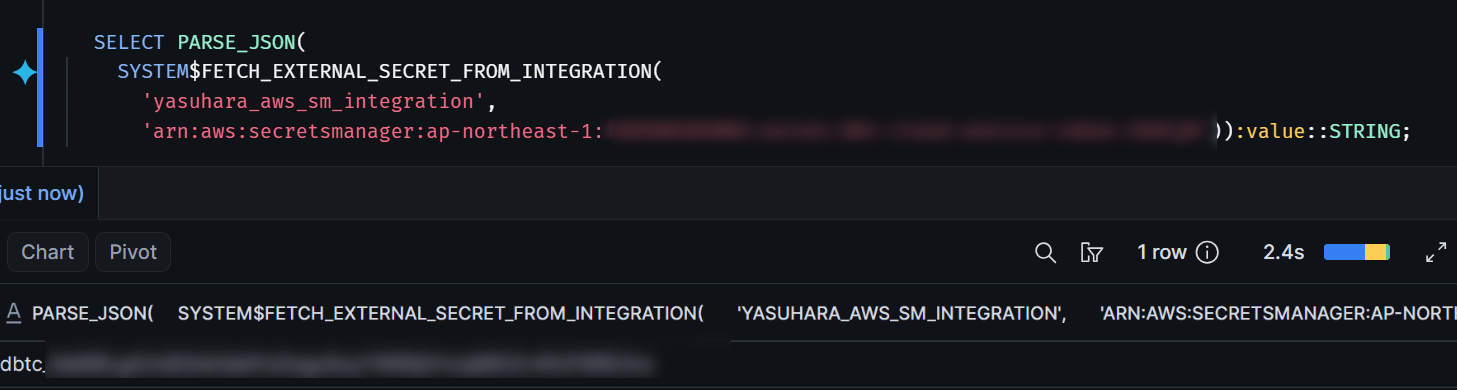
In this state, let's also try listing secrets and retrieving values using the system functions.
-- Retrieve a list (ARNs) of secrets reachable through the integration object
SELECT SYSTEM$LIST_EXTERNAL_SECRETS('yasuhara_aws_sm_integration');

-- Retrieve the value of a specified secret
SELECT PARSE_JSON(
  SYSTEM$FETCH_EXTERNAL_SECRET_FROM_INTEGRATION(
    'yasuhara_aws_sm_integration',
    '<secret_arn>')):value::STRING;
Since secret values are returned in plain text, be careful not to leave execution results in logs, screen shares, or screenshots.
Calling the dbt Platform API from a Snowpark Python Stored Procedure
First, create a network rule and external access integration to allow communication to the dbt platform API (cloud.getdbt.com).
-- Network rule
CREATE OR REPLACE NETWORK RULE yasuhara_test_db.network_rule.yasuhara_dbt_cloud_network_rule
  MODE = EGRESS
  TYPE = HOST_PORT
  VALUE_LIST = ('cloud.getdbt.com');

-- External access integration
CREATE OR REPLACE EXTERNAL ACCESS INTEGRATION yasuhara_dbt_cloud_access_integration
  ALLOWED_NETWORK_RULES = (yasuhara_test_db.network_rule.yasuhara_dbt_cloud_network_rule)
  ENABLED = TRUE;
Next, define a stored procedure that calls the dbt platform API.
At first, I tried running SYSTEM$FETCH_EXTERNAL_SECRET_FROM_INTEGRATION inside the stored procedure, but I got the following error.
SQL compilation error:
Query called from a stored procedure contains a function with side effects [SYSTEM$FETCH_EXTERNAL_SECRET_FROM_INTEGRATION].
Therefore, the secret retrieval is done in the calling CALL statement, and the retrieved value is passed as an argument to the procedure.
USE SCHEMA yasuhara_test_db.procedure;

CREATE OR REPLACE PROCEDURE yasuhara_trigger_dbt_cloud_job(job_id NUMBER, dbt_token STRING)
RETURNS VARIANT
LANGUAGE PYTHON
RUNTIME_VERSION = '3.11'
HANDLER = 'trigger_job'
EXTERNAL_ACCESS_INTEGRATIONS = (yasuhara_dbt_cloud_access_integration)
PACKAGES = ('snowflake-snowpark-python', 'requests')
AS
$$
import requests

DBT_CLOUD_ACCOUNT_ID = "<dbt platform Account ID>"

def trigger_job(job_id: int, dbt_token: str) -> dict:
    url = f"https://cloud.getdbt.com/api/v2/accounts/{DBT_CLOUD_ACCOUNT_ID}/jobs/{job_id}/run/"
    resp = requests.post(
        url,
        headers={"Authorization": f"Token {dbt_token}"},
        json={"cause": "Triggered from Snowflake procedure (External Secret Provider)"},
        timeout=30,
    )
    return {"status_code": resp.status_code, "body": resp.json()}
$$;
When executing the stored procedure, retrieve the secret using SQL and pass it as an argument.
CALL yasuhara_test_db.procedure.yasuhara_trigger_dbt_cloud_job(
  '<job_id>',
  PARSE_JSON(SYSTEM$FETCH_EXTERNAL_SECRET_FROM_INTEGRATION('yasuhara_aws_sm_integration', '<secret_arn>')):value::STRING
);
Upon execution, the job was successfully triggered on the dbt platform side.
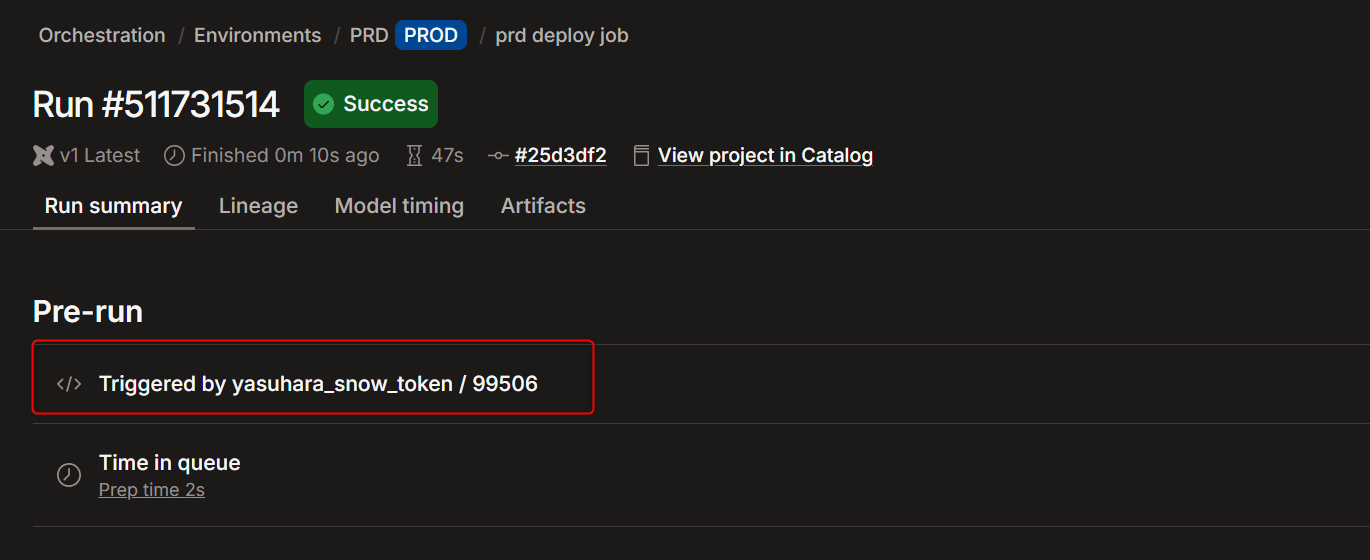
Running with a Task
To incorporate this procedure into a task and run it on a schedule, it can be defined as follows.
CREATE OR REPLACE TASK yasuhara_test_db.task.yasuhara_trigger_dbt_cloud_job_task
  WAREHOUSE = <warehouse_name>
  SCHEDULE = 'USING CRON 0 */12 * * * Asia/Tokyo'
AS
  CALL yasuhara_test_db.procedure.yasuhara_trigger_dbt_cloud_job(
    '<job_id>',
    PARSE_JSON(SYSTEM$FETCH_EXTERNAL_SECRET_FROM_INTEGRATION('yasuhara_aws_sm_integration', '<secret_arn>')):value::STRING
  );
When I ran it manually as a test, the job was triggered in the same way.
EXECUTE TASK yasuhara_test_db.task.yasuhara_trigger_dbt_cloud_job_task;
SYSTEM$FETCH_EXTERNAL_SECRET_FROM_INTEGRATION and Query History
Note that SYSTEM$FETCH_EXTERNAL_SECRET_FROM_INTEGRATION is used to retrieve secrets, and this system function has a specification where "the query that called it does not remain in the query history."
Rotating the Secret
Finally, let's verify that updates to the secret value on the AWS side are reflected automatically.
After issuing a new token with the same permission set on dbt platform, update the token.
aws secretsmanager put-secret-value \
  --secret-id dbt-cloud-service-token \
  --secret-string "<new dbt service token>"
Since SYSTEM$FETCH_EXTERNAL_SECRET_FROM_INTEGRATION is designed to always read the latest version, the new value will be returned from the very next retrieval without any changes needed on the Snowflake side.
After that, I ran the procedure again and was able to execute the job without any issues.

Conclusion
I tried out Snowflake's External Secret Providers with AWS Secrets Manager. The standout feature is the ability to centralize secret management while always retrieving the latest secrets without any changes needed on the Snowflake side.
I hope this content is helpful to someone.