I tried making an AI assistant that "conveys everything just by calling it" because typing prompts is a hassle

This page has been translated by machine translation. View original
Hello, this is Aramaki.
This article is the 5th entry of the 'Summer Vacation Independent Research Relay' by volunteers from Classmethod.
This blog relay is a project by members who regularly follow cloud and AI, with the goal of outputting not just "tried it" but also "built it" and "investigated/researched it."
We hope this will not only provide new insights but also contribute ideas to the growth of our company and community, so we appreciate your continued readership.
Introduction
Everyone, are you using AI assistants?
For coding, translating English text, drafting replies, and more — the number of people who feel they can no longer get through their daily work without AI is growing, isn't it? I'm one of them myself.
Tasks that until just a few years ago required humans to busily work away at can now be handled thoughtfully just by giving instructions to AI. It's truly convenient.
However, lately I had a thought.
Isn't giving instructions to AI kind of a hassle?
When an error occurs, you copy it from the terminal, open a chat, paste it in, and type "tell me how to fix this." For English text, you select the text, copy it, and ask it to "translate this." When you want to write an email reply, you explain the received email content and the situation. Humans (especially engineers) are lazy creatures, and the moment you get a little used to AI, even just this much becomes too tedious to bear.
I can almost hear voices saying "Why not use Skills?" or "There are apps that let you give instructions with voice or shortcut keys," but even that is a hassle. I don't want to type even a single slash for a prompt.
Besides, don't you ever think: I've been giving you work so many times, it's about time you figured it out. I'm reading the official documentation, so just translate it and explain it in detail! You can see what page I have open, can't you!
……And so, I built a macOS AI application that recognizes the current screen with a shortcut key and figures out the "task I always want it to do."

All you have to do is press Ctrl twice, like a knock knock. A chat panel opens automatically, determines the purpose from the screen at that moment, and the corresponding answer is output automatically. So easy!
Feature Introduction
The mechanism is simple — it just sets up the tasks you want AI to perform as predefined scenarios in advance. The AI matches the list of scenarios against the screen content to determine what kind of support the user is seeking.
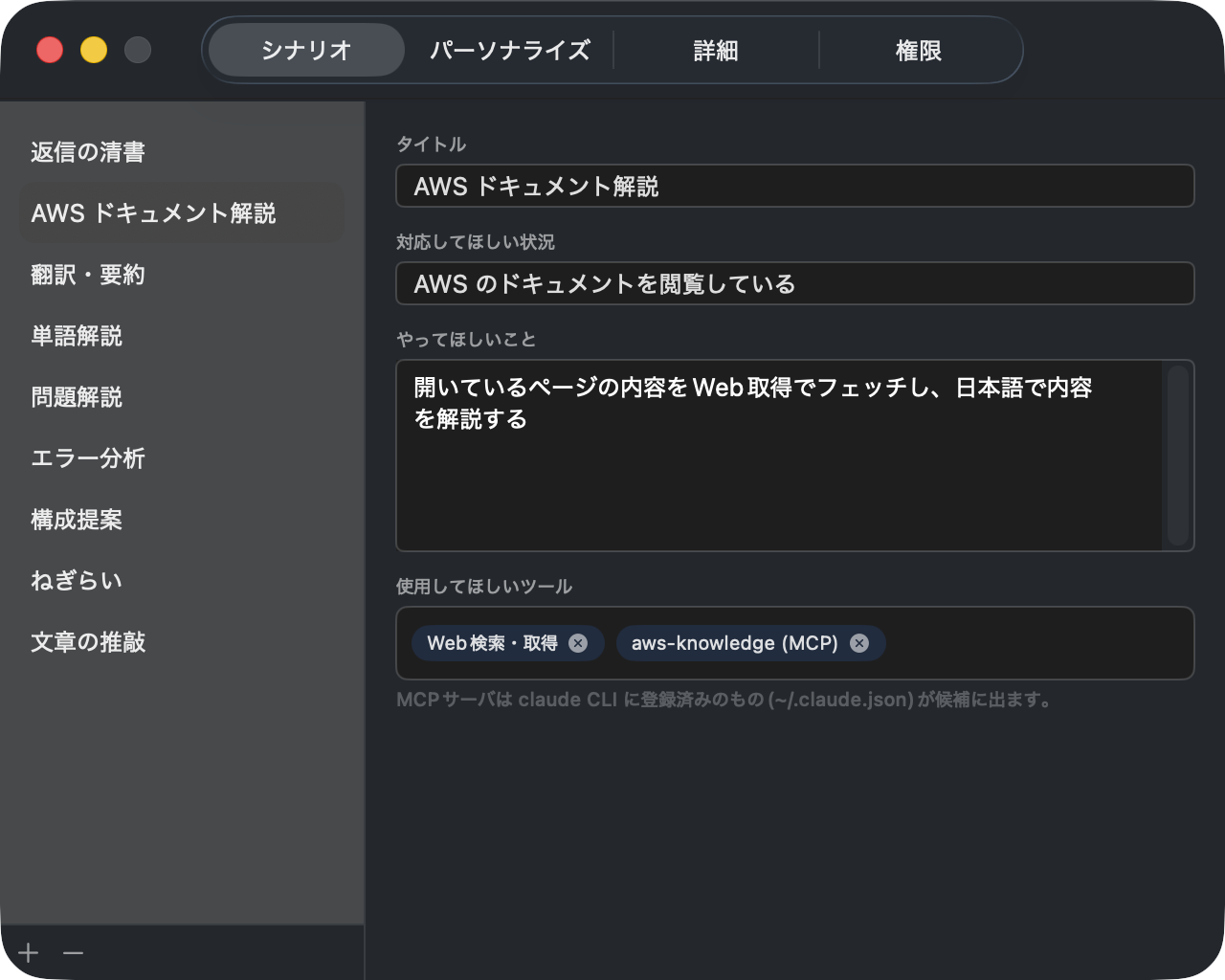
You might think "isn't it a hassle to set up scenarios one by one?" but when running AI without instructions, the likelihood of getting off-target answers increases without this information, which ends up causing even more frustration.
Furthermore, the effort involved in configuration is greatly reduced by the "automatic scenario suggestion and memory feature" described later.
Setting Up Scenarios
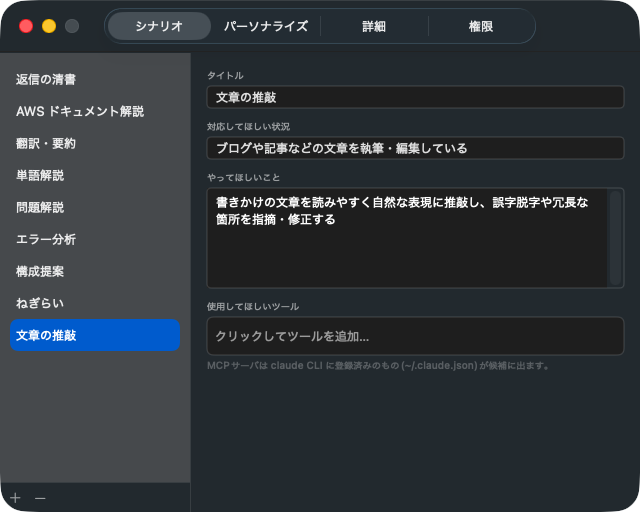
Scenarios can be configured through the GUI mentioned above or via JSON. Settings are basically in natural language, so you can customize them intuitively.
{
  "scenarios": [
    {
      "name": "Scenario title",
      "trigger": "Situation you want it to handle",
      "instruction": "What you want AI to do",
      "allowedTools": ["Tools / MCP you want it to use"]
    }
  ]
}
I think it would be difficult to just be told "set up your scenarios!" right away, so I've included 5 samples: "polishing replies / translation & summarization / problem explanation / error analysis / presentation structure suggestions." Please try these first to get a feel for how it works.
Also, as scenarios accumulate, situations will arise where multiple scenarios could apply to the displayed screen. For example, an AWS English documentation page could match both "translation" and "AWS documentation explanation."
To prevent AI from getting confused in such cases, the order of items on the settings screen directly becomes the priority order (top = higher priority). You can rearrange them by drag and drop.
Automatic Scenario Suggestions and Memory
If you just use the sample scenarios for a while, situations will arise where "what I'm struggling with right now doesn't match any existing scenario..." When that happens, don't worry — just call up the AI.

Like this, it will suggest possible support content based on the current screen as cards. If what you're looking for is among them, click it; if not, you can type directly and get support.
Also, at this point, if you check "Save selected scenario," you can save it as a default scenario.
Technical Architecture
Since I wanted to build it as a native macOS app, I made it a menu bar resident app using Swift + SwiftUI. Screen capture is done with ScreenCaptureKit, capturing only the frontmost window. The captured image is resized to below a default size before being processed.
Also, for the AI backend, I'm using the local Claude Code as a subprocess. This means the tools and MCP already configured in Claude Code can be used as-is.
For those who want to try it out, the system requirements are as follows:
- macOS 14.0 (Sonoma) or later
- Claude Code v2.x installed and logged in to claude
- Xcode 15 or later (or Swift 5.10+ toolchain)
Summary
Having actually used it for a while, it's genuinely convenient. The ease of calling it up with 2 Ctrl presses lowers the psychological barrier, and before I know it, I'm relying on it multiple times a day. It's also enjoyable to see it grow the more you use it, increasingly feeling like it understands you. By the way, I've also made it so you can customize the AI's personality and memory, so it feels almost like having your own personal secretary.
All the code is publicly available at GitHub - konkon, so please feel free to try it out. If you have ideas for scenario configurations or anything else, I'd be happy if you could let me know via an Issue.
That's it for the 5th entry of the 'Summer Vacation Independent Research Relay'!
Next time, Kamino-san's 'Implementing user delegation-based authorization (3LO) for outbound authentication in Amazon Bedrock AgentCore Gateway in a fully serverless manner to build an AI agent capable of accessing GitHub' is planned. Look forward to it!
