I tried out the PostgreSQL-compatible TiDB Cloud Starter in public preview

This page has been translated by machine translation. View original
Hello, I'm sora from the Game Solutions department.
This time, I'll write about my experience trying out the PostgreSQL-compatible TiDB Cloud Starter, whose public preview started on October 15, 2026.
Please note that the content of this article reflects the state as of October 27, 2026, and may change by GA since it is currently in public preview.
What is PostgreSQL-compatible TiDB Cloud Starter?
When creating a TiDB Cloud Starter, you can now choose between MySQL-compatible and PostgreSQL-compatible.
It supports the PostgreSQL wire protocol, so you can connect directly from psql or common drivers.
The steps from creation to connecting with psql are summarized in the PostgreSQL version quick start guide.
During public preview, billing is not enabled, and up to 10 instances per organization can be used within the free tier.
The free tier per instance is 50 GiB of row storage and 500M RU per month.
It is positioned for development and evaluation, has no SLA, and guidance is given to wait for GA before using it in production.
The only available region is AWS us-east-1 (Northern Virginia).
These conditions are summarized in the FAQ.
Differences from the MySQL version as seen in the console
For comparison, I also created a MySQL version Starter in the same project and the same us-east-1, and will look at the screens side by side.
Creation screen
When you select "Starter" from "Create Resource" in My TiDB, the "Compatibility Mode" options appear below it.
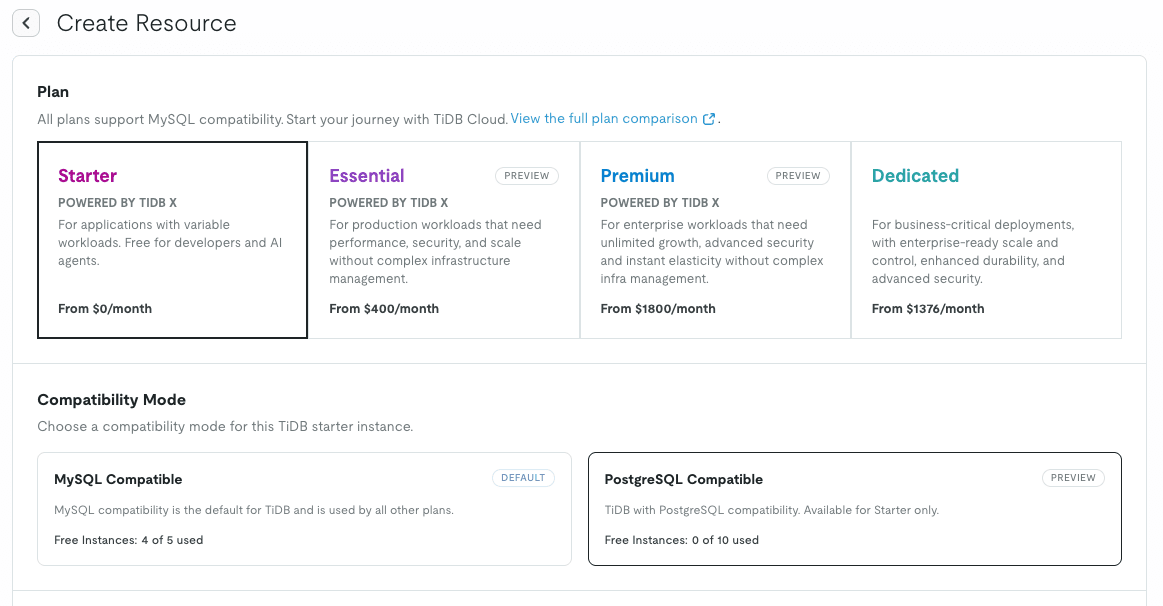
PostgreSQL Compatible has a "PREVIEW" label.
The number of free instances is counted separately: up to 5 for the MySQL version and up to 10 for the PostgreSQL version.
When you select PostgreSQL Compatible, the region is limited to us-east-1 only, and a Free Quota field appears instead of Capacity.
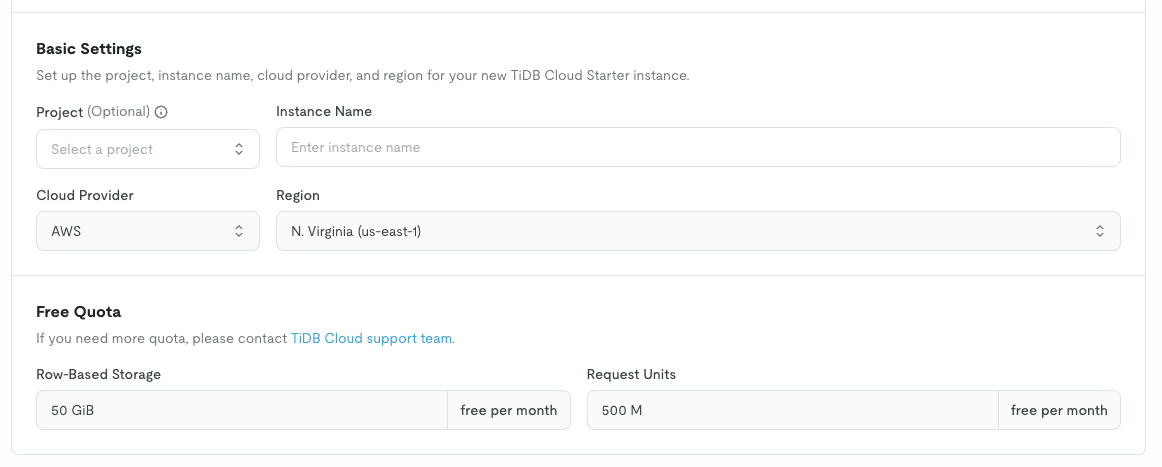
When you select MySQL Compatible, you can choose a region, and there are fields for Capacity and Advanced Settings.
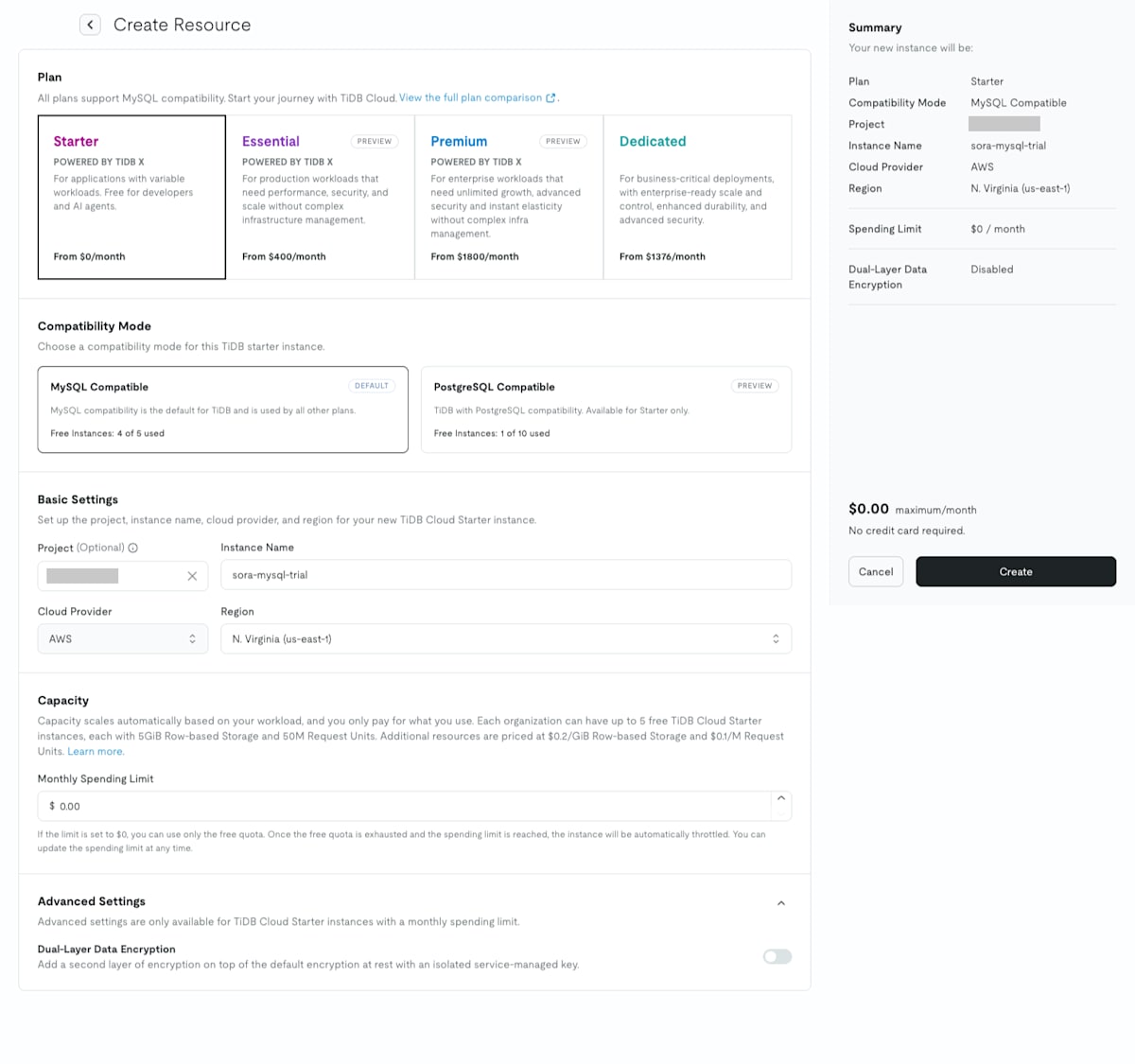
The differences are summarized as follows.
| Item | MySQL Compatible | PostgreSQL Compatible |
|---|---|---|
| Region | Choose from 6 options | us-east-1 only |
| Capacity (Monthly Spending Limit) | Available | Not available |
| Dual-layer Data Encryption | Available | Not available |
| Free tier (per instance) | 5 GiB row storage, 5 GiB columnar storage, 50M RU/month | 50 GiB row storage, 500M RU/month |
Overview page and resource list
About 1 minute after creation, the Status changed to "Active."
The PostgreSQL version overview page only shows instance information, Free Quota, and Core Metrics.
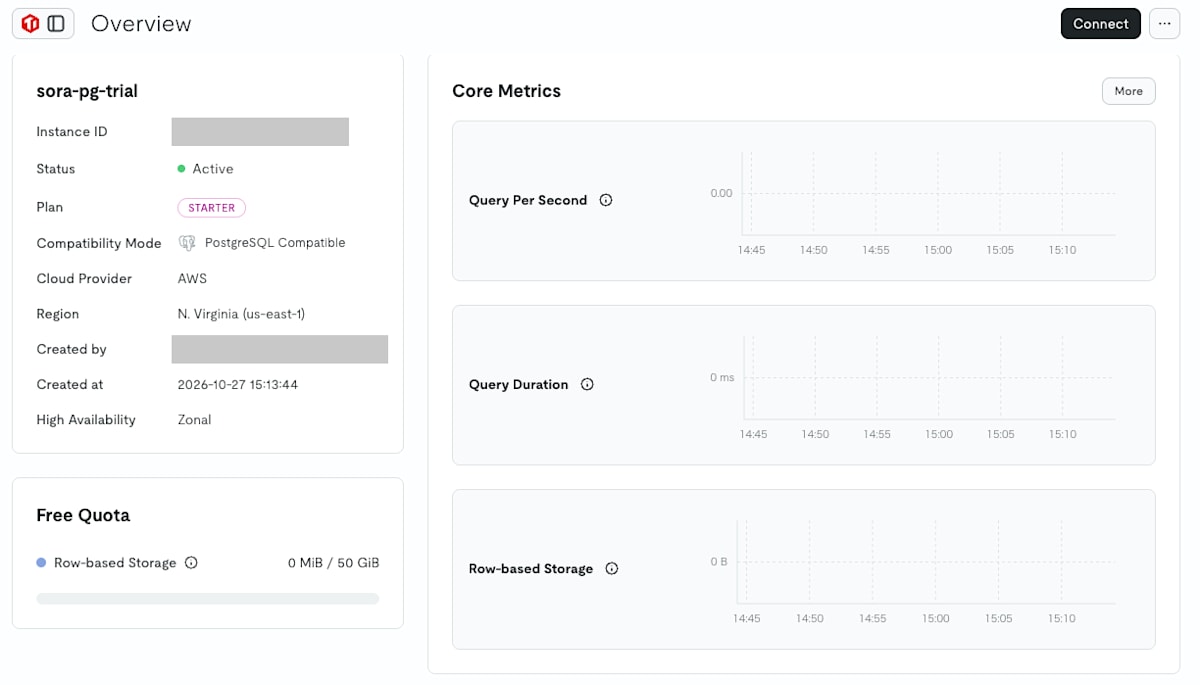
The MySQL version overview page also shows usage, spending limit, Code Examples, and more.
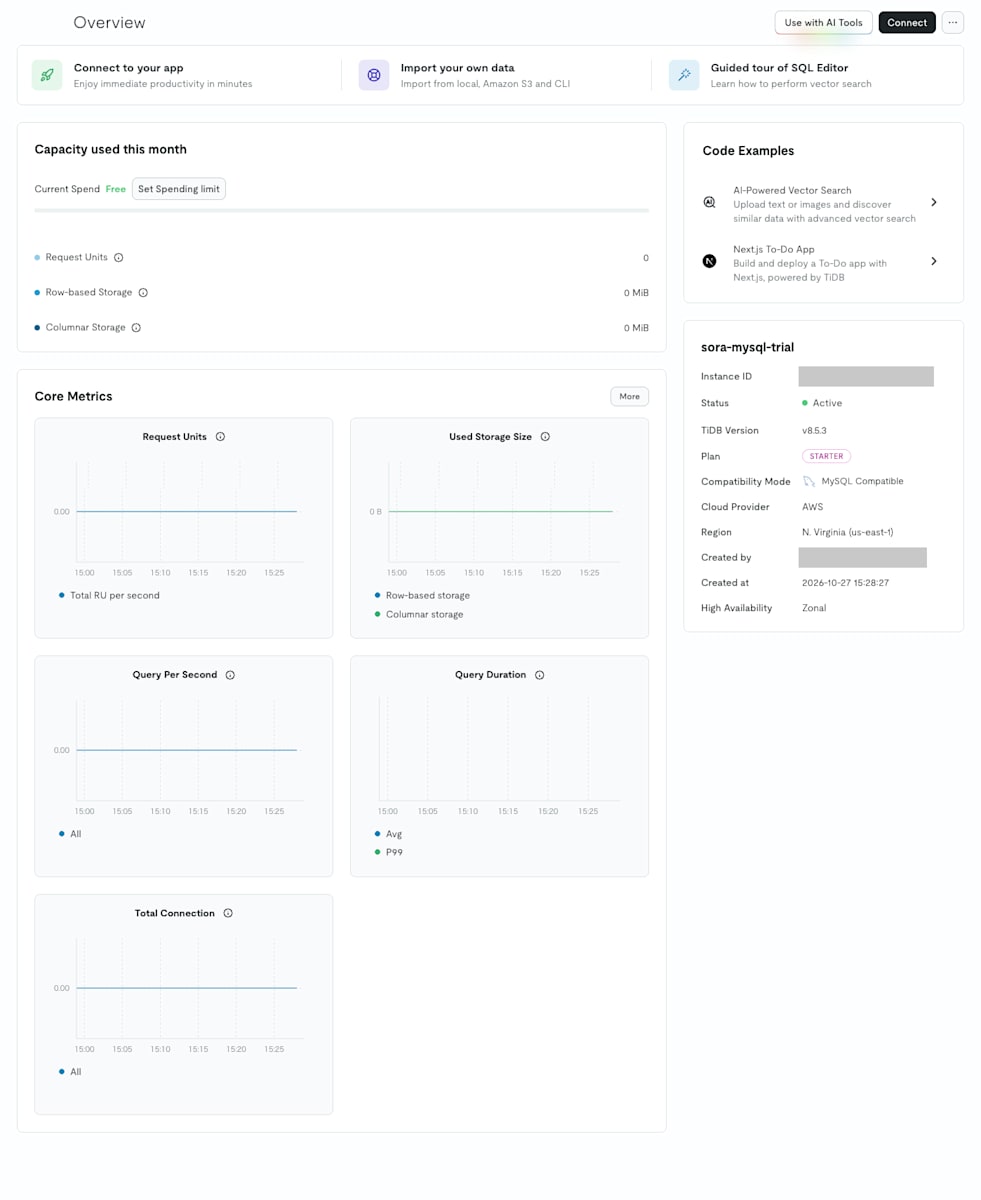
The PostgreSQL version lacks the TiDB Version row, RU usage, spending limit, Code Examples, and more.
The FAQ states that RU usage will not yet be displayed during public preview.
Core Metrics was also reduced from 5 in the MySQL version to 3: Query Per Second, Query Duration, and Row-based Storage.
The resource list has a "Compatibility Mode" column, so you can tell the MySQL and PostgreSQL versions apart even when they are listed together in the same project.

Left menu
The left menu has fewer items in the PostgreSQL version.
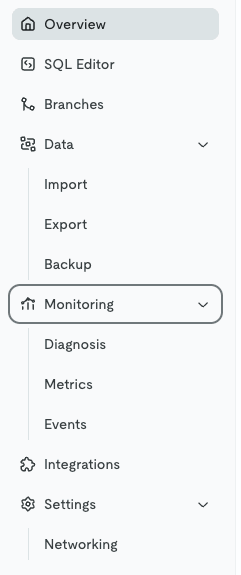
The MySQL version has sub-menus under Data and Settings.
The PostgreSQL version has only four items: Overview, Backup, Monitoring, and Networking.
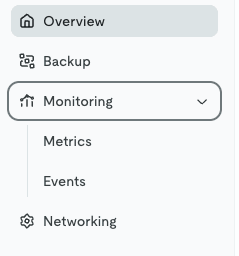
Counting sub-menus, the MySQL version had 14 items, while the PostgreSQL version had 6 items including Metrics and Events under Monitoring.
Items absent in the PostgreSQL version are SQL Editor, Branches, Import, Export, Diagnosis, and Integrations.
Since SQL Editor and Import are not available, both SQL execution and data loading must be done from a client such as psql.
Backup, which was under "Data" in the MySQL version, and Networking, which was under "Settings," are now top-level menu items in the PostgreSQL version.
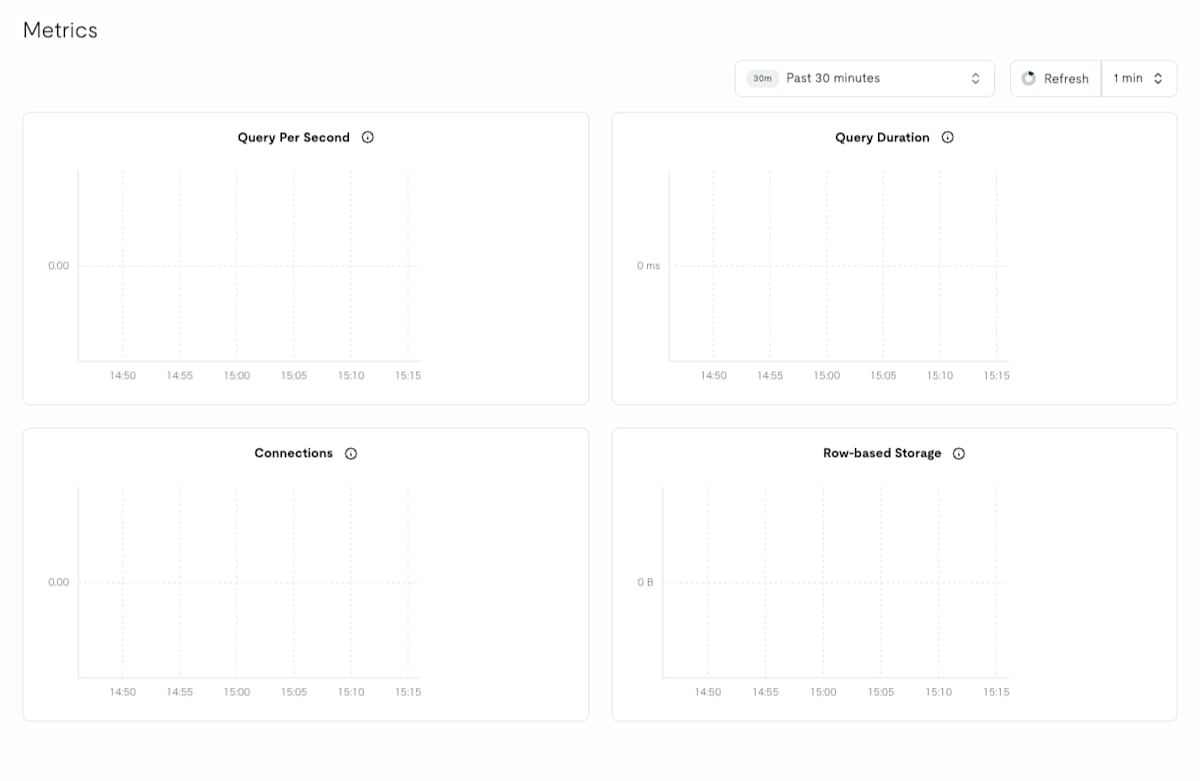
The Metrics under Monitoring shows four metrics: Query Per Second, Query Duration, Connections, and Row-based Storage.
Connection information
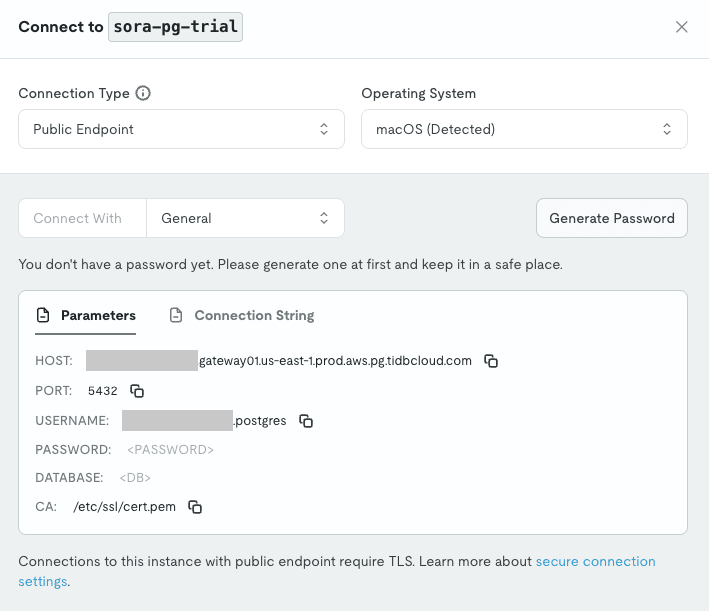
Open the connection dialog from "Connect" on the overview page.
The password is created with "Generate Password" in the dialog.
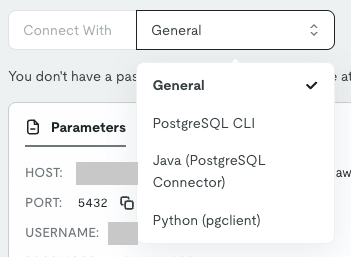
The "Connect With" options were four: General, PostgreSQL CLI, Java (PostgreSQL Connector), and Python (pgclient).
Let me compare it with the MySQL version's connection dialog.
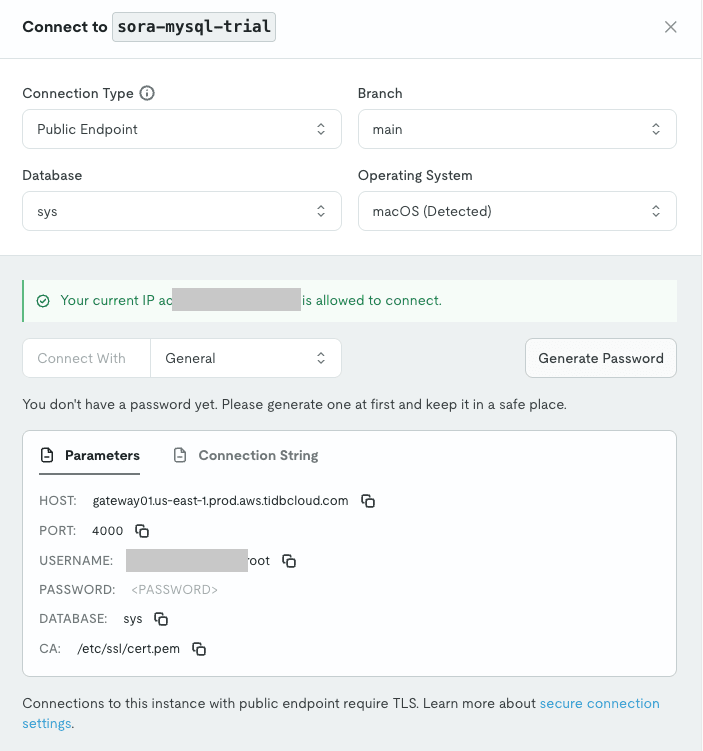
The MySQL version uses the same hostname for all instances, with a prefix only on the username.
In the PostgreSQL version, the hostname also has the same prefix at the beginning as the username, and the domain contains pg.
The port is 5432, PostgreSQL's default.
Both state "Connections to this instance with public endpoint require TLS," making TLS mandatory.
Networking
The PostgreSQL version's Networking only shows the status of the Public Endpoint.
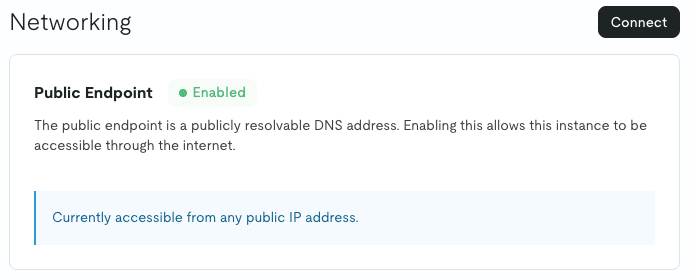
The Public Endpoint was simply shown as "Enabled" with the message "Currently accessible from any public IP address."
The MySQL version's Networking is as follows.
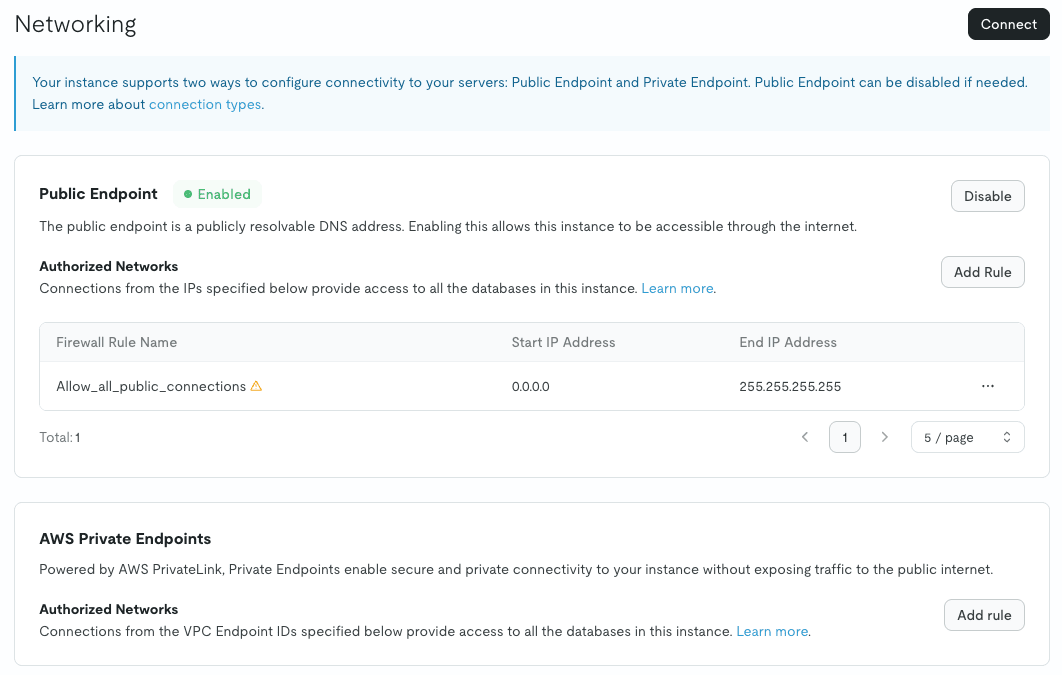
With the MySQL version, you can disable the public endpoint with "Disable," restrict the IP address range with Authorized Networks, or add AWS Private Endpoints.
The PostgreSQL version has none of these, and connections from anywhere on the internet are fixed as allowed.
The FAQ also states that private endpoints are not supported.
During public preview, the assumption is to rely solely on passwords and TLS for protection.
Backup and restore
Opening Backup showed that one automatic backup had been taken.
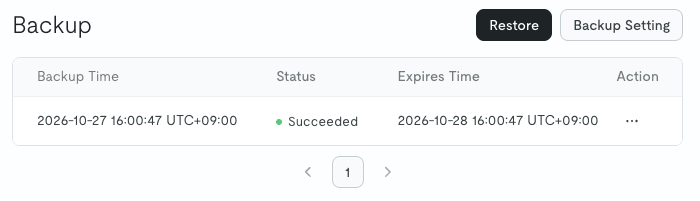
Above the list, there are only "Restore" and "Backup Setting" buttons; there is no button to take a manual backup.
The documentation also states that Starter does not support manual backups, which is the same as the MySQL version.
"Backup Setting" allows you to change the retention period and backup time.
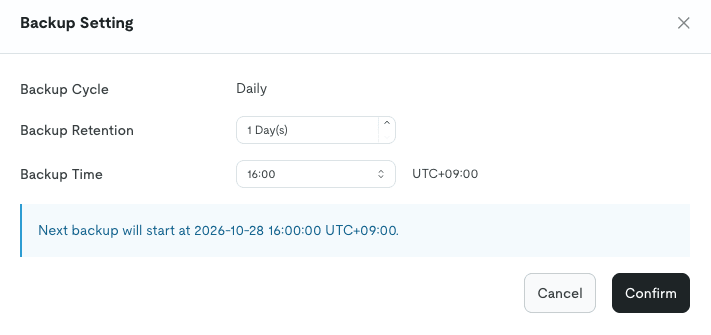
Backup Cycle is fixed at "Daily," the retention period can be extended from the default of 1 day up to 30 days, and the time can be selected in 30-minute increments.
For the MySQL version Starter, the retention period is 1 day if the spending limit remains at 0.
The PostgreSQL version has no spending limit, but in its place offers the same settings as the MySQL version with a spending limit configured.
Clicking "Restore" takes you to a screen to specify the restore destination.
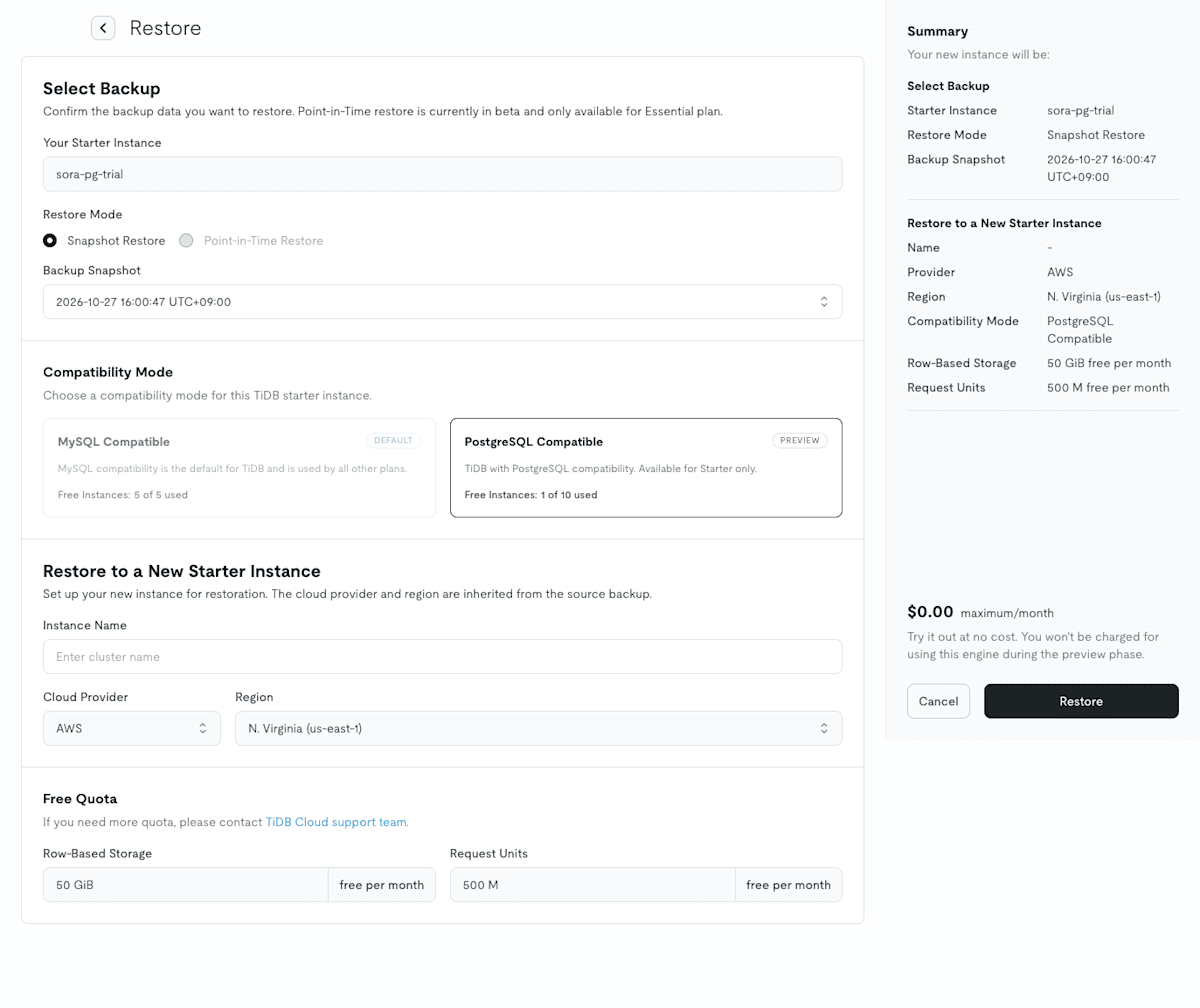
Restore Mode only offers "Snapshot Restore"; Point-in-Time Restore is not available, the same as with the MySQL version Starter.
In Compatibility Mode, MySQL Compatible is grayed out, meaning a PostgreSQL version backup can only be restored to a PostgreSQL version instance.
When the restore was executed, a new PostgreSQL version instance was created.
Verification from psql
From here, I'll connect with psql from my local Mac and verify things.
Installing psql
Since psql was not installed on my Mac, I'll install libpq with Homebrew.
brew install libpq
Since libpq is keg-only and not linked to /opt/homebrew/bin, I'll add it to PATH.
echo 'export PATH="/opt/homebrew/opt/libpq/bin:$PATH"' >> ~/.zshrc
export PATH="/opt/homebrew/opt/libpq/bin:$PATH"
psql --version
psql (PostgreSQL) 18.6
Connecting
I'll put the connection information from the connection dialog into environment variables and connect.
Since the database was left as <DB> in the dialog, I specified postgres.
export PG_CONN="host=<prefix>.gateway01.us-east-1.prod.aws.pg.tidbcloud.com port=5432 user=<prefix>.postgres dbname=postgres sslmode=verify-full sslrootcert=/etc/ssl/cert.pem"
export PGPASSWORD='<password>'
psql "$PG_CONN"
psql (18.6, server 17.0)
SSL connection (protocol: TLSv1.3, cipher: TLS_AES_256_GCM_SHA384, compression: off, ALPN: postgresql)
Type "help" for help.

postgres=#
I was able to connect directly.
The server version is displayed as 17.0.
Verification as PostgreSQL
Since I also want to see the SQLSTATE of errors, I'll set \set VERBOSITY verbose.
This setting displays errors in detail, also showing the SQLSTATE (a 5-character code indicating the type of error).
\set VERBOSITY verbose
Let me check the version, the connected user, and other information.
SELECT version();
SHOW server_version;
SELECT current_user, current_database(), current_schema();
SHOW is_superuser;
SHOW transaction_isolation;
SELECT tidb_version();
                                       version
--------------------------------------------------------------------------------------
 PostgreSQL 17.0 (TiDB Cloud Starter with PostgreSQL compatibility. 20261025-9b35dd3)
(1 row)

 server_version
----------------
 17.0
(1 row)

 current_user | current_database | current_schema
--------------+------------------+----------------
 postgres     | postgres         | public
(1 row)

 is_superuser
--------------
 on
(1 row)

 transaction_isolation
-----------------------
 read committed
(1 row)

ERROR:  42883: function tidb_version() does not exist
version() identifies as PostgreSQL 17.0, but inside the parentheses it says "TiDB Cloud Starter with PostgreSQL compatibility."
The MySQL version's VERSION() is 8.0.11-TiDB-v8.5.3-serverless and shows the TiDB version, but the PostgreSQL version does not.
tidb_version(), which is available in the MySQL version, does not exist in the PostgreSQL version, and it returns the same SQLSTATE 42883 as PostgreSQL (function does not exist).
current_user is postgres, with the prefix stripped from the username used for connection.
The default isolation level is read committed, which is the same as PostgreSQL's default.
Next, I'll try psql meta-commands.
\l
\dn
\du
\dt
\dx
                                              List of databases
   Name   |  Owner   | Encoding | Locale Provider | Collate | Ctype | Locale | ICU Rules | Access privileges
----------+----------+----------+-----------------+---------+-------+--------+-----------+-------------------
 postgres | postgres | UTF8     | libc            | C       | C     |        |           |
(1 row)

  List of schemas
  Name  |  Owner
--------+----------
 public | postgres
(1 row)

                 List of roles
 Role name |            Attributes
-----------+-----------------------------------
 postgres  | Superuser, Create role, Create DB

                       List of tables
 Schema |              Name               | Type  |  Owner
--------+---------------------------------+-------+----------
 public | tidbcloud_com_cell_principals   | table | postgres
 public | tidbcloud_com_cell_sql_receipts | table | postgres
 public | tidbcloud_com_cell_sql_versions | table | postgres
(3 rows)

              List of installed extensions
 Name | Version | Default version | Schema | Description
------+---------+-----------------+--------+-------------
(0 rows)
Meta-commands such as \l, \dn, \du, \dt, and \dx all worked without errors.
The only database is postgres; the template0 and template1 databases present in PostgreSQL do not exist here.
template0 and template1 are template databases that serve as the copy source when creating a new database with CREATE DATABASE.
They are not present in the PostgreSQL version, but CREATE DATABASE, which I tried later, worked without any issues.
\dt shows the three tidbcloud_com_cell_* tables.
These are tables used by TiDB Cloud for database user management, so I will leave them without modifying or deleting them.
\dx showed 0 extensions.
plpgsql is PL/pgSQL, a language for writing functions and procedures in PostgreSQL.
In PostgreSQL it is included as an extension from the start and appears in \dx, but it does not appear here.
The PostgreSQL version does support PL/pgSQL functions and procedures, so it is not that they cannot be used — they are simply not registered as extensions.
Differences from the original PostgreSQL
Features not available in the PostgreSQL version are summarized on the official compatibility page.
Table inheritance, foreign data wrappers (FDW), logical replication, the XML type, and others are not supported.
This time, I'll try three of these: table inheritance, PostGIS (a third-party extension), and SERIALIZABLE.
Since the postgres database has the tidbcloud_com_cell_* tables mentioned earlier, I'll create a database for testing and switch to it.
CREATE DATABASE trial;
\c trial
Table inheritance
CREATE TABLE base_items (id INT PRIMARY KEY, name TEXT);
CREATE TABLE special_items (note TEXT) INHERITS (base_items);
CREATE TABLE
ERROR:  42601: syntax error at or near "INHERITS"
LINE 1: CREATE TABLE special_items (note TEXT) INHERITS (base_items)...
                                               ^
The parent table was created successfully, but INHERITS resulted in a syntax error.
PostGIS
CREATE EXTENSION postgis;
ERROR: 42704: extension is not available
Only extensions that TiDB Cloud supports can be used.
The list of supported extensions includes vector (pgvector-compatible), uuid-ossp, and others, but not PostGIS.
SERIALIZABLE
BEGIN ISOLATION LEVEL SERIALIZABLE;
SHOW transaction_isolation;
COMMIT;
WARNING:  01000: SERIALIZABLE has been downgraded to REPEATABLE READ
BEGIN
 transaction_isolation
-----------------------
 repeatable read
(1 row)

COMMIT
SERIALIZABLE did not result in an error; it issued a warning and was downgraded to REPEATABLE READ.
This is as described on the compatibility page, but if you miss the warning, you may end up running with the assumption of SERIALIZABLE.
Of the three, I think this is the hardest thing to notice during migration.
Closing thoughts
This time, I checked the differences from the MySQL version in the console and how the PostgreSQL-compatible TiDB Cloud Starter in public preview appears as PostgreSQL from psql.
I hope this article is helpful to someone.